

Which is better, PeepSo or BuddyPress? People ask this constantly, usually right after they have decided to turn a WordPress site into something more social. Social networking sites are everywhere now. Dozens of them, all promising the same thing: a place where people with similar interests can find each other and keep talking.
WordPress can host a fully functional community website without much fuss. Two tools dominate that conversation: PeepSo and BuddyPress. Both let WordPress site owners bolt social features onto an existing install. Below is a detailed look at what each one actually does, where the costs sit, and which one fits which kind of project.
PeepSo Overview
PeepSo launched in 2015 as a social network plugin that clips onto a WordPress install. It is open source and free to use, and the plugin can be customized without touching a licence key. A site owner can add a social network or an online community layer to an existing WordPress theme in an afternoon.
There is also a paid tier for teams who want the advanced modules. It isn’t expensive relative to what it unlocks, and it ships with WPML compatibility for multilingual sites. Updates come out frequently. PeepSo tests against current PHP and WordPress releases, including PHP 7.3 compatibility work, and the team runs automated testing against dedicated servers so a new WordPress core release does not break the plugin overnight.
PeepSo Community Features
User Profiles
Members build a profile with an avatar and cover image. Custom fields let you collect whatever information matters to your community, and members can update those fields from the front end without a page reload. Members can also like each other’s profiles, which sounds small until you watch how much it drives return visits.
Custom Profile Fields
Field types include birthday, multiple select, single select, date, URL, and country, among others. Everything gets set on a single page rather than forcing a refresh between steps. Site owners can build a custom registration form, set privacy per field, and adjust the default fields without editing template files.
Activity Stream
The Activity Stream carries most of the day-to-day interaction:
- Activity Posts: members post directly to the stream.
- Privacy: three default settings: Public, Site Members, Only Me.
- Nested Comments: replies stay attached to the right thread instead of scattering.
- Pinned Posts: useful for announcements that need to stay visible.
- User Hover Cards: a quick profile summary appears on hover, so members don’t have to click through to see who they’re talking to.
Reactions
PeepSo ships a built-in set of reactions beyond a plain like button, and the admin panel lets you swap in custom icons and text. Animated GIF reactions are supported too, which some communities lean on heavily and others ignore entirely.
Hashtags
Hashtag search is built in. Members can search directly or click a hashtag to filter the stream. Admins control how aggressively that filtering behaves.
Blog Posts
A Blog Posts tab can be added to the user profile, pulling in whatever the member has published. Every new blog post triggers a fresh activity stream entry. Custom post types are supported through code, comments and reactions on WordPress blog posts sync with the community feed, and author boxes render below each post automatically.
Markdown
Markdown formatting works in comments, posts, and profile fields. Inline code gets syntax highlighting, and ordered lists render properly, which matters more than it sounds if your community includes anyone who writes technical content.
Live Onsite and Email Notifications
Notifications fire the moment someone comments on a post or replies to a comment, and clicking one takes the member straight to the original page. PeepSo ships 30 distinct notification types out of the box, covering nearly every interaction a member can trigger.
Widgets

Four widgets cover most sidebar needs: the Profile Widget for avatar and notifications, the Latest Members widget, an Online Members widget, and a UserBar widget that surfaces the member’s name and notifications anywhere on the page.
PeepSo Backend
Admin tools include a dashboard, mail queue, colour schemes, activity overview, appearance configuration, and the terms/privacy policy settings. None of it requires a developer to operate day to day.
Extra Features
RTL support and cross-browser compatibility are both included, so a multilingual or right-to-left community isn’t an afterthought bolted on later.
Integrations
- GIPHY: send GIFs in chats and posts.
- BadgeOS: build an achievement system for engagement.
- myCRED: let members earn points for participating.
- LearnDash: run an e-learning platform alongside the community.
- WooCommerce: run a full online store from the same install.
Advantages of PeepSo
Admins get complete control over the community, including the ability to run their own ads for monetization. Privacy levels for user data are configurable, and the plugin is genuinely easy to run without hiring a developer.
Disadvantages of PeepSo
It only works inside WordPress, which is fine until you need something platform-independent. And the full feature set isn’t free. The advanced modules sit behind a paid tier.
BuddyPress Overview
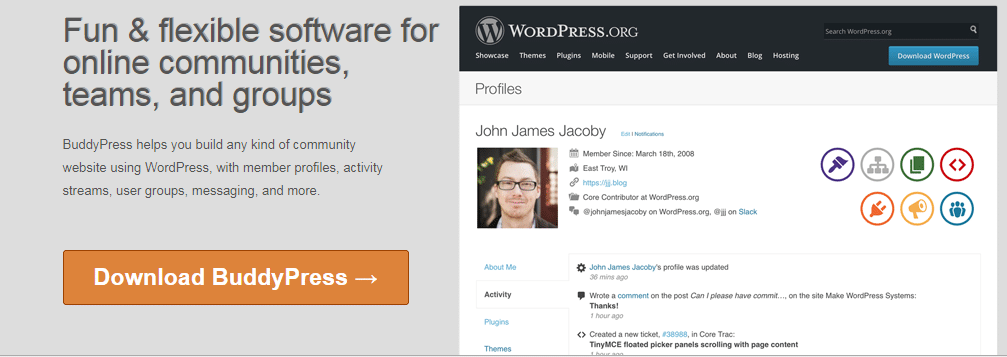
BuddyPress is a free plugin maintained under the WordPress.org umbrella. It turns a normal WordPress install into a social network out of the box. No licence, no upsell wall. The core plugin is genuinely complete on its own, which is part of why it has stayed the default choice for a decade and a half.
It’s open source, and building something Facebook-shaped on top of it is realistic without custom development. It functions as a lightweight content layer for the community pieces (profiles, groups, activity) while WordPress itself still handles pages and posts.
BuddyPress Community Features
Member Profiles
Profiles are fully customizable with editable fields members use to describe themselves to the rest of the community. Custom post types extend what’s possible beyond the defaults. Members upload an avatar, edit their information, and adjust personal settings. Default field types include:
- Text Box
- Multiline Text Area
- Radio Buttons
- Check Boxes
- Drop-down Selector
- Multi Selector
- Date Selector
Field visibility can be scoped to Everyone, Only Me, All Members, or My Friends. That’s enough granularity for most privacy-conscious communities.
Settings
The Settings page covers password resets, notification preferences, and account deletion. Nothing exotic, but it’s all there and it works the way members expect it to.
Groups
Members create groups where people with shared interests gather. Whoever creates a group becomes its administrator and can make it private. The Group component includes a directory, a single group view, and an admin panel for managing membership and settings.
Activity Streams
Every action on the site (blog posts, new friendships, comments) gets recorded in the Activity Stream. Members filter by what their friends are doing. Specific stream types include the sitewide stream, group streams, member streams, and the management screens admins use to moderate all of it.
Notifications
New notifications show up in the admin bar profile menu next to the navigation. They fire on friend requests, private messages, and group invitations, the events that actually pull members back to the site.
Friends
Members send and accept friend requests, which is the mechanism that turns a directory of strangers into an actual network over time.
Private Messaging
Members message friends privately, each with their own inbox and sent folder. New messages trigger an email or an in-site notification, whichever the member has configured.
Integrations
BuddyPress connects to a long list of plugins that extend the base install:
- Advanced Ads: optimize ad placement across the site.
- LearnDash: run an e-learning platform on top of the community.
- Divi Builder: customize pages with a drag-and-drop builder.
- Contact Form 7: build lead-generation forms.
- Elementor: another popular drag-and-drop page builder option.
Advantages of BuddyPress
It’s free with no paid tier gating core functionality, and the plugin ecosystem around it is enormous. Chances are good that whatever feature you’re missing already has an add-on.
Disadvantages of BuddyPress
Some third-party add-ons lag behind on updates. Compatibility between add-ons from different developers isn’t guaranteed. And because BuddyPress itself is community-maintained rather than backed by a dedicated support team, response times on niche issues can be slow.
How Pricing Actually Compares
BuddyPress core costs nothing. Most of the spend goes toward a compatible theme and whichever premium add-ons a site needs: reaction packs, activity share tools, member type plugins. A modest BuddyPress build often runs entirely on free components plus one paid theme.
PeepSo’s core plugin is also free, but the feature set that makes it competitive with a fully kitted-out BuddyPress install (GIPHY, BadgeOS, myCRED integrations, advanced reactions) sits behind the paid version. Budget for that if PeepSo is the direction you’re heading, and factor renewal costs into the decision, not just the sticker price on day one.
Migration and Long-Term Maintenance
Switching platforms after a community has real activity in it is painful no matter which direction you go. Profiles, group memberships, and activity history don’t transfer cleanly between PeepSo and BuddyPress. The underlying data models are different enough that a straight import rarely works without custom scripting.
That’s the strongest argument for picking carefully up front rather than treating either plugin as a placeholder. Look at your theme compatibility, your existing plugin stack, and whether your developer (if you have one) already knows one platform better than the other. That familiarity often matters more than a feature comparison on paper.
Which One Should You Actually Choose?
If your site already leans on the WordPress plugin ecosystem heavily (WooCommerce, LearnDash, a page builder), BuddyPress tends to integrate with less friction, partly because it’s been the default for longer and more developers have built against it. If you want a tighter, more opinionated feature set with fewer moving parts to configure and don’t mind paying for the advanced modules, PeepSo’s all-in-one approach can get a community live faster.
Teams that want a modern community layer without inheriting either plugin’s legacy architecture sometimes look outside BuddyPress entirely. BuddyNext is a standalone Community OS (not built on top of BuddyPress) with a feed, Spaces, profiles, messaging, and moderation tools out of the box, plus native Stripe memberships in the paid tier. It’s worth a look if you’re starting a community from zero and don’t have years of BuddyPress infrastructure to protect.
Three Real-World Scenarios
A nonprofit running a volunteer coordination hub usually needs groups, an activity feed, and private messaging, and not much else. BuddyPress handles that cleanly with its free core, and the nonprofit can spend its limited budget on a theme rather than a subscription. Add-ons stay optional rather than mandatory.
A course creator layering a community on top of paid content is a different case. They want gamification (points, badges, leaderboards) to keep students showing up between lessons. PeepSo’s myCRED and BadgeOS integrations solve that directly, though the premium tier adds a recurring line item to the budget.
A niche hobby forum, say a community for restoring vintage motorcycles, cares mostly about discussion depth and search. Neither plugin is purpose-built for threaded, searchable discussion the way a dedicated forum tool is. In that case, BuddyPress paired with bbPress, or PeepSo alongside a separate forum plugin, both work, but the fit is looser than either vendor’s marketing suggests.
What Neither Plugin Handles Well Out of the Box
Native paid memberships are the gap in both. BuddyPress has no built-in Stripe or PayPal billing. That requires a separate membership plugin bolted on top, with all the compatibility testing that implies. PeepSo’s paid tier covers plugin licensing, not member-facing subscription billing. If monetized membership is the actual goal rather than a feature on a wishlist, budget time for a third plugin regardless of which community layer you pick.
Moderation tooling is the other soft spot. Reporting a post, banning a member, or reviewing flagged content all work, but the workflows feel bolted on rather than designed in from the start. Communities that expect meaningful moderation volume (thousands of members, multiple moderators, a queue that needs triage) often end up adding a dedicated moderation plugin on either platform.
Frequently Asked Questions
Can I run PeepSo and BuddyPress on the same site?
Technically both plugins can be installed at once, but running them together invites conflicts in database tables, hooks, and front-end assets. Pick one as your community layer and treat the other as a non-starter for that install.
Does either plugin work well with an existing WooCommerce store?
Both integrate with WooCommerce. BuddyPress has a longer track record here simply because more WooCommerce extensions have been built and tested against it over the years. PeepSo’s WooCommerce integration works but has a smaller footprint of third-party plugins tested against it.
Is BuddyPress still actively maintained?
Yes. BuddyPress ships regular releases tied to WordPress core updates, and the plugin remains one of the most installed community tools on WordPress.org.
What happens to my community if I stop paying for PeepSo’s premium tier?
The core plugin keeps working, but the premium integrations (GIPHY, BadgeOS, myCRED, and similar) stop functioning until the licence is renewed. Plan for that if your community has come to rely on gamification features.
How steep is the learning curve for a site owner with no developer on staff?
PeepSo’s settings panel is generally easier for a non-technical admin to navigate on day one, since most of the configuration lives in one place. BuddyPress spreads its settings across the core plugin and whichever add-ons you install, which takes longer to learn but gives more granular control once you’re comfortable with it.
Which one performs better on a large, high-traffic community?
Both can handle large member counts with proper caching and a decent host, but performance depends more on your hosting stack, database indexing, and which add-ons you’ve layered in than on the base plugin choice. Neither plugin is inherently faster at scale; poorly optimized add-ons on either side will slow a site down.
Final Thoughts
Both plugins are genuinely capable of running a real social networking site. BuddyPress has the longer history and the bigger plugin ecosystem behind it, which usually tips the decision for anyone already deep in WordPress infrastructure. PeepSo trades some of that flexibility for a more packaged, opinionated experience that gets a smaller team to launch faster.
Neither choice is permanent in theory, but in practice, migrating a live community is expensive enough in time and goodwill that it’s worth spending an extra afternoon testing both before you commit.
Install each one on a staging site first. Add a handful of test profiles, post to the activity stream, create a group, and see how it actually feels to moderate and configure day to day. Reading a feature comparison only gets you so far. The plugin that survives contact with your real workflow is the right one to launch with.
Must Read:
Essential WordPress Plugins To Use On Your Website.
Best Social Media and Marketing Courses to Elevate Your Skills