
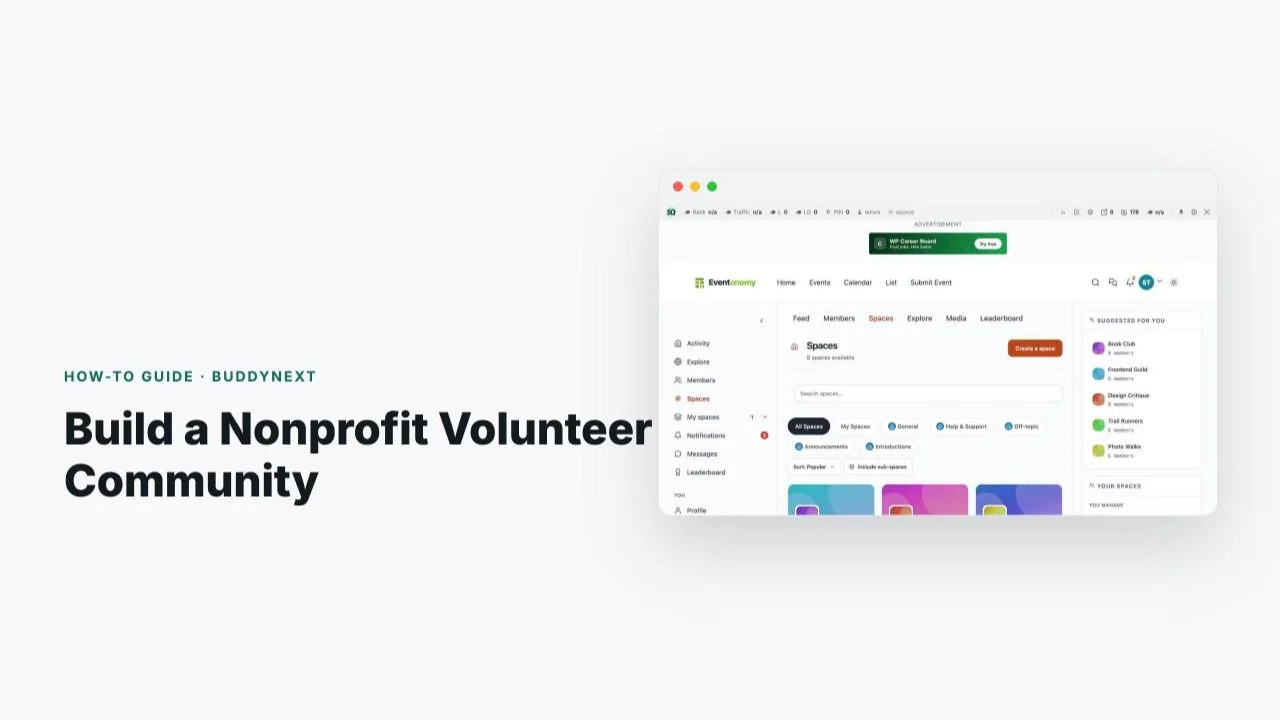
A nonprofit can’t pay its volunteers, which means every other lever for keeping people engaged matters more: clear communication, easy ways to sign up for shifts, and genuine recognition when someone shows up again and again. Most nonprofits run this on a patchwork of a Facebook group, a paper sign-up sheet, and a volunteer coordinator’s memory, which works until the coordinator takes a week off or the group gets buried by Facebook’s algorithm.
This guide covers a specific, real feature combination: BuddyNext for the community layer (spaces, profiles, discussion), Eventonomy for scheduling volunteer shifts and events with RSVPs and waitlists, and WB Gamification for recognizing volunteer hours and milestones without paying anyone a cent. All three run on a WordPress site you own, with no per-member fees eating into a budget that should go to the mission. The combination matters because each product covers a different failure mode on its own: a community without scheduling is just a chat room, scheduling without recognition burns volunteers out, and recognition without a community to see it happen in loses most of its social value.
Table of Contents
- Why Volunteer Coordination Breaks Down
- The Three-Product Stack
- Step 1: Set Up BuddyNext Spaces for Your Volunteer Community
- Step 2: Schedule Shifts and Events with Eventonomy
- Step 3: Recognize Volunteers with WB Gamification
- Step 4: Close the Loop Between the Three
- Launch Checklist
- Common Mistakes to Avoid
- Scaling to Multiple Programs or Chapters
- Real-World Scenario: A Local Food Bank
- What This Actually Costs
- FAQs
Volunteer retention is a documented, quantified problem for nonprofits: organizations that recognize volunteers consistently report meaningfully higher return rates than those that treat volunteering as a one-off transaction. Recognition isn’t a nice-to-have on top of coordination, it’s one of the few retention levers a nonprofit actually has.
Why Volunteer Coordination Breaks Down
Three things go wrong most often. First, scheduling lives in a format that doesn’t scale: a shared spreadsheet, a paper sign-up at the front desk, or a Facebook event that half the volunteer list never sees because they’re not active on Facebook that week. Second, there’s no durable record of who showed up and when, so a volunteer who’s given 200 hours over two years gets the same generic “thank you” email as someone who came once. Third, the community itself, the part where volunteers actually feel like they belong to something, gets squeezed out entirely because all the organizational energy goes into just getting bodies to the next shift.
None of this is a failure of the people running it. Volunteer coordinators are almost always doing this on top of another full-time job, with no budget for dedicated software. The fix isn’t more effort, it’s a stack that handles scheduling and recognition automatically so the coordinator’s actual time goes toward the relationships that matter.
There’s also a quieter cost to the patchwork approach: institutional memory walks out the door with the coordinator. A spreadsheet of who’s volunteered, how often, and what they’re good at lives on one person’s laptop, not in a system the next coordinator can simply log into. When volunteer coordination lives in a real platform instead, that history persists past any one person’s tenure, which matters enormously for an organization that depends on long-term relationships with its community.
A less obvious cost shows up at fundraising and grant-reporting time. Funders increasingly want to see volunteer engagement metrics, total hours, retention rate, program-by-program breakdowns, as part of an impact report. An organization running coordination through a spreadsheet and a Facebook group has to reconstruct these numbers manually, often imperfectly, right when accuracy matters most. A platform where hours and attendance are logged as a byproduct of normal operation turns grant reporting from a scramble into an export.
The Three-Product Stack
BuddyNext is the community layer: member profiles, spaces for different volunteer teams or programs, discussion, and a place for volunteers to feel like part of an organization rather than an anonymous name on a sign-up sheet. BuddyNext is self-hosted, meaning the organization owns the code and the member data on its own WordPress site, with no per-member subscription fee eating into program budget as the volunteer base grows.
Eventonomy (confirmed via its current pricing page) ships a genuinely complete free tier: unlimited events, RSVPs with automatic waitlist management, four calendar views, recurring event series (useful for a weekly food-bank shift or a standing cleanup day), guest RSVPs via magic links for volunteers who don’t want to create an account, and explicitly “no per-ticket platform fees, ever.” A paid tier from $99/year adds QR door check-in, SMS reminders via Twilio, and reporting, useful once a program scales past manual headcounts, but not required to start.
WB Gamification is confirmed 100% free: no license key, no Pro tier, no paid add-ons at all. Points, badges, levels, leaderboards, streaks with daily bonuses and peer kudos, a redemption store, and community challenges with shared goals all ship in the free plugin. For volunteer recognition specifically, this means badges for hours-logged milestones and a visible leaderboard cost nothing to run, at any volunteer-base size.
Step 1: Set Up BuddyNext Spaces for Your Volunteer Community
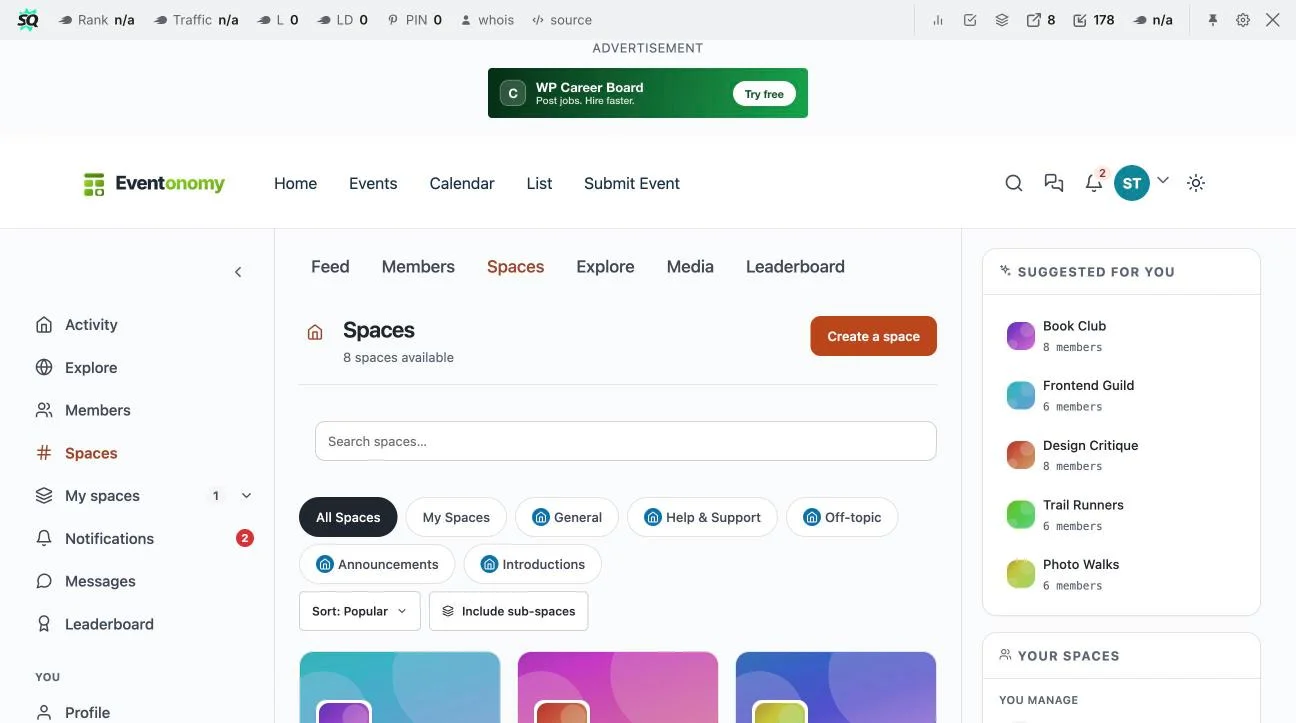
Start with spaces organized around how your volunteers actually work, not an org chart. A food bank might run separate spaces for “Warehouse Sorting,” “Delivery Drivers,” and “Front Desk,” each with its own discussion thread, so a driver isn’t wading through warehouse-specific chatter to find the one announcement that applies to them. Set up member profiles that capture availability and skills (someone with a commercial driver’s license is worth flagging differently than a general volunteer), and use a general announcements space for organization-wide updates that every volunteer sees regardless of their specific program.
Step 2: Schedule Shifts and Events with Eventonomy
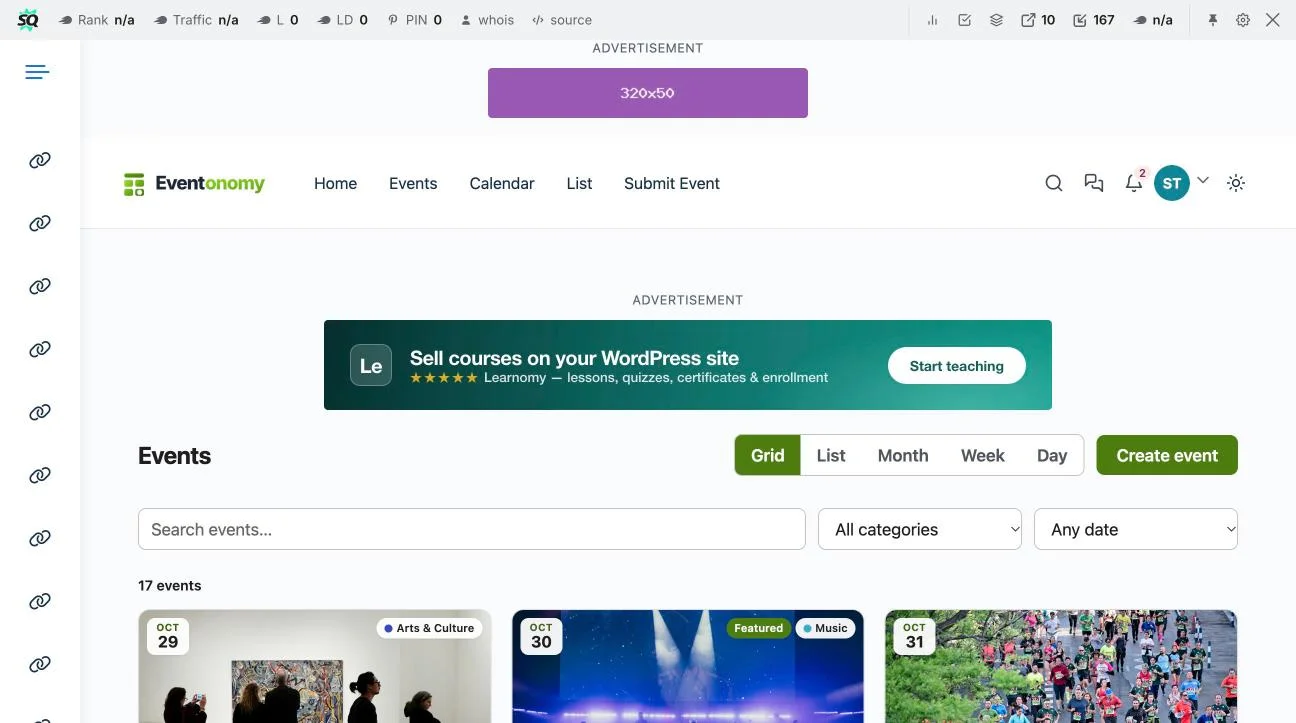
Create recurring event series for standing shifts (every Tuesday warehouse sort, every third Saturday neighborhood cleanup) rather than manually posting the same event weekly. Eventonomy’s waitlist management handles the real problem of a popular shift filling up: instead of a coordinator manually tracking who’s on a waitlist in a spreadsheet, volunteers who RSVP after capacity is reached get automatically queued and notified if a spot opens. Use guest RSVPs via magic link for one-off community volunteers (a corporate group doing a single service day, for instance) who shouldn’t need a full account just to sign up once.
Step 3: Recognize Volunteers with WB Gamification
Set up points for logged volunteer hours (tie a point value to completed shifts, whether tracked manually by the coordinator or via a check-in integration), badges for milestones (10 hours, 50 hours, 200 hours, a “first responder” badge for anyone who shows up to an urgent last-minute shift request), and a visible leaderboard for the current month or quarter. The streaks feature works well for volunteers who commit to a recurring weekly shift, rewarding consistency specifically rather than just raw hour count. Community challenges with shared goals (“let’s hit 500 collective hours this month”) give the whole volunteer base a reason to coordinate with each other, not just individually rack up points.
Step 4: Close the Loop Between the Three
The real value of running all three on the same WordPress site is that they reference the same member accounts: a volunteer’s BuddyNext profile, their Eventonomy RSVP history, and their WB Gamification badges all live under one identity rather than three disconnected systems. Post a weekly or monthly recap in the general announcements space highlighting top volunteers from the leaderboard, upcoming shifts with open spots from Eventonomy, and any new badges earned, turning the recognition into something the whole community sees, not just a private notification the recipient might miss.
Launch Checklist
- Define your spaces before launch. Map out which volunteer teams or programs need their own space versus a shared general space, rather than creating spaces reactively after confusion sets in.
- Set up at least one recurring event series. Even if you only have one standing weekly shift right now, get the recurring-series pattern working before you need to scale it to five different programs.
- Decide your point values and badge tiers before volunteers start earning them. Retroactively changing point values after volunteers have already accumulated some creates confusion and a sense of unfairness, decide the scale once and stick with it.
- Pick one person to own the weekly recap post. The recognition loop only works if someone consistently posts the leaderboard update and new badges, it shouldn’t depend on whoever remembers.
- Migrate your existing volunteer list in manually at launch. Don’t make long-time volunteers start from zero, grandfather in their known hours as a starting point balance if your tracking allows it.
- Test the guest RSVP flow yourself before publicizing it. Make sure a non-account-holder can actually sign up for a shift smoothly, since this is often the first touchpoint a new volunteer has with the system.
Common Mistakes to Avoid
- Over-fragmenting spaces. Ten spaces for a 30-volunteer organization creates more navigation overhead than it solves, match the number of spaces to your actual program complexity.
- Treating gamification as a one-time setup. Badges and leaderboards need the weekly recap habit to actually land with volunteers, a leaderboard nobody ever mentions out loud might as well not exist.
- Making shift sign-up more complicated than the spreadsheet it replaced. If a volunteer has to click through five screens to RSVP for a shift, you’ve made things worse, not better, keep the sign-up flow as close to one-click as Eventonomy allows.
- Forgetting to announce the switch clearly. Volunteers who don’t know the new system exists will keep showing up via the old Facebook group out of habit, a clear, repeated announcement campaign during the transition period matters more than the technical setup itself.
- Ignoring volunteers who don’t engage with gamification. Some volunteers show up reliably and simply don’t care about badges or leaderboards, don’t let the recognition system become the only form of acknowledgment, a genuine personal thank-you still matters.
Scaling to Multiple Programs or Chapters
An organization that starts with one program (say, a single food pantry) and grows into several (a pantry, a clothing closet, a tutoring program) doesn’t need a different platform at each stage, the same BuddyNext/Eventonomy/WB Gamification stack scales by adding spaces and event categories rather than by bolting on new software. Each new program gets its own BuddyNext space and its own Eventonomy event category, while the WB Gamification point and badge system can either stay unified across the whole organization (one leaderboard, one set of milestones, encouraging volunteers to try multiple programs) or split by program if the organization wants program-specific recognition instead.
For a multi-chapter nonprofit (a national organization with local chapters), the same self-hosted ownership model that benefits a single-location nonprofit applies at chapter scale too: a national office running one WordPress install with region-specific spaces avoids the fragmentation of each chapter running its own disconnected Facebook group or spreadsheet, while still letting each chapter manage its own events and local recognition independently. The cost structure stays flat regardless of how many chapters or programs are added, since none of the three products charge per additional space, event, or badge.
The practical lesson for a growing organization: resist the urge to stand up a separate tool for each new program “just this once.” Every additional disconnected system is another login volunteers have to remember, another place institutional knowledge can get lost, and another recurring cost line that didn’t need to exist. Extending the existing stack, even if it takes slightly more upfront configuration than grabbing a new SaaS trial, pays off within the first year in reduced coordinator overhead alone.
Real-World Scenario: A Local Food Bank
A food bank running on a shared spreadsheet and a Facebook group switches to this stack. Warehouse sorting and delivery driving each get their own BuddyNext space. Weekly sorting shifts and the monthly big delivery push become recurring Eventonomy events with waitlists, so the coordinator stops manually texting people when a shift fills up. WB Gamification tracks hours via a simple check-in process the front-desk volunteer logs, with badges at 25/100/250 hours and a monthly leaderboard posted in the announcements space. Six months in, the coordinator reports volunteers referencing their badge progress unprompted, a sign the recognition system is actually landing, not just running in the background unnoticed. The total software cost: $0, since all three products’ free tiers cover this entire use case; a $99/year Eventonomy Pro upgrade for QR check-in becomes worth considering only once the volunteer base grows past what manual hour-logging can keep up with.
The coordinator also reports an unexpected secondary benefit: new volunteers who join through the owned community site convert to regular volunteers at a noticeably higher rate than those who found the organization through the old Facebook group, because the onboarding experience (seeing a clear space for their team, an easy first shift to sign up for, and a visible sense that other people are actively engaged) is simply more welcoming than landing in an unmoderated Facebook thread. At the organization’s next grant renewal, the coordinator pulls volunteer-hours and retention figures directly from the platform instead of reconstructing them by hand, cutting what used to be a half-day task down to a few minutes.
What This Actually Costs
| Product | Free tier covers | Paid tier (if needed) |
|---|---|---|
| BuddyNext | Spaces, profiles, member directory, discussion | Additional features, contact for current pricing, no per-member fee at any tier |
| Eventonomy | Unlimited events, RSVPs, waitlists, recurring series, no per-ticket fee ever | $99/yr (1 site): QR check-in, SMS reminders, reporting |
| WB Gamification | Everything: points, badges, leaderboards, streaks, challenges, redemption store | None, no Pro tier exists |
FAQs
1. Do volunteers need to create accounts to RSVP for a shift?
Not necessarily. Eventonomy supports guest RSVPs via magic link, useful for one-off volunteers who shouldn’t need a full account for a single shift. Recurring volunteers benefit from a full BuddyNext profile so their hours and badges accumulate in one place.
2. Is WB Gamification really free with no catch?
Yes, confirmed directly on its own product page: no license key, no Pro edition, no add-on store. The full feature set, including the redemption store and community challenges, ships in the free plugin.
3. How do volunteer hours actually get logged?
This guide describes a manual check-in process (a front-desk volunteer or coordinator logs attendance, which feeds into WB Gamification points). Eventonomy’s Pro-tier QR door check-in can automate this for larger volunteer bases, but it’s not required to start.
4. Can different volunteer teams have separate schedules?
Yes. Set up separate Eventonomy event categories or recurring series per team (warehouse, delivery, front desk) so each group sees only the shifts relevant to them, while the BuddyNext spaces keep team-specific discussion separate too.
5. What happens when a shift fills up?
Eventonomy’s automatic waitlist management queues additional RSVPs once capacity is reached and notifies waitlisted volunteers if a spot opens, without the coordinator manually tracking it.
6. Does this replace a dedicated volunteer management system?
For small to mid-size nonprofits, this stack covers scheduling, community, and recognition at zero software cost. Larger organizations with complex compliance/background-check workflows may still need a dedicated VMS alongside this, but many nonprofits don’t need that complexity.
7. Can we recognize volunteers without a public leaderboard, for privacy reasons?
Yes. WB Gamification’s leaderboard is configurable, and badges can be displayed privately on a volunteer’s own profile rather than ranked publicly, useful for organizations where some volunteers prefer not to be publicly ranked.
8. How much setup time does this realistically take?
A basic version (a few BuddyNext spaces, one or two recurring Eventonomy events, basic WB Gamification badge tiers) is a single afternoon for someone comfortable in WordPress. Refining it (more granular badges, multiple team spaces, a polished announcements rhythm) is an ongoing, low-effort process rather than a big upfront project.
9. Do we need technical staff to maintain this?
Day-to-day use (creating events, posting announcements, checking the leaderboard) requires no technical skill. Initial setup benefits from basic WordPress familiarity, the same bar as setting up any WordPress plugin.
10. What if our nonprofit already has a Facebook group we don’t want to abandon?
You don’t have to abandon it immediately. Many organizations run both during a transition period, using the Facebook group as before while building out the owned community, then gradually shifting primary coordination over once volunteers are comfortable with the new system.
11. Can this help with grant reporting?
Yes, indirectly. Because volunteer hours and event attendance are logged as part of normal platform use, pulling a report of total hours, active volunteer count, or program-specific participation for a grant application is far faster than reconstructing those numbers from scattered spreadsheets and memory.
12. Will volunteers resist switching from a system they already know, like a Facebook group?
Some resistance is normal with any change. It helps to frame the switch around a concrete benefit volunteers will notice immediately, an easier way to see upcoming shifts, or visible recognition for hours already given, rather than presenting it as a policy change for its own sake. Running both systems in parallel for a transition window, as covered above, also reduces friction considerably.
Summary
A nonprofit’s volunteer program lives or dies on two things a paycheck normally handles: reliable scheduling and genuine recognition. BuddyNext, Eventonomy, and WB Gamification cover both at zero required software cost, on a site the organization owns outright rather than renting space inside a platform that could change its rules or bury the group in an algorithm feed tomorrow. Start with the spaces and a recurring shift schedule, layer in recognition once the basics are running, and the time saved on manual coordination goes straight back to the mission. None of the three products require a technical team to maintain, which matters for an organization whose staff and board are already stretched thin across fundraising, programs, and everything else running a nonprofit demands.
Interesting Reads:
How to Reward BuddyPress Community Engagement with Leaderboards
GamiPress vs myCRED vs WB Gamification