

Every BuddyPress site owner who has kept their community running for more than five years eventually hits the same wall. The plugin still works, technically. Members still post, groups still fill up, notifications still fire. But the codebase underneath is showing its age, activity data stuffed into wp_posts as custom post types, admin-ajax handling most interactions, a plugin ecosystem that has thinned out as maintainers moved on. Nothing is broken. It just feels like driving a car that starts fine every morning but was designed before anyone had a smartphone in their pocket.
That is usually the moment “migrating from BuddyPress” starts showing up in search history. This post walks through what actually changes when you move a community from BuddyPress to a standalone modern platform like BuddyNext, what data survives the move cleanly, what does not map over at all, and how to think about the project honestly before committing to it. It is not a sales pitch for switching. Plenty of BuddyPress sites are better served by modernizing what they already have, and that option gets a fair hearing here too, not just a footnote at the end.
The first thing to get right: this is not an upgrade path
BuddyBoss markets itself, fairly, as an upgrade layer on top of BuddyPress. Install it, activate its theme, and your existing BuddyPress data mostly keeps working because BuddyBoss shares BuddyPress’s underlying architecture. That framing does not apply here, and treating it like it does is the single most common mistake site owners make when they start planning this move.
BuddyNext is not built on BuddyPress. It is a standalone platform with its own database schema, its own REST API, and its own way of storing everything from activity posts to group membership. Moving to it is closer to switching from one community platform to a different one entirely than it is to upgrading a plugin. That distinction changes the whole shape of the project, from timeline to budget to what you tell your members.
What actually moves cleanly
Standard WordPress content is the easy part. Blog posts, pages, media library files, and core WordPress user accounts (login, email, password hashes, roles) all live in WordPress’s own tables and are untouched by which community plugin is active. If your community site also runs a blog, a knowledge base, or standard pages, none of that needs to be touched during a platform switch.
User accounts specifically deserve a callout because it is the piece people worry about most. The wp_users and wp_usermeta tables are core WordPress, not BuddyPress-specific, so the people who are members of your community keep their logins. What changes is everything BuddyPress bolted onto that account, extended profile fields, group memberships, activity history, friend connections, which lives in BuddyPress’s own custom tables and does not carry over automatically.
What does not map over one-to-one, and why
Here is where the architecture difference from the first section becomes concrete. BuddyPress stores activity updates as a custom post type inside wp_posts, alongside every blog post and page on the site. BuddyNext stores activity in its own purpose-built tables, structured differently to support features BuddyPress never had, six reaction types instead of one, five-level threading, quote reposts, hashtag indexing. Because the underlying data models are different, there is no simple database export-and-import between the two. Activity history, comment threads, and group discussion content need a deliberate migration pass, not a drag-and-drop.
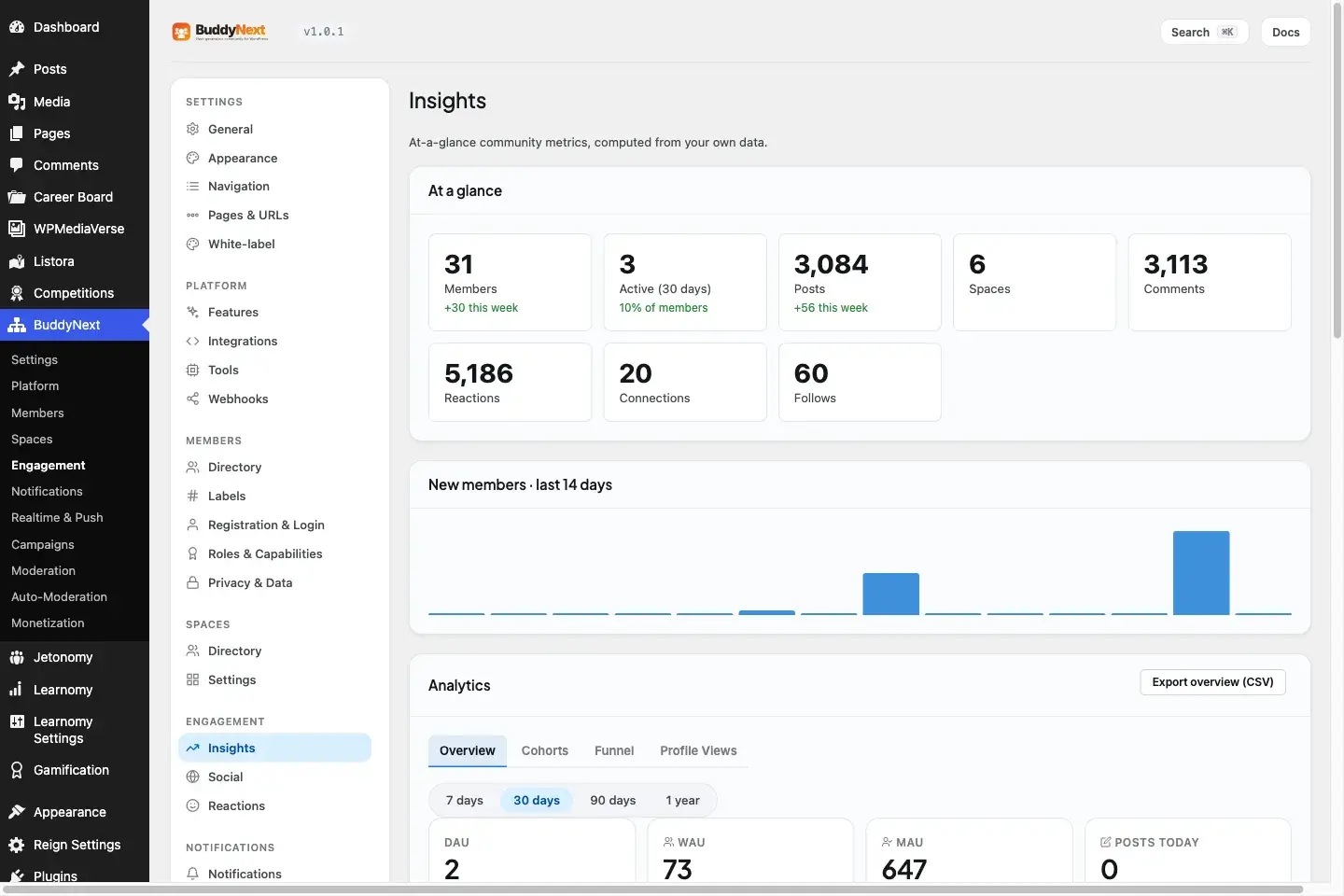
BuddyNext’s admin dashboard gives a single view of community health once migration is complete.
The same applies to BuddyPress Groups moving to BuddyNext Spaces. Conceptually they do similar jobs, a container for a subset of your members to post and interact inside. Structurally they are not the same object. Spaces support three visibility tiers (open, private, secret) plus sub-spaces for larger topic structures, none of which existed in BuddyPress groups. A migration has to decide deliberately how each old group maps to a new Space rather than assume a mechanical one-to-one conversion will produce the right result.
BuddyPress’s Friends component becomes BuddyNext’s following and connections model, which is worth pausing on because the underlying social graph is not identical either. BuddyPress friendship is mutual and binary, either you are friends or you are not. BuddyNext separates following (one-directional, like a subscription) from connections (mutual), which is a richer model but also means old friend-pair data needs a decision about which side of the new model it becomes.
Extended profile fields need a mapping decision, not a copy-paste
BuddyPress’s xprofile component lets site owners define custom profile fields, text, dropdowns, checkboxes, whatever a given community needs members to fill in. Years of member data usually lives in those fields, and none of it transfers by default because BuddyNext’s profile system, with thirteen field types and per-field privacy controls, is a different schema entirely.
The practical fix is a field-by-field mapping exercise before any data moves. List every xprofile field on the current site, decide which of BuddyNext’s thirteen field types it maps to, and flag any field that does not have a clean equivalent so a decision can be made about whether to drop it, merge it into a different field, or request it as a custom addition. This sounds tedious because it is, but skipping it produces the single most common post-migration complaint: members logging in to find their profile looks half-empty because a field that used to hold their job title, location, or bio quietly did not make the trip.
Private messaging and media move to a different plugin entirely
This surprises people who assume everything lives in one plugin. BuddyNext does not build its own direct messaging or media system into core. Messaging, attachments, and media posting on a BuddyNext site run through the free WPMediaVerse companion plugin, which BuddyNext relies on for all of its messaging and media functionality. If your BuddyPress site has years of private message history, that content needs its own migration path into WPMediaVerse’s data structures, separate from the activity and Spaces migration.
The plugin ecosystem reality check
This is the part of the conversation that gets skipped in most “how to migrate” guides, and it is the one that actually determines whether a migration is realistic for your specific site. Because BuddyNext is a genuinely new architecture, existing BuddyPress add-ons, the third-party plugins you may have installed for custom profile fields, group-specific widgets, or niche integrations, do not run on it. There is no compatibility shim.
Wbcom’s approach is to rebuild equivalent functionality natively into BuddyNext’s core over time. Some of that rebuilding is already shipped as part of the 31 free capabilities and 70 Pro capabilities. Some of it is still in progress. Before committing to a migration timeline, the honest exercise is to list every BuddyPress add-on your current site depends on and check, one by one, whether BuddyNext already covers that functionality natively or whether you would be migrating without it, at least temporarily. A site running five niche BuddyPress plugins has a materially different migration project than a site running vanilla BuddyPress with no add-ons.
It helps to sort that audit into three buckets rather than treat it as one undifferentiated list. Functionality BuddyNext already covers natively in its free or Pro tiers needs no further work beyond confirming the mapping. Functionality on Wbcom’s roadmap but not yet shipped is a timing risk, worth asking about directly rather than assuming it will land before your cutover date. Functionality that is genuinely niche and unlikely to ever get a native BuddyNext equivalent, a highly specific integration with a small third-party service, for example, is the category that should actually change the go or no-go decision on the whole project, not the categories where the answer is simply “wait a bit longer.”
The theme layer changes too, but for the better
BuddyPress sites are often built around whatever theme was fashionable when the site launched, sometimes years of accumulated CSS overrides patched onto a theme that was never really built for community content. Moving to a standalone platform is a natural point to also move to a theme built specifically for this kind of site.
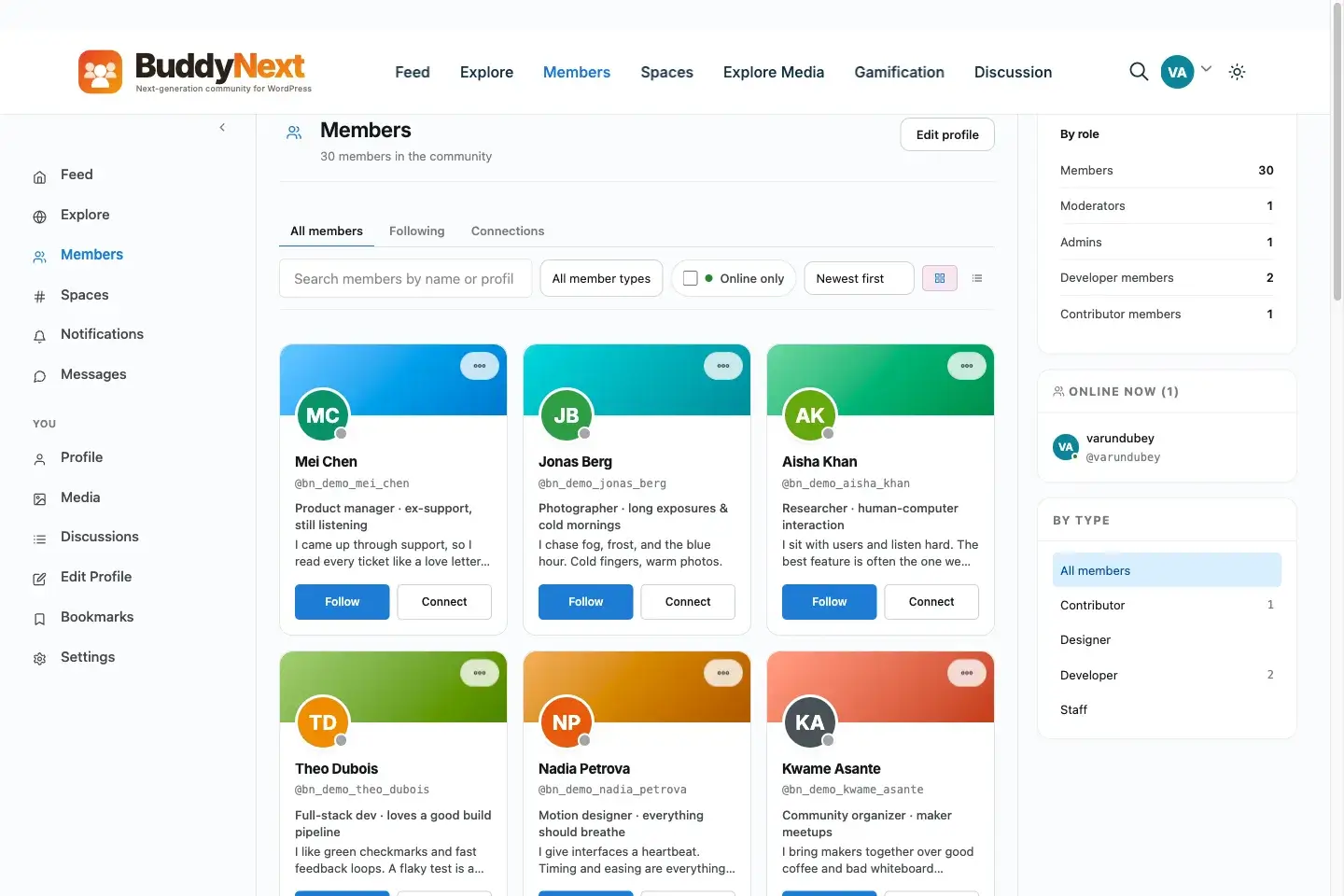
The member directory ships free and pairs cleanly with a purpose-built community theme instead of a patched-together BuddyPress skin.
We covered what a purpose-built theme actually looks like for BuddyBoss-style platforms in Best Theme for BuddyBoss Platform, and the same underlying logic applies to a BuddyNext migration. BuddyNext ships 18 Gutenberg blocks and is not tied to a single required theme, so pairing it with BuddyX means page layout happens through the standard WordPress block editor rather than a theme-specific page builder, and the visual identity of the community is no longer locked to whatever the old BuddyPress theme allowed.
SEO and URLs: the part every checklist forgets
Community sites that have been running for years usually rank for something, a group page that shows up for a niche search term, a member profile that pulls in traffic nobody expected, an old activity thread that Google decided to surface. None of that ranking survives a careless migration, and it is rarely mentioned in platform comparison content because it has nothing to do with feature parity.
Before touching anything, export a full list of your current BuddyPress URLs, group pages, member profiles, activity permalinks, and check which ones actually receive search traffic using your analytics data rather than guessing. BuddyNext’s URL structure for Spaces and profiles will differ from BuddyPress’s, which means a redirect map is not optional if any of those pages carry organic traffic. A 301 redirect from the old group URL to the new Space URL preserves the bulk of the ranking signal; a silent 404 where a ranking page used to live does not. This is unglamorous work, and it is also the difference between a migration that keeps your search traffic and one that quietly bleeds it out over the following quarter.
Budgeting the project honestly
A migration project has three real cost centers, and site owners who only budget for one of them tend to run over. The first is the technical migration itself, moving activity, group, and profile data into the new structure, which scales with how much history your community has accumulated and how many custom BuddyPress add-ons need native equivalents checked or built. The second is the theme and design work, since most migrations are also a visual refresh, not just a backend swap. The third, and the one most often skipped entirely, is member communication and support, the emails, the FAQ page, the extra support tickets in the first two weeks after cutover from members who cannot find something that moved.
Weigh that total cost against what staying on BuddyPress actually costs you over the same period, not in dollars but in the compounding maintenance burden of an aging plugin ecosystem, slower activity queries as the community grows, and moderation gaps you are patching with extra plugins. For some sites that comparison clearly favors migrating. For others, particularly smaller or slower-growing communities, the honest answer is that the current setup has more life left in it than the migration urge suggests.
A phased approach that does not blow up your live community
Nobody should migrate an active community by flipping a switch on a Friday afternoon. The projects that go well tend to follow a similar shape regardless of the specific tools involved.
Start with a parallel environment, a staging copy of the site where BuddyNext runs alongside the existing BuddyPress install, not replacing it yet. Use that environment to actually test the data migration process on a copy of real content, not a handful of test posts, so the edge cases (a group with an unusual name, a member with corrupted profile data, an old attachment with a broken path) surface before they matter. Map every BuddyPress add-on against BuddyNext’s native feature list during this phase, using the reality check from earlier in this piece, so there are no surprises discovered after the cutover.
Communicate with members before the switch, not after. A community that gets told “we are moving to a new platform, here is what changes and here is what stays the same” handles a transition far better than one that logs in one day to find their profile looks unfamiliar with no warning. Set a specific cutover window, ideally during a low-activity period for your community, run the final data sync, and keep the old BuddyPress install accessible in read-only mode for a defined period afterward in case anything needs to be cross-referenced.
Build a rollback plan before you need one, not after. That means keeping the original BuddyPress database and files untouched and accessible, not deleted or overwritten, until the new platform has run cleanly through at least one full activity cycle for your community, whether that is a week for a fast-moving group or a month for a slower one. If member complaints spike immediately after cutover in a way that suggests a data problem rather than ordinary adjustment friction, having the old environment still intact is what turns a crisis into an inconvenience.
When migration is not the right call
Sometimes the honest answer is that a modernization project on your existing BuddyPress site solves the actual problem better than a full platform migration does. If what is really bothering you is that the site looks dated, a theme change alone, pairing your existing BuddyPress install with a modern theme like BuddyX, addresses that without touching a single row of activity data. If the real complaint is moderation being too manual, that is worth solving directly, and trust-level-based auto-moderation is a pattern that can be layered onto an existing BuddyPress community without a platform swap.
A full migration to a standalone platform makes the most sense when the actual constraint is architectural, when you need custom-table performance at real scale, when you need the moderation depth BuddyPress’s ecosystem cannot provide out of the box, or when you are building fresh and simply have not committed to a platform yet. If none of those are your actual bottleneck, a migration is a lot of project risk to solve a problem a smaller change would have fixed.
Frequently asked questions
Will my members lose their login credentials during a migration?
No. User accounts, including login credentials, live in WordPress’s core wp_users table, which is untouched by which community plugin is active. What changes is community-specific data attached to that account, like extended profile fields and group memberships, which needs its own migration process.
Do my BuddyPress activity streams and group discussions transfer automatically?
Not automatically. BuddyPress stores activity as custom post types in wp_posts, while BuddyNext uses its own custom database tables designed for a different feature set. Moving that content requires a deliberate migration pass rather than a simple export and import.
Will my existing BuddyPress plugins and add-ons work after migrating?
No. Because BuddyNext is a completely new architecture rather than a BuddyPress fork, third-party BuddyPress add-ons will not run on it. Wbcom is rebuilding equivalent functionality natively into BuddyNext’s core over time, but you need to check each add-on you rely on individually before planning a migration timeline around it.
Does BuddyNext handle private messaging the same way BuddyPress does?
Not within BuddyNext itself. Messaging, attachments, and media posting on a BuddyNext site run through the free WPMediaVerse companion plugin, so message history needs a separate migration path from the rest of your community data.
Is there a faster way to modernize a BuddyPress site without a full migration?
Yes, if the underlying problem is theme quality or manual moderation rather than architecture. Pairing an existing BuddyPress install with a modern, purpose-built theme, or layering trust-level moderation on top of it, solves a large share of the complaints that trigger migration searches, without the project scope of a full platform switch.
How long does a realistic BuddyPress to BuddyNext migration take?
It depends almost entirely on how many third-party BuddyPress add-ons the current site depends on and how large the activity and group history is. A vanilla BuddyPress site with no custom add-ons can move considerably faster than one with five years of accumulated plugins, each of which needs to be checked against BuddyNext’s native feature set individually.
Will migrating hurt my search rankings for existing group and profile pages?
Only if the redirect map is skipped. BuddyNext’s URL structure differs from BuddyPress’s, so any group, profile, or activity page carrying organic traffic needs a deliberate 301 redirect to its new equivalent. Done properly, most of the ranking signal carries over; left undone, those pages return 404s and the traffic they earned disappears.
What happens to my custom BuddyPress profile fields?
They need a field-by-field mapping to BuddyNext’s thirteen profile field types before migration, not an automatic copy. Fields without a clean equivalent should be flagged and decided on explicitly, since skipping this step is the most common cause of members finding half-empty profiles after cutover.
The decision that actually matters
The technical work of moving data between two platforms is solvable with enough planning. The decision that actually determines whether a migration succeeds happens earlier, in the honest audit of what your current BuddyPress site depends on that will not transfer automatically. Skip that audit and a migration turns into a series of unpleasant surprises discovered one at a time after members are already using the new platform. Do that audit first, and a genuinely more capable, faster, better-moderated community is a realistic outcome rather than a marketing promise.
None of this needs to happen in a single leap either. A staged approach, running the audit, fixing theme and moderation pain points on the existing BuddyPress install first, then revisiting the full migration question once those smaller wins are banked, is a perfectly legitimate path for a site owner who is not yet convinced a full platform switch is worth the disruption. Migrating from BuddyPress is a real option, not an obligation, and the right pace for getting there is whatever your specific community can absorb without losing the trust it took years to build.