
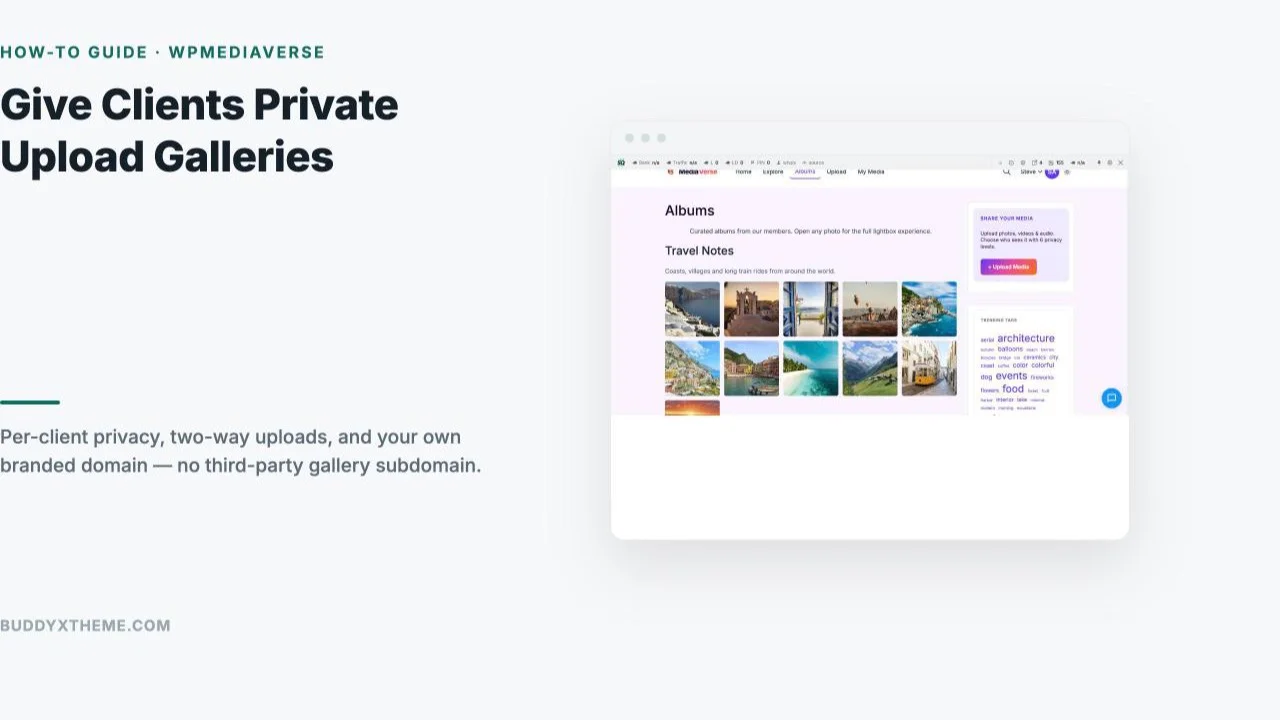
A client delivery gallery hosted on a third-party platform always looks the same: a generic subdomain, the platform’s own branding somewhere in the corner, and a hard wall between “what I deliver to you” and “what you send back to me.” A wedding photographer delivers 400 edited photos through one tool, then asks the couple to email or Google-Drive their own guest-taken shots back separately, because the delivery platform was never built for two-way traffic.
WPMediaVerse removes that wall. Every client gets a private, per-client gallery on the photographer’s own domain, with six privacy levels controlling exactly who sees what, and the same upload interface works both directions: the photographer delivers finished work, and the client can drop their own photos into the same space. This guide walks through setting one up.
Table of Contents
- Why Your Own Domain Beats a Delivery-Platform Subdomain
- What You Need Before You Start
- Setting Up Per-Client Privacy
- Enabling Client Uploads Into the Same Gallery
- Branding the Gallery as Your Own
- Delivering the Final Edited Set
- What This Actually Costs Compared to a Delivery Platform
- A Real-World Scenario: A Wedding Gallery Both Sides Fill In
- Common Mistakes With Client Galleries
- Who This Is Actually Built For
- FAQs
Photography technology is now an $82B+ market growing 25% year over year, with photography tech adoption at 83% among larger studios and 40% among small/independent businesses, and 80% of those currently using tools planning to increase investment. Personalized client galleries specifically see 2.8x longer viewing sessions than a generic full-event gallery, the gap between a delivery that feels generic and one that feels made for that specific client.
Why Your Own Domain Beats a Delivery-Platform Subdomain
A gallery on yourname.pixieset.com or a similar delivery-platform subdomain works, but it’s borrowed real estate: the branding is shared with every other photographer on that platform, the URL does nothing for your own site’s SEO, and if you ever want to leave the platform, your client galleries leave with it. A gallery on your own domain is a small, compounding advantage, every delivered gallery is a page on a site you control, indexable, brandable, and permanent regardless of which tools you use behind the scenes next year.
WPMediaVerse’s free tier, not a trial, ships a real explore feed, personal albums, reactions, comments, direct messaging, and six privacy levels per photo, no license key required to get a working client-gallery setup live today. Pro (from $69/year, 30-day money-back guarantee) adds the pieces that matter most once client galleries are a real part of the business: cloud storage via S3 or BunnyCDN for large RAW/high-res sets, video transcoding with HLS streaming for behind-the-scenes reels, and per-user storage quotas so one client’s 4K video delivery doesn’t eat the whole site’s disk space.
What You Need Before You Start
You need a WordPress install with WPMediaVerse active (it runs standalone or layered on BuddyPress if you already have a community site), and a plan for how each client gets an account, either you create one manually per client after booking, or you let clients self-register and then you move their uploads into a private album once you confirm who they are. For a small photography business delivering a handful of galleries a month, manual account creation is usually simpler than building a self-registration flow.
Decide upfront whether you want one album per client or one album per shoot for repeat clients (a couple who books you for both an engagement shoot and a wedding). Per-shoot albums keep deliveries cleanly separated and easier to reference later; a single ongoing client album works fine for a simpler one-off delivery.
It’s also worth deciding your naming convention before the first real client gallery goes live, since retrofitting a consistent naming scheme onto a dozen existing albums is far more tedious than starting with one. A pattern like “Client Last Name - Shoot Type - Year” keeps the admin album list searchable as the number of delivered galleries grows past the first handful, which happens faster than most photographers expect once word-of-mouth referrals start arriving.
Quick pre-launch checklist:
- WPMediaVerse installed and active on a WordPress site you control
- A decision on manual vs. self-registration client accounts
- An album-per-client or album-per-shoot naming convention written down
- One test client account set up to verify the full flow before going live
Setting Up Per-Client Privacy
Every upload on WPMediaVerse carries its own privacy setting, visible right in the upload form alongside the title, description, and tags fields. For a client gallery, this is the field that turns a public explore-feed upload into something only that specific client can see.
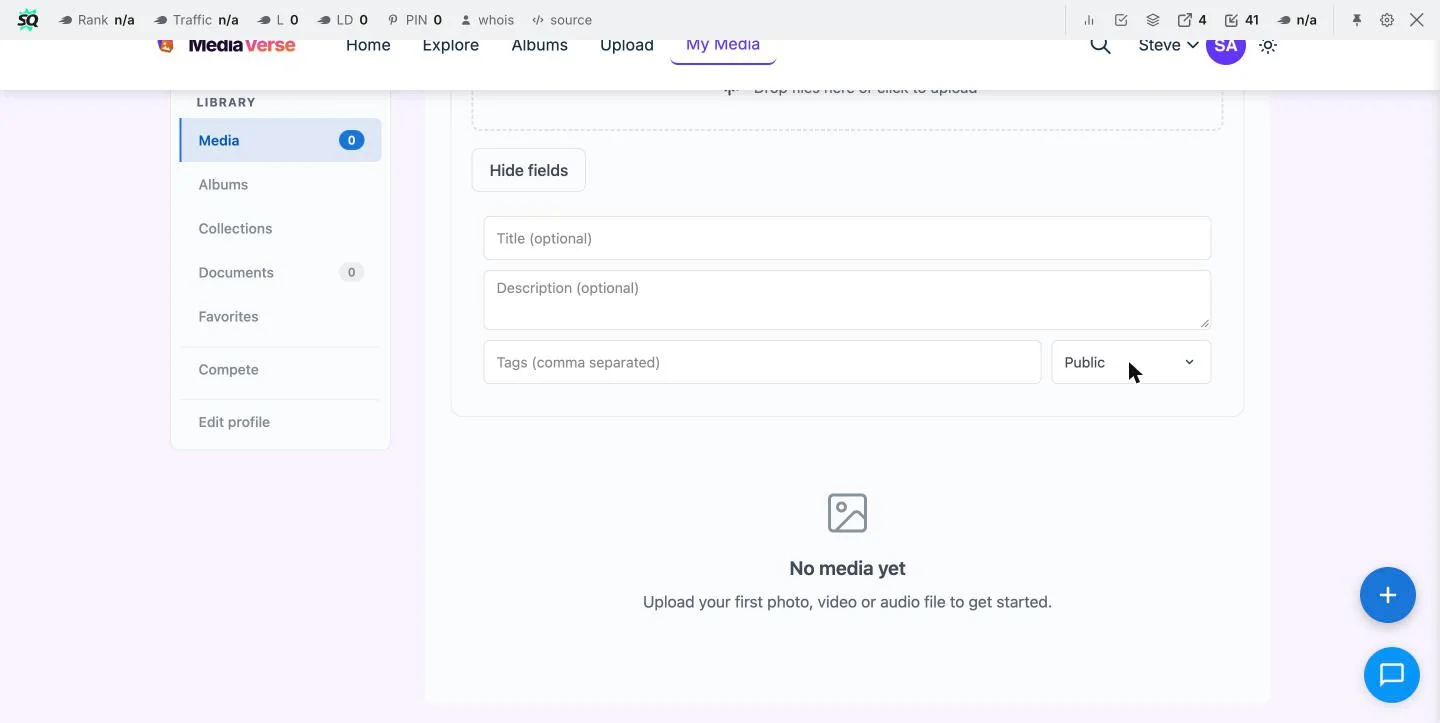
WPMediaVerse ships six privacy levels per photo out of the box, covering everything from fully public down to a single named recipient, with GDPR export and erasure tools built in alongside that control, worth knowing if a client ever asks you to remove their gallery entirely. For a client delivery, you want the most restrictive level that still lets the specific client (and only that client) see the gallery, confirm this works correctly by logging in as a test account and verifying the gallery is genuinely invisible to anyone else, including a logged-out visitor browsing the public explore feed.

Uploads also pass through built-in AI moderation (OpenAI Vision) before going live, a useful safety net the moment a gallery accepts uploads from someone other than you, since that’s exactly the scenario client-upload galleries create.
Enabling Client Uploads Into the Same Gallery
The feature that separates a real client gallery from a plain delivery folder is letting the client upload back into the same space. A couple adds their own candid phone photos from the reception to sit alongside your professional shots; a corporate client adds their own event photos to a gallery you delivered the keynote stills into. WPMediaVerse’s member-upload model makes this native rather than a workaround: the client logs into their own account and uses the same drag-and-drop upload interface you use, with their uploads landing in the same private album, visible only to the people that album is already restricted to.
This is also where the reaction and comment layer earns its keep on a client gallery specifically, not just a community feed. A couple reacting to and commenting on their own wedding photos, right there on the delivered gallery, turns a one-way handoff into something closer to a shared keepsake they return to, which is part of why personalized galleries hold attention multiples longer than a generic delivery link ever does.
A delivery link gets opened once. A shared gallery gets opened again, and again, because there’s always a chance something new has been added to it.
That single distinction, a static download versus a living, shared space, is the practical difference between a tool clients forget exists after the first visit and one they keep coming back to, which matters more than any individual feature on its own.
Branding the Gallery as Your Own
Since the gallery lives on your own WordPress site, standard WordPress branding tools apply directly: your logo in the header, your color palette through your theme, your own domain in the URL bar the client sees every time they return to check for new photos. None of this requires a workaround or a paid tier, it’s simply what running your delivery gallery on your own site gets you by default that a third-party subdomain structurally cannot.
Pro’s additional layout styles (five beyond the free tier’s defaults) are worth considering if gallery presentation is part of your brand’s visual identity, a wedding photographer’s aesthetic is part of what clients are paying for, and a gallery that looks like an afterthought undersells work that didn’t look like an afterthought at all.
Delivering the Final Edited Set
Once the edited set is uploaded and the privacy level is confirmed, share the direct gallery link with the client, by email, text, or however you normally communicate delivery. Since the gallery already lives behind the correct privacy restriction, there’s no separate password or access code to manage or lose track of, the client’s own login is the access control.
For large RAW or high-resolution video deliveries specifically, Pro’s cloud storage integration (S3 or BunnyCDN) keeps large files off your main WordPress hosting disk and serving from a CDN edge closer to the client, worth the upgrade the moment delivery sizes start running into multiple gigabytes per shoot rather than a few hundred megabytes of web-optimized JPEGs.
What This Actually Costs Compared to a Delivery Platform
Hosted client-gallery platforms built specifically for photographers typically run $10-$40/month depending on tier and storage, SmugMug’s entry-level “Direct” tier alone runs roughly $20/month billed annually ($240/year) for unlimited storage and client galleries, before any add-ons. WPMediaVerse’s free tier covers the core private-gallery and two-way-upload functionality at $0, and Pro, if you want the cloud storage and extra layout styles, runs $69/year for a single site, about a quarter of what a comparable hosted platform charges annually, with no per-client or per-gallery fee layered on top either way.
That gap compounds for a studio running client galleries as a standing part of the business rather than an occasional extra: a hosted platform’s monthly fee runs whether or not a gallery goes out that month, while WPMediaVerse’s annual license cost is the same regardless of how many client galleries get created inside it. For a photographer delivering a handful of galleries a month, the difference between $20/month forever and $69/year is real money over a multi-year career, without counting the branding and ownership advantages covered above.
| Hosted gallery platform | WPMediaVerse | |
|---|---|---|
| Typical cost | $10-40/month ongoing | $0 free, or $69/year Pro |
| Domain | Shared subdomain | Your own domain |
| Client can upload back | Rarely, or add-on only | Built in, free tier |
| Data ownership | Platform-controlled | Your own database |
A Real-World Scenario: A Wedding Gallery Both Sides Fill In
Picture a wedding photographer delivering 450 edited photos two weeks after the event. They create a private album for the couple, upload the full edited set at the most restrictive privacy level that still includes both partners’ accounts, and send the gallery link. The couple opens it, reacts to their favorites, and comments on a few, exactly the “longer session, more interaction” pattern personalized galleries produce over a generic link.
A week later, the couple’s best man sends them forty phone photos from the reception, candid moments the professional photographer wasn’t positioned to catch. Instead of a separate email thread or a forgotten Google Drive folder, the couple uploads those forty photos directly into the same private gallery, now a complete record of the day in one place, still invisible to anyone outside the two of them. Six months later, when they want to revisit the day, there’s one link to remember, not three different platforms holding three different pieces of the same event.
The photographer, for their part, never has to manually merge files from multiple sources or chase down a client’s separately-stored phone photos when building an anniversary slideshow the following year, everything relevant already lives in the one gallery the client has been quietly adding to since delivery day.
Extend the same pattern to a corporate client. A company books a photographer for an annual conference, and the photographer delivers the keynote and session photos to a private gallery scoped to the company’s marketing team account. Over the following weeks, different attendees on the team upload their own phone shots of the networking sessions and booth setups, photos the hired photographer wasn’t positioned to catch across every corner of a multi-day event simultaneously. By the time the marketing team builds their year-end recap, one gallery holds the professional coverage and the crowdsourced supplementary shots together, instead of the professional photos sitting in one tool and forty separate phone exports scattered across team members’ individual photo libraries. The photographer’s relationship with that client also strengthens quietly in the background: next year’s booking conversation starts from “here’s last year’s complete gallery” rather than a half-remembered folder search.
Common Mistakes With Client Galleries
- Leaving the privacy level too permissive. A gallery meant for one client that’s accidentally visible on the public explore feed is the single worst failure mode here, test it from a logged-out browser before sending the link.
- Not testing the client-upload path yourself first. Log in as a test client account and upload a file the same way your actual client will, before assuming the flow works.
- Treating every client the same way regardless of deliverable size. A simple headshot session doesn’t need cloud storage and advanced video tools; a full wedding or event package often does.
- Forgetting to communicate that the client CAN upload back. If you never tell the couple they can add their own photos, that feature goes unused, mention it explicitly in the delivery message.
Who This Is Actually Built For
This setup fits a wedding, event, portrait, or corporate photographer who wants client deliveries on their own branded domain rather than a generic third-party gallery subdomain, especially one where the client realistically has their own photos worth folding into the same record. It also fits an agency or studio managing several photographers’ deliveries through one WordPress install, since accounts, albums, and privacy are all managed from the same admin rather than juggling logins across several delivery platforms.
It fits less well for a photographer who exclusively does single, simple deliveries with zero expectation of client-side contribution, a flat delivery-only tool may be marginally simpler for that narrower case, though the branding and ownership advantages still apply either way.
FAQs
1. Does WPMediaVerse’s free tier actually support private client galleries, or is that a Pro feature?
Private galleries work on the free tier, six privacy levels per photo, member uploads, albums, and GDPR tools are all included with no license key required. Pro adds cloud storage, extra layouts, and video transcoding, not the core private-gallery functionality itself.
2. Can a client upload photos without creating a full account?
WPMediaVerse’s upload flow is built around logged-in member accounts, so the client needs an account to upload back into the gallery. For a one-off delivery with no expectation of client uploads, this isn’t required at all, you’re only the one uploading.
3. Will a client’s private gallery ever show up in search engines?
A correctly configured private-level gallery isn’t indexable by search engines the way a public explore-feed photo is. Always verify this from a logged-out browser or incognito window before sending any client their delivery link.
4. How much storage does a typical wedding gallery need?
A web-optimized JPEG delivery of 400-500 photos typically runs a few hundred megabytes to low single-digit gigabytes, well within standard WordPress hosting. Full-resolution RAW deliveries or video run considerably larger, where Pro’s S3/BunnyCDN cloud storage becomes genuinely useful rather than optional.
5. Can I moderate what a client uploads before it becomes visible?
Yes, uploads pass through built-in AI moderation (OpenAI Vision) before going live, and you retain full admin control to review or remove anything a client adds to their own gallery.
6. Do I need BuddyPress installed for this to work?
No. WPMediaVerse runs standalone with its own accounts, albums, and privacy system. If you already run BuddyPress for a broader community site, WPMediaVerse layers on top of it instead of requiring it.
7. What happens to a client’s gallery if they ask me to delete it later?
WPMediaVerse includes GDPR export and erasure tools built in, so removing a client’s gallery and their data on request is a supported, standard action rather than a manual database cleanup.
8. Can I run client galleries and a public portfolio gallery on the same site?
Yes, that’s a reasonable setup. Use WPMediaVerse’s private albums for client deliveries and either WPMediaVerse’s public explore feed or a separate display-focused gallery plugin for your public-facing portfolio pages, they don’t conflict.
9. Is there a limit to how many private client galleries I can run on the free tier?
The free tier doesn’t gate the number of albums or privacy-restricted galleries you can create; Pro’s limits relate to site count for licensing (1 site Personal, 5 sites Developer, unlimited Agency), not the number of client galleries within a single site.
10. Can clients comment on or react to photos in their private gallery?
Yes, the reaction and comment layer works inside private albums the same way it does on public content, visible only to whoever that specific gallery is restricted to, which is part of what makes a delivered gallery feel like a shared space rather than a one-way download link.
11. Does switching from a hosted gallery platform to WPMediaVerse mean re-sending every past client their delivery again?
Only for galleries you choose to migrate. Most photographers switch forward from the point of adoption rather than re-platforming every historical delivery, keeping old galleries live on the previous tool (if it stays accessible) while all new client work moves to the new setup.
12. Can I set an expiration date so a client gallery eventually becomes inaccessible?
WPMediaVerse’s privacy controls govern who can see a gallery rather than a built-in time-based expiration specifically; if time-limited access matters for your workflow, plan to manually adjust the privacy level or remove the album once you no longer want it accessible, rather than relying on an automatic expiry.
Summary
A client gallery on your own domain, with real per-client privacy and genuine two-way uploads, turns a delivery into something closer to a shared record of the day than a file drop the client forgets about within a week. WPMediaVerse’s free tier covers the core of this setup with no license key required; Pro’s cloud storage and video tools are there for the moment deliveries start running larger than a standard web-optimized photo set.
Before sending any client their first gallery link, log in as a test account and verify the privacy restriction actually holds, from a logged-out browser, from the public explore feed, and from a second unrelated member account if your site has other members. That one check, done once per new client setup, is what keeps a private gallery private. It takes under five minutes, and it’s the single cheapest insurance policy against the one mistake that would actually damage a client relationship, rather than merely inconvenience you.
Interesting Reads:
Best Image Gallery Plugins in 2026 (7 Compared for BuddyX)
Best WordPress Photo Album Plugins (Member-Owned vs Admin-Curated)