
In the vibrant world of Instagram, where visuals reign supreme, having perfectly sized images is essential for capturing attention and making an impact. If you’re looking to resize photo for Instagram, you’ve landed in the right spot! Choosing the right dimensions can enhance the clarity of your images, ensuring they stand out on your feed. In this article, we’ll explore ten unique tools designed to help you resize photo for Instagram with ease and efficiency.

The Importance of Resizing Photos for Instagram
Before we dive into the tools, let’s highlight why resizing photos is crucial. Instagram has specific size requirements, and using images that don’t meet these can lead to unwanted cropping or pixelation. Properly resized photos can boost your profile’s visual appeal, making your posts more engaging for your audience. Whether you’re a personal user or a business, knowing how to resize photo for Instagram can significantly enhance your online presence.
Understanding Instagram’s Image Size Guidelines
Instagram recommends the following dimensions for various post types:
- Square posts: 1080 x 1080 pixels
- Portrait posts: 1080 x 1350 pixels
- Landscape posts: 1080 x 566 pixels
- Instagram Stories: 1080 x 1920 pixels
Staying within these guidelines ensures that your images display correctly and attractively across devices.
1. Photopea

Photopea is an advanced online photo editing tool that mimics Adobe Photoshop’s interface.
Key Features
- Layer Support: Allows you to work with layers, just like in Photoshop.
- Multiple Format Support: Supports PSD, XCF, and other formats.
- Advanced Editing Tools: Offers a wide range of editing features, including brushes, text tools, and filters.
With Photopea, you can easily resize photo for Instagram while offering more creative editing options, making it suitable for users familiar with graphic design.
2. BatchPhoto
BatchPhoto is a robust tool designed for batch processing images. If you have multiple photos to resize photo for Instagram, this is the tool for you.
Key Features
- Batch Processing: Resize multiple images simultaneously.
- Customizable Profiles: Create profiles for different social media sizes.
- Image Editing Options: Basic editing functions, such as cropping and rotating.
With BatchPhoto, you can manage your content efficiently, saving time while ensuring all your images meet Instagram’s specifications.
3. Resizer
Resizer is a simple and effective online tool specifically created for resizing images.
Key Features
- User-Friendly Interface: Easy to navigate, perfect for beginners.
- Custom Dimensions: Enter specific dimensions or use preset options.
- Quick Processing: Fast image upload and download times.
Also Read: 10 Best AI Avatar Video Generator Tools
This tool makes it easy to resize photo for Instagram without any complicated features, making it ideal for users looking for a straightforward solution.
4. Img2Go
Img2Go is a versatile online photo editor that includes resizing capabilities.
Key Features
- Multiple Editing Functions: Includes cropping, rotating, and adjusting brightness.
- Drag-and-Drop Interface: Simplifies the upload process.
- Cloud Storage Access: Upload images from various cloud services.
With Img2Go, you can resize photo for Instagram effortlessly while also enhancing the quality of your images.
5. ResizePixel
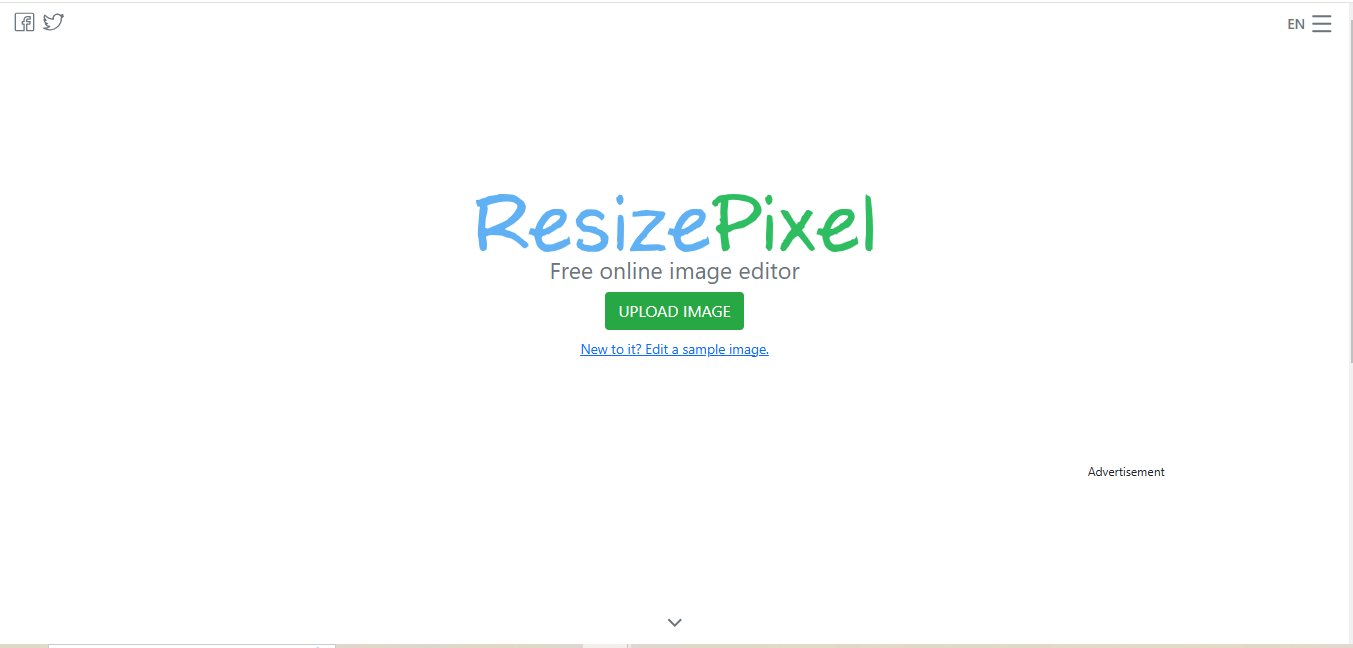
ResizePixel is a user-friendly tool that allows you to resize photo for Instagram effortlessly.
Key Features
- Simple Upload Process: Upload images quickly with minimal steps.
- Custom Resizing: Choose your desired dimensions with ease.
- Image Format Options: Download in various formats (JPG, PNG).
This tool is perfect for users who want quick and easy results without any frills, making it a go-to for resizing photos.
Also Read: 10 Best Christmas Sales Video Maker
6. Cropp.me
Cropp.me is an online tool designed for cropping and resizing images.
Key Features
- Smart Cropping Algorithm: Automatically detects the focal point of images.
- Batch Processing: Resize multiple images at once.
- Presets for Social Media: Includes predefined sizes for Instagram and other platforms.
This makes it an excellent choice for users looking to resize photo for Instagram while maintaining the quality and focus of their images.
7. Online Image Resizer
Online Image Resizer offers a straightforward interface for users to resize photo for Instagram without complications.
Key Features
- No Registration Required: Quick access without needing to create an account.
- Drag-and-Drop Upload: Simplifies the process for users.
- Various Output Sizes: Customize dimensions or choose from common sizes.
It’s an ideal solution for users looking to resize their images efficiently without any learning curve.
8. PicResize
PicResize is a popular online tool that lets you resize photo for Instagram quickly.
Key Features
- Preset Sizes for Social Media: Choose from popular social media sizes.
- Basic Editing Options: Crop, rotate, and apply effects.
- Fast Processing Time: Quick uploads and downloads for efficient use.
PicResize also offers some basic editing features, such as adding filters and effects, making it a versatile choice for Instagram users.
9. Canva Photo Resizer
While Canva is known for its design capabilities, it also has a dedicated photo resizer feature.
Key Features
- Extensive Template Library: Access to thousands of design templates.
- Graphic Design Tools: Add text, elements, and filters easily.
- Collaborative Features: Share designs with team members for input.
The Canva Photo Resizer allows you to resize photo for Instagram quickly and enhances your images further with creative tools.
Also Read: 10 Best AI Avatar Video Generator Tools
10. Photo Resizer Online

Photo Resizer Online is a simple and effective tool that focuses solely on resizing images.
Key Features
- Custom Size Options: Enter specific dimensions for your needs.
- Quick Upload and Download: Efficient processing with minimal wait time.
- Basic Image Editing: Optional cropping and rotation before resizing.
This tool is a hassle-free solution for users looking to quickly resize photo for Instagram.
Comparison Table
| Name of Tool | Best For | Standout Feature | Pricing |
|---|---|---|---|
| Photopea | Advanced editing with layer support | Mimics Adobe Photoshop’s interface | Free |
| BatchPhoto | Batch processing images | Resize multiple images simultaneously | Starts at $29.95 |
| Resizer | Simple and straightforward resizing | User-friendly interface for beginners | Free |
| Img2Go | Versatile online editing | Includes multiple editing functions | Free with ads; premium available |
| ResizePixel | Quick and easy resizing | Simple upload process | Free |
| Cropp.me | Smart cropping and resizing | Smart cropping algorithm | Free with limitations; premium available |
| Online Image Resizer | No registration required | Effortless drag-and-drop upload | Free |
| PicResize | Fast resizing for social media | Preset sizes for popular social media | Free |
| Canva Photo Resizer | Graphic design and resizing | Extensive template library | Free with premium features |
| Photo Resizer Online | Hassle-free resizing | Quick upload and download | Free |
Wrap-Up - Step Up Your Instagram Visuals
In conclusion, knowing how to resize photo for Instagram is essential for anyone looking to make an impact on the platform. The tools listed above offer various features tailored to different needs, ensuring you can find the perfect fit for your editing style. With the right tool, you can enhance your images, maintain their quality, and ensure they look great on your Instagram feed.
Whether you’re managing a business account or sharing personal moments, well-sized images can capture attention and drive engagement. So, take some time to explore these tools and find the one that works best for you. Happy resizing, and enjoy creating stunning visuals for your Instagram profile!
Interesting Reads
10 Best Valentine Day Quote Poster Makers