
If you are weighing Sugar Calendar alternatives, start with the plugin’s own philosophy: say no to almost everything. No bloated admin, no dozen calendar views you will never touch, no shortcode soup. The Sandhills team behind Easy Digital Downloads and AffiliateWP built Sugar Calendar for sites where an event list is useful but should never be the main event. That is a real, defensible position, and for a lot of sites it is still the right one.
But “lightweight” has a cost. Sugar Calendar’s free Lite plugin stops at single events and a calendar block. Recurring events, ticketing and the admin calendar view are paid features, with plans listed from $99/yr at full price. There is no way for members to submit their own events from the front end, at any price. And there is nothing resembling a community layer: no RSVPs with a waitlist in the free plugin, no BuddyPress or BuddyNext integration, no member dashboard. If your site is a community, not a publication, that gap starts to matter.
This guide runs through the real alternatives, starting with Eventonomy, the free plugin we build at Wbcom Designs for community and membership sites, and then six other established WordPress event plugins each aimed at a different kind of site. We will be upfront about where Sugar Calendar still wins, because it genuinely does for some sites.
Last updated: 6 November 2026
Quick Verdict
- →Pick Eventonomy if your events are something members RSVP to, bring guests to, and sometimes run themselves, especially on BuddyX, BuddyPress, or BuddyNext.
- →Pick The Events Calendar if you want the biggest ecosystem, imports from Eventbrite and Meetup, and a mature ticketing add-on.
- →Pick Amelia Events if your events are paid, capacity-limited workshops where the booking flow is the whole product.
- →Stay on Sugar Calendar if events are a secondary feature on a site that mostly does something else, and you do not need members running their own listings.
In This Guide
Why Site Owners Look for Sugar Calendar Alternatives
The WordPress.org plugin directory lists well over 50 event and calendar plugins with 1,000+ active installs, and The Events Calendar’s free core alone sits above 800,000 active installs on its own, making it the single most-installed event plugin in the directory. That scale exists because “events” means very different things to different sites, and no one plugin’s philosophy fits all of them. Sugar Calendar picked a narrow, deliberate lane, and it is worth being precise about where that lane ends.
Sugar Calendar Lite, the free version, gives you single events with start and end times, a calendar block for the block editor, and a clean event detail page. That is genuinely enough for an author listing book signings or a podcast listing upcoming live recordings.
Once you need more, you are buying up the Sugar Calendar ladder: Sugar Calendar’s pricing page now lists Basic at $99/yr for one site, Plus at $199/yr for one site, Pro at $399/yr for three sites and Elite at $599/yr for ten sites. First-year prices are half of that, renewals are at full price, and flexible recurring events are listed on every paid tier. There is no tier, at any price, that adds a front-end submission form for members, a waitlist, a guest count on an RSVP, or any kind of BuddyPress or community hook.
That is not a knock on the plugin. It was built to stay out of the way on sites where events are not the point. It is a mismatch on sites where events are exactly the point: meetup groups, associations, courses with live sessions, neighborhood groups, hobby communities. If that is your site, keep reading.
Market snapshot
- Sugar Calendar lists four paid plans: Basic $99 per year for 1 site, Plus $199 for 1 site, Pro $399 for 3 sites and Elite $599 for 10 sites, all with flexible recurring events. The page shows half-price introductory pricing for the first year, and renewals are at full price (Sugar Calendar pricing, checked November 2026).
1. Eventonomy, Best Sugar Calendar Alternative for Community Sites
Eventonomy is the free WordPress events plugin we build at Wbcom Designs, and it starts from the opposite assumption Sugar Calendar does: events are something your members do together, not just something you publish at them.
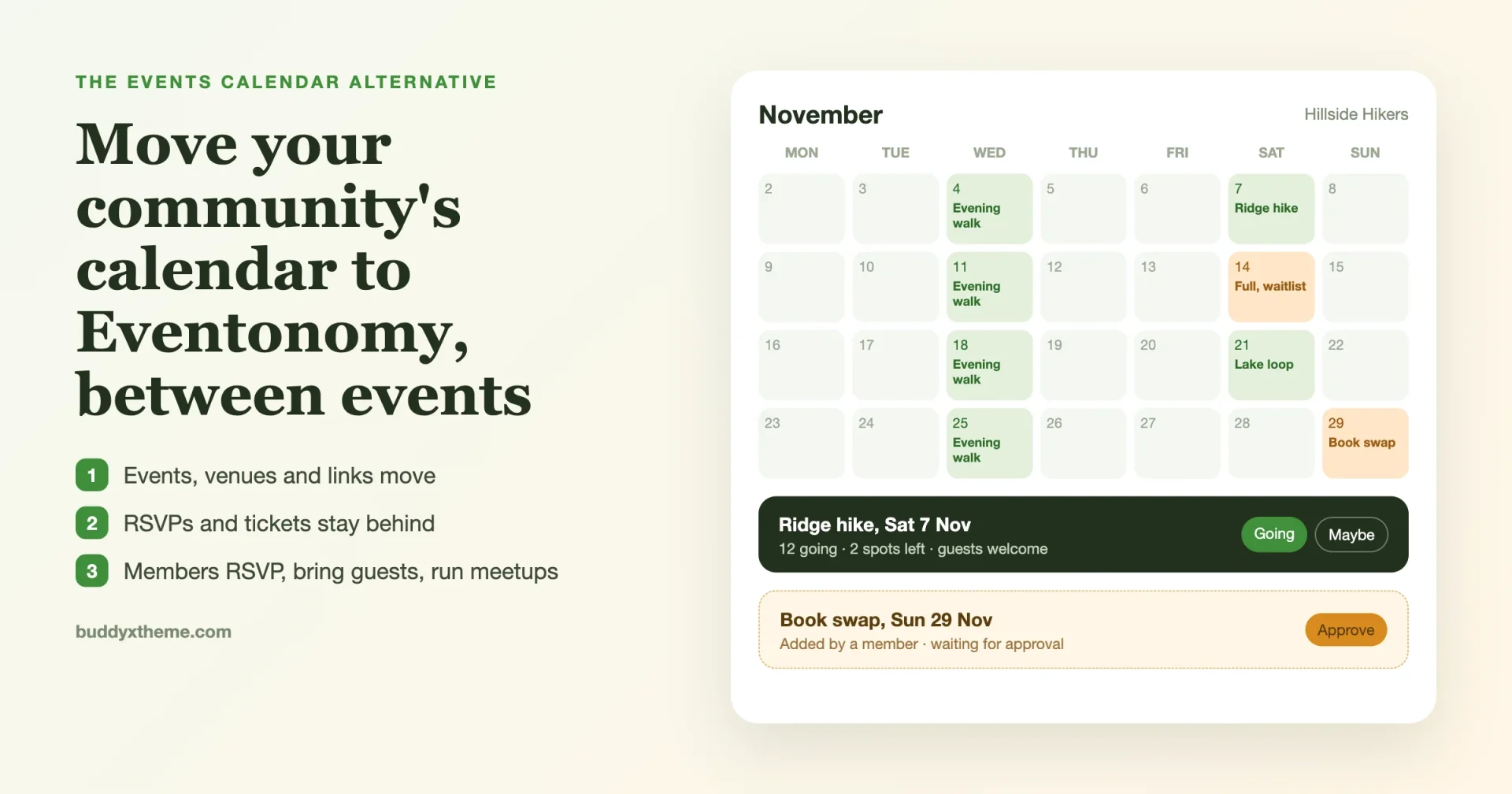
The free plugin ships month, list, grid, and upcoming calendar views, plus a calendar block for any page. Members RSVP going, maybe, or no, with your own custom RSVP questions. They can bring guests, with a limit you set, counted against capacity. Once an event is full, new RSVPs land on an automatic waitlist instead of a flat “sold out” message. Guests who do not want an account can still RSVP with a name and email, and manage their own RSVP through a magic link.
None of that is paywalled. Daily, weekly, and monthly recurring events are free too, along with add-to-calendar links, an ICS feed, and day-before and hour-before email reminders. Members get a My Events dashboard and a submission form, so a hiking club, a book club, or a study group can run its own calendar with or without your approval on each event.
Eventonomy Pro exists for one reason: the day you start charging for tickets. Pro adds Stripe, PayPal, or WooCommerce checkout with tax, fees, and coupons, plus door check-in, map views, SMS reminders through Twilio, and organizer reports. Pro runs $99/yr for one site, $199/yr for five sites, or $249/yr unlimited, with one-time lifetime options from $249 to $629 if you would rather skip renewals entirely.
The real differentiator against every other plugin on this list is community integration. Eventonomy is tested against BuddyX, so event pages inherit your theme instead of fighting it. On BuddyNext, Eventonomy activity shows up in the community feed, search, and member profiles, and reminders land in the same notification bell members already check. On classic BuddyPress, Eventonomy Pro adds an Events tab to every group, with a list or calendar view and the option to attach one event to several groups at once. No other plugin in this comparison, including Sugar Calendar, ships anything like that.
If you are also replacing The Events Calendar specifically, our walkthrough on replacing The Events Calendar on a community site with Eventonomy covers the free importer step by step, including what moves and what does not.
Side-by-Side Comparison Table
| Plugin | Starting Price | Free Tier Covers | Recurring Events | Member Submissions | Community / BuddyPress | Best For |
|---|---|---|---|---|---|---|
| Sugar Calendar | Free / $99-$599/yr | Single events, calendar block | Paid tiers | No, any tier | None | Lean publishing, podcasts, authors |
| Eventonomy | Free / $99-$249/yr | RSVP, waitlist, recurring, My Events | Free (yearly rules in Pro) | Yes, free | BuddyX, BuddyPress, BuddyNext | Community & membership sites |
| The Events Calendar | Free / $99+/yr | Month, list, day views | Pro add-on | Community Events add-on | None native | Public calendars, ticketing, imports |
| Modern Events Calendar | Free / ~$75/yr | 14+ views, basic booking | Free and Pro | Yes, free and Pro | None native | Feature-dense all-in-one calendars |
| Eventin | Free / paid tiers | Basic event listing, Elementor widgets | Pro | No built-in member dashboard | None native | Conferences built in Elementor |
| WP Event Manager | Free / $19+ per add-on | Ajax listings, submissions | Paid add-on | Yes, free core | None native | Lean, performance-first listings |
| Amelia Events | $69-$399/yr | None, events are paid-only | Yes, core | No, booking-only | None native | Paid capacity-limited workshops |
| EventON | $29 one-time + add-ons | Single-page calendar, repeats | Yes, core | Action User add-on | None native | Design-led brand calendars |
Prices and tier names change; check each vendor’s pricing page before you buy. The pattern that matters most for a community site is the “Community / BuddyPress” column: Eventonomy is the only plugin here with a native path into BuddyX, BuddyPress, and BuddyNext.
2. The Events Calendar
The Events Calendar (TEC) is the default WordPress event plugin, built by the team formerly known as Modern Tribe, with more than 800,000 active installs of the free core alone. If Sugar Calendar’s problem for you is that it feels too thin once you need serious ticketing or calendar imports, TEC is the obvious next stop.
The free core covers month, list, and day views, single-event pages, venues, organizers, and an iCalendar export feed. Events Calendar Pro, at roughly $99/yr for one site, adds recurring events with exception handling, week and photo views, and more shortcodes. Event Aggregator (roughly $99/yr) imports from Meetup, Google Calendar, iCal, and Eventbrite on a schedule. Event Tickets Plus (roughly $89/yr) layers WooCommerce-powered paid tickets, attendee management, a check-in app, and QR codes on top. Community Events adds front-end submissions. A fully loaded TEC site with recurring events and paid tickets typically lands around $188-$287 in year one.
What you are trading for that ecosystem is cost and weight. TEC has no native community layer; a member-run meetup group gets a front-end form through the Community Events add-on, but no feed presence, no profile tie-in, nothing resembling BuddyPress groups. For a public calendar with ticketing on day one, TEC is hard to beat. For a site built around members, not the general public, it is still a generic calendar plugin with a community theme bolted on top, not the other way around.
3. Modern Events Calendar
Modern Events Calendar (MEC), by Webnus, is the everything-included option. The free version on WordPress.org already ships more than a dozen calendar views (month, week, day, list, grid, agenda, masonry, timetable, carousel, slider, tile, cover, countdown, map), recurring events, search and filter, and frontend event submission. MEC Pro, priced around $75/yr for all features on one site, adds the booking and ticketing engine, PayPal/Stripe/WooCommerce payment gateways, invoices, an event builder, and virtual event integrations with Zoom, Google Meet, Jitsi, BigBlueButton, and Webex.
MEC’s free-tier frontend submission is a genuine advantage over Sugar Calendar, and its single Pro license covering virtual events plus ticketing plus every view is simpler to budget than stacking several add-ons elsewhere. The catch is weight: MEC’s footprint is noticeably heavier than a lean plugin because the core ships so many views and shortcodes by default, and on entry-level shared hosting that shows up in admin and page-load speed. There is also no BuddyPress or BuddyNext integration out of the box, so a community still needs a separate theme or plugin to surface events inside member profiles or group feeds.
4. Eventin
Eventin, by ThimPress, is built for a different crowd than Sugar Calendar entirely: conference and virtual-summit organizers who live in Elementor. The free version covers basic event listing and a set of Elementor widgets for building an event or conference landing page without writing a page template from scratch. The paid tiers add a speaker and schedule builder for multi-track agendas, badge and QR-code ticket generation, attendee check-in, and Zoom integration for fully virtual or hybrid conferences, with WooCommerce, Stripe, and PayPal handling payment.
Eventin’s strength is the conference workflow: speakers, sessions, tracks, and a polished attendee badge are things neither Sugar Calendar nor most lightweight plugins attempt at all. The trade-off is scope in the other direction from Sugar Calendar. There is no member dashboard for attendees to RSVP, bring a guest, or run their own recurring meetup, and no BuddyPress or community integration. It solves “we are running one conference well,” not “our members run events together all year.” Pricing scales from a single-site tier up through agency bundles; check Eventin’s own pricing page for current numbers before committing, since add-on tiers shift. For the mirror image of this comparison, see our Eventin alternatives guide.
5. WP Event Manager
WP Event Manager is the performance-first answer to the same complaint people have about MEC: too much shipped by default. Its free core is deliberately kept under 1MB, with Ajax-powered event listings, filtering, search, and a frontend submission form built into the free tier, which is unusual generosity at that price. Everything beyond that, a month-grid Calendar view, Registrations (RSVP and attendee management), Sell Tickets, Recurring Events, Google Maps, Speaker Schedule, Sponsors, Email Notifications, Zoom Integration, is an individually priced add-on running roughly $19-$69 each. A typical “Calendar + Registrations + Sell Tickets + Recurring” bundle lands around $150-$220/yr, with lifetime pricing available on most modules.
For sites that genuinely only need one or two of those add-ons, the a la carte model beats paying for a bundle you will not use. The honest downside: almost every feature a community actually needs, the calendar view itself, ticketing, recurring events, is paid, so a serious setup ends up buying several add-ons anyway, and there is still no path to BuddyPress groups or member profiles.
6. Amelia Events
Amelia, by TMS Plugins, is a booking platform first; the Events feature extends its appointment-booking engine to paid, capacity-limited group events like workshops and classes. An Amelia event is a structured booking flow: a start date, a capacity, a price, and a multi-step checkout wizard that handles guest counts, custom fields, tax, and payment through Stripe, PayPal, Razorpay, Mollie, or WooCommerce, with confirmation and reminder emails firing automatically and SMS available through Twilio.
Pricing runs Basic at roughly $69/yr for one domain, Pro at roughly $159/yr for three domains, and Developer at roughly $399/yr for fifteen domains, with lifetime tiers starting around $249. The Events module itself is paid-only; there is no free tier for events specifically.
Amelia does the booking-and-payment part of events better than almost anything else here, with a genuinely polished React checkout widget. What it does not do is act like a public calendar or a community space: no month-grid view, no map view, no member submission form, no BuddyPress tie-in. If your “event” is really a paid class people book a seat in, Amelia fits. If it is a Saturday hike members RSVP to for free and sometimes organize themselves, it is the wrong tool.
7. EventON
EventON, sold by AshanJay on CodeCanyon, takes a third pricing approach entirely: one-time purchase instead of annual licensing. The base plugin is a $29 one-time buy with more than 38,000 sales and a 4.6 average rating, built around a genuinely beautiful single-page accordion calendar with color-coded categories and repeat events in the core. Add-ons for tickets, bookings, Stripe payments, front-end submission (Action User), Mailchimp sync, maps, and reminders are typically $25 each, so a calendar-plus-tickets-plus-bookings setup lands around $80-$120 one-time with no renewal pressure.
For sites that want a gorgeous calendar without touching CSS and do not want an annual bill, EventON is a legitimate pick and genuinely cheaper than Sugar Calendar over two or three years. It has no free core on WordPress.org, so you commit to CodeCanyon’s support model, and like everything else on this list besides Eventonomy, there is no BuddyPress or community hook; front-end submissions exist only through the paid Action User add-on, and even then there is no member dashboard, waitlist, or guest-count RSVP out of the box.
Sugar Calendar built a plugin that says no to almost everything, so it stays light. Eventonomy was built to say yes to the one thing a community needs most: letting members run events together, for free, before anyone reaches for a card.
Which Should You Actually Pick
Match the plugin to what your events actually are, not to the longest feature list.
- A BuddyPress, BuddyNext, or BuddyX community where members RSVP, bring guests, and sometimes run their own meetups: Eventonomy. Nothing else here reaches into the feed, profiles, or groups.
- A public calendar that needs imports from Eventbrite or Meetup, plus serious ticketing: The Events Calendar.
- A feature-dense all-in-one calendar with virtual event platforms built in: Modern Events Calendar.
- A conference or virtual summit built in Elementor, with speakers, tracks, and badges: Eventin.
- A lean listing site where you only want to pay for one or two specific add-ons: WP Event Manager.
- Paid, capacity-limited workshops where the booking flow is the product: Amelia Events.
- A design-forward calendar on a one-time budget, no community features needed: EventON.
- Events as a genuinely secondary feature with no member-run listings: Sugar Calendar can still be the right, boring, cheap-enough answer.
For more plugins in this category outside today’s shortlist, see our best event management plugins for WordPress roundup and our best visual event calendar plugins for WordPress guide.
FAQs
What is the best free Sugar Calendar alternative?
Eventonomy. Its free plugin covers RSVPs, guest counts, a waitlist, recurring events, and a member submission dashboard, all of which sit behind Sugar Calendar’s paid tiers or are missing entirely.
Does Sugar Calendar have a free version?
Yes. Sugar Calendar Lite on WordPress.org covers single events, start and end times, a calendar block for the editor, and basic event detail pages. Recurring events, ticketing, and custom event meta are all paid.
Can Sugar Calendar let members submit their own events?
No, at any tier. If members running their own meetups or classes matters to your site, Eventonomy, Modern Events Calendar, WP Event Manager, and (as a paid add-on) The Events Calendar and EventON all support it; Sugar Calendar does not.
Which Sugar Calendar alternative works best with BuddyPress or BuddyNext?
Eventonomy. It is tested against BuddyX, surfaces activity in the BuddyNext feed and member profiles with BuddyNext Pro active, and adds a native Events tab to BuddyPress groups with Eventonomy Pro. No other plugin in this comparison has an equivalent integration.
Is Modern Events Calendar heavier than Sugar Calendar?
Yes, by design. MEC ships 14+ calendar views and extensive configuration out of the box, which adds more PHP weight than Sugar Calendar’s deliberately minimal core. On a well-cached host it is not noticeable; on entry-level shared hosting it can be.
Which alternative is cheapest long-term?
Eventonomy’s free plugin and EventON’s one-time purchase are the two cheapest paths if you never need paid ticketing. Once ticketing enters the picture, Eventonomy Pro’s lifetime tiers (from $249) and EventON’s a la carte add-ons both avoid Sugar Calendar’s renewals at full price, which start at $99/yr.
Does Eventonomy require BuddyPress or BuddyNext to work?
No. Eventonomy runs standalone on any WordPress site and works with any theme. The community features (activity feed, group Events tab, profile tie-in) only activate when BuddyPress or BuddyNext is also installed.
Can I import my existing Sugar Calendar events into Eventonomy?
Eventonomy’s free plugin ships an importer for The Events Calendar, EventON, Events Manager, and WP Event Manager. A direct Sugar Calendar importer is not currently part of that list, so check Eventonomy’s documentation for the current migration options before switching, or recreate a smaller Sugar Calendar catalog by hand.
Is Amelia Events a good Sugar Calendar alternative?
Only if your events are paid, capacity-limited bookings. Amelia has no free tier for events, no public calendar browsing view, and no member-run listings, so it solves a narrower problem than Sugar Calendar does, just with a more polished checkout.
Which alternative has the largest install base?
The Events Calendar, with more than 800,000 active installs of its free core, far ahead of every other plugin named here, including Sugar Calendar.
Do any of these alternatives support virtual or hybrid events?
Modern Events Calendar Pro integrates Zoom, Google Meet, Jitsi, BigBlueButton, and Webex. Eventin Pro integrates Zoom for virtual conferences. The Events Calendar’s Virtual Events add-on covers Zoom. Eventonomy and Amelia both support a Zoom link on an event, with deeper virtual-event tooling planned as a roadmap item rather than a current core feature.
How much does Sugar Calendar cost?
As of November 2026, Sugar Calendar lists Basic at $99 per year for 1 site, Plus at $199 for 1 site, Pro at $399 for 3 sites and Elite at $599 for 10 sites. First-year prices are discounted by half, and renewals are at full price. Check the vendor page before buying, as promotions change.
Where to Start
If your events are something members do together, install Eventonomy’s free plugin on a staging copy, add the calendar block to a page, and test an RSVP with a guest and a waitlist before you touch the live site. If your events are a public calendar with imports and ticketing, start with The Events Calendar’s free core instead. Either way, the honest test is the one Sugar Calendar’s own minimalism points at: does the plugin do what your members actually need, for free, before you reach for a card.