

Smart ways to start using video marketing, even when you have no time, no team, and no budget.
Video marketing sounds great in theory. Then you sit down with a packed to-do list, and the idea of producing consistent video content starts to feel impossible. If you have ever thought “we just don’t have time for video,” you are not alone, and you are not wrong to feel stretched thin.
According to Wyzowl’s 2023 report, 30% of non-video marketers said lack of time was the main reason they weren’t using video. Another 18% didn’t know where to start. 10% struggled to convince a boss or client it was worth the investment. Those numbers haven’t shifted much since, because the underlying problem was never really about video software. It was about workflow.
You don’t need a full-time video team or hours of production time to make this work. Small businesses and solo marketers are publishing weekly video content with nothing more than a phone and thirty minutes a week. Below are five practical strategies that make video marketing manageable, plus the workflow habits that keep it sustainable past the first month.
1. Start Small with Short-Form Content
You don’t need to produce long, polished videos to make an impact. Short-form videos between 15 and 60 seconds are some of the most effective formats today. They’re quick to create, easy to edit, and built for high-engagement platforms like Instagram Reels, TikTok, and YouTube Shorts.
Not sure what to post? Try these:
- Answer a frequently asked question
- Share a quick customer tip or testimonial
- Highlight a product feature
- Show a 10-second behind-the-scenes clip
- React to a trending audio clip with a relevant industry take
- Turn a common objection into a 20-second rebuttal
These videos take minutes, not hours, to plan and produce. The key is to focus on value and consistency, not perfection. A slightly shaky phone video that answers a real question a customer asked last week will outperform a scripted, over-lit production that says nothing useful. Algorithms on most short-form platforms reward watch-through rate more than production polish, so a tight 18-second clip that people finish beats a beautifully shot 45-second clip that loses half its audience by the ten-second mark.
One habit worth building early: keep a running note on your phone of questions customers ask by email, in comments, or in support tickets. Each one is a ready-made script. You already know the answer. You just have to say it out loud.
2. Repurpose What You Already Have
You don’t need to start from scratch every time. You’ve likely already created a goldmine of content, blog posts, emails, webinars, slide decks, that can be transformed into short videos.
Here’s how to repurpose smartly:
- Turn a blog post into a video script and narrate the key points
- Clip highlights from a past webinar or Zoom call into bite-sized posts
- Use customer reviews or testimonials to create social proof videos
- Use tools like Pictory or Descript to automatically pull clips from longer recordings
- Turn a slide from an old presentation into a 30-second voiceover explainer
Repurposing saves time and ensures your best content reaches more people in different formats. A single 40-minute webinar recording can realistically become six to eight short clips once you go through it looking for moments where someone said something quotable, surprising, or directly useful. Don’t aim to use the whole recording. Aim for the three or four minutes inside it that would make someone stop scrolling.
If you run a membership site or online community, this repurposing habit compounds fast. Every Q&A session, every live discussion, every ask-me-anything thread is raw material sitting there waiting to be cut into shareable clips.
3. Batch Record to Maximize Your Time
One of the easiest ways to produce more video content without the stress is batch recording.
Instead of recording one video at a time, block off an hour or two each week or month and film several in one go. You’ll get into a rhythm, save setup time, and create content for weeks in a single session.
To make it feel fresh:
- Change outfits or settings between takes
- Use a standard script template (intro, message, CTA)
- Keep each video under 2 minutes to stay efficient
- Record in a different order than you plan to publish, so topics don’t feel repetitive back to back
This is a great way to stay consistent without needing daily production time. The setup cost of video, lighting, framing your shot, finding a quiet moment, is the real time sink. Once you’re set up, recording video six is almost free compared to video one. Batching turns that fixed cost into something you pay once a month instead of six times a week.
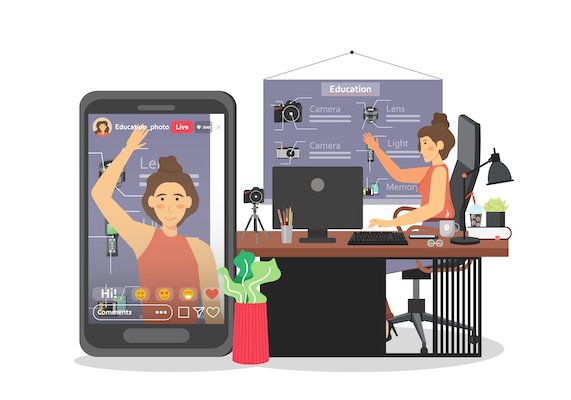
4. Use Templates and AI Tools
Video editing used to be a time-consuming skill. Not anymore. With user-friendly editing tools and AI-powered platforms, you can create professional-looking videos in minutes.
A few tools worth trying:
- Canva: Ready-made video templates and a drag-and-drop editor
- Pictory: Turns blog posts into narrated videos with visuals
- Descript: Edit video by editing the transcript, useful for podcast-style clips
- CapCut / InVideo: Built for social videos with text overlays and transitions
Many of these tools also auto-generate captions and reformat your video for multiple platforms, which saves even more time. Captions matter more than most marketers assume: a large share of social video is watched with the sound off, especially on mobile during work hours or commutes. A video without captions is quietly losing a chunk of its audience before anyone sees a single frame of your message.
Pick one tool and get comfortable with it rather than jumping between four different apps. The time you save from familiarity usually outweighs whatever marginal feature difference exists between competing editors.
5. Skip the Camera with Screen or Audio-Only Videos
Not comfortable on camera? Or just don’t have time to set up a good filming space? Screen recordings and voiceover videos are quick, effective alternatives, especially for tutorials, walkthroughs, or educational content.
Tools that work well here:
- Loom: Record your screen with voice narration
- OBS Studio: Free and built for more advanced screen capture
- Vimeo Record: Create and share screen tutorials directly from your browser
These videos are especially useful for SaaS businesses, consultants, and educators. You can create valuable content quickly without turning on your webcam at all. A software walkthrough or a five-minute “how this works” recording often converts better than a talking-head video anyway, because it shows the product doing the thing rather than someone describing it.
Common Mistakes That Waste the Time You Just Saved
Even with the right tools, a few habits quietly undo the time savings above. Watch for these:
Re-recording for perfection. A stumble in the first three seconds of an otherwise good take is not a reason to start over. Trim it in editing instead.
Skipping a script outline entirely. Going in with zero structure usually means more retakes, not fewer, because you lose your train of thought halfway through.
Publishing without a caption pass. Auto-generated captions are rarely perfect on the first try. A thirty-second proofread catches the errors that make a brand look careless.
Ignoring the first frame. On feeds where video autoplays muted, the first still frame acts like a thumbnail. A blank or awkward first frame quietly kills your click-through rate before the video even starts.
Never checking what actually performed. Watch-through rate and saves tell you more than view count. Five minutes reviewing last month’s numbers before you batch-record the next round will save you from repeating formats that quietly flopped.
What Equipment You Actually Need (Not What You Think You Need)
A common excuse for skipping video is the belief that you need a proper camera, a ring light, a lav mic, and a backdrop before you can start. None of that is true for most short-form content, and buying it all up front is a good way to spend a weekend shopping instead of publishing.
A phone from the last three or four years shoots video that looks perfectly fine on a 6-inch screen, which is where almost all of your audience will watch it. Natural window light beats most cheap ring lights. Face a window instead of having your back to one, and skip the light entirely. Audio matters more than video quality, since viewers forgive soft focus far more readily than they forgive garbled sound, so a $20 clip-on lav mic is a better first purchase than any camera upgrade. A phone tripod or even a stack of books to hold your phone steady rounds out the entire starter kit. Total cost: under $30, and most of it you probably already own.
Upgrade later if video becomes a real channel for your business. Don’t let equipment shopping be the reason your first ten videos never get made.
A Realistic Weekly Time Budget
Here’s roughly what a sustainable video habit looks like once you’re past the first month and have a rhythm going. Planning and jotting down 3 topic ideas: 15 minutes. Batch recording 3 to 4 short videos in one sitting: 30 to 45 minutes. Editing each clip with a template, captions, and a trim pass: 10 to 15 minutes per video, done across the week rather than all at once. Scheduling and publishing: 10 minutes using whatever scheduler your platform or social tool provides.
Add that up and a full week of short-form video content, four to five posts, costs roughly two hours of actual work once the workflow is dialed in. Most people overestimate this because their first attempt, before they have a template or a rhythm, takes far longer. The second month is always faster than the first.
Where to Actually Publish These Videos
Not every short video belongs on every platform, and cross-posting blindly wastes some of the time you just saved. Instagram Reels and TikTok reward fast hooks in the first two seconds and favor a casual, unpolished feel. YouTube Shorts pulls in more search-driven traffic, so titles and on-screen text that describe the topic clearly tend to outperform vague hooks there. LinkedIn video works best when it reads as a genuine insight or a behind-the-scenes look at how you work, rather than a repurposed TikTok trend, since the audience skews toward professionals scrolling during work hours.
If you only have time to post to one place, pick whichever platform your actual customers already spend time on rather than the one that seems trendiest. A B2B consultancy usually gets more value from three sharp LinkedIn videos a month than from a daily TikTok that nobody in their audience will ever see.
Frequently Asked Questions
How long before video marketing shows results?
Most businesses see early engagement signals, comments, saves, follows, within the first month if they post consistently. Measurable traffic or lead impact usually takes eight to twelve weeks, since platforms take time to learn who to show your content to and audiences take time to build trust in a new format.
Do I need to show my face on camera?
No. Screen recordings, voiceover-narrated slides, and text-driven videos with background footage all perform well, particularly for tutorial and educational content. Face-on-camera videos tend to build trust and personal connection faster, but they are not required to get started.
What if I only have five minutes a day?
Batch record on the one day a week you have thirty free minutes instead of trying to produce daily. A month of Sundays spent recording beats a month of good intentions that never happen on a Tuesday.
Is it worth paying for premium editing tools right away?
Not at first. Free tiers of Canva, CapCut, and OBS Studio cover everything a beginner needs. Upgrade to a paid plan only once you hit a specific limitation, like watermarks or export length, that free tools can’t solve.
Should I post the same video on every platform?
Reformat rather than duplicate. A vertical Reel doesn’t need to become a horizontal YouTube upload with black bars slapped on the sides. Most editing tools can reframe a clip for a different aspect ratio in a minute or two, and that small step usually doubles the watch-through rate compared to posting a mismatched crop.
What’s the single biggest reason video plans fail?
Not a lack of ideas or tools. It’s treating the first attempt as a test of whether video “works” instead of as the first rep in a habit that needs eight or ten tries before you can judge it fairly. One video, or even five, rarely tells you much. A consistent month does.
Bonus: Build a Simple Workflow That Saves You Time
One of the biggest time drains with video is the lack of a process. By creating a repeatable, 3-step workflow, you’ll save time and stress.
Try this simple system:
- Plan: Choose a topic, outline 2 to 3 talking points, and decide on format
- Record: Use your phone, laptop, or screen recorder
- Publish: Edit with a template, add captions, and upload to your preferred platform
Use a basic content calendar to plan video topics a month at a time. Don’t chase perfection. Your audience values clarity and authenticity more than polish, and a slightly imperfect video published on schedule beats a flawless one that never ships.
How to Know It’s Working
Time-saving strategies only matter if the output actually moves the needle. Track a small set of numbers rather than obsessing over every metric your platform offers. Watch-through rate tells you whether the content itself holds attention. Saves and shares tell you whether it’s worth someone’s time to pass along. Click-through on any link in your caption or bio tells you whether the video is actually driving people somewhere. If a format isn’t producing any of those three signals after five or six attempts, drop it and try a different one instead of forcing it to work.
A Small Example Worth Copying
A three-person consulting team once told us they’d been “meaning to start video” for over a year. What actually got them moving wasn’t a bigger budget or a hire. It was picking one Friday afternoon a month and recording eight short clips back to back, answering the same questions their sales team fielded on calls all month. No script beyond a bullet list, no lighting kit, just a phone propped against a stack of books in the office kitchen because the window light was best there.
Within two months they had a backlog of clips they could schedule out, and new prospects started referencing specific videos on discovery calls, which shortened the sales conversation because half the explaining was already done. Nothing about their approach was sophisticated. The only thing that changed was that recording became a scheduled block on the calendar instead of a someday task competing with everything else.
That’s really the whole lesson buried inside every tactic above. Time-saving tools help, but the actual unlock is treating video like a recurring thirty-minute meeting with yourself rather than a special project that needs the stars to align.
A Quick Pre-Publish Checklist
Before you hit publish on a batch of videos, run through this short list. It takes under two minutes and catches most of the mistakes covered earlier.
- Does the first two seconds hook attention, or does it start with a slow wind-up?
- Are captions on and proofread, not just auto-generated and ignored?
- Does the first frame look intentional rather than blank or mid-blink?
- Is there a single clear next step, comment, follow, click a link, rather than three competing calls to action?
- Is the file exported in the aspect ratio the platform actually wants, vertical for Reels and Shorts, horizontal for most YouTube uploads?
None of these take real time individually. Skipping all five, though, is usually the difference between a video that performs and one that quietly disappears.
Need Help Building a Video Strategy That Fits Your Workflow?
Let’s chat. Whether you’re starting from scratch or looking to scale, we can help you make video marketing manageable and effective.
Interesting Read
Best Plugins to Convert a WordPress Site Into a Mobile App
Best WooCommerce Share for Discounts Plugins