10 WordPress Job Board Plugins


I recently tried WP Job Manager, and I was impressed by how easy it was to set up. I simply created a few pages, added the shortcodes, and within minutes, I had a live job board running on my WordPress site—no complicated setup or coding required.
What I really liked was how user-friendly it is for both employers and job seekers. Employers can register, post, and manage their listings from a simple dashboard. They can preview jobs, edit, mark them as filled, or delete them. Job seekers get ajax-powered search and filters, making it easy to find the right opportunities quickly.
I also tested the monetization options, and the paid listings add-on worked seamlessly. You can even integrate with ZipRecruiter, Indeed, Facebook, or WooCommerce. For developers, the plugin is flexible too, with clean code, custom post types, and template files if you want to tweak it further.
Features:-
- Add, manage, and categorize job listings
- Searchable & filterable ajax powered job listings
- Frontend forms for guests and registered users to submit & manage job listings.
- Allow job listers to preview their listing before it goes live
- Each listing can be tied to an email or website address
- Searches also display RSS links to allow job seekers
- Allow logged-in employers to view, edit, mark filled, or delete their active job listings.
- Developer-friendly code – Custom Post Types, endpoints & template files.
2. Simple Job Board

I recently tested Simple Job Board, and true to its name, it’s exactly that—simple and super easy to use. One thing I really liked is how lightweight the plugin is; it doesn’t slow down your site at all, and it’s available in multiple languages, which is a nice touch.
Setting up job listings was straightforward. I could add multiple jobs and display them anywhere on my site using just shortcodes. Adding application forms was equally easy, and everything worked smoothly right out of the box.
If you need more features, there are add-ons available to extend the plugin, which is great as your site grows. I especially liked that it’s budget-friendly without feeling cheap—Simple Job Board gives you exactly what you need without any unnecessary fluff.
Features:-
- Extensible
- Simple shortcode
- Frontend Job Posting
- Lightweight
- Ajax Job Search
- Featured Job Listing
Also Read: Agriculture Web Design with WordPress
3. Apply Online

The Apply Online plugin makes setting up a job portal on WordPress really straightforward. It lets you publish job ads and manage applications without needing any coding or design skills.
One feature that stands out is the ads filtration, which helps job seekers quickly find the listings that match their needs. The plugin also comes with well-organized documentation, so whether you’re a developer or a beginner, it’s easy to get everything set up and running smoothly.
Features:-
- Drag and drop form builder
- Beautifully integrated
- Application Form Management System
- Lightweight
- Multiple file attachment fields
4. Job Board Manager
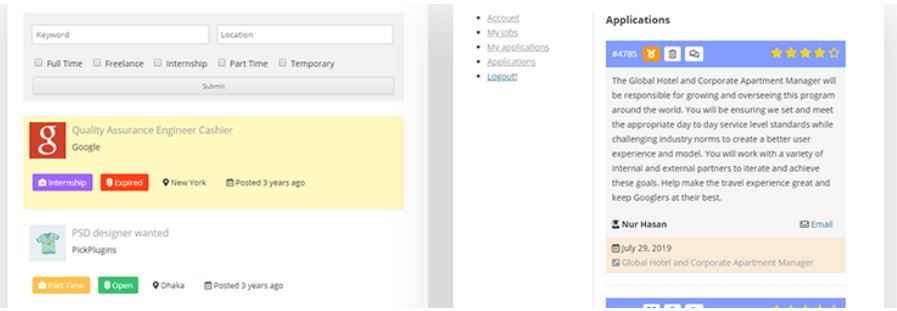
I’ve spent some time exploring Job Board Manager, and what immediately stood out is how fast and easy it is to get a job site up and running. Within minutes, I was able to create a fully functional job board without any complicated setup.
The plugin comes with a variety of shortcodes—for job submissions, user accounts, job listings, archives, and more—so placing listings anywhere on your site is really flexible. I also appreciated the action and filter hooks, which make it easy to extend functionality if you want to customize things further.
Even better, Job Board Manager is free. Despite that, it doesn’t feel limited. It supports company profiles, geo-locations, custom widgets, and even has premium add-ons if you want extra features. Adding listings across multiple pages or posts was simple, thanks to the shortcodes.
Features:-
- Translation ready
- 11 notification email templates
- SEO friendly
- Custom Registration Form
- Advance Dashboard
- Job Edit Form
5. JS Job Manager
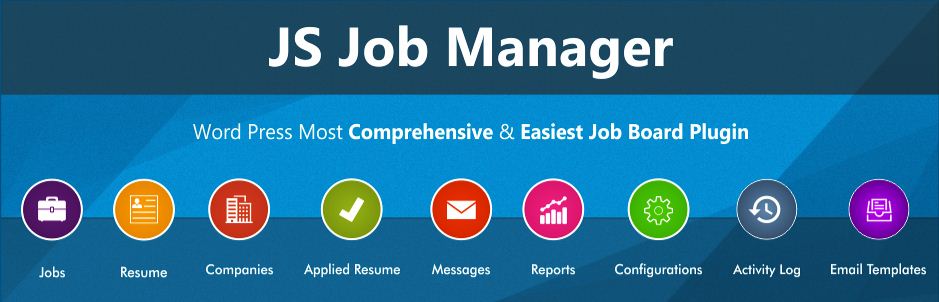
I checked out JS Job Manager, and I have to say—it’s one of the easiest WordPress plugins I’ve used for job listings and application forms. Creating unlimited job postings is straightforward, whether you’re working from the front-end or the admin panel. What I really liked is that it lets you run your own classifieds-style job portal right from your website, and employers can post their listings directly without any hassle.
Another thing I appreciated is how user-friendly and flexible it is. You can quickly add job archives, submission forms, and user account info using simple shortcodes. On top of that, the plugin is SEO-ready and developer-friendly, with clean code, hooks, and actions that make extending functionality easy.
Features:-
- Build-in Search
- Multi-language support
- Admin can enable/disable any field
- Unlimited jobs
- 45 shortcode
- Responsive layout
- SEO-friendly URLs
6. WP Job Openings
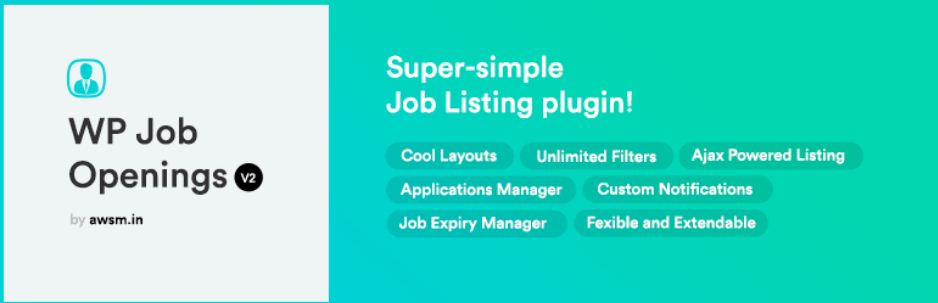
I recently explored WP Job Openings, and I found it to be a simple yet flexible job board plugin for WordPress. What I liked immediately was the default application form—it makes collecting applications straightforward without any extra setup. You can post jobs in different layouts, like grids or lists, which gives your site a professional look without much effort.
Another feature that stood out was the job posting structured data. It’s a small detail, but it really helps with SEO and makes your listings more visible in search engines.
I also appreciated the activity log. It keeps track of every action taken by admins, users, or visitors, recording the user and a short description of what was done. As an admin, it’s reassuring to know you can monitor every change and keep your site organized and secure.
Features:-
- WPML support
- Unlimited Filtering options
- User-friendly design
- 2 Modern layouts
- AJAX Powered Job Listing and Filtering tools
7. Job Portal
Jobs Portal, and it’s a powerful yet easy-to-use WordPress job board plugin. What I liked most is how smooth the process is—for both companies posting jobs and candidates applying. Publishing jobs and application forms directly on your WordPress site was really straightforward, and everything just worked.
From the candidate’s side, the dashboard feature is handy—they can see how many jobs they’ve applied to, which keeps things organized. I also noticed that multiple candidates can apply for the same job without any issues, making it perfect for growing job portals.
Features:-
- Unlimited jobs
- Admin dashboard
- Candidate dashboard
- Search and filter jobs
- Flexible
8. Ninja Job Board

I tried out Ninja Job Board, and it’s clear this plugin was built to make hiring easier for small and medium organizations. The goal is simple: streamline the recruitment process without spending too much time, and in my experience, it delivers exactly that.
One feature I really liked is the drag-and-drop questionnaire form builder. It makes creating custom application forms effortless, even if you have no coding skills. While it’s perfect for smaller teams, larger organizations can also use it to manage talent acquisition efficiently.
Managing job listings is straightforward—you can create, update, and track applications without feeling overwhelmed. I especially appreciated how easy it is to keep an eye on every single application, which really simplifies the hiring workflow.
Features:
- Applicant Name
- Applicant Email
- CV Upload Field
- File Upload Field
- Single Line Text
- Textarea Field
- Number Field
- Dropdown Select Field
- Radio Choice Field
9. Greenhouse Job Board

I checked out the Greenhouse WordPress plugin, and it’s a really convenient way to pull your job board directly from Greenhouse.io and display it on a WordPress site. The setup is simple—you just use a shortcode with your URL Token, which you can set up in Settings → Greenhouse. You can even include the token directly in the shortcode if you prefer.
Adding your job board to a page is as easy as dropping in [greenhouse]. Instantly, it displays all your current job postings along with the application forms. The forms themselves are hosted on Greenhouse.io, but the integration makes it feel seamless—you don’t have to worry about managing applications separately.
What I liked most is how smooth and reliable the API connection is. It lets you showcase jobs and handle applications efficiently without messing with multiple platforms. If you’re already using Greenhouse.io, this plugin is a no-brainer for integrating your job listings directly into WordPress.
Features:-
- Have a greenhouse account
- Fully responsive
- Retina ready
- Enter your URL Token & API key.
- SEO-friendly
10. WP Job Portal

WP Job Portal it’s an incredibly versatile plugin for running your own job classifieds site. What I liked right away is how easy it is to get started—just install it, and you’re ready to go. Employers can post jobs, job seekers can upload resumes, and applications can be submitted without any complicated setup.
One feature that really stood out is the form and field customization. As an admin, I could reorder fields for jobs, companies, and resumes with a simple click, and I could even unpublish fields I didn’t need. That kind of flexibility is rare and makes managing the portal really intuitive.
The plugin is packed with 250+ configurations and 45 shortcodes, giving you full control over layouts and features. It even comes with its own login and registration pages. I also appreciated the built-in job search—job seekers can filter listings using multiple criteria, making it easy to find the right opportunity quickly.
Also Read: Essential WordPress Plugins To Use On Your Website
11. BizMerlinHR

BizMerlinHR and found it to be a really powerful way to integrate your job board with WordPress. Essentially, you get your own job board URL where all your positions are published, and applicants can apply directly. What I liked most is that you can also configure third-party integrations like Indeed, LinkedIn, CareerJet, and ZipRecruiter. Pulling the jobs onto your WordPress site is simple—you just use a shortcode with your subdomain, and the listings appear seamlessly.
Beyond the plugin itself, BizMerlinHR is an AI-enabled, cloud-based HR platform designed for global organizations. It covers everything from centralized employee records, onboarding and offboarding, time and attendance management, to asset management. On top of that, it provides a complete suite of performance and talent management tools, which makes it more than just a job board solution—it’s a full workforce management system.
Conclusion
I hope you found this list of WordPress job board plugins helpful for building or enhancing your website. Each of these plugins is among the most popular and reliable options available, offering a range of features to create a fully functional job posting platform. Whether you want a simple, lightweight job board or a more advanced system with application forms, search filters, and employer dashboards, these tools make it easy to get started.
By using these plugins, you can quickly set up a professional job board that works seamlessly for both employers and job seekers. From posting and managing jobs to collecting applications and even integrating with third-party platforms, these plugins cover everything you need to run a successful online job portal.
Interesting Reads:
When to Call Professionals Instead of Trying to Solve Tech Problems Yourself
How to Build an Online Community Website with WordPress
From Culling to Retouching: The Best AI Tools to Streamline Your Photo Workflow
There are plenty of excellent job board themes available, and with just a little research, you can quickly create a professional job board to post and manage jobs. Even better, job board plugins give you the flexibility to build almost any kind of website while adding full job board functionality. Whether you’re creating a site for a niche industry, a local community, or a global audience, these plugins make it easy to post job openings, collect applications, and manage listings efficiently.
To help you get started, we’ve compiled a list of essential WordPress job board plugins. These plugins are packed with features, fully customizable, and compatible with nearly any WordPress theme. From simple job boards to fully-featured recruitment portals, there’s a solution here for every project. Take a look at the options below and choose the one that fits your needs perfectly—whether you’re building your first job board or upgrading an existing website.
10 WordPress Job Board Plugins
1. WP Job Manager

I recently tried WP Job Manager, and I was impressed by how easy it was to set up. I simply created a few pages, added the shortcodes, and within minutes, I had a live job board running on my WordPress site—no complicated setup or coding required.
What I really liked was how user-friendly it is for both employers and job seekers. Employers can register, post, and manage their listings from a simple dashboard. They can preview jobs, edit, mark them as filled, or delete them. Job seekers get ajax-powered search and filters, making it easy to find the right opportunities quickly.
I also tested the monetization options, and the paid listings add-on worked seamlessly. You can even integrate with ZipRecruiter, Indeed, Facebook, or WooCommerce. For developers, the plugin is flexible too, with clean code, custom post types, and template files if you want to tweak it further.
Features:-
- Add, manage, and categorize job listings
- Searchable & filterable ajax powered job listings
- Frontend forms for guests and registered users to submit & manage job listings.
- Allow job listers to preview their listing before it goes live
- Each listing can be tied to an email or website address
- Searches also display RSS links to allow job seekers
- Allow logged-in employers to view, edit, mark filled, or delete their active job listings.
- Developer-friendly code – Custom Post Types, endpoints & template files.
2. Simple Job Board
I recently tested Simple Job Board, and true to its name, it’s exactly that—simple and super easy to use. One thing I really liked is how lightweight the plugin is; it doesn’t slow down your site at all, and it’s available in multiple languages, which is a nice touch.
Setting up job listings was straightforward. I could add multiple jobs and display them anywhere on my site using just shortcodes. Adding application forms was equally easy, and everything worked smoothly right out of the box.
If you need more features, there are add-ons available to extend the plugin, which is great as your site grows. I especially liked that it’s budget-friendly without feeling cheap—Simple Job Board gives you exactly what you need without any unnecessary fluff.
Features:-
- Extensible
- Simple shortcode
- Frontend Job Posting
- Lightweight
- Ajax Job Search
- Featured Job Listing
Also Read: Agriculture Web Design with WordPress
3. Apply Online
The Apply Online plugin makes setting up a job portal on WordPress really straightforward. It lets you publish job ads and manage applications without needing any coding or design skills.
One feature that stands out is the ads filtration, which helps job seekers quickly find the listings that match their needs. The plugin also comes with well-organized documentation, so whether you’re a developer or a beginner, it’s easy to get everything set up and running smoothly.
Features:-
- Drag and drop form builder
- Beautifully integrated
- Application Form Management System
- Lightweight
- Multiple file attachment fields
4. Job Board Manager
I’ve spent some time exploring Job Board Manager, and what immediately stood out is how fast and easy it is to get a job site up and running. Within minutes, I was able to create a fully functional job board without any complicated setup.
The plugin comes with a variety of shortcodes—for job submissions, user accounts, job listings, archives, and more—so placing listings anywhere on your site is really flexible. I also appreciated the action and filter hooks, which make it easy to extend functionality if you want to customize things further.
Even better, Job Board Manager is free. Despite that, it doesn’t feel limited. It supports company profiles, geo-locations, custom widgets, and even has premium add-ons if you want extra features. Adding listings across multiple pages or posts was simple, thanks to the shortcodes.
Features:-
- Translation ready
- 11 notification email templates
- SEO friendly
- Custom Registration Form
- Advance Dashboard
- Job Edit Form
5. JS Job Manager
I checked out JS Job Manager, and I have to say—it’s one of the easiest WordPress plugins I’ve used for job listings and application forms. Creating unlimited job postings is straightforward, whether you’re working from the front-end or the admin panel. What I really liked is that it lets you run your own classifieds-style job portal right from your website, and employers can post their listings directly without any hassle.
Another thing I appreciated is how user-friendly and flexible it is. You can quickly add job archives, submission forms, and user account info using simple shortcodes. On top of that, the plugin is SEO-ready and developer-friendly, with clean code, hooks, and actions that make extending functionality easy.
Features:-
- Build-in Search
- Multi-language support
- Admin can enable/disable any field
- Unlimited jobs
- 45 shortcode
- Responsive layout
- SEO-friendly URLs
6. WP Job Openings
I recently explored WP Job Openings, and I found it to be a simple yet flexible job board plugin for WordPress. What I liked immediately was the default application form—it makes collecting applications straightforward without any extra setup. You can post jobs in different layouts, like grids or lists, which gives your site a professional look without much effort.
Another feature that stood out was the job posting structured data. It’s a small detail, but it really helps with SEO and makes your listings more visible in search engines.
I also appreciated the activity log. It keeps track of every action taken by admins, users, or visitors, recording the user and a short description of what was done. As an admin, it’s reassuring to know you can monitor every change and keep your site organized and secure.
Features:-
- WPML support
- Unlimited Filtering options
- User-friendly design
- 2 Modern layouts
- AJAX Powered Job Listing and Filtering tools
7. Job Portal
Jobs Portal, and it’s a powerful yet easy-to-use WordPress job board plugin. What I liked most is how smooth the process is—for both companies posting jobs and candidates applying. Publishing jobs and application forms directly on your WordPress site was really straightforward, and everything just worked.
From the candidate’s side, the dashboard feature is handy—they can see how many jobs they’ve applied to, which keeps things organized. I also noticed that multiple candidates can apply for the same job without any issues, making it perfect for growing job portals.
Features:-
- Unlimited jobs
- Admin dashboard
- Candidate dashboard
- Search and filter jobs
- Flexible
8. Ninja Job Board
I tried out Ninja Job Board, and it’s clear this plugin was built to make hiring easier for small and medium organizations. The goal is simple: streamline the recruitment process without spending too much time, and in my experience, it delivers exactly that.
One feature I really liked is the drag-and-drop questionnaire form builder. It makes creating custom application forms effortless, even if you have no coding skills. While it’s perfect for smaller teams, larger organizations can also use it to manage talent acquisition efficiently.
Managing job listings is straightforward—you can create, update, and track applications without feeling overwhelmed. I especially appreciated how easy it is to keep an eye on every single application, which really simplifies the hiring workflow.
Features:
- Applicant Name
- Applicant Email
- CV Upload Field
- File Upload Field
- Single Line Text
- Textarea Field
- Number Field
- Dropdown Select Field
- Radio Choice Field
9. Greenhouse Job Board
I checked out the Greenhouse WordPress plugin, and it’s a really convenient way to pull your job board directly from Greenhouse.io and display it on a WordPress site. The setup is simple—you just use a shortcode with your URL Token, which you can set up in Settings → Greenhouse. You can even include the token directly in the shortcode if you prefer.
Adding your job board to a page is as easy as dropping in [greenhouse]. Instantly, it displays all your current job postings along with the application forms. The forms themselves are hosted on Greenhouse.io, but the integration makes it feel seamless—you don’t have to worry about managing applications separately.
What I liked most is how smooth and reliable the API connection is. It lets you showcase jobs and handle applications efficiently without messing with multiple platforms. If you’re already using Greenhouse.io, this plugin is a no-brainer for integrating your job listings directly into WordPress.
Features:-
- Have a greenhouse account
- Fully responsive
- Retina ready
- Enter your URL Token & API key.
- SEO-friendly
10. WP Job Portal
WP Job Portal it’s an incredibly versatile plugin for running your own job classifieds site. What I liked right away is how easy it is to get started—just install it, and you’re ready to go. Employers can post jobs, job seekers can upload resumes, and applications can be submitted without any complicated setup.
One feature that really stood out is the form and field customization. As an admin, I could reorder fields for jobs, companies, and resumes with a simple click, and I could even unpublish fields I didn’t need. That kind of flexibility is rare and makes managing the portal really intuitive.
The plugin is packed with 250+ configurations and 45 shortcodes, giving you full control over layouts and features. It even comes with its own login and registration pages. I also appreciated the built-in job search—job seekers can filter listings using multiple criteria, making it easy to find the right opportunity quickly.
Also Read: Essential WordPress Plugins To Use On Your Website
11. BizMerlinHR
BizMerlinHR and found it to be a really powerful way to integrate your job board with WordPress. Essentially, you get your own job board URL where all your positions are published, and applicants can apply directly. What I liked most is that you can also configure third-party integrations like Indeed, LinkedIn, CareerJet, and ZipRecruiter. Pulling the jobs onto your WordPress site is simple—you just use a shortcode with your subdomain, and the listings appear seamlessly.
Beyond the plugin itself, BizMerlinHR is an AI-enabled, cloud-based HR platform designed for global organizations. It covers everything from centralized employee records, onboarding and offboarding, time and attendance management, to asset management. On top of that, it provides a complete suite of performance and talent management tools, which makes it more than just a job board solution—it’s a full workforce management system.
Conclusion
I hope you found this list of WordPress job board plugins helpful for building or enhancing your website. Each of these plugins is among the most popular and reliable options available, offering a range of features to create a fully functional job posting platform. Whether you want a simple, lightweight job board or a more advanced system with application forms, search filters, and employer dashboards, these tools make it easy to get started.
By using these plugins, you can quickly set up a professional job board that works seamlessly for both employers and job seekers. From posting and managing jobs to collecting applications and even integrating with third-party platforms, these plugins cover everything you need to run a successful online job portal.
Interesting Reads:
When to Call Professionals Instead of Trying to Solve Tech Problems Yourself
How to Build an Online Community Website with WordPress
From Culling to Retouching: The Best AI Tools to Streamline Your Photo Workflow

Shashank is a seasoned digital marketing and WordPress expert who specializes in SEO, software tools reviews, and cutting-edge strategies for boosting online presence. With a passion for simplifying complex topics, Goutham crafts engaging blog posts that help readers optimize their websites, improve search engine rankings, and stay ahead in the ever-evolving digital landscape.