WPMediaVerse Pro: Ultimate Media Features Community Members Love

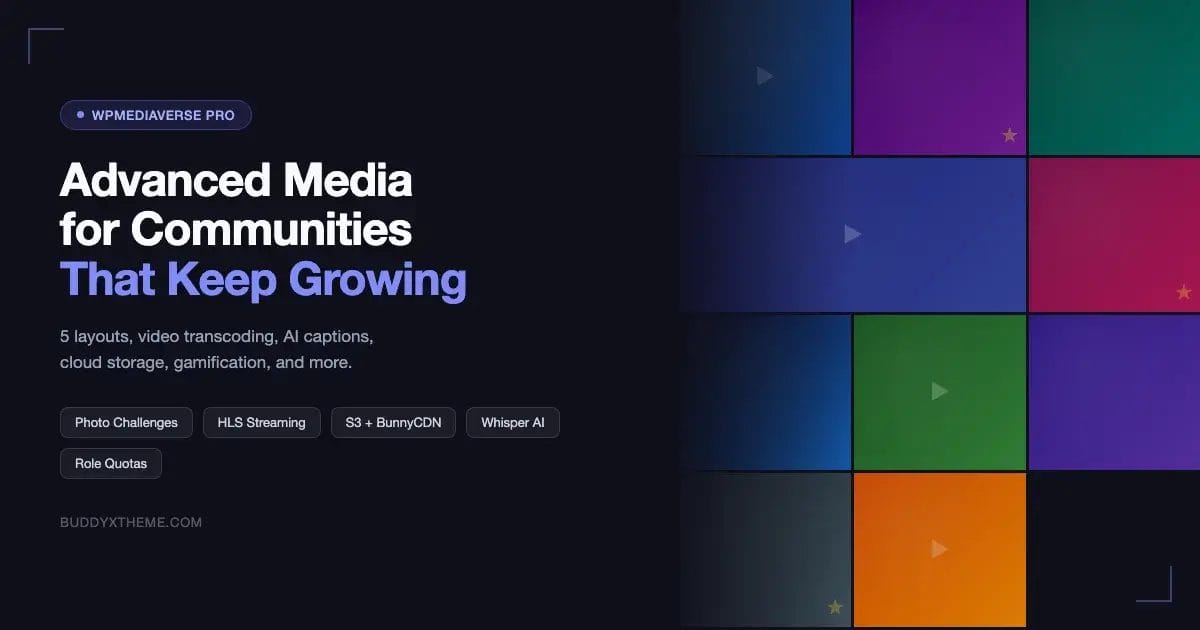
Your community site is already running WPMediaVerse. Members can upload photos, share albums, and browse each other’s media. It works. But if you have been noticing gaps – members asking for video uploads, complaints about slow loading times, requests for photo contests, or storage limits causing headaches – you are not running into a plugin limitation. You are running into the ceiling of the free tier.
WPMediaVerse Pro lifts that ceiling entirely. This post covers every pro-exclusive feature in detail, explains exactly who benefits from each one, compares free versus Pro head-to-head, breaks down the three pricing plans, and tells you how to migrate from rtMedia, BuddyBoss Media, or MediaPress without losing a single file.
Why the Free Plugin Stops Being Enough
WPMediaVerse free is a solid foundation. It handles basic media uploads, gallery display, and BuddyPress integration. For a community in its early days, it covers the essentials.
The friction starts as your community grows. A photography club that started with 50 members now has 500, and the server disk is filling up. A fitness community wants to run weekly challenges, but there is no built-in competition feature. A creative platform wants to host video tutorials, but transcoding is not included. A membership site needs to give paying members more storage than free members, but quotas are flat for everyone.
These are not edge cases. They are the natural next chapter for any community that gains traction. WPMediaVerse Pro was built specifically for that chapter.
Five Layout Modes – Switch Anytime, No Data Migration
The free plugin gives you one layout. Pro gives you five: Grid, Instagram, Pinterest, Dribbble, and Flickr. The difference is not cosmetic. Each layout changes how members discover and interact with media.
- Grid – Clean, uniform thumbnails. Best for general communities where consistency matters.
- Instagram – Square crops, dense spacing. Best for lifestyle, food, and personal brand communities.
- Pinterest – Variable-height masonry layout. Best for design, art, and fashion communities where image proportions vary wildly.
- Dribbble – Large feature tiles with minimal overlap. Best for design portfolios and creative showcase communities.
- Flickr – Justified rows where images scale to fill each line. Best for photography communities that want every photo displayed at full proportional width.
The critical detail: you can switch between any of these at any time without migrating data. No re-uploading, no database conversions, no downtime. Flip the setting, the layout changes, your media stays intact. This matters because your community’s aesthetic needs evolve. A site that launched with a minimal grid aesthetic may want to move to a richer Pinterest layout six months later. With Pro, that is a ten-second decision instead of a weekend project.
Gamification – Challenges, Battles, Tournaments, and Points
Passive media sharing keeps members busy. Active competition keeps them coming back. WPMediaVerse Pro ships three distinct competition formats, plus a full points and streaks system.
Photo Challenges
You set a theme – “best golden hour shot,” “most creative use of negative space,” “street photography from your city” – and members submit entries during the challenge window. Community voting or admin selection picks the winner. This format works exceptionally well for photography clubs, art communities, and any niche where creative interpretation is the point.
1v1 Photo Battles
Two members go head-to-head with a single photo each. The community votes. The format is simple, fast, and addictive – members who are not competing still participate as voters, which keeps engagement high across the entire site rather than just among active competitors.
Tournament Brackets
This is the most structured format. You set up a bracket – eight entries, sixteen entries, thirty-two – and photos compete in rounds until one winner emerges. This works well for seasonal competitions, annual “best of” contests, and any situation where you want a clear, definitive community verdict on the best work of a period.
Points, Streaks, and Boosts
Pro tracks 14 distinct actions and awards points for each one. Uploading media, receiving likes, winning a challenge, commenting on someone’s photo, logging in on consecutive days – all of these contribute to a member’s point total. Streaks reward consistency: a member who uploads every day for a week earns a bonus. Boosts are time-limited multipliers that let you spike engagement around specific events or campaigns.
The practical effect is that your site starts to feel like a game in the best sense. Members have a reason to return daily – which is the same principle that underlies any effective community engagement strategy – a reason to participate in challenges they might otherwise skip, and a visible measure of their standing.
Cloud Storage – Amazon S3 and BunnyCDN
Storing media on your server disk is the single biggest scaling bottleneck for media-heavy communities. As members upload photos and videos, your hosting bill climbs, your server slows down under the I/O load, and eventually you hit a hard limit on available disk space.
WPMediaVerse Pro offloads all media to Amazon S3 or BunnyCDN, bypassing your server disk entirely. Uploaded files go straight to the cloud bucket. Served files come directly from the CDN edge node closest to the viewer. Your server handles only the application logic – the database queries, the page renders, the PHP execution – not the file storage and delivery.
The practical consequences are significant. Page load times drop because media is delivered from geographically distributed edge nodes rather than a single server location. Storage costs flatten out because S3 and BunnyCDN pricing scales linearly with actual usage rather than requiring you to pre-purchase hosting tiers. Backup complexity decreases because your server backups no longer need to include gigabytes of user-uploaded media.
For any community that expects to grow past a few hundred active uploaders, cloud offload is not optional infrastructure – it is the architecture decision that makes growth possible without constant firefighting.
Per-User Storage Quotas with Role-Based Limits
Every community with a membership model faces the same question: should free members and paying members have the same storage? The obvious answer is no, but implementing that distinction without the right tools is a custom development project.
WPMediaVerse Pro handles it natively. You set storage quotas per user role. A free member might get 500 MB. A Basic subscriber gets 5 GB. A Premium subscriber gets 50 GB. Admins get unlimited. The plugin enforces these limits at upload time – a free member who hits their 500 MB cap sees a clear message explaining they need to upgrade, not a cryptic error.
This ties directly into the membership plugin integrations covered later in this post. If a member upgrades their subscription tier via MemberPress or WooCommerce Memberships, their storage quota adjusts automatically to match their new role. No manual quota adjustments, no support tickets about storage limits, no admin intervention required.
Video Transcoding and Adaptive Streaming
Raw video uploads from members will be in every format imaginable – MOV files from iPhones, AVI from older cameras, WebM from screen recorders, MP4 at resolutions ranging from 480p to 4K. Serving these files raw creates a poor experience: a member on a mobile connection trying to watch a 4K MOV file will see buffering or failure.
WPMediaVerse Pro includes automatic video transcoding. After a member uploads a video, the plugin converts it to multiple quality levels: typically 360p, 720p, and 1080p. It then packages these as HLS (HTTP Live Streaming) format, which is the same adaptive streaming technology used by YouTube and Netflix.
HLS adaptive streaming means the player continuously monitors the viewer’s connection speed and automatically switches to the highest quality that can stream without buffering. A viewer on fiber gets 1080p. A viewer on 4G gets 720p. A viewer on a congested public Wi-Fi network gets 360p. All of this happens invisibly, with no manual quality selection required.
For communities built around video content – fitness instructors sharing workout tutorials, musicians sharing performances, educators sharing lessons – this feature alone justifies the Pro upgrade. Buffering is one of the highest predictors of content abandonment. Removing it changes how members engage with video.
Whisper AI Auto-Captions
WPMediaVerse Pro integrates OpenAI’s Whisper model to automatically generate captions for every video uploaded to your community. After transcoding completes, Whisper processes the audio track and produces a timestamped transcript that gets embedded as WebVTT captions in the video player.
This creates two separate benefits. The first is accessibility – members who are deaf or hard of hearing can follow video content without relying on creators to manually add captions. The second is searchability – the transcript text is indexed, which means members can search for a phrase and find every video where someone said it.
Captions are also downloadable. If a member uploads a lecture or instructional video, other members can download the transcript as a text file and use it for note-taking, translation, or offline reference. This is a significant value-add for educational communities.
Video Analytics – Viewer Retention and Replay Heatmaps
Knowing that a video has 500 views is a vanity metric. Knowing that 80% of viewers stop watching at the 2-minute mark is actionable data.
WPMediaVerse Pro tracks per-viewer retention data for every video. Creators can see exactly where viewers drop off, which sections get rewatched most frequently (shown as a heatmap overlay on the video timeline), and how individual viewers engaged with their content. This is the kind of analytics that YouTube provides to its creators – now available natively inside your WordPress community.
For communities built around education or professional development, this data changes how creators make content. If 70% of viewers replay a specific 30-second segment, that segment contains something unusually valuable – a creator who sees that data will structure future videos to front-load the high-value moments.
Voice Messages with Read Receipts in DMs
Text-based direct messages work fine for most communication, but there are contexts where a voice message is clearer, faster, and more personal. A coach giving feedback on a student’s technique. A community leader congratulating a member on a competition win. A creative collaborator describing a revision they want on a shared project.
WPMediaVerse Pro adds voice message support directly into the DM interface. Members record a message and send it like any other message. The recipient sees a compact audio player. Read receipts confirm when the message has been listened to, not just received – a distinction that matters for anything time-sensitive.
This feature is particularly valuable for international communities where text communication in a second language is effortful but spoken communication is natural.
Watermarking
Professional photographers, illustrators, and designers who share their work on community platforms have one consistent concern: protecting their work from being repurposed without attribution or permission.
WPMediaVerse Pro includes configurable watermarking for images. Creators can set a watermark image (typically their logo or signature), choose its position on the canvas (corner, center, tiled), and set its opacity. The watermark is applied automatically when the image is uploaded – the original file is preserved, but all public-facing versions carry the mark.
Admins can also apply site-wide watermarking to protect the community’s content brand, regardless of individual creator settings. This is useful for platforms that aggregate professional work and want to ensure attribution travels with every image that gets shared or embedded elsewhere.
Dual AI Content Moderation
The free WPMediaVerse plugin integrates with OpenAI for basic content moderation. Pro adds Google Vision and AWS Rekognition on top of OpenAI, creating a three-layer moderation stack.
Each AI system has different strengths. OpenAI’s moderation endpoint is fast and catches most explicit content. Google Vision excels at nuanced context – identifying content that is suggestive but not explicitly flagged, and distinguishing between artistic nudity and explicit material. AWS Rekognition adds a second opinion layer and has strong coverage for violence and graphic imagery categories.
Running all three in parallel means fewer false positives (one system flags, the others clear it – triggering a human review rather than an automatic removal) and fewer false negatives (content that slips past one system gets caught by another). For communities that have experienced moderation problems – or that operate in regulated industries – the dual AI layer plus human review queue is a meaningful risk reduction.
Membership Plugin Integration
WPMediaVerse Pro integrates natively with three major membership plugins: MemberPress, WooCommerce Memberships, and Paid Memberships Pro. The integration handles one specific but critical function: keeping storage quotas in sync with membership tiers.
When a member upgrades their plan in MemberPress, their WPMediaVerse storage quota automatically increases to match the new tier’s entitlement. When a subscription lapses or is cancelled, the quota reverts to the lower tier. No manual adjustments, no cron jobs, no custom webhooks required.
This integration is what allows you to sell media storage as a genuine differentiator in your membership tiers. “Basic members get 2 GB of media storage. Professional members get 25 GB” becomes a real, enforceable feature of your pricing – not a marketing claim that requires constant admin oversight to maintain. If you are also thinking about how to structure member interaction more broadly, the same principles apply when you build a self-running customer support community on WordPress.
Migration Importers – rtMedia, MediaPress, BuddyBoss Media
Switching media plugins is traditionally a painful process. Years of uploaded content, member associations, album structures, and metadata are tied to the old plugin’s database schema. A manual migration means re-uploading everything, rebuilding album structures, and losing the connection between media and the members who originally posted it.
WPMediaVerse Pro ships built-in importers for the three most common predecessor plugins: rtMedia, MediaPress, and BuddyBoss Media. Each importer includes a preview mode that shows you exactly what will be migrated before a single file is moved. You can see the count of media items, the album structures, the member associations, and any items that cannot be automatically migrated (usually edge cases involving custom metadata fields).
After preview, the actual migration runs as a background process. Member associations are preserved – photos uploaded by a specific member remain associated with that member’s profile. Album structures are reconstructed. Metadata that maps between the old schema and WPMediaVerse’s schema is translated automatically.
The preview mode is the feature that matters most here. It removes the biggest fear in any plugin migration: the unknown. You see exactly what you are getting before you commit. If something looks wrong in preview, you investigate before the migration runs, not after.
Free vs Pro – Side-by-Side Comparison
| Feature | Free | Pro |
|---|---|---|
| Gallery Layouts | 1 (Grid) | 5 (Grid, Instagram, Pinterest, Dribbble, Flickr) |
| Layout Switching | N/A | Yes, no data migration |
| Photo Challenges | No | Yes |
| 1v1 Photo Battles | No | Yes |
| Tournament Brackets | No | Yes |
| Points System | No | 14 tracked actions |
| Streaks and Boosts | No | Yes |
| Cloud Storage (S3/BunnyCDN) | No | Yes |
| Per-User Storage Quotas | No | Yes (role-based) |
| Video Transcoding | No | Yes (multi-quality) |
| HLS Adaptive Streaming | No | Yes |
| Auto-Captions (Whisper AI) | No | Yes (searchable, downloadable) |
| Video Analytics | No | Per-viewer retention + heatmaps |
| Voice Messages in DMs | No | Yes (with read receipts) |
| Watermarking | No | Yes (configurable position/opacity) |
| AI Content Moderation | OpenAI only | OpenAI + Google Vision + AWS Rekognition |
| Migration Importers | No | rtMedia, MediaPress, BuddyBoss Media |
| Membership Integration | No | MemberPress, WooCommerce Memberships, PMPro |
Pricing – Which Plan is Right for Your Situation
WPMediaVerse Pro has three plans. The right one depends on how many sites you are running and what your long-term cost calculation looks like.
| Plan | Sites | Annual | Lifetime |
|---|---|---|---|
| Personal | 1 | $69/yr | $199 one-time |
| Developer | 5 | $99/yr | $299 one-time |
| Agency | Unlimited | $199/yr | $499 one-time |
Personal Plan ($69/yr or $199 lifetime)
The right choice for a single community site. If you are running one BuddyX or BuddyPress site and you want all Pro features on that site, Personal is the straightforward option. The lifetime at $199 pays for itself after roughly three years compared to annual renewal. If you intend to run this site for the long term, lifetime is the better financial decision.
Developer Plan ($99/yr or $299 lifetime)
Five sites for $30 more per year than Personal. If you are managing two or more community sites – your main site plus a test/staging environment, or two separate communities for different audiences – Developer is the obvious tier. The lifetime option at $299 is particularly strong value: five sites at a one-time cost of just under $300 is difficult to beat for what you are getting.
Agency Plan ($199/yr or $499 lifetime)
Unlimited sites. Built for agencies that build community sites for clients, or operators who run multiple distinct communities as a business. At $499 lifetime for unlimited sites, the math on Agency becomes attractive the moment you are managing more than five sites. If you build even one client site per year at a rate that includes WPMediaVerse Pro, the annual plan pays for itself immediately.
Use code WPMediaVerse30 at checkout for 30% off any plan. Valid for launch pricing. 30-day money-back guarantee on all plans.
Who Gets the Most Value from WPMediaVerse Pro
Not every community needs every Pro feature. Here is a clearer breakdown by community type.
Photography and Art Communities
The layout modes (especially Pinterest and Flickr), the competition features (Photo Challenges, 1v1 Battles, Tournaments), and the watermarking are built almost exactly for this use case. If your community is built around visual work and creative competition, Pro covers your full feature wishlist.
Educational and Professional Development Communities
Video transcoding, adaptive streaming, Whisper AI auto-captions, and video analytics are transformative for communities built around instructional video. Creators get professional-grade publishing and analytics. Members get accessible, smooth-playing content regardless of connection speed.
Membership Sites
The membership plugin integrations and role-based storage quotas make Pro the natural choice for any site where media storage is a benefit tied to paid tiers. The cloud offload features (S3/BunnyCDN) ensure that scaling up the membership does not mean scaling up your hosting bill proportionally.
Agencies Building Client Sites
The migration importers mean you can take over existing community sites running rtMedia or BuddyBoss Media without telling a client their years of uploaded content are at risk. The Agency lifetime plan at $499 covers every client site you will ever build. The dual AI moderation reduces the support overhead of content disputes on client sites.
How the Migration Actually Works
If you are currently running rtMedia, MediaPress, or BuddyBoss Media, here is the actual sequence of steps for a migration.
- Install and activate WPMediaVerse (free) if not already installed.
- Install WPMediaVerse Pro and activate your license key.
- Navigate to WPMediaVerse Pro > Migration in your WordPress admin.
- Select your source plugin from the dropdown (rtMedia, MediaPress, or BuddyBoss Media).
- Run the Preview scan. This audits your existing media library and shows you what will be migrated, what will be skipped, and any items requiring manual attention.
- Review the preview report. Address any flagged items before proceeding.
- Run the migration. This runs as a background process – you do not need to keep your browser open.
- After completion, verify a sample of migrated items to confirm member associations, album structures, and metadata transferred correctly.
- Deactivate and uninstall the old media plugin.
Most migrations for communities under 10,000 media items complete in under an hour. Larger libraries take proportionally longer but run entirely in the background without affecting the live site.
Frequently Asked Questions
Does WPMediaVerse Pro require the free plugin?
Yes. WPMediaVerse Pro is an add-on that requires WPMediaVerse (free) to be installed and active. The free plugin handles the core media functionality; Pro extends it with additional features.
Can I switch between S3 and BunnyCDN later?
Yes. You can reconfigure your cloud storage provider at any time. WPMediaVerse Pro includes a migration tool for moving existing media between storage providers without broken links on your site.
Does video transcoding happen on my server?
Transcoding can be configured to run on your server (using FFmpeg) or offloaded to a cloud transcoding service. For sites with significant video upload volume, cloud transcoding is recommended to avoid CPU spikes on your server during processing.
How does the 30-day money-back guarantee work?
If you are not satisfied within 30 days of purchase, contact the Wbcom Designs support team and you will receive a full refund. No questions asked, no complicated process.
Do lifetime licenses include future updates?
Yes. Lifetime licenses include all future updates and releases for that license tier. You pay once and continue receiving updates as long as the product exists.
Get WPMediaVerse Pro
WPMediaVerse Pro v1.0.0 is available now. Three plans cover every use case from single-site operators to agencies managing client portfolios.
The launch discount of 30% is available with code WPMediaVerse30 at checkout. All plans include a 30-day money-back guarantee.
Questions before purchasing? The Wbcom Designs support team is available via the store contact page. For technical questions about migration from rtMedia, MediaPress, or BuddyBoss Media, the documentation includes step-by-step guides for each importer.