
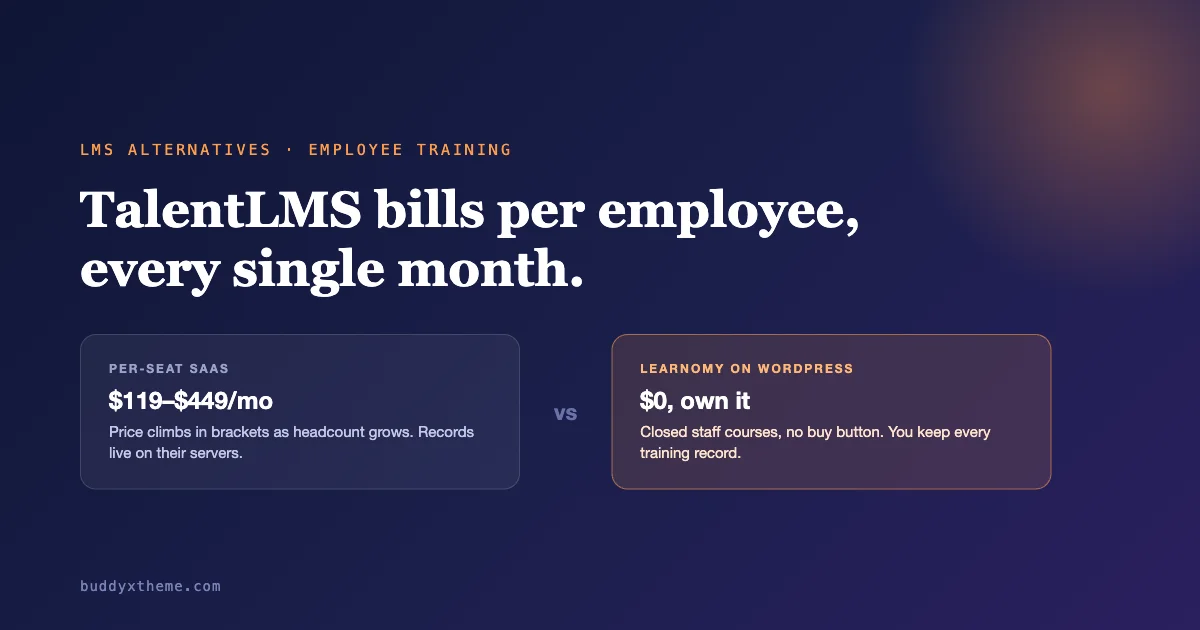
TalentLMS trains employees. It is a cloud LMS built for HR and L&D teams. You use it to onboard new hires, run compliance courses, and track who finished what. The vendor hosts everything. You pay per active user, every month. That model works well for a lot of teams. But it also means your training records sit on someone else’s server. And your bill grows every time headcount grows.
This guide compares eight real TalentLMS alternatives for corporate and staff training. We start with Learnomy. It is a free WordPress LMS built to run closed, internal-only training. No price tag, no buy button, no per-seat invoice. Next comes TalentLMS itself, so you know exactly what you would leave behind. (If a public course-selling platform is more your situation, see our comparison of Sensei LMS alternatives instead.) After that: Docebo, Cornerstone OnDemand, SAP Litmos, 360Learning, and Absorb LMS, the usual names in corporate L&D. We also cover LearnDash and Tutor LMS, two WordPress plugins that can run closed staff training too. We checked pricing directly on each vendor’s site in October 2026. Where a vendor hides pricing behind a sales call, we say so plainly instead of guessing a number.
Quick answer: The best TalentLMS alternative for employee training is Learnomy. It runs closed staff courses with no price and no buy button. You add employees by email or a CSV bulk import. One screen shows who has finished training and who has not, on a WordPress site you already own, with no per-user monthly fee. Need built-in HRIS integrations and deep SCORM compliance reporting out of the box? Stay on a dedicated corporate LMS like TalentLMS or Docebo instead.
Table of contents
- Why people look for TalentLMS alternatives
- Quick comparison
- 1. Learnomy, run staff training on WordPress
- 2. TalentLMS, the one you’re comparing against
- 3. Docebo, the enterprise AI-heavy platform
- 4. Cornerstone OnDemand, the HR-suite veteran
- 5. SAP Litmos, the SAP ecosystem pick
- 6. 360Learning, the collaborative-learning option
- 7. Absorb LMS, the mid-market enterprise choice
- 8. LearnDash, WordPress course plugin as staff LMS
- 9. Tutor LMS, another WordPress option
- Full comparison table
- FAQ
- Verdict
Why people look for TalentLMS alternatives
TalentLMS earns its reputation. Setup is fast. The interface is clean. Support is included, even on the free plan. For a company that wants training live by Friday, that matters a lot. None of the complaints below are really about quality.
The complaints are about the model. First, pricing is per active user, per month, and it steps up in brackets. Add 41 employees to a 40-user plan and you jump to the next tier. That happens even if those 41 people only log in once a month. Second, the bill never ends. There is no version of TalentLMS you buy once and own. Cancel the subscription and the training portal goes dark. Certificates and history go dark too, unless you export everything first. Third, your training records live on TalentLMS’s servers, not yours. Quiz scores, certificates, completion dates, all of it. For a small HR team running simple onboarding and compliance courses, that trade is worth questioning before you sign a second or third year.
None of this makes TalentLMS a bad product. Maybe you need deep SCORM reporting. Maybe you need built-in HRIS connections, or a vendor who answers the phone at 2am. The subscription buys real things. But maybe your actual need is simpler: close the course to the public, add your staff, track who finished. There are lighter ways to get there.
Quick comparison
Here is how all nine TalentLMS alternatives stack up on pricing, hosting, and who they fit best.
| Platform | Pricing model | Hosting | Best for |
|---|---|---|---|
| Learnomy | Free, self-hosted; Pro $149/year flat | Your WordPress site | Small teams who already run WordPress |
| TalentLMS | Per active user/month, from $119/mo | Cloud, hosted by TalentLMS | HR teams wanting fast setup, no server to manage |
| Docebo | Custom quote, per-user tiers | Cloud, hosted by Docebo | Enterprises wanting AI-driven content and skills tracking |
| Cornerstone OnDemand | Custom quote | Cloud, hosted by Cornerstone | Large enterprises needing a full HR/talent suite |
| SAP Litmos | Custom quote, per-user | Cloud, hosted by SAP | Companies already on SAP HR software |
| 360Learning | From $8/user/month (Team plan) | Cloud, hosted by 360Learning | Teams wanting peer-authored, collaborative courses |
| Absorb LMS | Custom quote | Cloud, hosted by Absorb | Mid-market and enterprise L&D with a budget for a quote call |
| LearnDash | Flat annual license, $399-$599/year | Your WordPress site | Teams wanting a mature WordPress LMS plugin |
| Tutor LMS | Free, or flat annual from $199/year | Your WordPress site | Budget WordPress teams, fewer manager tools out of the box |
1. Learnomy, run staff training on WordPress
Learnomy is built for one job: training your own people, not selling courses to the public. You set a course to closed. That removes the price and the buy button entirely. The course stays invisible to anyone who is not enrolled. It never shows up as a product on your site.
Getting staff into a course does not mean sending signup links one at a time. You add people by email. Or you bulk-import an entire roster from a CSV file, the same way you would import a spreadsheet of new hires into any HR tool. Each employee’s progress and quiz results save automatically as they move through the material. Nobody loses their place if they stop halfway through a lesson and come back the next day.
The part HR teams actually open every week is the completion view. One screen shows who has finished training and who has not, across every employee you enrolled. No exporting a spreadsheet to find your three stragglers. For people who stall out partway through, Learnomy sends automatic reminders. A manager does not have to chase anyone down by email. When someone finishes, Learnomy issues a dated, verifiable certificate automatically. Every certificate carries a QR code and an Ed25519 cryptographic signature. A completion record can’t be faked by editing a PDF. For more on how certificate verification works across WordPress LMS plugins, see our roundup of WordPress LMS plugins with certificates.
Training a whole team, not just individuals, is where Learnomy Pro comes in. Pro adds manager roles and a team progress report. A department head can see their own team’s completion rate without touching every employee’s record one by one. Beyond the corporate-training feature set, the course builder itself is drag-and-drop. It supports six quiz question types that auto-grade themselves, plus an essay-grading inbox for written answers. A canvas certificate designer is included too, if you want a custom look instead of the default template. The free plan is not a trial. Unlimited courses, the full course builder, quizzes, and certificates are all included at no cost. Pro costs $149 a year. It adds the manager and team-progress tools above, plus cohorts, structured learning paths, and deeper analytics.
One honest gap: Learnomy has no native social community, forums, or gamification, and no built-in HRIS integration. For a training program, gamification and manager visibility usually matter more than a social feed. If points, badges, and leaderboards would help staff stay motivated through a long onboarding course, pair Learnomy with WB Gamification. It’s a separate Wbcom plugin that adds points, badges, and leaderboards on top of any course. Want a broader internal community space later? BuddyNext adds member profiles and activity feeds. Jetonomy adds forums and Q&A. Eventonomy adds live and virtual training events. None of that ships inside Learnomy itself. You add the pieces your training program actually needs, instead of paying for four half-built features bundled into one price.
Be fair to what a dedicated corporate LMS does that Learnomy does not. TalentLMS and similar platforms go deeper on SCORM and xAPI compliance reporting. They also connect natively to HRIS systems like BambooHR or Workday. Learnomy does not try to match that enterprise depth. The honest pitch is narrower and more practical: you’re already on WordPress, you are not adding a new per-seat subscription, and you own your training records outright instead of renting access to them. For the broader case on why that trade makes sense, read our guide to self-hosted online course platforms.
You can try the whole platform without installing anything. A live Learnomy sandbox spins up a real WordPress site with the plugin pre-installed for four hours. No signup required.
Pros: closed staff courses with no price or buy button; add employees by email or CSV bulk import; one screen showing who finished and who did not; automatic reminders for stalled learners; dated, QR- and Ed25519-verified certificates; free tier is fully usable, not a trial; no per-seat monthly fee ever.
Cons: manager roles and team progress reports require the $149/year Pro plan; no native SCORM/xAPI compliance-reporting depth; no built-in HRIS integrations; no native community or gamification. You add WB Gamification, BuddyNext, or Jetonomy separately if you want those.
2. TalentLMS, the one you’re comparing against
It’s worth being fair to the platform this whole article is about. TalentLMS is genuinely easy to set up. A free plan supports up to five users. That’s enough to pilot the platform before you commit. Branches let you run separate training portals for different departments. Unlimited email support is included on every tier, even the free one.
Paid pricing runs in three named tiers. We checked these directly on TalentLMS’s pricing page in October 2026. Core starts at $119 a month for up to 40 users, billed yearly. Grow starts at $229 a month for up to 70 users. Pro starts at $449 a month for up to 100 users, plus $6 for every additional user past that. An Enterprise tier above Pro is quote-only, built for larger rosters. Every tier includes unlimited courses. The limiting factor is always the number of unique people who log in each month, not how much content you publish.
Choose TalentLMS if you want a dedicated training portal live within a day, with support on tap and no server to manage. Look elsewhere if the per-user pricing is outgrowing your budget as headcount grows, or if owning your training records outside a vendor’s cloud matters to you.
Pros: fast setup with no technical work; free plan for up to five users to pilot first; unlimited support on every tier; branches for separating departments.
Cons: price climbs in brackets as your active-user count grows; training data lives on TalentLMS’s servers, not yours; cancel the subscription and portal access ends unless you export records first.
3. Docebo, the enterprise AI-heavy platform
Docebo is one of the more AI-forward TalentLMS alternatives on this list. It targets larger companies that want AI doing some of the heavy lifting. It automatically tags content, suggests learning paths, and summarizes course material for learners. It covers formal training and informal, peer-shared content. It also includes a skills-tracking layer that maps what each employee knows against what their role requires.
Docebo does not publish flat pricing. Every quote is custom, and it scales with user count and the modules you need. We confirmed this by checking Docebo’s own pricing page, which routes straight to a sales conversation rather than a price list. Expect that conversation if you are evaluating it seriously.
Choose Docebo if you are a mid-size-to-large company that wants AI-assisted content management and skills tracking, and you have the budget for an enterprise sales cycle. Look elsewhere if you want to see a price before you talk to anyone.
Pros: strong AI content tagging and learning-path suggestions; built-in skills tracking tied to roles; handles both formal and informal learning content.
Cons: no public pricing, every deal needs a sales call; built for larger organizations, likely overbuilt for a small HR team’s onboarding needs.
4. Cornerstone OnDemand, the HR-suite veteran
Cornerstone OnDemand is less a standalone LMS and more one module in a full HR and talent-management suite. That suite also covers recruiting, performance reviews, and succession planning. Large enterprises often buy it for a specific reason: training data flows directly into the same system as the rest of HR. That’s often the real draw, not the LMS module alone.
Pricing is quote-only. It scales with the modules and employee count you license. We confirmed this on Cornerstone’s own pricing page in October 2026, which routes to a sales demo rather than listing numbers.
Choose Cornerstone if you already run, or plan to run, the rest of your HR stack on Cornerstone, and training is one piece of a bigger purchase. Look elsewhere if you just need a focused training tool and do not want to buy an entire HR suite to get it.
Pros: training data integrates with recruiting, performance, and succession modules in the same suite; built for large-enterprise scale and compliance needs.
Cons: quote-only pricing with a long enterprise sales cycle; heavy for a company that only needs training, not a full HR suite; steeper learning curve for admins than a focused LMS.
5. SAP Litmos, the SAP ecosystem pick
SAP Litmos is a cloud training platform built for compliance-heavy industries. A ready-made course library covers sales training, safety, and regulatory topics out of the box. Its clearest advantage shows up for companies already running SAP SuccessFactors or other SAP HR tools. Litmos connects into that same ecosystem instead of sitting as a disconnected system.
Pricing is per-user and quote-based. SAP does not publish a self-serve price list. Confirm current numbers directly with a SAP sales rep before budgeting.
Choose SAP Litmos if you are already inside the SAP ecosystem, or you need a ready-made compliance course library rather than building training content from scratch. Look elsewhere if you are not on SAP and want transparent self-serve pricing.
Pros: ready-made compliance and safety course library; integrates cleanly with SAP SuccessFactors and the broader SAP HR stack; built for regulated industries.
Cons: no published pricing, quote required; biggest advantage is specific to companies already on SAP; less useful as a standalone pick outside that ecosystem.
6. 360Learning, the collaborative-learning option
Among the TalentLMS alternatives here, 360Learning’s pitch is the most different. from the rest of this list. Instead of one training team writing every course, subject-matter experts across the company co-author courses themselves. AI assistance drafts a first pass, which they then edit. For companies with scattered expertise, say a sales team where each rep knows a different vertical, that model can get more real knowledge into training than a top-down course library ever would.
We confirmed pricing on 360Learning’s own pricing page in October 2026. It starts with a Team plan at $8 per user per month, for up to 100 users. Business and Enterprise tiers above that are custom-quoted. Flexible licensing can mix registered and monthly-active users in one contract.
Choose 360Learning if you want peer- and expert-authored courses with AI help drafting them, and your training content genuinely benefits from many internal authors instead of one. Look elsewhere if you need one centralized team controlling every course from a single source of truth.
Pros: collaborative, peer-authored course model with AI-assisted drafting; published entry-level pricing, unlike most enterprise LMS platforms; flexible licensing for mixed internal and external learners.
Cons: co-authoring model needs real buy-in from busy subject-matter experts to work; Business and Enterprise tiers are quote-only; per-user monthly billing still scales with headcount.
7. Absorb LMS, the mid-market enterprise choice
Absorb LMS sits between smaller self-serve tools and the largest enterprise suites. It’s usually mentioned alongside Docebo and Cornerstone, for companies in the few-hundred-to-several-thousand-employee range that want a polished, AI-assisted platform without a full HR-suite commitment.
Absorb has no public pricing at all. Its pricing page is a lead form that asks for your learner count before connecting you to a sales rep. We confirmed this directly on the page in October 2026. There is no way to estimate cost without that conversation.
Choose Absorb if you are shopping in the mid-market-to-enterprise range and want a sales conversation to scope the right package. Look elsewhere if getting a price without a sales call matters to you.
Pros: positioned for mid-market and enterprise scale with a modern interface; AI features for content and search baked into the platform.
Cons: zero public pricing, not even a starting figure; evaluating it requires handing over company and learner-count details first.
8. LearnDash, WordPress course plugin as staff LMS
LearnDash is the most established course-builder plugin for WordPress. It’s usually sold for public course businesses. But nothing stops you from setting a course to private, or using a membership gate, to run internal staff training on it instead. If you already know WordPress well and want deep course-building tools, that is a real path.
We confirmed pricing on LearnDash’s own site in October 2026. It is a flat annual license, not per-user. Pro costs $399 a year. Elite costs $599 a year. Each covers one license, with unlimited courses and unlimited learners. Compared to TalentLMS’s per-user brackets, that flat fee stays the same whether you train 20 employees or 200.
Choose LearnDash if you want the most mature WordPress course-builder on the market, and you’re comfortable setting up staff-only access yourself through private courses or a membership plugin. LearnDash was not built specifically for closed staff training. It has no dedicated manager-dashboard or team-progress feature the way Learnomy’s Pro plan does. If LearnDash itself is what you are trying to replace, our LearnDash alternatives comparison covers that directly.
Pros: flat annual license, no per-user fee, unlimited learners included; mature plugin with a large ecosystem of add-ons; drag-and-drop course builder with eight quiz question types.
Cons: built primarily for selling courses publicly; staff-only training needs manual setup via private courses or a separate membership plugin; no built-in manager role or team progress report.
9. Tutor LMS, another WordPress option
Tutor LMS is the other major WordPress course-builder plugin. It’s often compared directly against LearnDash on price and features. Like LearnDash, it was built with public course-selling in mind. But a course can be set to private for internal-only staff training just the same.
A free version exists with core course-building tools. Paid tiers start around $199 a year for a single-site Individual plan, confirmed on Tutor LMS’s pricing page in October 2026. A Business tier near $399 a year adds more features and site allowances. Treat these figures as a starting point to confirm yourself. The page mixes annual and lifetime pricing options that can be easy to misread at a glance.
Choose Tutor LMS if budget is the deciding factor among the WordPress options, and you are comfortable with a smaller feature set than LearnDash. Look elsewhere if you specifically need manager dashboards or team progress reporting for staff training. Neither WordPress course-builder plugin ships that natively. See our dedicated Tutor LMS alternatives comparison if that plugin is your actual starting point.
Pros: free tier available with real course-building functionality; lower starting price than LearnDash; drag-and-drop builder familiar to WordPress users.
Cons: fewer advanced features than LearnDash out of the box; no manager role or team progress report for staff training; built for selling courses publicly, not internal training specifically.
Full comparison of TalentLMS alternatives
| Platform | Pricing model | Hosting | SCORM/xAPI | Manager/reporting dashboards | Best-fit team size |
|---|---|---|---|---|---|
| Learnomy | Free; Pro $149/year flat | Your WordPress site | Not native | Pro adds manager roles + team progress report | 5-200 employees |
| TalentLMS | Per active user/month, from $119/mo | Cloud | Supported | Built-in reporting on all paid tiers | 5-1000+ employees |
| Docebo | Custom quote | Cloud | Supported | Built-in, with AI skills tracking | Mid-market to enterprise |
| Cornerstone OnDemand | Custom quote | Cloud | Supported | Full HR-suite reporting | Large enterprise |
| SAP Litmos | Custom quote, per-user | Cloud | Supported | Built-in, SAP-integrated | Mid-market to enterprise, SAP shops |
| 360Learning | From $8/user/month | Cloud | Supported | Built-in analytics | Small team to enterprise |
| Absorb LMS | Custom quote | Cloud | Supported | Built-in, AI-assisted | Mid-market to enterprise |
| LearnDash | Flat annual, $399-$599/year | Your WordPress site | Via add-on | Basic reporting, no manager role | Any size, manual staff setup |
| Tutor LMS | Free, or flat annual from ~$199/year | Your WordPress site | Not native | Basic, no manager role | Small teams, budget-focused |
FAQ: TalentLMS alternatives
Can I run employee training on WordPress instead of a dedicated LMS?
Yes. A plugin like Learnomy, LearnDash, or Tutor LMS runs entirely on your own WordPress site. Learnomy is built specifically for closed, internal-only training. No price, no buy button. Bulk employee import, progress tracking, and certificates are all included. LearnDash and Tutor LMS can also run private, staff-only courses. You set that up through a private-course or membership setting, not a dedicated staff-training mode.
What is the cheapest TalentLMS alternative?
Learnomy’s free plan costs nothing. It is fully functional, not a trial. Unlimited courses, the full course builder, quizzes, and certificates, all included. Tutor LMS also has a usable free tier. Both beat TalentLMS’s free plan, which caps out at five users before you need to pay.
Do I need a manager dashboard for small-team training?
Not usually, no. For a handful of employees, one admin checking a single completion screen is enough. Manager dashboards matter once you have multiple department heads. Each one needs to see only their own team’s results, without touching company-wide records. That’s exactly what Learnomy Pro’s manager role and team progress report add. It’s a feature LearnDash and Tutor LMS do not offer at all.
Why don’t Docebo, Cornerstone, and Absorb publish pricing?
Enterprise LMS vendors price around company size, module selection, and negotiated contract terms. That varies too much for a flat price list. It also means you cannot compare costs without giving up contact details and sitting through a sales call. Worth knowing before you start evaluating one seriously.
Can I get SCORM and xAPI compliance reporting from a WordPress LMS?
Not natively, no. This is the honest limit of running training on WordPress. Learnomy, LearnDash, and Tutor LMS all track quiz scores and completion inside their own system. None match the deep SCORM/xAPI compliance-reporting depth that TalentLMS, Docebo, or SAP Litmos build for regulated industries. If SCORM package compliance reporting is a hard requirement from your legal or compliance team, a dedicated corporate LMS is the safer choice.
What happens to training records if I cancel a cloud LMS subscription?
On most per-user cloud platforms, including TalentLMS, portal access ends when the subscription ends. Export completion records and certificates before canceling if you need to keep them. A self-hosted option like Learnomy avoids that problem entirely. The training records live in your own WordPress database, not a vendor’s cloud. They stay there for as long as your site does.
Verdict: the best TalentLMS alternatives
If the per-seat subscription is the specific reason TalentLMS stopped making sense, Learnomy is the first platform to evaluate. It runs closed staff courses with no price and no buy button. It adds employees by email or CSV import, tracks progress and quizzes automatically, and shows one screen of who has and hasn’t finished. It sends reminders to stalled learners and issues verified certificates, all for free. Manager roles and team progress reports sit on a $149/year Pro plan. Stay on TalentLMS if you need its SCORM depth and HRIS integrations and the per-user cost still fits your budget. Choose Docebo, Cornerstone, or SAP Litmos if you are already shopping in enterprise-suite territory. Pick 360Learning if peer-authored, collaborative courses fit how your company actually shares knowledge. Consider LearnDash or Tutor LMS if you want a mature WordPress course builder and are comfortable wiring up staff-only access yourself.
Whichever direction you go, test the exact flow your HR team will use every week first. Bulk-import a real employee list. Check the one-screen completion view. Issue a certificate. Do that before you commit a year of training records to a new platform. You can test Learnomy’s full flow yourself, free, for four hours, no signup, through the live Learnomy sandbox.