
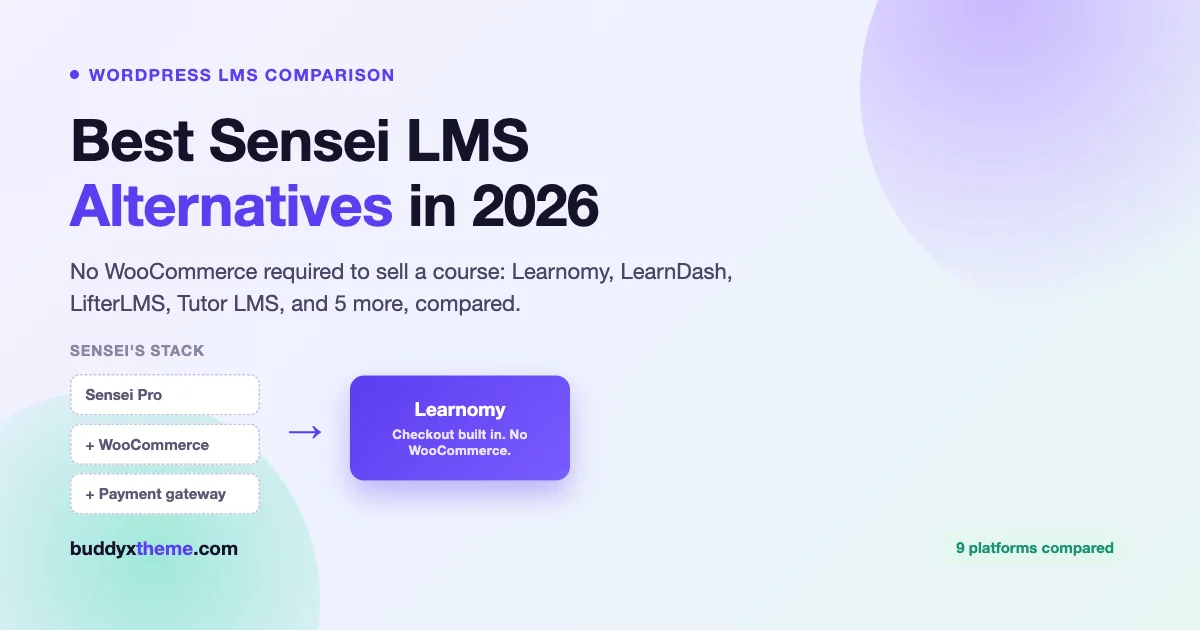
Sensei LMS comes from Automattic, the company behind WordPress.com and WooCommerce. You can feel that heritage. Course building happens right inside the Gutenberg block editor, so it feels like writing a normal WordPress post. The catch shows up the moment you want to get paid. Selling a course on Sensei runs through WooCommerce. That means a second plugin, a payment gateway setup, and a checkout built for shipping boxes, not enrolling students. That single dependency is the main reason people search for Sensei LMS alternatives.
This guide compares eight real Sensei LMS alternatives. We start with Learnomy, a free, self-hosted WordPress LMS built to sell courses on its own. No WooCommerce required. We also cover Sensei itself, so you know exactly what you’d be leaving behind. Then LearnDash, Tutor LMS, LifterLMS, LearnPress, MasterStudy LMS, Thinkific, and Teachable. Every entry below comes from each platform’s own pricing and documentation pages, checked in October 2026. We flag it clearly wherever a number is worth confirming yourself before you buy.
Quick answer: The best Sensei LMS alternative overall is Learnomy. It is a free, self-hosted WordPress LMS with native Stripe and PayPal checkout built in, so you never need WooCommerce to sell a course. Want to stay close to Sensei’s simple, block-editor feel? LearnPress is the nearest WordPress cousin. Want to leave WordPress and self-hosting behind entirely? Thinkific is the strongest hosted pick, with Teachable close behind.
Table of contents
- Why people look for Sensei LMS alternatives
- Quick comparison
- 1. Learnomy, the complete learning platform
- 2. Sensei LMS, the one you’re comparing against
- 3. LearnDash, the ecosystem heavyweight
- 4. Tutor LMS, the frontend-builder favorite
- 5. LifterLMS, modular and WooCommerce-native
- 6. LearnPress, the à-la-carte veteran
- 7. MasterStudy LMS, design-forward with a theme heritage
- 8. Thinkific, the hosted exit
- 9. Teachable, the creator-marketing hosted option
- Full comparison table
- FAQ
- Verdict
Why people look for Sensei LMS alternatives
Sensei’s pitch is honest. It is a simple, well-built plugin that feels native to WordPress, because the same company builds both. Course building happens in the block editor you already know. Basic quizzes are free. The plugin itself stays light. For a simple course bolted onto an existing WooCommerce store, that simplicity is a real strength, not a marketing line.
Three things push people to look elsewhere. First, selling anything on Sensei requires WooCommerce. The free plugin publishes unlimited courses. But the moment you want to charge for one, Sensei Pro’s “sell courses” feature routes the transaction through WooCommerce. That means a second plugin to configure, a gateway to wire up, and a checkout built for physical goods, not for enrolling a student. Second, reporting stays thin even on the paid tier. You get enrollment numbers, not real per-course completion data that shows where students drop off. Third, there is no real community layer. Sensei Pro added basic groups and cohorts. But there’s nothing like member profiles, activity feeds, or a space students return to between courses.
None of this makes Sensei a bad product. If you already run WooCommerce and want to add a few simple courses, Sensei stays a low-risk, low-friction choice. But “I already have WooCommerce” is a narrower starting point than most course creators assume. The alternatives below are what the rest of the market built instead.
Quick comparison
| Platform | Native Payments | Needs WooCommerce? | Community Path |
|---|---|---|---|
| Learnomy | Stripe + PayPal native | No | Pairs with BuddyNext, Jetonomy, WB Gamification |
| Sensei LMS | Via WooCommerce | Yes, to sell | Groups & cohorts (Pro only) |
| LearnDash | Native Stripe/PayPal + MemberDash | No | Third-party (BuddyPress/BuddyBoss) |
| Tutor LMS | Native multi-gateway (Pro) | Optional | Add-on based Q&A |
| LifterLMS | Stripe/PayPal/WooCommerce add-ons | Optional | Social Learning add-on |
| LearnPress | Via add-on | Optional | bbPress/BuddyPress add-ons |
| MasterStudy LMS | Native + WooCommerce | Optional | Course Q&A only |
| Thinkific | Native, hosted | No (not WordPress) | Built-in, 1-3 by plan |
| Teachable | Native, hosted | No (not WordPress) | No dedicated space |
1. Learnomy, the complete learning platform
Learnomy answers Sensei’s single biggest gap directly. It sells courses on its own. No WooCommerce install, no gateway add-on, no second plugin to keep updated. Stripe and PayPal checkout, coupons, and a transaction ledger ship in the core plugin. The course builder uses drag-and-drop, and supports video, audio, PDF, embeds, downloadable files, live sessions, and rich text in the same lesson tree.
Quizzes go deeper than Sensei’s basic question types. Learnomy supports six question types with auto-grading and partial credit. There’s also an essay grading inbox for instructors who need to read and score written answers by hand, something Sensei doesn’t offer on any tier. Certificates use a canvas designer instead of a flat PDF template. Every certificate can carry a QR code for instant verification, plus an Ed25519 cryptographic signature, so a certificate can’t be faked by editing a PDF. Open Badges 3.0 support ships in the Pro plan for sites that need portable, standards-based credentials.
For course businesses with more than one instructor, Learnomy includes commission splitting and a withdrawal queue for instructor payouts. That’s marketplace plumbing that usually needs a separate plugin stack elsewhere. Developers get over 200 REST API routes with JWT authentication, enough to build a custom frontend or connect a mobile app without waiting on a roadmap request.
The free tier is not a trial. It is a fully functional LMS: unlimited courses, the full course builder, quizzes, and native payments, all included at no cost. Pro costs $149 a year and adds AI-assisted course authoring, cohorts, structured learning paths, content dripping, advanced quizzes and grading rubrics, and deeper analytics.
One honest gap: Learnomy does not natively include community features, forums, or gamification, and it shouldn’t claim to. Instead, it pairs with separate Wbcom WordPress plugins. BuddyNext adds a full social community with profiles and activity feeds. Jetonomy adds Reddit-style forums and Q&A. WB Gamification adds points, badges, and leaderboards. Eventonomy adds live and virtual events. That’s a deliberate trade. Instead of one plugin half-building a weak version of all four, you assemble a modular stack you own outright, choosing only the pieces your course site actually needs. It’s a different answer to the community question than Sensei’s “groups and cohorts” checkbox. But once you need any of the four, it’s a more capable one.
You can try the whole platform without installing anything. A live Learnomy sandbox spins up a real WordPress site with the plugin pre-installed for four hours. No signup required.
Pros: native Stripe/PayPal checkout with no WooCommerce dependency; six quiz types with partial credit and essay grading; QR- and Ed25519-verified certificates; instructor payouts with commission splitting; 200+ REST routes with JWT auth; free tier is fully usable, not a trial.
Cons: no built-in community, forums, or gamification, you add BuddyNext, Jetonomy, or WB Gamification separately; AI authoring, cohorts, and advanced grading rubrics sit behind the $149/year Pro plan rather than shipping free.
2. Sensei LMS, the one you’re comparing against
It’s worth being fair to the plugin this whole article is about. Sensei’s free tier publishes unlimited courses with basic quizzes, a certificate builder, and a distraction-free “learning mode” for students. It works with any WordPress theme. Because Automattic also builds WordPress core and WooCommerce, Sensei’s course-building experience inside the block editor feels unusually native. You’re writing lessons the same way you’d write a post, not learning a separate builder UI.
Sensei Pro costs $15 a month, billed $179 a year. That’s where selling, advanced quizzes, interactive lessons and video, and basic groups and cohorts live. The sell-courses feature is built on WooCommerce, so Pro’s checkout is WooCommerce’s checkout. A separate Interactive Blocks add-on ($5/month, billed $60/year) adds flashcards, hotspots, and interactive video that work even outside Sensei. An Agency tier ($30/month, billed $360/year) covers up to 20 sites.
Choose Sensei if you already run WooCommerce and want courses that feel native to the block editor, with no learning curve. Look elsewhere if checkout friction, thin reporting, or the lack of a real community layer is what sent you searching.
Pros: native block-editor course building; Automattic backing and long-term maintenance; free tier is genuinely usable for unpaid courses; works with any theme.
Cons: WooCommerce required to sell courses; reporting stays thin even on Pro; community limited to basic groups and cohorts.
3. LearnDash, the ecosystem heavyweight
LearnDash is the long-standing default recommendation for WordPress LMS plugins. Its add-on ecosystem is still the largest in the space. Its current Pro plan ($399/year) now ships native Stripe and PayPal payment integrations, plus MemberDash, a built-in membership and subscription engine. So the old “you need WooCommerce for everything” complaint has narrowed a lot. Pro also includes an AI course and quiz outline generator, a drag-and-drop course builder, and quizzes with eight question types. Elite ($599/year) adds group course management, a dedicated instructor role, front-end course creation, and seat-based selling for organizations.
What LearnDash still asks of you is assembly for anything outside its core. Deep reporting, niche quiz behavior, and community all tend to live in separate add-ons or third-party connectors, not one unified settings screen. If a specific LearnDash add-on is the reason you’re on this page, that’s a legitimate reason to stay. For the full breakdown against other alternatives, read our LearnDash alternatives guide.
Pros: largest WordPress LMS add-on ecosystem; native payments and memberships now included in Pro; deep, mature quiz engine; battle-tested at scale.
Cons: $399-599/year license; community and some reporting depth still route through add-ons or third parties.
4. Tutor LMS, the frontend-builder favorite
Tutor LMS’s core plugin is free forever. Its frontend course builder lets instructors create and preview courses without ever opening wp-admin, and it remains one of the best building experiences in WordPress LMS. Paid plans start at $199/year (Individual, one site), with Business at $399/year (up to 10 sites, most popular) and Agency at $799/year (unlimited sites). Lifetime licenses are also available. Pro unlocks an AI Studio for course and content generation, advanced quiz types, and a monetization engine that supports PayPal, Stripe, Authorize.net, Paddle, Mollie, Razorpay, and several other gateways natively. That means WooCommerce is now optional, not required, for checkout, a real shift from its earlier WooCommerce-dependent model. Confirm this against Tutor’s current docs before you build a launch plan around it, gateway support has expanded quickly.
Community stays course-scoped. Tutor’s Q&A and discussion tools live inside each course, not as a persistent member profile or activity feed. Our full Tutor LMS alternatives comparison goes deeper on where it fits against the rest of this list.
Pros: genuinely free core; excellent frontend course builder; native multi-gateway checkout in Pro reduces WooCommerce dependency; strong marketplace mode for multi-instructor sites.
Cons: certificates, drip, and advanced quizzes sit behind the $199-799/year Pro tiers; community is course-scoped, not a persistent member space.
5. LifterLMS, modular and WooCommerce-native
LifterLMS’s core plugin is free and open source, with unlimited courses, memberships, and students. Paid bundles start with the Earth Bundle ($398/year list price, often discounted the first year). It adds ecommerce add-ons for Stripe, PayPal, and WooCommerce, so you can sell without WooCommerce if you pick the right add-on. The Universe Bundle ($598/year) adds the Sky Pilot theme and email marketing integrations. The Infinity Bundle ($1,598/year) adds fifteen advanced add-ons for unlimited sites. LifterLMS’s engagement tooling, achievement triggers and automated emails, is a genuine first-party strength. Its Social Learning add-on is one of the few built-by-the-vendor community attempts on this list.
The trade-off mirrors Sensei’s and LearnDash’s. Once payments, memberships, and the social add-on are bundled in, you’re maintaining a multi-part add-on stack again, not one settings screen. See our full LifterLMS alternatives comparison for the complete breakdown.
Pros: free, open-source core; strong engagement and automation mechanics; ecommerce add-ons support Stripe and PayPal directly, not only WooCommerce; first-party social learning add-on.
Cons: full feature set is spread across $398-1,598/year bundles; still an assembled stack rather than one unified platform.
6. LearnPress, the à-la-carte veteran
LearnPress is free on WordPress.org and has one of the largest install bases of any WordPress LMS. Its core, course structure and basic quizzes, is easy to pick up and has been around for a decade. Nearly everything beyond that core, certificates, content drip, assignments, WooCommerce checkout, bbPress or BuddyPress integration, arrives as an individually priced add-on from ThimPress. Current add-on pricing varies by bundle and changes over time. Confirm the exact numbers on ThimPress’s site before budgeting, our fetch of their pricing page didn’t resolve a clean, stable figure to quote here.
If you enjoy assembling your own toolkit and only want to pay for the pieces you’ll use, LearnPress rewards that patience. Its BuddyPress add-on gives it a real, if dated, community story. Our full LearnPress alternatives guide compares it against platforms that bundle more by default.
Pros: free core with a huge install base; pick only the add-ons you need; BuddyPress integration exists for community.
Cons: nearly every serious feature, including checkout, is a separate paid add-on; maintenance burden grows with the stack; current add-on pricing needs a direct check before you commit.
7. MasterStudy LMS, design-forward with a theme heritage
MasterStudy LMS, from StylemixThemes, is free on WordPress.org with over 10,000 active installations. Its student-facing screens are among the most polished in the WordPress LMS space, right out of the box. Pro starts at $99/year and adds custom certificates, advanced quizzes, course bundles, and Zoom integration, alongside native payment options that reduce, though don’t fully remove, the WooCommerce dependency.
The heritage cuts both ways. MasterStudy is happiest paired with StylemixThemes’ own theme family. Site owners running it on an unrelated theme tend to report more styling cleanup than with other platforms on this list. Community stays limited to course-level Q&A, not anything like a persistent member space. See our full MasterStudy LMS alternatives comparison for more detail.
Pros: free core with a large install base; polished, attractive student UI out of the box; Pro starts at a relatively low $99/year.
Cons: strongest inside its own theme ecosystem; community depth stops at course Q&A; several essentials still sit behind Pro.
8. Thinkific, the hosted exit
If your real objection to Sensei is WordPress itself, updates, hosting, plugin conflicts, Thinkific is the cleanest hosted alternative. Basic starts at $40/month billed annually ($54 month-to-month). It covers unlimited courses, video lessons and quizzes, one community space, and essential ecommerce. Start, the most popular plan, runs $82/month annually ($109 monthly) and adds live cohorts, completion certificates, assignments, and membership billing. Grow, at $164/month annually ($219 monthly), removes Thinkific branding and adds two more community spaces, group B2B sales, and API access. A custom Plus tier covers SSO, learning paths, and dedicated support for larger operations.
Thinkific’s own payment processor charges standard card-processing rates, around 2.9% plus a small per-transaction fee, similar to Stripe directly, with no separate platform cut on top. The trade is structural, not temporary: a subscription that runs for the life of your business, a customization ceiling you can’t build past, and a course catalog that lives on a platform you don’t own. Our Thinkific alternatives comparison covers the ownership argument in more depth. Our Kajabi alternatives guide is worth a look if you’re weighing hosted, all-in-one platforms more broadly.
Pros: zero server maintenance; built-in community spaces from the entry plan; fast setup; transparent processor-rate-only fees.
Cons: $40-164/month ongoing subscription for the life of the business; customization ceiling; you don’t own the platform your courses live on.
9. Teachable, the creator-marketing hosted option
Teachable leans harder into solo-creator marketing tools than Thinkific does. It bundles AI-assisted content creation and built-in upsell and cart-recovery flows into every plan. Starter is $29/month billed annually ($39 monthly) for up to five products, but carries a 7.5% transaction fee on top of normal payment-processing costs. Builder, the popular tier, is $69/month annually ($89 monthly) for ten products and drops the platform transaction fee to 0%, adding an affiliate program and real-time support. Growth, at $139/month annually ($189 monthly), raises the product cap to fifty and adds course certificates, branding removal, and custom admin permissions. A Custom tier is available for high-volume businesses that want a dedicated success manager.
Unlike Thinkific, Teachable has no dedicated community or discussion space on any plan. Confirm this directly if a community feature matters to you, hosted-platform feature sets shift. Our Teachable alternatives comparison lays out the fuller picture.
Pros: strong creator-marketing tooling out of the box; 0% platform transaction fee from the Builder tier up; fast, no-maintenance setup.
Cons: 7.5% transaction fee on the entry Starter plan; no built-in community space on any plan; ongoing subscription and platform lock-in.
Full comparison of Sensei LMS alternatives
| Platform | Price | Transaction/Commission Fees | Hosting | Needs WooCommerce? | Community Support |
|---|---|---|---|---|---|
| Learnomy | Free tier fully functional; Pro $149/yr | None (processor fees only) | Self-hosted | No | Pairs with BuddyNext, Jetonomy, WB Gamification, Eventonomy |
| Sensei LMS | Free core; Pro $15/mo ($179/yr) | None (WooCommerce + gateway fees apply) | Self-hosted | Yes, to sell courses | Basic groups & cohorts (Pro only) |
| LearnDash | Pro $399/yr; Elite $599/yr | None (processor fees apply) | Self-hosted | No (native payments + MemberDash) | Third-party (BuddyPress/BuddyBoss add-ons) |
| Tutor LMS | Free core; $199-799/yr paid tiers | None (processor fees apply) | Self-hosted | Optional (native multi-gateway in Pro) | Course-scoped Q&A |
| LifterLMS | Free core; bundles $398-1,598/yr | None (processor fees apply) | Self-hosted | Optional (Stripe/PayPal add-ons) | Social Learning add-on |
| LearnPress | Free core; add-ons individually priced (confirm current) | None (processor fees apply) | Self-hosted | Optional via add-on | bbPress/BuddyPress add-ons |
| MasterStudy LMS | Free core; Pro from $99/yr | None (processor fees apply) | Self-hosted | Optional (native + WooCommerce) | Course Q&A only |
| Thinkific | $40-164/mo (annual billing) | 0% platform fee; ~2.9% processor rate | Hosted SaaS | N/A, not WordPress | Built-in, 1-3 communities by plan |
| Teachable | $29-139/mo (annual billing) | 7.5% (Starter) or 0% (Builder and up) | Hosted SaaS | N/A, not WordPress | No dedicated community space |
Pricing and fees checked against each vendor’s own pricing pages in October 2026. Plans and tier boundaries change, confirm current numbers before you commit to a purchase.
FAQ: Sensei LMS alternatives
Do I need WooCommerce for Sensei LMS?
Yes, if you want to sell a course. Sensei’s free tier lets you publish unlimited courses. But Sensei Pro’s “sell courses” feature is built directly on WooCommerce. Charging students means installing WooCommerce and setting up a payment gateway through it. If that extra setup is your main complaint, Learnomy, LearnDash, and Teachable all sell without it.
What is the best free alternative to Sensei LMS?
Learnomy. Its free tier is fully functional, not a trial. Unlimited courses, the full drag-and-drop course builder, quizzes, and native Stripe and PayPal checkout are all included at no cost. That’s more than Sensei’s free tier offers, since Sensei can’t take payment without WooCommerce and Pro.
Can I still build courses in the block editor if I switch away from Sensei?
Learnomy’s course builder uses a drag-and-drop tree view, not the block editor, so the interface changes. The learning curve stays short, though, since the concepts, sections and lessons, map directly onto what you already know from Sensei. LearnPress and MasterStudy LMS also build courses outside the block editor. None of these alternatives keep Sensei’s exact block-editor-native feel, that’s specific to Sensei and the fact that Automattic also builds WordPress core.
Does Learnomy replace WooCommerce for everything, not just courses?
No. Learnomy replaces WooCommerce specifically for selling and delivering courses and memberships, with its own Stripe and PayPal checkout, coupons, and transaction ledger. If you also sell physical products or unrelated digital goods, you’d still run WooCommerce for that separately. Learnomy only removes the WooCommerce dependency on the course side of the business.
Which Sensei LMS alternative has real community features?
None of the self-hosted WordPress options build a persistent member community natively. The honest pattern is pairing a focused LMS with a dedicated community plugin. Learnomy is built specifically to compose with BuddyNext for member profiles and activity feeds, Jetonomy for forums and Q&A, and WB Gamification for points and leaderboards. On the hosted side, Thinkific includes basic community spaces starting on its entry plan. Teachable has no built-in community space on any plan.
Is Sensei LMS still worth using in 2026?
Yes, for a specific case. You already run a WooCommerce store, your course plans are simple, video lessons, basic quizzes, sell and deliver, and you value the block-editor-native feel more than deeper reporting or a community layer. For a new course business starting from scratch, especially one that wants to skip WooCommerce or build a learning community, it’s worth comparing Learnomy and the other platforms above first.
Verdict: the best Sensei LMS alternatives
If WooCommerce dependency is the specific reason Sensei isn’t working for you, Learnomy is the first platform to evaluate. It’s a free, self-hosted WordPress LMS with native Stripe and PayPal checkout, deeper quizzing with partial credit and essay grading, verifiable certificates, and instructor payouts, all without installing a second ecommerce plugin. Stay on Sensei if you already run WooCommerce and your course plans are genuinely simple. Choose LearnDash or Tutor LMS if a specific add-on or the frontend course builder is the deciding factor. Pick LifterLMS for first-party engagement automation, LearnPress if you’d rather assemble your own toolkit piece by piece, and Thinkific or Teachable if leaving WordPress and self-hosting behind is the actual goal.
Whichever direction you go, test the exact flow that matters to your business first. Try selling a course without WooCommerce, grading an essay quiz, or verifying a certificate, before you commit a year of students’ progress to a new platform. You can test Learnomy’s full flow yourself, free, for four hours, no signup, through the live Learnomy sandbox.