
Every hiking club, book club, sports league, and alumni chapter has the same quiet problem: the photos from last month’s outing are scattered across a dozen members’ phones, half of them never left a group chat, and the ones that did got buried in a Facebook group’s chronological feed within a week. Nobody owns the archive. Nobody can browse “every trip we’ve done this year” in one place. The club’s actual history, the thing that makes new members want to stick around, exists only in fragments.
WPMediaVerse solves this by giving every member their own upload path into a shared, owned media library, rather than routing everything through one officer’s camera roll. We walked through setting it up specifically for a club or group that meets repeatedly, not a single one-off event, where the goal is a growing, searchable photo history that multiple people keep adding to over months and years.
Table of Contents
- Why a Club’s Photo History Keeps Disappearing
- What You Need Before You Start
- Setting Up Recurring Event-Based Albums
- Letting Multiple Members Contribute to the Same Album
- Running Photo Competitions for Engagement
- Building a Browsable Multi-Year Club History
- A Step-by-Step Setup Walkthrough
- Moderation as Membership Grows
- A Real-World Scenario: A Hiking Club’s Five-Year Archive
- Common Mistakes That Kill Club Participation
- Who This Is Actually Built For
- FAQs
Member engagement has been associations’ and clubs’ number-one organizational goal for four consecutive years, yet only 38% of organizations improved engagement this year, with the rest holding steady or declining. Half of association executives name lack of engagement as the top reason members don’t renew. Only 42% of associations currently use any online community platform at all, and among those that do, 44% report that at least 40% of members actively participate, suggesting the gap isn’t desire, it’s that most clubs never set up the infrastructure in the first place.
Why a Club’s Photo History Keeps Disappearing
A group photo-sharing site lets every member of a club, team, or chapter upload their own event photos directly, instead of one officer chasing everyone’s camera roll after every meeting. That’s the specific coordination failure most clubs run into: the person who organizes the hike isn’t the same person who happens to take the best photos, and asking members to email or text their photos to one collector doesn’t scale past a handful of events before people stop bothering.
The result is a photo history that’s technically “out there” somewhere, spread across old Instagram posts, a defunct Facebook group, and whoever still has their phone from three years ago, but functionally unbrowsable and unowned by the club itself. WPMediaVerse’s free, unlimited-site core plugin turns this into a single library members contribute to directly, with no site owner acting as a bottleneck between an event happening and the photos actually existing somewhere permanent.
What You Need Before You Start
WPMediaVerse’s free tier is a complete media community plugin, not a trial: member uploads for photo, video, and audio, albums and personal libraries, per-item privacy controls, gallery grid blocks, and BuddyPress integration are all included with no expiration. For a club running recurring events, that free tier alone covers the core requirement, members uploading directly, organized into albums.
Pro adds the features that matter once engagement, not just storage, becomes the goal: named feed layouts (Instagram, Pinterest, Flickr, Dribbble-style), cloud storage, photo competitions with voting, AI provider integrations, and advanced video tools. Pricing is $69/year or $199 lifetime for a single site (Personal), $99/year or $299 lifetime for 5 sites (Developer), or $199/year or $499 lifetime unlimited (Agency), with identical features across every Pro tier, the only difference is site count and support level.
| Free | Pro ($69-199/yr) | |
|---|---|---|
| Member uploads & albums | Yes | Yes |
| Per-item privacy controls | Yes | Yes |
| BuddyPress integration | Yes | Yes |
| Photo competitions with voting | No | Yes |
| Named feed layouts | No | Yes |
| Cloud storage option | No | Yes |
Prove the core habit works on free first. Competitions and feed layouts are retention tools, not launch requirements.
Setting Up Recurring Event-Based Albums
The structural decision that matters most for a recurring club, as opposed to a one-off event, is creating a new album per event rather than dumping every photo from every meeting into one undifferentiated library. One album per hike, per match, per monthly meetup, per chapter gathering, named with the date and event, turns the library into a timeline you can actually navigate rather than a flat pile of images sorted only by upload date.
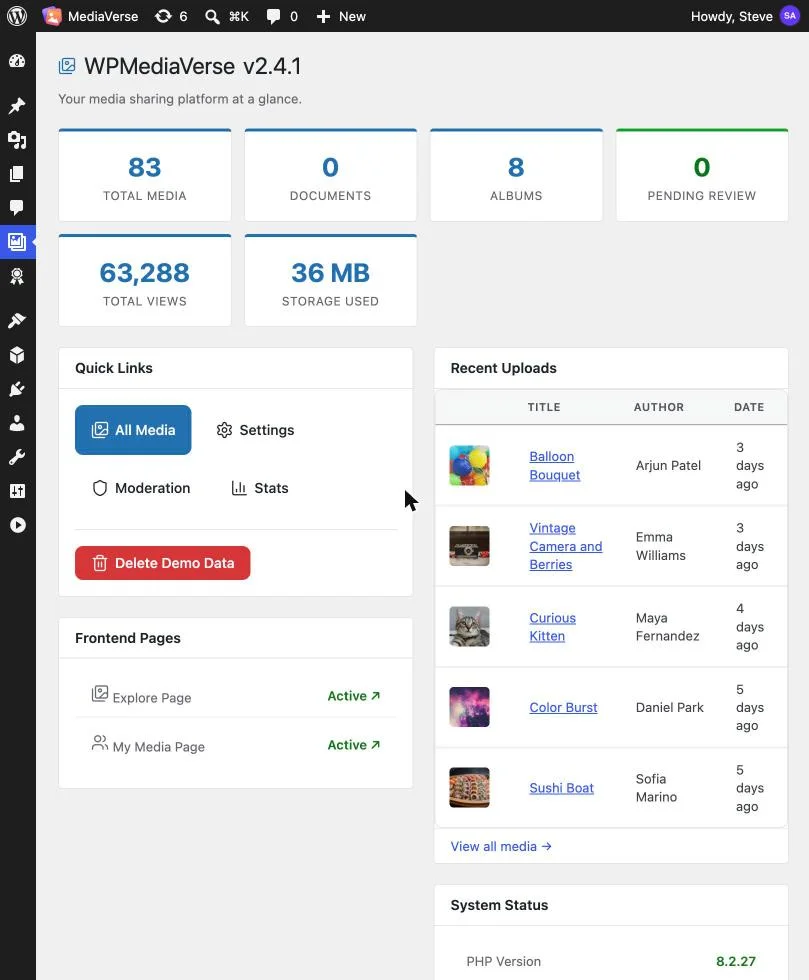
Set up a consistent naming convention early, something like “[Club Name], [Event Type], [Date]”, since a club that runs weekly or monthly events will accumulate dozens of albums within a single year, and an inconsistent naming pattern makes the whole archive harder to search later even though each individual album looks fine on its own.
Letting Multiple Members Contribute to the Same Album
This is the core mechanism that solves the original coordination problem: rather than one organizer uploading photos after collecting them from everyone, each member who attended an event uploads their own photos directly into that event’s album, from their own account, on their own timeline. Per-item privacy controls let a member decide whether a specific photo is visible to the whole club, logged-in members only, or just the people in that particular event’s group, so contributors retain real control even while adding to a shared resource.
In practice, this means the days after an event, not weeks later, when one person finally gets around to texting a collector, the album fills in gradually as different members get home, go through their phones, and upload the handful of shots they’re proud of. The album becomes genuinely representative of what the group experienced, rather than limited to whatever one person happened to capture.
Running Photo Competitions for Engagement
Pro’s photo competitions with voting are a direct answer to the engagement statistics above: a club that wants more than passive participation can run a recurring “best shot of the month” or “best shot of the season” competition, where members submit from their own event albums and the club votes on a winner. This converts a purely archival feature into a reason to check back regularly, which is exactly the kind of structured, repeatable engagement mechanism that the 44%-of-engaged-associations figure above suggests most clubs never bother building.
A competition doesn’t need to be elaborate to work: a monthly theme, a two-week submission window pulled from that period’s event albums, and a simple vote count is enough to give members a reason to look through recent uploads rather than letting the archive become a write-only destination nobody revisits.
Building a Browsable Multi-Year Club History
Once a club has run this system for a year or two, the real payoff shows up: a new member can browse years of event albums and get an immediate, visual sense of what the club actually does, not just what the “About” page says. That browsable history becomes a genuine recruitment and retention asset on its own, since prospective members can see real events with real turnout rather than taking a club’s description on faith.
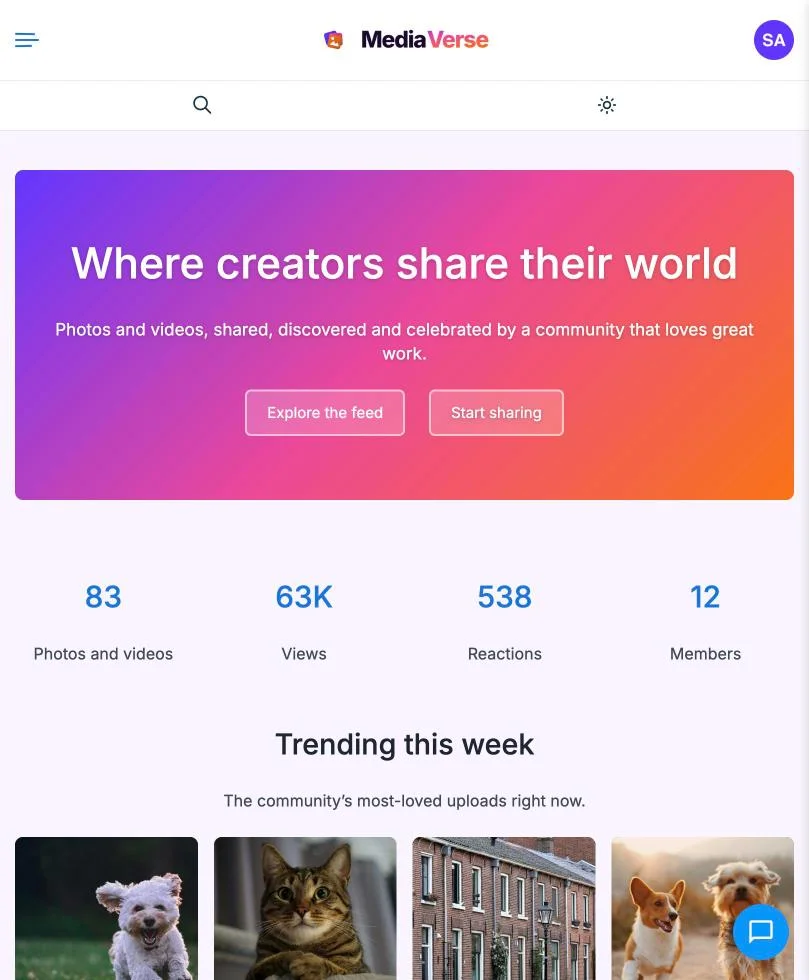
Named feed layouts on Pro (Instagram-grid, Pinterest-masonry, Flickr-style, Dribbble-card) let you present this growing history in a format that actually looks good rather than a bare chronological list, which matters more than it sounds like once the archive is large enough that presentation affects whether people actually browse it.
A Step-by-Step Setup Walkthrough
Getting from “no system” to “members uploading their own event photos” takes about an hour of initial configuration, followed by a habit-building period over the first few events. The sequence that works best in practice:
- Install and activate WPMediaVerse on your club’s WordPress site. If you’re also running BuddyPress for member profiles and a directory, activate that integration during setup so uploads can surface in member activity feeds, not just the media library.
- Create your naming convention and build the first album before your next event, so there’s a clear destination ready the moment the event happens rather than scrambling to create one afterward.
- Set default privacy and moderation levels that match your actual club size, light-touch for a small trusted group, a review queue for a larger or newer community.
- Announce the system at (or right after) your next event, with a direct link to that event’s album and a simple one-line instruction: “upload your photos here within the next few days.”
- Send one follow-up reminder two to three days after the event, specifically to the handful of members who usually take the best photos, since a personal nudge converts dramatically better than a generic announcement to the whole list.
- Repeat for every subsequent event, keeping the naming convention consistent, until the album-per-event habit is established and members start uploading without being asked.
- Revisit after two or three months to decide whether a Pro upgrade (competitions, named feed layouts) is worth it based on how actively the free-tier system is actually being used.
That last step matters more than it might seem: upgrading to Pro before the basic habit of member uploads is established just adds unused features to a system nobody’s engaging with yet. Prove the core workflow works on the free tier first, then layer in competitions and presentation polish once there’s a real archive and an active contributor base to build on.
Moderation as Membership Grows
A five-person club doesn’t need much moderation discipline, everyone knows everyone and bad uploads are rare. A 200-member chapter is a different situation: WPMediaVerse’s moderation queue lets you review uploads before they go public if that level of control matters for your group, or run a lighter after-the-fact review for a lower-stakes community. Decide this upfront based on your actual membership size and growth trajectory rather than defaulting to either extreme, heavy pre-moderation frustrates an engaged small club, while no moderation at all becomes a real liability once a club grows past the size where everyone personally knows every contributor.
A Real-World Scenario: A Hiking Club’s Five-Year Archive
Picture a regional hiking club, 60 active members, that runs two or three group hikes a month. For its first few years, photos lived in a Facebook group, technically searchable but practically useless beyond scrolling, and totally inaccessible to anyone who wasn’t already a Facebook group member, a real barrier for prospective members evaluating the club before committing.
Switching to a WPMediaVerse-powered site change the dynamic immediately: each hike gets its own album, attendees upload their own shots in the days after, and five years in, the club has roughly 150 event albums forming a complete visual record, searchable by date, by trail, by season. A prospective member can see exactly what a typical hike looks like, how many people usually show up, what terrain the club actually tackles, before ever attending one, which measurably improves the quality of people who show up to a first hike already knowing what to expect.
The club also runs a quarterly “best trail photo” competition using the Pro voting feature, which the officers report drives a visible uptick in who actually logs in and browses the site in the two weeks around each competition window, exactly the kind of recurring engagement hook that a static, one-time photo gallery never produces on its own.
There’s a second-order effect the club didn’t initially plan for: the archive itself became a recruiting tool independent of anything the officers actively did. New members increasingly report finding the club through a web search that surfaced a specific trail-photo album rather than through word of mouth or a local meetup listing, since each public album is its own indexable page carrying real photos and real engagement signals.
A closed Facebook group, by contrast, contributes nothing to search visibility at all, every photo posted there is invisible to anyone not already a member of that specific group. Five years of consistently published, member-contributed albums turned into a steady, low-effort channel of new-member discovery that the club never had to build deliberately, it emerged as a side effect of simply maintaining the habit described above.
Common Mistakes That Kill Club Participation
- One undifferentiated media library instead of per-event albums. Without albums, the archive becomes a flat pile sorted only by date, impossible to browse meaningfully once it passes a few hundred items.
- No upload reminder after the event. Members who had a great time but don’t upload within a few days of an event usually never upload at all, build a habit of a post-event reminder, even a simple one, into your event communication.
- Heavy-handed moderation on a small, trusted club. Pre-approval queues that sit unreviewed for days kill the spontaneity that makes member-contributed photos feel alive rather than curated.
- No competitions or engagement hooks at all. An archive people only visit to upload, never to browse, misses most of the retention value this entire approach is built to deliver.
Who This Is Actually Built For
This setup fits any club, team, league, or chapter that meets repeatedly and currently has no owned record of its own history beyond scattered social posts, officers tired of being the sole bottleneck for photo collection after every event, and any group considering Pro’s competition feature specifically to add a recurring engagement hook rather than letting the archive sit passive between events. It fits less well for a single one-off event (a wedding, a conference) where a dedicated event-gallery tool built for a single occasion is a more direct fit than an ongoing community library.
FAQs
1. Is WPMediaVerse’s free version actually enough to run this, or do I need Pro?
The free tier covers the core requirement: member uploads, albums, privacy controls, and BuddyPress integration, with no expiration. Pro’s photo competitions and named feed layouts add engagement and presentation features worth considering once the archive is established, but they’re not required to get a club’s photo-sharing system running.
2. Can members delete or edit photos another member uploaded?
Standard permissions give members control over their own uploads, not other members’ contributions; club admins retain moderation-level control to remove any content regardless of who uploaded it, which covers the edge cases a pure peer-permission model would miss.
3. How does per-item privacy actually work for a club with mixed public and members-only content?
Each uploaded item carries its own visibility setting, so a member can mark one photo visible to the whole public-facing site while keeping another restricted to logged-in members only or to a specific event’s group, all within the same album.
4. Do I need BuddyPress or BuddyNext running for this to work?
BuddyPress integration is included and deepens the experience (member profiles, activity-feed uploads), but it’s not a hard requirement; WPMediaVerse functions as a standalone media library on a plain WordPress install too.
5. How do photo competitions actually get judged, member vote or admin pick?
Pro’s competition feature supports member voting, which is generally the better fit for a club context since it drives the engagement payoff of getting members to browse and interact with recent submissions, rather than a single admin picking privately.
6. What happens to the archive if the club eventually dissolves or a new webmaster takes over?
Since the entire library lives on a WordPress install you own, it transfers with standard WordPress site ownership, no vendor lock-in or separate export process the way a closed social platform’s group photos would require if the club ever needed to migrate.
7. Can a club with members spread across multiple chapters or regions use one shared library?
Yes, albums can be organized by chapter or region alongside event date, and privacy controls can scope visibility to a specific chapter’s members if a multi-region organization wants some separation between groups sharing the same underlying site.
8. Is there a limit to how many albums or how much storage the free tier supports?
The free tier doesn’t impose an artificial album or item cap; practical storage limits come from your own WordPress hosting plan rather than the plugin itself, with Pro’s cloud storage option available if local hosting storage becomes a constraint.
9. How much admin time does running this actually take once it’s set up?
After initial setup, ongoing admin time is mostly lightweight moderation review and occasionally judging or launching a competition; the core value, members uploading their own photos, runs without admin involvement once the album structure and permissions are configured.
10. Can old photos from before the club started using WPMediaVerse be imported into the new archive?
Historical photos can be bulk-uploaded by an admin into backdated albums to backfill the archive’s early years, though this is manual work since there’s no automatic import from closed platforms like Facebook groups.
11. What’s the single biggest factor in whether members actually adopt this system?
The post-event reminder, specifically a personal nudge to the members who typically take good photos, matters more than any plugin feature. A technically perfect setup with no reminder habit behind it will sit empty just as easily as the Facebook group it replaced.
12. Should a brand-new club bother with this before it even has an established member base?
Starting early is actually an advantage: a new club that builds the album-per-event habit from its very first meeting accumulates a complete history from day one, rather than trying to backfill years of scattered photos later once the value of having an archive becomes obvious in hindsight.
Summary
The mechanism here is simple: stop routing every event’s photos through one person, and let the people who were actually there contribute directly to a library the club owns outright. WPMediaVerse’s free tier covers that core requirement completely, and Pro’s competitions give a recurring reason for members to come back and browse rather than letting the archive sit passive, a meaningful difference when engagement, not just storage, is the real goal for most clubs and associations in 2026.
Before announcing the system to your full membership, run it through one real event yourself: create the album, upload a handful of your own photos, and confirm privacy settings behave the way you expect for a logged-out visitor versus a logged-in member. That quick dry run catches permission mistakes while the stakes are low, rather than after thirty members have already tried to upload to a misconfigured album.
Interesting Reads:
WP-Polls vs YOP Poll vs WB Polls
How to Build Multi-Page Surveys with CSV Export on WordPress