
Every community has members whose companies are hiring, but most community sites never capture that demand because posting a job means emailing the site owner, waiting for someone to manually create a listing, and hoping it gets published before the role is filled. That friction kills the habit before it forms. Members stop asking, the job board sits empty, and a genuinely useful community benefit never gets used.
Last updated: 6 November 2026
WP Career Board’s free tier removes that bottleneck entirely: employer self-service is built in from the first install, no Pro purchase required just to let someone post their own job. Pair it with BuddyPress or BuddyNext and the job board stops being a separate page members have to remember to check, it becomes part of the same activity stream they’re already scrolling. Here’s how to set it up, how the moderation workflow protects quality, and how to connect it to your community feed.
Table of Contents
- By the numbers
- Why Member Self-Service Beats a Manually Curated Board
- Step 1: Install and Configure WP Career Board
- Step 2: How Member Companies Register and Post
- Step 3: Set Up the Moderation and Approval Workflow
- Step 4: Surface Listings in the Community Feed
- What Happens After Someone Applies
- A Real-World Scenario: An Alumni Network’s Job Board
- Best Practices for Keeping Quality High
- FAQs
- Sources
Referred candidates fill roles in roughly 22-29 days versus 37-39 days for traditional recruiting sources, about 55% faster, and referral-sourced apply-to-hire conversion runs 28-34% against a typical job board’s 2-5%. A community job board where members’ own companies post directly is functionally a structured referral network, the same quality advantage, just organized instead of word-of-mouth.
By the numbers
- The global online recruitment market was valued at USD 25.40 billion in 2025 and is projected to reach USD 53.37 billion by 2034, growing at 8.60% a year over the forecast period, according to Straits Research.
- WordPress is used by 39.5% of all websites and holds 58.2% of the content management system market, according to W3Techs (checked 6 November 2026).
Why Member Self-Service Beats a Manually Curated Board
A site owner manually posting every job on behalf of members scales to maybe a handful of listings a month before it becomes a real time cost, and it introduces a delay between “member wants to post” and “listing goes live” that kills momentum. Self-service removes the site owner as a bottleneck: a member logs in, fills out the same multi-step form any employer would use, and the listing exists without anyone else touching a keyboard.
The quality upside matters just as much as the convenience. Jobs posted by members of a community you already trust carry an implicit vetting layer that a generic job board or a cold Indeed posting doesn’t have, which is exactly why referral-sourced hires consistently outperform traditional-source hires on speed, conversion, and retention. A community job board isn’t competing with Indeed on volume, it’s competing on trust, and trust is the one advantage a community-native board has built in from day one.
There’s a second, less obvious benefit: self-service posting turns the job board into a reason for members to log back in. A community member who posted a listing checks back to see application activity, review candidates, and update the posting as the role evolves. Each of those visits is a touchpoint with the rest of the community that a purely passive member wouldn’t otherwise have.
A manually curated board gives members nothing to return for beyond browsing. A self-service board gives the posting member an ongoing reason to stay engaged with the site for as long as that listing is active.
Step 1: Install and Configure WP Career Board
Install WP Career Board from the WordPress plugin directory or upload it directly, then activate. The free tier is immediately functional: a public job board page, company profiles, and front-end dashboards for both employers and candidates are all live without any paid add-on. If your site runs BuddyPress or BuddyNext, the integration is automatic, no separate connector plugin to install for the base-level tie-in.
From Settings, confirm the job board’s public page is linked in your site navigation somewhere members will actually see it, “Jobs” or “Careers” in your main menu, not buried three clicks deep. Decide whether every job needs admin approval before going live (recommended for a new community still building trust in the feature) or whether established, verified members can publish immediately. Both modes are available from the same settings screen, and you can tighten or loosen the policy later as the board matures.
Before opening posting to members, spend ten minutes setting up Job Categories, Job Types, and Experience Levels under the Career Board admin menu so the taxonomy actually matches your community rather than a generic default list. An alumni network benefits from categories mapped to industries its graduates actually work in; a professional association benefits from categories matching its own specialties. Getting this right before launch means the first wave of member postings slot into a structure that already makes sense, rather than everyone inventing ad-hoc tags that need cleaning up later.
It’s also worth deciding upfront whether company profiles are required before a job can be submitted, a setting worth turning on deliberately rather than leaving to default, since a job tied to a real, visible company profile does more to build trust in the board than an anonymous listing ever will, and it’s much harder to retrofit that requirement onto a board that’s already accumulated dozens of profile-less postings.
Step 2: How Member Companies Register and Post
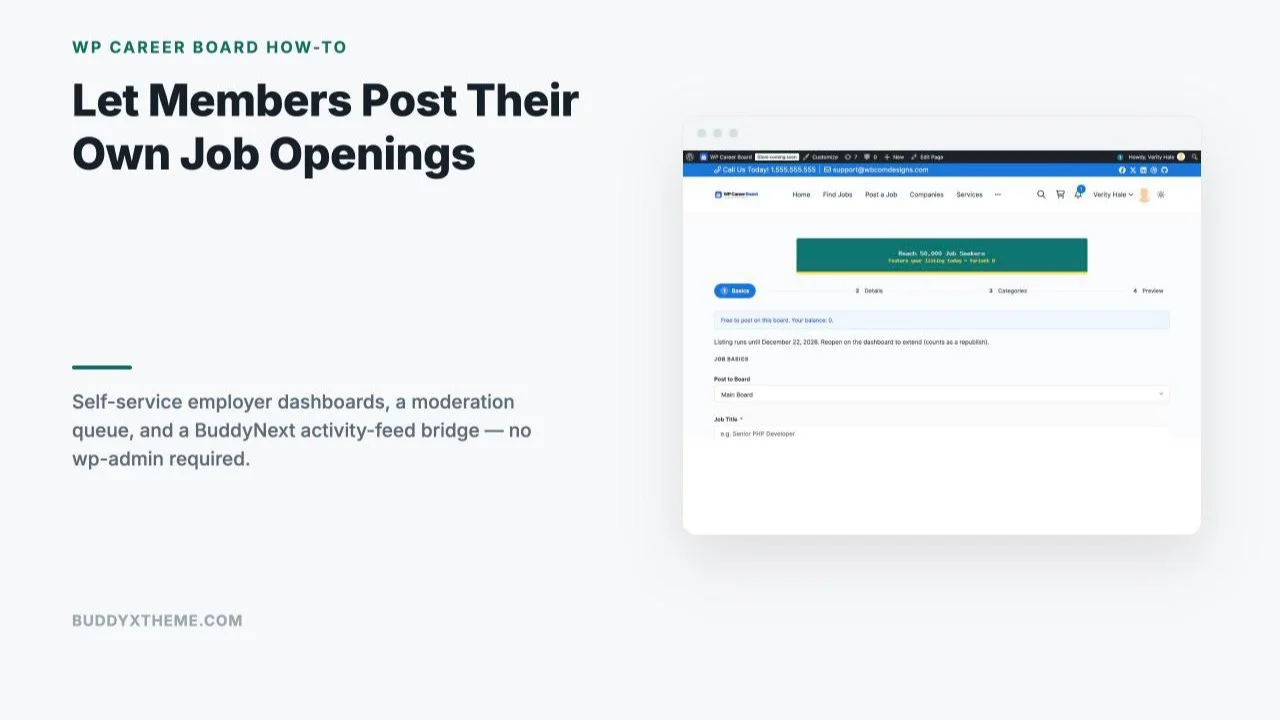
A member clicks “Post a Job” from the front end and is walked through a four-step wizard: Basics (job title, board destination, description), Details (compensation, location, work mode), Categories (job type, experience level, tags), and Preview before submission. No wp-admin login, no site-owner involvement, the entire flow happens on the public-facing site using the member’s own account.

Once submitted, the member automatically gets an employer dashboard, a space to view and edit their own listings, see applications, and manage their company profile, scoped specifically to what they’ve posted. They never see other employers’ data, and the dashboard works identically whether the member is logged in through standard WordPress authentication or through BuddyPress’s member login if your community uses that layer.
Step 3: Set Up the Moderation and Approval Workflow
This is the piece that makes member self-service safe rather than chaotic. With approval mode enabled, every member-submitted job lands in a Pending Review queue in wp-admin rather than publishing immediately. The admin dashboard surfaces a clear count, Active Jobs, Applications, Employers, Candidates, and Pending Review, right on the main Career Board screen, so nothing sits unnoticed.

Reviewing a pending listing takes seconds: open it, confirm it’s a real role at a real company (not spam or an off-topic posting), and approve or reject. For a growing community, this single screen is the entire quality-control mechanism, no separate plugin, no manual email thread with the poster, just a queue and a decision. Communities that start cautious with full moderation on every post can relax the policy for verified long-standing members later without losing the safety net for newer or unverified accounts.
A practical middle ground many communities land on: require approval for a member’s first one or two postings, then switch that specific member to auto-publish once they’ve shown they post relevant, well-formed listings. This isn’t a built-in automated tier so much as a manual judgment call admins apply as they get to know active posters, but it’s a useful mental model for scaling moderation effort down over time without removing the safety net for the community as a whole.
Step 4: Surface Listings in the Community Feed
A job board that lives on its own separate page gets visited rarely, members have to remember it exists and go looking. BuddyNext Pro closes that gap with a dedicated Career Board bridge: published jobs from WP Career Board surface directly inside the community activity feed and in community-wide search, the same places members already spend their time scrolling and searching for anything else happening in the community.
The practical effect is that a new job posting behaves like any other piece of community activity, a post, a discussion reply, a new member joining, rather than a separate destination members have to actively navigate to. For a community that wants job-sharing to become a genuine habit rather than an occasionally-remembered feature, that feed-level visibility is the difference between a handful of postings a year and an active, self-sustaining job board.
What Happens After Someone Applies
Once a listing is live, candidates apply through WP Career Board’s own application flow directly on the community site, no redirect to an external form or ATS. The employer, the member who posted the job, sees applications land in their own scoped dashboard in real time, alongside basic applicant details and whatever resume or cover material the application form collected.
On the free tier, the employer works through applications as a straightforward list, reviewing and reaching out to candidates directly. Pro’s Kanban-style pipeline adds staged tracking, Submitted, Reviewing, Shortlisted, Rejected, Hired, useful once a member-company is fielding enough applications that a flat list stops being manageable, but entirely optional for a community still building its posting volume. Either way, the candidate-side experience stays identical: apply once, through the community site, and the employer handles the rest from their own dashboard without looping the site admin into every individual application.
This matters for community trust specifically because members applying to a job posted by a fellow member are trusting that their application goes somewhere real and gets seen, not that it vanishes into an unmonitored inbox. A dashboard the employer actually checks, reinforced by the same moderation process that approved the listing in the first place, is what keeps that trust intact as the board scales past the first few dozen postings.
It’s worth setting an expectation with posting members early on: a job board is only as trustworthy as its least-responsive employer. One member who posts a listing and never checks their dashboard again creates a bad experience for every candidate who applied in good faith, and that single bad experience travels through word of mouth faster than any number of good ones. A brief note in the posting confirmation, reminding employers to check their dashboard within a few days, costs nothing to add and heads off most of that risk before it becomes a pattern.
A Real-World Scenario: An Alumni Network’s Job Board
Picture a university alumni association running its community on BuddyNext, a few thousand graduates, active discussion groups by graduating class and by industry, and a long-standing but underused “Careers” page that the alumni office updates maybe once a month when someone happens to email in an opening.
Switching to self-service changes the dynamic immediately. An alumna running her own startup can post an open role herself the same day she decides to hire, without waiting on the alumni office’s update schedule. A graduate at a large company can post an internal referral opening the moment it’s approved internally, when the posting is actually useful to job-seeking classmates, not weeks later.
The alumni office’s role shifts from “create every listing” to “review the Pending Review queue a few times a week,” a fraction of the original time cost.
With the BuddyNext Career Board bridge active, those postings also show up where alumni are already active: the main community feed and search, not a page most members forget exists between graduation and the next reunion. The job board stops being a dead page and starts being one of the most-used features in the entire community, built entirely on jobs members brought themselves.
A different version of this same pattern shows up on professional association sites rather than alumni networks specifically. A regional association for, say, marketing professionals, running its community on BuddyPress, can let member agencies and in-house teams post openings directly instead of relying on a monthly newsletter roundup compiled by volunteer staff. The moderation queue gives the association’s small staff team the same light-touch control an alumni office would use, a few minutes a week rather than a recurring content-production task, while members get listings the moment they’re approved rather than waiting for the next newsletter cycle.
Best Practices for Keeping Quality High
- Require a company profile before posting. A listing attached to a real, named company with a profile page reads as far more credible than an anonymous posting, and gives future candidates somewhere to click through to learn more.
- Publish a clear, simple posting policy. Spell out what counts as an acceptable listing, how long it stays live, and what gets a posting rejected. Members self-moderate more effectively when rules are explicit rather than left to a case-by-case judgment call, and a published policy gives the admin a reference point if a rejection needs explaining.
- Review the Pending Review queue on a predictable schedule. Twice a week is usually enough to keep listings from going stale before approval. A member who waits five days for approval is far less likely to use the feature again than one who sees it live within a day.
- Audit expired or filled listings periodically. A dozen current, relevant openings reads as active; forty listings half of which are months-stale reads as neglected, even if underlying activity is healthy.
- Close the loop once a role is filled. A simple reminder email a few weeks after a listing’s posted date, asking whether it’s still open, prevents the slow accumulation of dead listings that makes an otherwise healthy board look abandoned.
| Feature | Free | Pro ($69-199/year) |
|---|---|---|
| Employer self-service posting | Yes | Yes |
| Pending Review moderation queue | Yes | Yes |
| Company profiles and directory | Yes | Yes |
| BuddyNext activity-feed bridge | Requires BuddyNext Pro | Requires BuddyNext Pro |
| Kanban applicant pipeline | No | Yes |
| Resume search | No | Yes |
| Paid listings (Stripe/PayPal/WooCommerce) | No | Yes |
Summary
A job board only becomes a real community asset once members can use it without waiting on the site owner, and WP Career Board’s free self-service dashboards make that possible from the first install. Pair it with a clear moderation rhythm and, on a BuddyNext Pro community, the activity-feed bridge that puts listings where members already spend their time, and a page that used to sit quietly unused becomes one of the most genuinely useful features in the entire community.
Before opening self-service posting to the whole community, run through the full flow yourself once: post a test job as a member, approve it from the admin side, apply to it as a second test account, and confirm the employer dashboard actually shows that application. That dry run, done before any real member touches the feature, is the fastest way to catch a settings mismatch before it becomes a confusing first impression for whoever posts the community’s first real job.
FAQs
Do members need a paid account or Pro license to post their own jobs?
No, employer self-service posting is part of WP Career Board’s free tier. Pro adds the Kanban applicant pipeline, resume search, and paid-listing monetization, not basic self-service posting.
Can I require every job posting to be approved before it goes live?
Yes, approval-required moderation is a standard setting. Every member-submitted listing lands in the Pending Review queue until an admin approves or rejects it.
Does this require BuddyPress or BuddyNext, or does it work on a standalone WordPress site?
WP Career Board works standalone without any community plugin. The activity-feed and community-search surfacing specifically requires BuddyNext Pro’s Career Board bridge; the core self-service posting and moderation workflow works on any WordPress site.
How do I stop members from posting spam or irrelevant listings?
Keep approval-required moderation on, require a company profile before a listing can be submitted, and publish a clear posting policy so members know what’s acceptable before they submit something that gets rejected.
Can a member edit or remove their own job listing after posting it?
Yes, the employer dashboard scoped to each member’s own account includes editing and management of their own active listings, without needing an admin to make the change for them.
What happens if two different members from the same company both try to post jobs?
WP Career Board’s company profile system is designed to be shared across multiple posters associated with the same company, so this is a normal, supported pattern rather than a conflict, both postings can appear under the same company profile.
How much moderation time should I actually budget for this?
For a community in the low hundreds to low thousands of active members, reviewing the Pending Review queue two to three times a week is typically enough to keep approval turnaround fast without it becoming a daily task.
Can candidates apply directly through the community site, or does it link out to an external application?
Applications are handled natively through WP Career Board’s own application flow, candidates apply on your site, not through a redirect to an external ATS or job board, keeping the entire hiring loop inside the community.
Does turning on self-service posting increase the site’s moderation workload significantly?
The added workload is proportional to posting volume, which typically starts low and grows gradually as members discover the feature, giving admins time to establish a sustainable review rhythm rather than facing a sudden flood.
Is there a limit to how many jobs a single member or company can post?
The free tier doesn’t impose an artificial cap on listing count; Pro’s paid-listing and credit system is built for monetizing volume rather than restricting it, so posting limits are a deliberate community-policy choice, not a plugin limitation.
How is this different from just letting members post job links in a discussion thread?
A discussion thread has no structured fields, no search or filtering, no application tracking, and no moderation queue, it’s a conversation, not a database. WP Career Board gives every posting a consistent structure (location, type, compensation, categories) that makes the whole board searchable and filterable, which a thread of forum replies never will be.
Can I migrate a manually curated jobs page into self-service once I’m ready?
Yes, existing listings can be recreated as WP Career Board entries and assigned to the right company profile, then new postings going forward come through the self-service flow. There’s no requirement to launch self-service and a manual archive simultaneously; most communities phase the switch over a few weeks rather than cutting over all at once.