
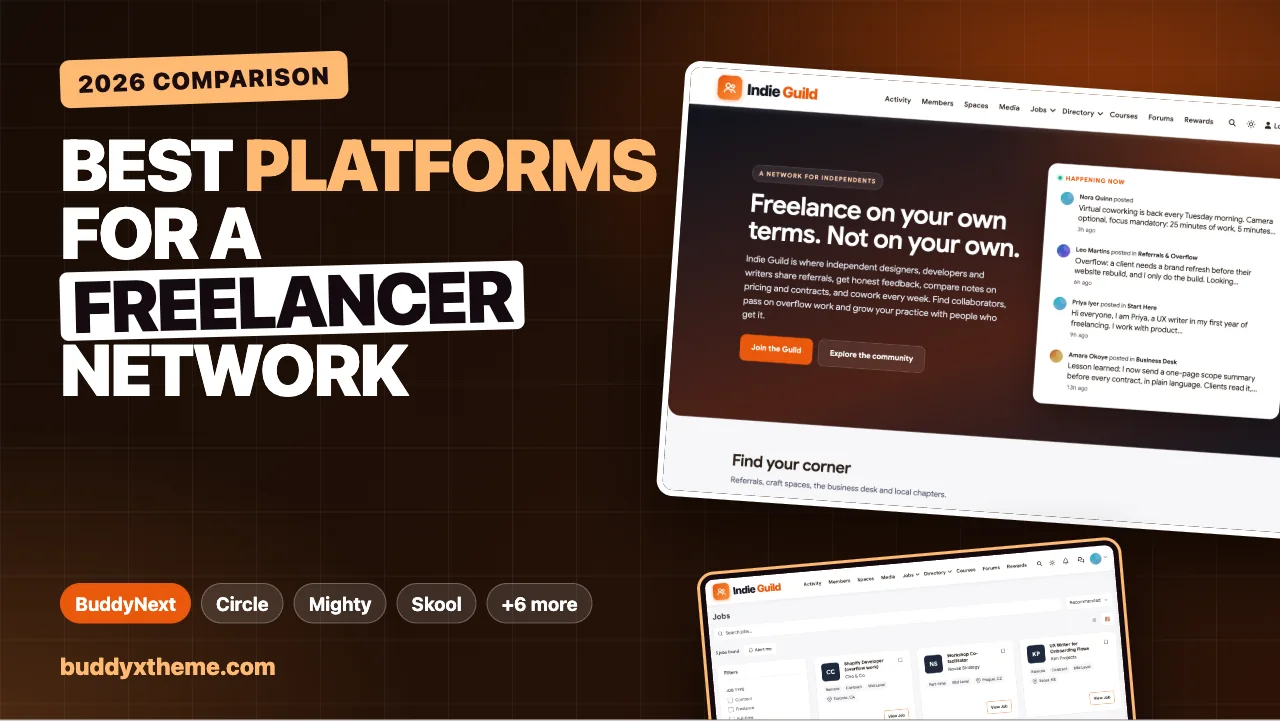
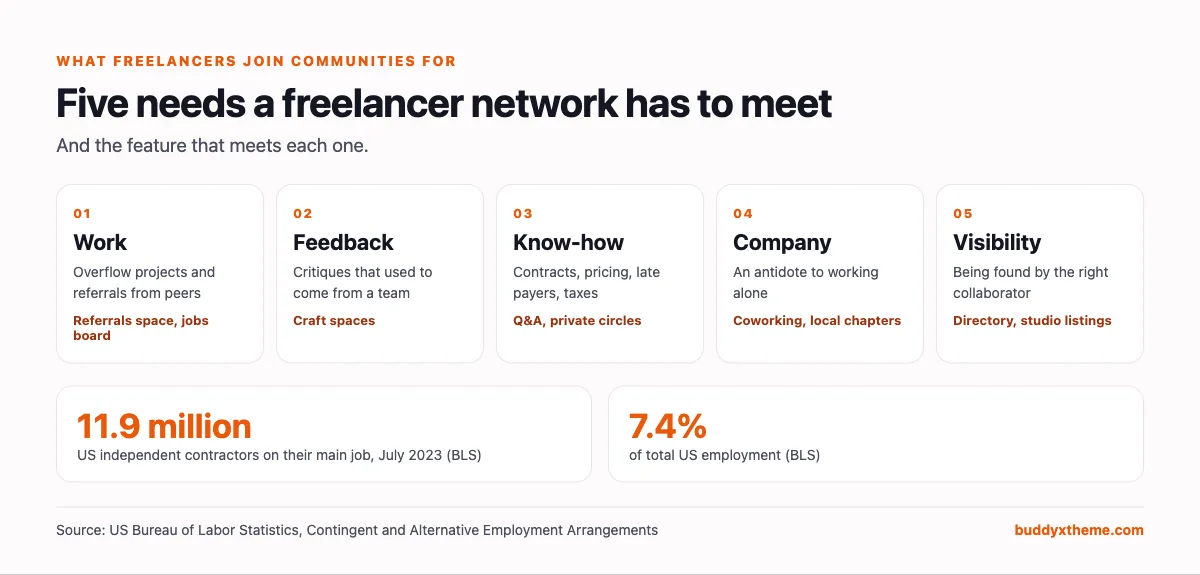
Freelancers do not join communities for content. They join for five things: work they would not have found alone, honest feedback on their craft, answers to business questions nobody teaches, company on the days that feel isolated, and visibility with people who might hire or refer them. A freelancer networking community that delivers those five keeps its members for years. One that becomes a feed of self-promotion loses them in months.
This guide compares the platforms you can use to build a networking community for freelancers, whether you run a guild for a discipline, a local freelancer network, a paid membership for independents or a community attached to your course, podcast or agency. We built a working freelancer community for the first entry so you can see it, checked every competitor claim against the vendor’s own pages in November 2026, and judged each platform on those five needs, plus what the organiser needs to run it.
Quick answer
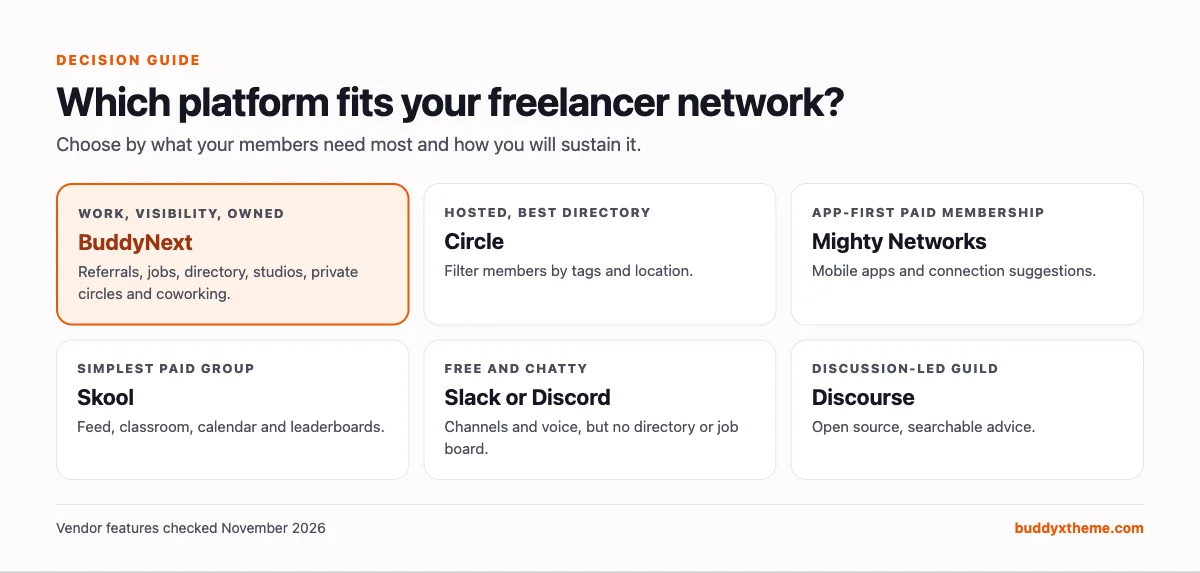
If you want a freelancer networking community you own and control, BuddyNext is the strongest choice: a referrals space, a jobs board with freelance and contract roles, a searchable member directory, a member studios directory for portfolios and services, private pricing circles, Q&A with accepted answers, and coworking events, all on your own WordPress site. Circle is the strongest hosted option with a filterable directory, Mighty Networks suits app-first paid memberships, and Slack or Discord are quick to start but lack directories and job boards.
In this guide
- Why freelancers need a community at all
- Owned community, marketplace or social group?
- What a freelancer networking platform needs
- 1. BuddyNext: best for a freelancer network you own
- 2. Circle: best hosted platform with a filterable member directory
- 3. Mighty Networks: best for app-first paid freelancer memberships
- 4. Skool: best for a simple paid group with gamification
- 5. Heartbeat: best for small paid groups that like chat
- 6. Discourse: best open-source option for a discussion-led guild
- 7. Slack: best for a free, chat-first network
- 8. Discord: best for free communities with voice coworking
- 9. Facebook Groups: best for reach in local freelancer networks
- 10. LinkedIn Groups: best as a free professional side channel
- Freelancer community platforms compared
- Running a referral channel that does not turn into spam
- Making coworking work
- Charging for membership without losing trust
- Launching a freelancer network: the first 60 days
- Signs your freelancer community is healthy
- More community platform comparisons
- How we built and checked this list
- Frequently asked questions
- The bottom line
Why freelancers need a community at all
The number of people working independently is large and measurable. The US Bureau of Labor Statistics found that in July 2023, 11.9 million people were independent contractors on their sole or main job, 7.4% of total employment (BLS). That counts only people whose main job is independent work; many more freelance on the side.
Independent work comes with three structural problems that a good community solves:
- Work is uneven. Freelancers are busy or quiet, rarely in between. A community where members pass on overflow work and refer each other smooths both ends.
- Nobody teaches the business. Contracts, proposals, pricing conversations, late payers and taxes are learned the hard way. Peers who have been through it are the fastest teachers.
- It is lonely. People leaving agencies and teams often say the work is fine and the isolation is the surprise. Coworking sessions and local meetups fix that more than any feature.
Owned community, marketplace or social group?
Before choosing software, be clear about which of three things you are building.
| Model | What it is | Examples | Who owns the relationship | Good for |
|---|---|---|---|---|
| Owned community | A branded space you run, with your rules and members | BuddyNext, Circle, Mighty Networks, Skool, Heartbeat, Discourse | You | Referrals, trust, paid membership, long-term network |
| Marketplace | A platform that matches freelancers with clients | Contra, Upwork | The marketplace | Finding clients at scale |
| Social group | A group inside a social network | Slack, Discord, Facebook Groups, LinkedIn Groups | The social network | Fast start, free reach |
Marketplaces are useful for finding clients, but they are not communities you can run. Contra combines a portfolio and marketplace with discussion threads attached to its own network. Upwork once ran its own discussion forum; today the community.upwork.com address redirects to Upwork’s help center. A freelancer network you want to keep for years belongs on a platform you control. If your members are startup founders rather than independents, the founder community guide covers confidential pods and fundraising rooms, and bodies with dues and credentials are covered in our professional association comparison.
What a freelancer networking platform needs
| Need | Feature that delivers it | Why it matters |
|---|---|---|
| Work | A referrals space and a jobs board with freelance and contract types | Overflow and referrals are the main reason freelancers join |
| Feedback | Spaces per discipline with images and critiques | Freelancers lack the team that used to review their work |
| Business know-how | Q&A with accepted answers, private pricing circles | Sensitive questions need a confidential room |
| Company | Online coworking, local chapters, direct messages | Fixes isolation, builds trust that leads to referrals |
| Visibility | A searchable member directory, profiles with skills, a studios directory | Members need to find the right collaborator fast |
| For the organiser | Paid plans, moderation, a place for self-promotion, data ownership | The community has to be sustainable to last |
1. BuddyNext: best for a freelancer network you own
BuddyNext is a complete community platform that runs on your own WordPress site. Spaces, a member directory, profiles, messaging, a jobs board, a business directory, Q&A, events, courses, paid plans and gamification all work together in one product, so a freelancer network can offer work, feedback, know-how, company and visibility without stitching tools together.
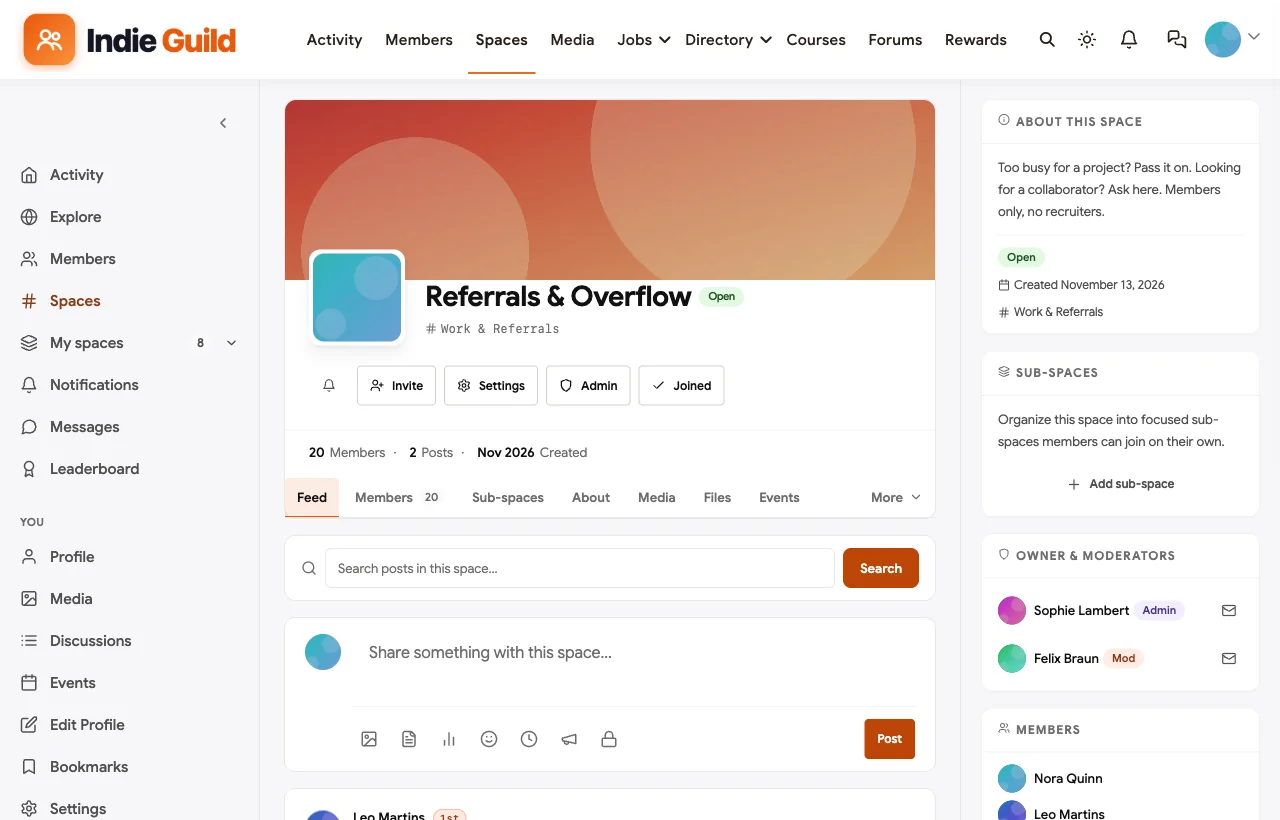
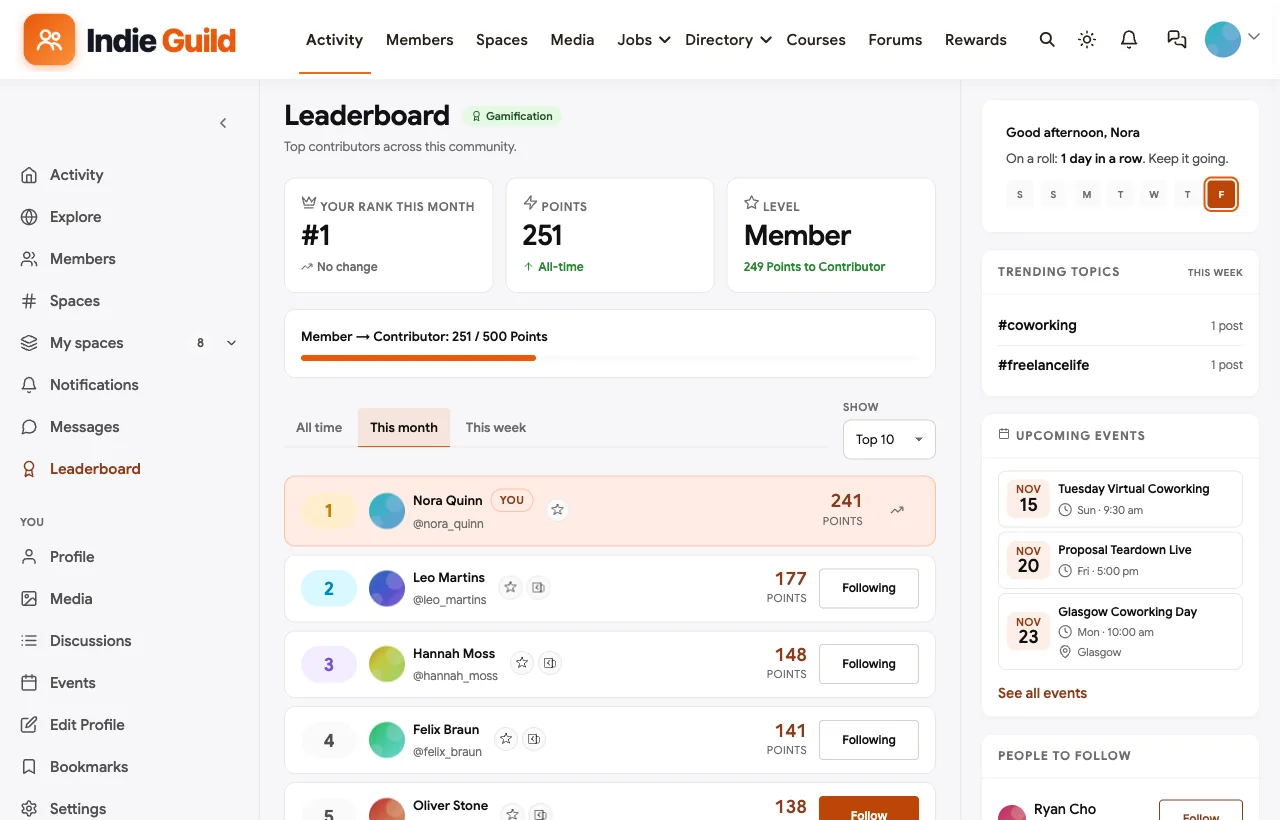
To show it in context, we built Indie Guild, a demo network for independent designers, developers and writers with 20 fictional members, a referrals space, craft spaces, a business desk, a private pricing circle, a local chapter and a member studios directory.

What freelancers get.
Referrals and overflow work. The Referrals & Overflow space is where members pass on projects they cannot take and ask for collaborators. In the demo, a web developer passes on a brand refresh to a designer, and an agency creative director posts a three-month motion design gig.
A jobs board for freelance and contract work. Members who are hiring post roles with a type (freelance, contract, part-time), level and location, including remote. Freelancers filter by type and set alerts, and new roles also appear in the community feed.

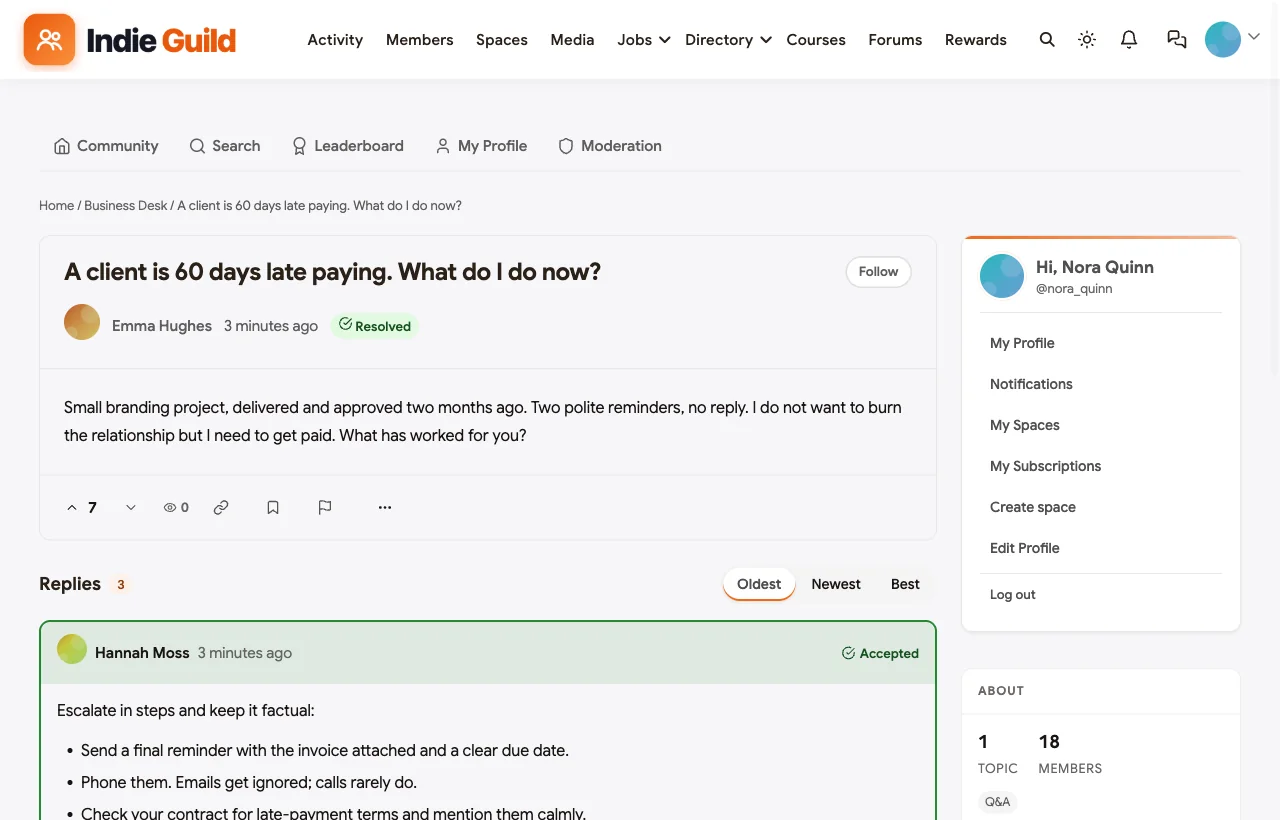
Answers to the hard business questions. The Business Desk is a Q&A space. In the demo, a new freelancer asks what to do about a client who is two months late paying; an accountant member answers with a step-by-step escalation plan, the asker reports back that a phone call worked, and the answer is marked accepted so the next person finds it.
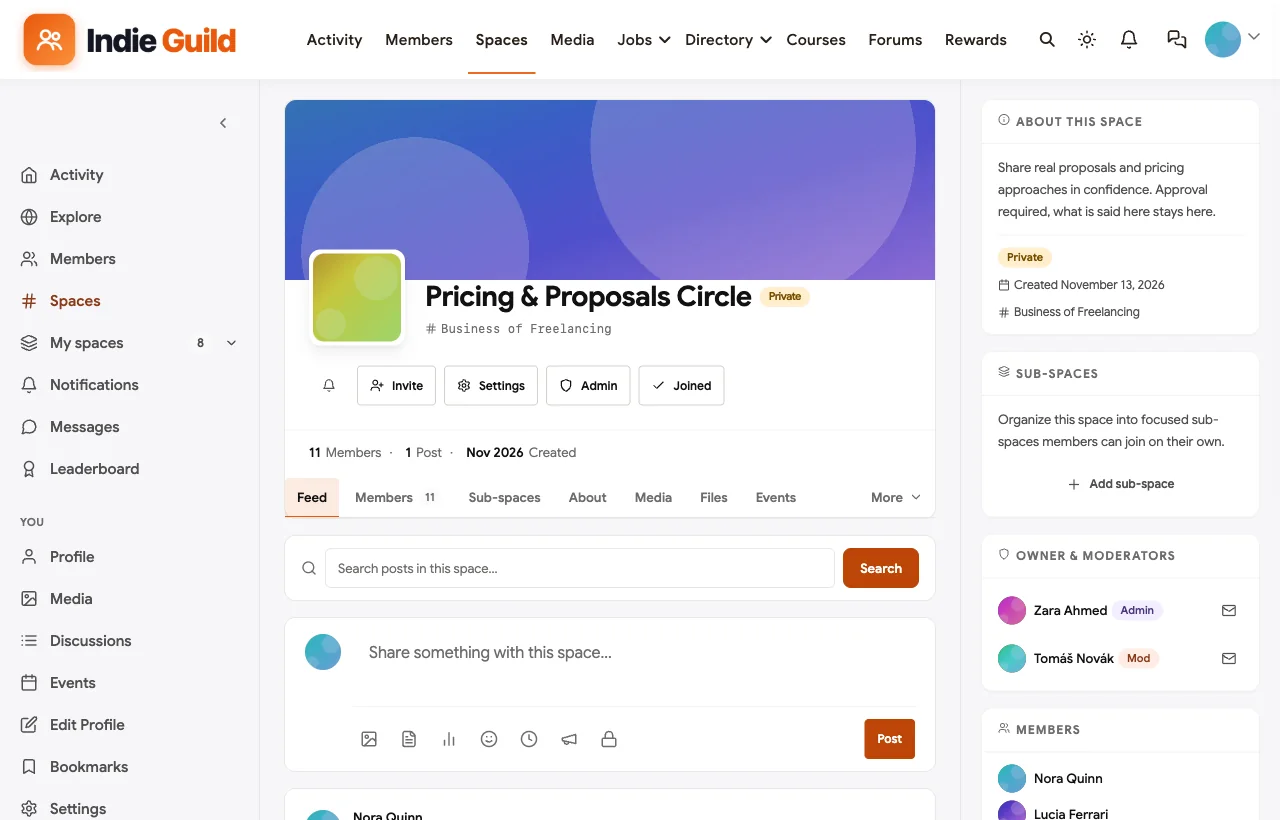
A confidential room for pricing. The Pricing & Proposals Circle is private: members request to join and moderators approve them, so real proposals and pricing approaches can be shared in confidence. A secret space can be used for a paid inner circle or a founding-members group.
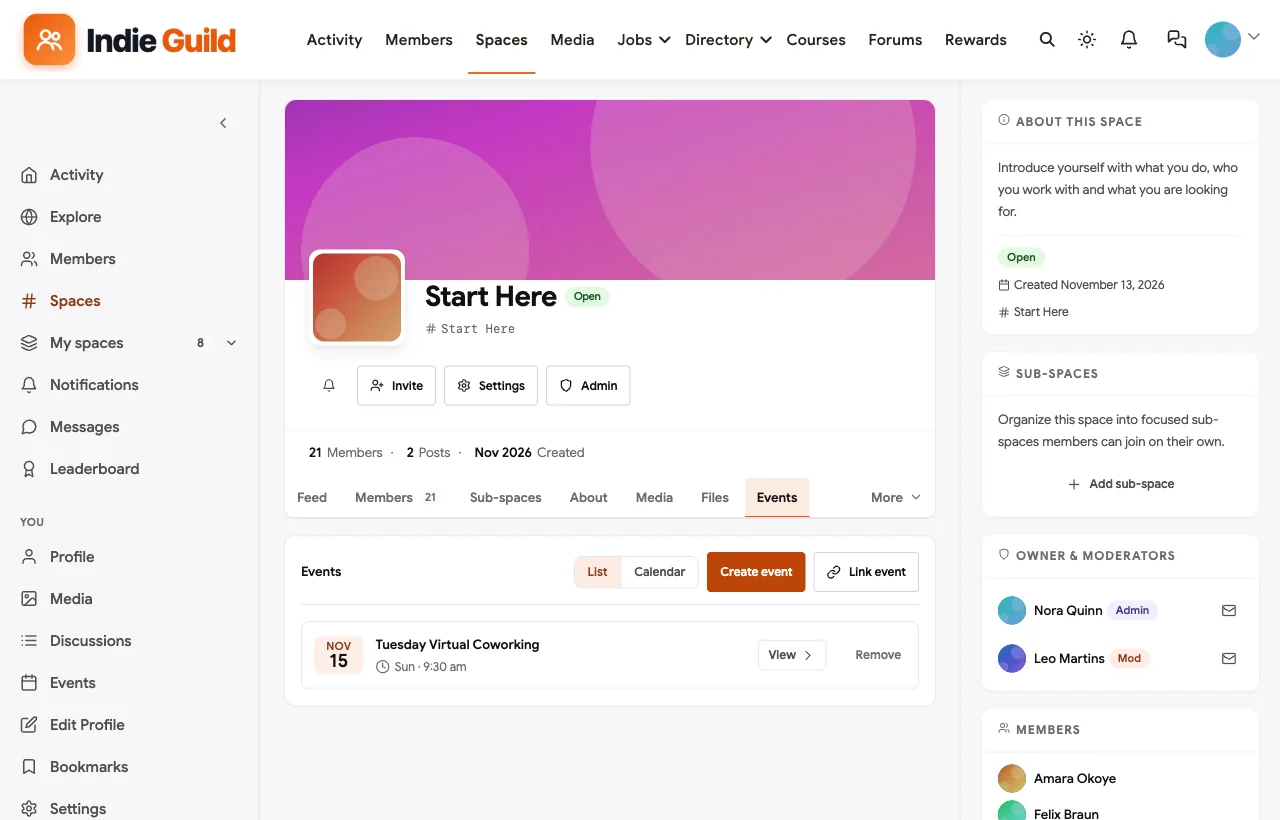
Company. Weekly virtual coworking, a proposal teardown session, a retainer workshop and an in-person coworking day for the Glasgow chapter are all events with RSVPs, shown in their space, on the homepage and in members’ feeds.
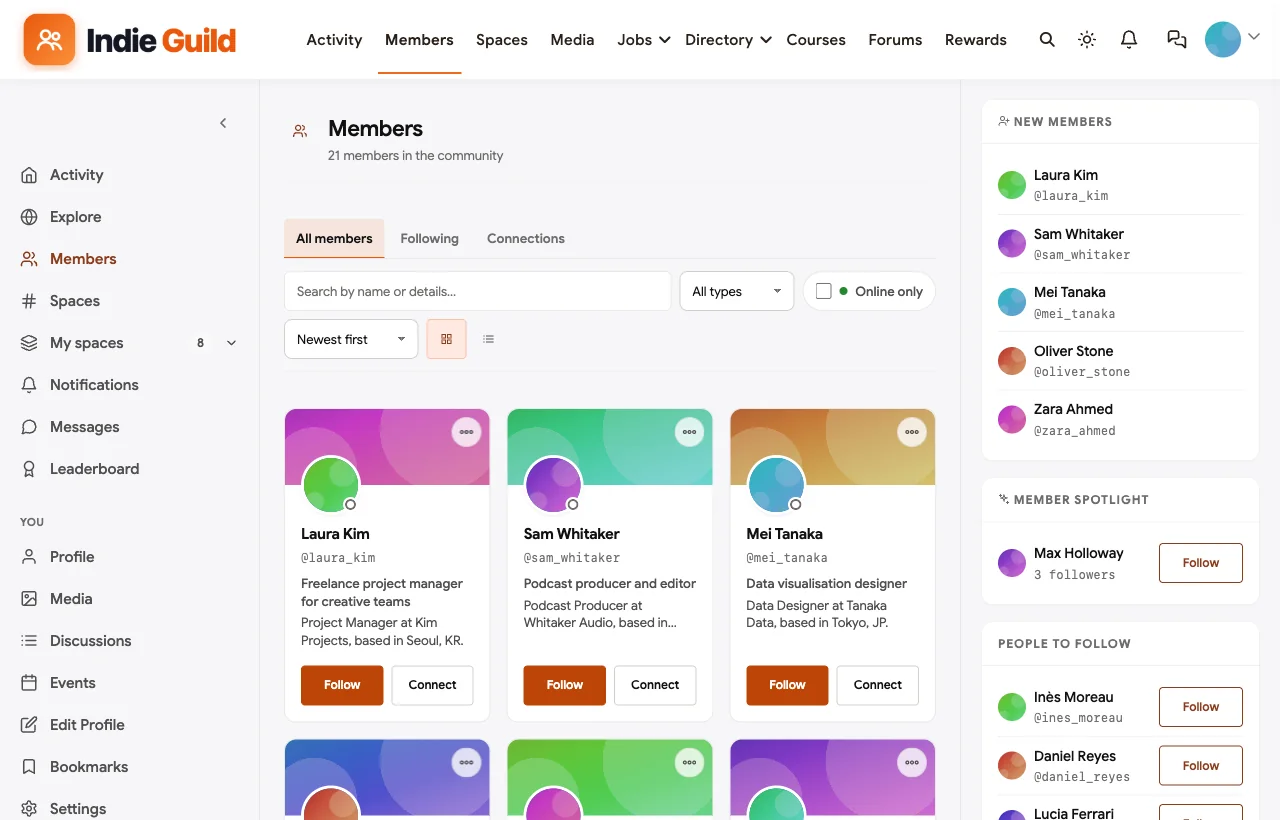
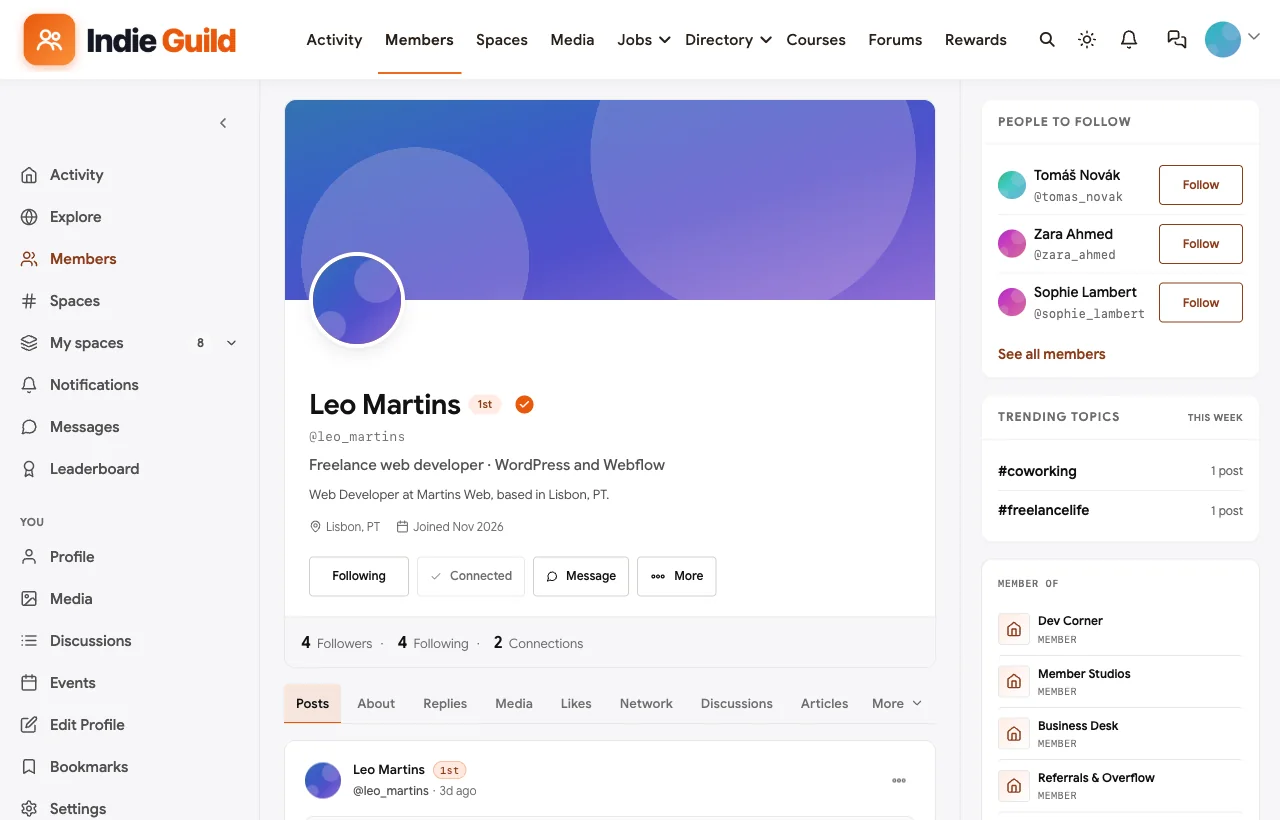
Visibility. The member directory shows each freelancer’s headline and location, with search and filters, and every profile shows skills, company, role and activity. The Member Studios space adds a directory of member businesses, each with a cover, category and description, which doubles as the one place where self-promotion is welcome.
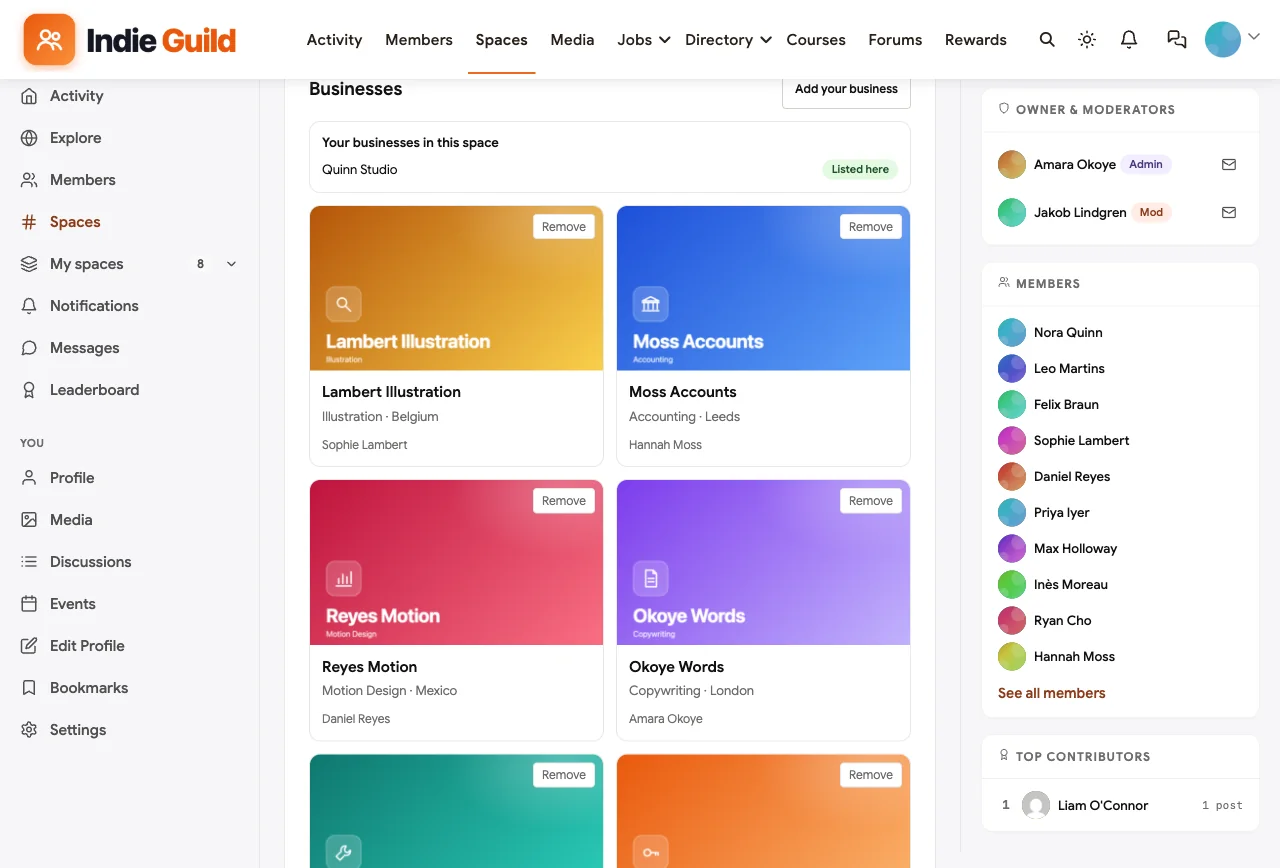
What the organiser gets. Paid plans with trials and coupons if you charge for membership, moderators per space, a leaderboard that shows who helps most, polls for planning, direct messages for introductions and a mobile layout that works without an app download. Your member list and content live in your own database.
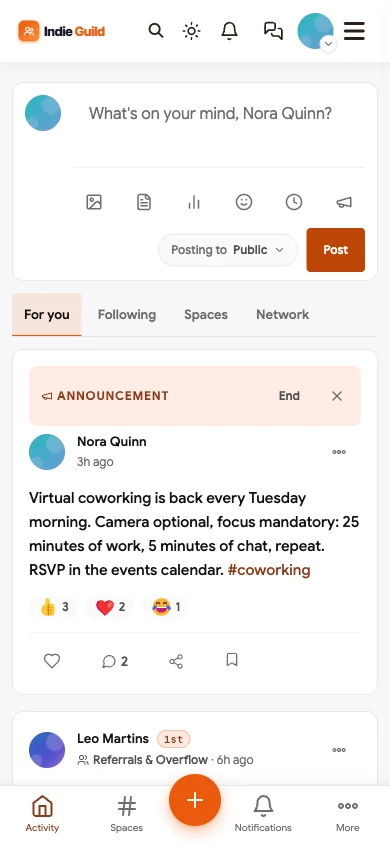
Watch out for. BuddyNext is self-hosted, so you run the WordPress site or choose a host that manages it. It does not handle contracts or payments between freelancers and clients; that is a marketplace’s job. Introductions happen through posts and messages rather than automatic matching.
If you are new to setting this up on WordPress, start with our step-by-step guide to setting up a community space, and see how members can post their own company’s job openings.
What’s included, and how it is delivered
BuddyNext is one platform made of a core and add-on platform modules. Everything shown in the demo above runs on the BuddyNext platform. This table shows which parts come with the core, which are platform modules you install and activate alongside it, and which need a third-party plugin, another system or custom work.
| Capability | How it is delivered |
|---|---|
| Open, private and secret spaces | Core platform |
| Activity feed, pinned announcements and hashtags | Core platform |
| Member profiles and searchable member directory | Core platform |
| Direct messages | Platform module, installed alongside |
| Paid plans with trials and coupons | Platform module, installed alongside |
| Q&A with accepted answers and code highlighting | Platform module, installed alongside |
| Jobs board with filters and alerts | Platform module, installed alongside |
| Business and partner directory listings | Platform module, installed alongside |
| Events with RSVPs, online or in person | Platform module, installed alongside |
| Points, badges, streaks and leaderboards | Platform module, installed alongside |
Want to click around yourself? The Indie Guild community in this guide was built on a private test site, so it is not public. The BuddyNext live demo is a general community you can open in your browser and explore without installing anything.
2. Circle: best hosted platform with a filterable member directory
Circle is a hosted community platform for creators and businesses, with spaces, events, live streams, courses and paid memberships. Its Connect directory lets members “find people based on shared attributes, location, and engagement,” with search and filters including Near me, Location and Tags, plus a member map (Circle).
What freelancers get. A polished experience, a directory they can filter by tags and location, private spaces per discipline and live events.
What the organiser gets. Built-in paid memberships, automated moderation, and an API and webhooks on higher plans.
Watch out for. There is no dedicated job board or portfolio module, so referrals and gigs run as ordinary discussion spaces. Hosted only.
3. Mighty Networks: best for app-first paid freelancer memberships
Mighty Networks combines community, courses and events with native mobile apps. Its People Explorer “helps surface connections between members,” influenced by who people follow and interact with (Mighty Networks).
What freelancers get. Spaces, events and connection suggestions, all in a mobile app.
What the organiser gets. Subscriptions and paid challenges, plus branded apps on higher plans.
Watch out for. The People Explorer recommends connections rather than letting members search by skill, and there is no native job board. One real example shows how organisers work around this: Elsie, a global community connecting female and sexual health freelancers, runs on Mighty Networks, where “members can swap skills and support each other while they explore job postings” (Mighty Networks case study). Elsie publishes “30 - 50 hand-picked opportunities every week” as part of its membership (Elsie), curated by the team rather than built into the platform.
4. Skool: best for a simple paid group with gamification
Skool gives every group three areas: a community feed, a classroom for courses and a calendar for events, with points, levels and leaderboards.
What freelancers get. A simple, focused group with courses and a leaderboard that rewards helpful members.
What the organiser gets. Paid subscriptions or one-time purchases with very little setup.
Watch out for. Member search covers names and a member map rather than skills, posts are organised by categories rather than private sub-spaces per discipline, and there is no job board or portfolio feature.
5. Heartbeat: best for small paid groups that like chat
Heartbeat offers organized channels and threaded discussions, direct and group messaging, live events with recordings, courses, and subscriptions with built-in checkout (Heartbeat).
What freelancers get. Chat-style channels, live workshops with replays and direct messages.
What the organiser gets. Tiered pricing and checkout, plus calendar, Zoom, Stripe and Zapier connections.
Watch out for. It is aimed at creators and coaches; there is no skill-searchable directory, job board or portfolio feature on its homepage.
6. Discourse: best open-source option for a discussion-led guild
Discourse is open-source forum software, self-hosted or managed, with strong moderation, trust levels, an API and “full ownership of your data” (Discourse).
What freelancers get. Searchable discussions with permanent links, so advice on contracts and pricing stays findable.
What the organiser gets. Full control and ownership, powerful moderation and a large plugin ecosystem.
Watch out for. Directories, job boards, portfolios, events and paid tiers all need plugins or customisation.
7. Slack: best for a free, chat-first network
Many freelancer communities run on Slack, with channels for each discipline, a jobs channel and an introductions channel.
What freelancers get. A familiar tool they may already have open all day.
What the organiser gets. Channels and integrations, but no paid membership, so billing and invites are handled outside Slack.
Watch out for. No member directory beyond the workspace list, no job board, no portfolios and no events. On the free plan, messages are searchable for 90 days, so good referral threads and advice disappear.
8. Discord: best for free communities with voice coworking
Discord offers text, voice and forum channels with detailed roles and permissions, scheduled events and stage channels for talks.
What freelancers get. Always-on voice rooms that work well for coworking, plus channels per discipline.
What the organiser gets. Strong role-based permissions, AutoMod and a large bot ecosystem.
Watch out for. No directory, job board or portfolio feature, and Discord’s own community marketing is aimed mostly at games, so it can feel informal for client-facing professionals.
9. Facebook Groups: best for reach in local freelancer networks
Facebook Groups remain common for local freelancer networks. Meta now offers Forum, a dedicated app “for people who want to go deeper on Facebook Groups,” and in October 2026 added Admin AI to flag pending posts against group rules, along with a more flexible Admin Assist (Meta).
What freelancers get. Free access and a familiar app.
What the organiser gets. Improving moderation tools and reach inside Facebook.
Watch out for. No member directory by skill, no job board, no portfolio, no member export, and the feed decides who sees each post.
10. LinkedIn Groups: best as a free professional side channel
LinkedIn Groups sit where freelancers’ professional identities already live. Owners can require post approval and pin posts.
What freelancers get. Visibility with people who already know their professional profile.
What the organiser gets. A free group with basic moderation.
Watch out for. A group is one flat space with no channels, events, monetisation or member export.
Freelancer community platforms compared
| Platform | Referrals and jobs | Member directory | Portfolio or services showcase | Private spaces | Q&A | Events and coworking | Paid membership | Ownership |
|---|---|---|---|---|---|---|---|---|
| BuddyNext | Referrals space plus jobs board with alerts | Search and filters | Member studios directory | Private and secret | Accepted answers | Yes, online and in person | Built-in plans | Self-hosted, you own the data |
| Circle | Discussion spaces | Filter by tags and location, map | Custom profile fields | Yes | Discussions | Yes | Built-in | Hosted |
| Mighty Networks | Posts or curated feeds | Connection suggestions | No | Yes | Discussions | Yes | Built-in | Hosted |
| Skool | Posts | Names and member map | No | No | Posts | Calendar | Built-in | Hosted |
| Heartbeat | Channels | Profiles and roles | No | Yes | Threads | Yes, with recordings | Built-in | Hosted |
| Discourse | Categories | Via plugins | Via plugins | Yes | Yes | Via plugin | Via plugins | Self-hosted or managed |
| Slack | Jobs channel | Workspace list | No | Yes | Threads | No | No | Hosted |
| Discord | Forum channels | Member list by role | No | Yes | Forum channels | Yes | Server subscriptions | Hosted |
| Facebook Groups | Posts | No | No | Group-level | Posts | Yes | No | Facebook’s platform |
| LinkedIn Groups | Posts | No | No | Group-level | Posts | No | No | LinkedIn’s platform |
Running a referral channel that does not turn into spam
Referrals are the heart of a freelancer network and the first thing to break. These rules keep the channel useful:
- Members only. Recruiters and agencies post on the jobs board, not in the referrals space.
- Give before you ask. Encourage members to pass on work before asking for it; thank people publicly when a referral lands.
- One post per opportunity, with the essentials. What the work is, the timeline, remote or on-site, and how to express interest. No pricing in public posts; that conversation happens in messages.
- Close the loop. When a referral is filled, the poster says so, so others stop replying.
- Self-promotion has one home. Member studios and services go in the directory space. Everywhere else, help first.
Making coworking work
Virtual coworking is the single most effective engagement habit for freelancer communities, because it fixes isolation and creates the trust that leads to referrals.
- Fixed time, same day every week. Habit beats variety.
- Short sprints. 25 minutes of work and 5 minutes of chat, repeated, works for most people.
- Camera optional, focus mandatory. Lower the barrier to joining.
- A host every week. Rotate the role among members so it does not depend on one person.
- Local chapters for in-person days. Once a city has five or more members, a monthly coworking day in a cafe turns online acquaintances into collaborators.
Charging for membership without losing trust
Many freelancer communities are free; others charge to keep the room focused and fund events. If you charge:
- Keep a free layer. A public introductions space or a newsletter lets freelancers try the community before they pay.
- Charge for access, not for referrals. Members should never feel they paid for leads that did not arrive.
- Make the paid value concrete. Private circles, workshops, proposal reviews and coworking are easy to explain and easy to deliver.
- Show where the money goes. Speakers, venues and moderation hours. Transparency builds the trust the whole network depends on.
Launching a freelancer network: the first 60 days
Days 1 to 15: recruit a founding group. Invite 20 to 40 freelancers you know and respect, across a few related disciplines so they can refer work to each other. A designer, a developer, a copywriter and a photographer can all pass projects around; four designers mostly compete. Ask each founding member to complete their profile with a headline, skills, location and portfolio link, and to post an introduction that says what kind of work they want and what kind they can pass on.
Days 16 to 30: start the rituals. Launch weekly coworking on a fixed day and time. Open the Business Desk with five real questions from founding members, such as contracts, late payers and first retainers, and make sure each one gets a thoughtful, accepted answer. Post the first referral yourself.
Days 31 to 45: add the directory and the jobs board. Invite founding members to list their studio or service in the directory space, and invite two or three friendly agencies or clients to post roles on the jobs board. Real gigs in the first month are the strongest proof that the network works.
Days 46 to 60: open the doors. Invite your newsletter, podcast audience or course alumni. Run a public workshop, such as a proposal teardown or a session on finding retainer clients, and invite attendees to join. Thank the members whose referrals landed, publicly.
Signs your freelancer community is healthy
| Signal | What to look for | What to do if it is weak |
|---|---|---|
| Referrals | Members passing on work every month, and reporting when a referral landed | Post overflow yourself; ask members to share wins |
| Answers | Most Business Desk questions answered within a day, many marked accepted | Invite experienced members to answer; tag experts |
| Coworking | A steady group every week, with new faces each month | Rotate hosts; move the time; invite newcomers personally |
| Profiles | Most members with a headline, skills and a portfolio link | Make profile completion part of onboarding |
| Promotion | Self-promotion confined to the directory space | Remind gently, move posts, update the rules |
| Renewals (paid communities) | Members renewing because of people and work, not content | Survey leavers; add more coworking and introductions |
The healthiest freelancer networks feel like a group of colleagues, not an audience. If members know each other by name and refer work without being asked, the platform is doing its job.
More community platform comparisons
Building a different kind of community, or one that overlaps with this one? These guides use the same method: a working demo community and vendor claims checked at the source.
- Best platforms for a remote workers community: virtual coworking across time zones, city chapters, async Q&A and remote jobs.
- Best software for a coworking space member community: location groups, a member directory, member businesses and events across several spaces.
- Best software for a private business networking community: referral chapters, a member business directory, mixers and dues for local business clubs and chambers.
- Best software for a startup founder community: confidential pods, intros and fundraising rooms.
- Best software for a content creator community: fan challenges, voting and supporter tiers.
- Best software for an SEO professionals community: indexable Q&A and code-friendly answers.
- Best software for a Shopify sellers community: store teardowns, masterminds and app spam control.
- Best software for a professional association community: chapters, committees, CPD and member directories.
- How to set up a community space on WordPress: the step-by-step setup guide behind every demo in this series.
How we built and checked this list
We built the Indie Guild demo on a local WordPress site running BuddyNext, with fictional freelancers, studios, gigs and events created for this guide; every BuddyNext screenshot comes from it. Competitor features come from each vendor’s own website or help center, checked in November 2026 and linked where we quote them. The Elsie example comes from Mighty Networks’ case study and Elsie’s own site, and the workforce figure comes from the US Bureau of Labor Statistics. We did not run paid accounts on every competitor, and features change, so confirm anything critical with the vendor. buddyxtheme.com is published by the team behind BuddyNext, which is why it is listed first; we have tried to be fair about its trade-offs as well as its strengths.
Frequently asked questions
What is the best platform to build a freelancer networking community?
BuddyNext is the best choice for a freelancer network you own, with a referrals space, a jobs board for freelance and contract roles, a member directory, a studios directory, private pricing circles, Q&A with accepted answers and coworking events on your own WordPress site. Circle is the strongest hosted option thanks to its filterable directory.
How do freelancer communities make money?
Most use paid membership, with a free layer such as a newsletter or an introductions space. Others are funded by sponsors, workshops, paid events or job postings from agencies. Keep the core promise, peers and referrals, the same for everyone.
Should a freelancer community have a job board?
Yes. Jobs and referrals are the top reason freelancers join. Separate the two: a jobs board for agencies and clients posting roles, and a referrals space where members pass on overflow work to each other.
Is Slack good for a freelancer community?
Slack is quick to start and familiar, but it has no member directory, job board, portfolios or paid membership, and on the free plan messages are searchable for only 90 days. Many Slack-based communities run their job boards and directories on a separate website.
How do I stop members spamming self-promotion?
Give promotion one legitimate home, such as a member studios directory, and ban it everywhere else. Add post approval for new members and moderators per space, and model the “help first” behaviour yourself.
How do I help freelancers find the right collaborator?
Ask members to fill in their headline, skills, location and links when they join, and give them a searchable directory. Introductions posts in a Start Here space and a studios directory make it easy to see who does what.
What is virtual coworking and does it work?
Virtual coworking is a scheduled video session where members work on their own projects together, with short breaks to chat. It works because it fixes isolation and builds trust between members, which is what leads to referrals.
Can I run a local freelancer network online?
Yes. Use an online community for discussion, referrals and the directory, and add a space per city for local meetups and coworking days. Events with venues and RSVPs make in-person meetups easy to organise.
Is Contra or Upwork a freelancer community?
They are marketplaces. They help freelancers find clients, but you cannot run your own branded, members-only community on them. Upwork’s former community address now redirects to its help center.
How big should a freelancer community be before charging?
There is no fixed number, but charging works best once there is visible value: a busy referrals space, regular coworking and a few workshops. Many organisers start free with a founding group, then introduce paid membership with extra benefits.
The bottom line
A freelancer networking community succeeds when members get work, feedback, answers, company and visibility, and when promotion never drowns out help. If you want all of that on a platform you own, with your members’ data in your own database, BuddyNext is the strongest foundation. If you prefer a hosted tool, Circle offers the best member directory, and Mighty Networks the best app-first experience.
And build a freelancer network your members rely on.