
Most coaching businesses run on six tools that do not talk to each other.
Clients are in a WhatsApp group. Programmes live in a Google Drive folder. Calls are booked through Calendly. Payments arrive in Stripe. Check-ins happen over email, or they do not happen. And somewhere there is a spreadsheet that only you understand, holding the thing that actually matters, which is who is doing well and who has gone quiet.
It works. It works right up until you have forty clients instead of eight, and then it stops working all at once.
This is a guide to replacing that pile with one place your clients log into, built on WordPress with a free community stack. No monthly platform fee, no revenue share, and no algorithm deciding which of your clients sees your post today.
We will use a fitness coach as the running example because the shape is easiest to see there, and then show how the same setup works for life coaches, business coaches and group programmes.
Updated September 2026. The tool stack described below has kept the same shape since this guide was first written: a community layer, a course and payments layer, and everything else added only once a specific need shows up. What follows is still the fastest honest path from a pile of disconnected tools to one place clients log into.
In This Guide
- What a coaching platform actually has to do
- Why the rented options keep hurting
- The free stack, and what each piece is for
- And yes, you can have an app
- What Happens When You Bring On a Second Coach
- The fitness coaching setup, concretely
- The same setup for other kinds of coaching
- Certificates as Proof of a Programme’s Actual Results
- What it honestly costs
- What the free stack does not do
- Gamifying Retention Without Building It Yourself
- A start-here sequence
- Questions coaches ask
- Protecting the Content You Have Already Recorded
- Start with the room, not the software
Key Takeaways
- Every coaching business needs the same five things: a place clients belong to, somewhere to put the programme, visible engagement, client-to-client contact, and money that arrives on its own.
- Facebook groups and hosted coaching platforms each solve part of the problem, one loses your reach to an algorithm, the other rents you your own client list.
- A WordPress community stack owns the site, the member list, and the content, with no per-client fee and no percentage taken off what you charge.
- Every plugin in the stack is REST-complete, so a mobile app is a build decision later, not a platform limitation you hit on day one.
- Start with one cohort in one private group before adding payments, certificates, or a directory, building everything before anyone arrives is the most common mistake.
What a coaching platform actually has to do
Ignore the marketing copy on any given platform’s homepage for a moment and ask what a client actually needs to feel like they are getting something worth paying for, month after month.
Strip away the feature lists and every coaching business needs the same five things.
A place clients belong to. Not a folder they visit, a space they are a member of. The difference sounds small and it is the whole thing. People behave differently in a room than in a filing cabinet.
Somewhere to put the programme. The training plan, the modules, the worksheets, the videos. Findable later, not buried in a chat scroll from March.
A way to see who is engaged. Which clients logged in this week, who finished the module, who has not appeared in eleven days. This is the one every coach improvises and the one that most affects whether people renew.
Client-to-client contact. The quiet engine of retention. People stay for the coach at first and stay for each other after. A client with two friends in your programme is a different retention prospect from a client with none.
Money that arrives without you chasing it. Recurring, ideally, and tied to access, so cancelling actually removes access without you doing anything manually.
Notice that only one of those five is about content. Coaches tend to buy tools that solve the content problem and then wonder why retention is bad. The retention lives in the other four.
Why the rented options keep hurting
It is worth naming the two most common escape routes coaches try first, and exactly where each one runs out of road.
Most coaches start on a Facebook group because it is free and everyone is already there. Then they discover the trade.
Your clients see your post if the algorithm feels like showing it, which for group posts is often a small fraction of members. You cannot see who is quietly disengaging, only who comments. You cannot put a programme anywhere sensible. Your client list is not yours, and the day the group is restricted or the platform changes the rules, the relationship goes with it.
The dedicated coaching platforms fix the features and introduce a different problem, which is that you are renting your business. Monthly fees that scale with client count, and in several cases a percentage of what you charge. You are also inside somebody else’s design decisions, so your programme looks like every other programme on that platform.
There is a middle path that most coaches never consider, which is running the whole thing on WordPress with a community layer on top. You own the site, the member list and the content. There is no per-client fee. And the pieces are free.
The free stack, and what each piece is for
None of these pieces require you to become a developer to configure. If you can manage a WordPress site today, you can manage this stack.

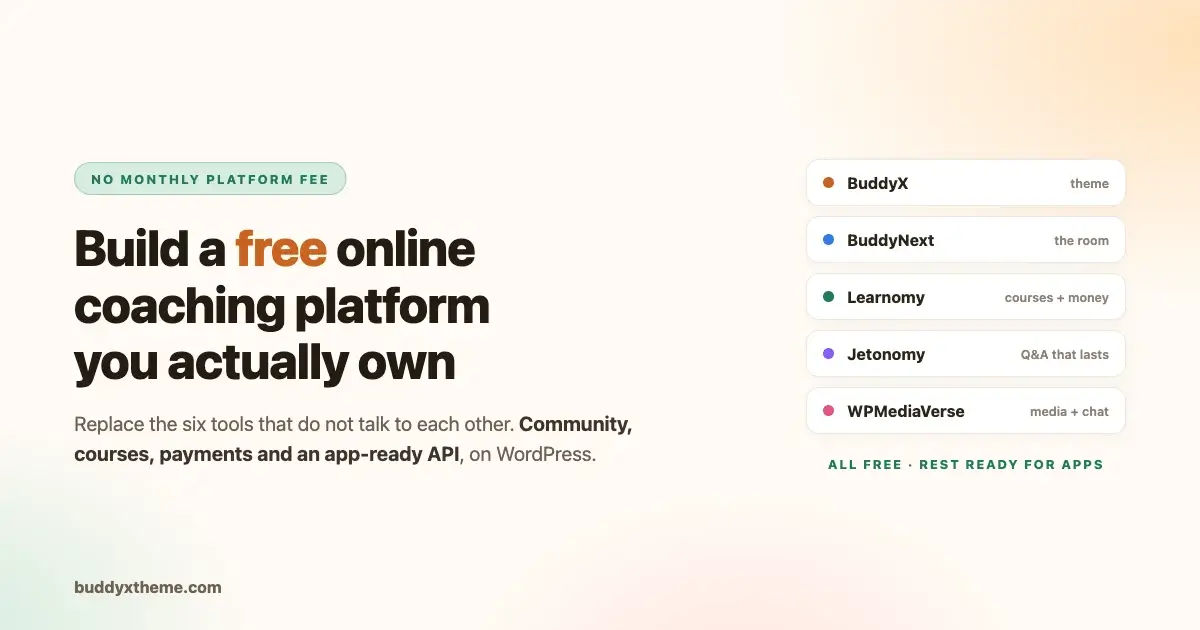
Here is the actual setup. Every piece below has a free version that does the job described, and each maps to one of the five things a coaching business needs.
WordPress is the site. You already know this part.
BuddyX is the theme, and it is what makes the rest look like something built this decade. A community running on a generic WordPress theme feels like a forum from 2009. BuddyX gives you a community layout that works properly on a phone, a dark mode, and a member experience your clients will not need explaining.
BuddyNext is the community layer: member profiles, a directory, an activity feed with continuous scrolling, private messaging, notifications and connections. This is the room. It is the piece that turns a website into somewhere people are members of rather than visitors to.
Learnomy is the programme and the money, which is the part most coaches do not expect to get without a separate line item. Course structure with sections and lessons. Video lessons with watch tracking, plus audio, PDF and downloadable lesson types. Prerequisites so week three does not open before week two.
Quizzes with six question types. Certificates that are cryptographically signed and publicly verifiable at their own URL, which matters if you certify anyone. And on the money side, one-time, recurring, fixed-term and members-only pricing, with Stripe, PayPal or WooCommerce as the gateway, coupons, and PDF receipts.
Jetonomy is where discussion goes to stay findable. An activity feed forgets; a question thread remembers. If your clients ask the same fifteen questions, answering them in a Jetonomy space means the answer is searchable next time instead of scrolling away, and we have written up how to add a forum and Q&A space in detail. Spaces can be gated on a membership plan, so your paid cohort gets a space your free list does not.
WPMediaVerse is media and chat: photo, video and document sharing for members, plus conversations with an archive for the finished ones. This is where form-check videos, progress photos and worksheets live.
Add them as you need them. A first cohort genuinely runs on BuddyX plus BuddyNext plus Learnomy. Jetonomy and WPMediaVerse are what you add when the questions repeat and the media piles up.
To put it against the five jobs from earlier:
| What a coaching business needs | What covers it |
|---|---|
| A place clients belong to | BuddyNext, styled by BuddyX |
| Somewhere to put the programme | Learnomy courses and lessons |
| A way to see who is engaged | The activity feed, plus course progress |
| Client-to-client contact | Member directory, messaging, Jetonomy spaces |
| Money that arrives on its own | Learnomy pricing, recurring, coupons, receipts |
| Media, form checks, worksheets | WPMediaVerse |
Six rows, no monthly platform fee, no percentage of your revenue.
And yes, you can have an app
This section exists because it is the objection that ends the conversation before it starts for most coaches, so it deserves a straight answer rather than a vague reassurance.
This is the part that usually decides it for coaches, because “there is no app” is the standard objection to owning your own platform.
Every plugin in this stack is REST-complete. Not partially, not read-only. Learnomy alone registers hundreds of REST routes covering courses, lessons, enrolments, quizzes, progress, certificates and payments, with token and API-key authentication, pagination and batch operations. BuddyNext ships a single bootstrap endpoint that hands an app its configuration, feature flags and branding in one call.
What that means in practice: an app is a build decision, not a platform limitation. Any developer who works with React Native, Flutter or Swift can build against these APIs without waiting for anyone to expose an endpoint. Mobile sign-in uses the WordPress credentials your members already have rather than a second account system, and push notifications are already wired.
Compare that with a hosted coaching platform, where the app is theirs, the branding is mostly theirs, and there is no API to build your own against even if you wanted to.
You do not need an app for your first forty clients. A community theme built for mobile handles that fine in a browser. But the day you want one, nothing has to be rebuilt, because the API it needs already exists and is already the thing your website is running on.
What Happens When You Bring On a Second Coach
Most of this guide assumes a solo coach, but the same stack holds up once a coaching business grows past one person. Learnomy supports Udemy-style instructor revenue sharing natively, with instructor applications and dashboards, so a second coach joining your programme gets their share of checkout revenue according to whatever split you configure, without you building custom payment-splitting logic yourself.
That matters specifically because most hosted coaching platforms are built around a single seller taking full checkout revenue, and layering a second instructor in usually means bolting on custom logic that the platform was never designed for.
The community side scales the same way. New coaches get their own groups or spaces without needing a second site or a second login system, and clients moving between coaches within the same business stay inside one member directory rather than juggling separate logins for each coach’s own mini-platform. If growing past solo coaching is even a possibility for your business, it is worth confirming this works the way you expect before you have a second coach waiting on it.
The fitness coaching setup, concretely
Say you coach forty clients across three programmes: a twelve-week strength block, an ongoing general fitness membership, and one-to-one online coaching.
Make each programme a group. Three groups, private, members added when they buy. The strength block group has a defined start and end. The membership group runs continuously. One-to-one clients get a group each, or just a message thread, depending on how much material you give them.
Put the plan where it stays findable. Each group holds its own documents, videos and weekly plan. When a client asks “which week am I on,” they open the group instead of scrolling a chat.
Run check-ins in the feed, not in your inbox. A weekly check-in prompt posted to the group, clients reply in the thread. Two things happen. You stop doing forty individual conversations that all say roughly the same thing, and clients see each other’s progress, which is the single most effective retention mechanic in fitness coaching. Someone who was going to quietly stop shows up because they saw three other people post.
Use the member directory deliberately. Clients being able to find and connect with each other is not a nice extra. In a twelve-week block, the people who make friends finish. The people who do not, do not.
Watch the quiet ones. The activity feed tells you who has not posted. That is your renewal list, two weeks before it becomes a cancellation.
Take payment on the site. Recurring for the membership, one-off for the block, and access follows the payment automatically. If you are still choosing between one-time coaching fees and an ongoing membership for a given programme, that decision is worth making deliberately per programme rather than defaulting to whatever your last platform forced on you.
The whole thing lives at your domain, looks like your brand, and does not send your clients past an advert.
The same setup for other kinds of coaching
The five jobs from earlier do not change by niche. What shifts is which one deserves the most attention, and how much privacy the room needs by default.
The structure barely changes across coaching types. What changes is the rhythm.
Life coaches tend to run smaller cohorts with more privacy sensitivity. Same groups, set to private, with the member directory restricted so clients are not automatically visible to each other. The check-in cadence is usually fortnightly rather than weekly, and the material is worksheets more than videos. If privacy is the main concern, the same approach used to run a private, invite-only community applies directly here.
Business and career coaches get the most out of the community half, because peers are genuinely useful to each other. Here you want the directory open, connections encouraged, and possibly a general group that spans every cohort so past clients stay around. Past clients who stay in the community are where referrals come from.
Group programmes and masterminds map almost perfectly onto BuddyPress groups. One group per cohort, an archive group for alumni, and a members-only feed. Recurring billing attached to membership.
Nutrition, therapy-adjacent and health coaching need the privacy settings taken seriously. Private groups, restricted profiles, and care about what is visible in a feed. The stack supports it; the point is to configure it on purpose rather than accept defaults.
The common thread is that a coaching business is a community with a curriculum attached, and most coaching software sells you the curriculum and treats the community as an afterthought.
Whichever niche you run, the constant is that the room matters as much as the curriculum, and building it well from the start avoids retrofitting privacy or community structure after clients have already formed habits around a weaker setup.
Certificates as Proof of a Programme’s Actual Results
A completion certificate sounds like a course-platform feature more than a coaching one, but it earns its place here for a specific reason: certification is often the thing a client shares publicly after finishing a programme, and a shareable, verifiable credential quietly does marketing work that a testimonial never fully replaces. Learnomy issues certificates cryptographically signed and verifiable on a public page through a QR code, which means a client who finishes your twelve-week strength block and posts about it can link to something more concrete than a screenshot.
For business or career coaching specifically, a verifiable certificate tied to a specific programme completion date can carry real weight on a client’s own professional profile, which in turn becomes a quiet, ongoing advertisement for your programme every time someone views it. Our deeper breakdown of certificates that actually verify course credentials covers exactly what makes a certificate checkable rather than just decorative.
What it honestly costs
Free is not quite free, and we would rather be specific than let you find out later.
The plugins and the BuddyX theme cost nothing. What you pay for is hosting, a domain, and your time setting it up. Hosting for a community site with a few hundred members is modest but it is not the cheapest shared plan on the market, because community sites are logged-in traffic and logged-in traffic is not cached the way a blog is.
Setup is a weekend if you are comfortable with WordPress, and longer if you are not. That is the real cost, and it is worth comparing against what a platform subscription costs over two years rather than one month.
Payments still carry the normal card processing fees. Nobody escapes those. What you escape is the platform’s cut on top.
The comparison worth doing is not monthly against monthly. It is two years of a per-client subscription, plus any percentage taken on what you charge, against hosting plus one setup weekend. For a coach with forty clients on a mid-tier plan, that gap is usually large enough to fund a developer for the app, which is a strange sentence until you work it out for your own numbers.

What the free stack does not do
Being clear about these limits upfront costs nothing and saves a frustrating week three discovery.
We would rather tell you the limits now than have you discover them in week three.
It does not hand you a finished app in the app store out of the box. The API an app needs is all there, as described above, and a ready-built app is an advanced capability on top of that. What the core stack gives you is the ability to have one built without being blocked. That is a real difference from a hosted platform, and it is also not the same as downloading one today.
It does not host your video. Learnomy plays video through embeds, so your files sit on YouTube unlisted, Vimeo or a dedicated video host and play inside the lesson. Uploading a hundred training videos to your own hosting is a bad idea and your host will agree. If you need signed URLs or genuine content protection, that is a separate product and worth saying out loud rather than discovering later.
It does not do sophisticated habit tracking or workout logging on its own. If your coaching depends on clients logging every set and rep with charts, you want a dedicated fitness app for that piece, alongside the community rather than instead of it.
Some things sit in the advanced capability set rather than the core install: drip-scheduled content release, the weighted gradebook, and seat licensing if you sell to companies. If those are central on day one, check the current breakdown directly on each product’s page before you start.
It does not set itself up. A platform subscription buys you someone else’s configuration decisions. Doing it yourself means making those decisions, and the first week is genuinely more work than signing up for something.
If any of those four are central to how you coach, be honest with yourself about it before you start.
Gamifying Retention Without Building It Yourself
The check-in rhythm described earlier for the fitness coaching example works because it makes progress visible, but visible progress compounds faster with a lightweight point-and-badge layer on top. A streak that shows a client they have checked in four weeks running, or a simple badge for finishing a programme milestone, gives people a small, low-effort reason to keep showing up beyond the content itself.
This is exactly the kind of engagement layer that most hosted coaching platforms either skip entirely or charge extra for, and it is worth adding once your check-in rhythm is already working rather than before, since gamification bolted onto an empty room does nothing.
A start-here sequence
The most common mistake is building everything before anyone arrives. Do it in this order instead.
Week one, get one cohort in. Install WordPress, BuddyX and BuddyNext. Make one private group. Invite your current clients. Nothing else. Resist the urge to configure things nobody has asked for yet.
Week two, move the content. Add Learnomy and put the current programme in as a course. Not every programme you have ever written, the one your clients are doing right now. This step is where assembling a course without a technical learning curve actually matters, since you are doing it yourself rather than handing it to a developer.
Week three, start the check-in rhythm. Post the weekly prompt yourself. Reply to everyone who answers. This is the habit that makes the space feel alive, and it has to come from you before it comes from them.
Week four, watch who is quiet. Message them individually. This is the highest-value hour in your week and almost nobody does it.
Month two, add payments. Once the space is working, connect billing so new clients join and pay in the same motion.
Month three, open the directory and let people connect. By now there is enough activity that connections form naturally. Doing this on day one, in an empty room, just makes the room look empty.

Questions coaches ask
These are the objections that come up in almost every conversation about moving off a rented platform, in roughly the order they get raised.
How many clients before this is worth it? Somewhere around fifteen to twenty is where the six-tool pile starts costing you real time. Below that, WhatsApp and a folder genuinely is fine and we would not talk you out of it.
Can I move my existing clients without losing them? Yes, and the way to do it is one cohort at a time, not all at once. Move the group that is most engaged first. They will make the space feel busy for everyone who follows.
Do my clients need to learn something new? They need to learn one thing: log in here. Everything after that is a feed and a message inbox, which is the interface they already use all day. Using a community theme built for this rather than a generic WordPress theme is most of what makes it feel familiar.
What if I outgrow it? Then you add to it rather than migrate away from it. That is the actual advantage of owning the base. Bigger courses, forums, gamification, events, a mobile app. Those all bolt on to the same site and the same member list, and none of them is a migration.
Can I really get an app out of this? Yes, and this is the part worth understanding properly. The plugins are REST-complete, so the API an app needs already exists. A developer can build against it directly, or you take a ready-made app as an advanced capability. Either way you are not stuck waiting for a vendor to expose an endpoint, which is the usual dead end.
Is the core stack really enough to start? For a first cohort, yes. Courses, video lessons, quizzes, certificates, recurring payments, community and messaging are all part of what you install on day one, with no separate purchase required. Most coaches do not reach for an advanced capability until they want drip scheduling, a weighted gradebook, or the prebuilt app, and by then you will know exactly which one because you will have hit it.
I already use LearnDash or Tutor LMS. Do I start over? No. Learnomy imports from LearnDash, LifterLMS and Tutor LMS, including enrolments and student progress, so your existing clients keep their history and their place in the programme. If you are still choosing, we compared LearnDash, Tutor LMS and Learnomy side by side, and our newer Learnomy vs LifterLMS vs LearnDash comparison covers checkout, certificates, and instructor tools in more depth.
What if my clients want a job or referral after finishing a business coaching programme? Career-oriented coaching programmes increasingly get asked for graduate outcomes, not just completion certificates. A job board built specifically for graduates of a programme, listing roles from within the same community’s employer network, is a capability worth knowing exists on this same platform family once a coaching business reaches the scale where alumni outcomes become part of the pitch.
Protecting the Content You Have Already Recorded
Coaches with a library of recorded video, form-check breakdowns, technique demonstrations, module walkthroughs, eventually run into the same question: what stops a paying client from downloading everything and sharing it outside the programme. The honest answer for most coaching businesses is that some casual sharing is unavoidable and not worth engineering heavily against in the first year. But once a programme has real recorded value worth protecting, watermarking a viewer’s name into the video and blocking casual download and dev-tools access closes the most common leak without turning the member experience into a locked-down ordeal.
This is a separate concern from the LMS itself, worth adding deliberately once your video library is worth protecting rather than bundled in from week one.
Start with the room, not the software
The instinct when your coaching business gets messy is to go shopping for a platform. Understandable, and usually the wrong first move, because it treats the problem as a tooling problem.
The actual problem is that your clients do not have a place to be. They have a chat thread, a folder and a payment receipt, and none of those make somebody feel like a member of anything.
Give them one room they log into, put the programme in it, ask a question every week, and pay attention to who has gone quiet. The software underneath matters far less than most vendors would like you to believe. What matters is that you own it, that it does not charge you per client, and that it still belongs to you the day a platform changes its terms.
WordPress with BuddyX, BuddyNext and Learnomy will do that for nothing but hosting, and the API for an app is already sitting there for the day you want one. Start with one group and one cohort, and add the rest when somebody asks for it.
The programme and payments half of this stack is Learnomy: unlimited courses, six quiz types, verifiable certificates, and recurring or one-time checkout with no per-client fee, all in the core platform. Put your first cohort’s programme in it this week.