

Most community blogs have the same lifecycle: a member publishes a post, it sits on the front page for a day, then it disappears into the archive and nobody sees it again unless they stumble on it through search. The publishing part is easy to solve - a submission form and a moderation queue get you there. The part that actually keeps a community blog alive is what happens after publish: does anyone know the writer exists, can readers follow them, is there any reason to come back next week?
Last updated: 6 November 2026
WB Member Blog’s free audience layer, added in version 4.0.0, is built specifically for that second half of the problem. Writer profiles give every contributor a public author page. Following lets readers subscribe to a specific writer or an entire topic. Claps give a low-friction way to show appreciation without writing a comment. Reading lists let members bookmark a post to read later instead of losing it in a feed. None of it requires the Pro upgrade - it ships in the free plugin, switched off by default, and you turn on exactly the pieces you want.
Table of Contents
- By the numbers
- Why a Publish Button Isn’t Enough
- Setting Up Writer Profiles
- Turning On Following
- Claps as a Low-Friction Reaction
- Reading Lists for Save-and-Return
- Topic Hubs: Grouping Related Writers and Posts
- What’s Free vs What’s in Pro
- Best Practices for Rolling Out the Audience Layer
- A Real-World Scenario: A Niche Community Blog
- How the Four Features Work Together
- FAQs
- Sources
On LinkedIn, posts with high save counts often out-earn their comment counts - one documented example showed a post with 302 comments collecting 596 saves, nearly double. A save or bookmark signals something comments don’t: the reader found the content valuable enough to come back to, not just reactive enough to respond to in the moment. Pocket, the dedicated read-it-later app, crossed a billion total saves with 17 million users by 2015, well before “reading list” was a standard feature on every major platform. The appetite for saving content to revisit is not a niche behavior - it’s one of the clearest, lowest-friction signals of real content value a platform can capture.
By the numbers
- The online community platform market was valued at USD 6.50 billion in 2025 and is expected to reach USD 15.20 billion by 2033, a 10.2% annual growth rate, according to Verified Market Research (definitions vary between research firms).
- WordPress is used by 39.5% of all websites and holds 58.2% of the content management system market, according to W3Techs (checked 6 November 2026).
Why a Publish Button Isn’t Enough
A front-end submission form solves the writing side of a community blog. It does nothing for the reading side. Without a way to find writers again, follow their new work, or save a post that looked interesting but wasn’t a now-read, a community blog behaves like a feed: content streams past once and is gone.
A few warning signs that a community blog has a reading problem, not a writing problem:
- Members who published once never publish again, even when their first post performed reasonably well
- Posts get most of their views in the first 48 hours, then effectively zero afterward, regardless of quality
- There’s no page on the site where a reader can see “everything by this specific writer” without scrolling the full archive
- Engagement is entirely comment-based, so posts that are useful but not conversation-starting look like failures
- New visitors from search land on an isolated post with no obvious next step and bounce immediately
The writers who keep showing up are the ones who get some signal that people are actually reading - a public profile with a growing archive, a follower count, a clap tally. Take those signals away and even a community full of willing writers quietly stops publishing within a few months, because there’s no visible reason to keep going.
Setting Up Writer Profiles
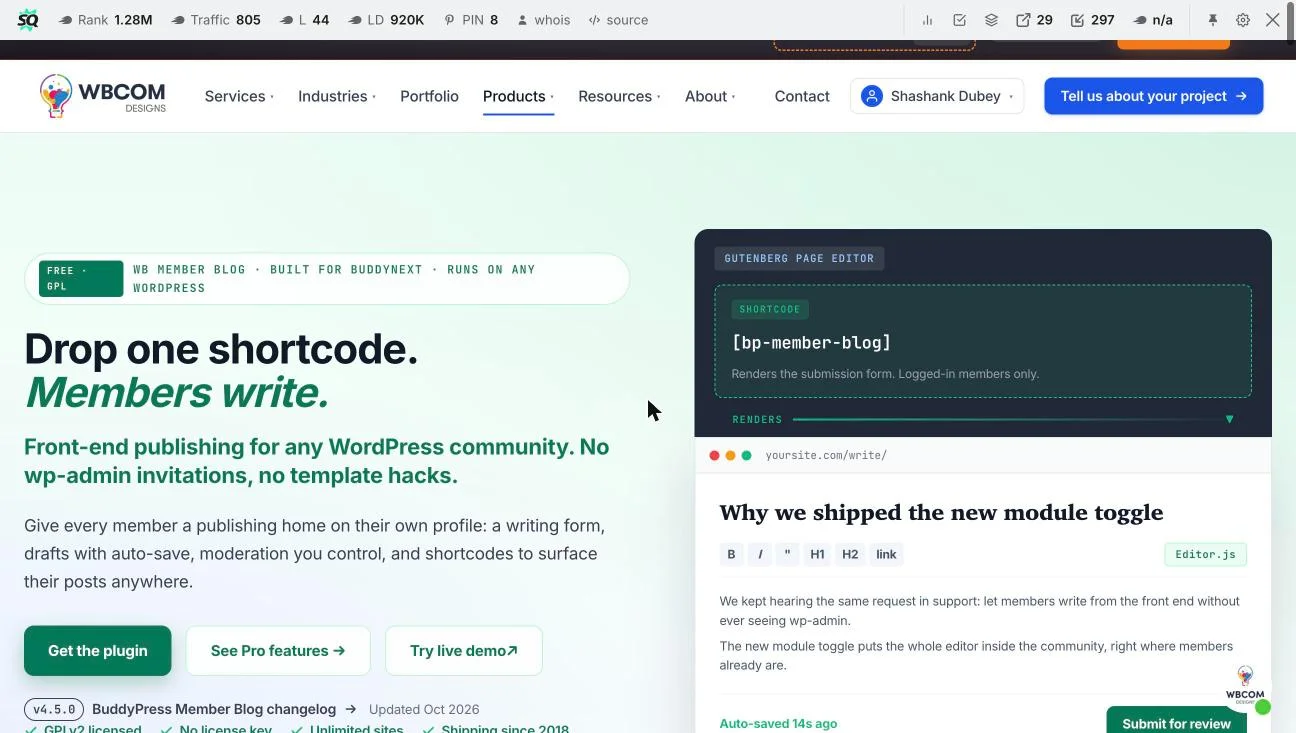
Every writer on WB Member Blog gets a public page at /author/{name}/ automatically once the audience layer is switched on. The page shows an avatar, a short bio, a running post count, and a view count, plus a Follow button. It works whether or not you’re running a community plugin underneath it - standalone WordPress, BuddyPress, BuddyBoss, and PeepSo are all supported, since posts are stored as standard wp_posts entries rather than a custom table.
To set this up:
- Go to WB Member Blog’s Features screen in wp-admin
- Find the “Writer Profiles” toggle under the Audience Layer section and switch it on
- No manual profile-building is required - the
/author/archive generates automatically for any user who has published at least one member post - Writers edit their own bio and avatar from their BuddyPress profile (or standard WordPress profile on a non-BuddyPress site), and that bio surfaces on their author page
Why this matters more than it looks like
A writer profile is the single piece of infrastructure that turns a one-off contributor into something resembling a columnist. Once a member has published three or four posts and has a profile showing a growing archive and a visible follower count, the motivation to keep writing shifts from “I submitted something once” to “people are actually reading my work.”
A profile page with a visible post count and follower number is the difference between a contributor and a columnist - the format doesn’t change, but the motivation to keep writing does.
That shift is what separates communities with a handful of prolific regular writers from communities where every post comes from a different first-time contributor who never returns.
Turning On Following
The Follow feature lets a reader follow either a specific writer or an entire topic (category or tag), and get a feed of new posts matching what they follow. An optional digest email can round up what followed writers have published, on whatever schedule you configure, so readers don’t need to actively check back.
Setup: enable “Follow Writers and Topics” on the Features screen. The Follow button appears automatically on writer profile pages and on topic hub archives once enabled. If you want the digest email, there’s a separate toggle for it with a frequency setting (daily, weekly) - leave it off if you’d rather readers rely purely on their in-site feed.
The practical effect: a reader who liked one post from a particular writer doesn’t have to remember to check back manually. They follow once, and new posts from that writer surface automatically. This is the mechanism that converts a single good post into a returning reader rather than a one-time visitor.
Claps as a Low-Friction Reaction
Members can clap for a post up to fifty times, and the public clap count signals to the next reader that the post is worth their time. This is deliberately a lower-friction interaction than a comment - clapping takes one click and no typing, so it captures appreciation from readers who liked a post but had nothing specific to add in a comment thread.
Enable claps from the Features screen under “Claps and Reading Lists.” The clap button appears at the end of each member post by default, and the count is visible to every visitor, not just logged-in members, so it functions as social proof for anyone landing on the post from search or a shared link.
Claps matter most for the posts that are useful but not conversation-starting - a how-to, a reference piece, a well-explained answer to a common question. These rarely generate comments, but they generate real appreciation, and without claps that appreciation has nowhere to register. A post with zero comments and zero claps looks unsuccessful even if hundreds of people read and got value from it; claps close that visibility gap.
Reading Lists for Save-and-Return
Reading lists let a member save a post to a private list to read later, rather than losing track of it in a feed that’s already moved on by the next login. This is the same mechanic described in the stats above - Pocket, Instapaper, and native “save” buttons on LinkedIn and similar platforms all exist because readers frequently want to bookmark something they don’t have time for right now, and without that option they simply lose the content.
This ships in the same toggle as claps (“Claps and Reading Lists” on the Features screen). Once enabled, a Save button appears alongside the clap button on each post, and members get a private reading-list page (accessible from their profile) showing everything they’ve bookmarked, most recent first.
For a site owner, reading lists are also a quiet engagement signal worth watching: a post that gets saved frequently but not necessarily commented on is a post that resonated more deeply than the comment count alone would suggest - useful information when deciding what kind of content to encourage from writers going forward.
Topic Hubs: Grouping Related Writers and Posts
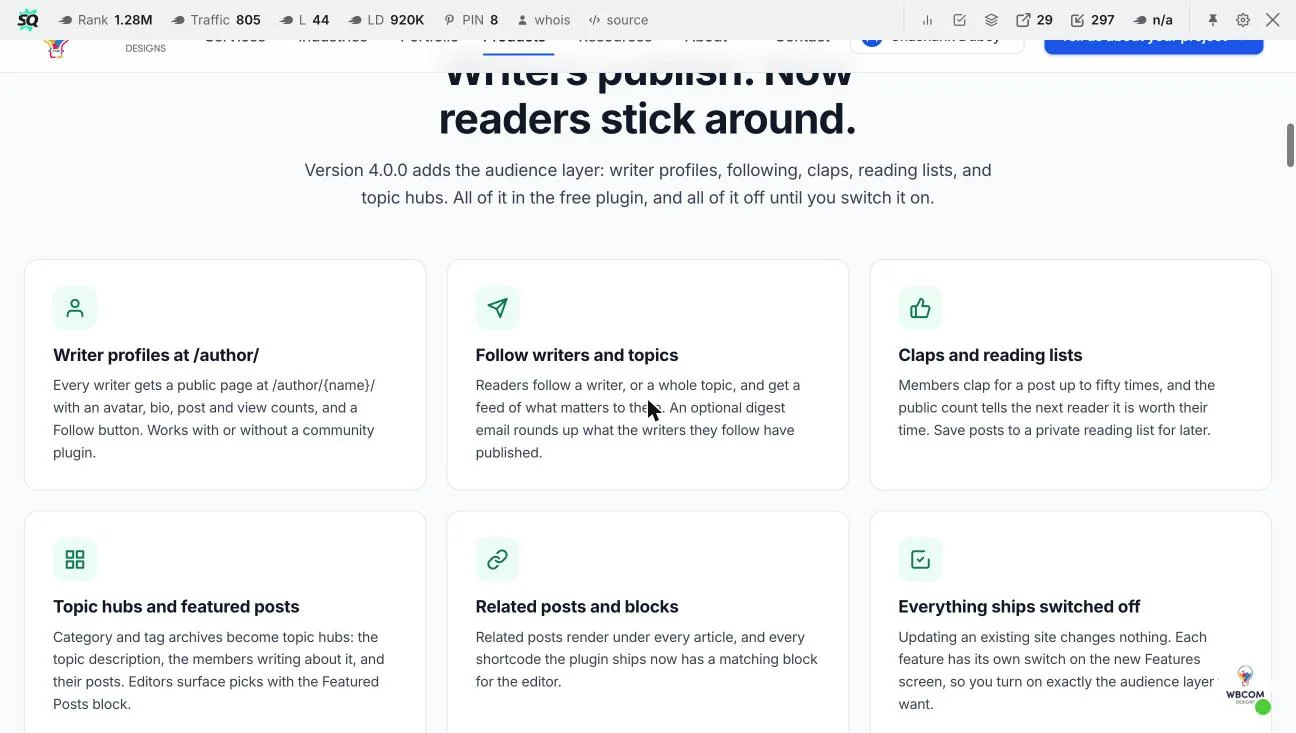
Every category and tag archive becomes a topic hub once this feature is enabled: it shows a description of the topic, the members actively writing about it, and their posts in one place, rather than the default bare WordPress tag archive. Editors can also surface specific picks within a hub using the Featured Posts block, so a topic hub isn’t purely reverse-chronological.
This is where “follow a topic” (from the Following section above) actually resolves - a reader following “product reviews” as a topic rather than a specific writer gets a feed built from that hub. For a community blog with more than a handful of regular contributors, topic hubs are usually more useful to new visitors than the writer-by-writer view, since a first-time reader doesn’t yet have a favorite writer to follow but probably knows what subject they’re interested in.
What’s Free vs What’s in Pro
Every audience-layer feature covered in this guide ships in the free plugin. Here’s where the line sits between the free tier and WB Member Blog’s Pro upgrade:
| Feature | Free | Pro |
|---|---|---|
| Front-end publishing + 3 editors | Included | Included |
| Writer profiles, following, claps, reading lists, topic hubs | Included | Included |
| 3 moderation workflows (auto-publish, pending, hybrid) | Included | Included |
| 6 additional Pro modules (advanced monetization, extra roles, etc.) | Not included | $49-129/year |
| Priority support | Community support | Agency tier only |
Pricing as published on wbcomdesigns.com as of October 2026: Pro Personal $49/year (1 site), Pro Professional $99/year (5 sites), Pro Agency $129/year (unlimited sites), each with a lifetime-license alternative.
Best Practices for Rolling Out the Audience Layer
Turning on all five features at once on launch day usually backfires, because an empty follower count or a post with zero claps looks worse than no social-proof feature at all. A staged rollout works better than a single switch-flip.
Start with writer profiles alone, a week or two before you enable anything else. Give your most active two or three members a heads-up that their profile page is live and encourage them to fill in a real bio and avatar, so the /author/ archive looks populated rather than skeletal the first time a reader lands on it. An author page with a blank bio and a generic avatar undercuts the exact credibility signal the feature is supposed to create.
Once profiles have a few weeks of post history behind them, turn on claps and reading lists next. These are low-stakes for readers (one click, no commitment) and tend to generate activity quickly, which gives new content some visible social proof before you introduce following, where an empty follower count on a brand-new feature can look discouraging by comparison.
Enable following and topic hubs last, once there’s enough existing engagement (claps, saves, a reasonable archive per writer) that the follow button and hub pages have something to show rather than launching into a visibly empty state. If you’re running the digest email, test it on a small internal list first - a badly formatted or oddly-timed digest can do more harm to perceived quality than not having one at all.
Finally, mention the new features directly to your most engaged members rather than relying on them to notice a new button. A short announcement post, or a note in your community’s existing update channel, pointing specifically at “you can now follow your favorite writers” tends to generate meaningfully more first-week usage than letting members discover the buttons on their own.
A Real-World Scenario: A Niche Community Blog
Picture a BuddyPress community built around a specific hobby or profession, running WB Member Blog’s free submission form so members can publish their own posts. For the first few months, a dozen members write one post each, the posts get buried under newer content within a week, and most of those members never write a second one - there was no visible reason to.
After switching on the audience layer, the same community looks different within a month. Three or four members who write consistently build visible author pages with growing post counts and follower numbers - they become the community’s de facto columnists, and other members start following them directly. Posts that get genuinely useful information across (a detailed how-to, a well-researched explainer) accumulate claps and reading-list saves even without much comment activity, which gives the site owner a much better read on what content is actually landing. New visitors arriving through search land on a topic hub rather than a single isolated post, see related posts from the same hub, and have an obvious next action (follow the topic) instead of leaving after one page view.
None of this required custom development or a Pro purchase - every piece described here ships in WB Member Blog’s free tier, GPLv2 licensed, no license key, on unlimited sites.
How the Four Features Work Together
Writer profiles give writers a reason to keep writing. Following gives readers a reason to come back for a specific writer’s next post. Claps and reading lists give readers two low-friction ways to signal value without writing a comment. Topic hubs give new visitors, who don’t yet have a favorite writer, a way into the content by subject instead.
Individually each feature solves a narrow problem; together they form a loop:
- A new reader lands on a topic hub from search or a shared link
- They read a post and either clap it, save it to their reading list, or both
- They follow the writer or the topic to see what comes next
- They come back when the next post in that thread publishes, closing the loop
That loop, not the submission form, is what actually sustains a community blog past the first few months.
Get WB Member Blog
Front-end publishing plus the full audience layer - writer profiles, following, claps, reading lists, topic hubs - free, GPLv2, no license key, unlimited sites.
Summary
A submission form gets content published. Writer profiles, following, claps, reading lists, and topic hubs are what gets that content read, re-read, and followed up on. All five ship in WB Member Blog’s free tier with no license key required, which means there’s no cost barrier to testing whether the audience layer changes how your community’s writers and readers actually behave - only a staged rollout and a handful of toggles on the Features screen. Start with writer profiles, let a few weeks of real archive build up, then add claps, reading lists, following, and topic hubs in sequence rather than all at once, and the audience layer will look populated rather than empty the first time most readers encounter it.
FAQs
Do I need the Pro version to get writer profiles and reading lists?
No. The entire audience layer - writer profiles, following, claps, reading lists, topic hubs, and related posts - ships in the free plugin as of version 4.0.0. Pro adds six additional modules on top of this, but none of the audience-layer features described here require it.
Does enabling this require a custom database table?
No. Every member post is stored as a standard WordPress post in wp_posts. Yoast and other SEO plugins index it normally, your theme renders it like any other post, and your export tools pick it up without custom handling.
Will these features slow down my existing community site?
Each feature has its own switch on the Features screen, so updating the plugin changes nothing by default - you turn on exactly the audience-layer pieces you want rather than inheriting all of them at once.
Can readers follow a topic without following a specific writer?
Yes. Following works on both writers and topics (category/tag archives) independently, so a reader interested in a subject but without a favorite writer yet can still get a relevant feed.
Is the digest email mandatory if I enable Following?
No, it’s a separate toggle. You can enable following and leave the digest email off, in which case followers rely on their in-site feed rather than email notifications.
How many times can a member clap for the same post?
Up to fifty claps per member per post. This is intentionally higher than a simple like/unlike toggle, so the clap count can reflect degree of appreciation, not just a binary yes/no.
Are reading lists private, or can other members see what I’ve saved?
Reading lists are private to the member who created them. Other members cannot see another user’s saved posts.
Does WB Member Blog work without BuddyPress?
Yes. It’s compatible with BuddyPress, BuddyBoss, and PeepSo, and also runs on standalone WordPress without any community plugin installed.
What happens to writer profiles if a member stops publishing?
The profile page stays live with their existing post archive, post count, and view count intact. There’s no automatic removal or archiving of inactive writers’ profiles.
Can I customize which post fields show on a topic hub?
Topic hubs show the topic description, the members writing about it, and their posts by default, and editors can pin specific posts using the Featured Posts block for more curation beyond the default reverse-chronological listing.
Should claps replace comments entirely, or run alongside them?
Alongside, not instead. Comments still matter for genuine discussion, questions, and feedback that a writer can respond to. Claps exist for the much larger group of readers who found a post valuable but have nothing specific to add in a comment thread - removing comments in favor of claps would lose real conversation, while removing claps in favor of comments-only leaves that larger group with no way to register appreciation at all.
How long should the staged rollout described above take in practice?
There’s no fixed timeline, but a reasonable pace is one to two weeks per stage: writer profiles first, then claps and reading lists once a few writers have a visible archive, then following and topic hubs once there’s enough existing engagement to avoid an empty-state first impression. A smaller community with less frequent publishing may need longer stretches between stages, while a very active community with daily posts can compress the whole rollout into two to three weeks total without any stage feeling rushed or empty.
Sources
- Verified Market Research: Online Community Platform Market
- W3Techs: Content management system usage statistics
Interesting Reads:
How to Reward BuddyPress Community Engagement with Leaderboards