

Artificial Intelligence (AI) photo generators have revolutionized the way we create and manipulate images. By harnessing the power of advanced algorithms and machine learning, these tools can produce highly realistic images from textual descriptions, sketches, or even other images. This technology has wide-ranging applications, from enhancing creative projects and marketing materials to generating photorealistic images for professional use.
The importance of realistic AI photo generation cannot be overstated. High-quality, lifelike images are crucial for various industries, including advertising, e-commerce, entertainment, and education. They help in creating more engaging content, improving user experiences, and reducing the costs and time associated with traditional image creation methods.
The purpose of this blog is to review the best realistic AI photo generators available in 2025. We’ll explore the top ten tools that stand out for their performance, features, and user satisfaction. Whether you’re a graphic designer, marketer, or simply an AI enthusiast, this guide will help you find the perfect tool for your needs.

What is AI Photo Generation?
AI Photo Generation refers to the use of artificial intelligence (AI) technologies to create or manipulate images. This process involves algorithms, particularly those based on deep learning, which can generate realistic images from scratch, enhance existing photos, or modify images in various ways. One popular method for AI photo generation is the use of Generative Adversarial Networks (GANs), where two neural networks—one generating images and the other evaluating them—work together to produce increasingly realistic images.
Benefits of AI Photo Generation include
Creative Freedom
- Art and Design: AI can assist artists and designers by providing new ways to create and explore their work. AI-generated images can inspire new designs, assist in conceptual art, and streamline the creative process.
- Customization: AI allows for the generation of highly customized images, tailored to specific needs or preferences, which can be particularly useful in marketing, fashion, and entertainment industries.
Efficiency and Cost Reduction
- Automated Image Creation: Businesses can save time and resources by using AI to generate images instead of relying on traditional methods like photography or manual graphic design.
- Scalability: AI can produce a large volume of images quickly, making it easier to meet the demands of large-scale projects or campaigns.
Enhanced Image Editing
- Photo Enhancement: AI can improve the quality of existing images by enhancing resolution, adjusting colors, removing noise, and restoring old or damaged photos.
- Content Generation: AI tools can add or remove elements from images seamlessly, making it possible to alter photographs in ways that appear natural and convincing.
Personalization
- Tailored Content: AI can generate personalized images based on user preferences or behaviors, enhancing user experience in applications like social media, advertising, and e-commerce.
- Interactive Experiences: AI-generated avatars and virtual environments can provide users with personalized and interactive experiences in video games and virtual reality.
Innovation in Various Fields
- Medical Imaging: AI can generate detailed and accurate medical images, aiding in diagnosis and treatment planning.
- Scientific Research: Researchers can use AI to visualize data in new ways, making complex information more accessible and understandable.
Accessibility and Inclusivity
- Inclusive Design: AI can help create images that are more inclusive and representative of diverse populations, contributing to more equitable visual content.
- Assistive Technology: AI-generated images can aid visually impaired individuals by creating tactile or audio descriptions of visual content.
Overall, AI photo generation is a powerful tool that is transforming various industries by enhancing creativity, improving efficiency, and enabling new possibilities in visual content creation and manipulation.
Also Read: Kinsta Review: The Ultimate WordPress Hosting Solution?
Top 10+ Realistic AI Photo Generators
1. DALL-E 3 by OpenAI
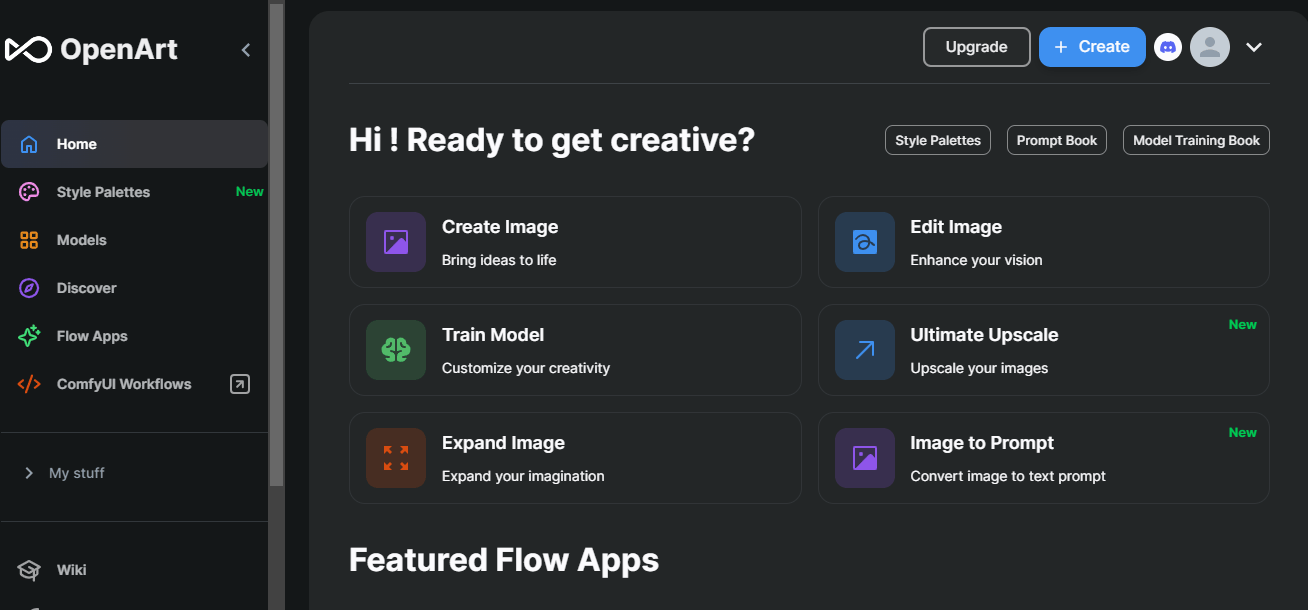
Overview of DALL-E 3
DALL-E 3, developed by OpenAI, is the latest iteration of the groundbreaking AI model designed to generate images from textual descriptions. Building on the success of its predecessors, DALL-E 3 offers improved image quality, greater accuracy in interpreting text prompts, and enhanced creativity in image generation. This model uses a combination of deep learning techniques and a vast dataset to create highly realistic and imaginative images, making it a powerful tool for a wide range of applications.
Key Features
- High-Resolution Images: DALL-E 3 produces images with higher resolution and finer details compared to earlier versions, ensuring clarity and realism.
- Improved Text Interpretation: The model has advanced capabilities in understanding and accurately representing complex text prompts, resulting in more relevant and precise images.
- Versatile Style Options: Users can generate images in various artistic styles, from photorealistic to abstract, catering to diverse creative needs.
- Enhanced Creativity: DALL-E 3 exhibits a higher level of creativity, capable of producing novel and unexpected image compositions that go beyond conventional interpretations.
- Interactive Editing: The tool allows users to refine and tweak generated images interactively, providing more control over the final output.
Pros and Cons
Pros
- Superior Image Quality: Produces high-quality, detailed images that are visually stunning.
- Accurate Text-to-Image Translation: Excellent at converting textual descriptions into relevant images.
- Creative Flexibility: Offers a wide range of artistic styles and creative options.
- User-Friendly Interface: Easy to use, even for those without technical expertise.
Cons
- Computationally Intensive: Requires significant computational resources, which might be a barrier for some users.
- Access Restrictions: May have limitations on usage based on subscription plans or availability.
- Ethical Considerations: Potential for misuse in creating deepfakes or other misleading images.
Use Cases and Examples
- Marketing and Advertising: Create compelling visuals for ad campaigns, social media posts, and promotional materials without the need for a photoshoot.
- Content Creation: Enhance blog posts, articles, and digital content with custom-generated images that match the theme and style of the text.
- Product Design: Visualize product concepts and designs quickly and realistically, aiding in the development and presentation processes.
- Educational Materials: Generate illustrative images for educational content, making complex topics more accessible and engaging.
- Art and Entertainment: Use DALL-E 3 for artistic projects, such as creating unique artworks, illustrations for books, and concept art for films and games.
DALL-E 3 by OpenAI represents a significant advancement in AI-driven image generation, offering unparalleled capabilities for creating realistic and imaginative visuals from text descriptions. Whether for professional or personal use, it provides powerful tools to enhance creativity and productivity.
Also Read: How to Create and Manage User Blogs in BuddyPress
2. MidJourney
Overview of MidJourney
MidJourney is a cutting-edge AI-powered photo generator that excels in creating highly realistic and artistic images from text prompts. Leveraging the latest advancements in artificial intelligence and machine learning, MidJourney is designed to cater to artists, designers, and content creators who seek to produce stunning visuals with minimal effort. Its intuitive interface and robust capabilities make it a popular choice for users looking to transform their creative ideas into reality.
Key Features
- High-Quality Image Generation: MidJourney produces exceptionally detailed and high-resolution images that rival professional photography.
- Advanced Text-to-Image Translation: The AI accurately interprets complex text prompts, ensuring that the generated images align closely with the provided descriptions.
- Diverse Artistic Styles: Users can select from a variety of artistic styles, ranging from photorealistic to abstract, allowing for creative versatility.
- User-Friendly Interface: The platform is designed to be accessible and easy to use, even for those without extensive technical knowledge.
- Customization Options: MidJourney offers tools for refining and customizing generated images, giving users more control over the final output.
- Speed and Efficiency: The AI generates images quickly, making it suitable for projects with tight deadlines.
Pros and Cons
Pros
- Exceptional Image Quality: Produces high-resolution, detailed images that are visually striking.
- Versatile Creative Options: Supports a wide range of artistic styles and customization features.
- Ease of Use: Intuitive interface that is accessible to both beginners and professionals.
- Fast Generation Time: Quickly produces images, enhancing productivity.
Cons
- Resource Intensive: Requires significant computational power, which might limit accessibility for some users.
- Cost: Premium features and higher usage tiers may come with a substantial cost.
- Learning Curve: While user-friendly, mastering all customization options may take some time for new users.
Use Cases and Examples
- Digital Art and Illustration: Artists can use MidJourney to create unique digital artworks, illustrations for books, and concept art for films and games.
- Marketing and Branding: Businesses can generate high-quality visuals for marketing campaigns, social media, and branding materials, ensuring a professional look.
- Content Creation: Bloggers and content creators can enhance their articles and posts with custom images that match their content perfectly.
- Product Visualization: Designers can visualize product concepts and prototypes, aiding in the design and presentation processes.
- Education and Training: Educators can create illustrative content for educational materials, making learning more engaging and accessible.
- Personal Projects: Hobbyists and enthusiasts can explore creative ideas and generate images for personal use or sharing with friends and family.
MidJourney stands out as a powerful tool for anyone looking to create realistic and artistic images with ease. Its combination of high-quality output, versatile features, and user-friendly design makes it an excellent choice for a wide range of creative applications. Whether you are a professional artist or a casual creator, MidJourney can help bring your visual ideas to life.
Also Read: How to Display ads in BuddyPress for free
3. DeepArt.io
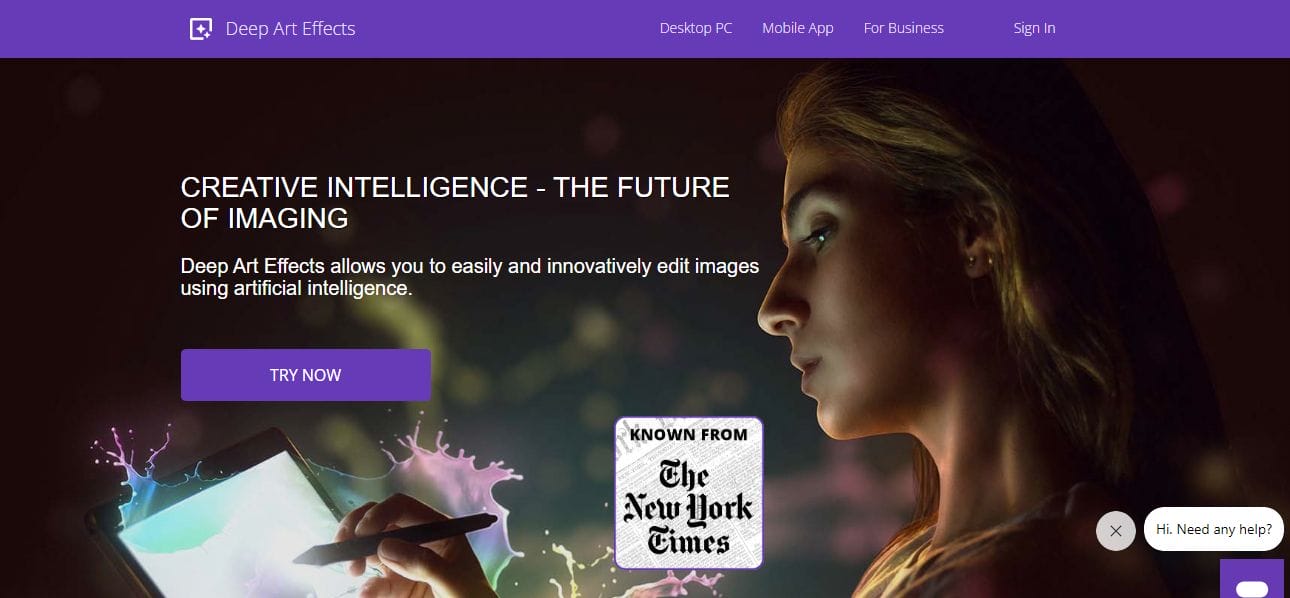
Overview of DeepArt.io
DeepArt.io is an innovative platform that utilizes artificial intelligence (AI) to transform ordinary photos into captivating works of art. With its advanced algorithms and deep learning techniques, DeepArt.io allows users to apply various artistic styles to their images, creating stunning visual masterpieces. Whether you’re an artist, photographer, or simply someone who appreciates art, DeepArt.io offers a unique opportunity to unleash your creativity and produce extraordinary artwork effortlessly.
Key Features
- Artistic Style Transfer: DeepArt.io enables users to apply a wide range of artistic styles to their photos, including famous painting styles, abstract art, and modern digital art.
- High-Quality Output: The platform generates high-resolution images that preserve the details and clarity of the original photos, ensuring professional-quality results.
- User-Friendly Interface: DeepArt.io features an intuitive and easy-to-use interface, allowing users to upload their photos and apply artistic styles with just a few clicks.
- Customization Options: Users have the flexibility to customize various parameters, such as brush size, color intensity, and style strength, to achieve their desired artistic effects.
- Fast Processing: DeepArt.io quickly processes images, delivering results in a matter of seconds or minutes, depending on the complexity of the chosen style.
Pros and Cons
Pros
- Creative Freedom: DeepArt.io empowers users to express their creativity and artistic vision by offering a wide range of styles and customization options.
- Professional-Quality Results: The platform produces high-quality artwork that rivals the work of professional artists, making it suitable for both personal and professional projects.
- Accessibility: DeepArt.io is accessible to users of all skill levels, from beginners to experienced artists, thanks to its user-friendly interface and intuitive controls.
- Inspiration and Exploration: DeepArt.io serves as a source of inspiration and exploration, allowing users to experiment with different styles and techniques to discover new artistic possibilities.
Cons
- Subscription Costs: While DeepArt.io offers some free features, access to premium styles and high-resolution outputs may require a paid subscription, which could be a barrier for some users.
- Dependence on Internet Connection: The platform relies on an internet connection for image processing, which may result in delays or interruptions in service in areas with poor connectivity.
- Limited Customization: While DeepArt.io offers customization options, some users may find the level of customization limited compared to dedicated photo editing software.
Use Cases and Examples
- Artistic Expression: Artists can use DeepArt.io to transform their photos into unique and visually striking artworks, allowing them to explore new creative avenues and styles.
- Photography Enhancement: Photographers can use DeepArt.io to add artistic flair to their photos, turning ordinary snapshots into captivating visual experiences.
- Marketing and Branding: Businesses can leverage DeepArt.io to create eye-catching visuals for their marketing campaigns, advertisements, and branding materials, helping them stand out in a crowded marketplace.
- Personal Projects: Individuals can use DeepArt.io for personal projects such as creating custom artwork for home decor, gifts, or social media posts, adding a personal touch to their digital presence.
- Educational Resources: Educators can incorporate DeepArt.io into their teaching materials to engage students and enhance visual learning experiences, making complex concepts more accessible and memorable.
DeepArt.io offers a powerful and versatile platform for transforming photos into works of art, providing users with the tools they need to unleash their creativity and imagination. Whether you’re looking to create stunning artwork for professional projects or simply explore new artistic possibilities, DeepArt.io is an invaluable resource for artists and art enthusiasts alike.
Also Read: How to Create and Manage Member Types in BuddyPress
4. Runway ML
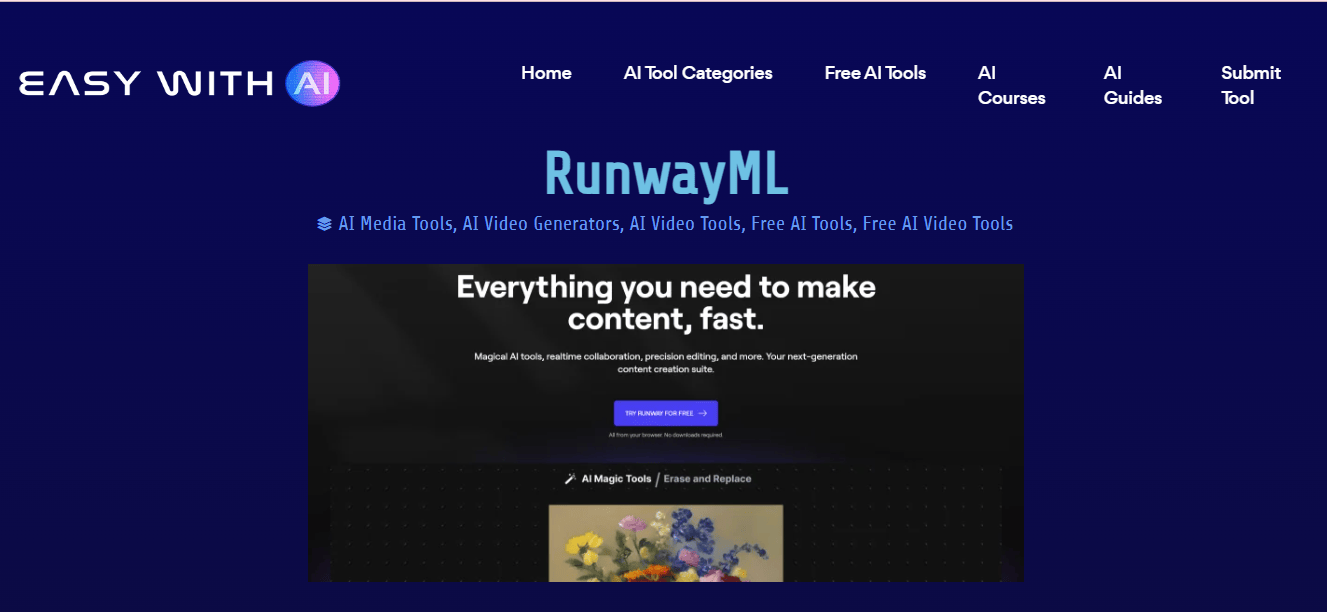
Overview of Runway ML
Runway ML is a cutting-edge platform that revolutionizes the intersection of art and technology by providing accessible machine learning tools for artists, designers, and creators. With its intuitive interface and powerful features, Runway ML allows users to explore the possibilities of machine learning in creative projects, from generating stunning visual effects to creating interactive installations. By democratizing access to advanced machine learning models, Runway ML empowers users to push the boundaries of creativity and innovation in their work.
Key Features
- Pre-Trained Models: Runway ML offers a diverse library of pre-trained machine learning models for various tasks, including image generation, style transfer, object detection, and natural language processing.
- Real-Time Processing: Users can experience real-time processing capabilities, enabling instant feedback and adjustments as they interact with machine learning models.
- Custom Model Training: Advanced users have the option to train custom machine learning models using their own datasets, providing flexibility and customization for specific creative needs.
- Integration with Creative Tools: Runway ML seamlessly integrates with popular creative software such as Adobe Photoshop, Illustrator, and After Effects, allowing users to incorporate machine learning-powered features directly into their existing workflows.
- Community Collaboration: The platform fosters a vibrant community of artists, designers, and developers, facilitating collaboration, knowledge sharing, and creative exploration.
Pros and Cons
Pros
- Accessibility: Runway ML makes machine learning technology accessible to users with varying levels of technical expertise, democratizing access to advanced tools and techniques.
- Versatility: The platform supports a wide range of creative applications, including visual effects, image manipulation, generative art, and interactive installations, providing endless possibilities for artistic expression.
- User-Friendly Interface: With an intuitive interface and easy-to-use controls, Runway ML simplifies the process of experimenting with machine learning models and generating creative outputs.
- Real-Time Feedback: Users can receive instant feedback on their creative experiments, allowing for rapid iteration and refinement of ideas in real-time.
Cons
- Subscription Costs: While Runway ML offers a free tier with limited features, access to premium models and advanced functionality may require a paid subscription, which could be a barrier for some users.
- Technical Limitations: Users may encounter technical limitations when working with complex machine learning models or large datasets, particularly on devices with limited processing power or memory.
- Learning Curve: Mastering the full capabilities of Runway ML and understanding how to leverage machine learning models effectively may require a learning curve for users who are new to the technology.
Use Cases and Examples
- Artistic Exploration: Artists can use Runway ML to experiment with different machine learning models and techniques, creating unique artworks, visual effects, and digital experiences.
- Design and Illustration: Designers and illustrators can integrate machine learning-powered features into their creative projects, enhancing their workflow and exploring new design possibilities.
- Interactive Installations: Creative technologists can use Runway ML to develop interactive installations and experiences that respond to user input, blurring the boundaries between art, technology, and human interaction.
- Content Creation: Content creators can leverage machine learning models to generate engaging visuals, produce personalized content, and enhance storytelling in their multimedia projects.
- Educational and Research Purposes: Educators and researchers can utilize Runway ML to teach machine learning concepts, conduct experiments, and explore the potential applications of AI in art, design, and creative expression.
Runway ML empowers users to explore the creative potential of machine learning technology, enabling them to innovate, experiment, and push the boundaries of art and technology. Whether you’re an artist, designer, developer, educator, or enthusiast, Runway ML offers a platform for unleashing your creativity and bringing your ideas to life.
Also Read: 10 Best AI Tools For YouTube
5. Artbreeder
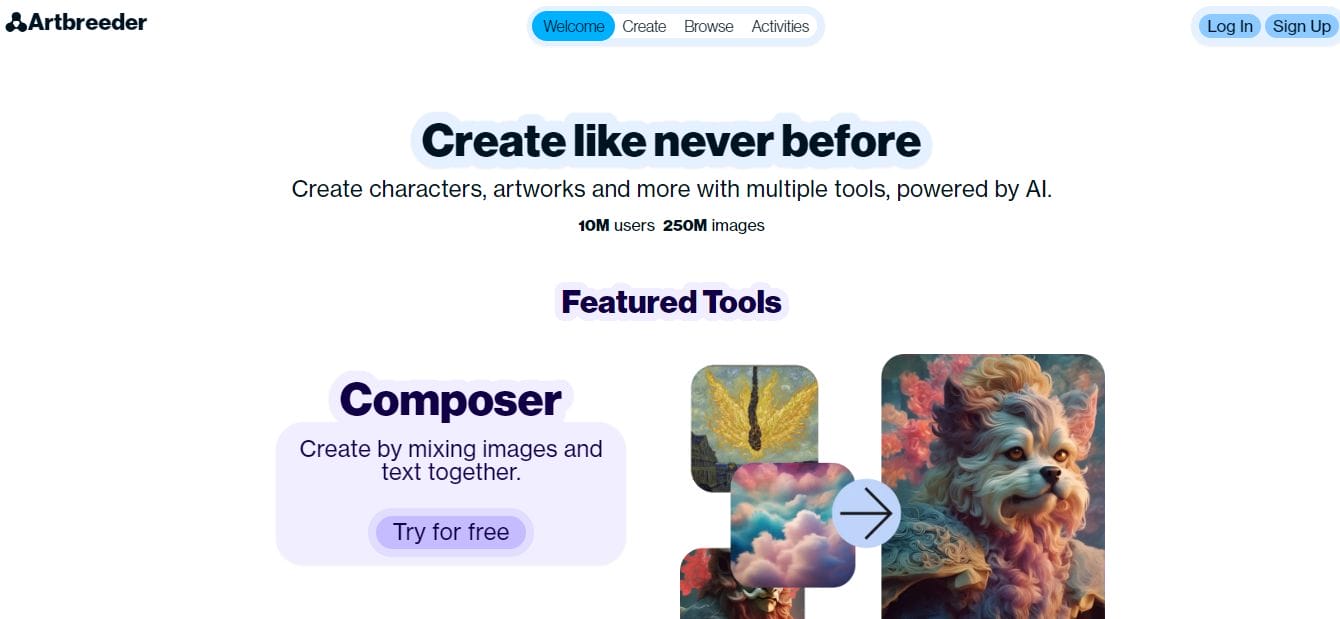
Overview of Artbreeder
Artbreeder is an innovative online platform that harnesses the power of artificial intelligence (AI) to facilitate the creation of unique and visually stunning digital artwork. Utilizing advanced generative adversarial networks (GANs), Artbreeder allows users to blend and manipulate existing images to generate entirely new and original compositions. With its intuitive interface and powerful algorithms, Artbreeder enables users to explore an endless array of artistic possibilities, from surreal landscapes to abstract portraits, all with just a few clicks.
Key Features
- Image Blending: Artbreeder allows users to blend multiple images together to create hybrid compositions that inherit traits from each input image.
- Fine Control: Users have granular control over various parameters such as color, texture, shape, and style, allowing for precise adjustments and customization.
- Explore and Remix: The platform offers a vast library of user-generated content that users can explore, remix, and build upon to create their own unique artworks.
- High-Quality Outputs: Artbreeder generates high-resolution images suitable for printing and digital display, ensuring professional-quality results.
Community Interaction: Users can engage with the Artbreeder community, share their creations, and collaborate with other artists and enthusiasts.
Pros and Cons
Pros
- Creative Freedom: Artbreeder provides users with unparalleled creative freedom, allowing them to experiment with a wide range of artistic styles and concepts.
- Ease of Use: The platform features an intuitive interface and user-friendly controls, making it accessible to artists of all skill levels.
- Inspiration and Exploration: Artbreeder serves as a source of inspiration and exploration, encouraging users to discover new artistic techniques and approaches.
- Endless Possibilities: With its vast library of images and customizable parameters, Artbreeder offers virtually limitless possibilities for artistic expression and experimentation.
Cons
- Dependency on Internet Connection: Artbreeder relies on an internet connection for image processing, which may result in delays or interruptions in service in areas with poor connectivity.
- Limited Control Over Source Images: While users have control over various parameters, they have limited control over the source images themselves, which may restrict the scope of their creative experimentation.
- Potential for Copyright Issues: Users should be mindful of copyright issues when using images sourced from Artbreeder’s library or other users’ creations, as some images may be subject to copyright restrictions.
Use Cases and Examples
- Digital Art: Artists can use Artbreeder to create digital artworks, ranging from abstract compositions to photorealistic scenes, by blending and manipulating images to achieve their desired aesthetic.
- Character Design: Illustrators and designers can leverage Artbreeder to create unique characters and creatures for use in animations, games, and storytelling projects.
- Concept Art: Concept artists and visual development professionals can use Artbreeder to explore and iterate on ideas, generating concept art for film, television, and other creative industries.
- Visual Effects: VFX artists and filmmakers can incorporate Artbreeder-generated imagery into their projects to enhance visual effects, create otherworldly landscapes, and bring fantastical creatures to life on screen.
- Educational Purposes: Art educators can use Artbreeder as a tool for teaching digital art concepts, allowing students to experiment with different artistic styles and techniques in a virtual environment.
Artbreeder empowers artists, designers, and creators to push the boundaries of digital artistry, offering a platform for exploration, experimentation, and creative expression. Whether you’re a professional artist, an amateur enthusiast, or simply curious about the possibilities of AI-driven art, Artbreeder provides a gateway to a world of endless creativity and inspiration.
Also Read: Best AI Tools For Data Visualization 2024
6. GANPaint Studio
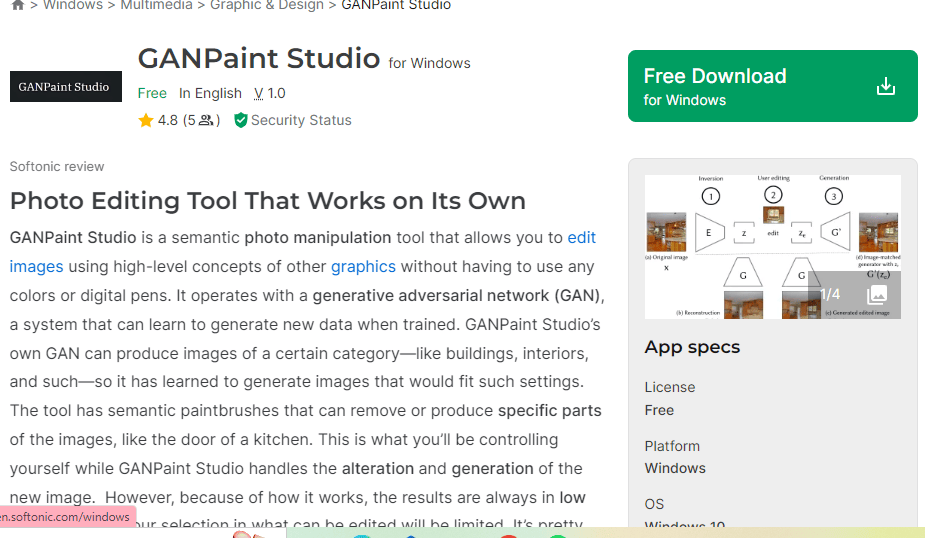
Overview of GANPaint Studio
GANPaint Studio is an innovative tool powered by generative adversarial networks (GANs) that allows users to interactively edit and manipulate images with remarkable precision and control. Developed by researchers at MIT and IBM, GANPaint Studio enables users to “paint” on images to add or remove objects, modify colors and textures, and even alter the semantics of the scene. With its intuitive interface and advanced AI algorithms, GANPaint Studio offers a new paradigm for image editing, unlocking unprecedented creative possibilities for artists, designers, and researchers alike.
Key Features
- Object Removal and Addition: GANPaint Studio allows users to seamlessly remove unwanted objects from images or add new objects into the scene, maintaining visual coherence and realism.
- Semantic Editing: Users can modify the semantic content of images by changing the appearance or attributes of objects, such as altering the color of the sky or transforming the shape of a tree.
- Texture Transfer: The tool enables users to transfer textures from one part of an image to another, allowing for seamless blending and harmonization of visual elements.
- Interactive Editing: GANPaint Studio offers an interactive editing interface that provides real-time feedback and allows for iterative adjustments, empowering users to fine-tune their edits with precision.
- Semantic Segmentation: The platform incorporates advanced semantic segmentation algorithms to accurately identify and label objects within images, facilitating targeted editing and manipulation.
Pros and Cons
Pros
- Advanced Editing Capabilities: GANPaint Studio offers advanced editing capabilities that go beyond traditional image editing tools, allowing for semantic manipulation and object-level control.
- Realism and Coherence: The tool produces highly realistic and coherent edits, seamlessly integrating manipulated elements into the scene without artifacts or visual inconsistencies.
- Intuitive Interface: GANPaint Studio features an intuitive interface that makes it easy for users to navigate and interact with the editing tools, even for those with limited technical expertise.
- Creative Exploration: The platform encourages creative exploration and experimentation, empowering users to push the boundaries of image editing and visualization.
Cons
- Complexity: GANPaint Studio may have a learning curve for users who are unfamiliar with the concepts of generative adversarial networks (GANs) or semantic image editing.
- Resource Intensive: The computational requirements of GANPaint Studio may be demanding, particularly for large or complex images, requiring sufficient hardware resources for optimal performance.
- Limited Control Over Output: While GANPaint Studio offers extensive editing capabilities, users may have limited control over the final output, particularly when it comes to fine-tuning specific details or achieving precise adjustments.
Use Cases and Examples
- Image Manipulation: Artists and designers can use GANPaint Studio to manipulate images for creative projects, such as removing distractions from photographs or adding imaginative elements into scenes.
- Conceptual Design: Architects, urban planners, and designers can utilize GANPaint Studio to visualize and iterate on design concepts, experimenting with different architectural elements and urban features.
- Data Augmentation: Researchers and data scientists can employ GANPaint Studio to augment datasets for machine learning and computer vision tasks, generating synthetic images with varied attributes and annotations.
- Artificial Intelligence Research: AI researchers and developers can leverage GANPaint Studio for exploring the capabilities and limitations of generative adversarial networks (GANs) and semantic image editing techniques, advancing the state-of-the-art in AI-driven image manipulation.
- Educational Purposes: GANPaint Studio can serve as a valuable educational tool for teaching concepts related to image editing, computer vision, and machine learning, providing hands-on experience with cutting-edge technologies and techniques.
GANPaint Studio revolutionizes the field of image editing and manipulation, offering a powerful platform for semantic image editing and creative exploration. Whether you’re an artist, designer, researcher, or educator, GANPaint Studio provides a new frontier for visual expression, innovation, and discovery in the digital realm.
Also Read: 10 Best WordPress Accessibility Plugins 2024
7. NightCafe Creator
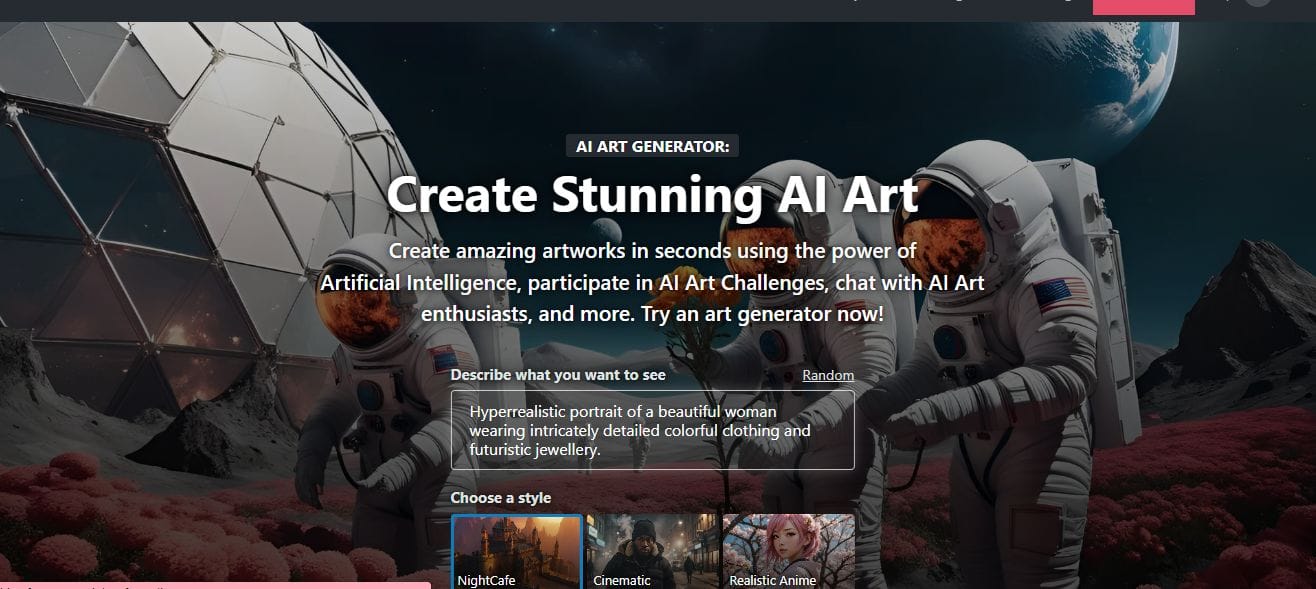
Overview of NightCafe Creator
NightCafe Creator is an advanced AI-powered tool designed to generate stunning digital artworks inspired by the styles of renowned artists. With its sophisticated algorithms, NightCafe Creator can transform ordinary images into visually captivating masterpieces reminiscent of famous paintings. Whether you’re an artist, designer, or art enthusiast, NightCafe Creator offers a new way to explore creativity and express yourself through digital art.
Key Features
- Style Transfer: NightCafe Creator employs cutting-edge style transfer techniques to apply the artistic characteristics of famous paintings to user-uploaded images, creating stunning visual transformations.
- Realistic Rendering: The platform utilizes high-fidelity rendering algorithms to produce digital artworks with exceptional detail and realism, capturing the essence of classic paintings in digital form.
- Customization Options: Users have the flexibility to customize various aspects of their artworks, including color palettes, brush strokes, and texture effects, allowing for personalized creative expression.
- Interactive Interface: NightCafe Creator features an intuitive and user-friendly interface that facilitates seamless navigation and interactive editing, making it accessible to users of all skill levels.
Pros and Cons
Pros
- Artistic Inspiration: NightCafe Creator serves as a source of artistic inspiration, enabling users to explore different artistic styles and experiment with creative concepts in a virtual environment.
- Ease of Use: The platform offers a user-friendly experience, making it easy for artists and designers to create stunning digital artworks without the need for advanced technical skills.
- Versatility: NightCafe Creator supports a wide range of artistic styles and techniques, allowing users to create diverse and visually striking artworks with ease.
- Real-time Feedback: The platform provides real-time feedback and previews, allowing users to visualize their edits and adjustments instantly, facilitating rapid iteration and experimentation.
Cons
- Algorithm Limitations: While NightCafe Creator can produce impressive results, it may have limitations in accurately replicating certain artistic styles or nuances present in original paintings.
- Dependency on Input Quality: The quality of the output generated by NightCafe Creator may depend on the quality of the input image and the level of detail present in the original artwork.
- Resource Intensive: Generating complex artworks with NightCafe Creator may require significant computational resources, including processing power and memory, which could be a limitation for users with limited hardware capabilities.
Use Cases and Examples
- Artistic Exploration: Artists and designers can use NightCafe Creator to explore different artistic styles and techniques, experimenting with digital art creation in a dynamic and interactive way.
- Educational Tool: NightCafe Creator can be used as an educational tool for teaching digital art concepts and techniques, providing students with hands-on experience in creating digital artworks inspired by famous paintings.
- Creative Projects: Whether it’s designing illustrations, creating digital collages, or producing visual content for marketing campaigns, NightCafe Creator offers endless possibilities for creative projects and endeavors.
- Personal Expression: Individuals can use NightCafe Creator as a means of personal expression and self-discovery, creating digital artworks that reflect their emotions, experiences, and artistic sensibilities.
NightCafe Creator represents a fusion of art and technology, offering users a unique opportunity to explore creativity and produce stunning digital artworks inspired by the timeless masterpieces of art history.
Also Read: Best AI Tools For Natural Language Processing (NLP) 2024
8. Pixray
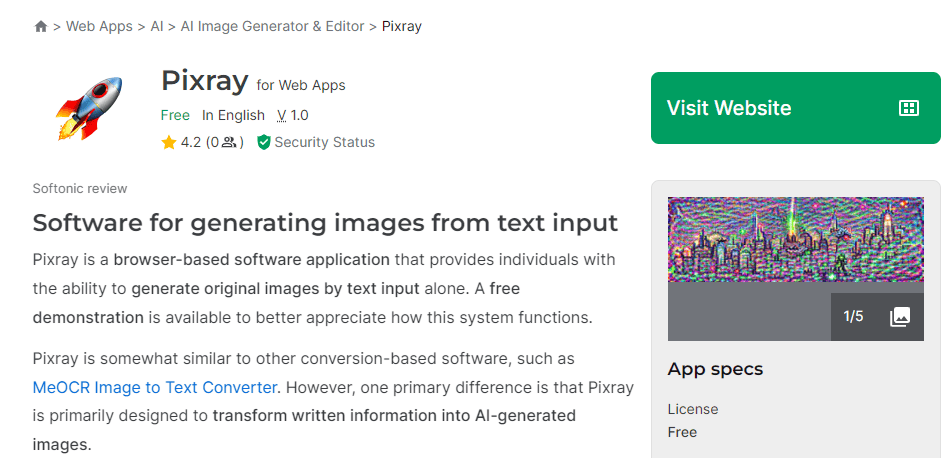
Overview of Pixray
Pixray is an innovative AI-driven platform that revolutionizes the way digital images are created and edited. Utilizing state-of-the-art machine learning algorithms, Pixray enables users to generate realistic and high-quality images with remarkable ease and efficiency. Whether you’re a professional designer, photographer, or hobbyist, Pixray offers a versatile and intuitive solution for creating stunning visuals that captivate and inspire.
Key Features
- Image Synthesis: Pixray leverages advanced image synthesis techniques to generate lifelike images with exceptional detail and realism, allowing users to create professional-grade visuals with ease.
- Style Transfer: The platform offers style transfer capabilities, enabling users to apply the artistic characteristics of different styles or themes to their images, resulting in unique and visually appealing compositions.
- Customization Tools: Pixray provides a wide range of customization options, allowing users to adjust various aspects of their images, including color, lighting, texture, and composition, to achieve their desired artistic vision.
- Real-time Rendering: With real-time rendering capabilities, Pixray allows users to preview and iterate on their creations instantly, facilitating rapid experimentation and refinement.
Pros and Cons
Pros
- User-Friendly Interface: Pixray features an intuitive and user-friendly interface that makes it accessible to users of all skill levels, from beginners to experienced professionals.
- Versatility: The platform supports a diverse range of use cases, including digital art creation, photo editing, graphic design, and more, making it a versatile tool for various creative projects.
- High-Quality Outputs: Pixray generates high-resolution images with exceptional clarity and fidelity, suitable for printing, digital publishing, and multimedia applications.
- Efficiency: Pixray streamlines the image creation and editing process, allowing users to achieve professional results in less time and with fewer resources compared to traditional methods.
Cons
- Learning Curve: While Pixray offers a user-friendly interface, mastering its full range of features and capabilities may require some time and practice for new users.
- Resource Intensive: Generating complex images with Pixray may require significant computational resources, including processing power and memory, which could be a limitation for users with limited hardware capabilities.
- Dependency on Input Quality: The quality of the output generated by Pixray may depend on the quality of the input images and the level of detail present in the original compositions.
Use Cases and Examples
- Digital Art Creation: Artists and designers can use Pixray to create stunning digital artworks, illustrations, and concept designs, exploring different styles, themes, and compositions with ease.
- Photo Editing: Photographers and image editors can leverage Pixray to enhance and retouch their photos, applying artistic filters, effects, and adjustments to achieve professional-grade results.
- Graphic Design: Graphic designers and visual artists can use Pixray to create captivating graphics, logos, posters, and branding materials, incorporating unique styles and visual elements into their designs.
- Visual Effects: Filmmakers, animators, and multimedia artists can integrate Pixray into their projects to create realistic visual effects, animations, and CGI elements, adding depth and realism to their storytelling.
Pixray empowers users to unleash their creativity and bring their artistic visions to life with unprecedented ease and precision. Whether you’re creating digital art, editing photos, designing graphics, or producing visual effects, Pixray offers a powerful and intuitive platform for realizing your creative potential.
Also Read: Exploring BuddyBoss Platform: A fork and forge of BuddyPress
9. Deep Dream Generator

Overview of Deep Dream Generator
Deep Dream Generator is an online platform that utilizes artificial intelligence to create mesmerizing and surreal images. Based on the DeepDream algorithm developed by Google, this tool generates unique visuals by enhancing and exaggerating patterns and features within images. It offers users a fascinating glimpse into the inner workings of neural networks and provides a creative outlet for generating dreamlike artworks.
Key Features
- DeepDream Algorithm: Deep Dream Generator employs the DeepDream algorithm to analyze and enhance images, transforming them into surreal and abstract compositions.
- Customization Options: Users can adjust various parameters such as layer depth, iterations, and enhancement strength to control the intensity and style of the generated images.
- Image Upload and Processing: The platform allows users to upload their own images or choose from a selection of preloaded images to apply the DeepDream effect.
- Real-time Preview: Deep Dream Generator provides a real-time preview of the generated images, enabling users to fine-tune their settings and see the results instantly.
Pros and Cons
Pros
- Creativity Enhancement: Deep Dream Generator stimulates creativity by offering a unique way to reinterpret and manipulate images, inspiring users to explore new artistic possibilities.
- Interactive Interface: The platform features an intuitive and user-friendly interface that makes it easy for users to experiment with different settings and visualize the effects in real-time.
- Community Engagement: Deep Dream Generator fosters a community of artists and enthusiasts who share and collaborate on dreamlike creations, providing inspiration and feedback to users.
- Educational Value: The tool offers educational value by providing insights into the principles of neural networks and image processing, making it a valuable resource for students and researchers.
Cons
- Processing Time: Generating DeepDream images can be time-consuming, especially for complex or high-resolution images, requiring patience from users waiting for the results.
- Resource Intensive: The computational requirements for processing DeepDream images may be demanding, particularly for large-scale or batch processing tasks, which could pose limitations for users with limited hardware capabilities.
- Artifacts and Distortions: The DeepDream effect may introduce artifacts or distortions in the generated images, particularly when applied to certain types of images or settings, which may require additional editing or refinement.
Use Cases and Examples
- Artistic Exploration: Artists and designers use Deep Dream Generator to create surreal and abstract artworks, experimenting with different settings and styles to produce visually striking compositions.
- Digital Imaging: Photographers and image editors leverage Deep Dream Generator to add an artistic touch to their photos, transforming ordinary images into captivating and unconventional visual experiences.
- Educational Purposes: Researchers and educators utilize Deep Dream Generator to demonstrate the capabilities of neural networks and explore the principles of image processing and computer vision.
- Entertainment and Recreation: Enthusiasts and hobbyists enjoy using Deep Dream Generator for entertainment and recreational purposes, generating dreamlike images for personal enjoyment and sharing with friends and followers.
Deep Dream Generator offers a fascinating glimpse into the world of artificial intelligence and image processing, empowering users to unleash their creativity and imagination in exciting new ways. Whether you’re an artist, photographer, educator, or enthusiast, Deep Dream Generator provides a captivating platform for exploring the intersection of art and technology.
Also Read: 10 Best AI Video Editing Software 2024
10. BigSleep

Overview of BigSleep
BigSleep is an innovative AI-driven image generation tool that leverages the power of OpenAI’s CLIP (Contrastive Language–Image Pretraining) and BigGAN (Generative Adversarial Networks) to create highly realistic images from textual descriptions. This powerful combination enables users to input a description and generate corresponding images, making BigSleep an ideal solution for creative professionals, marketers, and anyone interested in AI-generated visuals.
Key Features
- Text-to-Image Generation: BigSleep excels at converting textual descriptions into realistic images, allowing users to generate visuals that match their creative visions.
- Integration of CLIP and BigGAN: By combining OpenAI’s CLIP and BigGAN technologies, BigSleep achieves high-quality and accurate image generation based on natural language inputs.
- User-Friendly Interface: The platform offers an intuitive and easy-to-navigate interface, making it accessible for users with varying levels of technical expertise.
- Customizable Parameters: Users can tweak various settings, such as the number of iterations and image resolution, to fine-tune the output and achieve the desired results.
Pros and Cons
Pros
- High-Quality Image Generation: BigSleep produces highly realistic and detailed images, making it suitable for professional and creative projects.
- Versatility: The tool can generate images from a wide range of textual descriptions, offering flexibility for different use cases.
- Ease of Use: With its user-friendly interface and straightforward process, BigSleep is accessible to both technical and non-technical users.
- Innovation: BigSleep’s use of advanced AI technologies like CLIP and BigGAN positions it at the forefront of AI-driven image generation tools.
Cons
- Computationally Intensive: The image generation process can be resource-heavy, requiring significant computational power, which might be a limitation for users with lower-end hardware.
- Learning Curve: While the interface is user-friendly, some users may still experience a learning curve when adjusting parameters to achieve optimal results.
- Occasional Inconsistencies: Depending on the complexity and specificity of the textual description, the generated images may sometimes lack accuracy or consistency.
Use Cases and Examples
- Marketing and Advertising: BigSleep can be used to generate unique and eye-catching images for marketing campaigns, social media posts, and advertisements, enhancing visual appeal and engagement.
- Creative Projects: Artists and designers leverage BigSleep to create innovative and inspiring visuals, exploring new artistic styles and concepts through AI-generated images.
- Content Creation: Bloggers, writers, and content creators utilize BigSleep to produce relevant and captivating images that complement their textual content, improving the overall presentation and reader experience.
- Research and Development: Researchers and developers use BigSleep to explore the capabilities of AI in image generation, experimenting with different parameters and descriptions to understand the potential and limitations of the technology.
BigSleep represents a significant advancement in the field of AI-generated imagery, offering users a powerful tool to bring their textual descriptions to life through high-quality visuals. Whether for professional, creative, or research purposes, BigSleep provides a versatile and innovative solution for generating realistic images from text.

Final Thoughts on the State of AI Photo Generation Technology
AI photo generation technology is revolutionizing the way we create and interact with visual content, offering unparalleled creative freedom, efficiency, and personalization. Its advancements enable stunningly realistic and customizable images, opening new horizons in art, design, marketing, and beyond. As the technology continues to evolve, it promises even greater innovation and accessibility, empowering more people and businesses to harness its potential. The future of AI photo generation is bright, with its capacity to enhance our visual experiences and drive creative solutions to new heights.
Interesting Reads:
BuddyPress Login Redirect Made Easy

