

Valentine’s Day is all about spreading love, and what better way to do that than sending a personalized video ecard? If you’re searching for the perfect Valentine Ecard Wishes Video Maker, you’re in the right place. With so many tools available, creating a heartfelt, customized ecard that stands out has never been easier. Whether you want to add animations, personal messages, or a romantic tune, these online platforms have you covered.
Last updated: 6 November 2026
Quick answer: For most people, Canva is the easiest free Valentine’s video ecard maker, with Adobe Express and Kapwing good for fast edits. Choose Smilebox, Animoto or Kizoa for template-led greeting videos and Renderforest, FlexClip or Wave.video for more customisation. Free plans differ in watermarks and export limits, so check them before you commit.

Table of Contents
Market snapshot
- The National Retail Federation says consumer spending on Valentine’s Day is expected to reach a record USD 29.1 billion, per its Valentine’s Day data page (checked 6 November 2026).
- The global video editing software market was valued at USD 2.41 billion in 2025 and is projected to reach USD 3.80 billion by 2034, a 5.2% annual growth rate over 2026 to 2034, according to Straits Research.
Why Send a Valentine’s Day Ecard?
In today’s fast-paced digital world, sending an ecard is one of the most personal and convenient ways to show someone you care. Valentine Ecard Wishes Video Maker allow you to combine thoughtful messages, images, and even music into one seamless experience. Instead of sending a traditional paper card, why not impress your loved ones with a video ecard that they can replay anytime they want?
Finding the Right Valentine Ecard Wishes Video Maker
The main challenge is choosing the right tool that offers everything you need, whether it’s ease of use, free templates, or advanced customization. With countless platforms available online, it can be overwhelming to pick the best one. You might be wondering which Valentine Ecard Wishes Video Maker is the most user-friendly or which platform offers the best templates to make your ecard unique. This blog will walk you through the top 10 free options to help you make the perfect Valentine’s Day greeting.
The Best Tools for Creating Personalized Video Ecards
Let’s dive into the best Valentine Ecard Wishes Video Maker available for free. These platforms offer a wide range of features that will help you create an unforgettable ecard, perfect for spreading love and joy.
1. Canva
One of the most popular online design tools, Canva is also a great option for creating personalized Valentine Ecard Wishes Video Maker. With a wide range of free templates, you can easily drag and drop elements to create your perfect ecard. Canva offers free access to stock images, videos, and music, so you can customize your Valentine video ecard in minutes.
- Pros: User-friendly interface, tons of free resources, and quick editing.
- Cons: Some premium features require a paid subscription.
2. Smilebox
Smilebox makes creating a Valentine Ecard Wishes Video Maker incredibly simple. This platform offers a variety of free templates specifically designed for Valentine’s Day. You can upload your own photos and videos or choose from their extensive gallery. Smilebox also lets you personalize your ecard with music, which adds an extra layer of emotion to your message.
- Pros: Excellent for beginners, easy-to-use, and provides music options.
- Cons: Limited free features without a subscription.
Also Read: How to Edit WooCommerce Emails with MailPoet
3. Animoto
Animoto is a powerful tool that specializes in creating stunning video slideshows. It’s perfect for making a Valentine Ecard Wishes Video Maker that looks professional but is simple to design. With drag-and-drop functionality, you can combine video clips, photos, and text to create an ecard that feels personal and warm.
- Pros: Quick video creation, professional-looking results.
- Cons: Watermarked videos on the free plan.
4. Adobe Express (formerly Adobe Spark)
If you’re looking for a robust Valentine Ecard Wishes Video Maker, Adobe Express is a fantastic option. Known for offering high-quality design tools, it allows you to craft personalized video ecards using pre-made templates. Although it’s more advanced, it’s still beginner-friendly with an intuitive interface.
- Pros: High-quality templates and customization options.
- Cons: Some features require a paid subscription.
5. Renderforest

Renderforest is an excellent online platform that offers customizable video templates. This tool is great for those who want to create a high-quality Valentine Ecard Wishes Video Maker without having to do much editing. You can choose a template, add your content, and the platform will generate your ecard within minutes.
- Pros: Fast video creation, professional designs.
- Cons: Limited customization on the free plan.
6. FlexClip
FlexClip is another fantastic Valentine Ecard Wishes Video Maker tool that allows you to create professional-looking ecards. It offers a wide selection of video templates tailored for special occasions like Valentine’s Day. You can easily add your photos, videos, and text to make the ecard truly personal.
- Pros: Large template library, easy to use.
- Cons: Watermark on free version.
7. Kizoa
Kizoa is an online video editor and slideshow maker that lets you create personalized video ecards. Their free version includes plenty of Valentine’s Day templates, making it simple to create a Valentine Ecard Wishes Video Maker that looks unique and professional.
- Pros: Highly customizable templates, free to use.
- Cons: The free version has limited features.
8. InVideo
InVideo is a great platform for creating custom videos quickly. With its easy-to-use interface and range of Valentine’s Day templates, you can craft a personalized Valentine Ecard Wishes Video Maker in just a few clicks. The platform offers various editing tools to make your ecard special, from adding custom messages to changing colors and animations.
- Pros: Professional templates, fast video creation.
- Cons: Watermark on free videos.
Also Read: How to Allow Customers to Add Tips in WooCommerce
9. Kapwing
Kapwing is an online video editor that offers a Valentine Ecard Wishes Video Maker experience with a vast range of free editing tools. This platform allows you to create video ecards with animations, music, and text, making it an ideal choice for those who want a polished ecard.
- Pros: Great editing tools, free for basic use.
- Cons: Requires internet connection for editing.
10. Wave.video
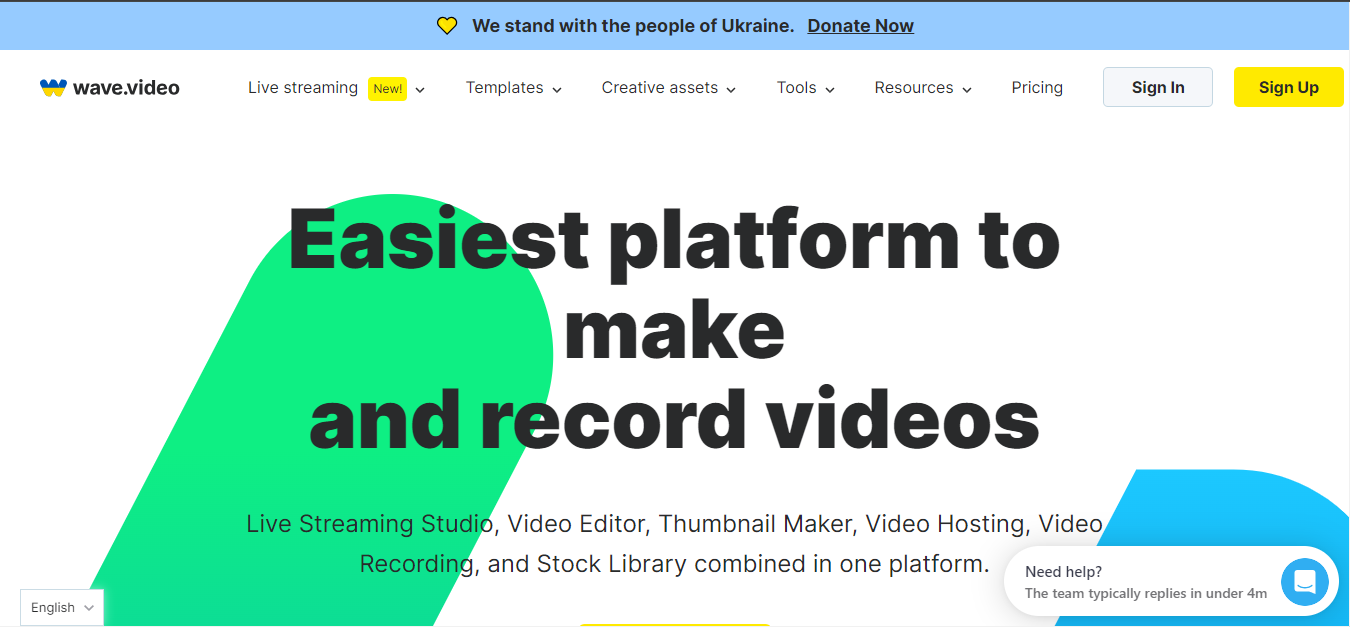
Wave.video is perfect for creating engaging video ecards. It’s an all-in-one platform that allows you to choose from a variety of Valentine’s Day templates, customize them, and export a professional-looking video. Whether you want to use personal videos or stock footage, Wave.video has you covered.
- Pros: Tons of templates, easy-to-use.
- Cons: Limited features on the free plan.
Comparison Table
| Name of Tool | Best for | Standout Feature | Pricing |
|---|---|---|---|
| Canva | Easy and fast video ecard creation | Wide range of free templates and resources | Free with premium features |
| Smilebox | Beginners who want simple, personalized ecards | Personalization with music options | Free with subscription for additional features |
| Animoto | Professional video slideshows | Drag-and-drop interface for quick video creation | Free with watermark; paid plans available |
| Adobe Express | High-quality video ecards | Pre-made professional templates | Free with premium subscription |
| Renderforest | Quick, high-quality video creation | Automated video generation with templates | Free with limited customization; paid plans available |
| FlexClip | Customizable video ecards | Large selection of video templates | Free with watermark; premium plans available |
| Kizoa | Highly customizable video ecards | Valentine-specific templates | Free with limited features |
| InVideo | Fast and professional video creation | Customizable Valentine’s Day templates | Free with watermark; paid plans available |
| Kapwing | Editing tools for polished video ecards | Vast range of free editing tools and animations | Free with basic use; paid options available |
| Wave.video | Engaging video ecards | Variety of Valentine’s Day templates | Free with limited features; premium plans available |
Final Thoughts-Make Your Valentine’s Day Special with a Personalized Video Ecard
Sending a video ecard this Valentine’s Day is a thoughtful and unique way to express your feelings. With the help of these free Valentine Ecard Wishes Video Maker tools, creating a personalized ecard is easy, fun, and most importantly, heartfelt. Whether you’re sending it to your partner, family, or friends, a video ecard will surely make them smile. Try one of the tools listed above and create a memorable Valentine’s Day video that your loved ones will cherish!
FAQs
What is the best free Valentine’s Day video ecard maker?
Canva is the easiest all-round option, Adobe Express and Kapwing suit quick edits, and Smilebox, Animoto and Kizoa focus on template-led greeting videos. Pick based on whether you want a photo montage or a short animated message. Details and limits change over time, so confirm them on the vendor’s own site before you commit.
Can I use a Valentine’s video ecard maker for free?
Most tools in the comparison table offer a free plan or a free trial, but free exports commonly carry a watermark, a lower resolution or a length cap. Check the current free-plan limits on each vendor’s pricing page before you commit to a deadline, because plans and limits change.
Do I need design or editing experience?
No. The tools in this list are built around templates and drag-and-drop editing, so you can swap text, images and brand colours without learning a professional editor. Pick a template close to your finished idea, change the wording, and export. More advanced editors give more control but are not required for this job.
How long should a Valentine’s video ecard be?
Aim for 20 to 60 seconds, which is long enough for a few photos and a personal message but short enough to watch to the end. Put the strongest message in the first few seconds and end on a clear closing line.
When should I start preparing a Valentine’s video ecard?
Start a few weeks before 14 February so you can test two or three tools, build a draft and leave time to fix mistakes. The National Retail Federation describes record Valentine’s Day spending, which means crowded feeds and inboxes, so an earlier and more polished message stands out.
Sources
- National Retail Federation: Valentine’s Day data and trends
- Straits Research: Video Editing Software Market
Interesting Reads
Best Free Valentine’s Day Sale Flyer Maker