
A public job board and an alumni career board solve two different problems. A public board wants more traffic: more candidates, more employers, more listings. An alumni career board wants the opposite kind of growth: a smaller, trusted pool where every candidate shares a verifiable credential (they graduated from this institution) and every employer is there because that credential is worth something to them.
That difference is why universities, colleges, bootcamps, and professional associations keep asking the same question: how do we build a job board that only our graduates can use, where employers can specifically target people who came through our program? The short answer is WP Career Board, the self-hosted WordPress job board plugin from Wbcom Designs, paired with a membership or community layer that handles the part WP Career Board doesn’t: verifying who actually gets in.
This guide walks through both halves. First, the parts WP Career Board does natively and well: public listings, employer and candidate dashboards, a company directory, and (on the paid tier) a Kanban-style applicant pipeline. Second, the part it doesn’t do out of the box: restricting that board to verified alumni only, and why you’ll need to pair it with a membership plugin to get there honestly.
Table of Contents
- Why Alumni-Only Job Boards Beat Public Ones
- What Actually Makes an Alumni Career Board Different
- Setting Up WP Career Board
- Gating Access to Verified Alumni Only
- Employer Accounts for Institution-Specific Recruiting
- A Company Directory for Alumni-Founded Businesses
- Candidate Dashboards for Alumni Job Seekers
- Real-World Scenario: An Alumni Association Launch
- FAQs
Why the referral effect matters here: referred candidates make up only around 7% of applicants industry-wide, yet account for roughly 40% of all hires, and a referred candidate’s odds of being hired run near 1-in-16 compared with about 1-in-100 for someone from the general applicant pool (Jobvite data, cited via Undercover Recruiter). An alumni network functions as exactly this kind of trust-based referral pool at institutional scale, which is the entire case for building a dedicated board around it instead of posting to a generic jobs site.
Why Alumni-Only Job Boards Beat Public Ones
A general job board competes on volume. An alumni career board competes on trust, and trust is the thing a university’s career services office is actually selling when it tells a graduating class “stay connected, we’ll keep opportunities coming.” Three dynamics make the alumni-only version worth building separately from a generic careers page:
The network effect is real and underused. Most institutions already have thousands of alumni with LinkedIn profiles nobody curates and a career services inbox nobody checks after graduation. A dedicated board gives that network a destination, which is the difference between “we have alumni” and “we have an alumni community that does things.”
Employers want to recruit from a specific pool, not the open internet. A hiring manager who studied mechanical engineering at your institution fifteen years ago trusts a candidate pool filtered to “graduated from this program” more than one filtered by keyword search on a general board. That’s a qualitatively different applicant pool, and it’s the reason employer-sponsored scholarships, co-op programs, and recruiting partnerships exist in the first place.
Access control signals value. A board anyone can browse reads as a commodity. A board that requires verified alumni status to see full listings reads as a benefit of belonging, which matters for institutions trying to justify dues, donation asks, or continued engagement after graduation.
What Actually Makes an Alumni Career Board Different
Functionally, an alumni career board and a public job board run on the same plumbing: job post types, employer accounts, applications, a company directory. The difference is entirely about who gets to see and do what, and that access layer sits outside the job board plugin itself. It’s worth being specific about this split before you start building, because it changes which plugin does which job:
- WP Career Board handles: the job listings, employer dashboard, candidate dashboard, applications, company profiles, and (in the paid tier) the hiring pipeline and resume search.
- A membership or community plugin handles: verifying someone is actually an alumnus, restricting pages and content to that verified group, and giving alumni a profile and directory presence that’s worth more than an anonymous visitor’s.
Treating these as two separate jobs, rather than expecting one plugin to do both, is what keeps the setup honest and maintainable. We’ll build the WP Career Board side first, then cover the access-control layer in its own section below.
Setting Up WP Career Board
WP Career Board installs like any WordPress plugin and ships with a working public board, employer dashboard, candidate dashboard, and company directory on the free tier, no WooCommerce or third-party form builder required.
Step 1: Install and create your board pages. After activation, WP Career Board auto-generates the core front-end pages: a public job listing archive, an employer dashboard, and a candidate dashboard. Each renders through the WordPress Interactivity API, so filtering by location, salary, and job type happens instantly without full page reloads, which matters once your alumni base is large enough that nobody wants to wait on page loads to browse fifty openings.
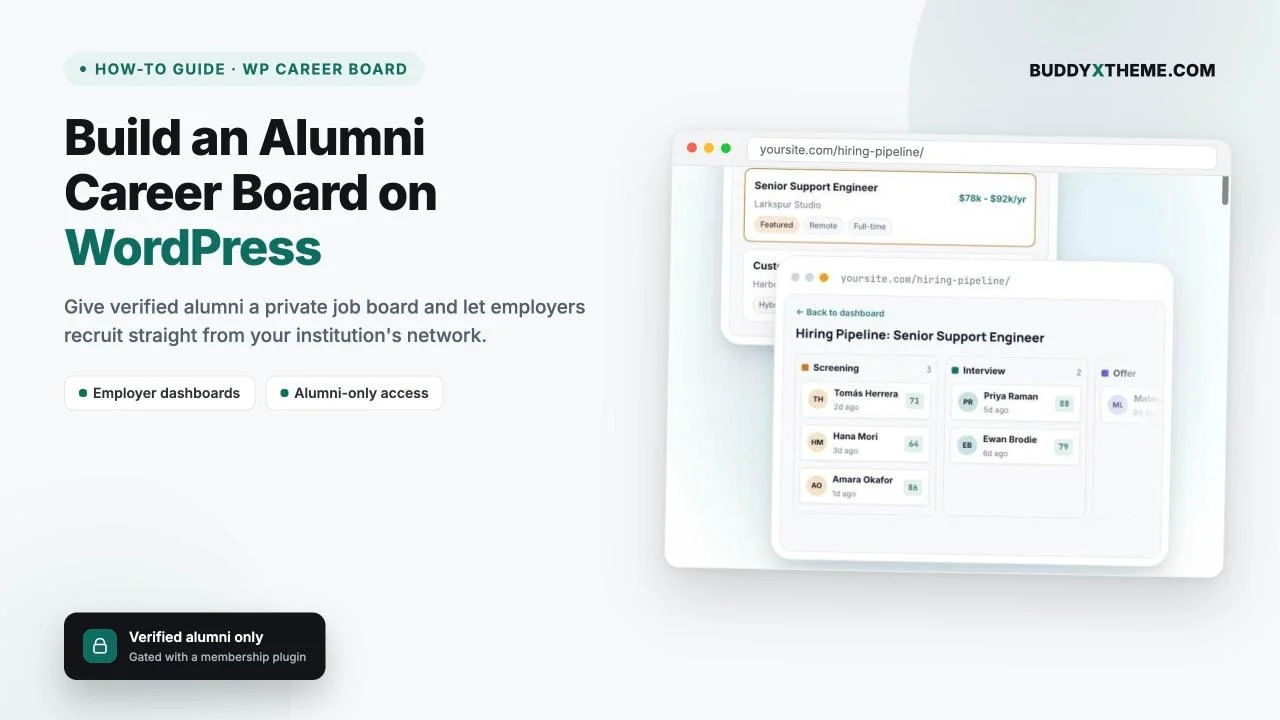
The screenshot below shows the employer-side view: a drag-and-drop hiring pipeline where applicants move through Screening, Interview, and Offer stages, each card showing a candidate’s name, application date, and a match score. This particular view is a Pro feature (the free tier ships a flat applicant list with status tags instead of the Kanban board), but the underlying dashboard, where employers post and manage jobs with no wp-admin access, is free on every install.

WP Career Board’s employer-side hiring pipeline, used here to manage alumni applicants by stage.
Step 2: Configure job categories around your programs, not generic industries. A general job board organizes by industry: tech, healthcare, finance. An alumni board should organize by what actually differentiates your population: by school or college within the university, by graduating cohort range, or by credential type (undergraduate, graduate, certificate program). This is a taxonomy decision you make in WP Career Board’s job category settings, and it’s worth doing before you open the board rather than retrofitting it after alumni start posting.
Step 3: Set listing expiry and moderation. The free tier includes automatic listing expiry, so stale postings drop out of search on their own instead of accumulating as dead weight. Pair this with manual approval on new employer accounts (covered in the employer accounts section below) so every company appearing on your board has actually been vetted as relevant to your alumni, not just anyone who found the submission form.
Step 4: Decide what’s free vs. what needs the paid tier. The free tier covers the public board, both dashboards, the company directory, and basic applicant tracking with CSV export. The paid tier (priced per year, scaling with the features enabled) adds the Kanban-style hiring pipeline, AI-assisted job description writing, a structured resume database with employer search access, and paid or featured listings if you want to charge employers for premium placement. For most alumni associations launching their first dedicated board, starting on the free tier and upgrading once employer demand justifies resume search or paid listings is the lower-risk sequence.
Gating Access to Verified Alumni Only
Here’s the part that trips people up: WP Career Board does not include a built-in alumni verification or membership-restriction feature. It’s a job board plugin, not a membership plugin, and its own documentation is explicit that it works on any WordPress theme with no BuddyPress or community-platform requirement. Out of the box, anything you publish on a WP Career Board install is visible to anyone who finds the URL, alumni or not.
That’s not a flaw. It’s a scope decision, and the fix is straightforward: pair WP Career Board with a plugin whose actual job is membership verification and content restriction, then put the job board pages behind that gate. You have a few honest options, in increasing order of how deep the alumni experience goes:
Option 1: A content-restriction plugin on top of standard WordPress user roles. The lightest approach: create an “Alumni” user role, manually or in bulk verify graduates against your registrar records, and use a membership-restriction plugin to lock the job board pages to logged-in users with that role. This gets you access control without a full community layer, and it’s the right call if all you need is a gate, not a social destination.
Option 2: A full community platform for verification, profiles, and directory presence. If the alumni career board is one piece of a larger alumni engagement strategy, pairing WP Career Board with a self-hosted WordPress community platform like BuddyNext gives you member profiles with custom verification fields (graduation year, degree, school), a searchable alumni directory, and private group or content restriction built around those profiles, all of it running on infrastructure you own rather than a third-party SaaS alumni platform. In this setup, an alumni’s community profile becomes the credential: WP Career Board checks “is this person logged in and a member of the right group,” and the community platform is what decided they earned that membership in the first place.
Either way, the integration point is the same: WP Career Board’s dashboards and listing pages are standard WordPress pages, so any plugin capable of restricting WordPress page or post-type access by user role or membership group can sit in front of them. Set the job board pages to require login, assign verified alumni to the role or group your restriction plugin checks, and the board itself never needs to know anything about verification logic. It just serves whoever gets through the gate.
One thing worth deciding explicitly: will the public board stay partially visible (job titles and company names shown, full descriptions and apply buttons locked) as a recruitment tool for prospective alumni engagement, or fully hidden behind login? Partially visible tends to work better for institutions trying to demonstrate value to alumni who haven’t engaged yet; fully hidden suits boards where employers specifically don’t want listings crawled or indexed publicly.
Employer Accounts for Institution-Specific Recruiting
The employer side needs its own gate, separate from the alumni-access gate, because the people you want posting jobs aren’t alumni (usually), they’re hiring managers and recruiters who want access to your alumni pool specifically.
WP Career Board’s employer registration flow runs entirely on the front end: a company creates an account, fills out a profile, and gets a dashboard for posting and managing listings with no wp-admin access required. For an institution-specific board, the setup worth adding on top is manual employer approval. Rather than letting any company self-register and post immediately, route new employer signups through a moderation queue (WordPress’s native pending-post status works for this, or a plugin-level approval setting if WP Career Board exposes one) so your career services team confirms each employer actually has a legitimate reason to recruit from this specific alumni population before their listings go live.
This matters more for alumni boards than public ones because the trust relationship runs both directions: alumni trust that employers on the board are vetted, and employers trust that the pool they’re recruiting from is genuinely restricted to your graduates, not padded with general-public applicants who found the page through search. Both of those only hold if someone is actually checking, which is a process decision, not a plugin setting.
A practical addition here: ask employers during registration to specify what makes them want to recruit from your specific alumni network; a prior hire from your program, a formal recruiting partnership, a scholarship or co-op relationship. That field alone does a lot of the moderation work for you, because employers with no real connection to the institution rarely bother filling it out convincingly.
A Company Directory for Alumni-Founded Businesses
WP Career Board’s free tier includes public company profile pages that automatically list each employer’s open roles, which means the board doubles as a company directory without any extra setup. For an alumni career board, this feature does double duty beyond standard recruiting.
Alumni-founded companies are one of the most underused assets in a typical alumni network. A graduate who started a company five years after leaving your program is exactly the kind of employer who wants to hire other alumni, and exactly the kind of success story an alumni association wants to showcase. The company directory gives both of those a home: alumni-founded businesses get a profile page with their open roles, and the directory itself becomes a browsable list of “companies founded by people who went here,” which is content worth promoting on its own, separate from active job openings.
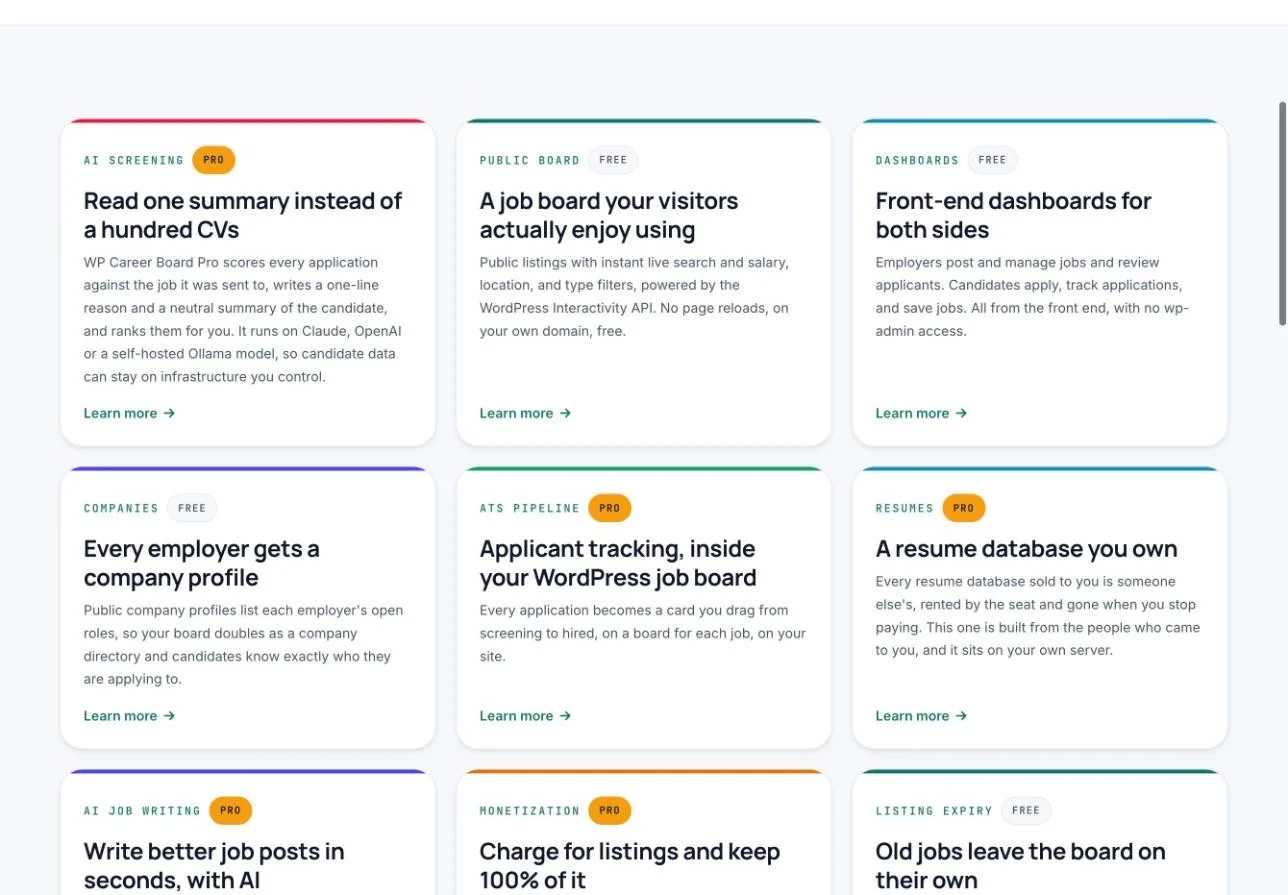
The free-tier building blocks an alumni career board uses: a public board, front-end dashboards for both sides, and a company directory.
To make this work well, tag or flag alumni-founded companies distinctly in the directory, whether through a custom field, a badge, or a dedicated filter. That distinction is what turns a generic company list into a feature alumni associations can market in their own right: “browse businesses founded by our graduates” is a stronger pitch to prospective students and donors than “browse our job board.”
Candidate Dashboards for Alumni Job Seekers
On the candidate side, WP Career Board gives alumni a front-end dashboard to track applications, save or bookmark jobs, and signal “open to work” status, all without needing wp-admin access or a separate login system beyond whatever your membership gate already requires.
For an alumni population specifically, a few dashboard behaviors are worth configuring deliberately rather than leaving at defaults:
Profile completeness as a trust signal. Since employers are specifically recruiting for the “went to this institution” credential, make sure the candidate profile surfaces graduation year and program prominently, not buried under generic resume fields. If your membership plugin already captures this data for verification, carrying it through to the visible candidate profile (rather than re-asking for it) keeps the experience from feeling redundant.
Saved jobs as a re-engagement hook. Alumni who aren’t actively job hunting still benefit from bookmarking postings for later, especially passive candidates who’d consider a move for the right opportunity at a company connected to their alma mater. This is a free-tier feature already, so there’s no extra setup beyond making sure it’s visible and easy to find on the dashboard.
“Open to work” signals, used sparingly. This status makes a candidate more discoverable to employers browsing the board, which is valuable, but it’s also a visibility decision alumni should make deliberately rather than something turned on by default. Leave it opt-in.
Resume search and a structured resume database that employers can query directly are Pro-tier features; on the free tier, employers see applications only after a candidate applies to a specific listing. For most first-launch alumni boards, that applicant-initiated flow is enough. Resume search becomes worth adding once employer demand for proactive sourcing (rather than waiting for alumni to apply) shows up consistently.
Real-World Scenario: An Alumni Association Launch
Here’s how this comes together end to end, using a composite scenario based on how these launches typically run.
A regional university’s alumni association, roughly 40,000 graduates across three decades, decides its existing approach (a LinkedIn group and a quarterly email newsletter with a few job links pasted in) isn’t delivering enough value to justify the alumni dues conversation. The career services office and alumni relations team agree to build a dedicated alumni career board as a membership benefit.
They install WP Career Board on the alumni association’s existing WordPress site and set up the public board, employer dashboard, and candidate dashboard using the default configuration, organizing job categories by college (Business, Engineering, Arts & Sciences, Education) rather than generic industry labels. In parallel, they pair it with a membership platform that already handles their alumni directory, giving each verified graduate a profile with degree, graduation year, and major, and restricting the job board’s full listings and apply functionality to members with verified alumni status.
For employers, they set registration to require manual approval and add a required field asking for the employer’s connection to the university. In the first month, this surfaces a mix of alumni-founded startups, regional employers with existing co-op partnerships, and a handful of larger companies recruiting specifically because a hiring manager is an alumnus. The company directory, populated automatically from employer profiles, becomes a secondary page the alumni office links from its “give back” section, specifically highlighting alumni-founded businesses.
Within the first quarter, the alumni association reports the board as one of the top three reasons alumni cite for staying engaged post-graduation, specifically because it’s restricted, not despite it: alumni trust that everyone else browsing the same listings also graduated from the same institution, and employers trust they’re recruiting from a vetted pool rather than the open internet. That combination, not any single plugin feature, is what the alumni-only framing actually buys.
Get Started with WP Career Board
If you’re building an alumni career board, employer recruiting portal, or any job board that needs to live on infrastructure you control rather than a rented SaaS platform, WP Career Board covers the job board half for free, with the hiring pipeline, resume search, and monetization available when you’re ready to scale up. Pair it with a membership or community plugin for the access-control half, and you have a complete alumni-only career board built entirely on WordPress.
FAQs
Does WP Career Board have a built-in way to restrict the job board to alumni only?
No. WP Career Board is a job board plugin, not a membership plugin, and it has no native alumni verification or access-restriction feature. To gate a board to verified alumni, pair it with a membership or community plugin that handles verification and page restriction, then point that restriction at WP Career Board’s dashboard and listing pages.
Is WP Career Board free to use for an alumni job board?
The free tier includes the public job board, employer and candidate dashboards, a company directory, and basic applicant tracking with CSV export, enough to run a functioning alumni board. The paid tier, priced annually, adds the Kanban-style hiring pipeline, AI job description writing, resume search, and paid listings.
Do I need BuddyPress or a community platform to use WP Career Board?
No. WP Career Board works on any WordPress theme with no BuddyPress or community-platform dependency. BuddyPress integration is available if you want community-based job posting, but it’s optional, not a requirement for the job board itself.
How do I verify someone is actually an alumnus before giving them board access?
Verification happens outside WP Career Board, in whatever membership or community plugin you pair it with. Common approaches include manual approval against registrar records, email domain verification for alumni with institutional email addresses, or an application/invite flow where new members submit graduation details for staff review before their account is activated.
Can employers see which candidates are alumni versus general applicants?
If your board is fully gated to alumni-only access, every applicant is by definition an alumnus, so there’s no need to distinguish. If you run a partially open board, surfacing graduation year and program prominently on the candidate dashboard profile (as covered in the candidate dashboard section above) is the practical way to make that distinction visible to employers.
Should the public board be visible to non-alumni, or fully hidden behind login?
Both approaches work, and the right choice depends on your goals. A partially visible board (job titles and companies shown, full details and apply buttons locked behind login) works well as a recruitment tool to show prospective and disengaged alumni what they’re missing. A fully hidden board suits institutions where employers specifically don’t want listings publicly indexed or searchable.
Can alumni-founded companies be highlighted separately from other employers on the board?
WP Career Board’s company directory lists every employer’s profile and open roles automatically, but distinguishing alumni-founded businesses from other employers requires a custom field, badge, or filter you add yourself; it’s not a built-in distinction. Most alumni boards handle this with a simple custom taxonomy or meta field flagged during employer approval.
What happens to job listings after they expire?
WP Career Board’s free tier includes automatic listing expiry. Once a posting passes its deadline, it stops accepting applications and drops out of active search results on its own, so stale listings don’t accumulate and dilute the board over time.
Can I charge employers to post on an alumni career board?
Yes, but paid listings and credit-pack purchases (via Stripe, PayPal, or WooCommerce) are a paid-tier feature. Most alumni associations launch with free employer postings to build initial traction, then introduce paid or featured listings once there’s enough alumni traffic to justify charging for premium placement.
Does moving to an alumni-only board hurt general SEO traffic compared to a public job board?
If you fully gate listings behind login, yes, search engines can’t index restricted content, so you lose the organic traffic a public board would generate. A partially visible board (public job titles and summaries, gated full descriptions) preserves some SEO value while still protecting the parts that make the board a genuine membership benefit. This is a real tradeoff worth deciding deliberately rather than defaulting to either extreme.
Summary
An alumni career board isn’t a different product from a public job board, it’s the same plugin wired up to a different access model. WP Career Board handles the job board mechanics: listings, employer and candidate dashboards, a company directory, and an applicant pipeline, all self-hosted and free to start. What it deliberately doesn’t do is decide who counts as “alumni” and lock the board down to them; that’s a membership or community plugin’s job, and pairing the two honestly, rather than expecting one tool to do both, is what makes the resulting board actually trustworthy to the alumni and employers using it.
Get the plumbing right in that order, job board first, access gate second, and the alumni-only framing does the rest: employers recruit from a pool they trust, and alumni engage with a benefit that’s actually restricted to them, which is the entire point of building it separately from a generic careers page in the first place.