

Managing a WordPress site can feel overwhelming. Between posting new content, managing SEO, responding to comments, and handling backups, there’s always something to do. That’s where automation plugins come in to save the day! In this blog, we’ll explore 10 of the best WordPress automation tools that can streamline your workflow and let you focus on growing your site.
Why Automation Plugins Are a Game-Changer
Save Time, Work Smarter
WordPress automation plugins are your virtual assistants. They handle repetitive tasks, such as posting to social media, optimizing images, or even replying to comments. Imagine the hours you’ll save every week by letting these plugins do the heavy lifting.
Boost Site Efficiency
Automation plugins don’t just save time; they also improve your website’s performance. From optimizing database queries to scheduling tasks, these tools ensure your site runs like a well-oiled machine.
Let’s dive into 10 of the best WordPress automation tools that can supercharge your site.
1. Zapier for WordPress

If you’ve ever dreamed of connecting your WordPress site with hundreds of apps, Zapier makes it possible. It creates automated workflows, or “zaps,” between WordPress and other platforms.
Key Features
- Integrates with thousands of apps.
- Automates tasks like publishing posts to social media.
- Supports multi-step workflows.
Pros:
- Extremely versatile.
- Works with platforms like Slack, Gmail, and Trello.
Cons:
- Free plan is limited.
- Can be tricky for beginners.
2. WP Fusion (Lite)
WP Fusion is perfect for integrating your WordPress site with CRMs like HubSpot or ActiveCampaign. It automates customer interactions and marketing campaigns. The free WP Fusion Lite plugin on WordPress.org handles core CRM syncing; deeper integrations and advanced automation live in the paid tiers.
Key Features
- Syncs user data with your CRM.
- Automates email campaigns.
- Supports membership and e-commerce sites.
Pros:
- Ideal for businesses.
- Saves time on customer management.
Cons:
- Full feature set requires premium pricing.
- Advanced features require technical know-how.
Also Read: How to Add Product Brands to Your WooCommerce Store
3. Jetpack
Jetpack is a powerhouse plugin that offers automation for backups, security, and performance optimization. It’s like having an all-in-one toolkit.
Key Features
- Automated backups and restores.
- Monitors site downtime and performance.
- Includes a social sharing feature.
Pros:
- Comprehensive features.
- Trusted by millions.
Cons:
- Some features require a paid plan.
- Can be resource-heavy.
4. IFTTT (If This Then That)
IFTTT lets you create “applets” that automate tasks between WordPress and other services,for example, auto-posting new WordPress articles to social media.
Key Features
- Pre-made automation templates.
- Supports 800+ connected services.
- Easy-to-use interface.
Pros:
- Beginner-friendly.
- Free tier available to try it out.
Cons:
- The free plan is now capped at just 2 active applets,fine for testing, but too limited for real workflows. Paid plans start around $2.99/month for 20 applets.
- Dependency on third-party services.
5. AutomatorWP
AutomatorWP is a solid tool for creating custom automation workflows within your WordPress ecosystem.
Key Features
- Integrates with WooCommerce, LearnDash, and more.
- Triggers and actions to automate tasks.
- No coding required.
Pros:
- Highly customizable.
- Free and premium versions available.
Cons:
- Steeper learning curve for non-tech users.
- Limited integrations in the free version.
6. Uncanny Automator
Uncanny Automator lets you connect WordPress plugins and external apps to create seamless workflows, and it’s one of the most widely used tools in this category (2M+ downloads).
Key Features
- Integrates with dozens of apps and plugins.
- Supports WooCommerce and membership sites.
- Drag-and-drop builder.
Pros:
- Very user-friendly.
- Free version includes many integrations.
Cons:
- Premium plan needed for advanced workflows.
- Some integrations are Pro-only.
Also Read: Best WordPress Theme Builder Software
7. SchedulePress
Formerly known as WP Scheduled Posts (officially rebranded, with the same core features carried over), SchedulePress simplifies content scheduling and publishing.
Key Features
- Drag-and-drop content calendar.
- Auto-publish posts on social media.
- Supports multi-author blogs.
Pros:
- Streamlines content management.
- Great for editorial teams.
Cons:
- Focused solely on content automation.
- Limited social media integrations on the free tier.
8. Newsletter Glue
Newsletter Glue turns your WordPress dashboard into a newsletter tool, automating the process of turning blog posts into email newsletters. One important update: Newsletter Glue closed its free WordPress.org plugin and is now premium-only, starting at $29/month (Send plan, up to 25,000 sends/month) or $150/month (Connect plan, for use with an external ESP like Mailchimp or ActiveCampaign).
Key Features
- Seamless integration with email platforms.
- Pre-built newsletter templates.
- Auto-pull blog posts into emails.
Pros:
- Saves hours on email creation.
- Simple setup.
Cons:
- No free plugin anymore,paid plans only, starting at $29/month.
- Best suited to publishers already running a serious content operation.
9. Broken Link Checker
Broken links hurt your SEO. Broken Link Checker automates the process of identifying them so you can fix or remove them.
Key Features
- Scans for broken links automatically.
- Flags broken links for review.
- Easy to configure.
Pros:
- Improves SEO effortlessly.
- Free to use, and actively maintained with regular security and compatibility updates.
Cons:
- Can slow down site performance during scans, especially on large sites.
- Best paired with a caching setup to offset the scan overhead.
10. WP All Import
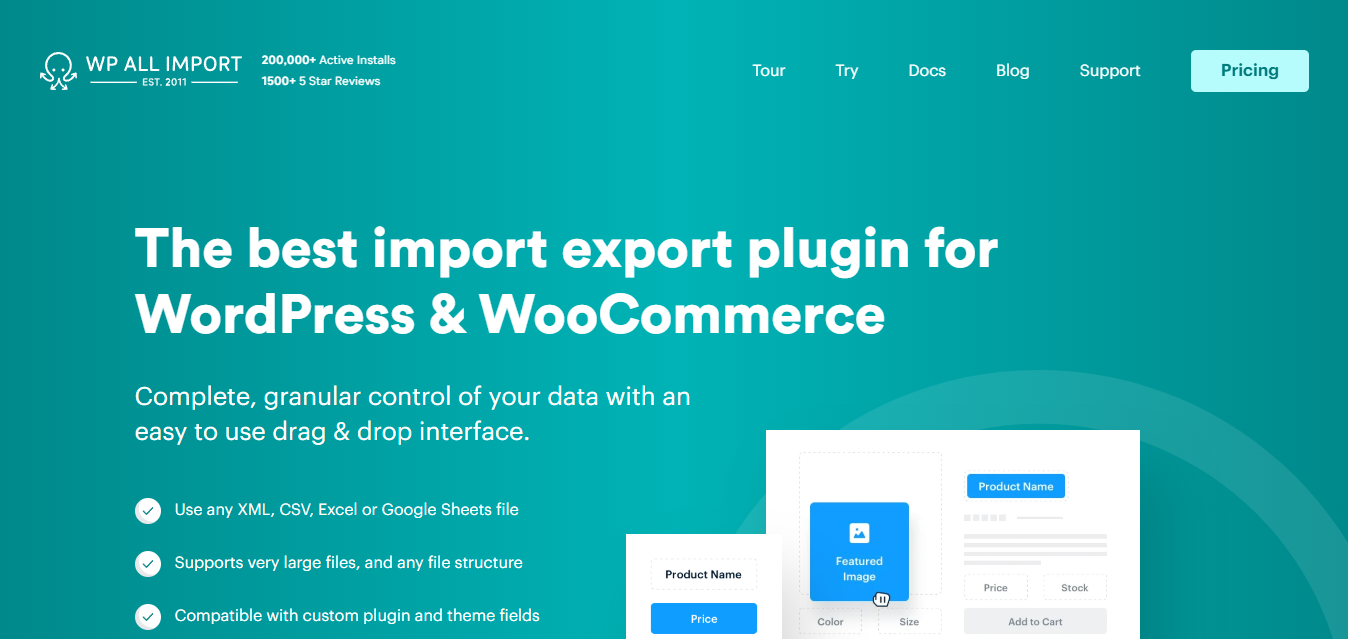
When it comes to importing data into WordPress, WP All Import takes automation to a new level. It’s perfect for handling large amounts of data.
Key Features
- Imports XML, CSV, Excel, and Google Sheets data.
- Drag-and-drop interface.
- Supports custom fields and taxonomies.
Pros:
- Excellent for bulk imports.
- Highly flexible.
Cons:
- Learning curve for advanced features.
- Premium version required for advanced integrations.
Comparison Table of 10 Best WordPress Automation Tools
| Tool | Key Features | Pros | Cons |
| Zapier | Multi-app integrations, workflows | Versatile | Limited free plan |
| WP Fusion (Lite) | CRM integration, email automation | Business-friendly | Premium pricing for full features |
| Jetpack | Backups, performance optimization | Comprehensive | Resource-heavy |
| IFTTT | Pre-made templates, multi-platform | Beginner-friendly | Free tier capped at 2 applets |
| AutomatorWP | Custom workflows, plugin integrations | Highly customizable | Steep learning curve |
| Uncanny Automator | Drag-and-drop, dozens of integrations | User-friendly | Some integrations Pro-only |
| SchedulePress | Content scheduling, social publishing | Great for editorial teams | Content-focused |
| Newsletter Glue | Blog-to-email automation | Time-saving | Paid-only, from $29/mo |
| Broken Link Checker | Automated link scanning | Improves SEO, free, actively maintained | Resource use during scans |
| WP All Import | XML/CSV/Excel imports, custom fields | Flexible for bulk imports | Requires premium for full use |
Final Reflection
There you have it,10 of the best WordPress automation tools to make your life easier. Whether you’re a blogger, business owner, or web developer, these tools can handle everything from content scheduling to CRM integration. Start with one or two and see how much time you save.
Interesting Reads:
Best WordPress File Upload Plugins [Both Free and Premium]