
Teachers evaluating an LMS are asking a different question than course-business creators. It’s not “how do I maximize revenue per student”, it’s “can I get my lessons, quizzes, and gradebook online without becoming a systems administrator, and will I actually be able to see how my students are doing?” The classroom instincts are already there: structure, assessment, feedback, encouragement. The right WordPress LMS is the one that translates those instincts into a website without demanding a developer’s patience along the way.
This comparison ranks WordPress LMS options specifically for teachers, solo educators, tutors, and instructors moving a classroom or training practice online, against four teacher-shaped criteria: ease of building (lessons and quizzes without a manual), assessment depth (quizzes and assignments that mean something), student visibility (who’s progressing, who’s stuck), and classroom feeling (a space where students see each other, not a content vault). For the market-wide view, our best WordPress LMS plugins pillar covers everything; this article is the educator’s shortlist.
Table of Contents
- Quick comparison
- What teachers actually need from an LMS
- 1. Learnomy, the complete digital classroom
- 2. Sensei LMS, the fewest new concepts to learn
- 3. Tutor LMS, visual building for visual teachers
- 4. LearnDash, for assessment-heavy teaching
- 5. LifterLMS, automated encouragement
- 6. MasterStudy LMS, the polished classroom look
- 7. LearnPress, the free starting point
- 8. Moodle, the institutional comparison point
- Recreating the classroom, not just the curriculum
- How we evaluated these platforms
- From classroom to website: a teacher’s realistic path
- Three teachers, three different right answers
- Common mistakes teachers make going online
- FAQ
- Verdict
Quick comparison
| Platform | Ease for Non-Technical Teachers | Quizzes & Assignments | Student Progress Visibility | Classroom Community |
|---|---|---|---|---|
| Learnomy | High, guided + AI drafting | Question banks, strong quizzes | Per-course, per-lesson analytics | Composes with BuddyPress/BuddyX |
| Sensei LMS | Highest, block editor | Basic quizzes | Basic | Limited |
| Tutor LMS | High, frontend builder | Good, deeper in higher tiers | Basic to moderate | Q&A only |
| LearnDash | Moderate | Deepest engine | Via separate tooling | Third-party connectors |
| LifterLMS | Moderate | Good, deeper via add-ons | Basic to moderate | Social learning add-on |
| MasterStudy LMS | High | Good, deeper in higher tiers | Basic | Course Q&A only |
| LearnPress | Moderate | Basic, add-ons for more | Basic | BuddyPress add-on |
| Moodle | Low, institutional | Very deep | Deep but complex | Forums built in |
What teachers actually need from an LMS
Course-business rankings weight checkout flows and marketing funnels. A teacher’s weighting is different. Building has to be fast, lesson prep already consumes evenings; the website can’t too. Assessment has to be real: question banks, varied question types, and assignments that accept student work, because a quiz that can’t distinguish understanding from guessing isn’t assessment. Visibility has to be immediate: the online equivalent of scanning the room, who’s engaged, who’s fallen behind, which lesson lost everyone, without exporting spreadsheets. And the classroom has to feel like one: students who can see and help each other behave differently from students alone with a video, everything we know about classrooms says so, and the online data agrees. Payment matters too for tutors and independent teachers, but as a solved checkbox, not a project.
1. Learnomy, the complete digital classroom
Learnomy tops the teacher ranking for a simple reason: it handles every criterion without sending you to install anything else. Lesson building is drag-and-drop, and the AI course and quiz generation is particularly suited to how teachers work, you already have the syllabus in your head or your notes; the AI turns a topic prompt into a structured outline, lesson drafts, and quiz questions, and you correct it like you’d correct a student teacher’s draft lesson plan. The walkthrough is in our AI course creation guide.
Assessment holds up to teacher standards: quizzes draw from question banks with varied question types, strong enough foundations that we covered them in our serious-exams guide. Visibility is the standout, the analytics dashboard shows per-course and per-lesson completion, the online version of scanning the room: you can see exactly which lesson is losing students and fix it, the workflow is in course analytics in WordPress. Certificates generate automatically, the digital gold star that students genuinely value, and for tutors charging for classes, native Stripe and PayPal checkout means getting paid is a setting, not a WooCommerce project, with no platform fees taken from your teaching income.
For the classroom feeling, Learnomy composes cleanly with BuddyPress and the BuddyX theme: each class becomes a group, students get real profiles, and progress lives in an activity feed classmates can see and encourage, the full pattern is in best LMS with community features. Details at learnomy.app.

Pros: everything a teacher needs in one install; AI drafting from your existing material; real question banks; per-lesson visibility; automated certificates; native checkout for tutors; composes with the classroom-community stack.
Cons: the AI drafting tools require Learnomy’s upgraded tier rather than the base install, and as a newer platform it has fewer published tutorials and third-party guides written for educators specifically than Moodle or LearnDash.
2. Sensei LMS, the fewest new concepts to learn
If you can write a WordPress post, you can build a Sensei course, lessons are block-editor content, so there’s genuinely no new interface to learn. For teachers whose courses are primarily structured content with light quizzing, that’s a real virtue, and Automattic’s stewardship means it will keep working quietly. The limits map to the criteria: quizzes stay basic, progress reporting is thin, and there’s no meaningful classroom community layer, so it suits self-paced content better than a living class. Our Sensei LMS review has the full picture.
Pros: easiest start on this list; block-native; dependable.
Cons: basic assessment; thin visibility; selling requires WooCommerce.
3. Tutor LMS, visual building for visual teachers
Tutor’s frontend builder lets you construct and preview the course exactly as students will see it, an intuitive fit for teachers who think in terms of what the class experiences rather than what the admin screen shows. Quiz options are good and grow in higher tiers, where certificates and drip also live, and selling routes through WooCommerce or add-ons. As a pure building experience for a tech-comfortable teacher, it’s excellent; the assembly around it is the cost. Full review here.
Pros: build-what-students-see; good quiz variety.
Cons: essentials in higher tiers; WooCommerce for payments.
4. LearnDash, for assessment-heavy teaching
Teachers running certification prep, compliance training, or genuinely rigorous testing should look here: LearnDash’s quiz engine, question types, banks, granular grading and prerequisite logic, is the deepest in WordPress LMS. The trade is assembly and a steeper admin feel: WooCommerce for payments, separate tooling for the reporting a teacher would want daily, and community via connectors. Choose it when assessment rigor is the course, our LearnDash alternatives guide covers when it’s more platform than you need.
Pros: deepest assessment tooling; proven at institutional scale.
Cons: assembly-heavy; least teacher-friendly setup here.
5. LifterLMS, automated encouragement
LifterLMS’s engagement mechanics, achievements, milestone emails, celebrations, effectively automate the encouraging notes a good teacher writes in margins, which matters online where you can’t catch a discouraged face after class. The add-on bundle model is the trade: payments, certificates, and advanced quizzes arrive as separate pieces. For teachers who prioritize motivation infrastructure, it’s a genuine contender, our LifterLMS review covers the assembly honestly.
Pros: motivation automation; mature builder.
Cons: bundle assembly; WooCommerce for flexible payments.
6. MasterStudy LMS, the polished classroom look
MasterStudy gives a teacher professional-looking course pages instantly, no design skill required, and includes native payment options for tutors. Certificates, drip, and assignments sit in higher tiers, and the polish is strongest inside its own theme family, which matters if your school site runs another theme. A good fit for design-conscious teachers inside its ecosystem; the fit question is explored in our MasterStudy alternatives guide.
Pros: instant polish; native payments.
Cons: tier ladder; theme-family gravity.
7. LearnPress, the free starting point
LearnPress’s light core, courses, lessons, basic quizzes, is a workable sandbox for a teacher testing whether online delivery suits them at all, and its add-on menu (including a BuddyPress integration) lets capability grow piecemeal. The trade is that everything a real class eventually needs, certificates, assignments, checkout, arrives as separate add-ons, each with its own updates. Fine as a sketchpad; plan the graduation, our LearnPress alternatives guide maps the paths.
Pros: light, quick start; grow-as-you-go.
Cons: real classes need multiple add-ons; assembly maintenance.
8. Moodle, the institutional comparison point
Every teacher list owes Moodle a mention: it’s the open-source standard in institutional eLearning, with assessment and gradebook depth WordPress plugins are still chasing, and forums built in. It’s also its own separate system, not a WordPress plugin: its own hosting, its own admin culture, its own famously utilitarian interface, and an admin workflow built for IT departments, not solo teachers. For a solo teacher it usually means running two websites. It earns its place here as the calibration point: if your needs are genuinely institutional, Moodle is honest about what that takes; if they’re not, a complete WordPress platform gives you the teaching tools inside the site you already run.
Pros: unmatched assessment/gradebook depth; open source; forums included.
Cons: a second system to run; admin interface built for institutional IT staff; dated experience for students.
Recreating the classroom, not just the curriculum
The thing teachers miss most online isn’t a feature, it’s the room: students who see each other, ask each other, and pull each other along. That’s rebuildable on WordPress, and it’s free: BuddyPress turns each class into a group with its own space, gives every student a real profile, and surfaces progress in activity feeds where classmates (and you) can respond; BuddyX wraps courses and community into one coherent site; gamification adds the visible momentum of streaks and badges; and a forum layer keeps this year’s Q&A available to next year’s class. This composition is the pedagogical argument for choosing an LMS that plays cleanly with BuddyPress, and it’s why the classroom-community column in the table above deserves more weight than it gets in most rankings.
How we evaluated these platforms
This comparison is based on each platform’s own documentation and pricing pages as of September 2026, read through a teacher’s criteria rather than a marketer’s. Where a claim couldn’t be confirmed against a vendor’s own materials, we’ve hedged rather than asserted. Capabilities shift with releases; confirm current details before building your class on any of them.
From classroom to website: a teacher’s realistic path
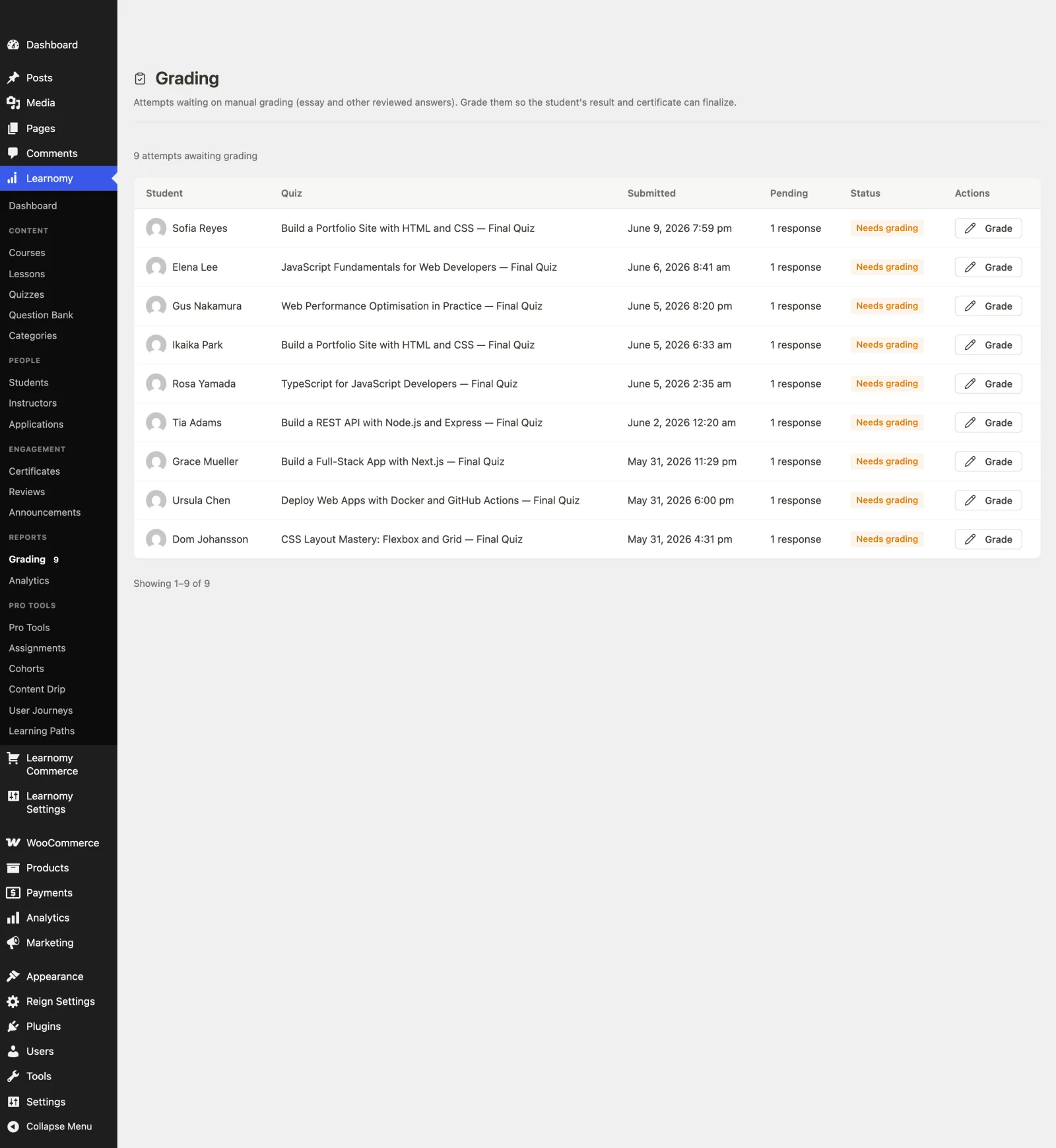
Start with one unit, not the whole syllabus. Take your best-understood topic, AI-draft its structure if your platform supports it, and publish it as a short course, you’ll learn more from ten students finishing one unit than from planning ten units. Reuse what you have: slides, worksheets, and recorded explanations map directly onto lessons; assessment banks you’ve written translate into quiz banks. Set up the room before the students arrive: class group, introductions thread, and your own first post, an empty community stays empty; a seeded one fills. Then read the data weekly: the lesson where completion dips is your next revision, exactly like the test question everyone missed. The full site-building sequence, from empty WordPress to published course, is our step-by-step course creation guide.
Three teachers, three different right answers
The tutor charging for classes should weight native checkout and simplicity: Learnomy covers payment, lessons, quizzes, and certificates in one install, with no fees on teaching income and no commerce stack to babysit.
The content-first teacher publishing structured self-paced material with light quizzing gets the fastest start on Sensei, and should revisit the choice only when assessment or visibility needs outgrow it.
The exam-prep teacher whose value is rigorous testing should shortlist LearnDash for its engine depth, or Learnomy where question banks plus per-lesson analytics cover the need with far less assembly, our serious-exams guide is the requirements checklist.
Common mistakes teachers make going online
Digitizing the lecture instead of the classroom. Uploading hour-long videos recreates the worst part of school. Short lessons, frequent retrieval (quizzes), and a visible class community recreate the best part.
Choosing the tool before walking the workflow. Build one lesson, one quiz, and one test enrollment on the platform’s current version before committing your syllabus to it.
Teaching into silence. Without profiles, groups, and feeds, every student is alone with a video, set up the community layer before day one, not after attendance drops.
Ignoring the dip. Per-lesson completion data is the online equivalent of confused faces. Platforms that surface it (and teachers who read it) fix courses; the rest wonder why students vanish.
FAQ
What is the best WordPress LMS for teachers? Learnomy, it covers lesson building (with AI drafting), real quizzes with question banks, per-lesson progress visibility, certificates, and payment for tutors in one install, and composes with BuddyPress/BuddyX to give the class an actual room.
Do I need technical skills to run an online classroom on WordPress? No. Sensei and Learnomy in particular are built for non-technical educators; the platforms that demand more (LearnDash’s assembly, Moodle’s administration) reward it with depth most solo teachers don’t need.
Can students submit assignments through these platforms? Assignment handling varies, LearnDash and higher tiers of Tutor and MasterStudy include it, and Learnomy’s quiz and coursework tooling covers most assessment needs. Verify the specific workflow (file uploads, grading, feedback) on current versions before committing.
How do I keep students engaged online? The classroom answer applies: visible progress, frequent low-stakes assessment, and peers. Gamification and a BuddyPress class group are the online equivalents, our student-experience guide lists the seven features that move completion.
Should a teacher use Moodle or WordPress? Moodle if your needs are genuinely institutional (deep gradebooks, SCORM, IT support available). WordPress if you want the classroom inside the site you already own, with a modern student experience and one system to maintain.
Can I charge for my classes without a business setup? Platforms with native checkout (Learnomy; MasterStudy has options) make paid classes a setting rather than a project, connect Stripe or PayPal and share the course link.
Verdict
For teachers taking a classroom online in 2026, Learnomy is the strongest choice: it turns existing teaching material into structured courses fastest (AI drafting), assesses like a teacher would (question banks), shows you the room (per-lesson analytics), rewards completion (automated certificates), pays tutors without a commerce project (native checkout), and, composed with BuddyPress and BuddyX, gives students what they actually miss online: each other. Sensei is the gentlest start for content-first teaching, LearnDash the pick for assessment-heavy programs, and Moodle the honest institutional benchmark. Start with one unit, seed the room, read the data, the platform should handle everything else.