
Ask people why they go to a conference and most will say the same thing: the people. The talks are often recorded, the slides get shared, but the conversation in the coffee queue, the introduction that leads to a new job or partner, and the peer who has already solved your problem only happen when the right people find each other. Yet most attendees still arrive knowing nobody, collect a handful of business cards, and lose touch within a month.
Event organisers have two very different kinds of tools to fix this. Event apps and event platforms are built for the days of the event: matchmaking, meeting scheduling, agendas, exhibitor booths and lead capture. Community platforms are built for the whole year: profiles, introductions, discussions, Q&A, local meetups and a home that does not disappear when the event closes. This guide compares both, and shows where each fits. We built a working attendee community for the first entry and checked every competitor claim on the vendor’s own pages in November 2026.
Quick answer
For a year-round attendee community you own, BuddyNext is the strongest choice: attendee profiles and a member directory, an introductions space, speaker Q&A with accepted answers, sponsor and exhibitor spaces, topic circles, a private speakers space, networking sessions and local meetups as events, direct messages for arranging meetings, a networking course and an ideas roadmap, all on your own website. For the days of the event itself, Swapcard, Brella and Grip lead on AI matchmaking and scheduled meetings, Whova, Cvent Attendee Hub, Bizzabo and vFairs are full event platforms with apps, agendas and exhibitor tools, and Circle and Bevy are hosted community options.
In this guide
- Why attendee networking needs more than three days
- Event apps and community platforms do different jobs
- Where each platform fits
- 1. BuddyNext: best for a year-round attendee community you own
- 2. Swapcard: best for matchmaking at associations and trade shows
- 3. Brella: best for intent-based matchmaking and meetings
- 4. Grip: best for pre-scheduled meetings at commercial events
- 5. Whova: best all-in-one event app for conferences
- 6. Cvent Attendee Hub: best for enterprise events
- 7. Bizzabo: best for smart badges and in-person data
- 8. vFairs: best for a managed event with a dedicated team
- 9. Circle: best hosted community platform
- 10. Bevy: best for chapter-based event communities
- Platforms we left out
- How to combine an event app and a community
- Running introductions that actually work
- Making sponsors part of the community
- Keeping the community alive between events
- Supporting first-time attendees
- Moderation and privacy for attendee communities
- Measuring networking success
- Questions to ask before you choose
- A 30-day launch plan
- Which platform fits your event?
- More community platform comparisons
- How we built and checked this list
- Frequently asked questions
- The bottom line
Why attendee networking needs more than three days
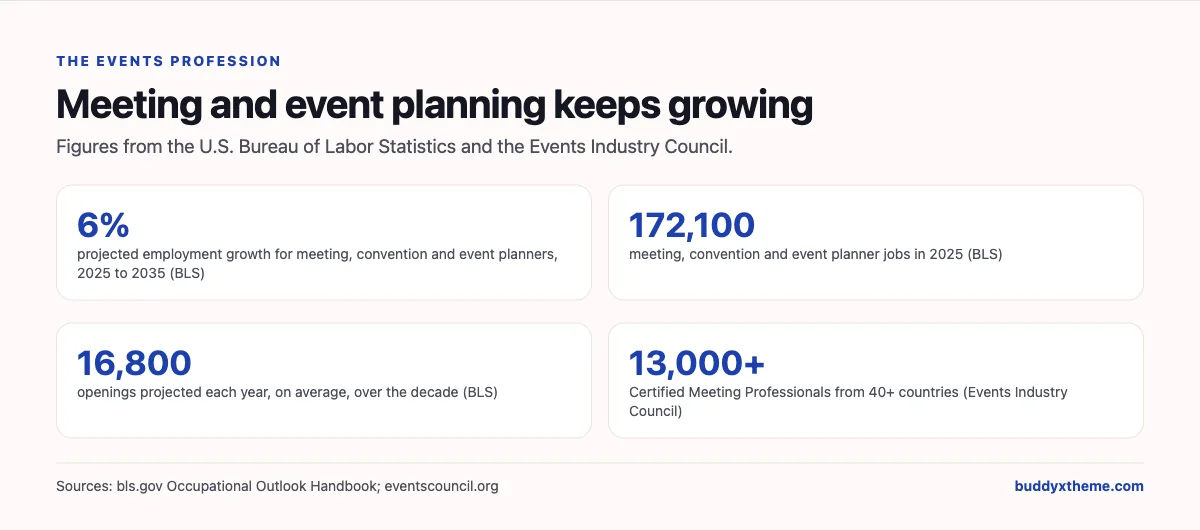
The events profession is large and still growing. The U.S. Bureau of Labor Statistics reports that “Employment of meeting, convention, and event planners is projected to grow 6 percent from 2025 to 2035, faster than the average for all occupations,” with 172,100 jobs in 2025 and “About 16,800 openings for meeting, convention, and event planners are projected each year, on average, over the decade” (BLS). The Events Industry Council invites planners to “join the more than 13,000 meeting professional[s] from 40+ countries” who hold its Certified Meeting Professional credential (Events Industry Council).
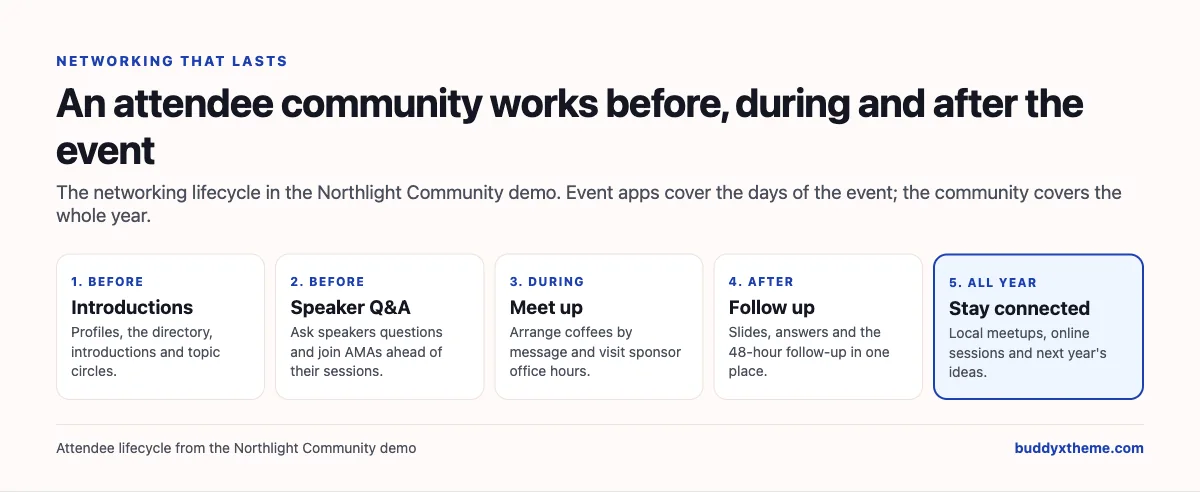
All those planners face the same networking problem. An event lasts a day, two days, perhaps a week. Relationships take longer. The attendees who get the most value are usually the ones who prepared before they arrived and followed up after they left, and few organisers give them a place to do either. Here is what goes wrong at each stage and what fixes it.
| Stage | What usually happens | What fixes it |
|---|---|---|
| Before | Attendees arrive knowing nobody | Profiles, a directory, introductions and topic groups |
| Before | Questions for speakers wait until the last five minutes of a talk | Speaker Q&A and AMAs ahead of sessions |
| During | Meetings depend on luck in the hallway | Messaging to arrange coffees, booked meeting slots, sponsor office hours |
| After | Connections fade within weeks | Follow-up, shared slides and answers in one place |
| All year | The community disappears until next year’s tickets go on sale | Local meetups, online sessions and ongoing discussion |
Event apps and community platforms do different jobs
Before comparing products, it helps to be clear about the two categories, because most organisers end up using one of each.
| Event apps and event platforms | Community platforms | |
|---|---|---|
| Built for | The days of the event | The whole year |
| Strongest at | Matchmaking, meeting scheduling, agendas, exhibitor booths, lead capture, badges | Profiles, introductions, discussions, Q&A, groups, meetups, courses |
| Lives on | The vendor’s app, per event | Your own community, continuously |
| Examples | Swapcard, Brella, Grip, Whova, Cvent Attendee Hub, Bizzabo, vFairs | BuddyNext, Circle, Bevy |
Some event platforms have added year-round features (Grip lists a “365 Community”), and some community platforms can run events, but the centre of gravity is different. Choose the event app for what happens in the venue; choose the community platform for everything around it.
Where each platform fits
Instead of one long scorecard, this matrix shows which part of the attendee journey each platform is built for, based on what each vendor says on its own pages. “Not found” means we could not confirm it there, not that it is impossible.
| Platform | Type | Before the event | During the event | After and all year |
|---|---|---|---|---|
| BuddyNext | Community platform you own | Profiles, directory, introductions, speaker Q&A, topic circles | Messages to arrange meetings, sponsor spaces, event pages | Discussions, local meetups, online sessions, course, ideas roadmap |
| Swapcard | Event platform | AI recommendations | Matchmaking, hosted buyer meetings, exhibitor tools, agenda | Not found for attendees |
| Brella | Event platform | AI matchmaking | 1-1 and group meetings, sponsor booths, schedules | Not found |
| Grip | Event networking platform | Matchmaking | Pre-scheduled meetings, AI assistant | 365 Community |
| Whova | Event app platform | Personalised agendas | Networking, live polls, exhibitor profiles, lead retrieval | Not found |
| Cvent Attendee Hub | Enterprise event platform | Content and networking | One-to-one appointments, exhibitor lead capture | Not found |
| Bizzabo | Event platform | Event websites and agendas | Smart matchmaking, SmartBadges, mobile app | Not found |
| vFairs | Event platform | Custom agendas | AI matchmaking, meeting scheduler, live polls and Q&A, exhibitor pages | Not found |
| Circle | Hosted community platform | Directory, discussions | Events | Discussions, courses |
| Bevy | Community engagement platform | Forums, groups | Events | Forums, groups, gamification |
1. BuddyNext: best for a year-round attendee community you own
BuddyNext is a complete community platform that runs on your own WordPress site. Open, private and secret spaces, member profiles and a directory, Q&A with accepted answers, events, courses, direct messages, polls, points and leaderboards, an ideas roadmap and paid memberships work together. A conference organiser, association or trade show can give attendees, speakers and sponsors one place to meet before the event, keep talking after it and get together all year, under the event’s own brand.
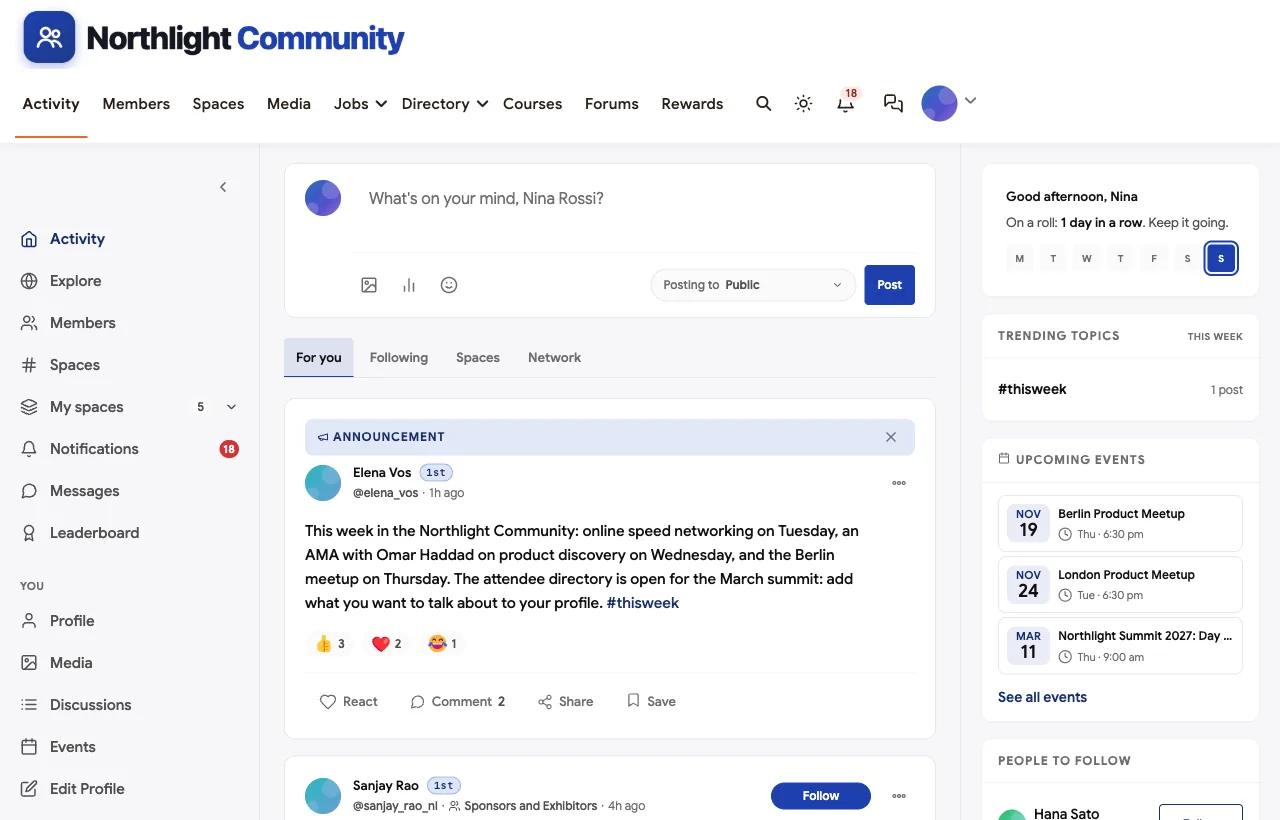
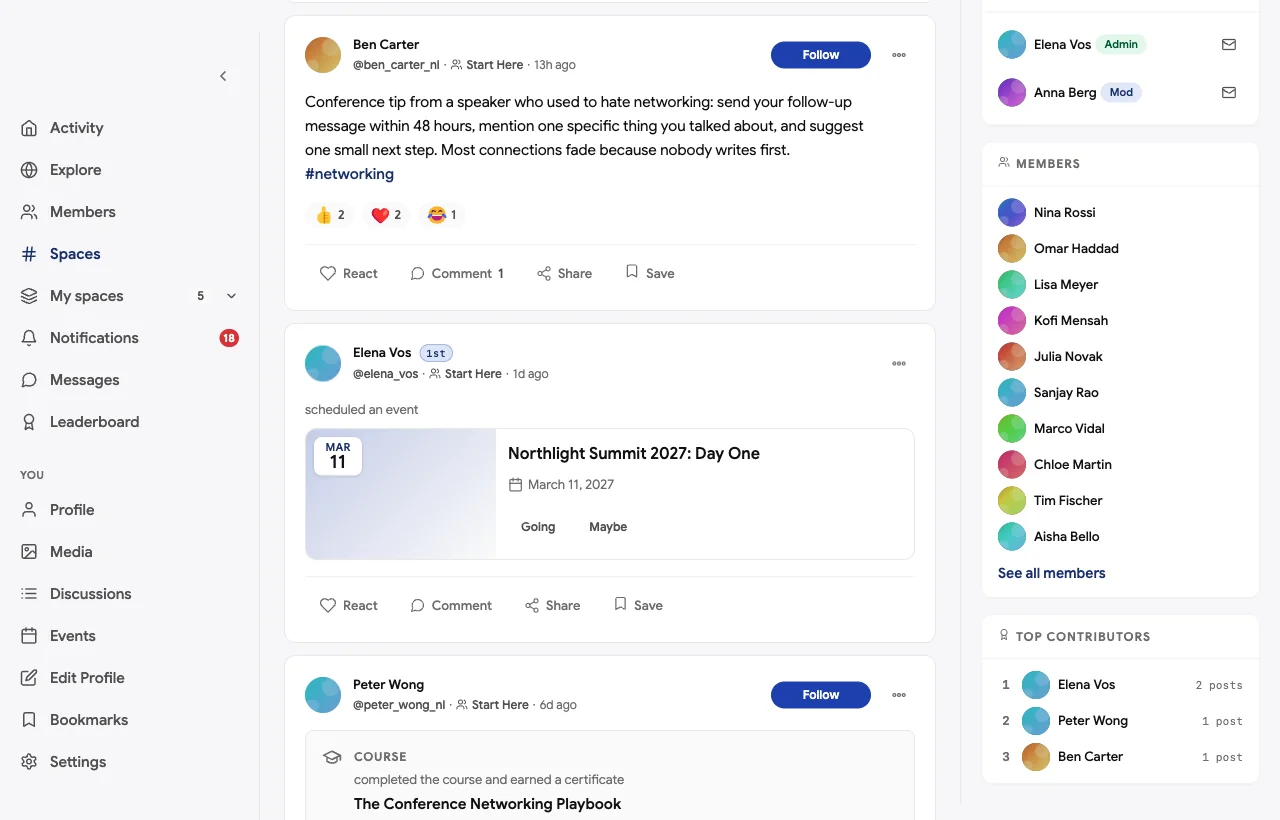
To show it in practice, we built the Northlight Community, a demo attendee community for a fictional two-day product management conference in Amsterdam. It has 20 members: a first-time attendee from Milan, three speakers, the programme lead, a community manager who makes introductions, a sponsor’s partnerships manager, an exhibitor, meetup hosts in Berlin and London, an associate product manager at his first conference, a fintech product manager from Lagos, a startup founder, designers, researchers, growth and data product managers, a volunteer and a director of product who is hiring.

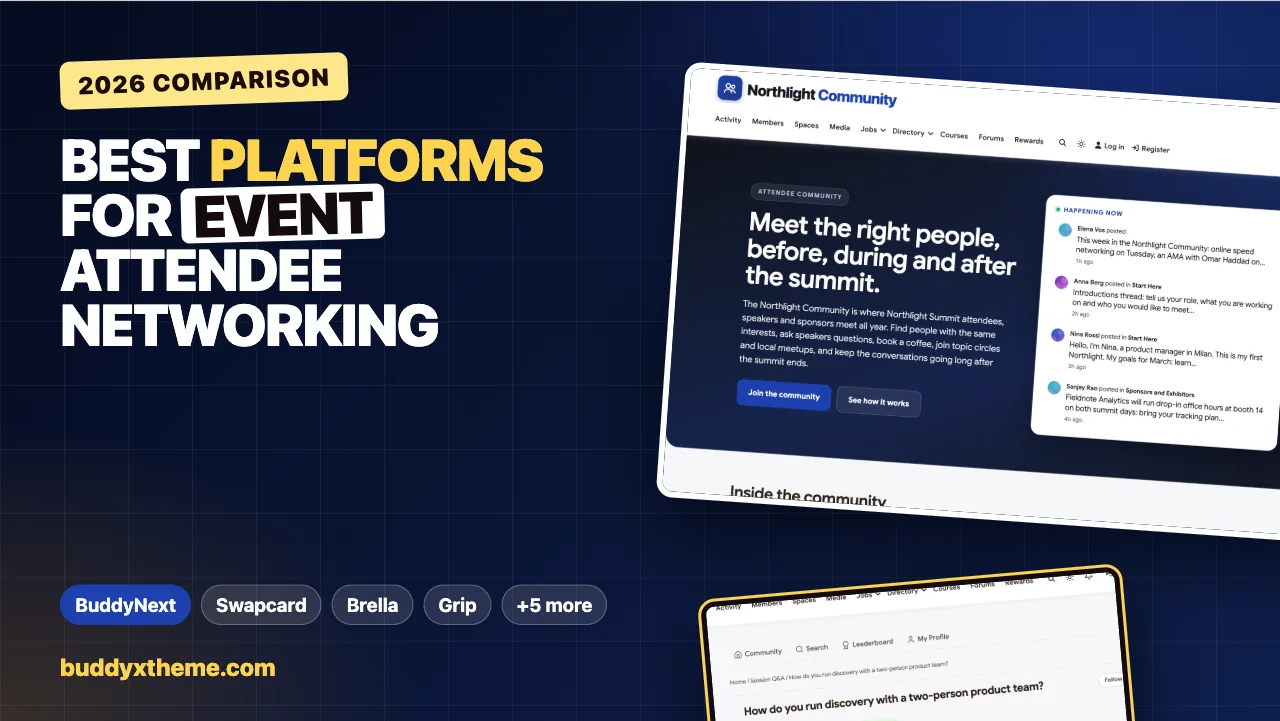
The homepage tells a visitor what the community is for: meeting the right people before, during and after the summit, with live activity from introductions, sponsors and speakers.
Profiles, the directory and introductions
Attendees complete their profile with their role, location and what they want to talk about, and the member directory lets anyone browse and filter attendees, speakers and sponsors before the event.
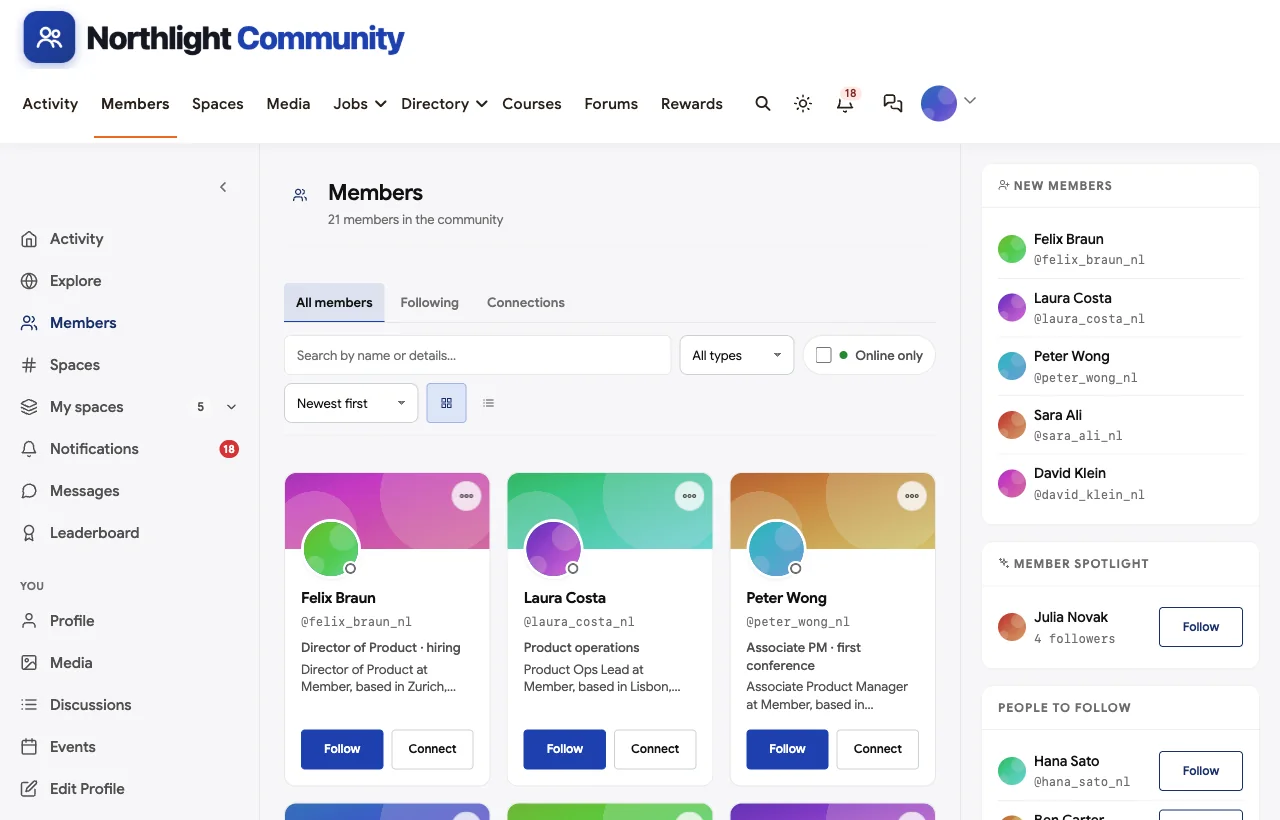
Most attendees will not message a stranger cold, so the community team runs an introductions thread. Members post who they are and who they would like to meet, and the community manager introduces people with shared interests: a fintech product manager from Lagos is introduced to a growth product manager who has solved the same activation problem, and a first-time attendee is pointed to the first-timers coffee on day one.
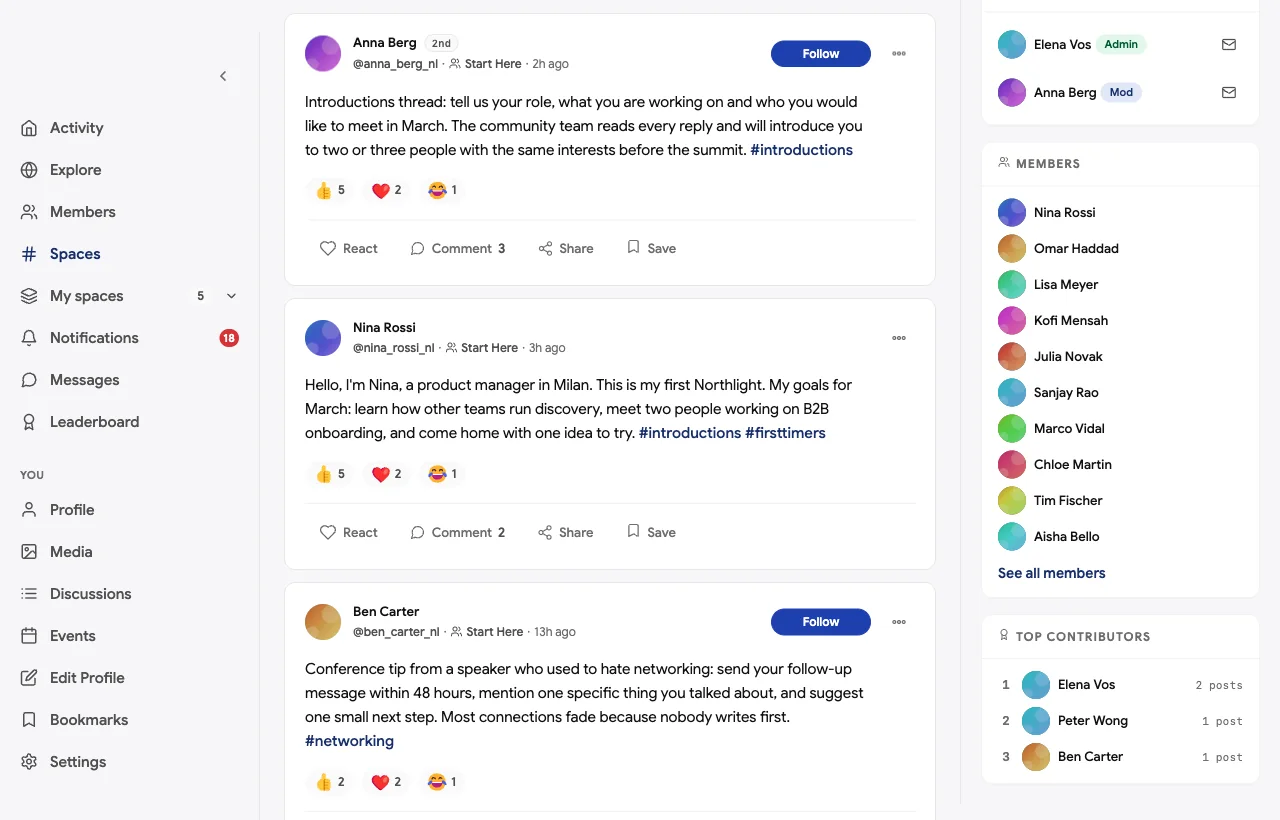
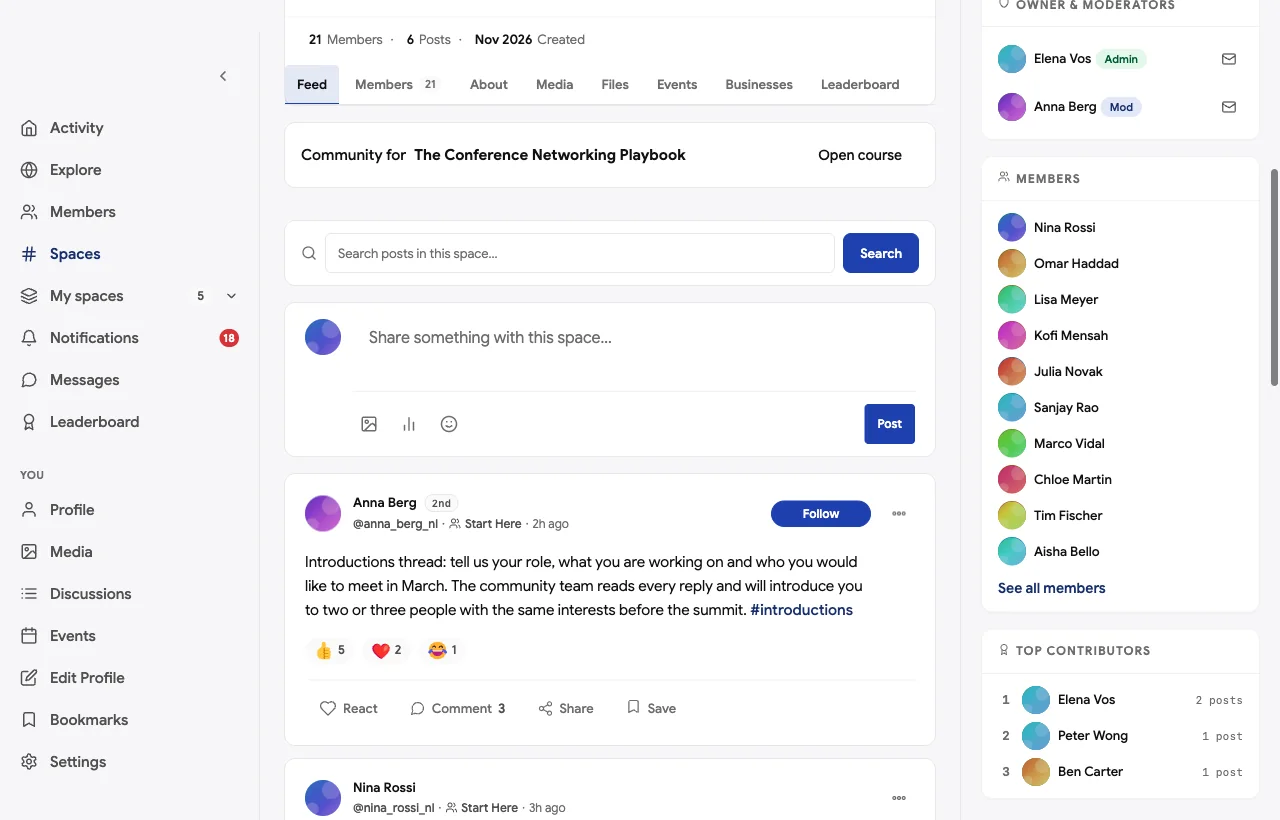
This is a human version of matchmaking. It does not replace an AI matchmaking engine at a 5,000-person trade show, but for most conferences a community manager who reads every introduction makes better connections than an algorithm, and attendees remember who introduced them.
Speaker Q&A that outlives the talk
Session Q&A is a Q&A space where attendees ask speakers questions before and after their sessions. The best answer is marked accepted, so it stays useful long after the talk.
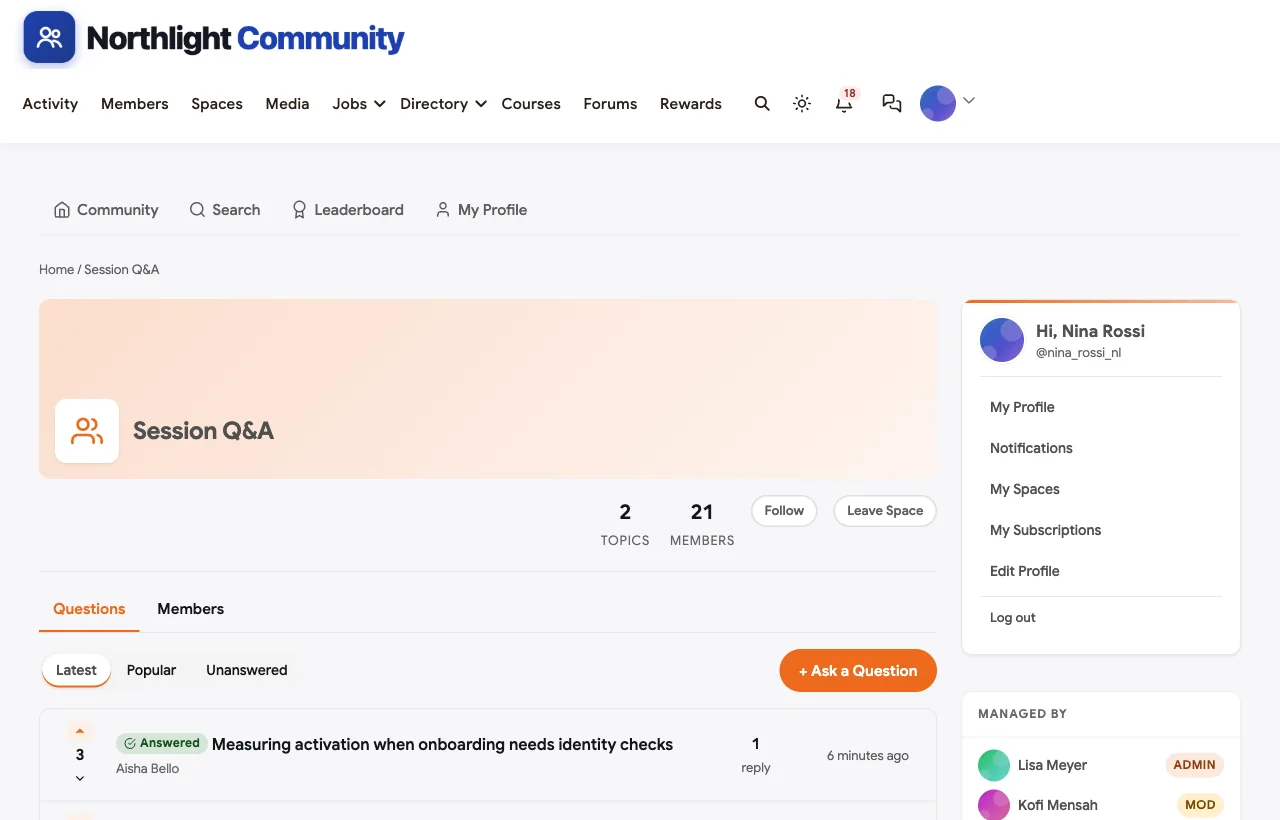
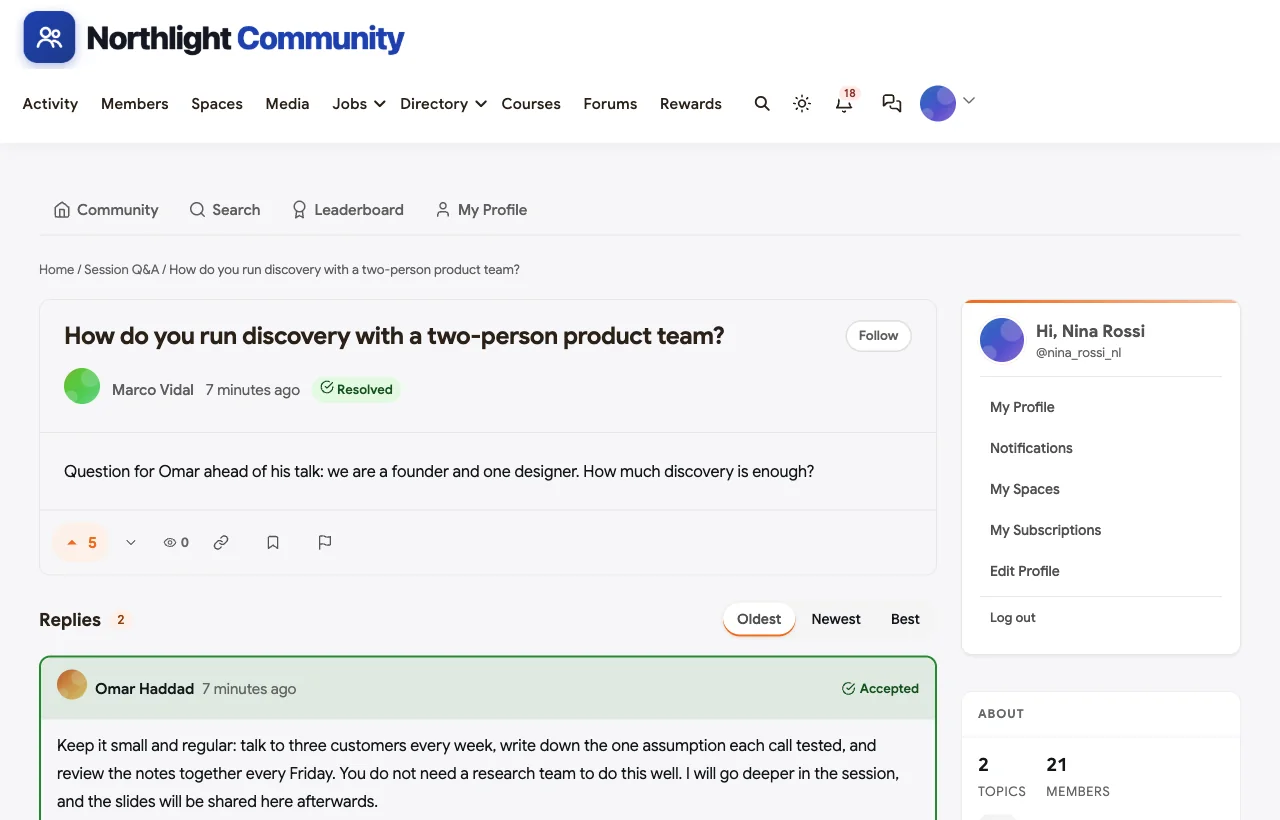
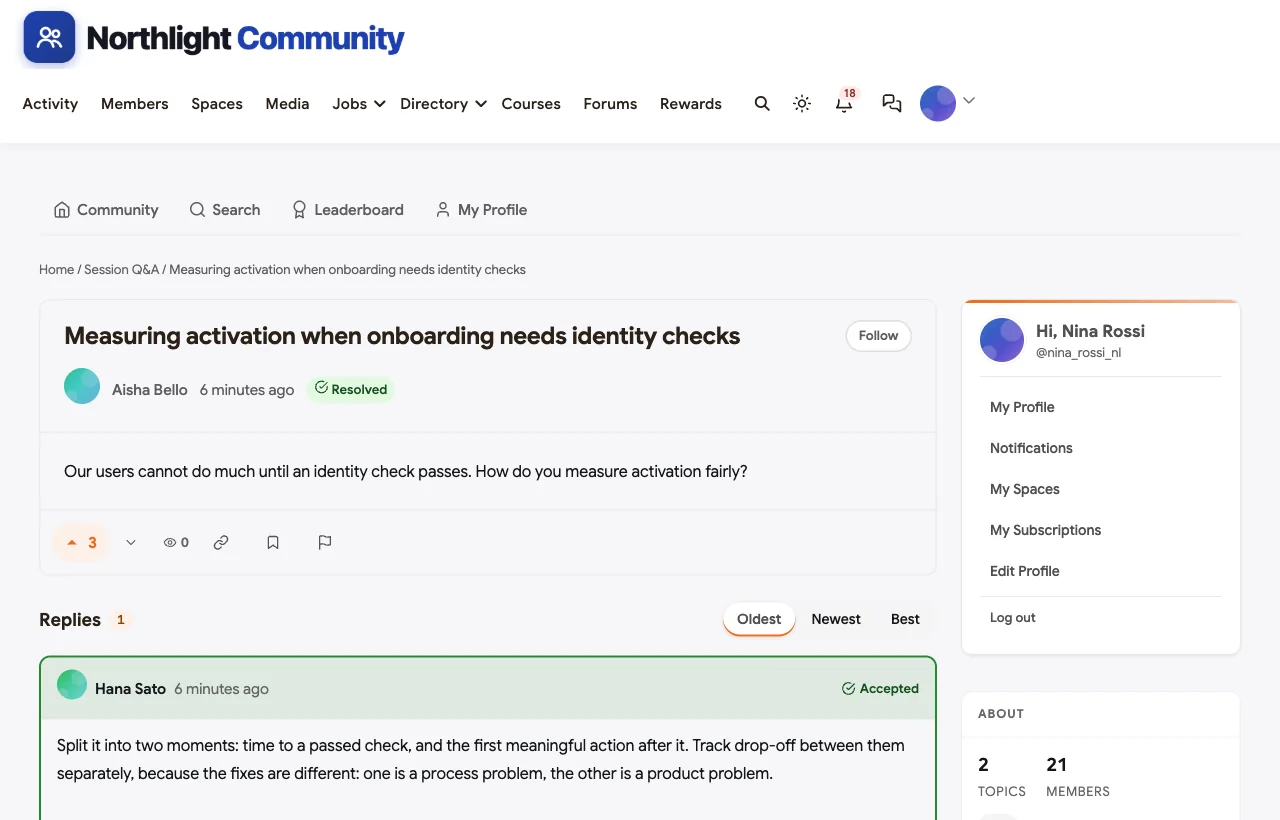
A founder asks how to run product discovery with a two-person team, and the speaker answers ahead of the talk: three customer calls a week, one assumption tested per call, a review every Friday. A fintech product manager asks how to measure activation when onboarding needs identity checks, and a growth product manager’s answer splits it into two moments. Those answers become a library that next year’s attendees can search.
Topic circles
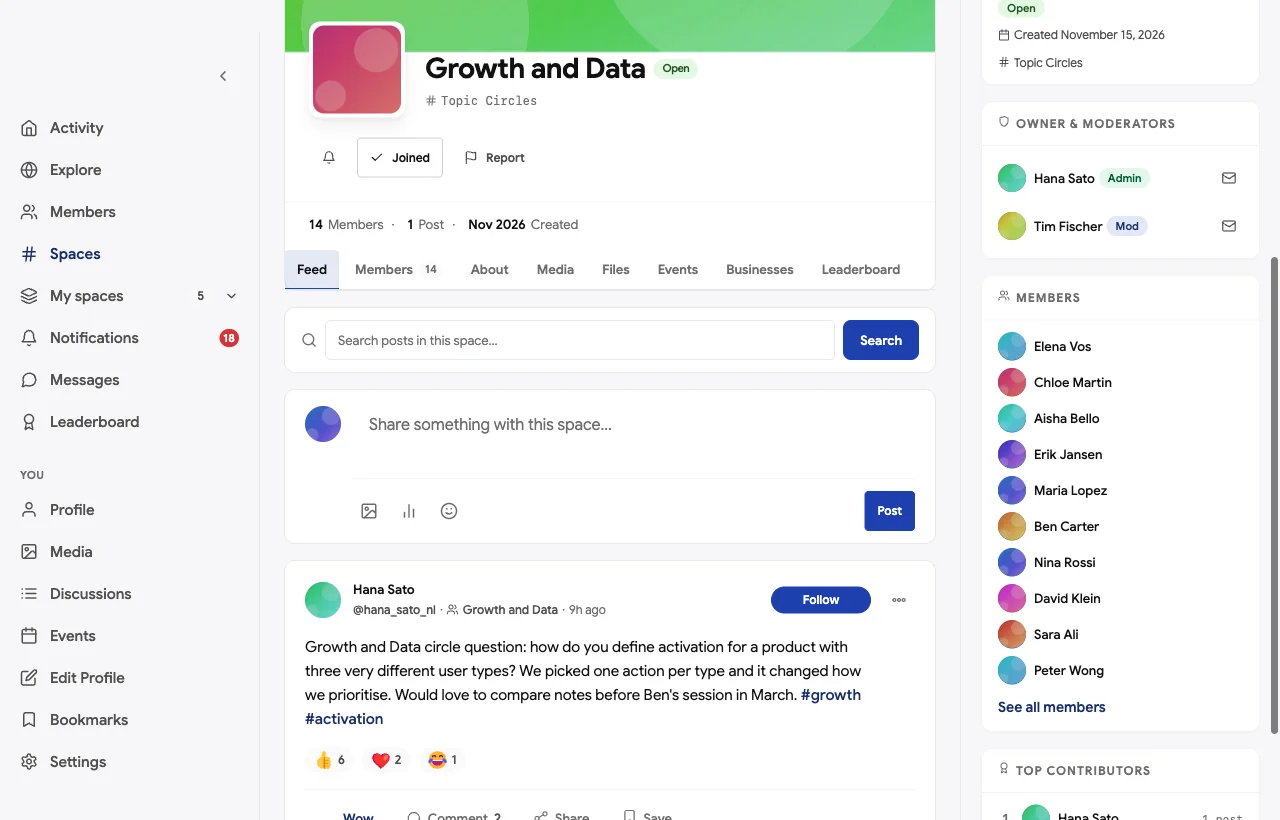
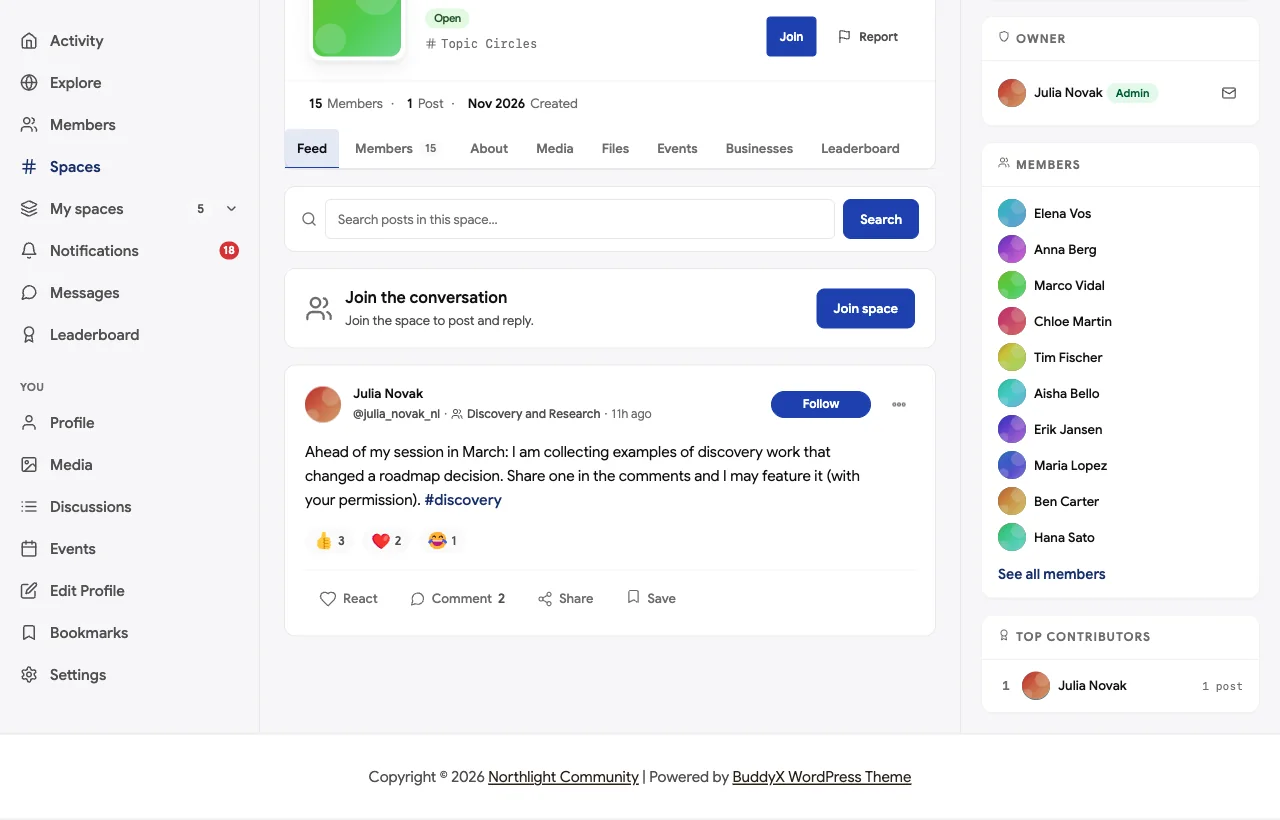
Topic circles such as Discovery and Research and Growth and Data are open spaces where people with the same interests meet before the event. A speaker collects examples for her session; growth product managers compare how they define activation and agree to meet at the summit.
Sponsors and exhibitors
Sponsors and exhibitors get their own space to share demos, office hours and booth details. The tone is set in the space description: useful conversations, no hard selling. A sponsor offers drop-in reviews of attendees’ tracking plans at its booth, and an exhibitor shares a research consent template and runs a short clinic.
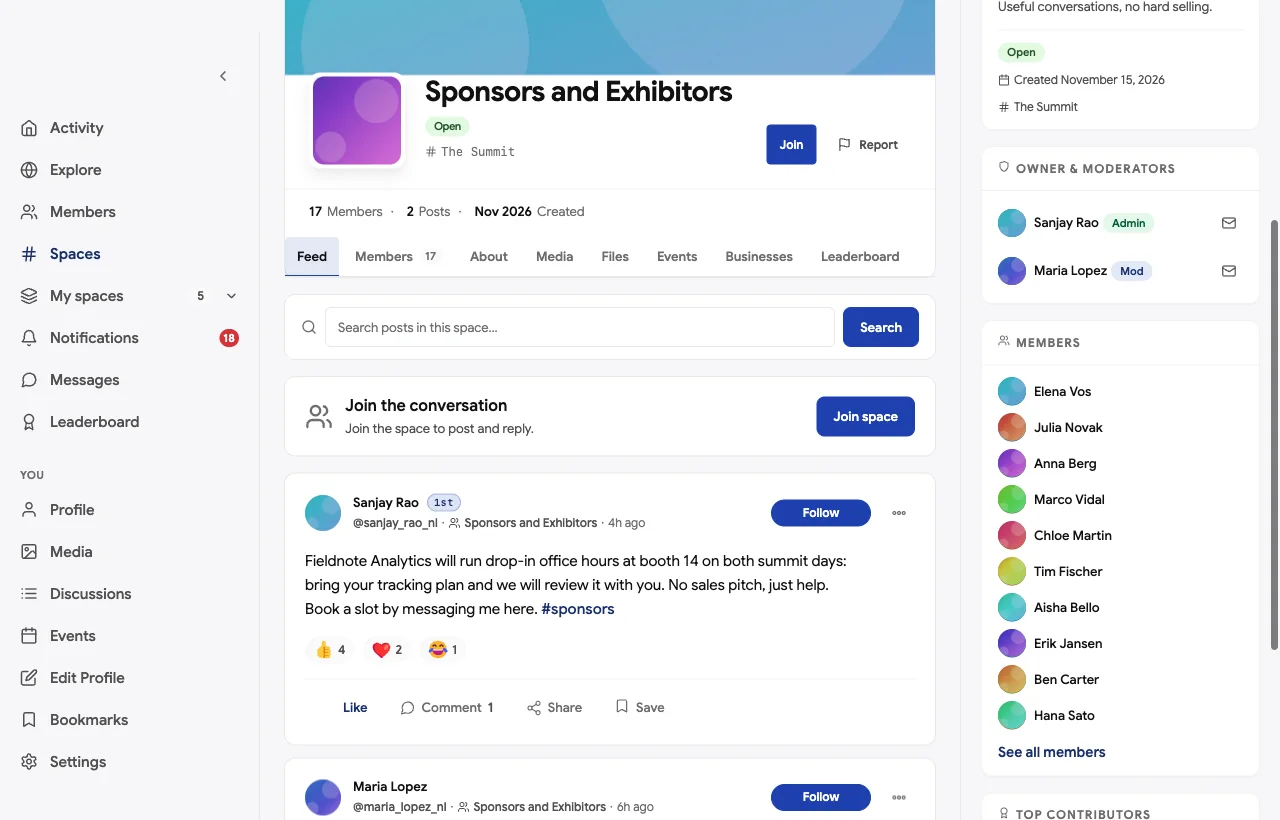
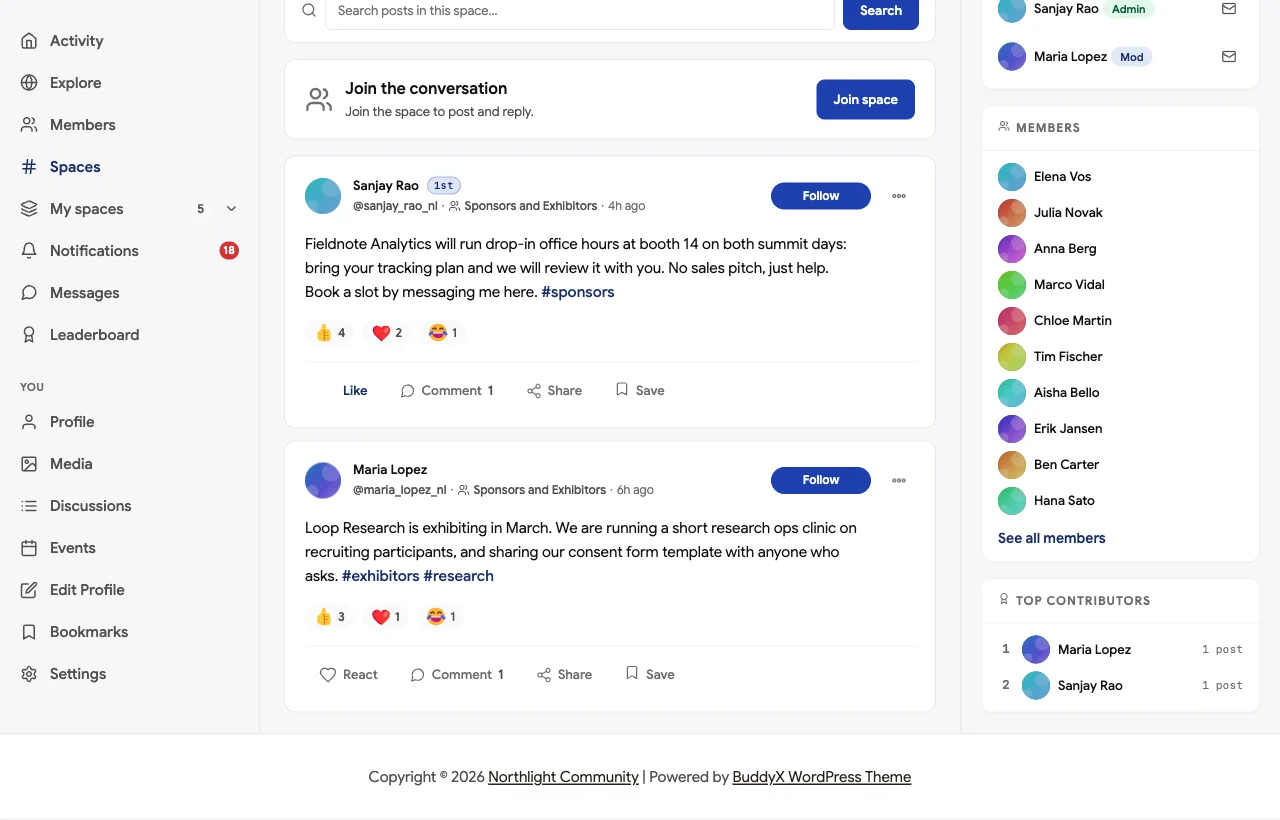
Sponsors get something more valuable than a logo on a banner: a reason for the right attendees to come to them, before and after the event.
Arranging meetings by message
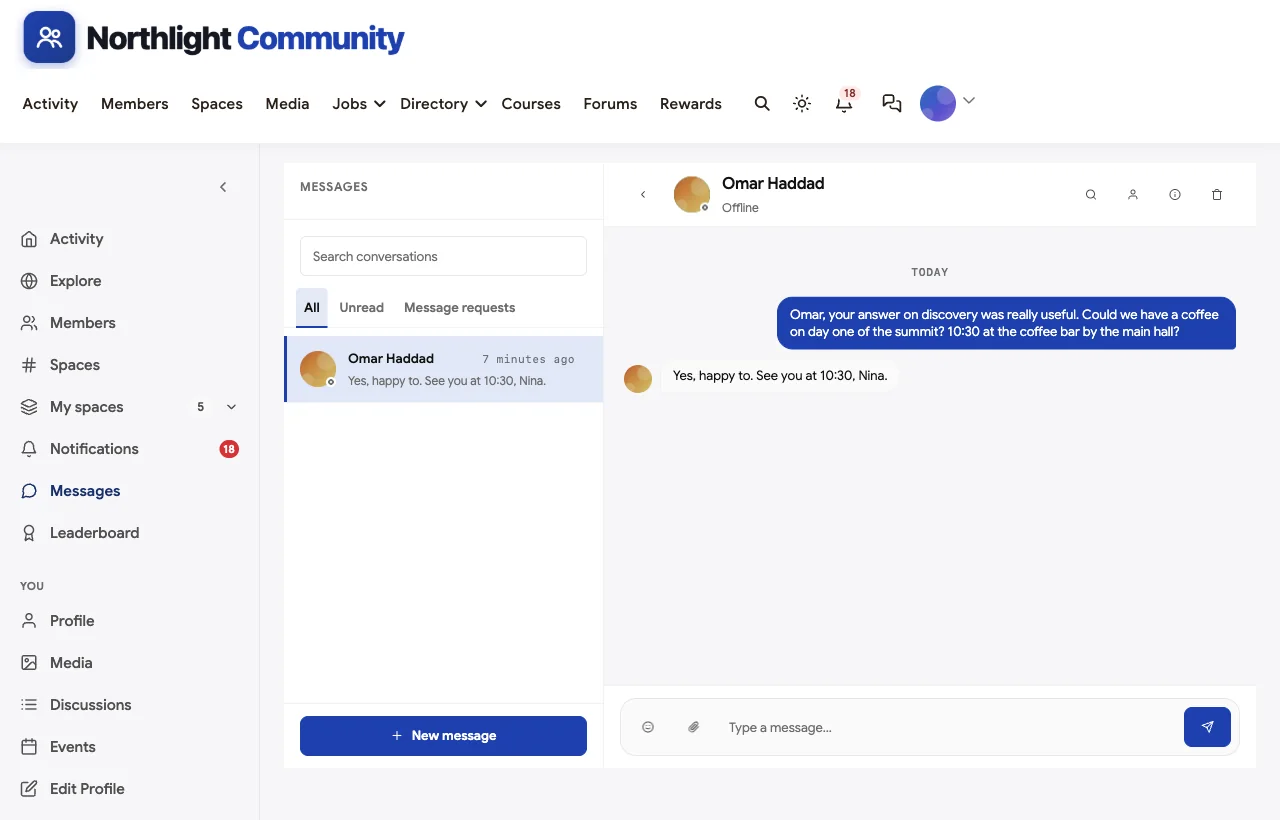
Direct messages are where introductions turn into meetings. A first-time attendee asks a speaker for a coffee at 10:30 on day one, by the coffee bar near the main hall, and he says yes. An attendee books a sponsor’s office hours slot.
Networking sessions, AMAs and meetups as events
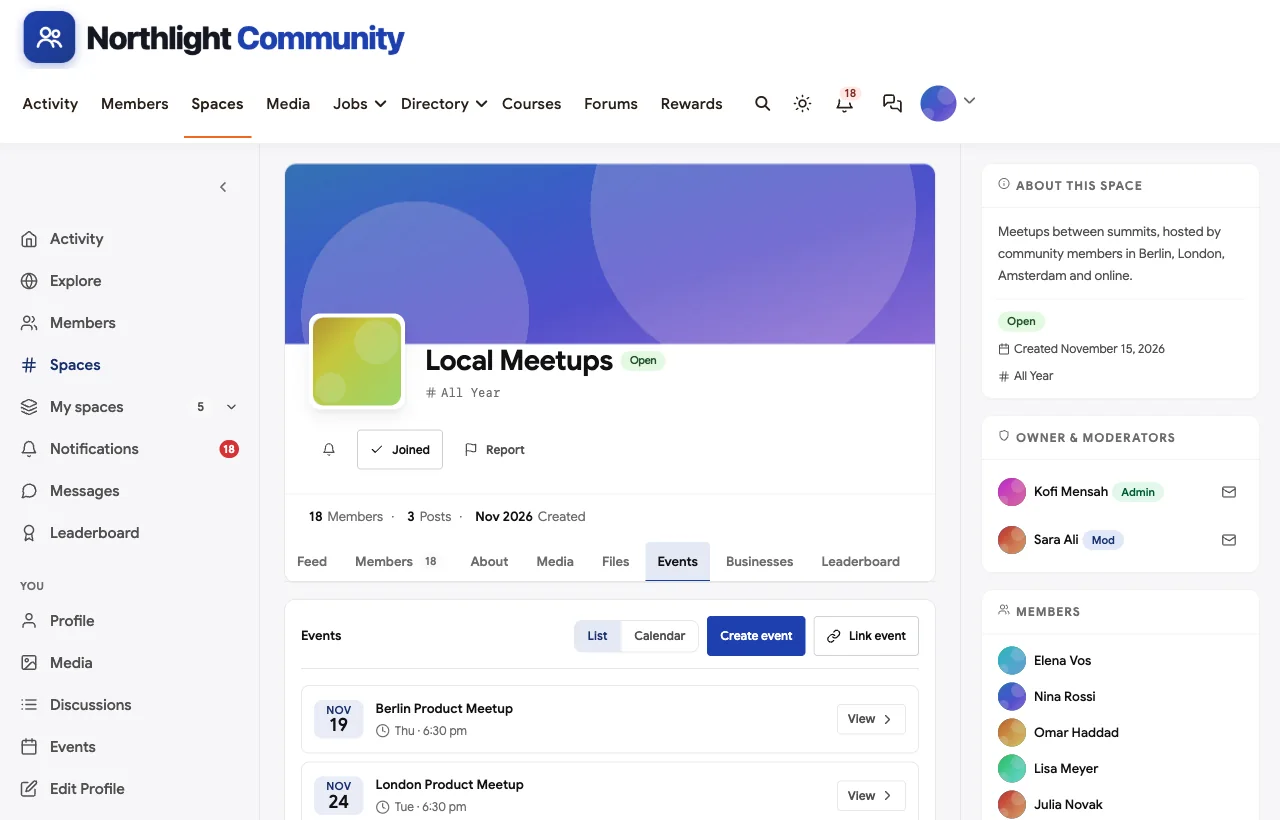
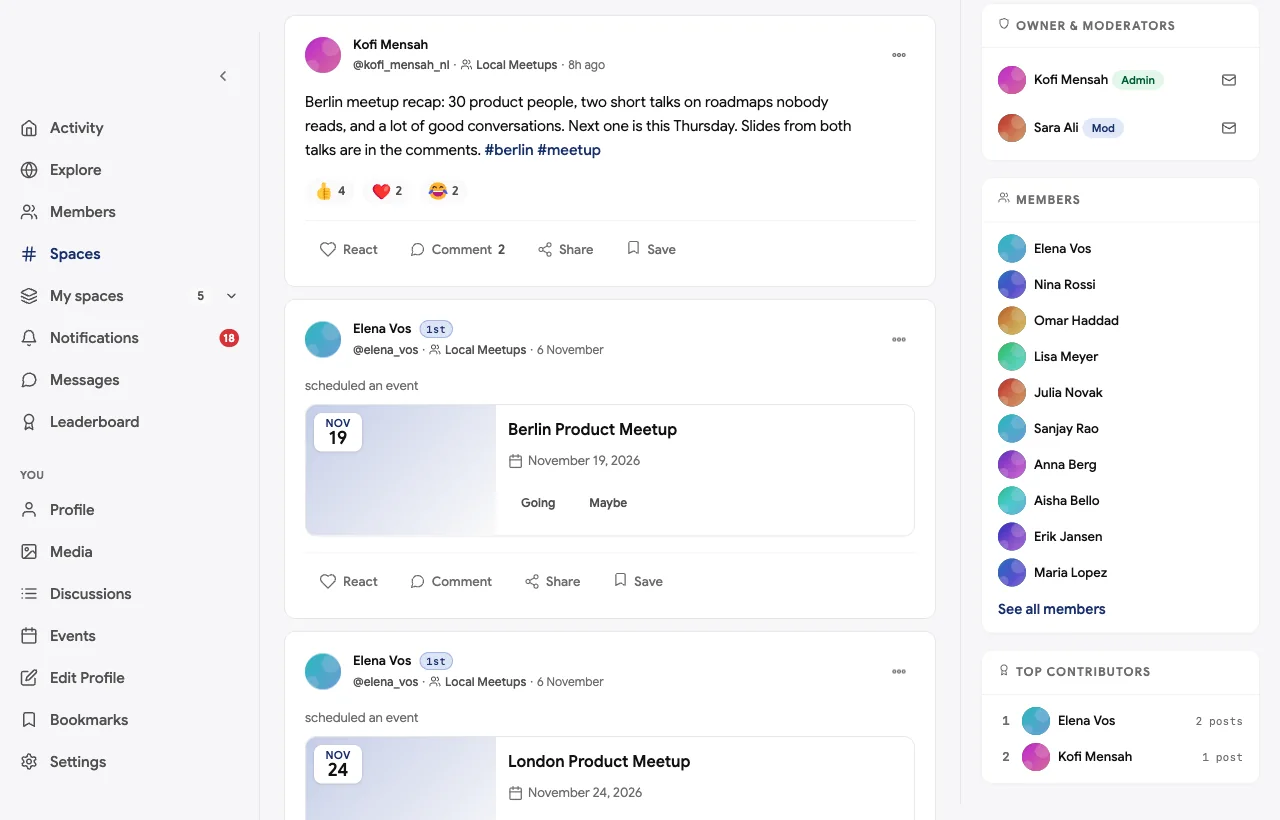
Online speed networking, speaker AMAs, local meetups and the summit itself are events with dates, times and RSVPs.
All year: local meetups
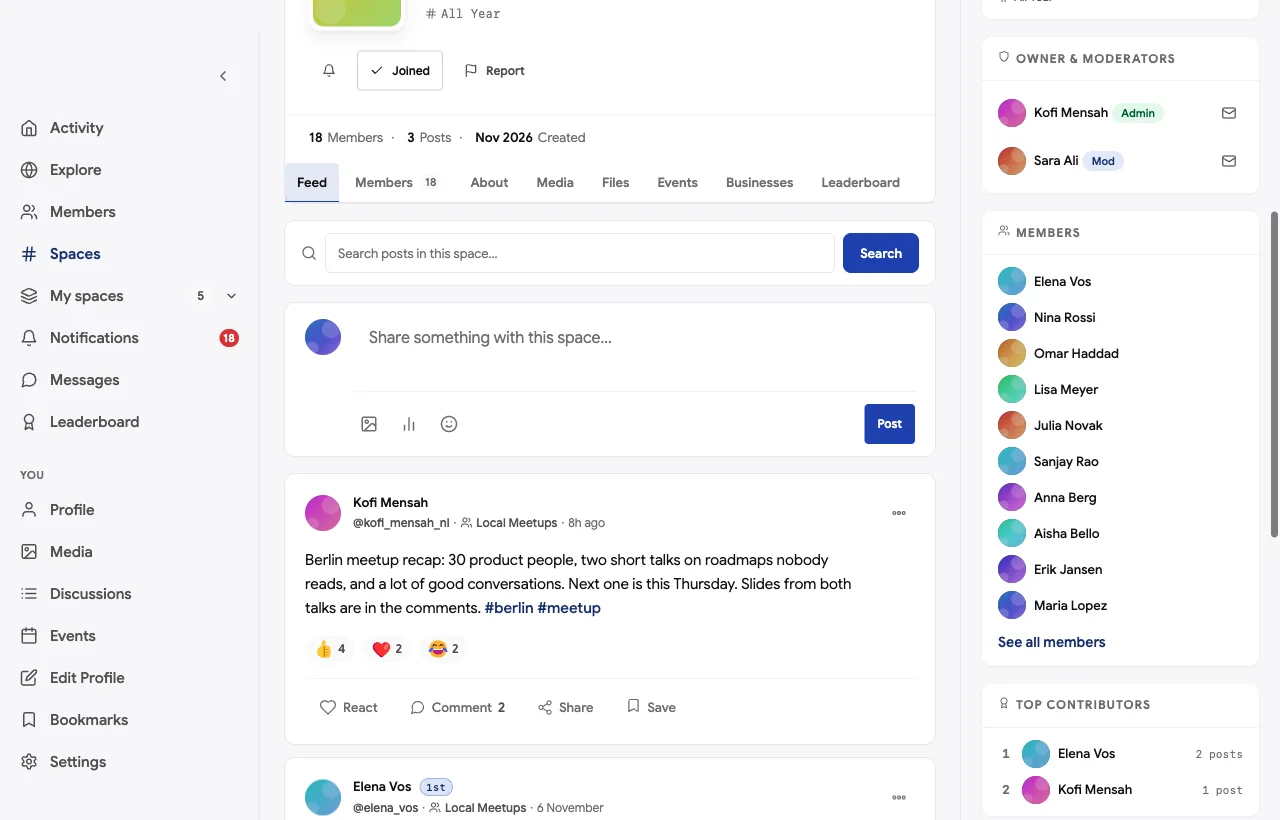
Local Meetups keeps the community alive between summits. Members host meetups in their cities and share recaps and slides afterwards.
A private space for speakers
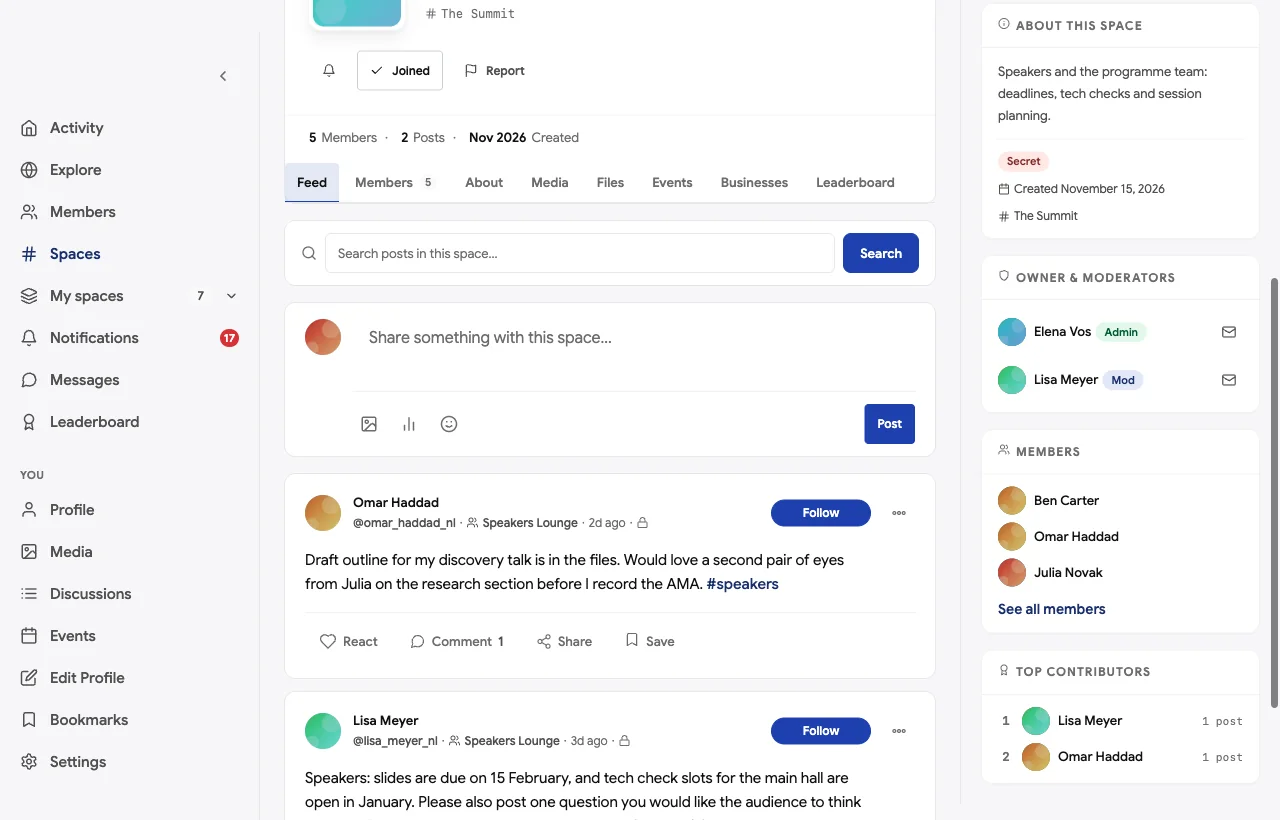
The Speakers Lounge is a secret space, invisible to anyone who is not a member, where the programme team and speakers handle deadlines, tech checks and session drafts.
The networking course
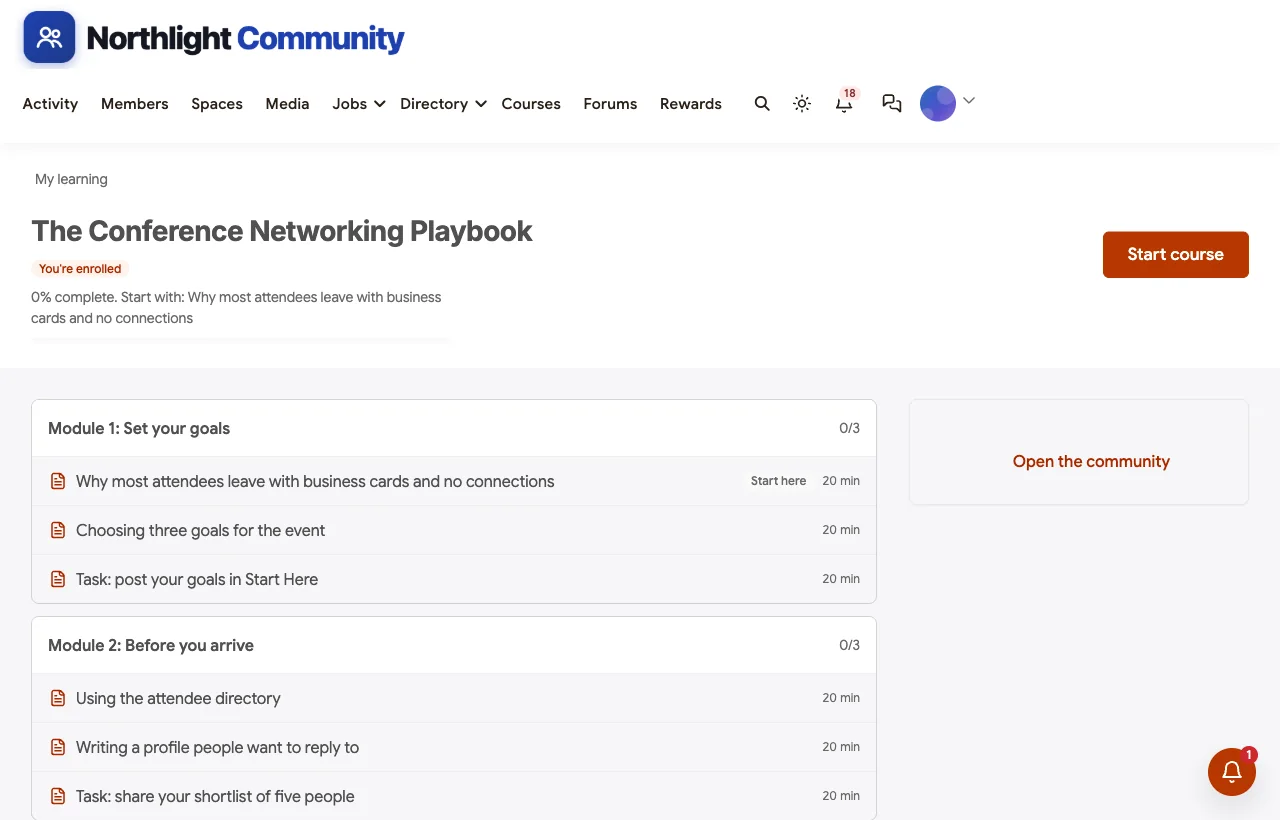
The Conference Networking Playbook is a six-module course: setting goals, preparing before you arrive, starting conversations, making the most of the event, following up and staying connected all year. Each module ends with a task posted in the community, so the course itself creates introductions.
Summit ideas and the roadmap
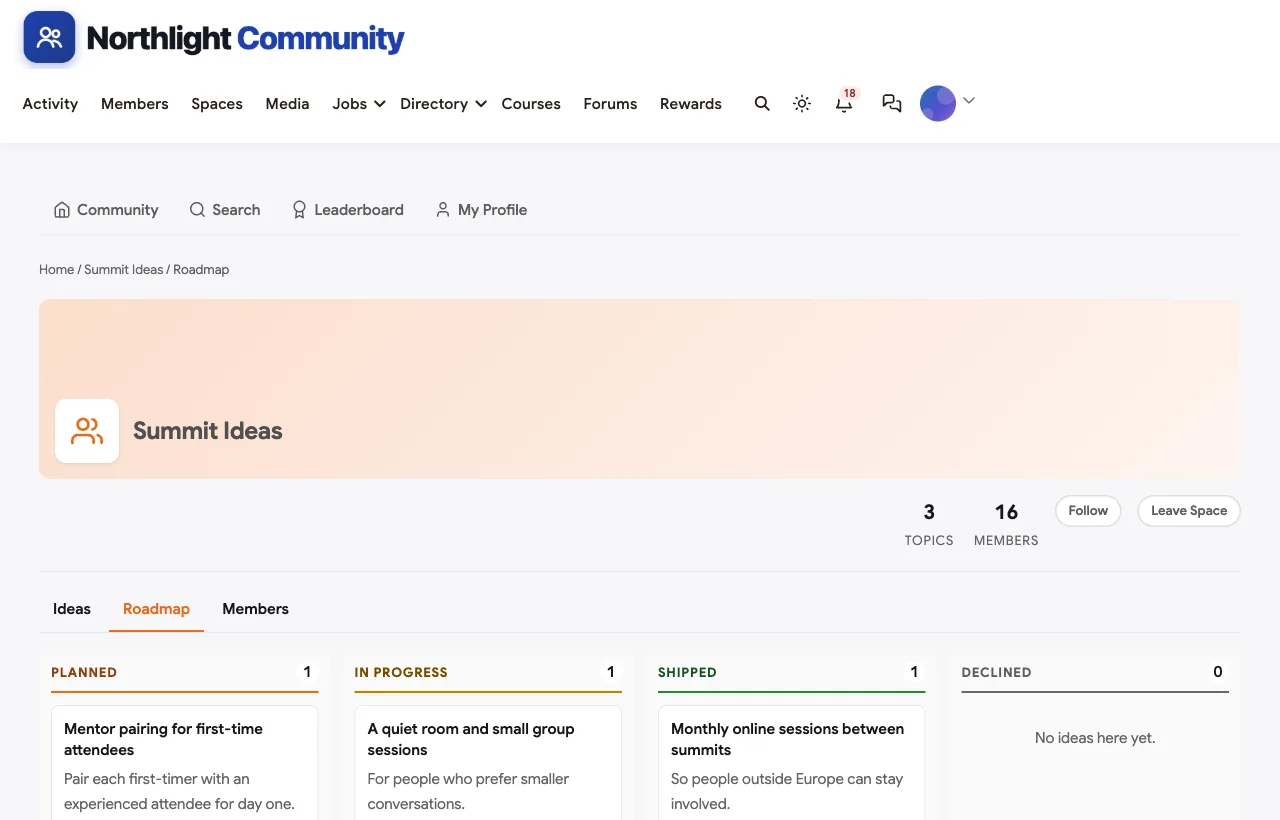
Attendees suggest sessions, formats and community ideas and vote on them; the team marks ideas as planned, in progress or shipped. Mentor pairing for first-time attendees is planned, a quiet room and small group sessions are in progress, and monthly online sessions between summits are running.
Spaces, points and mobile
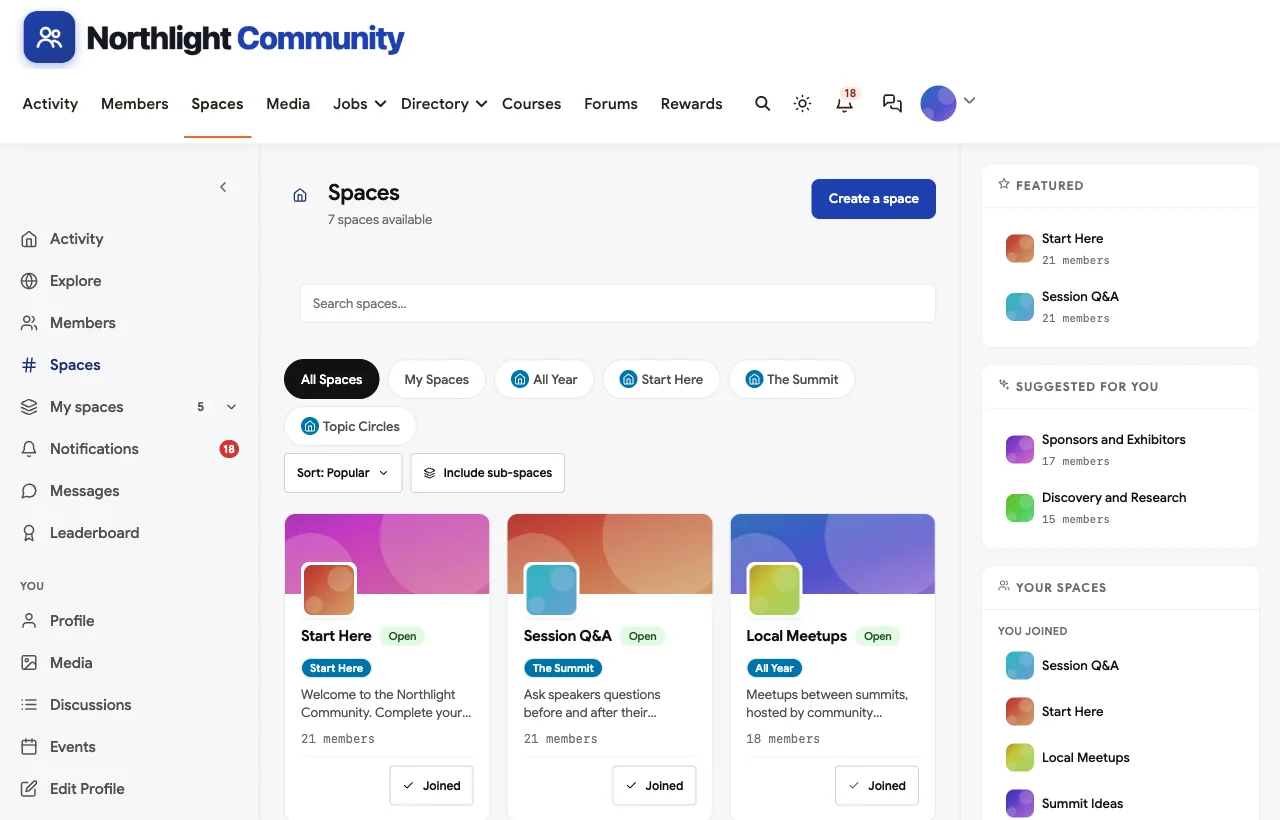
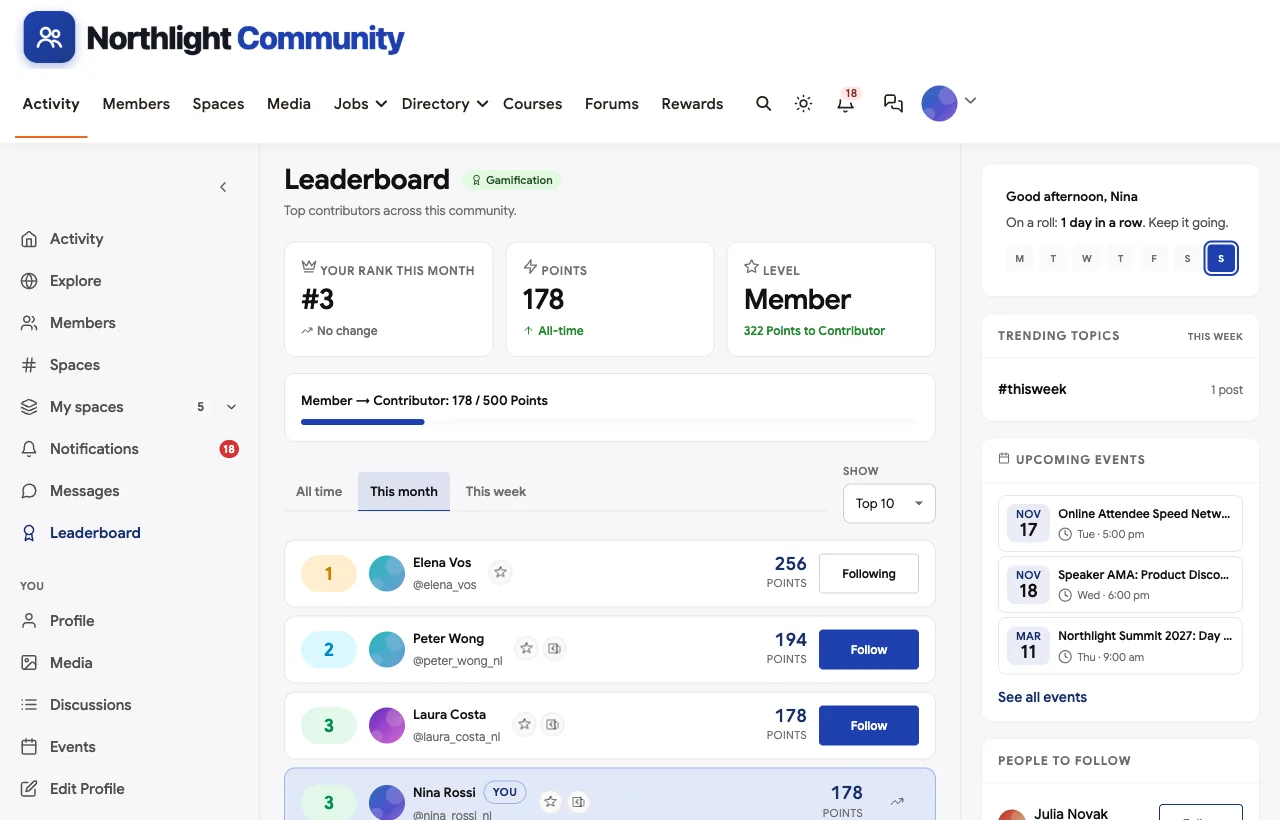
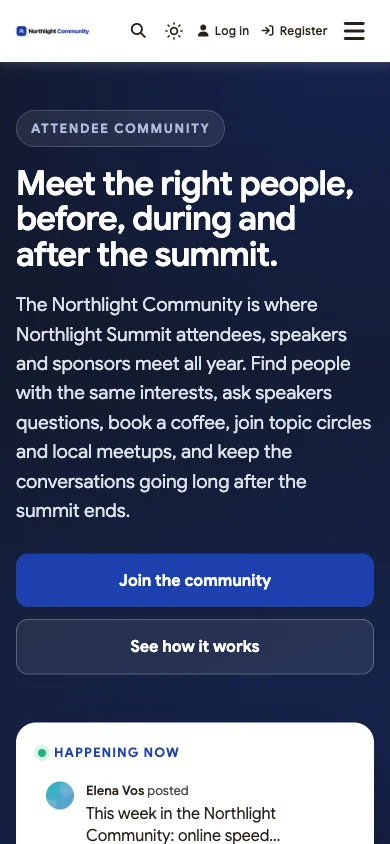
Attendees check the community between sessions and on the train home, so it works in the mobile browser without an app download.
Also built in. Polls, hashtags, notifications, follows, moderation and reporting, badges, and paid memberships with trials and coupons for events that charge for year-round access.
Not built for: AI matchmaking, meeting scheduling with booked time slots, badge scanning and lead retrieval, check-in, multi-track agenda building or event ticketing. Run those in an event app for the days of the event and keep the community for everything around it. It is self-hosted, so you run WordPress or use a managed host.
What’s included, and how it is delivered
BuddyNext is one platform made of a core and add-on platform modules. Everything shown in the demo above runs on the BuddyNext platform. This table shows which parts come with the core, which are platform modules you install and activate alongside it, and which need a third-party plugin, another system or custom work.
| Capability | How it is delivered |
|---|---|
| Open, private and secret spaces for introductions, sponsors, topic circles and speakers | Core platform |
| Member profiles and directory | Core platform |
| Activity feed, pinned announcements, polls and hashtags | Core platform |
| Reporting and moderation queue | Core platform |
| Direct messages for arranging meetings | Platform module, installed alongside |
| Networking sessions, AMAs and meetups as events with RSVPs | Platform module, installed alongside |
| Session Q&A with accepted answers and a summit ideas roadmap | Platform module, installed alongside |
| Networking course | Platform module, installed alongside |
| Points, badges and leaderboards | Platform module, installed alongside |
| Paid memberships with trials and coupons | Platform module, installed alongside |
| AI matchmaking, meeting scheduling, badges and lead retrieval | Another system (an event app) |
| Live video for AMAs and speed networking | Third-party video tool (Zoom, Google Meet) |
Want to click around yourself? The Northlight Community in this guide was built on a private test site, so it is not public. The BuddyNext live demo is a general community you can open in your browser and explore without installing anything.
2. Swapcard: best for matchmaking at associations and trade shows
Swapcard describes itself as “the revenue-first event management platform made for associations, trade shows, and conference organizers” (Swapcard). It offers “Networking & Matchmaking - Enable participants to make quality connections,” “Hosted Buyer & Smart Meetings - Match buyers and sellers by preferences,” “AI Recommendations - Suggest relevant contacts, exhibitors & sessions,” “Exhibitor & Sponsor Tools” and “Agenda Management.”
Strengths: buyer and seller matchmaking, AI recommendations and exhibitor tools for large trade shows and associations.
Gaps: we did not find a year-round attendee community, interest groups or session Q&A named on its pages.
3. Brella: best for intent-based matchmaking and meetings
Brella calls itself “the leading event platform for virtual, physical, and hybrid events” (Brella). It offers “AI-Matchmaking - Intent-based, customizable matchmaking that highlights attendee interests and goals,” “1-1 or group meetings, lead scanning, meeting ratings,” “Multiple agenda designs, multi-track schedule” and “Sponsor booths, sponsor matchmaking, meet-at-booth.”
Strengths: matchmaking based on attendee goals, booked meetings and sponsor matchmaking.
Gaps: no year-round community, topic groups or session Q&A found.
4. Grip: best for pre-scheduled meetings at commercial events
Grip promises “More relationships. More revenue.” (Grip). It offers “Event Matchmaking - Connect the right participants,” “Pre-Scheduled Meetings - Automate your meeting schedules,” “365 Community - Extend your events and content” and an “AI Assistant - The leading AI assistant for commercial events.”
Strengths: automated meeting schedules and the only event app here with a year-round community product named.
Gaps: no attendee directory, interest groups or session Q&A named on its homepage; built for commercial events.
5. Whova: best all-in-one event app for conferences
Whova offers “All-in-one Event Management Software for In-Person, Hybrid, and Virtual Events” (Whova), with an “award-winning event app with personalized agendas, real-time updates, and top-rated networking features,” and tools to “Boost exhibitor & sponsor ROI with digital profiles, lead retrieval, sponsor banners in 20+ places.” It also runs “call for speakers with custom submission forms.”
Strengths: a widely used event app with agendas, networking, exhibitor profiles and speaker submissions.
Gaps: no year-round community or interest groups named.
6. Cvent Attendee Hub: best for enterprise events
Cvent Attendee Hub promises to “Accelerate engagement across virtual, hybrid, and in-person events” (Cvent). Attendees can “Meet one-on-one - encourage stronger connections and deeper loyalties with one-to-one appointments,” and exhibitors can “Quickly capture, qualify, and follow up with leads at trade shows” (Cvent). Cvent says “8.3 million events managed.”
Strengths: enterprise scale, one-to-one appointments and exhibitor lead capture.
Gaps: no attendee community for after the event found on these pages.
7. Bizzabo: best for smart badges and in-person data
Bizzabo is “The intelligence behind every great event” (Bizzabo). Its “Event Networking” connects “attendees using smart matchmaking and real-time data from Klik wearable tech,” its “Klik SmartBadges” “enable contactless lead retrieval, and spark meaningful interactions,” and it offers a “Website and Agenda Editor” and a “Mobile Event App.”
Strengths: in-person networking data from smart badges, event websites and agendas.
Gaps: no year-round community, interest groups or session Q&A named on its homepage.
8. vFairs: best for a managed event with a dedicated team
vFairs promises “Run Your Entire Event on One Platform With a Dedicated Team” (vFairs). Its features include “Live Polls & Q&A,” “AI Matchmaking,” an “AI Meeting Scheduler” and “Hosted Buyer Software,” and “Attendees will stay engaged at your onsite event through networking, exhibitor pages, custom agendas.”
Strengths: live Q&A, matchmaking, meeting scheduling and exhibitor spaces, with a dedicated team.
Gaps: no year-round attendee community named.
9. Circle: best hosted community platform
Circle is “The complete community platform” for building “a home for your community, events, and courses - all under your own brand” (Circle). It offers “Discussions,” a “Directory,” “Events,” a “Personalized feed” and “Automated moderation.”
Strengths: a polished hosted community for the year-round part of the journey.
Gaps: not built for event days: no sponsor spaces, agendas, meeting requests or session Q&A named.
10. Bevy: best for chapter-based event communities
Bevy is a “Community Engagement Platform” with “Forums. Events. Groups. Gamification. Analytics. AI.” (Bevy). It offers “One hub for Forums, Events & Groups,” a “Gamification Agent” and an “AI-powered command center for community interaction. Now featuring matchmaking from Intros AI.”
Strengths: chapters, forums, events and matchmaking for community-led programmes.
Gaps: no sponsor spaces, agendas or session Q&A named; built for chapter programmes rather than a single conference.
Platforms we left out
Hopin’s events business is now RingCentral Events; hopin.com states “Hopin is now RingCentral Events.” Hubilo’s domain now redirects to an unrelated company, so we could not confirm it still operates under its own name. Eventbrite is mainly ticketing and registration rather than attendee networking, and general tools like Slack were left out in favour of community platforms built for members.
How to combine an event app and a community
Many organisers will use both: an event app for the venue, a community for everything around it. A simple split:
| Job | Where it lives |
|---|---|
| Introductions, topic circles and speaker Q&A before the event | Community |
| Agenda, check-in, badges and booth lead retrieval | Event app |
| AI matchmaking and booked meeting slots at large events | Event app |
| Arranging coffees with people you already know | Community messages |
| Slides, answers and follow-up after the event | Community |
| Local meetups, online sessions and next year’s ideas | Community |
Link the two clearly: put the community link in the event app and the confirmation email, and ask attendees to complete their community profile before they arrive. The community keeps the relationships when the event app is switched off.
Running introductions that actually work
Introductions are the highest-value thing an organiser can do, and they do not need software to be good. Ask a simple question in the introductions thread (who are you, what are you working on, who do you want to meet), then have someone on the team read every reply and connect people in twos and threes. Prioritise first-time attendees and people travelling from far away, who have the most to gain. Follow up at the event: a short “did you find each other?” message makes people feel looked after and turns introductions into meetings.
Making sponsors part of the community
Sponsors pay for attention, and attendees resist being sold to. A community resolves this by giving sponsors a useful role: office hours, clinics, templates and honest answers in their area of expertise. Set clear rules (no unsolicited direct messages, no mass posting), give each sponsor a few posts before and after the event, and invite their experts to answer questions in topic circles. Sponsors who help get remembered; sponsors who pitch get ignored.
Keeping the community alive between events
The hardest part of an attendee community is the eleven months between events. A simple rhythm works: a monthly online session or AMA, member-hosted local meetups in cities with several attendees, a short weekly post from the team, and a speaker or attendee spotlight. Post next year’s call for ideas early, so members help shape the programme. Every one of these gives attendees a reason to come back, and returning members become the core of next year’s event.
Supporting first-time attendees
First-time attendees are often the most nervous and the most likely to leave without meeting anyone. A community can change that: a welcome post, a short networking course, an introduction to two or three people before the event, a first-timers coffee on day one and a mentor pairing with an experienced attendee. First-timers who feel welcome come back, and many become the most active members of the community.
Moderation and privacy for attendee communities
An attendee community mixes customers, speakers, sponsors and sometimes competitors, so set expectations early. Publish a short code of conduct that covers respectful discussion, no unsolicited sales messages and how to report problems. Keep speaker and organiser planning in secret spaces. Let attendees choose what to show on their profiles, and never share attendee lists with sponsors without consent. A moderation queue and a report button keep problems small.
Measuring networking success
Organisers often measure attendance and session ratings, but rarely networking. A few simple signals help: how many attendees completed a profile before the event, how many introductions led to a conversation, how many messages were sent in the week before and after, how many questions were answered in Session Q&A, and how many members are still active three months later. Ask in the post-event survey whether attendees met someone useful; it is the question that matters most.
Questions to ask before you choose
- Do you need networking for the days of the event, the whole year, or both? Event apps and community platforms answer different questions.
- How large is the event? Thousands of attendees may need AI matchmaking; a few hundred are often better served by human introductions.
- Where will attendees go after the event? A community you own keeps the relationships.
- How will sponsors take part? Look for sponsor spaces and office hours, not only banners.
- Do speakers have a private space? Secret spaces keep planning out of public view.
- Who owns the attendee relationships and data? On your own site, you do.
A 30-day launch plan
- Week one: foundations. Create Start Here with an introductions thread, invite speakers and the team, and publish the code of conduct.
- Week two: speakers. Open Session Q&A and schedule the first speaker AMA.
- Week three: topics and sponsors. Open two or three topic circles and the sponsors space, with office hours announced.
- Week four: attendees. Invite all registered attendees, run online speed networking and start making introductions.
Which platform fits your event?
| If you… | Choose |
|---|---|
| Want a year-round attendee community you own, with introductions, speaker Q&A, sponsors and meetups | BuddyNext |
| Run a large trade show or association event with buyer and seller matchmaking | Swapcard |
| Want intent-based matchmaking and booked meetings | Brella |
| Run commercial events with pre-scheduled meetings | Grip |
| Want an all-in-one conference app | Whova |
| Run enterprise events at scale | Cvent Attendee Hub |
| Want smart badges and in-person data | Bizzabo |
| Want a dedicated team to run your event platform | vFairs |
| Want a hosted community for the year-round part | Circle or Bevy |
More community platform comparisons
Running a different kind of professional or member community? These guides use the same method: a working demo community and vendor claims checked at the source.
- Best platforms for a professional association community: member directories, chapters and events.
- Best software for a private business networking community: introductions, referrals and member meetings.
- Best platforms for a brand ambassador community: campaigns, content and recognition.
- Best platforms for a travel enthusiasts community: trip reports, travel Q&A, buddies and group trips.
- How to set up a community space on WordPress: the step-by-step setup guide behind every demo in this series.
How we built and checked this list
We built the Northlight Community demo on a local WordPress site running BuddyNext, with a fictional conference, attendees, speakers, sponsors, a course, meetups and events created for this guide. Every BuddyNext screenshot is from that demo. Competitor features were checked against each vendor’s own website in November 2026, and the industry figures come from the U.S. Bureau of Labor Statistics and the Events Industry Council. Where we could not confirm a feature on a vendor’s own pages, the matrix says “Not found.” We did not run a hands-on trial of every product, so features can change; confirm anything critical with the vendor. buddyxtheme.com is published by the team behind BuddyNext, which is why BuddyNext is listed first; we have tried to be fair about its gaps as well as its strengths, including the event-day features it does not have.
Frequently asked questions
What is the best platform for event attendee networking?
For a year-round attendee community you own, BuddyNext is the strongest choice, with profiles, introductions, speaker Q&A, sponsor spaces and meetups. For matchmaking and booked meetings during the event, Swapcard, Brella and Grip are specialists.
Do I need an event app and a community?
Often, yes. An event app handles the venue: agendas, badges, booked meetings and lead retrieval. A community handles introductions before the event, follow-up after it and the relationships in between.
How do I help attendees network before the event?
Open the community a few weeks early, ask attendees to complete their profiles, run an introductions thread, open topic circles and schedule speaker AMAs and online speed networking.
How do I keep attendees engaged after the event?
Share slides and answers in the community, run monthly online sessions, support member-hosted local meetups and invite ideas for next year’s programme.
How can sponsors take part without spamming attendees?
Give sponsors a dedicated space for office hours, clinics and useful resources, set rules against unsolicited messages and invite their experts to answer questions in topic circles.
Can I run a private space for speakers?
Yes. In BuddyNext, a secret space is invisible to anyone who is not a member, so speakers and the programme team can plan privately.
Does it work on phones?
BuddyNext works in the mobile browser without an app download, so attendees can check the community between sessions.
The bottom line
Events last days; relationships last years. Use an event app for what happens in the venue if your event needs matchmaking, badges and booked meetings, and give attendees a community they can return to all year. For that community, on your own site and under your own brand, BuddyNext is the strongest foundation.
And keep your attendees connected long after the event ends.