

A professional association sells something unusual: belonging to a profession. Members pay dues for a credential, for continuing education, for a voice in standards, and for the people they meet at chapter evenings and the annual conference. For most of the year, though, the association is invisible to them. A renewal email arrives, a journal lands, and the rest of the time members talk to each other on LinkedIn or not at all.
A private online community changes that, if it is built for how associations actually work: chapters, special interest groups, committees, CPD, a member directory, careers and governance. This guide compares the platforms associations use to build that community, from association management systems with community add-ons to dedicated community platforms and open-source forums. We built a working association community for the first entry, checked every competitor claim against the vendor’s own pages in November 2026, and judged each one on the jobs an association community has to do.
Quick answer
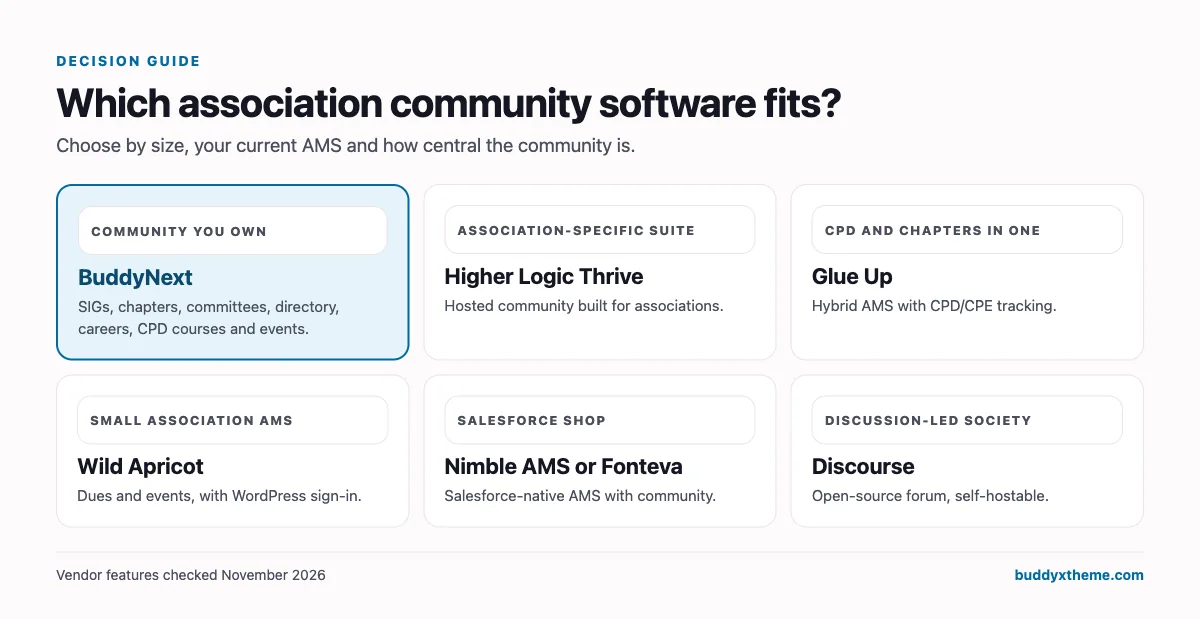
If you want a private professional association community you own and control, BuddyNext is the strongest choice: special interest groups, regional chapters, private committees and a secret board space, a member practice directory, a careers board, CPD courses with certificates, Q&A with accepted answers, and conference and chapter events, all on your own WordPress site. Higher Logic Thrive is the leading association-specific community suite, Glue Up has the deepest built-in CPD and chapter tools, and AMS platforms such as Wild Apricot, MemberClicks and YourMembership handle dues and renewals with community as an add-on.
In this guide
- AMS, community platform or both?
- What an association community has to do
- 1. BuddyNext: best for an association community you own
- 2. Higher Logic Thrive: best association-specific community suite
- 3. Glue Up: best all-in-one with CPD and chapter management
- 4. Wild Apricot: best AMS for small associations
- 5. MemberClicks: best AMS with committee tools
- 6. YourMembership: best AMS for small to mid-sized organisations
- 7. Nimble AMS and Fonteva: best if your association runs on Salesforce
- 8. Circle: best for a selective, modern professional network
- 9. Mighty Networks: best for accessibility-conscious hosted communities
- 10. Discourse: best open-source forum for discussion-led societies
- 11. LinkedIn Groups: best as a public-facing side channel
- Association community platforms compared
- Governance and privacy: a checklist for committees and boards
- Running chapters well online
- Turning the member year into a renewal story
- Connecting your AMS and your community
- Launching an association community: a 90-day plan
- More community platform comparisons
- How we built and checked this list
- Frequently asked questions
- The bottom line
AMS, community platform or both?
Associations usually run two kinds of software, and the confusion between them causes most bad purchases.
| Association management system (AMS) | Community platform | |
|---|---|---|
| Built for | The association’s staff | The association’s members |
| Core jobs | Member records, dues, invoices, renewals, event registration, reporting | Discussions, groups, chapters, committees, directory, mentoring, careers, events |
| Where members spend time | Rarely, mainly to pay or update details | Weekly, if the community is good |
| Examples | Wild Apricot, MemberClicks, YourMembership, Nimble AMS, Fonteva | BuddyNext, Higher Logic Thrive, Circle, Mighty Networks, Discourse |
| Hybrid | Glue Up combines membership, events, CPD and community in one product |
Most associations keep an AMS as the system of record for dues and renewals and add a community platform where members actually interact. The questions are how the two connect (sign-in and member status) and whether the community is strong enough to change how members experience the association between renewals.

What an association community has to do
| Job | What it looks like | Why it matters for renewal |
|---|---|---|
| Special interest groups | Spaces for practice areas, with experts answering questions | Members get professional value every week, not once a year |
| Chapters | Regional spaces with their own events and leaders | Local belonging is a top reason members stay |
| Committees and governance | Private spaces for committees, a secret space for the board | Volunteers do their work inside the association, not in email chains |
| CPD | Courses, webinars and chapter evenings with certificates | Licensed professions must complete it; the association should be where they do |
| Member directory | Find a member, find a practice | Visibility for members and a public service for the profession |
| Careers | Job board, mentoring, chartership support | Early-career members join for careers and stay for the network |
| Events | Conference, chapter evenings, webinars | The moments members remember |
| Knowledge | Q&A with accepted answers, files and practice notes | The association becomes the place answers live |
1. BuddyNext: best for an association community you own
BuddyNext is a complete community platform that runs on your own WordPress site. Spaces with open, private and secret visibility, a member directory, profiles, messaging, Q&A, events, courses with certificates, a jobs board, a business directory, paid plans and gamification all work together in one product, on the same domain as your association’s website.
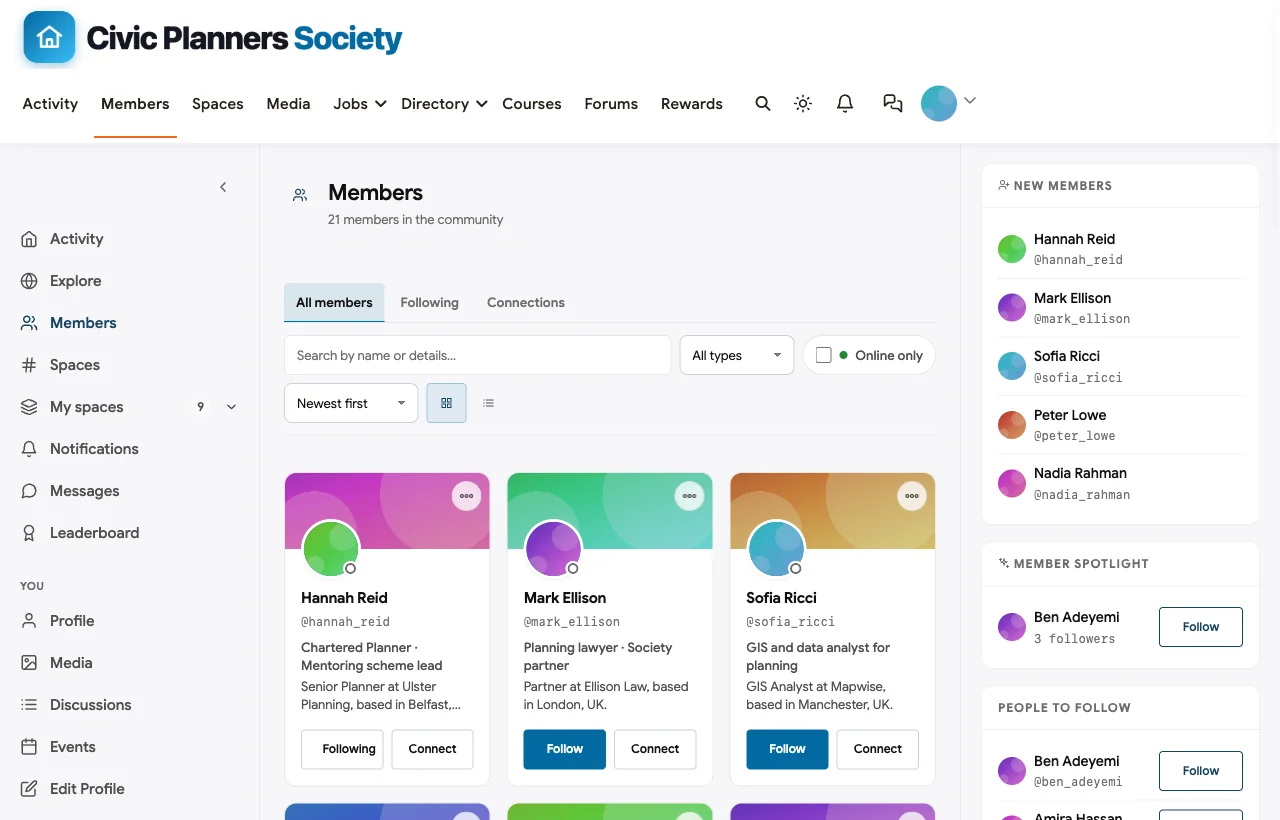
To show it in context, we built the Civic Planners Society, a demo professional body for town and regional planners with 20 fictional members, special interest groups for housing and transport, Northern and Southern chapters, a private Professional Standards Committee, a secret Board of Trustees space, a careers and CPD space and a Find a Planner directory.
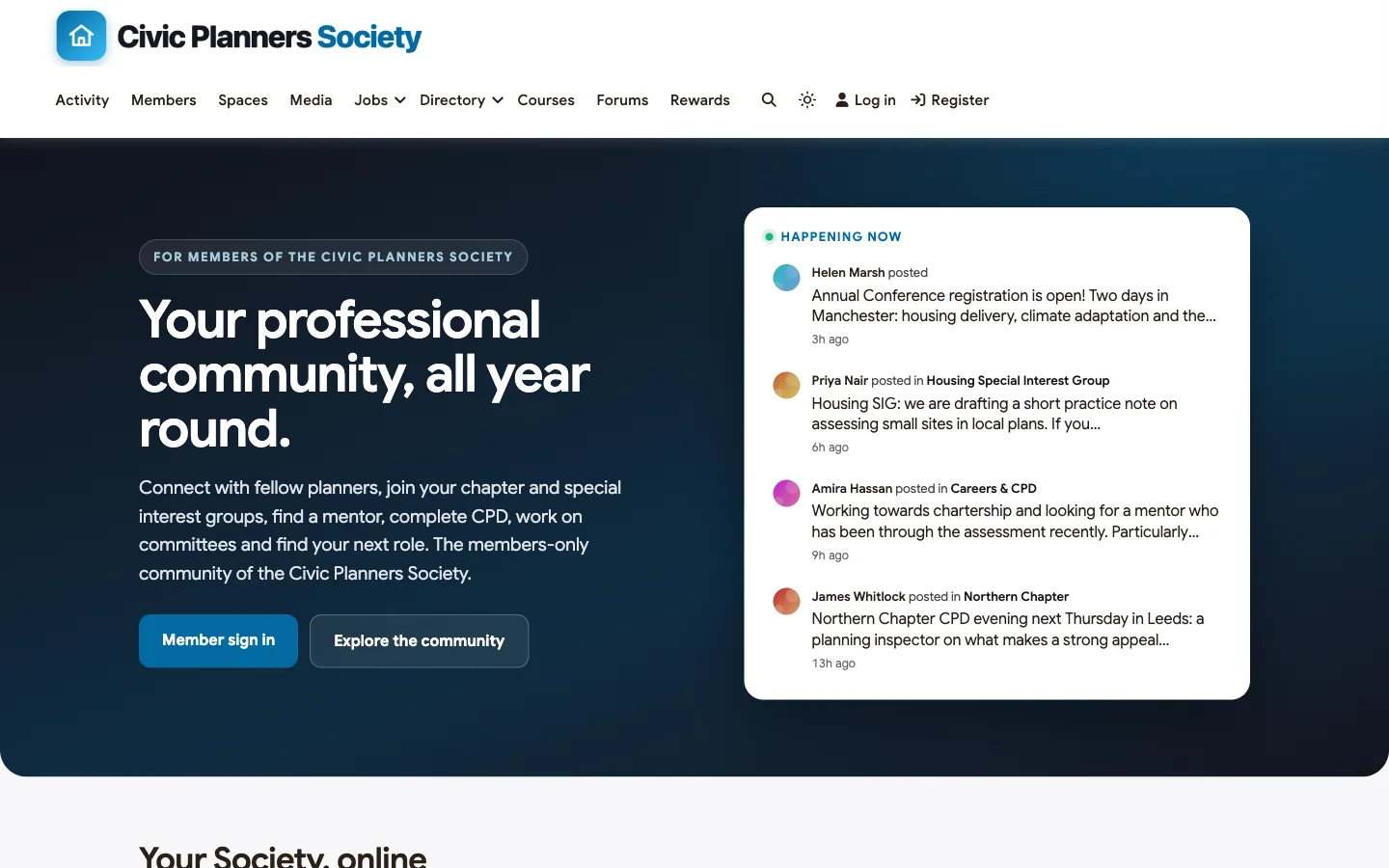
Category: community platform you host, alongside or instead of an AMS portal.
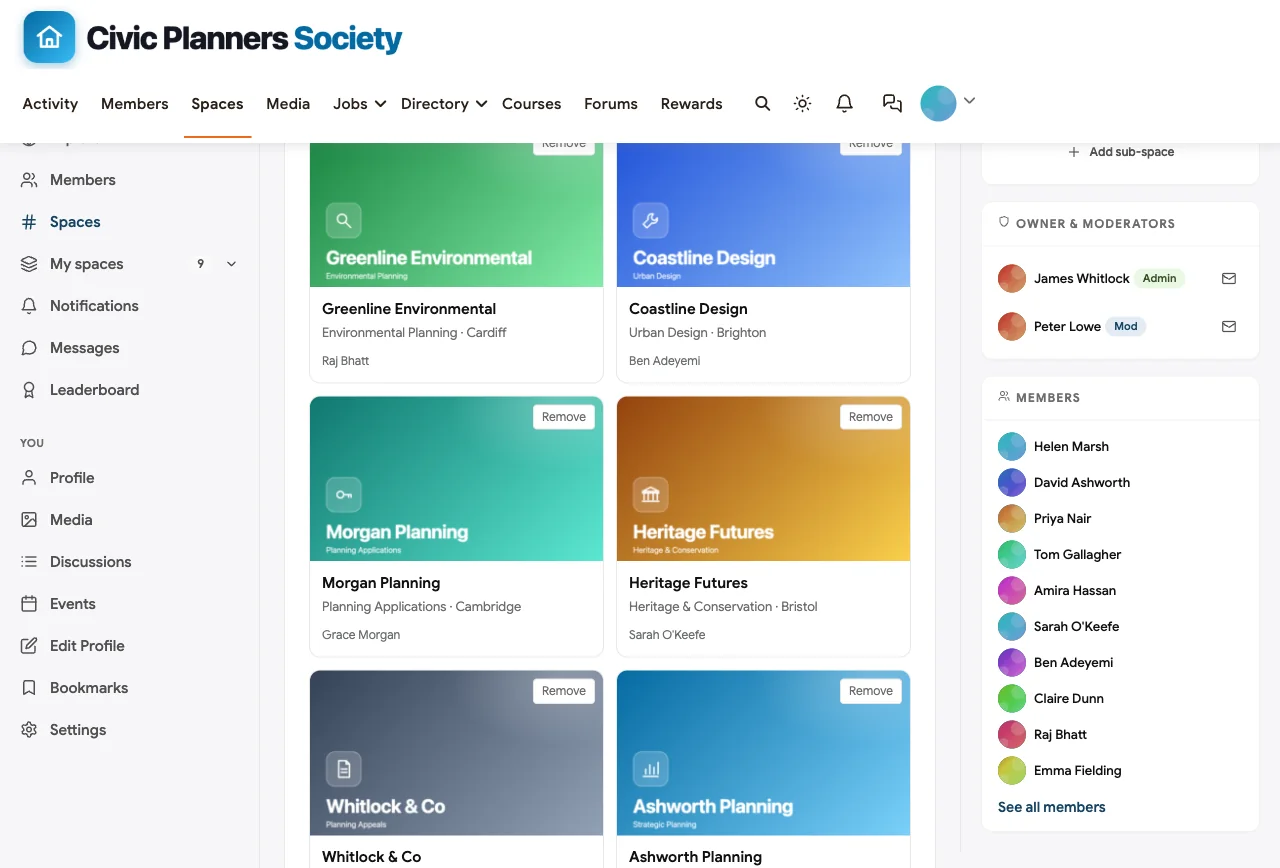
Special interest groups. Each practice area has its own space, feed, moderators, events and files. In the demo, the Housing Special Interest Group is drafting a practice note on small sites and asking members for examples; a planning lawyer partner posts a plain-English summary of recent appeal decisions.
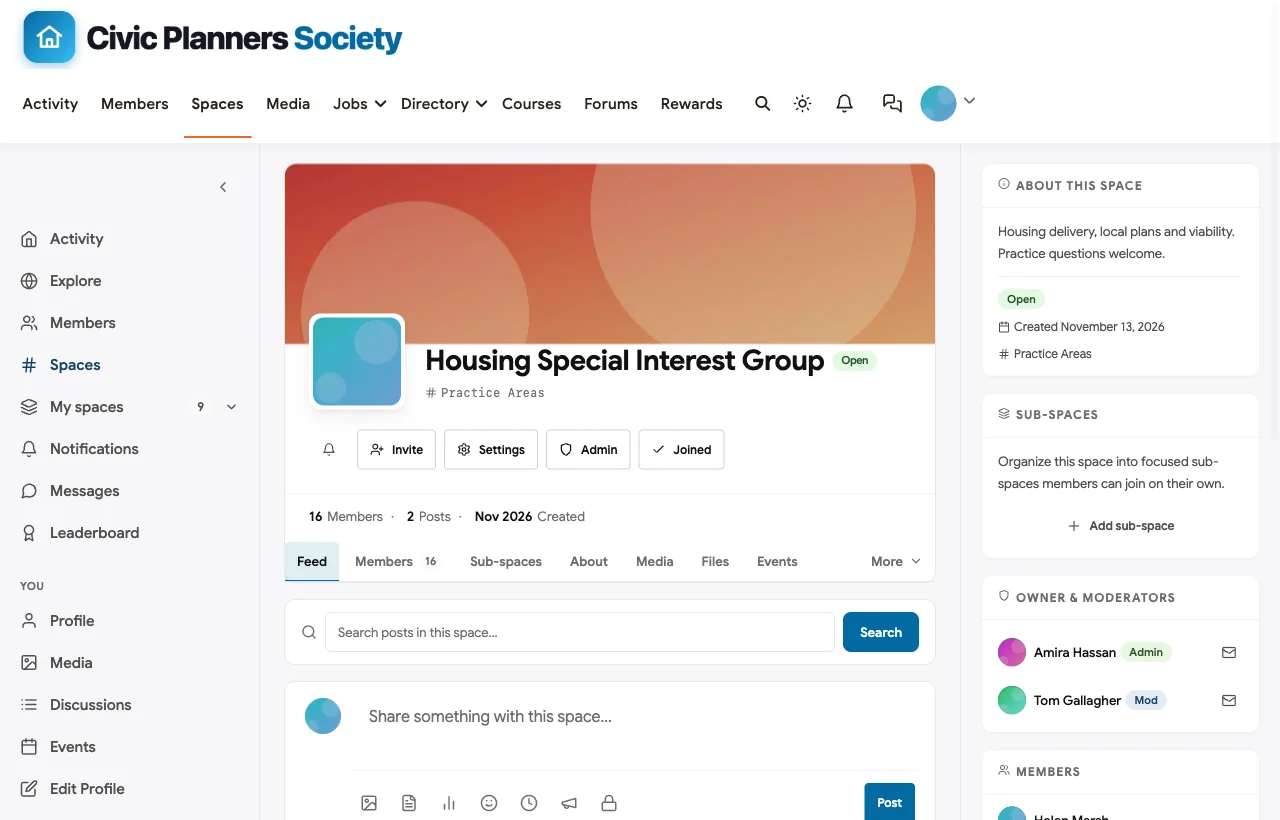
Chapters. Regional chapters are spaces with chapter chairs as moderators. The Northern Chapter runs a CPD evening with a planning inspector; members RSVP in the chapter’s events.
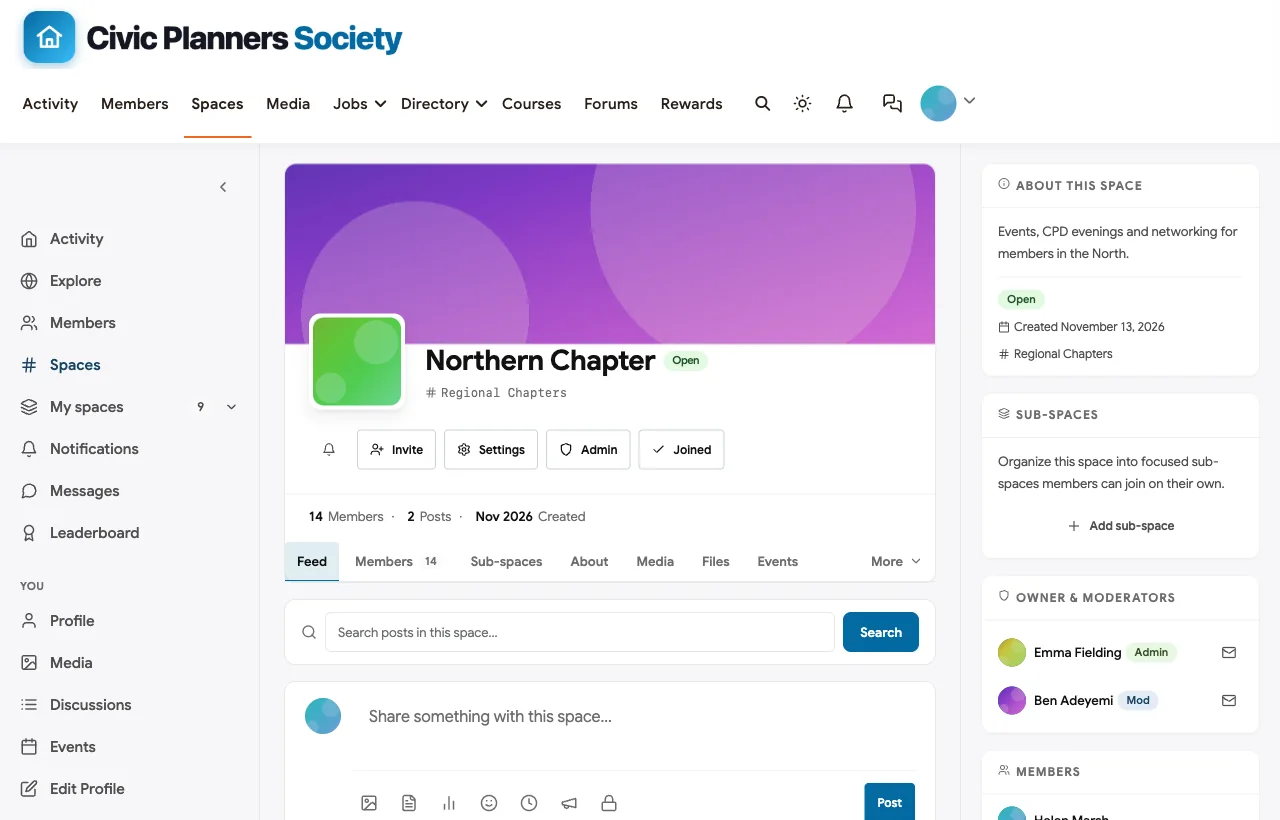
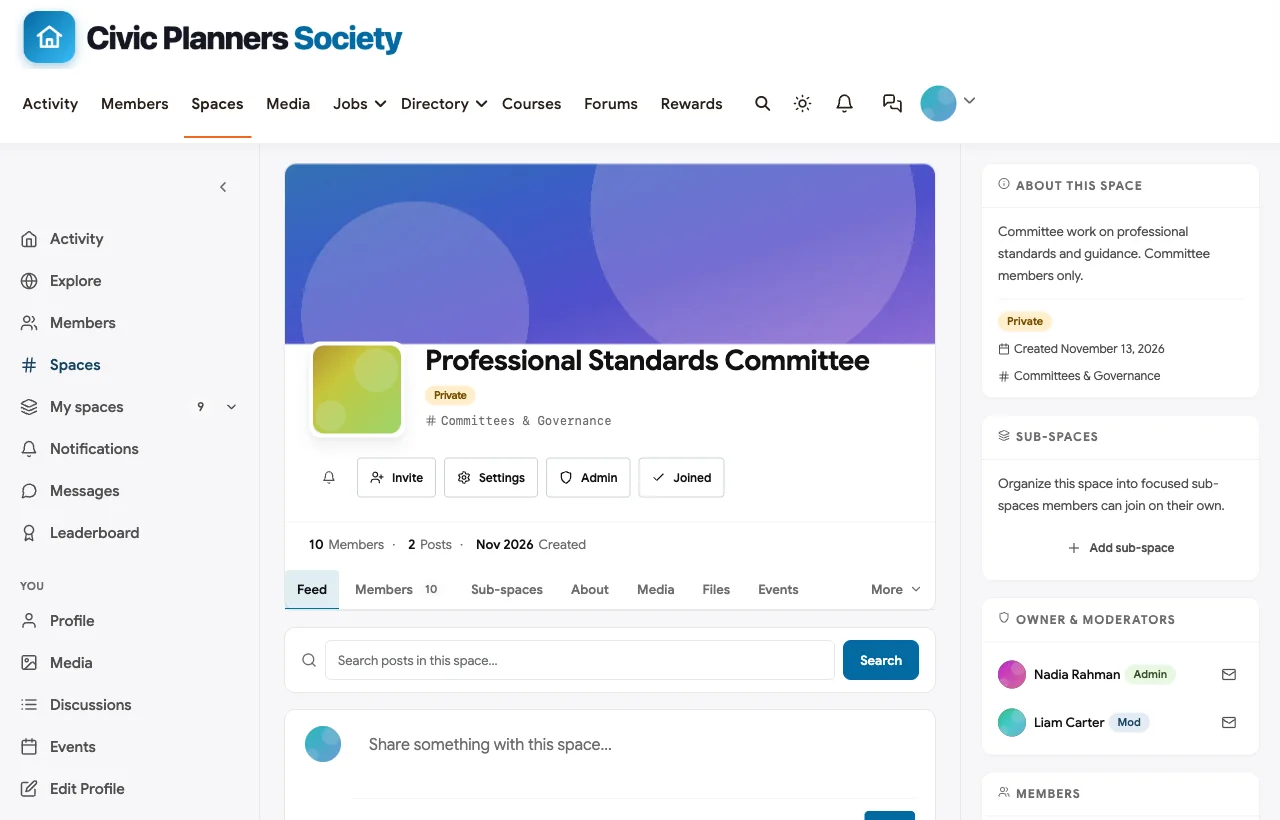
Committees and the board. The Professional Standards Committee is private: only approved committee members can see and post. The Board of Trustees space is secret, so it does not appear in lists for anyone outside it. Draft guidance, board papers and minutes stay where they belong.
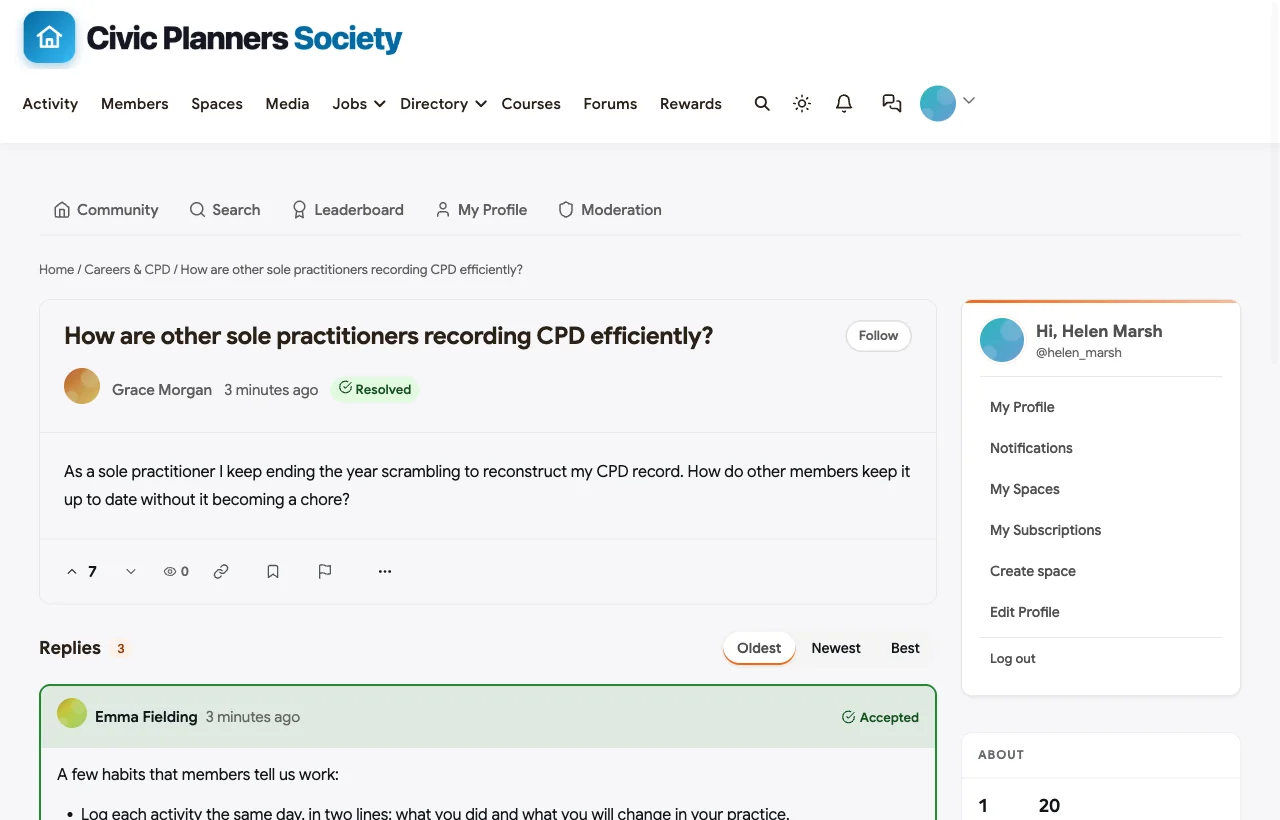
CPD that lives in the community. Built-in courses can issue certificates that members keep as evidence for their CPD record, and chapter evenings and webinars are scheduled as events. The Careers & CPD space supports Q&A with accepted answers: in the demo, a sole practitioner asks how others record CPD without a year-end scramble, the Society’s education manager answers with four habits, and the answer is marked accepted for the next member who asks.
A directory of members and practices. The member directory shows each member’s credential and role in their headline, with search and filters. The Find a Planner space adds a directory of member practices by specialism and region, a common public service for professional bodies.
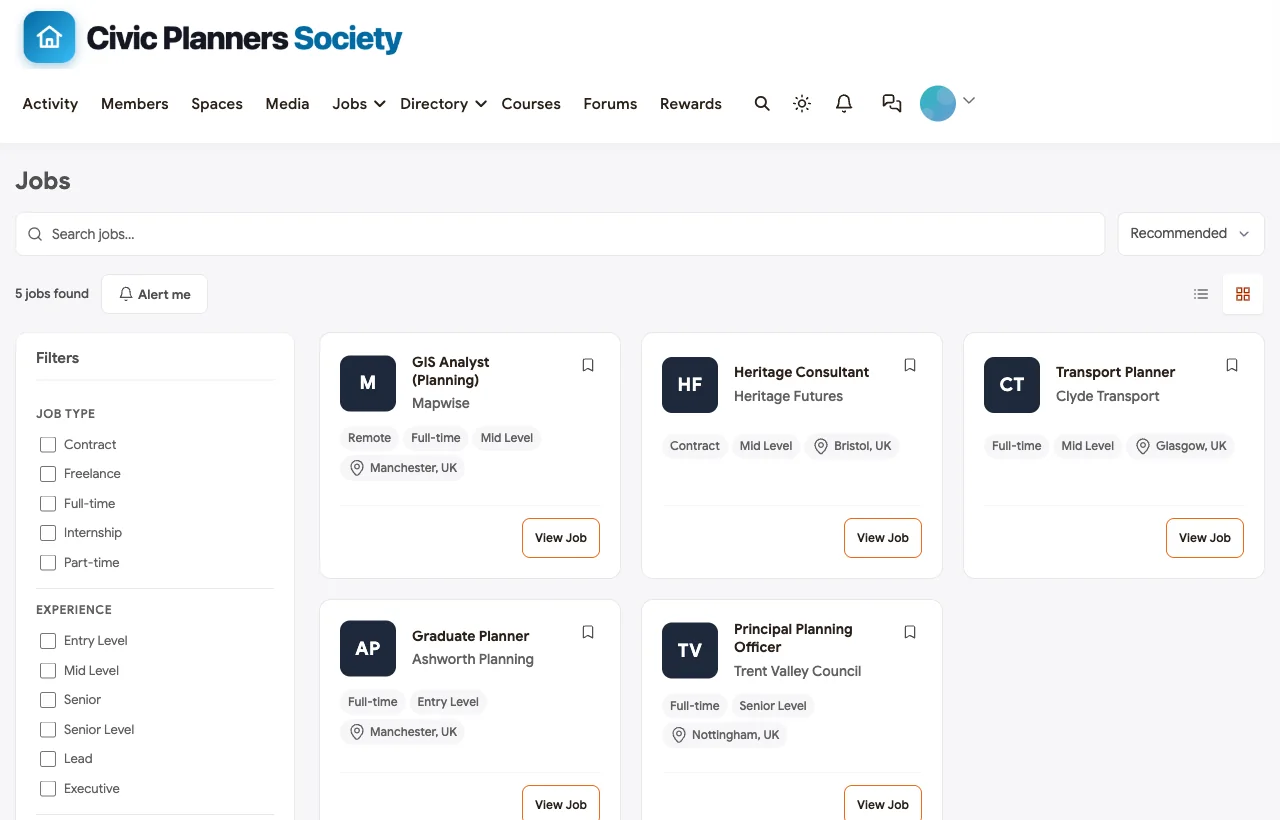
A careers centre. Members and employers post roles on the jobs board; graduates find mentors through the mentoring scheme and direct messages.
Conference and events. The annual conference, chapter evenings, committee meetings and members’ webinars are all events, online or in person with a venue.
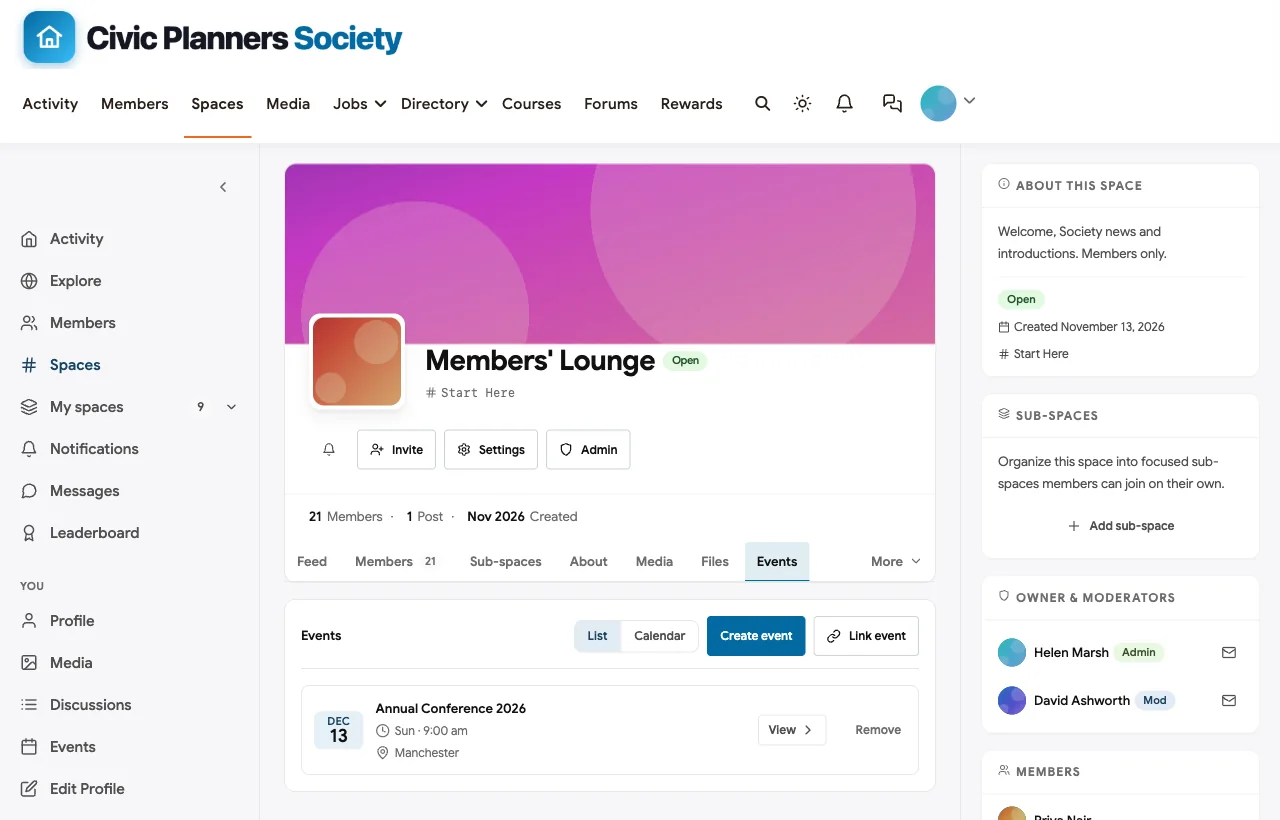
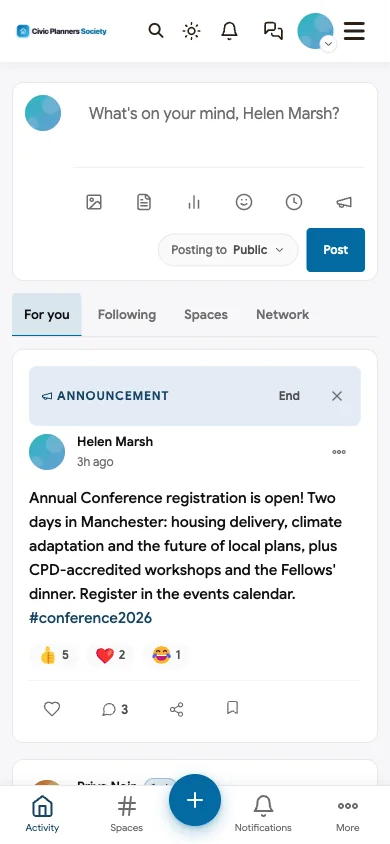
Also built in. Polls for member consultation, a leaderboard that recognises the volunteers who answer questions, notifications, member profiles, paid plans for simple membership fees, and a mobile layout that works without an app download. Single sign-on is available through established WordPress plugins, and some AMS platforms, including Wild Apricot, offer WordPress sign-in of their own.
Watch for. BuddyNext is not an AMS: it does not do invoicing, renewal reminders or formal CPD-hour accounting. Associations with complex dues usually keep their AMS and connect sign-in. It is self-hosted, so your team or a managed host runs WordPress.
What’s included, and how it is delivered
BuddyNext is one platform made of a core and add-on platform modules. Everything shown in the demo above runs on the BuddyNext platform. This table shows which parts come with the core, which are platform modules you install and activate alongside it, and which need a third-party plugin, another system or custom work.
| Capability | How it is delivered |
|---|---|
| Open, private and secret spaces | Core platform |
| Activity feed, pinned announcements and hashtags | Core platform |
| Member profiles and searchable member directory | Core platform |
| Direct messages | Platform module, installed alongside |
| Polls | Core platform |
| Members-only mode, admin approval, invites and email verification | Core platform |
| Paid plans with trials and coupons | Platform module, installed alongside |
| Q&A with accepted answers and code highlighting | Platform module, installed alongside |
| Courses and certificates | Platform module, installed alongside |
| Events with RSVPs, online or in person | Platform module, installed alongside |
| Business and partner directory listings | Platform module, installed alongside |
| Jobs board with filters and alerts | Platform module, installed alongside |
| Points, badges, streaks and leaderboards | Platform module, installed alongside |
| Single sign-on (SAML or OpenID Connect) | Third-party WordPress plugin |
| Membership dues, invoicing and renewals | Your AMS or a membership plugin |
Want to click around yourself? The Civic Planners Society community in this guide was built on a private test site, so it is not public. The BuddyNext live demo is a general community you can open in your browser and explore without installing anything.
2. Higher Logic Thrive: best association-specific community suite
Higher Logic Thrive describes itself as “Leading Online Community Software for Associations,” “trusted by 1,700+ associations,” with discussions, Q&A, libraries and events (Higher Logic). Add-ons cover credentialing and component management for chapters and sub-communities. Its customer SHAPE America is quoted saying “open rates on our community digests are absurdly high - last I checked it was over 40%,” a single customer’s result rather than an industry benchmark.
Category: association community suite, hosted.
Where it fits: mid-sized and large associations that want a vendor focused on their sector, with email digests and AMS integrations.
Watch for: chapters and credentialing are add-ons; hosted only.
3. Glue Up: best all-in-one with CPD and chapter management
Glue Up positions itself as all-in-one association management software combining membership, events, community and finance. Its CPD module lets associations “track CPD/CPE credits, issue certificates, and keep every learning record connected to member profiles, payments, registrations, and reports” (Glue Up). It also has a chapter management module and community groups that can be private or hidden.
Category: hybrid AMS and community, hosted.
Where it fits: associations and chambers that want CPD tracking, chapters and community in one product.
Watch for: the community is one module among many; hosted only.
4. Wild Apricot: best AMS for small associations
Wild Apricot, now WildApricot by Personify, is membership management software with a member database, online payments, event registration, a chapters offering and website tools (Wild Apricot). Its integrations page says its “WordPress plugin lets members log into your WordPress site through a single sign-on” and can sync member data and events between the two (Wild Apricot).
Category: AMS for small organisations, hosted.
Where it fits: small associations that need dues, renewals and events, paired with a community platform such as BuddyNext through WordPress sign-in.
Watch for: member-to-member community is not its core strength.
5. MemberClicks: best AMS with committee tools
MemberClicks describes itself as purpose-built association management software with renewals, invoicing and reporting. Its features page notes that “committee members can share messages and files in a secure area,” and its CommUnity add-on offers a private member networking space (MemberClicks).
Category: AMS with a community add-on, hosted.
Where it fits: associations that want committee collaboration inside their AMS.
Watch for: the community is an add-on rather than the center of the product.
6. YourMembership: best AMS for small to mid-sized organisations
YourMembership positions itself as an AMS built for the challenges “small to mid-size associations face,” with membership management, a built-in online community, learning and events (YourMembership).
Category: AMS with community and learning, hosted.
Where it fits: associations that want one vendor for membership, learning and community.
Watch for: public pages give little detail on chapters, committees or SSO, so ask for a demo of those specifically.
7. Nimble AMS and Fonteva: best if your association runs on Salesforce
Nimble AMS and Fonteva are association management systems built natively on Salesforce. Nimble AMS offers “Nimble Communities,” described as natively available in the AMS (Nimble AMS), and Fonteva lists membership, events, payments, communities and mobile among its products (Fonteva).
Category: Salesforce-native AMS with community.
Where it fits: larger associations already invested in Salesforce.
Watch for: Salesforce licensing and administration; community depth needs a demo.
8. Circle: best for a selective, modern professional network
Circle is a general community platform with spaces, events, courses, paid memberships and branded apps. One of its customer stories describes the Roofing & Solar Reform Alliance as “a selective, values-led community” of contractors, with dedicated discussion spaces and weekly live sessions.
Category: community platform, hosted.
Where it fits: newer professional networks that want a polished member experience and do not need an AMS.
Watch for: no AMS integration, CPD tracking or committee tools; hosted only.
9. Mighty Networks: best for accessibility-conscious hosted communities
Mighty Networks combines community, courses and events. Its accessibility page states the platform is “close to Level AA WCAG 2.1 compliance” after an audit (Mighty Networks), which matters for associations with accessibility obligations.
Category: community platform, hosted.
Where it fits: associations that want courses and community with a mobile app.
Watch for: no AMS integration, chapter or committee primitives; hosted only.
10. Discourse: best open-source forum for discussion-led societies
Discourse is open-source forum software that can be self-hosted or managed. Its site says “Self-host or use our managed hosting. Switch whenever you want,” and promises “full ownership of your data” (Discourse).
Category: open-source forum.
Where it fits: learned societies and technical bodies whose community is mainly discussion.
Watch for: it is a forum, not an AMS; events, directories, CPD and careers need plugins or other tools.
11. LinkedIn Groups: best as a public-facing side channel
Many associations run a LinkedIn group. Private groups can be unlisted, which LinkedIn says means the group “does not appear in search results,” and group privacy “cannot be changed” once created (LinkedIn Help).
Category: social group.
Where it fits: visibility with non-members and prospective members.
Watch for: no member records, chapters, committees, CPD or data export; the association does not own the list.
Association community platforms compared
| Platform | Type | SIGs and chapters | Private committees | CPD | Member directory | Careers | AMS and dues | Hosting |
|---|---|---|---|---|---|---|---|---|
| BuddyNext | Community platform | Spaces with leaders | Private and secret spaces | Courses with certificates | Members and practice directory | Jobs board | Simple paid plans; connect an AMS | Self-hosted |
| Higher Logic Thrive | Association community suite | Component add-on | Groups | Credentialing add-on | Yes | Not documented | Integrates with AMSs | Hosted |
| Glue Up | Hybrid AMS | Chapter module | Private and hidden groups | CPD/CPE tracking | Member profiles | Not documented | Built in | Hosted |
| Wild Apricot | AMS | Chapters offering | Not documented | No | Not documented | No | Built in | Hosted |
| MemberClicks | AMS | Not documented | Committee areas | LMS add-on | Member portal | Not documented | Built in | Hosted |
| YourMembership | AMS | Not documented | Not documented | LMS | Not documented | Not documented | Built in | Hosted |
| Nimble AMS and Fonteva | Salesforce AMS | Via configuration | Via configuration | Via configuration | Via configuration | Via configuration | Built in | Salesforce |
| Circle | Community platform | Spaces | Private spaces | No | Directory | No | Payments only | Hosted |
| Mighty Networks | Community platform | Spaces | Private spaces | Courses | Members | No | Payments only | Hosted |
| Discourse | Forum | Categories and groups | Private categories | No | Via plugins | No | No | Self-hosted or managed |
| LinkedIn Groups | Social group | Separate groups | No | No | No | No | No | LinkedIn’s platform |
Governance and privacy: a checklist for committees and boards
Associations hold sensitive material: draft standards, disciplinary matters, board papers. Before choosing a platform, confirm:
- Secret spaces that do not appear to non-members, for the board and sensitive committees.
- Approval for private spaces, so a staff member or chair approves each committee member.
- Roles for chapter chairs, committee chairs and staff moderators, separate from site administrators.
- Files inside spaces, so papers stay with the committee rather than in personal inboxes.
- Nothing indexed from members-only spaces.
- Data ownership and export, so records survive a change of vendor.
- Accessibility, with a vendor statement you can share with members.
Running chapters well online
Chapters are where many members feel the association most. A simple model works:
- One space per chapter, with the chapter chair and secretary as moderators.
- A shared calendar of chapter events, so members can see what is happening elsewhere.
- A chapter leaders’ private space, where chairs share what works.
- Recognition, through points and public thanks for volunteers who run events.
- A national layer, with special interest groups that cross chapters, so members meet peers in their specialism, not just their region.
Turning the member year into a renewal story
Renewal decisions are made over twelve months, not on the day the invoice arrives. Use the community to make value visible:
| Month | Community moment |
|---|---|
| Joining | Welcome in the Members’ Lounge, introduction to a chapter and an interest group |
| First quarter | First CPD webinar, first answer from an expert member |
| Mid-year | Chapter evening, committee call for volunteers, mentoring match |
| Conference | Pre-conference meetups in the community, recordings and follow-up afterwards |
| Before renewal | A personal summary of what the member used: CPD, events, answers, connections |
Members who post, answer, attend or volunteer are far easier to renew than members who only received emails. Less formal networks need lighter structures; see our guides to freelancer networking communities and startup founder communities.
Connecting your AMS and your community
If you keep an AMS, the community should feel like part of the same membership, not a second account. Three connections matter most:
- Single sign-on. Members sign in once with their AMS credentials. On WordPress this usually means the AMS’s own WordPress plugin or a standard SAML or OpenID Connect plugin. Test it with lapsed members as well as current ones.
- Member status. When a member lapses, their access to members-only spaces should change automatically. Decide what lapsed members can still see: often the public directory and events, but not committees or interest groups.
- Profile data. Decide which system owns which fields. The AMS usually owns name, grade, credentials and chapter; the community owns bio, interests, photo and activity. Sync the AMS fields into the community so the directory stays accurate.
Do not try to move everything into the community. Dues, invoices, credential records and audit trails belong in a system built for them. The community’s job is engagement, and it does that best when it is simple to reach.
Launching an association community: a 90-day plan
For the full setup, screen by screen, see our step-by-step guide to starting a private professional association community.
Days 1 to 30: build with volunteers. Invite chapter chairs, committee chairs, interest group leads and a handful of active members first. Ask each group to set up its space, post an introduction and seed three real questions or resources. Move one committee’s work into its private space so the board sees the value early.
Days 31 to 60: open to all members. Announce the community in the member newsletter with a single clear reason to join, such as the conference programme, a new CPD course or a practice note consultation. Make the welcome post personal and link every member to their chapter.
Days 61 to 90: make it the default. Run the next chapter evening and webinar through the community’s events, post the conference schedule there, and route member questions to interest groups instead of staff inboxes. Report back to the board with simple numbers: active members, questions answered, events attended and volunteers recognised.
Associations with alumni-style networks of former members or students can borrow ideas from our guide to university alumni network software, and for structured mentoring schemes, see how to build a mentorship community on WordPress.
More community platform comparisons
Building a different kind of community, or one that overlaps with this one? These guides use the same method: a working demo community and vendor claims checked at the source.
- Best platforms for event attendee networking: introductions, speaker Q&A, sponsors and year-round meetups.
- Best platforms for a healthcare professionals network: verified sign-up, specialty groups, education and peer support for clinicians.
- Best software for a nonprofit volunteer community: induction training, shifts, team spaces, stories and recognition for volunteers.
- Best software for an accounting professionals community: peer Q&A with accepted answers, firm owner groups, busy season support and a job board.
- Best software for professional certification training: exam prep, verifiable certificates with expiry, recertification and study groups.
- How to start a private professional association community: the step-by-step build behind this demo, from approvals and dues to CPD certificates and renewals.
- Best software for a university alumni network: class spaces, chapters, mentoring and alumni jobs.
- Best software for a real estate investor community: investor clubs, deal analysis and vetted vendors.
- Best software for a freelancer networking community: referrals, jobs and member directories.
- Best software for a private neighborhood community website: residents-only access, safety alerts and local decisions.
- Best software for an SEO professionals community: indexable Q&A and code-friendly answers.
- How to set up a community space on WordPress: the step-by-step setup guide behind every demo in this series.
How we built and checked this list
We built the Civic Planners Society demo on a local WordPress site running BuddyNext, with fictional members, chapters, committees, practices and events created for this guide; every BuddyNext screenshot comes from it. Competitor features come from each vendor’s own website or help center, checked in November 2026 and linked where we quote them. The SHAPE America figure is a single customer’s result published by Higher Logic, not an industry benchmark. We did not run paid accounts on every competitor, and features change, so confirm anything critical with the vendor. buddyxtheme.com is published by the team behind BuddyNext, which is why it is listed first; we have tried to be fair about its gaps as well as its strengths.
Frequently asked questions
What is the best platform for a private professional association community?
BuddyNext is the best choice for an association community you own, with special interest groups, chapters, private committees, a secret board space, a member and practice directory, a careers board, CPD courses with certificates, Q&A and events on your own WordPress site. Higher Logic Thrive is the leading association-specific hosted suite.
Do we need an AMS if we have a community platform?
Usually yes, if you have complex dues, invoicing, renewals or formal credential records. The AMS stays the system of record; the community is where members interact. Connect them through single sign-on and member status.
Can a community platform handle membership dues?
Simple fees, yes. BuddyNext and several community platforms include paid plans. Complex dues, such as grades, pro-rating, invoicing and multi-year renewals, belong in an AMS.
How do associations track CPD in a community?
Use courses that issue certificates, schedule webinars and chapter evenings as events, and give members a simple way to record activities. Associations that need formal CPD-hour accounting often use an AMS or a CPD module such as Glue Up’s.
How should we structure chapters and special interest groups?
Give each chapter and each interest group its own space with named leaders as moderators, keep a shared events calendar, and create a private space for chapter leaders to share what works.
How do we keep committee and board work confidential?
Use private spaces with approval for committees and secret spaces for the board, keep papers in the space’s files, and make sure members-only spaces are never indexed by search engines.
Is LinkedIn a good place for an association’s community?
It is useful for visibility with non-members, but the association does not own the member list, cannot create chapters or committees, and has no CPD or careers tools there. Use it to point people to your own community.
What makes members renew?
Value they can see: CPD completed, events attended, questions answered, connections made and volunteer roles held. A community makes that value visible all year, not only at renewal time.
Should the member directory be public?
A members-only directory helps members find each other. A public directory of member practices, such as a Find a Planner listing, is a service to the public and a benefit members value. Let members choose what appears.
Can we migrate from an AMS community add-on to our own platform?
Yes. Export members and content from your current system, connect sign-in to your AMS, and launch with chapters and interest groups already set up so members arrive to a familiar structure.
How do we encourage members to volunteer?
Make volunteering visible and small. Post specific asks with a clear time commitment, such as reviewing one draft practice note or hosting one chapter evening, thank volunteers publicly, and use points or recognition so contributions are seen. Members who volunteer once are far more likely to do it again.
Can student and graduate members use the same community?
Yes, and they should. Give students and graduates a careers and chartership space, connect them to mentors, and let them join interest groups alongside experienced members. Early-career members who find mentors and jobs through the association become its most loyal members later.
How accessible should an association community be?
As accessible as your other member services. Ask each vendor for an accessibility statement, test with keyboard navigation and screen readers, and keep posts readable with clear headings and alt text on images.
The bottom line
An association community succeeds when members feel the association every week: answers from experts in their interest group, a chapter evening on the calendar, a committee doing real work, CPD that is easy to complete and a career network that opens doors. If you want that community on your own website, with your members’ data in your own database, BuddyNext is the strongest foundation. If you prefer an association-specific hosted suite, Higher Logic Thrive leads, and Glue Up is the strongest all-in-one for CPD and chapters.
And build an association community members feel all year.