
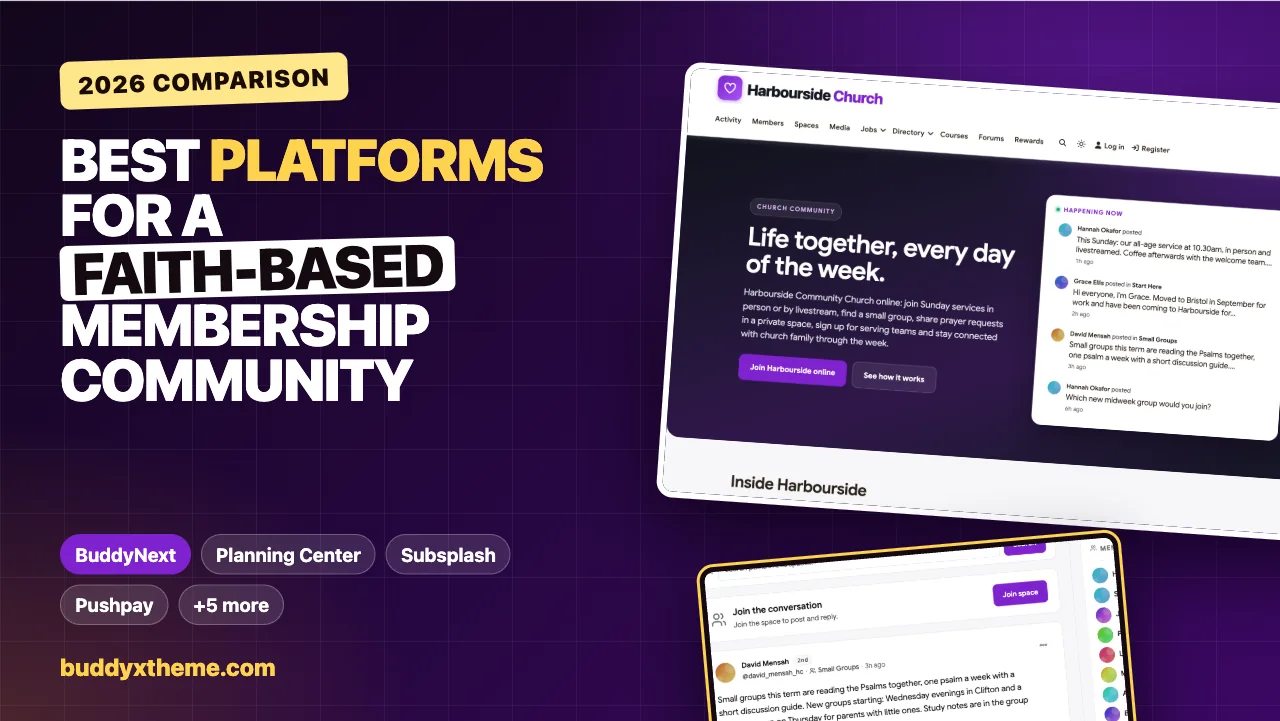
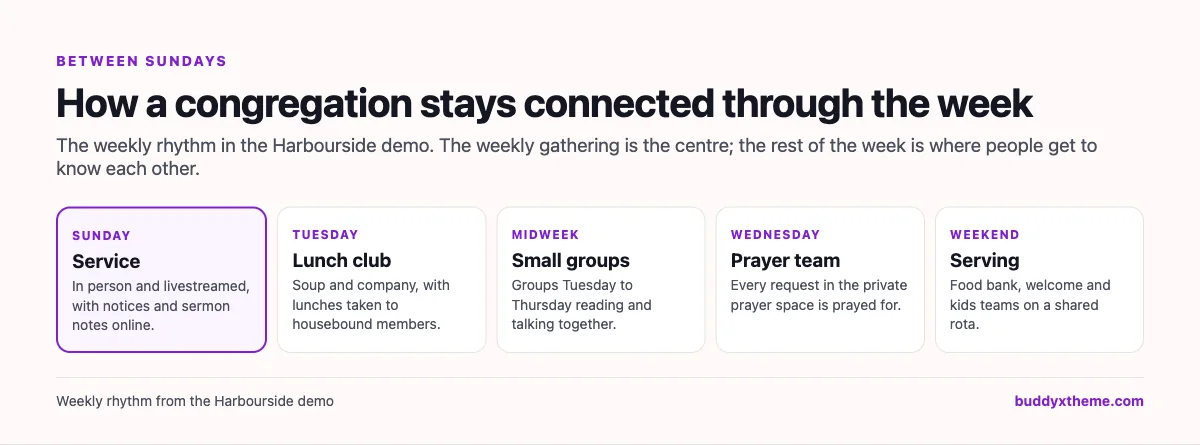
For most congregations, the weekly gathering is the visible part of community life, and the smaller part. The rest happens during the week: a small group around a kitchen table, a prayer request whispered after the service, the rota for the welcome team, a meal taken to someone who cannot leave the house, a parent asking about the youth group. When those threads live in scattered group chats, email lists and paper rotas, people slip through the gaps, especially newcomers, the housebound and anyone going through a hard time.
A faith-based membership community gives a church, mosque, synagogue, gurdwara, temple or faith-based charity a place for that week-long life: small groups, private prayer and care, serving teams, service livestream links, youth and family information and a member directory with real privacy. This guide compares the platforms congregations and faith organisations use, from church management software to general membership and community platforms. We built a working congregation community for the first entry and checked every competitor claim on the vendor’s own pages in November 2026.
Quick answer
If you lead a congregation or faith organisation and want a community you own, BuddyNext is the strongest choice: small group spaces with study notes, a private prayer requests space, a confidential support group, serving team rotas, services and events with livestream links, a welcome course, a youth and families space for parents and leaders, and member profiles with privacy controls, all on your own website and in language that suits any faith. Planning Center, Subsplash, Tithely, Pushpay ChurchStaq, ChurchTrac and MinistryPlatform are church management systems, Wild Apricot handles general membership, and Mighty Networks and Circle are general community options.
In this guide
- Why congregations need a community between gatherings
- Church management, membership software or a community?
- The faith community scorecard
- 1. BuddyNext: best for a faith community you own
- 2. Planning Center: best church management suite with groups
- 3. Subsplash: best for church apps and livestreaming
- 4. Tithely: best all-round church toolkit
- 5. Pushpay ChurchStaq: best for larger churches with one record per person
- 6. ChurchTrac: best simple church management
- 7. MinistryPlatform: best for large and multi-site ministries
- 8. Wild Apricot: best faith-neutral membership management
- 9. Mighty Networks: best hosted community with native apps
- 10. Circle: best hosted community with spaces and events
- Handling prayer requests with care
- Safeguarding children and vulnerable adults
- Helping newcomers belong
- Including housebound and distant members
- Working alongside a church management system
- Questions to ask before you choose
- A 30-day launch plan
- Which platform fits your congregation?
- More community platform comparisons
- How we built and checked this list
- Frequently asked questions
- The bottom line
Why congregations need a community between gatherings
Congregations are changing. Gallup found that “In 2020, 47% of U.S. adults belonged to a church, synagogue or mosque,” down from 70% at the turn of the century (Gallup). Pew Research Center’s Religious Landscape Study adds that “35% of U.S. adults no longer identify with the religion in which they were raised - that’s about 90 million people who have changed their religious identities” (Pew Research Center).
People move, explore, return and arrive from other traditions. Congregations that help newcomers belong quickly, and keep members connected between gatherings, are the ones that stay strong. A community platform for a faith organisation has a handful of jobs:
| Job | What goes wrong without it | What the platform needs |
|---|---|---|
| Belonging | Newcomers come for a few weeks, then drift away | A welcome course and introductions that get a reply |
| Small groups | People cannot find a group that fits their week | Group spaces with times, places and study notes |
| Prayer and care | Requests are shared too widely, or not at all | A private prayer space and confidential support groups |
| Serving | The same few people do everything | Serving team spaces with rotas and swaps |
| Gatherings | People miss services and events they would have joined | Events with livestream links and notices |
| Youth and families | Parents miss consent forms and dates | A private space for parents and leaders |
| Privacy | People are wary of sharing personal details | Profile visibility controls and private spaces |
Church management, membership software or a community?
Faith organisations usually compare three kinds of platform.
| Kind | What it does | Examples |
|---|---|---|
| Church management systems | People records, groups, check-in, service planning, volunteers and apps | Planning Center, Subsplash, Tithely, Pushpay ChurchStaq, ChurchTrac, MinistryPlatform |
| General membership software | Member records, directories, events and communications for any organisation | Wild Apricot |
| Community platforms | Spaces, discussions, events and members under your own name | BuddyNext, Mighty Networks, Circle |
Many church management systems are built specifically for Christian churches, in language and features. Mosques, synagogues, gurdwaras, temples and interfaith organisations often prefer faith-neutral tools that they can describe in their own words. Larger congregations sometimes run a management system for records and check-in alongside a community for the week-to-week life of members.
The faith community scorecard
How each option handles what matters most. “Not found” means we could not confirm it on the vendor’s own pages, not that it is impossible.
| Platform | Small groups | Private prayer and care | Serving teams | Events and livestream | Youth and families | Member privacy | Faith-neutral |
|---|---|---|---|---|---|---|---|
| BuddyNext | Group spaces | Private and secret spaces | Serving spaces, rotas | Events with links | Private parents space | Field visibility | Yes |
| Planning Center | Groups with chat | Private member lists | Volunteer scheduling | Service plans | Not found | Private lists | Church-specific |
| Subsplash | Groups and messaging | Not found | Volunteers | Livestreaming | Child check-in | Not found | Church-specific |
| Tithely | Groups | Not found | Service planning | Church calendar | Kids check-in | Not found | Church-specific |
| Pushpay ChurchStaq | Groups with messaging | Not found | Volunteer scheduling | Not found | Child check-in | Not found | Church-specific |
| ChurchTrac | Groups | Not found | Volunteer scheduling | Events and calendars | Child check-in | Not found | Church-specific |
| MinistryPlatform | Groups with chat | Not found | Not found | Not found | Check-in | Not found | Church-specific |
| Wild Apricot | Not found | Not found | Not found | Events | Not found | Not found | Yes |
| Mighty Networks | Not found | Not found | Not found | Events | Not found | Not found | Yes |
| Circle | Spaces | Not found | Not found | Live events | Not found | Not found | Yes |
1. BuddyNext: best for a faith community you own
BuddyNext is a complete community platform that runs on your own WordPress site. Open, private and secret spaces, events, Q&A with accepted answers, courses, direct messages, polls, profile fields with visibility controls, points and a member directory work together. A congregation or faith organisation can run small groups, prayer and care, serving teams, gatherings and family information in one community, in its own words.
To show it in practice, we built Harbourside Community Church, a demo community for a fictional congregation in Bristol. The same setup works for a mosque, synagogue, gurdwara, temple or faith-based charity, with your own names for groups and gatherings. It has 20 members: a minister and an associate minister, an elder, a small groups coordinator, a prayer team lead, a volunteer coordinator, a youth and families lead, a church administrator, a newcomer who moved to the city in September, someone returning after twenty years, someone exploring faith with lots of questions, a housebound member who joins online, parents, a student, members of the music, tech, welcome and kids teams, a food bank coordinator, the lunch club host and a member of the bereavement support group.
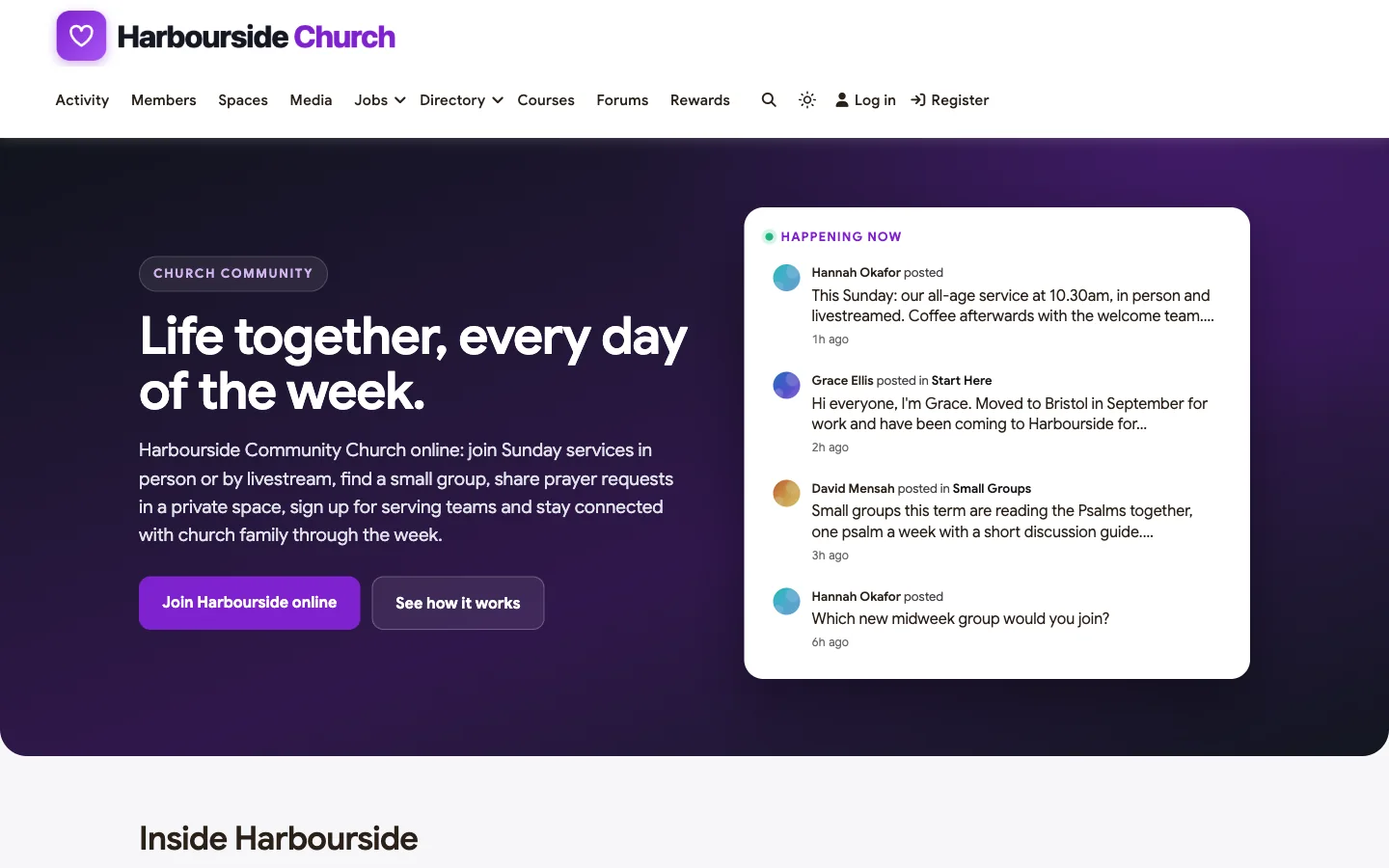
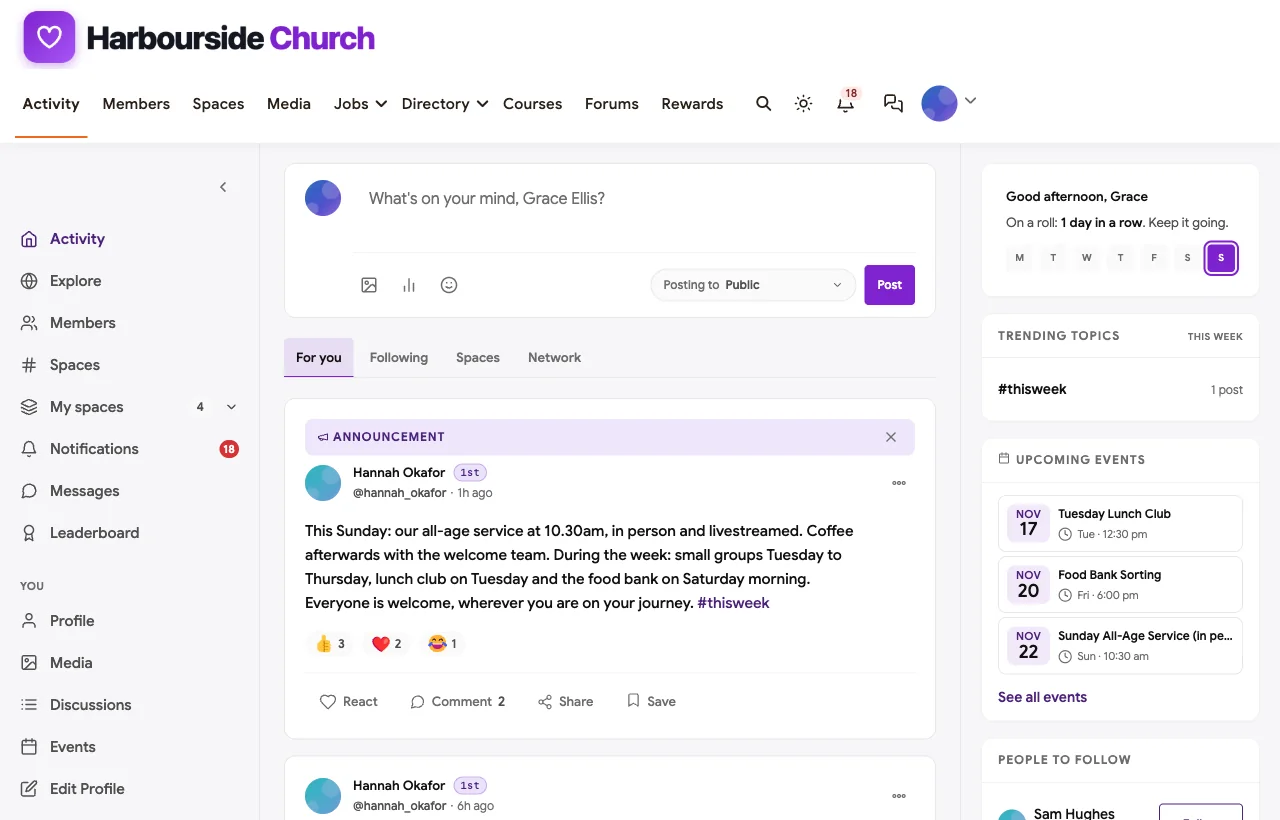
The homepage welcomes visitors and members alike: this week’s service and events, a newcomer’s introduction and news from small groups.
Welcome and belonging
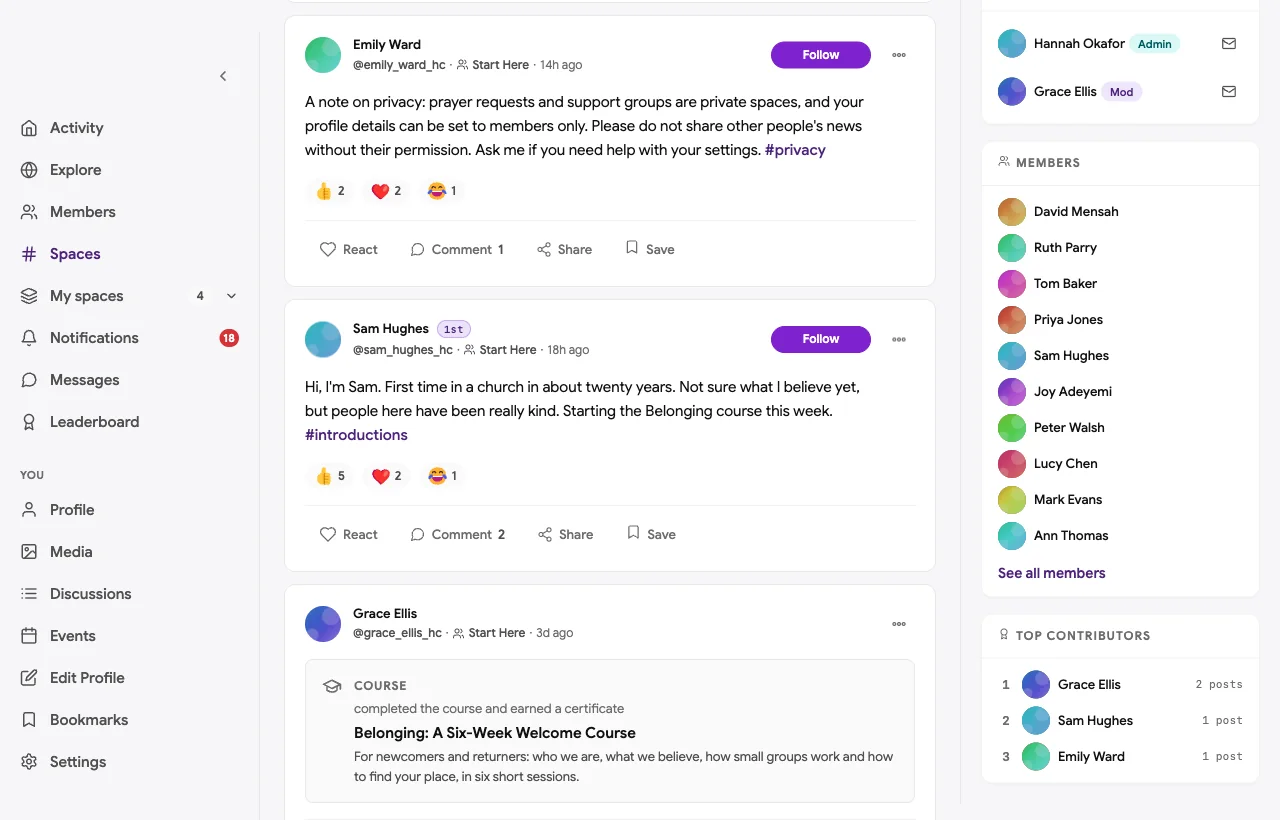
Every newcomer starts in Start Here: say hello, find a small group and take Belonging: A Six-Week Welcome Course, which covers who the congregation is, what it believes, small groups, prayer and care, serving and next steps, with a question to discuss at the end of each session.
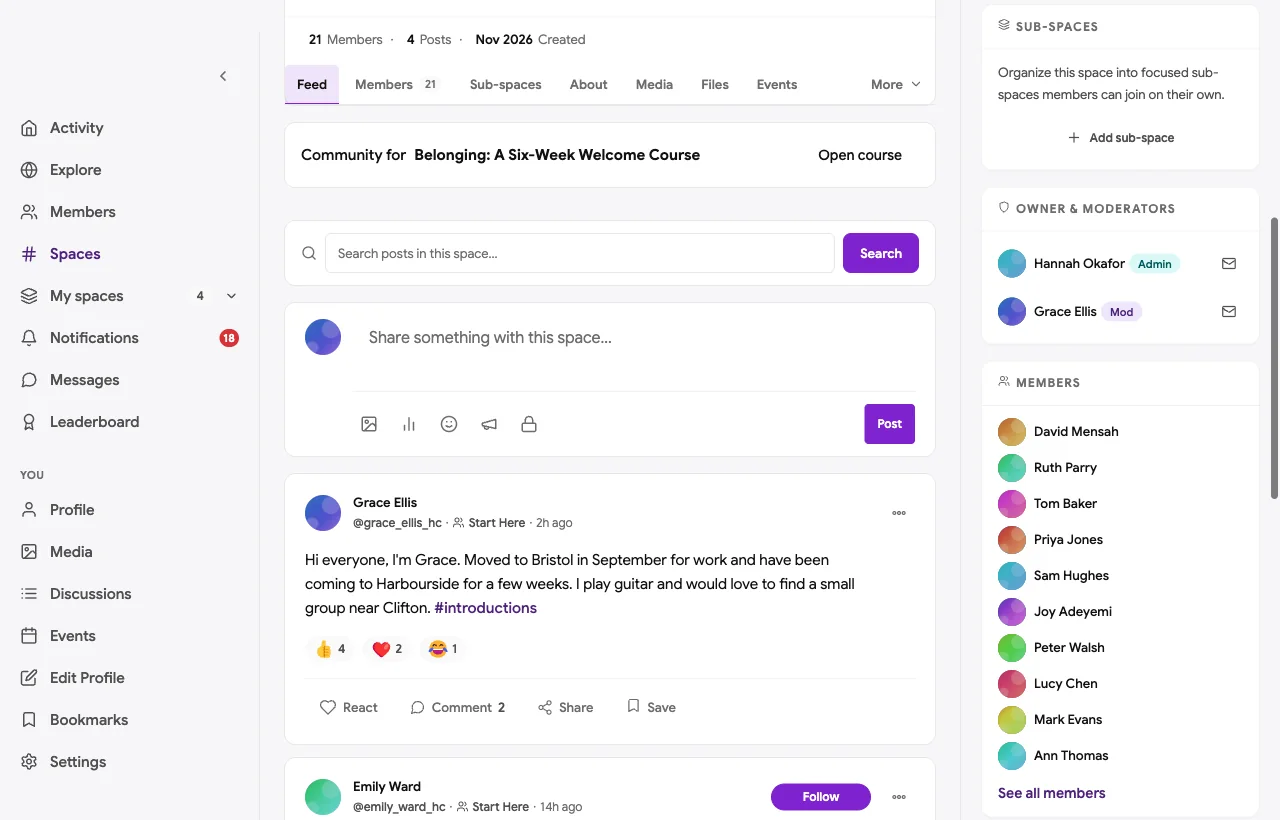
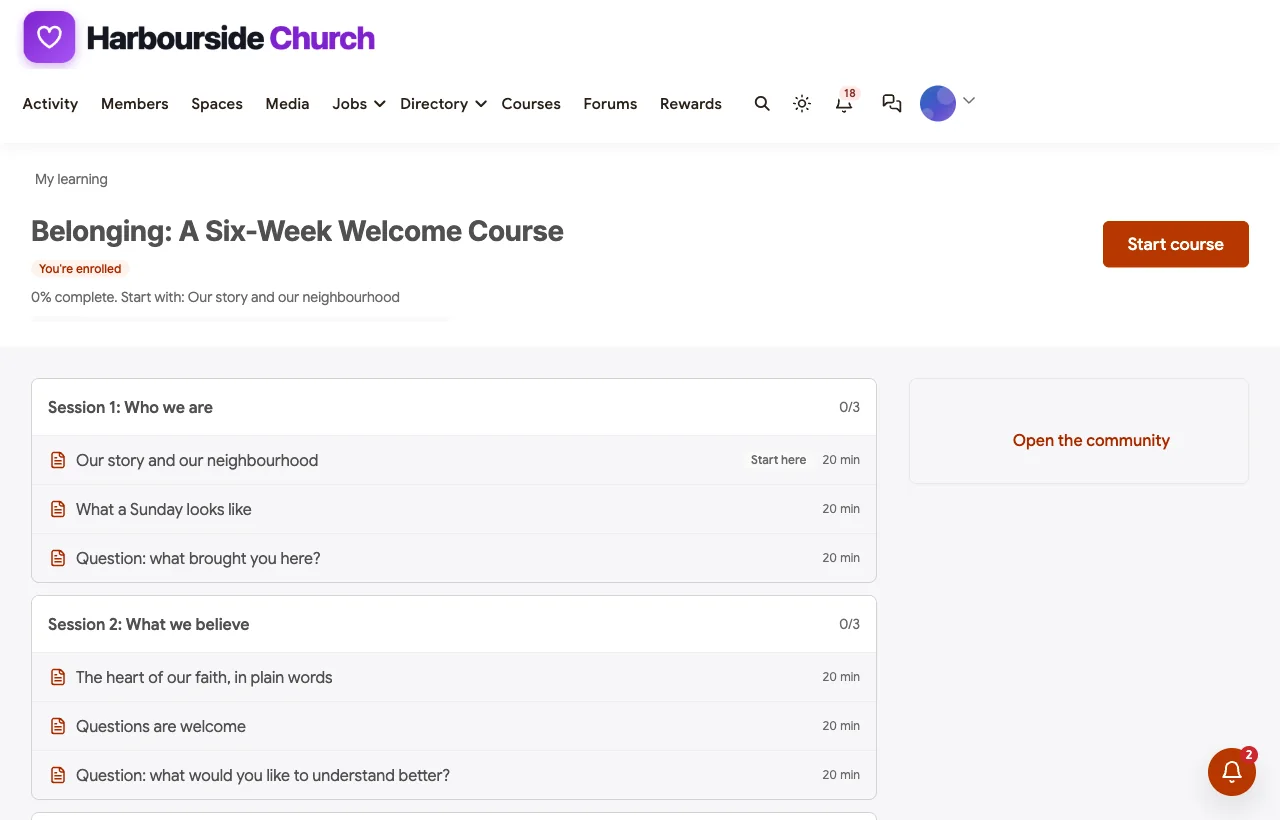
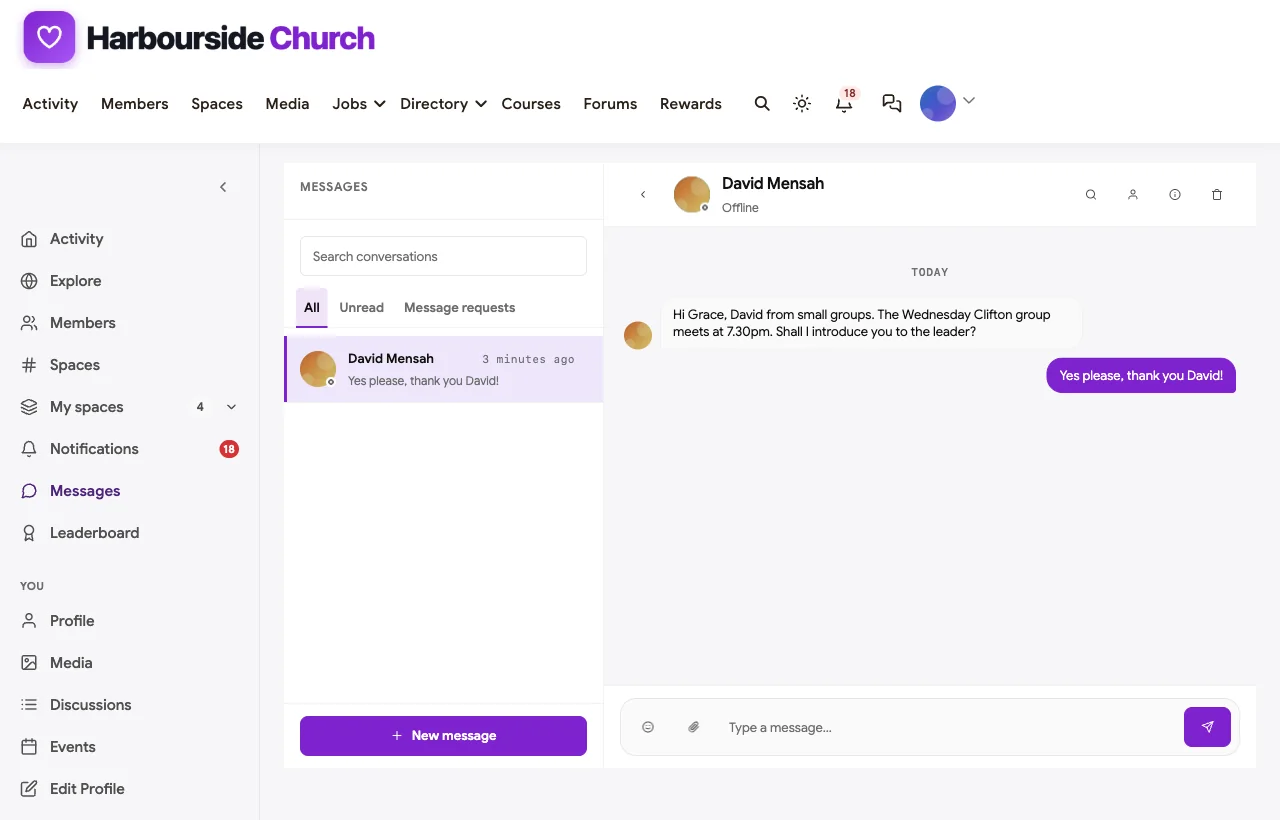
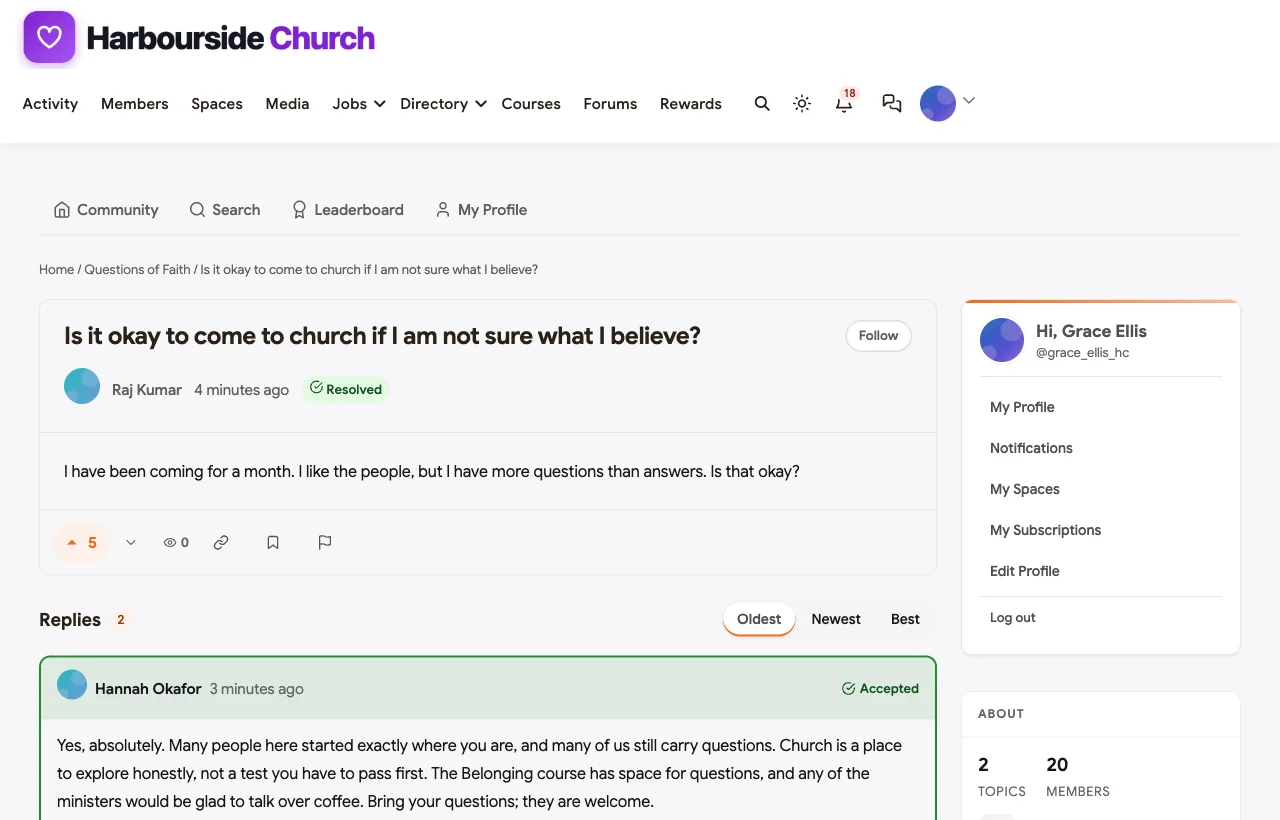
A newcomer who moved to the city in September asks for a small group near her home; the small groups coordinator replies within hours and messages her with the time and leader. Someone returning after twenty years says he is not sure what he believes yet, and the minister replies that questions are welcome.
Small groups
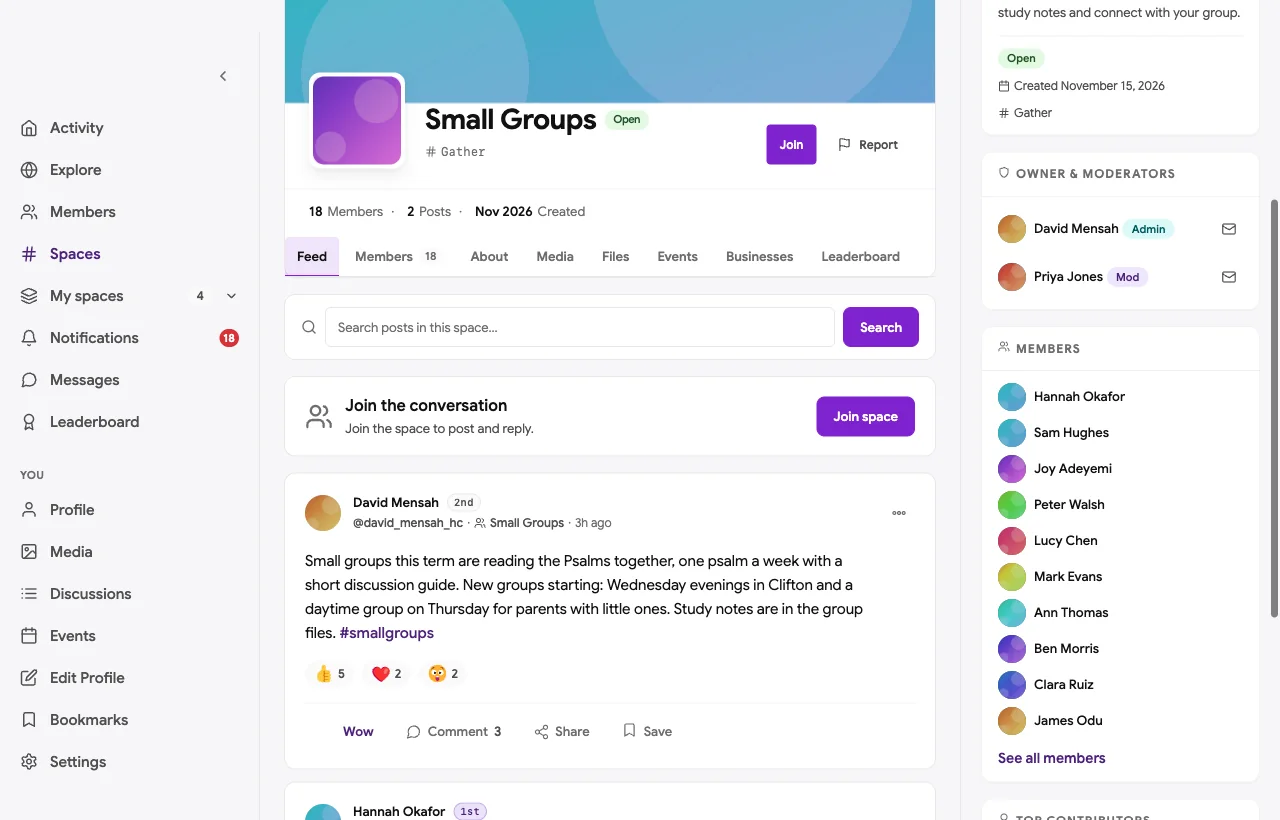
The Small Groups space lists groups by day and place, with study notes for the term. This term’s groups are reading the Psalms together, one psalm a week, with new groups starting midweek in the evening and a daytime group for parents with little ones.
Prayer requests and care
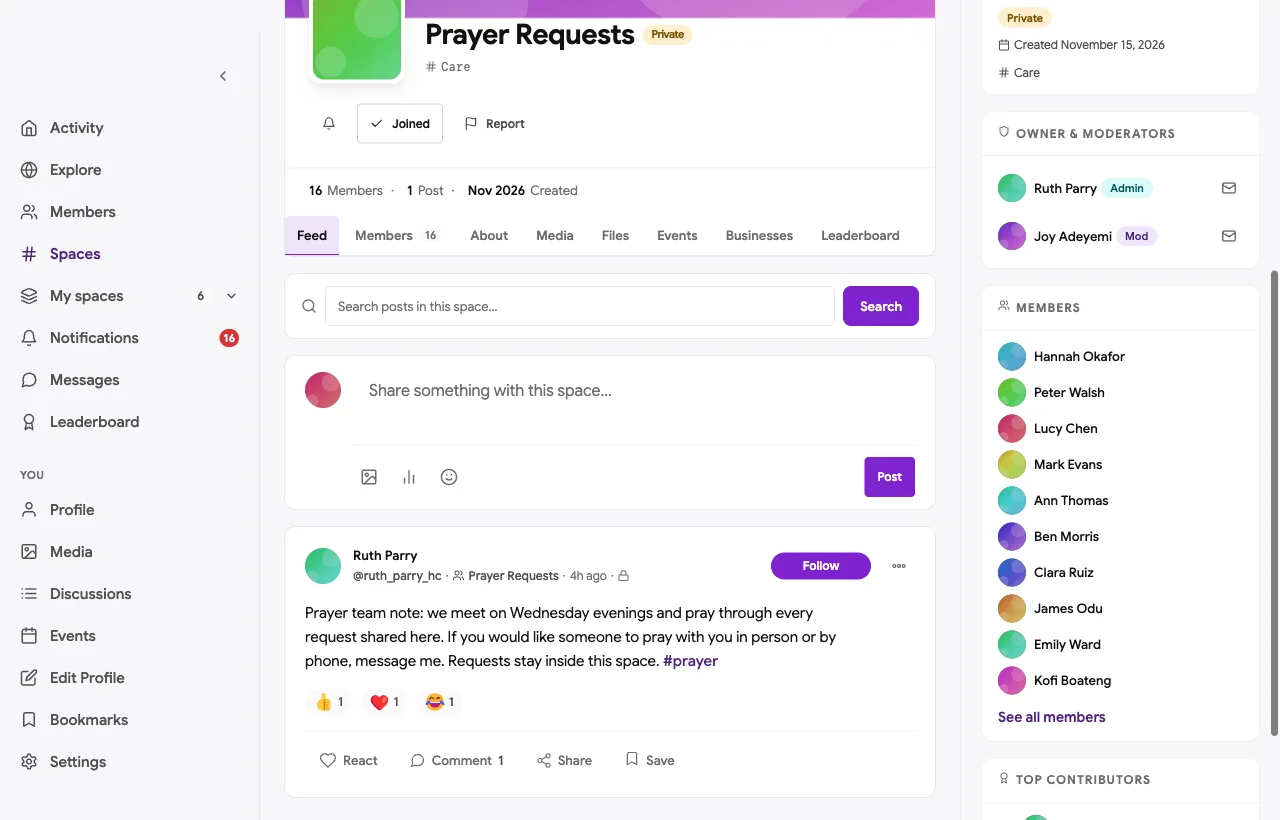
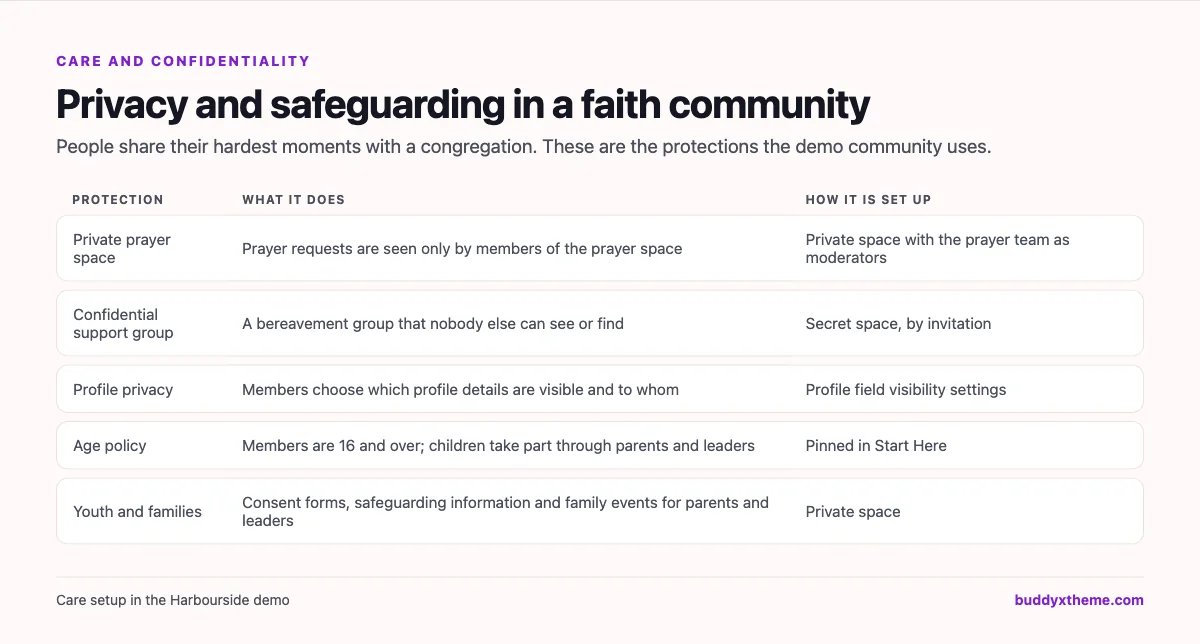
Prayer Requests is a private space, seen only by its members, with the prayer team as moderators. The prayer team lead explains that every request is prayed for at the Wednesday meeting, and invites anyone who wants someone to pray with them in person or by phone to send a message. A bereavement support group meets in a secret space that nobody else can see or find, by invitation from the pastoral team.
Serving teams
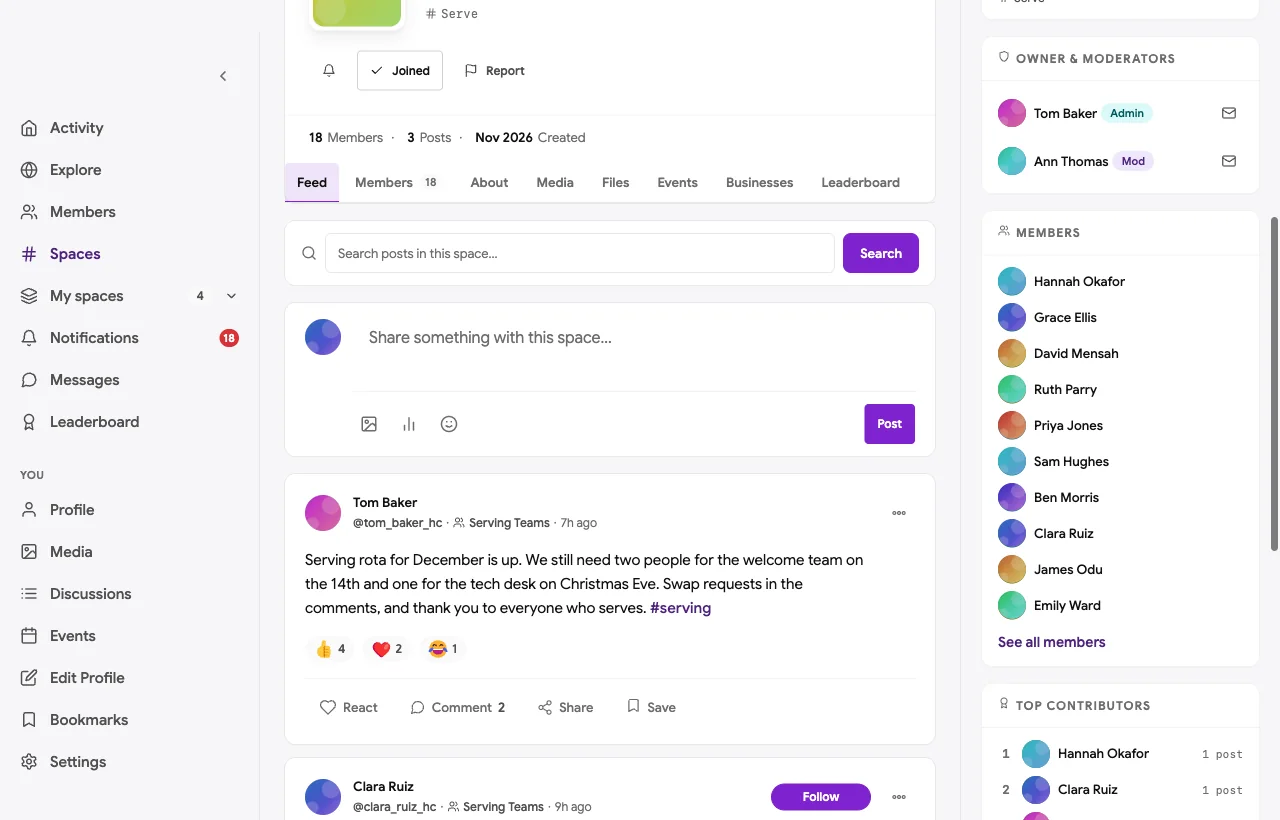
The Serving Teams space holds rotas and sign-ups for the welcome, kids, tech, music, lunch club and food bank teams. The volunteer coordinator posts the December rota with the gaps; members take them in the comments.
Gatherings, events and livestream links
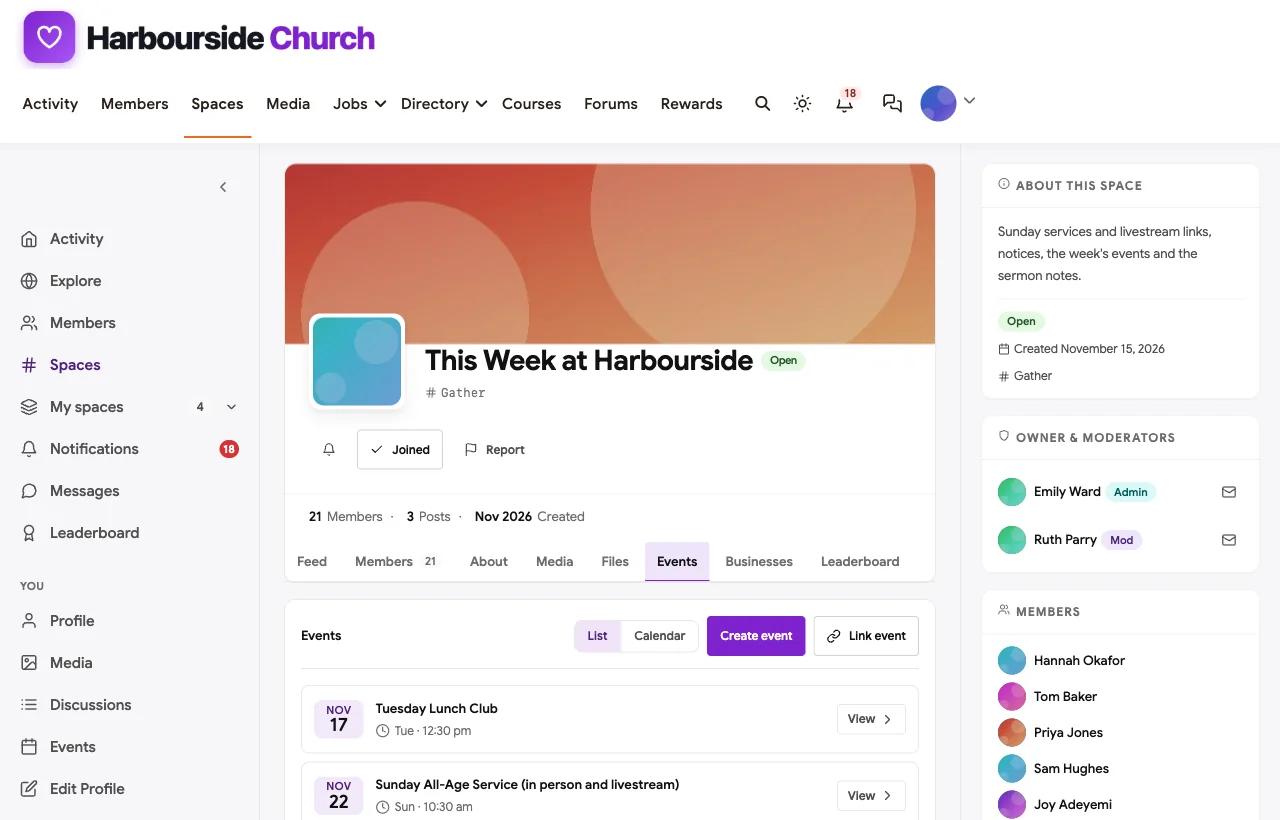
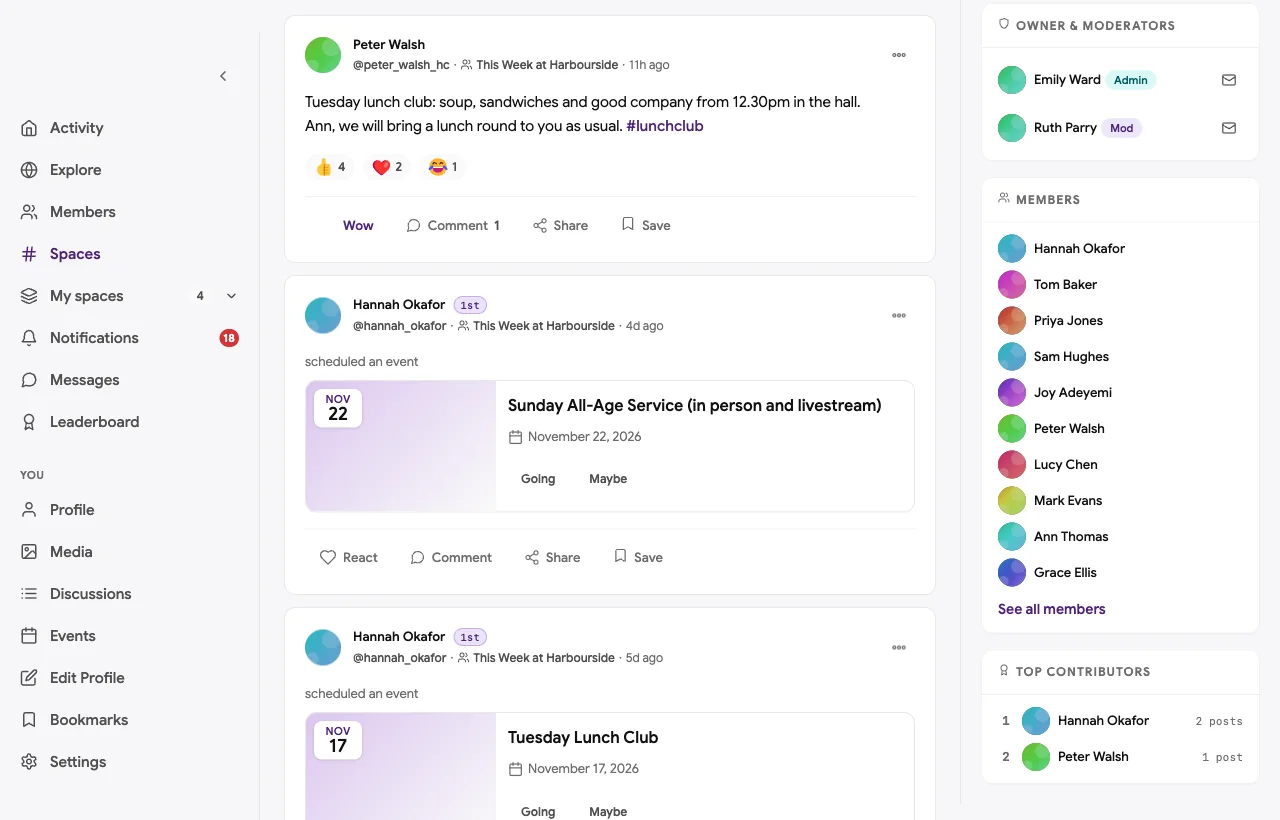
The weekly service and midweek events are events in This Week at Harbourside, with the livestream link for members who join from home. The Tuesday lunch club is an event too, and the host notes that a lunch will be taken round to a housebound member as usual.
Questions of faith
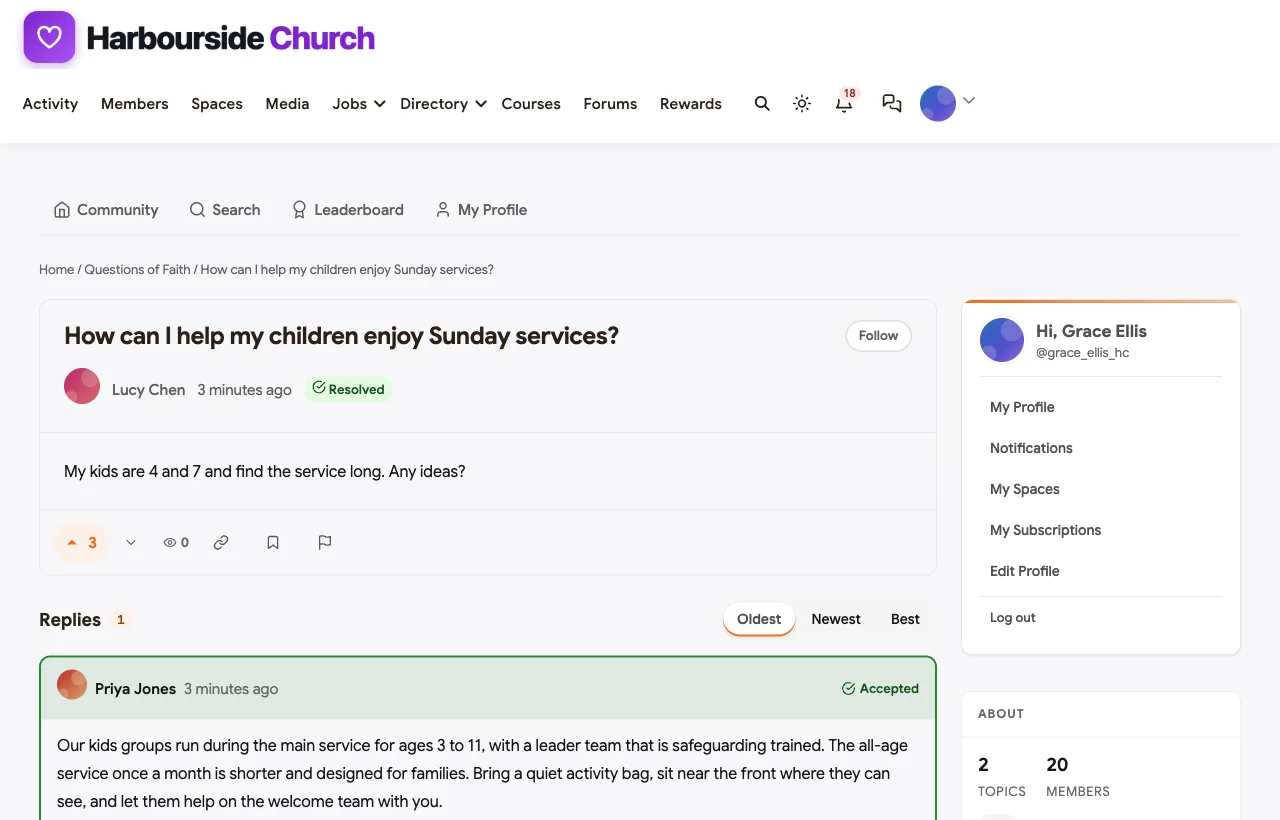
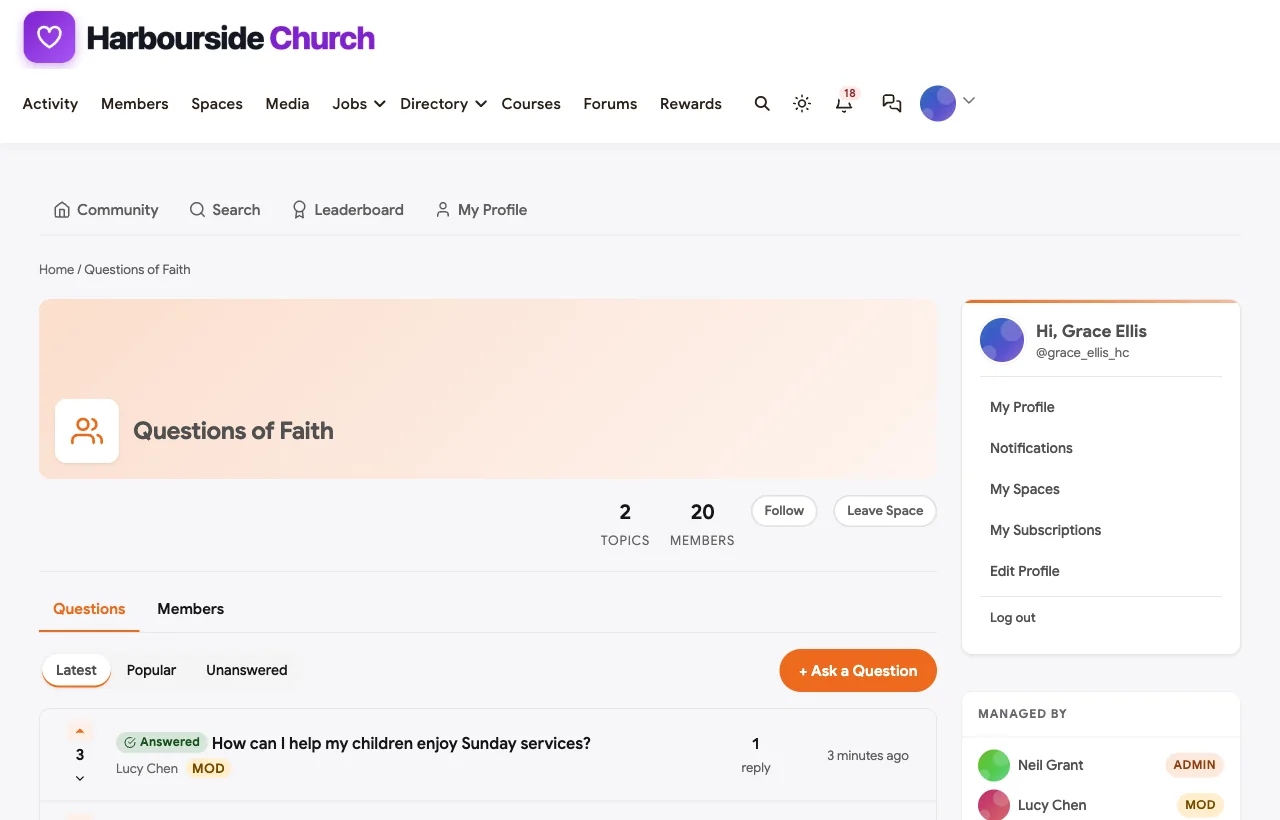
Questions of Faith is a Q&A space for honest questions about faith, scripture and congregational life. Ministers and elders answer, and the most helpful answer is marked accepted.
Youth and families
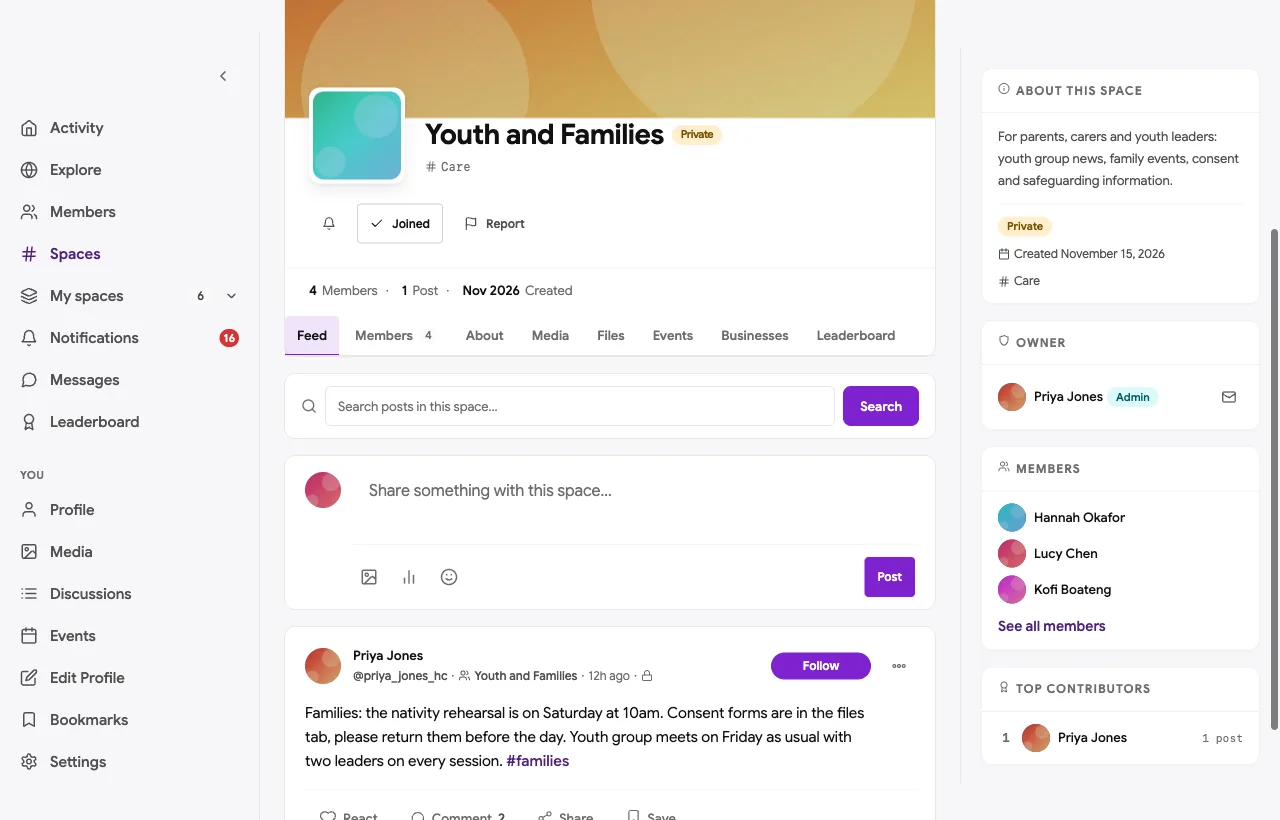
Youth and Families is a private space for parents, carers and youth leaders: rehearsal dates, consent forms, family events and safeguarding information. Members of the community are 16 and over; younger children and young people take part through their parents and leaders.
Members and mobile

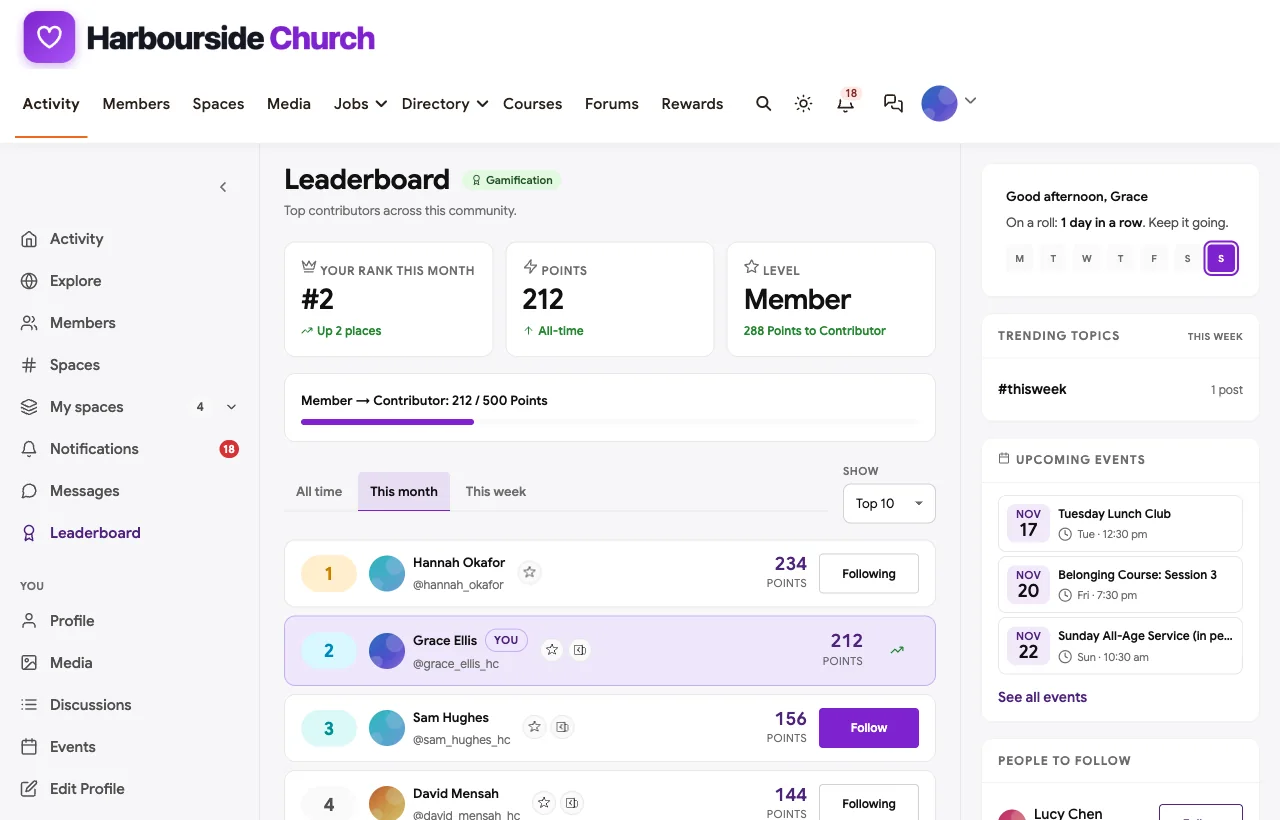
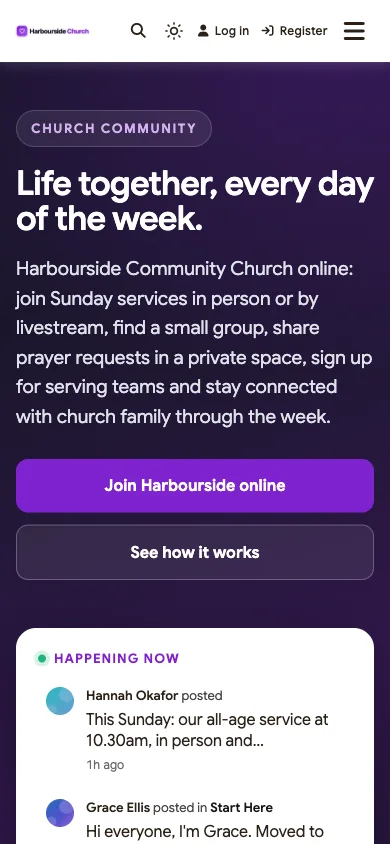
Many members check notices and prayer requests on their phones, so the whole community works in the mobile browser without an app download.
Also built in. Polls for new groups and service preferences, hashtags, a member directory, notifications, moderation and reporting, and memberships if your organisation uses them.
Not built for: child check-in at the door, service planning with song lists, background checks, or streaming video itself. Use a church management system or a check-in tool for those, and stream on YouTube or another service with the link in your events. It is self-hosted, so you run WordPress or use a managed host.
What’s included, and how it is delivered
BuddyNext is one platform made of a core and add-on platform modules. Everything shown in the demo above runs on the BuddyNext platform. This table shows which parts come with the core, which are platform modules you install and activate alongside it, and which need a third-party plugin, another system or custom work.
| Capability | How it is delivered |
|---|---|
| Open, private and secret spaces for small groups, prayer and support groups | Core platform |
| Activity feed, pinned notices, polls and hashtags | Core platform |
| Member profiles with field visibility and a directory | Core platform |
| Reporting and moderation queue | Core platform |
| Direct messages | Platform module, installed alongside |
| Services, lunch club and courses as events | Platform module, installed alongside |
| Questions of Faith with accepted answers | Platform module, installed alongside |
| Welcome course | Platform module, installed alongside |
| Points and leaderboards (optional) | Platform module, installed alongside |
| Child check-in and service planning | Another system (church management or check-in tool) |
| Livestreaming services | Third-party streaming service, linked from events |
Want to click around yourself? The Harbourside community in this guide was built on a private test site, so it is not public. The BuddyNext live demo is a general community you can open in your browser and explore without installing anything.
2. Planning Center: best church management suite with groups
Planning Center promises “Every part of your church, finally in sync” (Planning Center). Its Groups product lets leaders “organize groups online, take attendance, and bring people together with messaging,” and can “Help people in recovery, grief, and healing feel safe by keeping member lists private and anonymous” (Planning Center Groups). Its Services product helps churches “Build service plans, schedule volunteers, coordinate rehearsals.”
Strengths: a mature suite for groups, services and volunteers, with thoughtful privacy for sensitive groups.
Gaps: church-specific language throughout; no open community feed or Q&A found.
3. Subsplash: best for church apps and livestreaming
Subsplash helps churches “Reach your community beyond Sunday with a church app, website, livestreaming” and more (Subsplash). Its groups and messaging “live on your church’s app and website,” and its media tools promise “Stream. Trim. Publish. Clip. Share.”
Strengths: a branded app, website and livestreaming in one product.
Gaps: member directory privacy controls not described; church-specific throughout.
4. Tithely: best all-round church toolkit
Tithely invites churches to “Run your church from one place with the tools you need” (Tithely), with “Service Planning,” “Groups,” “Kid’s Check In,” “Church Calendar” and “Email and Text.” Breeze church management has been rebranded as Tithely Church Management.
Strengths: a broad set of church operations tools in one account.
Gaps: no prayer request feature or member privacy controls found.
5. Pushpay ChurchStaq: best for larger churches with one record per person
Pushpay’s ChurchStaq, which now includes the former Church Community Builder, promises “Focus on your flock, not your software” (Pushpay). It offers “Groups with Built-in Messaging” for needs “like meal trains,” the ability to “Schedule volunteers, run background checks, and track serving hours,” and child check-in connected to “a family’s full profile.”
Strengths: connected records, groups and volunteering for larger churches.
Gaps: no private prayer or sensitive-group privacy features described.
6. ChurchTrac: best simple church management
ChurchTrac says “Church software doesn’t have to be hard” (ChurchTrac), with “People, families and groups,” “Plan services and volunteers,” “Calendars, forms,” “Secure check-in with name tags” and “Church Texting.”
Strengths: straightforward management for small and mid-sized churches.
Gaps: no livestreaming, member community or privacy controls found.
7. MinistryPlatform: best for large and multi-site ministries
MinistryPlatform, now part of ACS Technologies, offers “Everything you need and expect in a church management solution on a platform that allows you to customize the system to your needs” (ACS Technologies). “Groups are where people can gather, learn, grow, and serve,” and “All group chat messages are recorded in the Platform, providing both security and transparency” (MinistryPlatform Groups).
Strengths: deep customisation for large, multi-site ministries.
Gaps: recorded group chats may not suit sensitive prayer or recovery groups; church-specific.
8. Wild Apricot: best faith-neutral membership management
Wild Apricot helps organisations “Manage Your Organization All in One Place” (Wild Apricot), with a “Membership directory” and tools to “Segment members for targeted communication” and “Automate and schedule all event communications.”
Strengths: faith-neutral member records, directory and event communications.
Gaps: no small groups, prayer, serving rotas or community spaces found.
9. Mighty Networks: best hosted community with native apps
Mighty Networks says “Your members don’t just consume content on Mighty. They meet each other, build relationships, and return every week,” with “Native mobile apps you won’t find anywhere else” (Mighty Networks).
Strengths: faith-neutral community with branded apps.
Gaps: no small group directory, serving rotas or family features found.
10. Circle: best hosted community with spaces and events
Circle helps you “Build a home for your community, events, and courses - all under your own brand” (Circle), with “Posts and comments with rich media” and “Automated moderation.”
Strengths: polished, faith-neutral spaces and events.
Gaps: no congregation-specific setup such as serving rotas, prayer privacy or family information.
Handling prayer requests with care
Prayer requests carry some of the most personal information a community holds. A few practices protect people:
- Keep requests in a private space, not the open feed.
- Ask permission before sharing someone else’s news. Pin the rule and remind people gently.
- Let people ask privately too. A direct message to the prayer team lead should always be an option.
- Use secret spaces for support groups, such as bereavement or recovery groups, so membership itself stays confidential.
- Close the loop. Encourage people to share updates and answered prayers when they want to.
Safeguarding children and vulnerable adults
Faith communities care for people of every age, so safeguarding is essential. Set a minimum age for the online community, and let children and young people take part through parents and leaders. Keep consent forms and youth information in a private space for parents and leaders. Follow your denomination’s or faith body’s safeguarding policy and local law, and make sure every youth activity, online or in person, has appropriate supervision.
Helping newcomers belong
Newcomers decide within a few weeks whether a congregation is for them. Reply to every introduction, offer a named person to sit with them or call, invite them to a short welcome course, and help them into a small group quickly. Make questions and doubts welcome. People who are exploring often become the most committed members when they feel welcome to ask.
Including housebound and distant members
Some of the most faithful members cannot always come in person: people who are housebound, unwell, caring for others, working shifts or living away for study or work. A community keeps them included. Post the livestream link and notices every week, let them share prayer requests and receive replies, invite them to small groups that meet online, and use direct messages for regular contact from the pastoral team. In the demo, a housebound member joins services online, receives a lunch from the lunch club and gets a call from the prayer team lead. Small, regular contact matters more than any single feature.
Working alongside a church management system
Many congregations already keep records, check-in and service plans in a management system. A community platform does not need to replace it. Keep official records, child check-in and service planning where they are, and use the community for the conversations, groups, prayer, serving and belonging that happen between gatherings. Link the two through events and notices, and decide clearly which system is the source of truth for contact details so members are not asked for the same information twice.
Questions to ask before you choose
- Does the platform use language that fits your faith? Faith-neutral tools let you name things your own way.
- Where will prayer requests and support groups live? Look for private and secret spaces.
- Can people find and join small groups easily? Group spaces with times, places and notes.
- Do you need child check-in or service planning? Keep a church management or check-in tool for those.
- Can members control what others see about them? Profile visibility settings.
- Who owns your community’s data? On your own site, it stays with your organisation.
A 30-day launch plan
- Week one: foundations. Create Start Here, This Week and the privacy note, and invite leaders first.
- Week two: groups. Open the Small Groups space and list every group with its time and place.
- Week three: care. Open the private prayer space and set up confidential support groups.
- Week four: serving and families. Move serving rotas online and open the youth and families space for parents and leaders.
Which platform fits your congregation?
| If you… | Choose |
|---|---|
| Want small groups, prayer and care, serving, events and families in a faith-neutral community you own | BuddyNext |
| Run a church and want a full management suite | Planning Center, Tithely or ChurchTrac |
| Want a church app, website and livestreaming together | Subsplash |
| Run a larger or multi-site church | Pushpay ChurchStaq or MinistryPlatform |
| Need faith-neutral membership administration | Wild Apricot |
| Want a general hosted community | Mighty Networks or Circle |
More community platform comparisons
Running a different kind of membership or volunteer community? These guides use the same method: a working demo community and vendor claims checked at the source.
- Best software for a nonprofit volunteer community: volunteer shifts, sign-ups and recognition.
- Best software for a private neighborhood community: local groups, events and noticeboards.
- Best platforms for a diaspora and expat networking community: chapters, newcomer help and culture.
- Best platforms for a private book club community: reading together, votes and meetings.
- How to set up a community space on WordPress: the step-by-step setup guide behind every demo in this series.
How we built and checked this list
We built the Harbourside Community Church demo on a local WordPress site running BuddyNext, with a fictional congregation, leaders, groups, a course and events created for this guide. Every BuddyNext screenshot is from that demo. Competitor features were checked against each vendor’s own website in November 2026, and the figures come from Gallup and Pew Research Center. Breeze is covered under Tithely and Church Community Builder under Pushpay, because both have been folded into those companies. We left out ShulCloud because its website blocked our checks, and Faithlife groups because they are a smaller part of a Bible software product. Giving and donation tools are outside the scope of this guide. Where we could not confirm a feature on a vendor’s own pages, the scorecard says “Not found”. We did not run a hands-on trial of every product, so features can change; confirm anything critical with the vendor. buddyxtheme.com is published by the team behind BuddyNext, which is why BuddyNext is listed first; we have tried to be fair about its gaps as well as its strengths.
Frequently asked questions
What is the best platform for a faith-based community?
BuddyNext is the best choice for a faith-based community you own, with small groups, private prayer and support spaces, serving teams, events with livestream links, a welcome course and a youth and families space, in language that suits any faith. For church management, Planning Center leads.
Is BuddyNext only for churches?
No. It is faith-neutral, so mosques, synagogues, gurdwaras, temples, interfaith groups and faith-based charities can name spaces, groups and gatherings in their own words.
How should we handle prayer requests online?
Keep them in a private space, ask permission before sharing anyone else’s news, offer a private way to ask, and use secret spaces for support groups.
Do we still need church management software?
If you need child check-in, service planning or background checks, yes. A community platform handles week-to-week connection; management software handles records and operations.
Can we livestream services?
Stream on YouTube or another service and add the link to each service event, so members at home can join from the community.
How do we keep children safe?
Set a minimum age for the online community, keep youth information in a private space for parents and leaders, and follow your safeguarding policy for every activity.
Can members use the community on their phones?
BuddyNext works in the mobile browser without an app download, which helps housebound members and busy families stay connected.
The bottom line
Faith communities live between gatherings, in small groups, prayer, serving and care. If you want those in a faith-neutral community you own, BuddyNext is the strongest foundation, alongside a management system if you need check-in or service planning. For a church management suite, Planning Center leads, and for apps and livestreaming, Subsplash.
And keep your community connected every day of the week.