

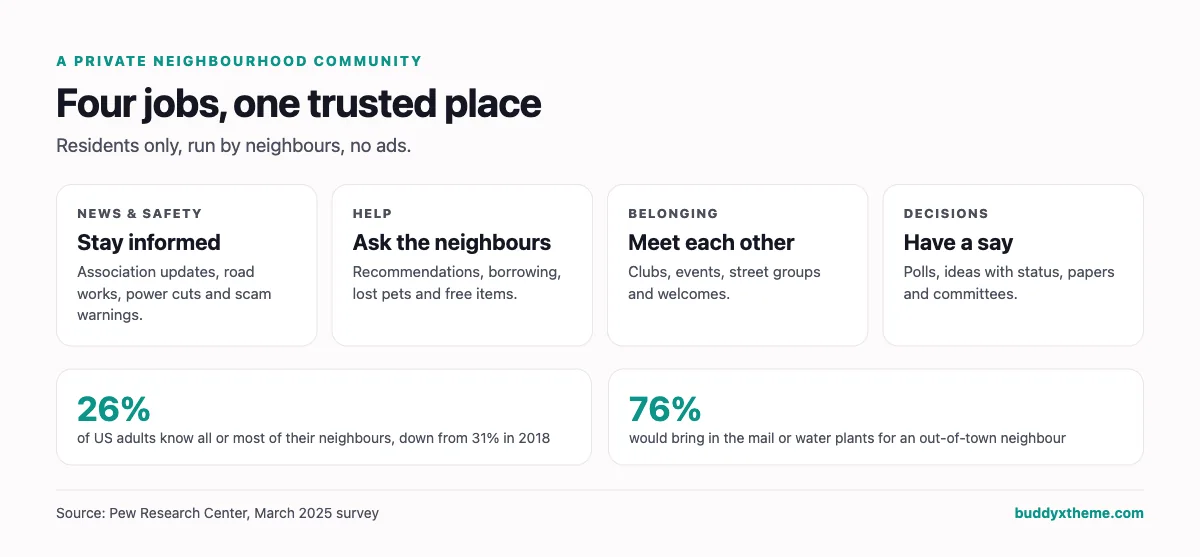
Most people do not know their neighbors anymore. In a March 2025 Pew Research Center survey, only 26% of US adults said they know all or most of their neighbors, down from 31% in 2018, while 62% know only some and 12% know none (Pew Research Center). Yet the same survey found that 76% would bring in the mail or water plants for an out-of-town neighbor. People are willing to help. They just lack a trusted place to meet.
A private neighborhood community website is that place: residents only, run by the people who live there, without ads, and with the tools a street, a residents’ association, an HOA or a village actually needs. This guide compares the software you can use to build one, from neighborhood social networks and messaging apps to HOA management software and community platforms. We built a working neighborhood community for the first entry, checked every competitor claim against the vendor’s own pages in November 2026, and judged each option on privacy, resident verification, safety, governance and how easy it is for every neighbor, including older residents, to use.
Quick answer
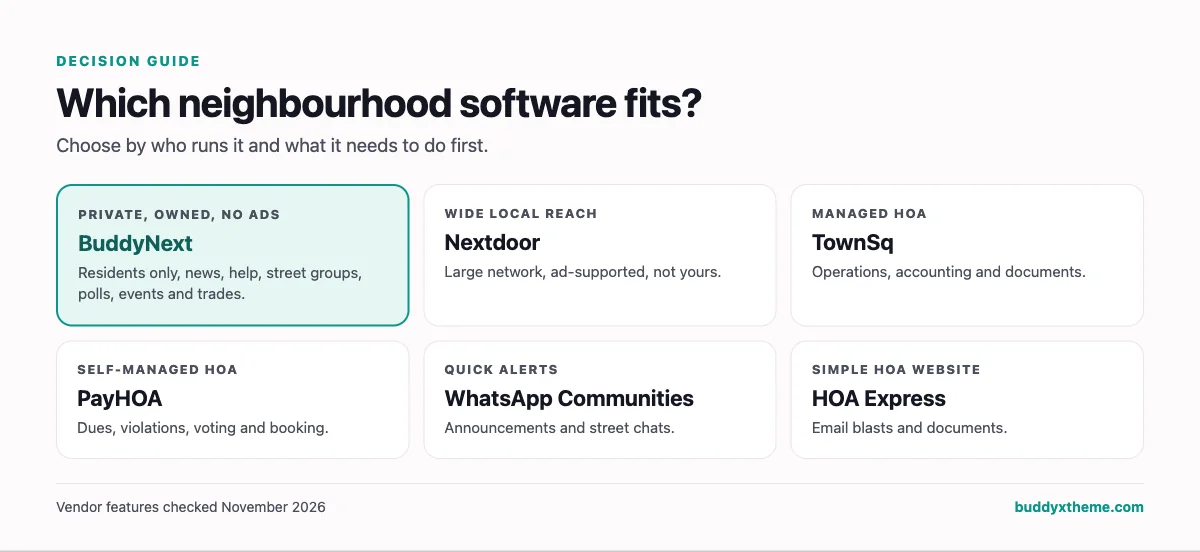
If you want a private neighborhood community website you own and control, BuddyNext is the strongest choice: members-only access with admin approval for residents, association news and safety alerts, an “ask the neighbors” Q&A, lost and found, private street groups, a secret committee space, polls and an ideas board for local decisions, events and a trusted tradespeople directory, all on your own WordPress site with no ads. Nextdoor is the largest neighborhood network but is ad-supported and not yours, and HOA software such as TownSq and PayHOA handles dues and violations rather than everyday community life.
In this guide
- What a neighborhood website has to do
- Social network, HOA software or private community?
- 1. BuddyNext: best for a private neighborhood community you own
- 2. Nextdoor: best for reach across a wider area
- 3. Facebook Groups: best for a quick start
- 4. WhatsApp Communities: best for quick announcements
- 5. TownSq: best for HOAs with professional management
- 6. PayHOA: best for self-managed HOAs
- 7. HOA Express: best simple HOA website
- 8. HOA Start: best HOA tool with resident privacy controls
- 9. Ring Neighbors: best for safety alerts only
- 10. Circle and Mighty Networks: best general hosted communities
- Neighborhood community software compared
- Verifying residents without making it a chore
- Safety posts without profiling
- Including every neighbor
- Handling neighbor disputes
- Governance and privacy checklist
- Launching a neighborhood community
- More community platform comparisons
- How we built and checked this list
- Frequently asked questions
- The bottom line
What a neighborhood website has to do
A residents’ community does four jobs. Different software is built around different ones.
| Job | What it looks like | Who cares most |
|---|---|---|
| News and safety | Association updates, road works, power cuts, scam warnings | Everyone, especially older residents |
| Help and recommendations | Borrowing a ladder, finding a plumber, lost pets, things to give away | Busy households and newcomers |
| Belonging | Clubs, events, street parties, welcomes for new arrivals | The people who make a neighborhood feel like one |
| Decisions | Polls, ideas, meeting papers, committee work, votes | The residents’ association or HOA board |
Neighborhood social networks are strong on the first two jobs. HOA software is strong on the fourth. A good private community website should do all four in one trusted place, which is why many associations end up running a community platform alongside or instead of HOA software.
Social network, HOA software or private community?
| Type | Built for | Strengths | Gaps | Examples |
|---|---|---|---|---|
| Neighborhood social network | Large-scale local reach | Many neighbors already there, alerts, marketplace | Ads, not run by residents, wide geographic areas, data not yours | Nextdoor, Facebook Groups, Ring Neighbors |
| Messaging app | Quick chats | Familiar, instant | Messages scroll away, no structure, hard for big groups | WhatsApp Communities, GroupMe |
| HOA management software | Boards and managers | Dues, violations, documents, voting, amenity booking | Everyday community life is secondary; mostly for formal associations | TownSq, PayHOA, HOA Express, HOA Start, Buildium Resident Center |
| Private community platform | Residents talking to each other | Spaces, Q&A, events, polls, directory, privacy controls | Usually no dues collection or violation workflows | BuddyNext, Circle, Mighty Networks |
1. BuddyNext: best for a private neighborhood community you own
BuddyNext is a complete community platform that runs on your own WordPress site. Spaces with open, private and secret visibility, a social feed, member profiles, messaging, Q&A, ideas boards with voting, polls, events, a directory, gamification and detailed privacy and registration controls work together in one product. There are no ads, and residents’ data stays in the association’s own database.
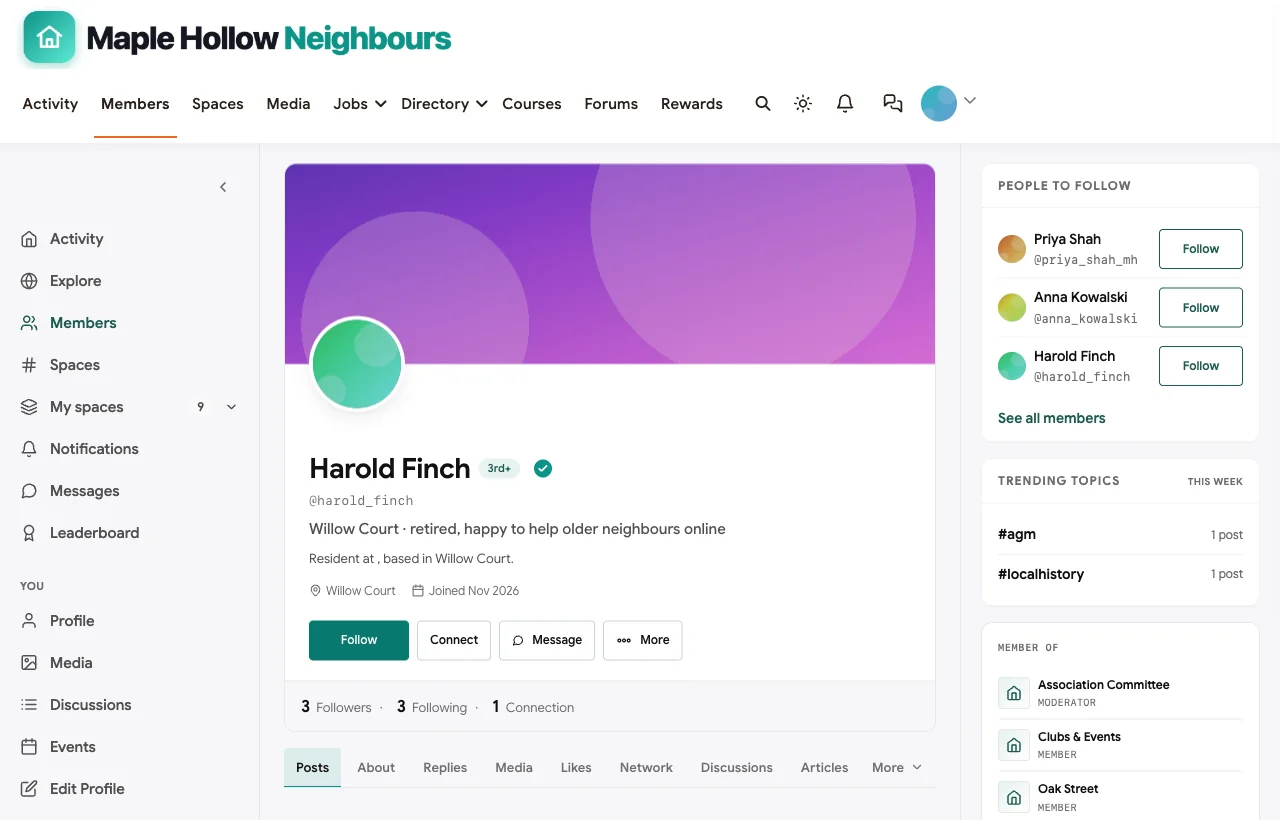
To show it in context, we built Maple Hollow Neighbours, a demo community for a fictional residents’ association with 20 fictional residents across four streets, association news, safety alerts, an “ask the neighbors” Q&A, lost and found, a private Oak Street group, clubs and events, a secret committee space and a trusted tradespeople directory.
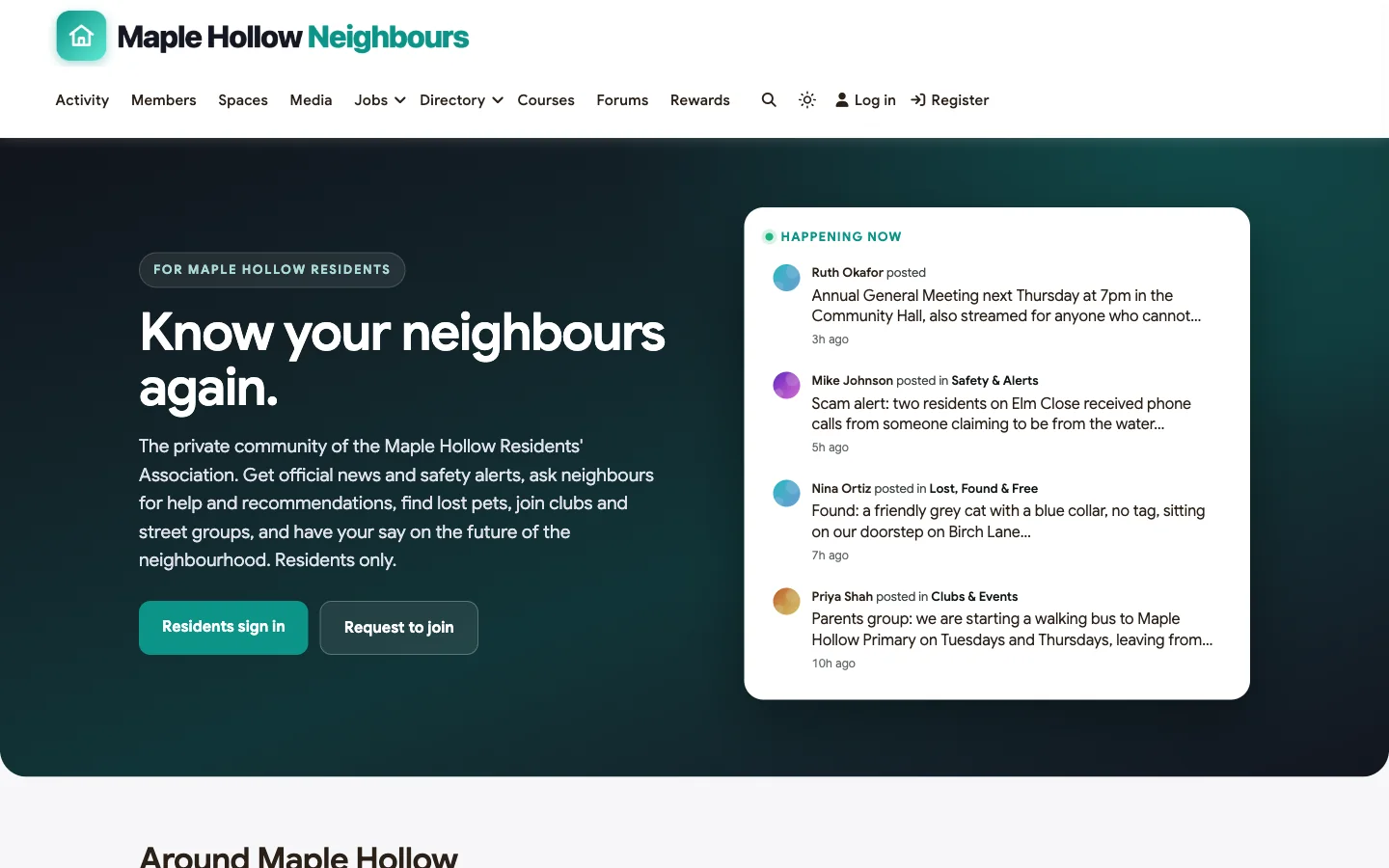
Best at: privacy, everyday neighborly help, local decisions and running it without ads.
Residents only. BuddyNext can require login for every community page, so the feed, profiles, spaces and search are hidden from anyone who is not signed in, while the association’s public pages stay visible. Registration can be set to admin approval, so a committee member checks each request against the street list before approving it, or to invite only. Email verification, sign-up protection and optional two-factor authentication add further checks.
Setting it up takes four switches:
- Members, then Privacy and Data: turn on Require login to view the community. Every community page and the community’s API data then need a login, while your public pages stay visible.
- Members, then Registration and Login: set registration to Admin approval, so each request waits for a committee member, or to Invite only for a small street.
- Same screen: turn on email verification, and optionally require two-factor sign-in for moderators.
- Spaces: make each street group Private and the committee space Secret, so it does not appear to anyone outside it.
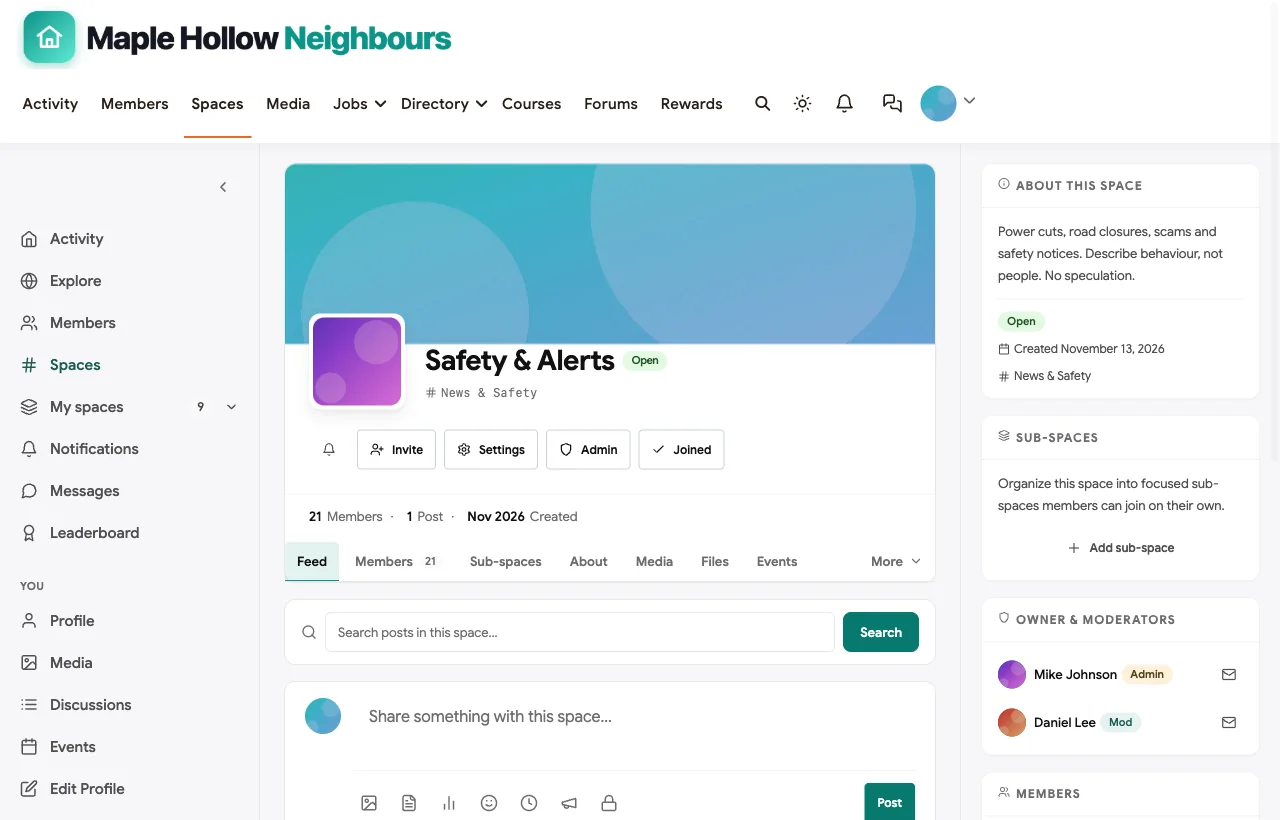
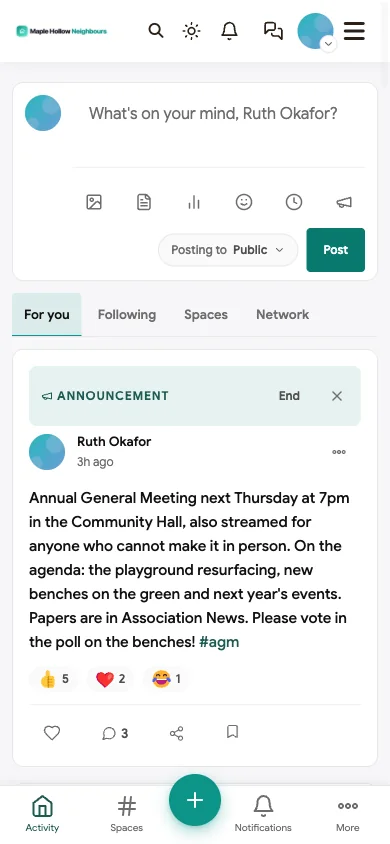
Association news and safety alerts. Association News carries official updates and meeting papers, pinned to the feed when they matter. The Safety & Alerts space carries power cuts, road closures and scam warnings, with a clear rule in its description: describe behaviour, not people, and no speculation.

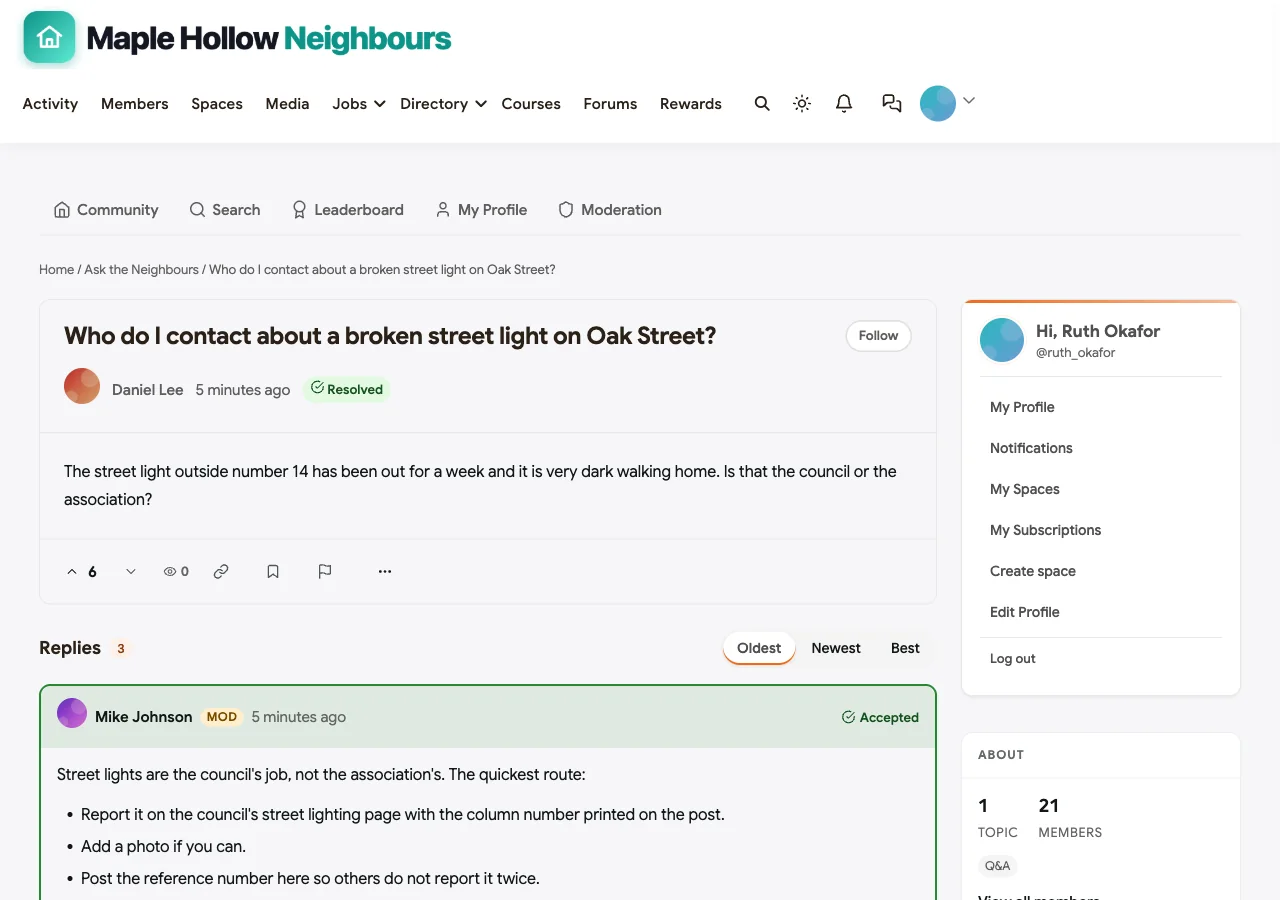
Ask the neighbors. The Ask the Neighbors space supports accepted answers. In the demo, a newcomer asks who to contact about a broken street light; the neighborhood watch coordinator explains it is the council, how to find the column number and how to report it, and the answer is marked accepted so the next person finds it straight away.
Lost, found and free. Lost pets, found keys and things to give away get their own space. In the demo, a found cat is home within hours because a neighbor recognised him.
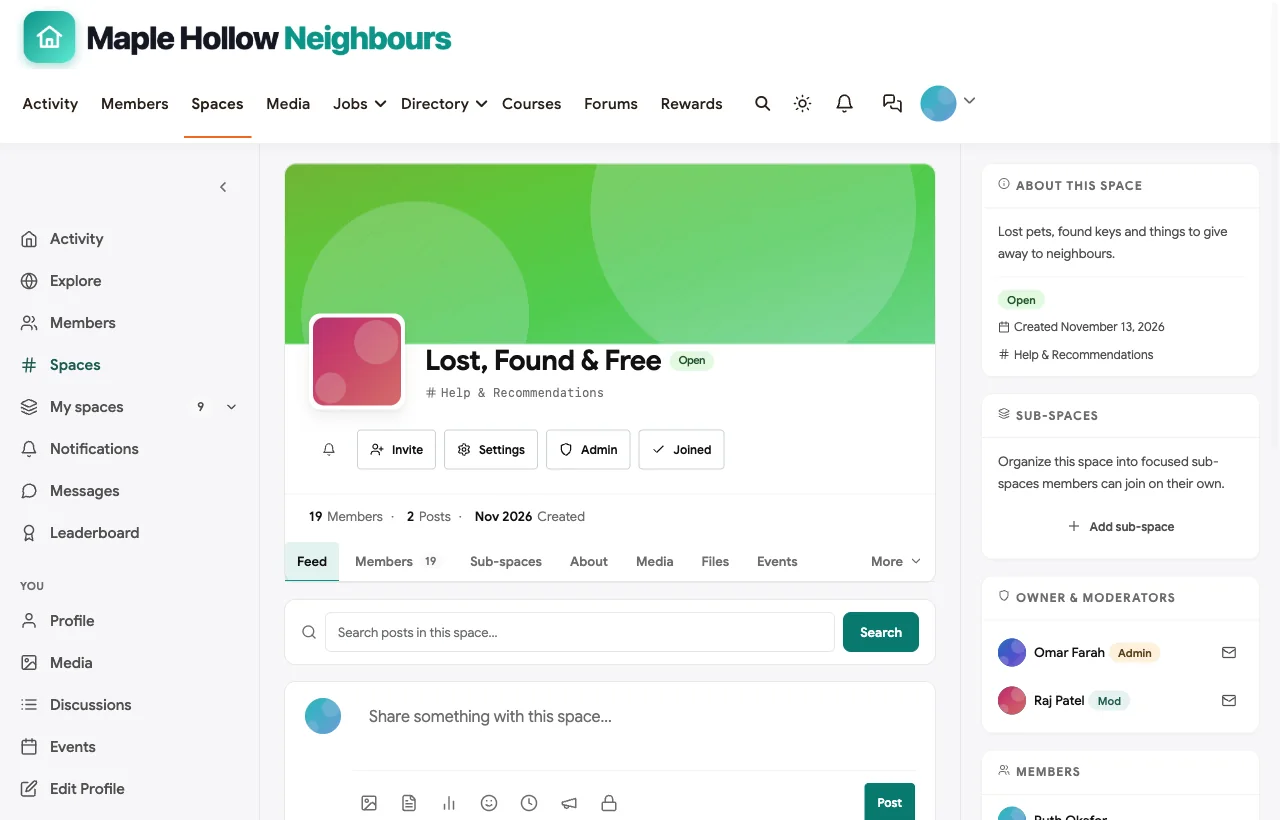
Street groups and a committee space. Each street can have a private space for bins, parking and street parties, visible only to its residents. The association committee works in a secret space where drafts and papers stay until they are ready to share.

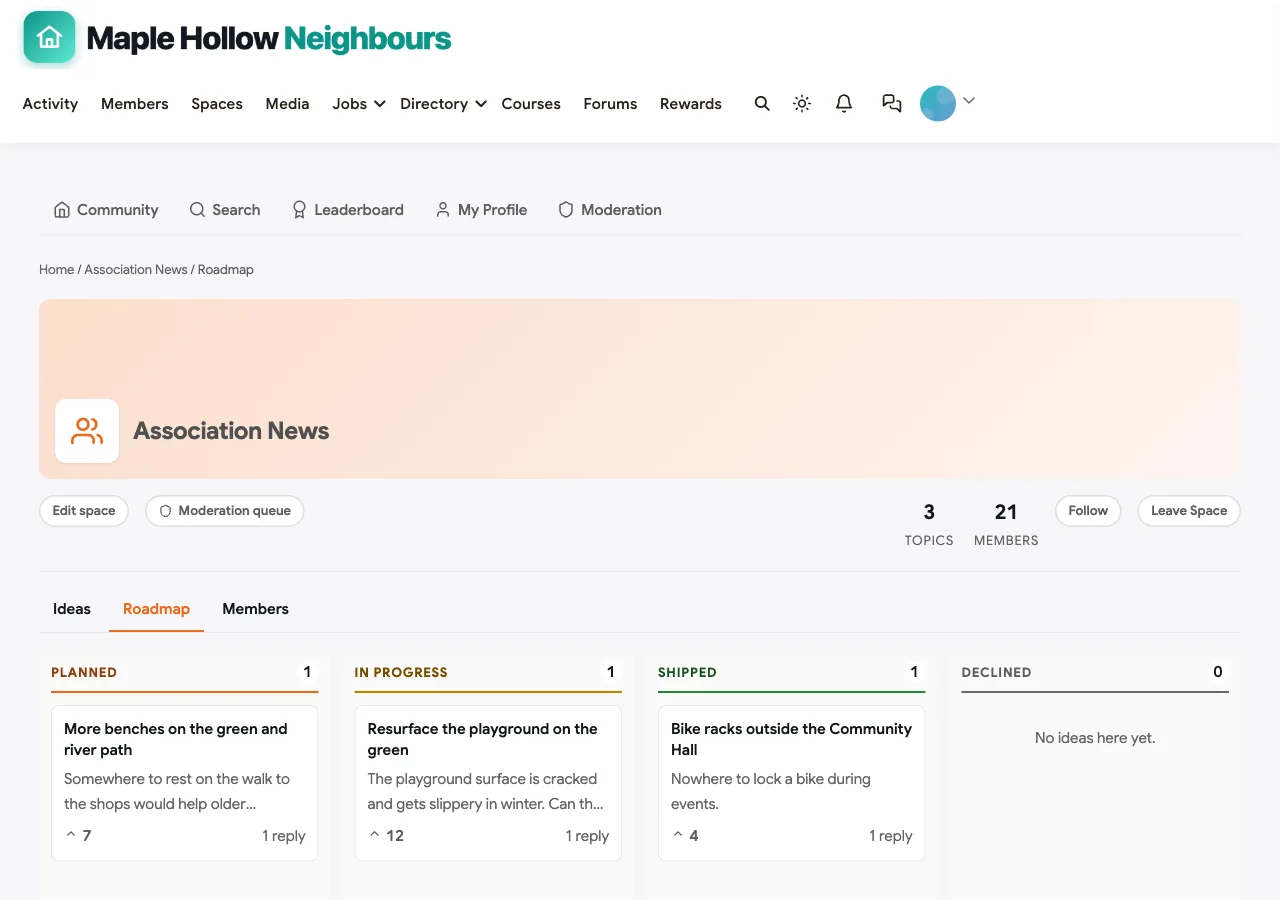
Decisions residents can see. Polls let residents vote on questions such as where new benches should go. The association’s ideas board shows suggestions from residents with their status: playground resurfacing in progress, more benches planned, bike racks installed.
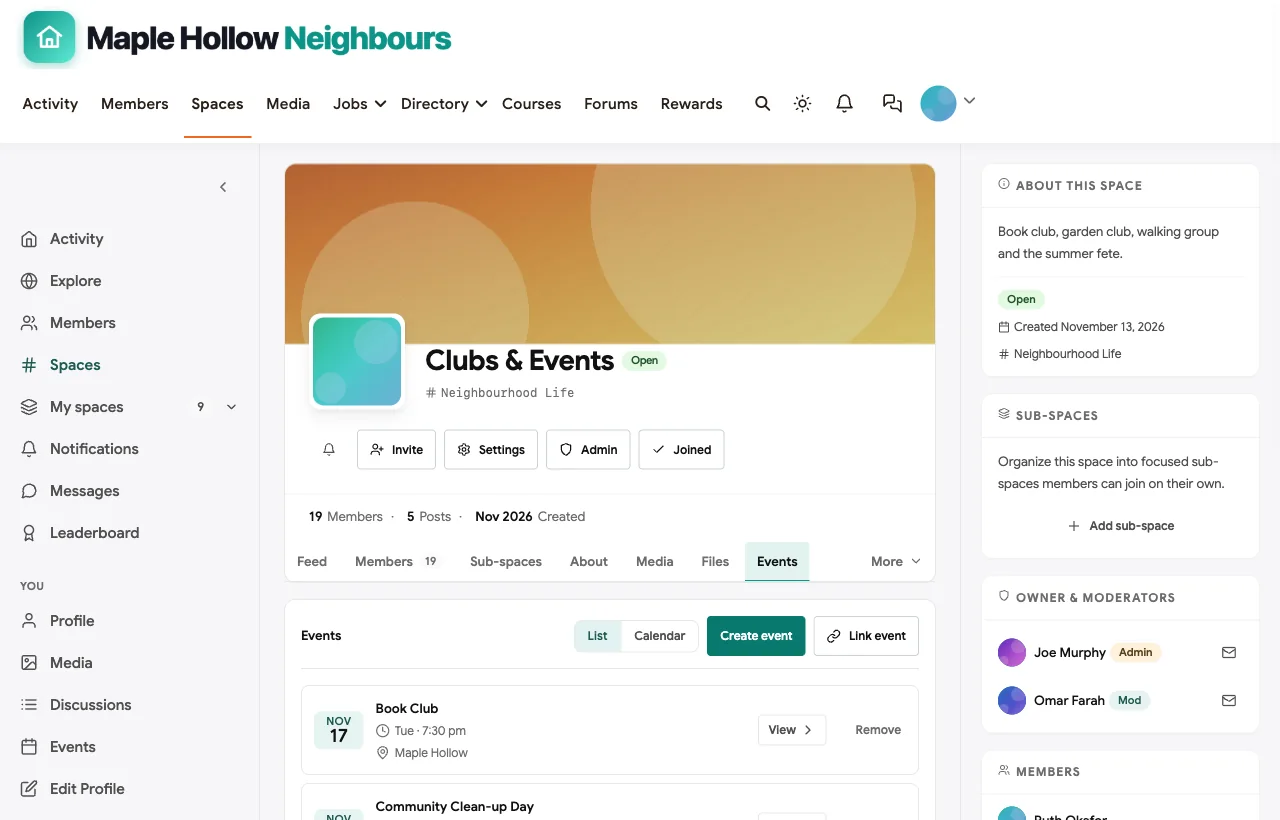
Clubs and events. The annual general meeting, a clean-up day, the book club and a garden club plant swap are events with venues and RSVPs.
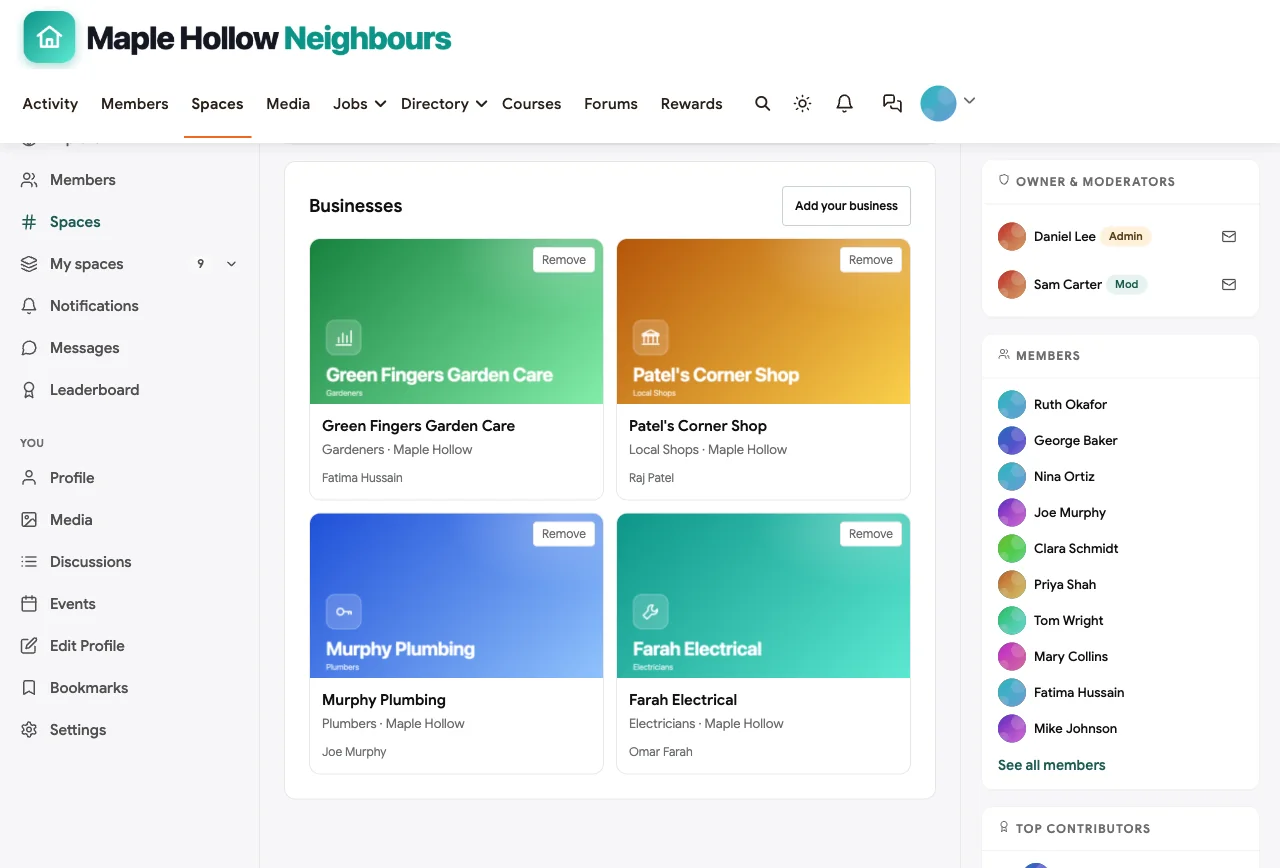
Trusted trades. Tradespeople recommended by residents who used them, including neighbors who are electricians and plumbers, are listed in a Trusted Trades directory, along with the corner shop and a local gardener.
Neighbors, not usernames. Member profiles show each resident’s street and what they can help with, from tech help for older neighbors to taking in parcels. Direct messages handle the rest.
Missing: BuddyNext does not collect HOA dues, manage violations or produce resale packets. Associations with those obligations usually keep HOA software for the paperwork and use BuddyNext for community life. It is self-hosted, so someone needs to look after the WordPress site, or the association can use a managed host.
What’s included, and how it is delivered
BuddyNext is one platform made of a core and add-on platform modules. Everything shown in the demo above runs on the BuddyNext platform. This table shows which parts come with the core, which are platform modules you install and activate alongside it, and which need a third-party plugin, another system or custom work.
| Capability | How it is delivered |
|---|---|
| Open, private and secret spaces | Core platform |
| Activity feed, pinned announcements and hashtags | Core platform |
| Member profiles and searchable member directory | Core platform |
| Direct messages | Platform module, installed alongside |
| Polls | Core platform |
| Members-only mode, admin approval, invites and email verification | Core platform |
| Q&A with accepted answers and code highlighting | Platform module, installed alongside |
| Ideas board with voting and roadmap statuses | Platform module, installed alongside |
| Events with RSVPs, online or in person | Platform module, installed alongside |
| Business and partner directory listings | Platform module, installed alongside |
| Points, badges, streaks and leaderboards | Platform module, installed alongside |
| HOA dues, violations and resale packets | Your HOA software |
Want to click around yourself? The Maple Hollow Neighbours community in this guide was built on a private test site, so it is not public. The BuddyNext live demo is a general community you can open in your browser and explore without installing anything.
2. Nextdoor: best for reach across a wider area
Nextdoor describes itself as connecting “verified neighbors across 350,000 neighborhoods,” with local news from “vetted local publishers,” real-time safety alerts, neighbor recommendations, for sale and free listings and local events (Nextdoor). Its site also has sections for small businesses, brands and agencies, and self-service advertising terms.
Best at: reaching many neighbors quickly, many of whom already have accounts.
Missing: it is not run by your residents’ association, covers areas wider than a single street or estate, carries advertising, and the community and its data live on Nextdoor’s platform.
Choose it when: you want broad local reach and do not need a private, association-run space.
3. Facebook Groups: best for a quick start
Facebook groups can be public, private and visible, or private and hidden, and admins can require approval for posts. Facebook’s help center notes that a private group cannot later be changed to public.
Best at: fast setup, since many residents already use Facebook.
Missing: no address-based verification, no document library, no structured decisions or tradespeople directory, and residents need a Facebook account. Some residents do not want their neighborhood life on their personal social profile.
Choose it when: you are testing whether neighbors want a group at all.
4. WhatsApp Communities: best for quick announcements
WhatsApp Communities let admins “connect related groups under one umbrella,” with an announcement group to “reach everyone at once” and sub-groups for “focused and meaningful conversations.”
Best at: instant messages to people who already use WhatsApp, with sub-groups for streets.
Missing: messages scroll away, there is no searchable archive, no events calendar, no directory and no polls or document library for decisions. Large groups become noisy quickly.
Choose it when: you need fast notifications for a small street, alongside a proper community site.
5. TownSq: best for HOAs with professional management
TownSq describes an “all-in-one platform” that “streamlines communication, simplifies daily operations” for associations, covering announcements, documents, events, requests and violations, accounting and resale document processing, on web and mobile (TownSq).
Best at: formal HOAs and managed associations that need operations and accounting.
Missing: everyday neighborly life, such as help requests, lost and found and clubs, is secondary to management.
Choose it when: a management company runs your association and you need operations software.
6. PayHOA: best for self-managed HOAs
PayHOA lists owner portals, mass texts, emails and phone calls, printed mail, “private forums” through message boards, events, online voting and surveys, violations tracking, amenity scheduling, document storage, resale packets and resident request forms (PayHOA).
Best at: self-managed HOA boards that collect dues and enforce rules.
Missing: community features are present but built around administration rather than neighbors helping neighbors.
Choose it when: dues, violations and voting are your board’s main jobs.
7. HOA Express: best simple HOA website
HOA Express offers blast emails and texts for announcements and alerts, resident profiles, a resident directory, document storage for “meeting minutes, financials, welcome packets,” calendars, forms and online payments (HOA Express).
Best at: a simple association website with announcements and documents.
Missing: discussion and neighborly help are lighter than on a community platform.
Choose it when: you need a tidy association website with email blasts.
8. HOA Start: best HOA tool with resident privacy controls
HOA Start offers newsfeeds, document storage with file-level access, a website builder, voting and polls, events, amenity reservations, violation tracking and online payments, and lets residents “choose how much profile data they share with other residents” (HOA Start).
Best at: HOA administration with sensible resident privacy options.
Missing: community life beyond the newsfeed is limited.
Choose it when: you want HOA tools with opt-in directory privacy.
9. Ring Neighbors: best for safety alerts only
Ring’s Neighbors feature lives inside the Ring app. “Neighbors uses your address to create a radius around your home,” and alerts about crime or safety in that radius reach nearby users (Ring).
Best at: hyperlocal safety alerts for Ring users.
Missing: everything else a residents’ community does, and the radius is based on an address you enter rather than verified residency.
Choose it when: safety alerts are the only goal.
10. Circle and Mighty Networks: best general hosted communities
Circle and Mighty Networks are general-purpose hosted community platforms with spaces, events, member directories and mobile apps.
Best at: polished hosted communities with apps.
Missing: resident verification workflows, governance tools and a tradespeople directory are not part of the product; both are designed for creators and businesses rather than residents’ associations.
Choose it when: you want a hosted community and do not mind the community living on the vendor’s platform.
Neighborhood community software compared
| Software | Residents-only access | Resident approval | Safety alerts | Help Q&A | Street sub-groups | Decisions (polls, ideas) | Events | Trades directory | Ads | Data ownership |
|---|---|---|---|---|---|---|---|---|---|---|
| BuddyNext | Require login | Admin approval or invite | Dedicated space | Accepted answers | Private spaces | Polls and ideas board | Yes | Built-in | None | Your own database |
| Nextdoor | Verified neighbors | Nextdoor’s process | Alerts | Recommendations | Neighborhoods | Not documented | Events | Recommendations | Yes | Nextdoor’s platform |
| Facebook Groups | Private groups | Join questions and approval | Posts | Posts | Separate groups | Polls | Events | No | Facebook platform | Facebook’s platform |
| WhatsApp Communities | Invite | Admin adds | Announcement group | Chat | Sub-groups | Not documented | No | No | No | Phones |
| TownSq | Association portal | Association | Announcements | Requests | Not documented | Not documented | Yes | Not documented | No | Hosted |
| PayHOA | Owner portal | Association | Mass messages | Message boards | Not documented | Voting and surveys | Calendar | No | No | Hosted |
| HOA Express | Resident profiles | Association | Blast emails and texts | Not documented | Not documented | Not documented | Calendar | Not documented | No | Hosted |
| HOA Start | Resident portal | Association | E-blasts and texts | Newsfeeds | Topic newsfeeds | Voting and polls | Yes | No | No | Hosted |
| Ring Neighbors | Ring app | Address radius | Yes | No | No | No | No | No | Not documented | Ring’s platform |
| Circle and Mighty Networks | Private community | Not documented | Spaces | Discussions | Spaces | Not documented | Yes | Member directory | No | Hosted |
Verifying residents without making it a chore
The point of a private neighborhood site is that everyone in it lives there. Practical ways to check:
- Admin approval against a street list. A committee member compares each request with the association’s list of addresses. Simple, and it works for most residents’ associations.
- Ask for the address. Ask for the house number and street, in a profile field or a quick welcome message, and approve only when it matches.
- Invitations. For a small street or block, invite residents directly so only invited people can join.
- A leaflet to every door. Deliver the site address with a short phrase or code that applicants mention when they request to join; it shows they received post at the address without collecting documents.
- Re-check when people move. Remove access when residents leave, and make it easy for new arrivals to join.
Avoid collecting more personal information than you need. A street name and house number is usually enough.
Safety posts without profiling
Safety spaces can easily turn into suspicion of strangers. Write these rules into the space and enforce them:
- Describe behaviour, not people. “Someone tried car door handles on Elm Close at 2am” is useful; a description based on appearance alone is not.
- No speculation or accusations. Share what happened, when and where, and what you have reported.
- Report crimes to the police first. The community is for neighbors to stay informed, not to investigate.
- Moderators review alerts before they spread, especially anything involving a named person.
- Close the loop. When a scam or incident is resolved, post the update.
Including every neighbor
A neighborhood site fails if it only works for people under 40. Practical steps:
- Email notifications for announcements and safety alerts, so residents who rarely log in still get them.
- A printed newsletter that summarises the month’s community posts for residents who are not online.
- A tech-help volunteer. In the demo, a retired resident offers to help older neighbors get set up and spot scam emails.
- Large, readable text and a simple structure. Fewer spaces with clear names beat many clever ones.
- Welcome new arrivals personally, with a direct message and a link to their street group.
Handling neighbor disputes
Every neighborhood community eventually hosts an argument: parking, noise, a planning application, a dog. Disputes in a community you run are better than disputes in someone else’s comment section, but they still need a plan.
- Move personal disputes to private messages. A public thread about one household’s hedge helps nobody. Moderators can lock the thread and suggest a direct conversation.
- Keep association decisions in the open. Contentious topics such as a planning objection deserve a dedicated thread with facts, the association’s position and how residents can respond.
- Rotate moderators. Moderation by a single neighbor can look personal. Two or three moderators from different streets keep it fair.
- Publish a short escalation path. Report, moderator review, committee decision. Residents accept outcomes more easily when they know the process.
- Cool-off periods. Temporarily muting a heated thread for a day often does more than any warning.
Good moderation is invisible most of the time. When it is needed, a clear, written process protects the moderators as much as the residents.
Governance and privacy checklist
- Is the community residents-only, with nothing visible to search engines or logged-out visitors?
- Who approves new members, and how is residency checked?
- Are there clear house rules, especially for safety posts and recommendations?
- Who are the moderators, and how do residents report a problem?
- Where do committee drafts live before they are shared?
- How are decisions made and recorded: polls, ideas with statuses, meeting minutes?
- Who owns the data, and what happens if the platform changes or the volunteer running it moves away?
- How do residents leave, and is their data removed?
Launching a neighborhood community
Month 1: start with volunteers. Recruit a chair, two or three moderators and one contact per street. Set up the welcome space, association news, safety alerts, Ask the Neighbors, lost and found and one street group.
Month 2: invite every household. Deliver a leaflet to every door with the website address and a short code. Approve requests quickly and welcome each new member personally.
Month 3: make it the place things happen. Post the next meeting’s papers, run a poll, list the first trusted tradespeople and schedule a clean-up day or social. When residents see decisions and events start on the site, they keep coming back.
For more on replacing a neighborhood social network with your own site, see our guide to building a Nextdoor alternative for HOA and neighborhood communities, and for privacy settings step by step, how to set up a community space on WordPress.
More community platform comparisons
Building a different kind of community, or one that overlaps with this one? These guides use the same method: a working demo community and vendor claims checked at the source.
- Best platforms for a local social club community website: events with RSVPs, interest groups, trips and a committee space.
- Best software for a nonprofit volunteer community: induction training, shifts, team spaces, stories and recognition for volunteers.
- Best software for a professional association community: chapters, committees, CPD and member directories.
- Best software for a real estate investor community: investor clubs, deal analysis and vetted vendors.
- Best software for a university alumni network: class spaces, chapters, mentoring and alumni jobs.
- Best software for an online fitness community: challenges, streaks and private check-ins.
- Best software for a startup founder community: confidential pods, intros and fundraising rooms.
- How to set up a community space on WordPress: the step-by-step setup guide behind every demo in this series.
How we built and checked this list
We built the Maple Hollow Neighbours demo on a local WordPress site running BuddyNext, with a fictional residents’ association, residents, tradespeople and events created for this guide; every BuddyNext screenshot comes from it. Competitor features come from each vendor’s own website or help pages, checked in November 2026 and linked where we quote them. The neighbor statistics come from Pew Research Center’s March 2025 survey. We did not run paid accounts on every competitor, and features change, so confirm anything critical with the vendor. buddyxtheme.com is published by the team behind BuddyNext, which is why it is listed first; we have tried to be fair about its gaps as well as its strengths.
Frequently asked questions
What is the best software for a private neighborhood community website?
BuddyNext is the best choice for a private neighborhood community you own, with residents-only access, admin approval for new members, news and safety alerts, a neighbors’ Q&A, lost and found, private street groups, a committee space, polls and an ideas board, events and a trusted trades directory on your own WordPress site with no ads.
Is Nextdoor private?
Nextdoor describes its members as verified neighbors, but it is a large network run by a company, covers neighborhoods wider than most streets or estates, carries advertising, and the community lives on Nextdoor’s platform. A residents’ association that wants its own private space usually runs its own site.
How do we make sure only residents join?
Use admin approval and check each request against the association’s address list, ask for a house number at sign-up, or invite residents directly. A code delivered on a leaflet to every door is a simple proof of residency that avoids collecting documents.
Do we need HOA software if we have a community website?
If your association collects dues, enforces rules or produces resale documents, HOA software handles that paperwork. A community website handles everyday life: news, help, events and decisions. Many associations use both, linking them from the same homepage.
How do we stop safety posts becoming unfair to strangers?
Require posts to describe behaviour rather than appearance, ban speculation and accusations, ask people to report crimes to the police first, and have moderators review alerts. Write these rules into the safety space itself.
Can older residents use a neighborhood website?
Yes, with a little help. Send email notifications for important posts, print a monthly summary for residents who are not online, keep the structure simple, and ask a volunteer to help neighbors get set up.
Should the community be visible to search engines?
No. A neighborhood community should be residents-only, with nothing indexed. Keep public information, such as the association’s purpose, contact details and how to join, on a separate public page.
How do residents vote on neighborhood decisions?
Use polls for quick questions, an ideas board where residents suggest improvements and see their status, and formal votes at meetings for anything that requires them under your rules. Post the results in the community.
Can apartment buildings use the same approach?
Yes. Use a space per floor or block, a building announcements space, a lost and found, and a trades directory. Property-managed buildings may also use a resident portal from their management software for rent and maintenance requests.
Who should run the neighborhood website?
A residents’ association or a small volunteer committee, with at least two people who can manage the site so it does not depend on one person. Agree who approves members, who moderates and who posts official news.
The bottom line
A neighborhood community website works when it is trusted: residents only, run by neighbors, free of ads, kind in its safety posts, useful for everyday help and clear about decisions. If you want that on a site the association owns, with residents’ data in your own database, BuddyNext is the strongest foundation. If your board’s main job is dues and rules, pair it with HOA software such as PayHOA or TownSq.
And help your neighbors know each other again.