
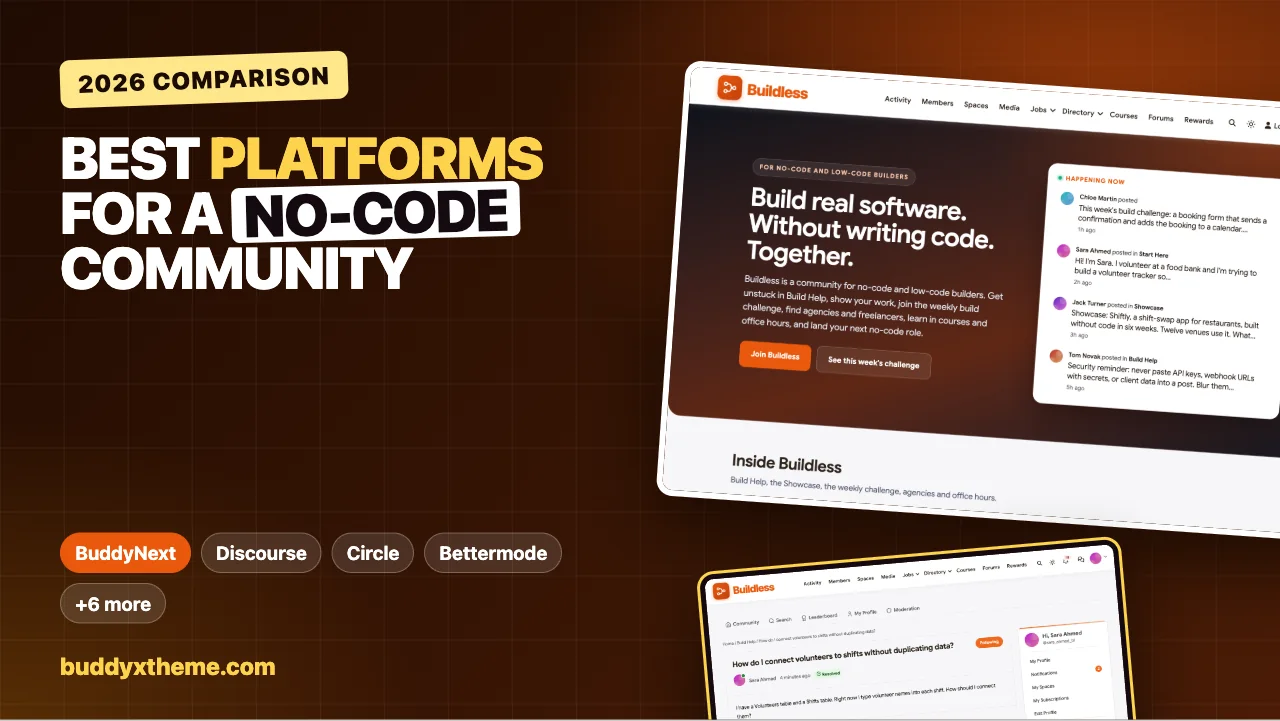
No-code builders ask questions differently from programmers. There is rarely a stack trace to paste. Instead there is a screenshot of a workflow that does nothing, a database with five tables that should be two, or a permission rule that lets one client see another client’s records. The answers are visual, practical and often tool-agnostic, and once someone has solved a problem, dozens of other builders will hit it next month.
This guide compares the platforms you can use to run a community for no-code and low-code builders, whether you are an educator, an agency, a template creator or a tool company. It covers Q&A with screenshots and accepted answers, showcases, weekly build challenges, template sharing, a directory of agencies and freelancers, a job board, courses and maker events. We built a working no-code community for the first entry and checked every competitor claim on the vendor’s own pages in November 2026, including how the big no-code tools run their own forums.
Quick answer
If you want a no-code community you own, BuddyNext is the strongest choice: Build Help Q&A with screenshots and accepted answers, a showcase, a weekly build challenge with points and a leaderboard, an agency and freelancer directory, a job board, a project-based course, office hours and meetups, all on your own website. Discourse is what Bubble, Glide, Softr and Make run their own forums on and is the strongest pure forum; Circle and Bettermode are polished hosted options, Skool and Heartbeat suit course-led groups, and Contra and Gumroad each cover one slice: freelance work and template sales.
In this guide
- How the no-code tools run their own communities
- What a no-code community needs
- The no-code community scorecard
- 1. BuddyNext: best for a no-code community you own
- 2. Discourse: best pure forum, and what no-code vendors use
- 3. Circle: best polished hosted community with courses
- 4. Bettermode: best hosted community with a job board
- 5. Skool: best for a course-led group with gamification
- 6. Heartbeat: best for courses with threaded discussion
- 7. Disciple: best for a branded app
- 8. Whop: best for selling access and digital products
- 9. Contra: best freelance network for no-code talent
- 10. Gumroad: best for selling templates
- Running a no-code community
- Questions to ask before you choose
- A 30-day launch plan
- Which platform fits your no-code community?
- More community platform comparisons
- How we built and checked this list
- Frequently asked questions
- The bottom line
How the no-code tools run their own communities
Before choosing a platform, it helps to see what no-code builders are already used to. We checked the official forums of five major no-code tools:

Bubble, Glide, Softr and Make all show “Powered by Discourse” in their forum footers. Airtable’s community shows “Powered by Gainsight,” which acquired inSided. Two details are worth copying: Airtable’s community has a dedicated Jobs Board category, and Make’s community has a Hire Help category for finding freelancers. Builders expect help, showcases and work in the same place.
Official vendor forums are about one tool. Independent communities, run by educators, agencies or template creators, serve builders across tools, and add what vendor forums rarely offer: courses, challenges, paid membership, an agency directory and a home under your own brand.
What a no-code community needs
| Need | Why it matters | What the platform needs |
|---|---|---|
| Visual Q&A | Problems are shown, not described | Image uploads in questions and answers |
| Solved answers | Data modelling and permission questions recur | Accepted answers and resolved status |
| Showcases | Builders learn by seeing real builds | A showcase space with comments |
| Practice | Skills grow by building often | Weekly challenges with points and recognition |
| Templates | Starting points save hours | A place to list templates with documentation |
| Work | Many members freelance or run agencies | An agency and freelancer directory, a job board |
| Learning | Beginners need a path | Project-based courses with certificates |
| Live help | Some problems need a screen share | Office hours and live builds as events |
| Safety | Screenshots leak API keys and client data | Clear rules, moderation and reporting |
The no-code community scorecard
How each option handles what matters most. “Not found” means we could not confirm it on the vendor’s own pages, not that it is impossible.
| Platform | Q&A with accepted answers | Showcase | Challenges and points | Directory | Job board | Courses | Run your own |
|---|---|---|---|---|---|---|---|
| BuddyNext | Yes | Yes | Points, leaderboards | Agencies and members | Yes | Yes, with certificates | Yes |
| Discourse | Solved plugin | Categories | Not found | Not found | Not found | Not found | Yes, open source |
| Circle | Not confirmed | Posts | Gamification | Member directory | Not found | Yes | Hosted |
| Bettermode | Not confirmed | Spaces | Not found | Members | Yes | Academy | Hosted |
| Skool | Not found | Feed | Points, levels, leaderboards | Not found | Not found | Classroom | Hosted |
| Heartbeat | Not found | Channels | Not found | Not found | Not found | Yes | Hosted |
| Disciple | Not found | Not found | Not found | Member directory | Not found | Not found | Hosted app |
| Whop | Not found | Not found | Not found | Not found | Not found | Courses | Hosted |
| Contra | Not found | Portfolios | Design challenges | Freelancers and studios | Job posts | Not found | Network you join |
| Gumroad | Not found | Not found | Not found | Product discovery | Not found | Not found | Storefront |
1. BuddyNext: best for a no-code community you own
BuddyNext is a complete community platform that runs on your own WordPress site. Open, private and secret spaces, Q&A with image uploads and accepted answers, a business directory, a job board, courses with certificates, events, points, leaderboards and direct messages work together. An educator or agency can run help, showcases, challenges, courses and work opportunities in one community under its own brand.
To show it in practice, we built Buildless, a demo community for no-code and low-code builders run by a no-code educator. It has 20 members: freelancers building client portals and mobile apps, agency owners, an operations manager building tools for his team, a startup founder, a designer turned builder, a template creator, an automation specialist, a security-minded consultant, a teacher, a product manager, a recruiter and a complete beginner building a volunteer tracker.
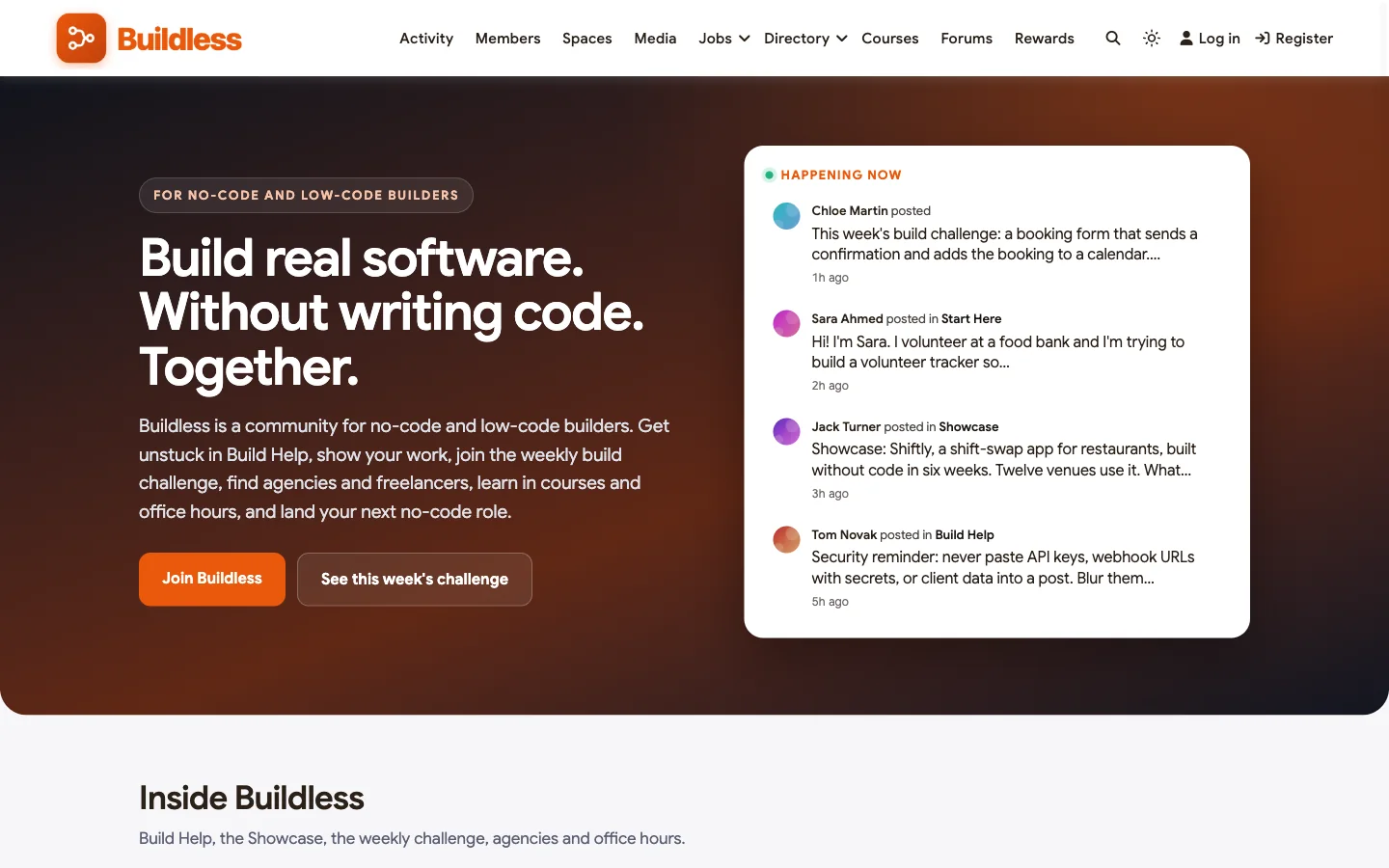
Good at: visual help that stays findable, practice through weekly challenges, and the work side of no-code.
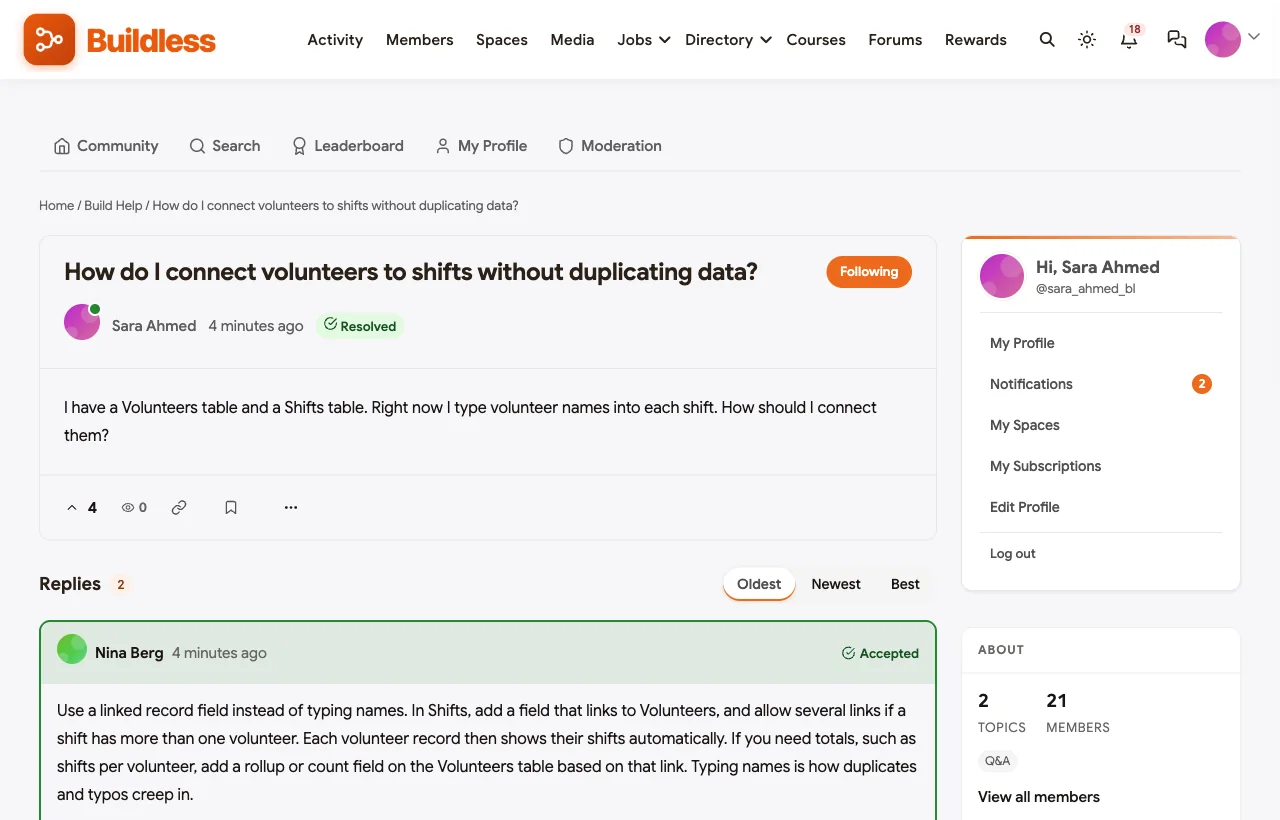
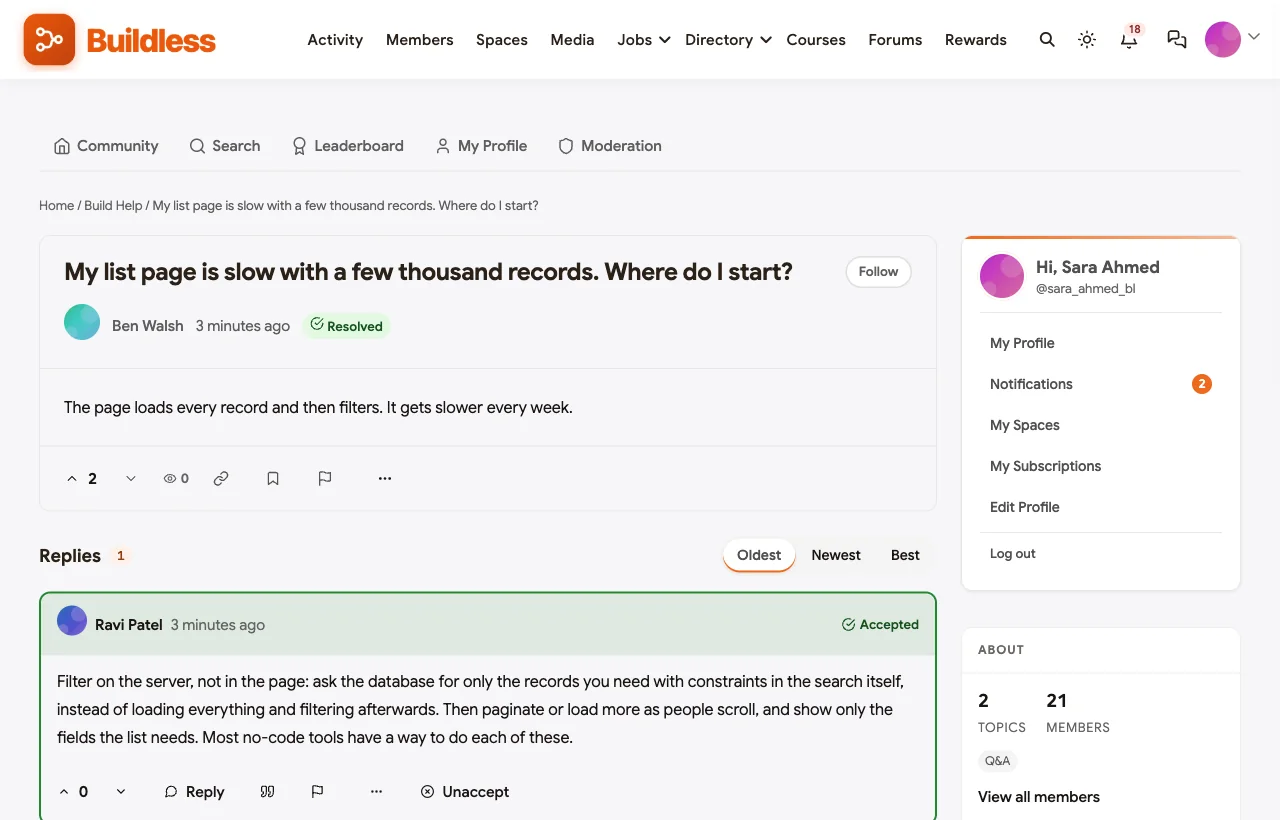
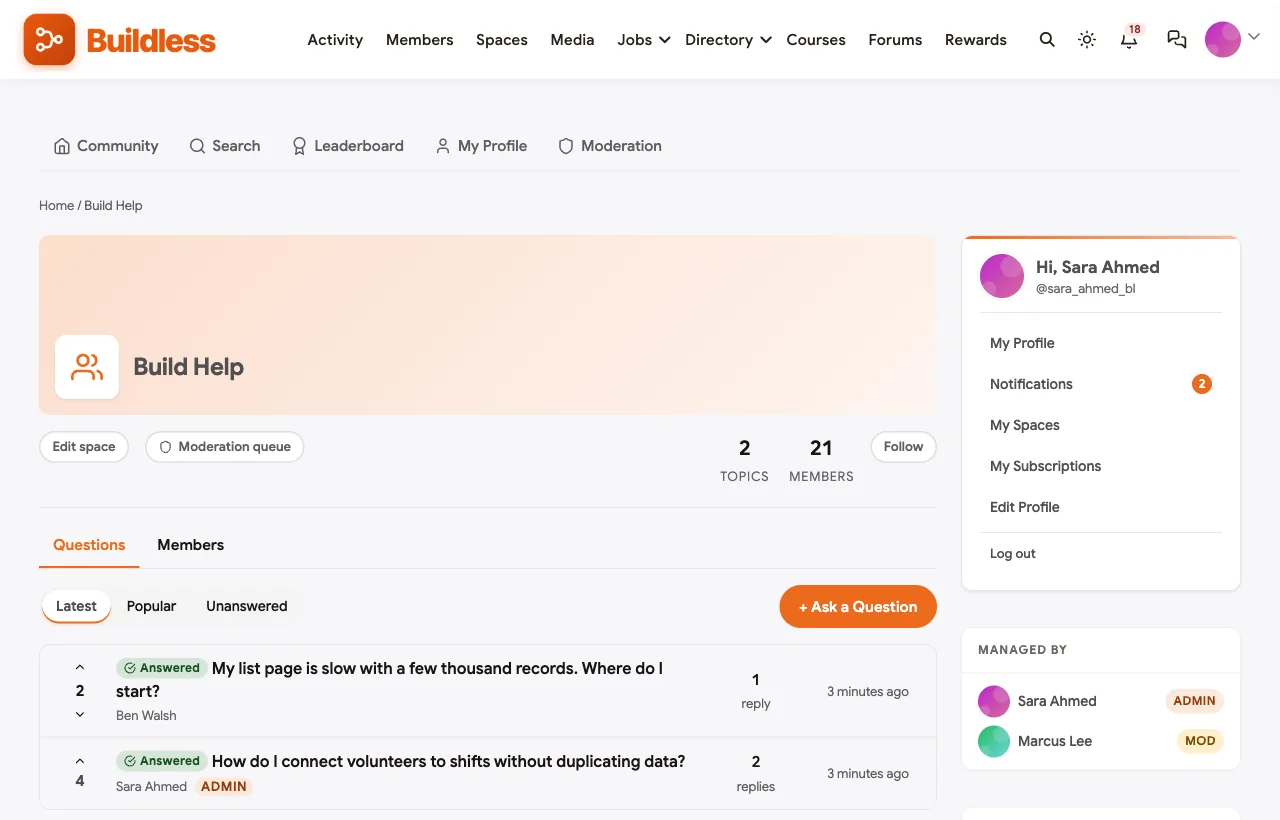
Build Help with accepted answers. Members ask with screenshots and the tool they use, and the answer that solved it is marked accepted. In the demo, a beginner asks how to connect volunteers to shifts without typing names, and a moderator’s answer on linked records becomes the reference:
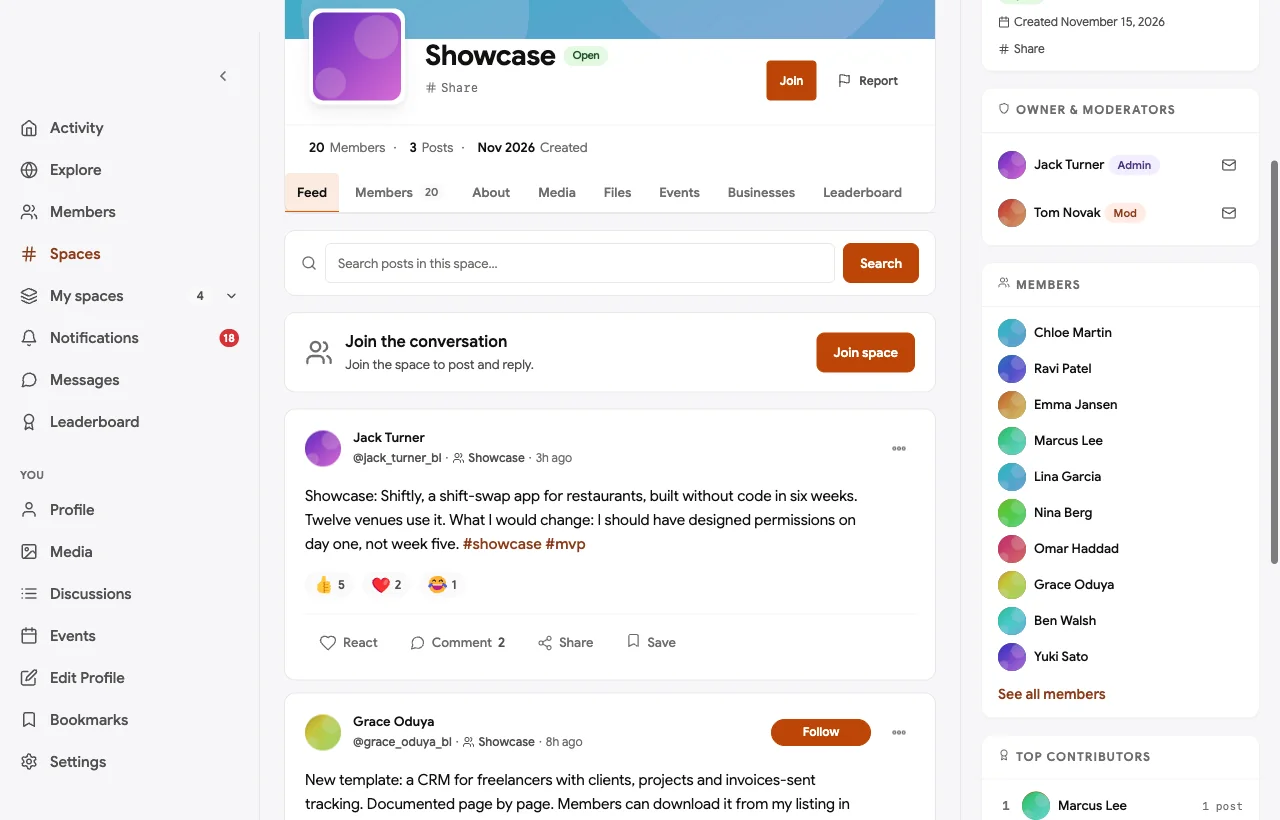
A showcase with lessons. Members post what they built, how long it took and one thing they would change:
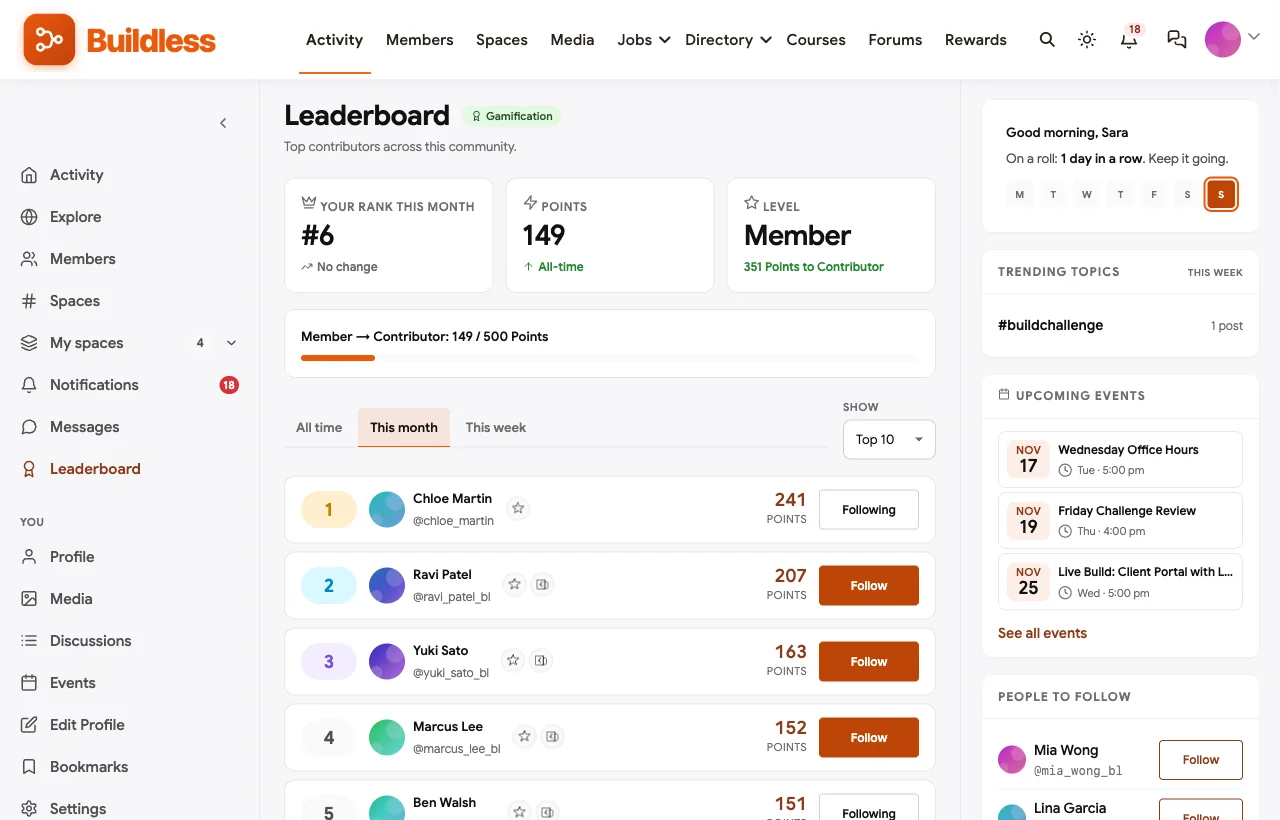
A weekly build challenge. A new small brief every Monday, office hours on Wednesday, entries by Sunday and a live review on Friday. Every entry earns points, and the leaderboard celebrates consistent builders:


An agency and freelancer directory. Agencies, freelancers and template creators list their specialties, so members can find a partner, pass on work or download a documented template:

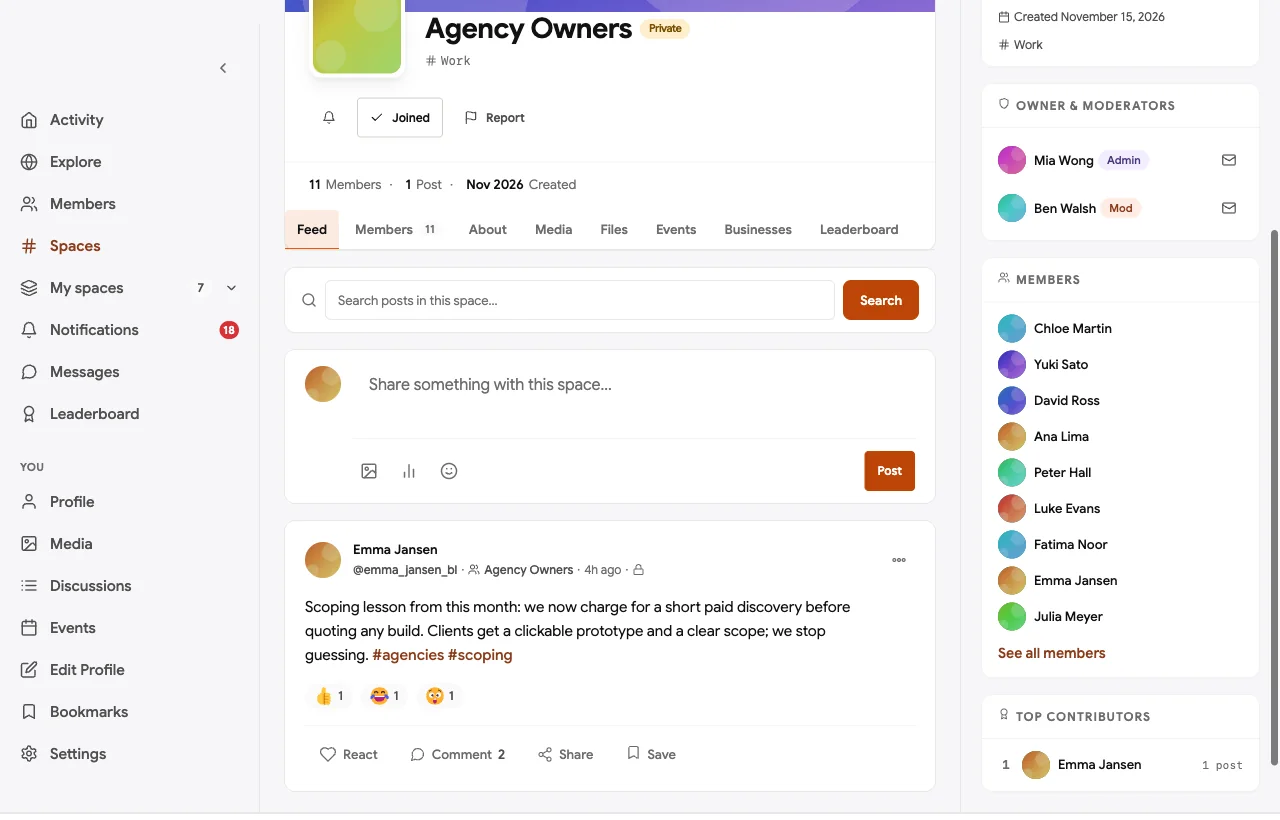
A private space for agency owners. Agency owners discuss scoping, estimating, handover and maintenance plans in private:
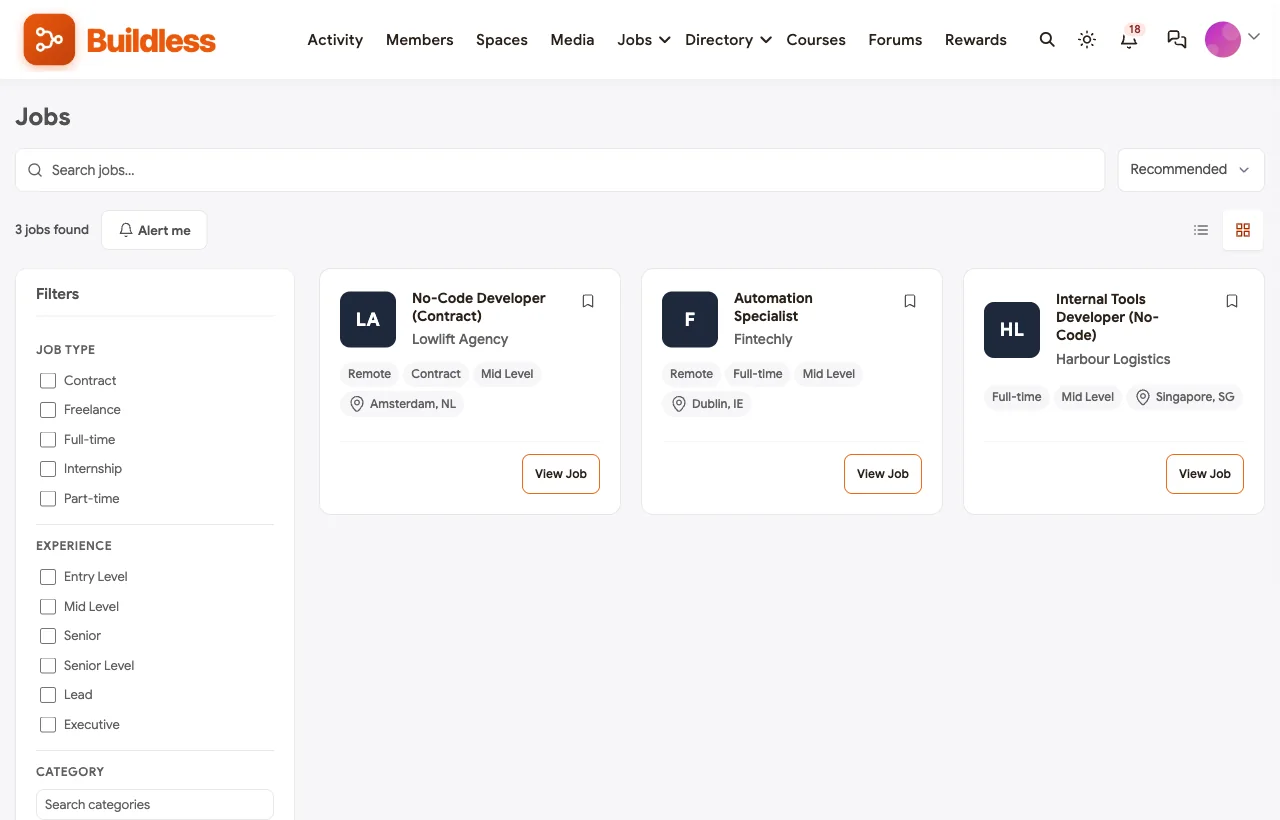
A job board. Partner companies post no-code roles, from internal tools developers to automation specialists:
A project-based course. “Build a Client Portal Without Code” walks through data, interface, permissions, automations, quality and handover, with a build step to share in the showcase after each module and a certificate at the end:

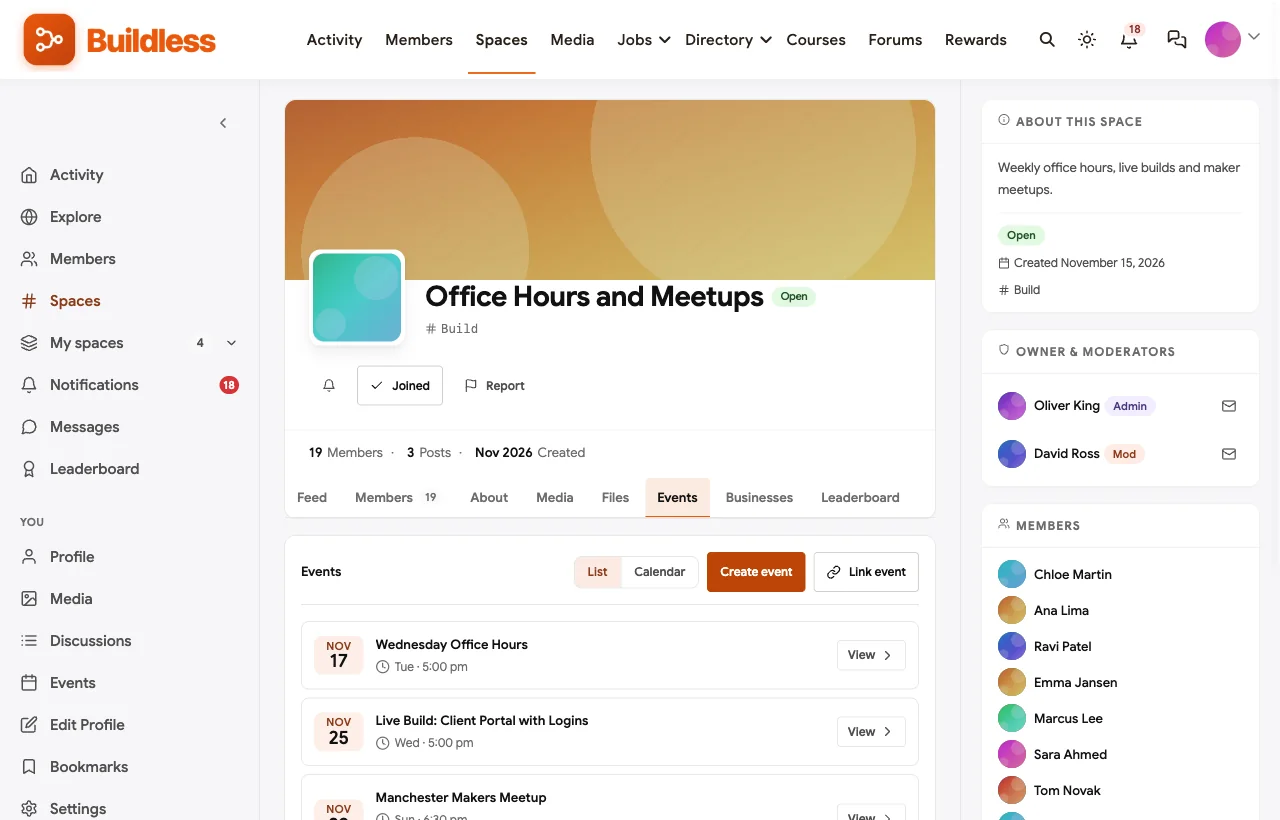
Office hours, live builds and meetups. Weekly office hours, member-voted live builds and in-person maker meetups are events with RSVPs:
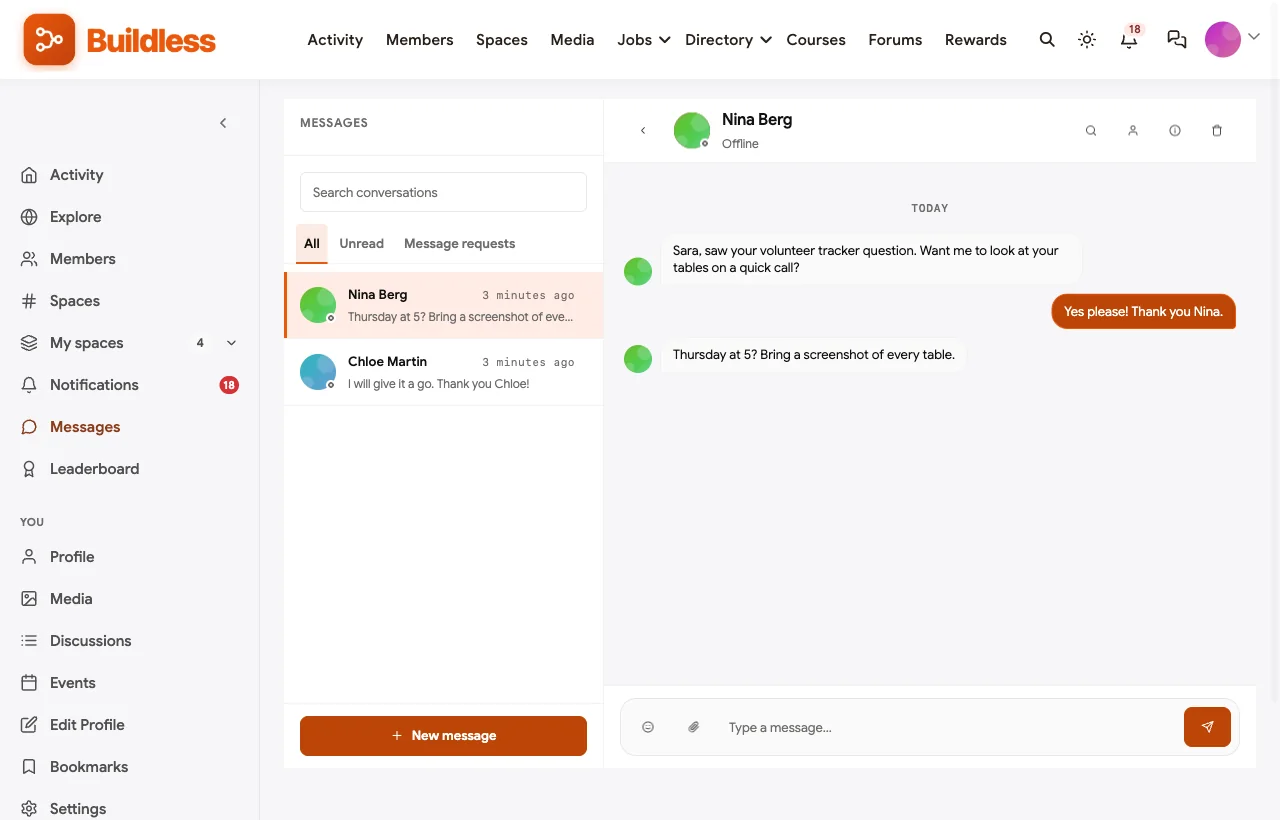
Personal help. Moderators and experienced builders offer quick calls by direct message:
Also built in. A pinned security rule against posting API keys and client data, polls to choose live builds, a member directory, notifications, reporting and a moderation queue, and a mobile layout that works without an app download.
Not built for: selling templates with checkout and delivery, or hosting the no-code apps themselves. Members link to their templates and builds; a storefront tool can handle sales. It is self-hosted, so you run WordPress or use a managed host.
What’s included, and how it is delivered
BuddyNext is one platform made of a core and add-on platform modules. Everything shown in the demo above runs on the BuddyNext platform. This table shows which parts come with the core, which are platform modules you install and activate alongside it, and which need a third-party plugin, another system or custom work.
| Capability | How it is delivered |
|---|---|
| Open, private and secret spaces | Core platform |
| Member profiles and searchable member directory | Core platform |
| Activity feed, pinned announcements, polls and hashtags | Core platform |
| Reporting and moderation queue | Core platform |
| Direct messages and image uploads | Platform module, installed alongside |
| Build Help Q&A with accepted answers | Platform module, installed alongside |
| Agency and freelancer directory | Platform module, installed alongside |
| Job board | Platform module, installed alongside |
| Courses with certificates | Platform module, installed alongside |
| Office hours, live builds and meetups as events | Platform module, installed alongside |
| Points, badges and leaderboards for challenges | Platform module, installed alongside |
| Template sales and delivery | Third-party storefront |
| Live video for office hours | Third-party video tool (Zoom, Google Meet) |
Want to click around yourself? The Buildless community in this guide was built on a private test site, so it is not public. The BuddyNext live demo is a general community you can open in your browser and explore without installing anything.
2. Discourse: best pure forum, and what no-code vendors use
Discourse offers “one platform. Any community.” (Discourse). It helps you “keep technical discussions organized with categories, tags, and accepted answers,” and its Solved plugin “allows users to accept solutions to their topics” (Discourse plugins). It supports “drag & drop image uploads” (Discourse features), themes and plugins, and the Discourse Hub mobile app. Bubble, Glide, Softr and Make run their official forums on it.
Strengths: the forum no-code builders already know, with solved answers and image uploads.
Gaps: no native job board, directory, courses or events found.
3. Circle: best polished hosted community with courses
Circle lets you “build a home for your community, events, and courses” under your own brand (Circle), with discussions, “posts and comments with rich media,” a member directory, live events, courses and a branded app.
Strengths: a polished community with courses and events.
Gaps: accepted answers and a job board were not confirmed on the pages we could reach.
4. Bettermode: best hosted community with a job board
Bettermode helps you “build a community your audience loves” (Bettermode) with discussion, events, a knowledge base, an Academy, “100+ beautifully designed templates,” and a job board with “member-driven job posts” and “sophisticated filtering.”
Strengths: a strong job board and flexible hosted spaces.
Gaps: accepted answers were not confirmed.
5. Skool: best for a course-led group with gamification
Skool lets you “build your own community, courses, and events” (Skool). Its help center covers a Classroom for “courses and unlock mechanisms,” leaderboards with “gamification, levels, points,” and a calendar for “events, Skool Call, Go Live” (Skool help).
Strengths: simple courses with points and levels.
Gaps: no accepted answers, directory or job board found; one flat community.
6. Heartbeat: best for courses with threaded discussion
Heartbeat offers “organized channels and threaded discussions,” courses with “lessons, modules, and progress tracking” and “discussion attached to every lesson,” and “live video events and workshops” with “automatic recordings and replays” (Heartbeat).
Strengths: courses and live workshops with discussion built in.
Gaps: no accepted answers, directory or job board found.
7. Disciple: best for a branded app
Disciple offers “your community. Your brand. Your own app.” (Disciple) with a member directory, events, a page builder and “a white-labelled app on iOS, Android and Web.”
Strengths: a branded mobile app and directory.
Gaps: no Q&A, courses or job board found.
8. Whop: best for selling access and digital products
Whop helps you “build businesses, run ads, get paid” (Whop), with digital products that each have “variants and a store page,” courses, events and a mobile app.
Strengths: selling access, products and courses.
Gaps: no Q&A, directory or job board found.
9. Contra: best freelance network for no-code talent
Contra is “a professional network for the jobs and skills of the future” (Contra), where clients can find designers and developers by role, browse “verified studios,” see portfolio projects and post jobs that “creatives apply directly” to.
Strengths: portfolios, studios and job posts for freelance builders.
Gaps: a network you join; no Q&A, courses or events found.
10. Gumroad: best for selling templates
Gumroad lets you “create and customize your storefront” and sell “video lessons. Monthly subscriptions. Whatever!” with a marketplace to “discover the best-selling products and creators,” including templates (Gumroad).
Strengths: the simplest way to sell templates and digital products.
Gaps: a storefront, not a community: no forum, courses, events or job board found.
Running a no-code community
| Practice | Why it works |
|---|---|
| Ask for a screenshot and the tool name | Answers are faster and more accurate |
| Mark the accepted answer | The next builder with the same problem finds it |
| Teach data modelling early | Most no-code problems start with the database |
| Make permissions a checklist | Most data leaks are a missing rule |
| Ban API keys and client data in posts | Screenshots leak secrets more often than people think |
| Keep promotion in the directory | Help spaces stay useful |
| Celebrate small builds | Beginners keep going when small wins are seen |
Questions to ask before you choose
- Can members post screenshots easily? No-code help is visual.
- Do answers get marked as solved? Otherwise the same questions repeat forever.
- Will you run challenges? Points and a leaderboard make weekly practice visible.
- Does your audience freelance? An agency directory and job board make the community useful for work, not just learning.
- Will you teach? Project-based courses with certificates give beginners a path.
- Do you want to own the community? A self-hosted community stays on your own domain, under your own brand.
A 30-day launch plan
- Week one: structure. Create Start Here with the security rule, Build Help, Showcase, Weekly Build Challenge, Agencies and Freelancers, and Office Hours.
- Week two: seed help. Answer the ten most common beginner questions yourself, with screenshots, and mark them accepted.
- Week three: first challenge. Publish a small brief, hold office hours and review three entries live.
- Week four: work and learning. Invite agencies to the directory, open the job board and launch a short project-based course.
Which platform fits your no-code community?
| If you… | Choose |
|---|---|
| Want Q&A, showcases, challenges, a directory, jobs and courses on your own website | BuddyNext |
| Mainly need a forum like the official no-code forums | Discourse |
| Want a polished hosted community with courses | Circle |
| Want a hosted community with a strong job board | Bettermode |
| Run a course-led group with gamification | Skool |
| Want courses with discussion and workshops | Heartbeat |
| Want a branded app | Disciple |
| Want to sell access and digital products | Whop |
| Want a freelance network for builders | Contra |
| Only need to sell templates | Gumroad |
More community platform comparisons
Running a different kind of builder community? These guides use the same method: a working demo community and vendor claims checked at the source.
- Best platforms for a WordPress developer community: Q&A with code, ideas with a roadmap, agencies and jobs.
- Best platforms to build an AI automation community: workflows, agents and n8n learning communities.
- Best platforms for a freelancer networking community: referrals, feedback and local chapters.
- Best software for a coding bootcamp community: cohorts, code review and career support.
- How to set up a community space on WordPress: the step-by-step setup guide behind every demo in this series.
How we built and checked this list
We built the Buildless demo on a local WordPress site running BuddyNext, with fictional builders, agencies, questions, challenges, a course, events and jobs created for this guide. Every BuddyNext screenshot is from that demo. Competitor features were checked against each vendor’s own website and help center in November 2026, and the platforms behind vendor forums were identified from each forum’s own footer or page assets. We left out Makerpad because its original no-code community is no longer running on its domain, and Hivebrite because its website blocked our checks. Where we could not confirm a feature on a vendor’s own pages, the scorecard says “Not found” or “Not confirmed”. We did not run a hands-on trial of every product, so features can change; confirm anything critical with the vendor. buddyxtheme.com is published by the team behind BuddyNext, which is why BuddyNext is listed first; we have tried to be fair about its gaps as well as its strengths.
Frequently asked questions
What is the best platform for a no-code community?
BuddyNext is the best choice for a no-code community you own, with Build Help Q&A with screenshots and accepted answers, a showcase, weekly build challenges, an agency directory, a job board and courses. Discourse is the strongest pure forum and is what Bubble, Glide, Softr and Make use for their own communities.
What do no-code tools use for their own forums?
Bubble, Glide, Softr and Make run their forums on Discourse, and Airtable’s community runs on Gainsight, which acquired inSided.
How do I run a weekly build challenge?
Post a small brief on Monday, hold office hours midweek, collect entries with a screenshot by Sunday, award points for every entry and review three favourites live.
How do I stop members leaking API keys in screenshots?
Pin a rule against posting keys, secrets and client data, ask members to blur screenshots, and tell anyone who leaks a key to rotate it immediately.
Can a no-code community include a job board?
Yes. BuddyNext includes a job board module, and Bettermode has one too. Airtable’s own community runs a Jobs Board category.
Can members sell templates in the community?
Members can list templates in a directory with documentation and link to wherever they sell them. A storefront like Gumroad handles checkout and delivery.
Should I build my no-code community on a no-code tool?
You can, but a dedicated community platform gives you Q&A, moderation, events and member management that would take weeks to build yourself.
The bottom line
No-code communities thrive on visual help that stays findable, regular practice and real work opportunities. If you want Build Help with accepted answers, a showcase, weekly challenges, an agency directory, jobs and courses on your own website, BuddyNext is the strongest foundation. If you only need a forum like the official no-code communities, Discourse leads.
And help no-code builders ship more and get stuck less.