
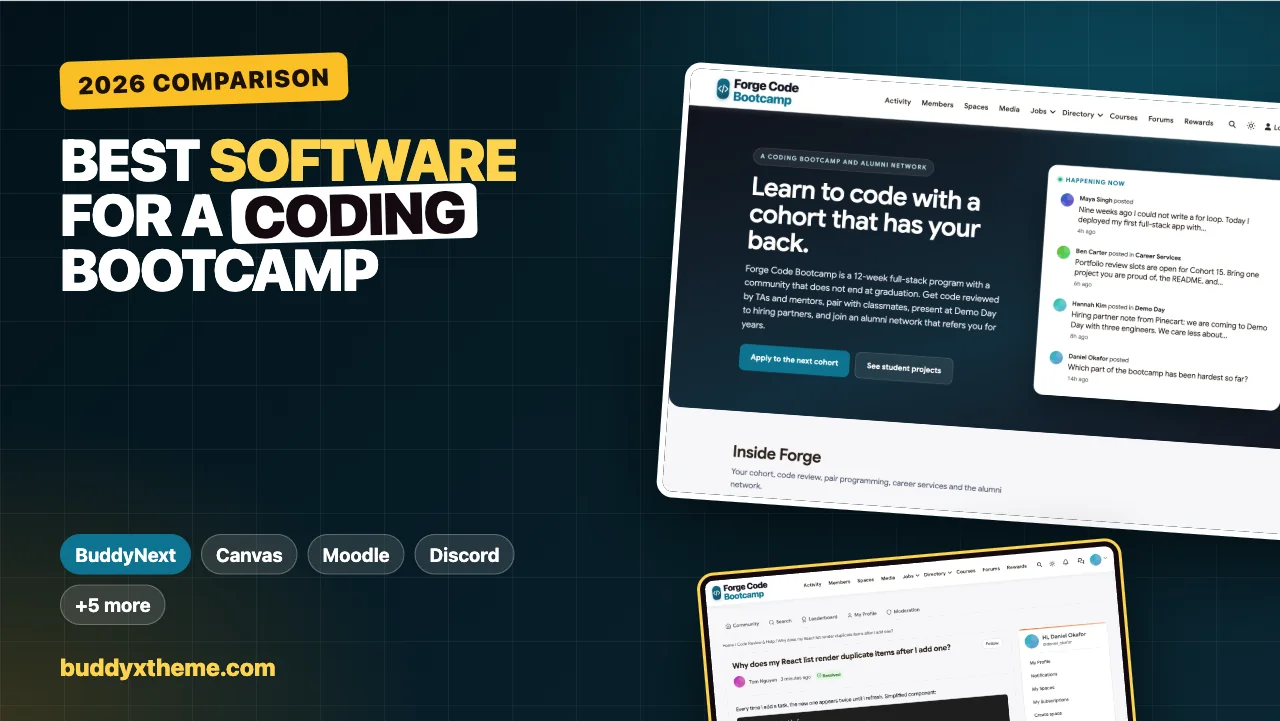
A coding bootcamp sells a transformation in twelve to twenty-four weeks: someone who could not write a for loop ships a full-stack app, presents it to employers and lands a first developer job. The curriculum matters, but students remember the people: the TA who stayed late on a broken build, the pair partner on a Saturday morning, the graduate who referred them. The software a bootcamp runs on decides whether those connections happen inside the program or get scattered across a learning platform, a chat server, a spreadsheet of job leads and a LinkedIn group nobody checks.
This guide compares the software you can use to run a coding bootcamp community: private cohorts, code-heavy Q&A, code review and pairing, instructor, TA and mentor roles, office hours, Demo Day, career services and an alumni network that lasts after graduation. We built a working bootcamp community for the first entry, checked every competitor claim against the vendor’s own pages in November 2026, and say plainly where each option falls short for a bootcamp specifically.
Quick answer
If you want a coding bootcamp community you own and control, BuddyNext is the strongest choice: a private space per cohort, code Q&A with syntax highlighting and accepted answers, a hidden staff room for instructors and TAs, office hours and Demo Day events, a jobs board for hiring partners, courses with assignments and grading, and an alumni network that continues after graduation, all on your own WordPress site. Moodle and Open edX are the strongest open-source learning systems for cohorts and coding exercises, Canvas suits bootcamps run inside institutions, and Discord or Slack work best as a real-time chat layer.
In this guide
- How developers actually learn to code
- What a bootcamp community has to do
- Learning system, community platform or chat?
- The bootcamp software scorecard
- 1. BuddyNext: best for a bootcamp community you own, from cohort to alumni
- 2. Moodle: best open-source learning system for structured cohorts
- 3. Open edX: best for large programs with automated code grading
- 4. Canvas LMS: best for bootcamps run inside a university or institution
- 5. Disco: best for bootcamps that want a modern hosted academy
- 6. Thinkific: best for selling a part-time or self-paced coding program
- 7. Circle: best for a polished community around a bootcamp brand
- 8. Discord: best as a real-time chat layer for students
- 9. Slack: best for bootcamps that partner closely with employers
- Setting up roles that keep cohorts private
- Running code help in a community
- Demo Day and career services
- Keeping the alumni network alive
- Which software fits your bootcamp?
- More community platform comparisons
- How we built and checked this list
- Frequently asked questions
- The bottom line
How developers actually learn to code
Bootcamps are one route among many. In the Stack Overflow 2025 Developer Survey, 5.2% of respondents said they learned to code at a coding bootcamp, compared with 32.7% through online courses or certification and 58.7% through “other online resources (e.g. standard search, forum, online community)” (Stack Overflow).
Two things follow for anyone running a bootcamp. First, your students will learn as much from search, forums and each other as from your lectures, so a good bootcamp builds that peer learning into its own community instead of leaving it to the open internet. Second, the bootcamp’s edge over free online resources is structure and people: a cohort, a TA who reviews your code, a career coach and an alumni network. Those are exactly the parts the software has to carry.
What a bootcamp community has to do
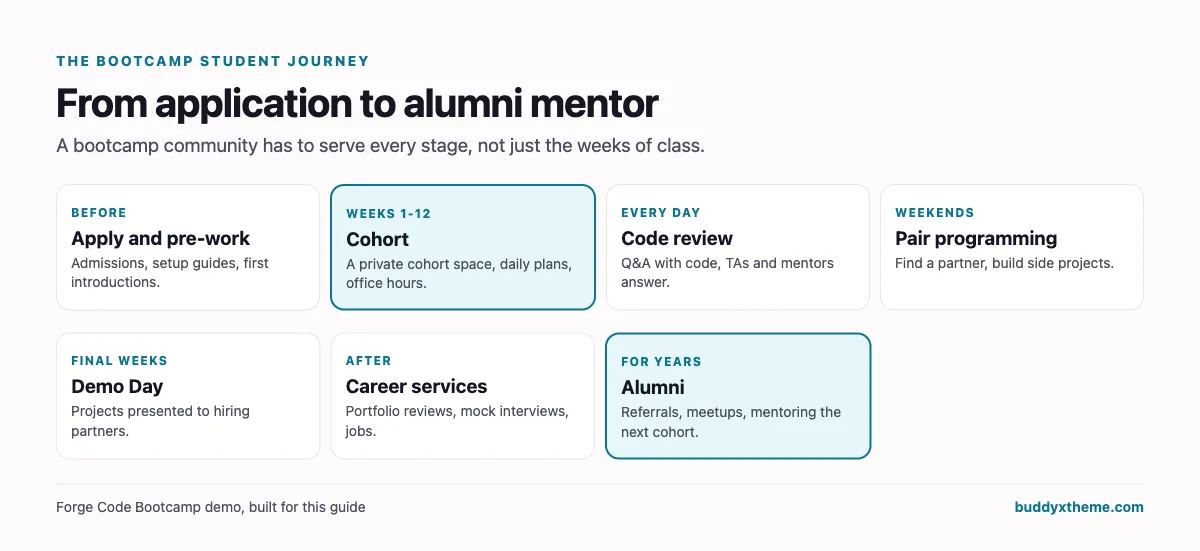
A bootcamp community serves students before, during and long after the program. Here is how each stage maps to software:
| Stage | What students need | What the software needs |
|---|---|---|
| Admissions and pre-work | Setup guides, first introductions | Approval-based joining, an onboarding space |
| Cohort weeks | Daily plans, schedule changes, team projects | A private space per cohort |
| Getting unstuck | Fast answers on code | Q&A with code blocks, syntax highlighting and accepted answers |
| Practice | Pair partners, side projects | An open space for pairing, direct messages |
| Assessment | Assignments, feedback, grades | Assignments with grading, quizzes, progress |
| Demo Day | Presenting to employers | Events with a venue, a space hiring partners can see |
| Job search | Portfolio reviews, mock interviews, roles | A jobs board, career events |
| Alumni | Referrals, mentoring the next cohort | A space that outlasts the cohort |
Learning system, community platform or chat?
Every option in this guide falls into one of three categories:
- Learning management systems (Moodle, Open edX, Canvas) are built for courses, cohorts, assignments and grading. They are strong on assessment and weak on everything after graduation: careers, alumni and the social side of a cohort.
- Community and course platforms (BuddyNext, Disco, Thinkific, Circle) combine courses with a community. They vary a lot in how well they handle code and cohorts.
- Chat tools (Discord, Slack) are where many bootcamps start. They are fast and familiar but have no courses, grading, jobs or alumni structure, and answers scroll away.
Most bootcamps end up with a learning system plus a chat tool plus a spreadsheet of job leads. The question is how much of that one platform can replace.
The bootcamp software scorecard
How each option handles what matters most for a bootcamp. “Not found” means we could not confirm it on the vendor’s own pages, not that it is impossible.
| Platform | Private cohorts | Code Q&A with highlighting | Accepted answers | TA roles | Careers and alumni | Hosting |
|---|---|---|---|---|---|---|
| BuddyNext | Private spaces, scheduled cohorts | Yes | Yes | Moderators, hidden staff room | Jobs board, alumni space | Self-hosted |
| Moodle | Cohorts, separate groups | Highlighting is cosmetic | Not found | Non-editing teacher | Not found | Self-hosted or cloud |
| Open edX | Cohorted discussions | Python code grading | Yes (web) | Community TA roles | Not found | Self-hosted or provider |
| Canvas LMS | Sections | Not confirmed | Not found | TA enrollment | Not found | SaaS or self-hosted |
| Disco | Groups and subgroups | Not found | Not found | Plan-gated roles | Not found | SaaS |
| Thinkific | Course-gated private spaces | Not found | Not found | Community moderator | LinkedIn certificates only | SaaS |
| Circle | Spaces | Not found | Not found | Admins and moderators | Not found | SaaS |
| Discord | Channels | Not verified | Not verified | Roles | Not found | SaaS |
| Slack | Private channels | Not verified | Not found | Channel managers, guests | Not found | SaaS |
1. BuddyNext: best for a bootcamp community you own, from cohort to alumni
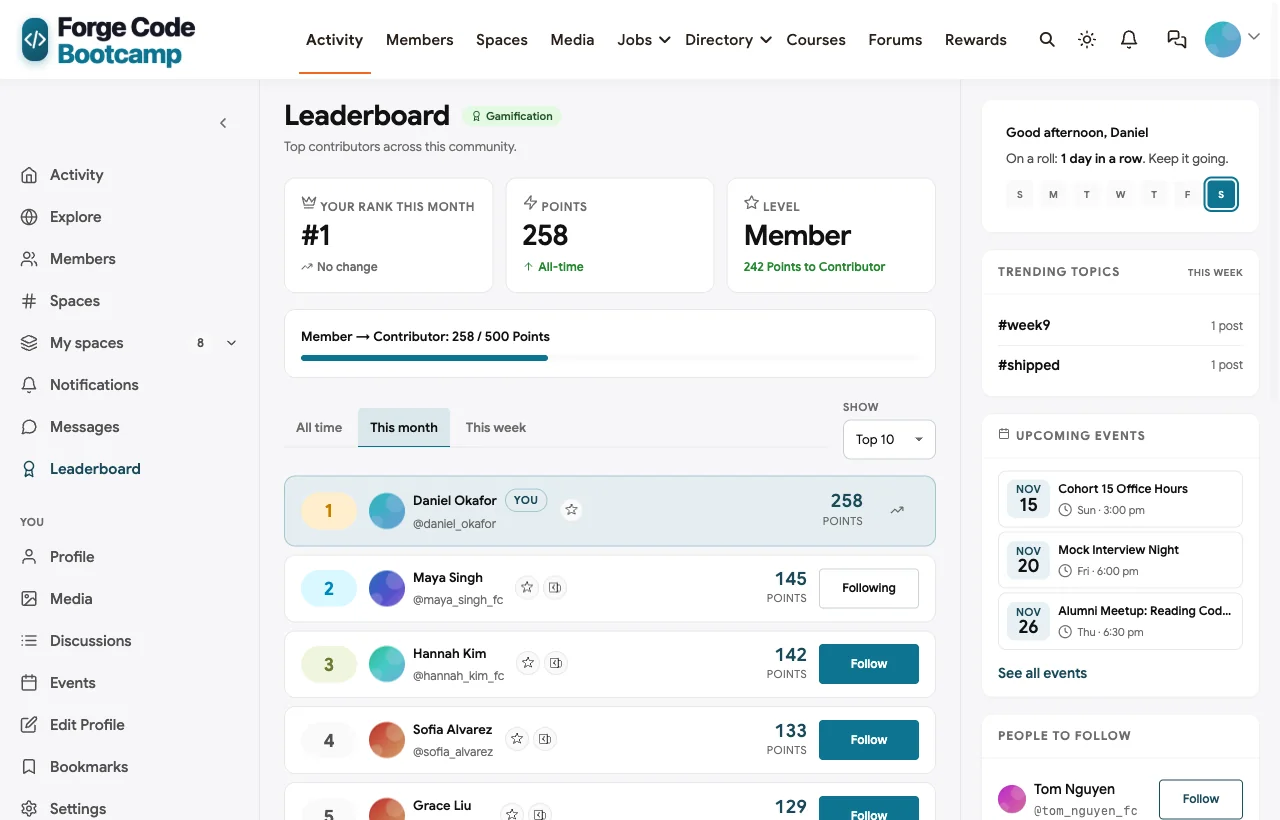
BuddyNext is a complete community platform that runs on your own WordPress site. Private and secret spaces, Q&A with syntax-highlighted code and accepted answers, member profiles and a searchable directory, direct messages, events with RSVPs, a jobs board, courses with assignments and certificates, polls, points and leaderboards all work together, so the cohort, the career search and the alumni network live in one place.
To show it in context, we built Forge Code Bootcamp, a demo 12-week full-stack bootcamp with 20 fictional members: current students in Cohort 15, an incoming student, a lead instructor, two TAs, a career coach, graduate mentors and hiring partners from three employers.
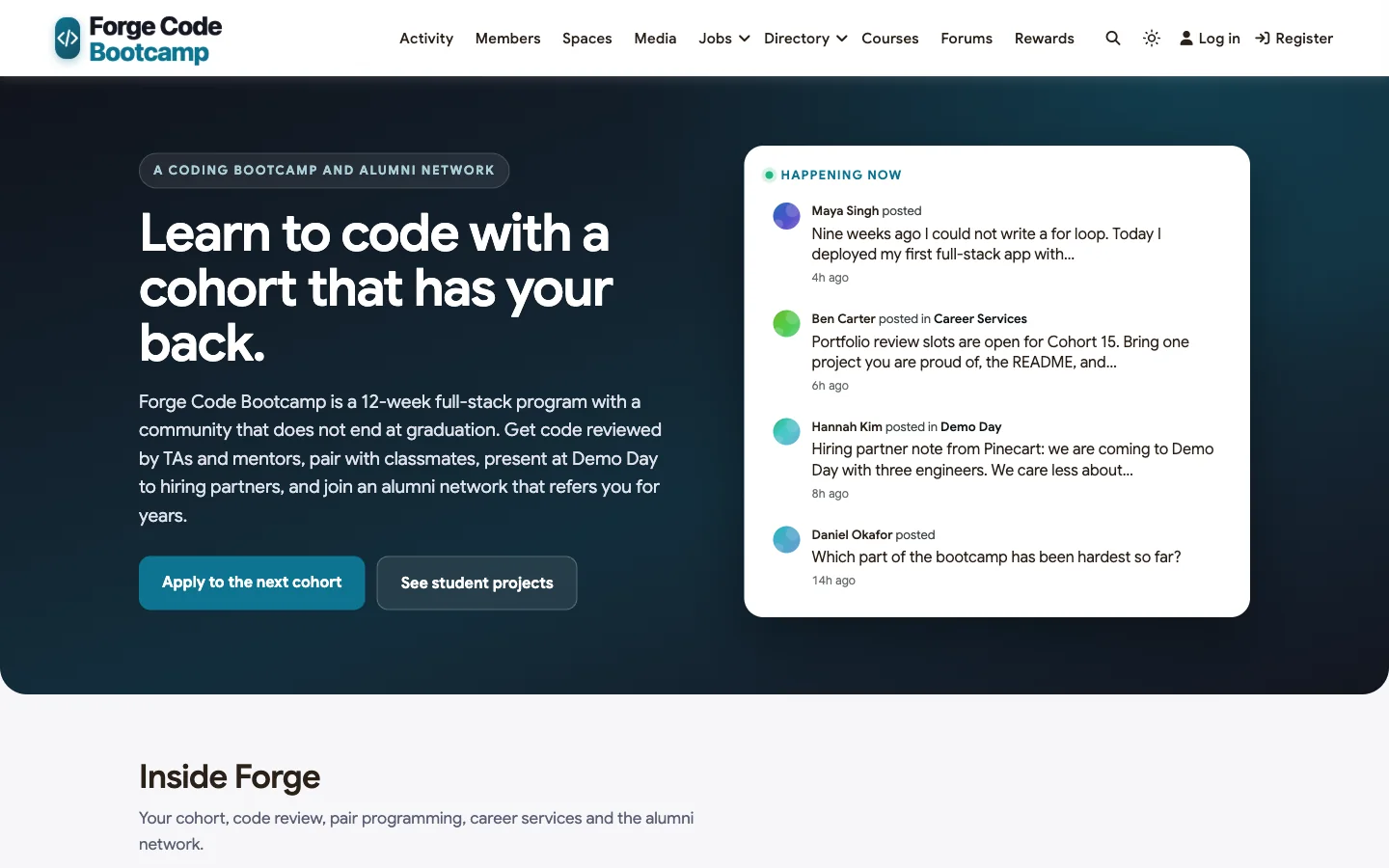
Good at: code help that stays findable, private cohorts, career services and an alumni network after graduation.
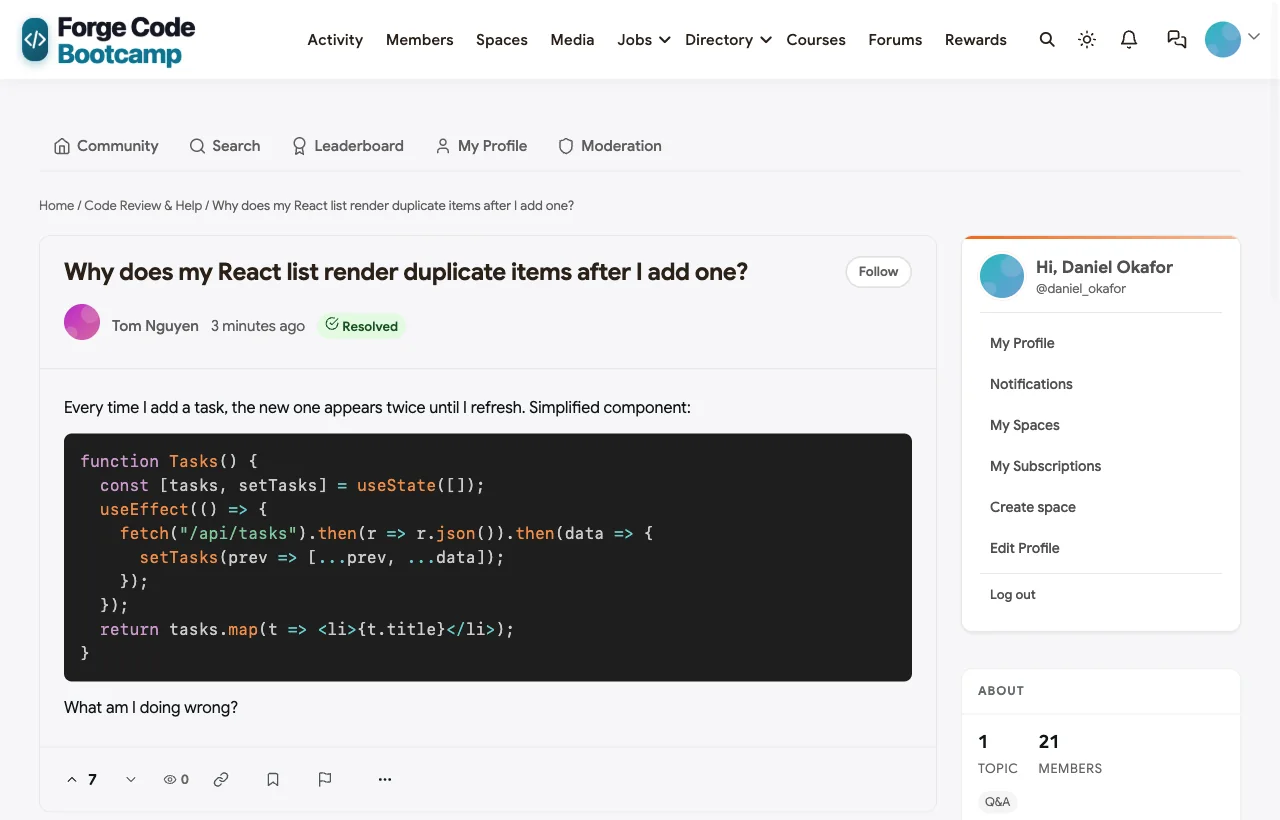
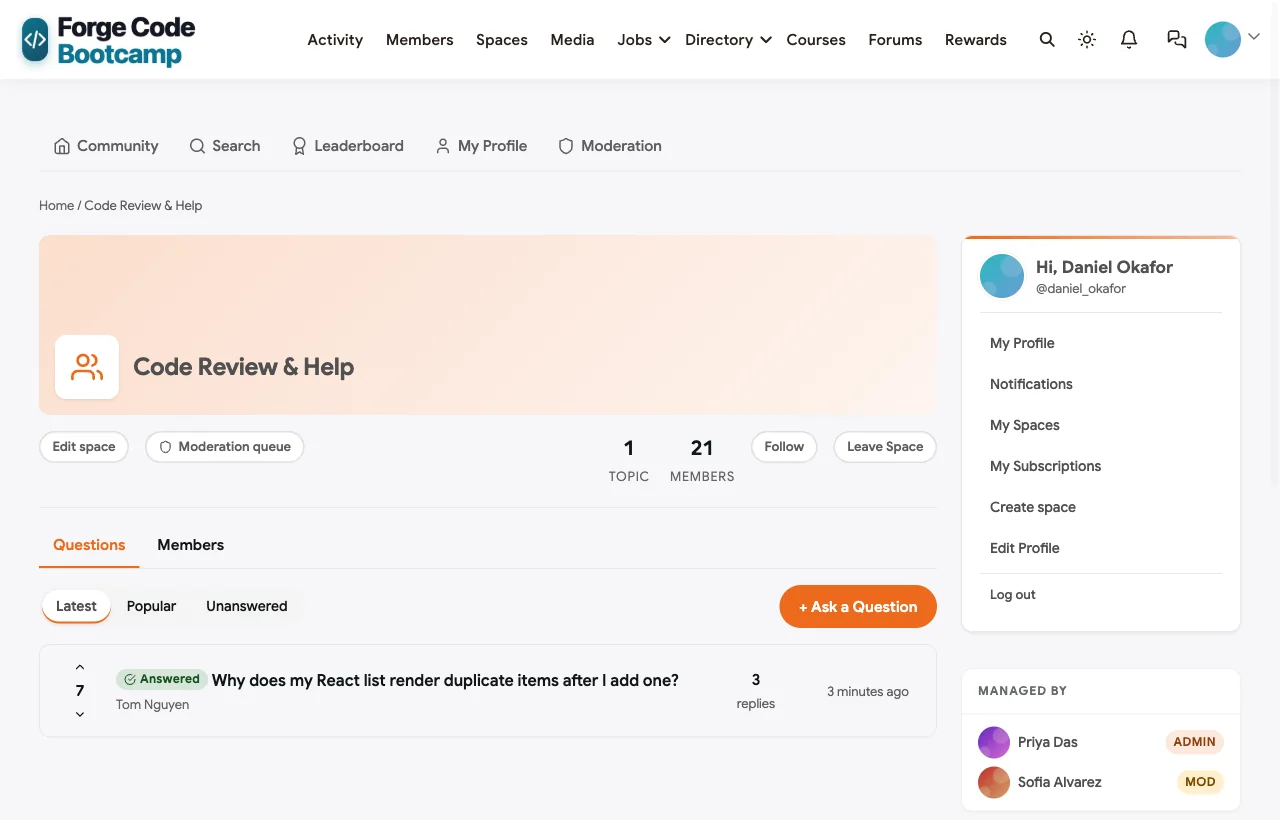
Code Q&A with highlighting and accepted answers. In the demo, a student asks why his React list renders duplicate items, with a code sample. A TA explains the missing dependency array and posts a corrected version; the lead instructor adds a rule of thumb; the student confirms the fix and the answer is marked accepted. Code blocks are syntax-highlighted, and the Q&A list shows which questions are solved:
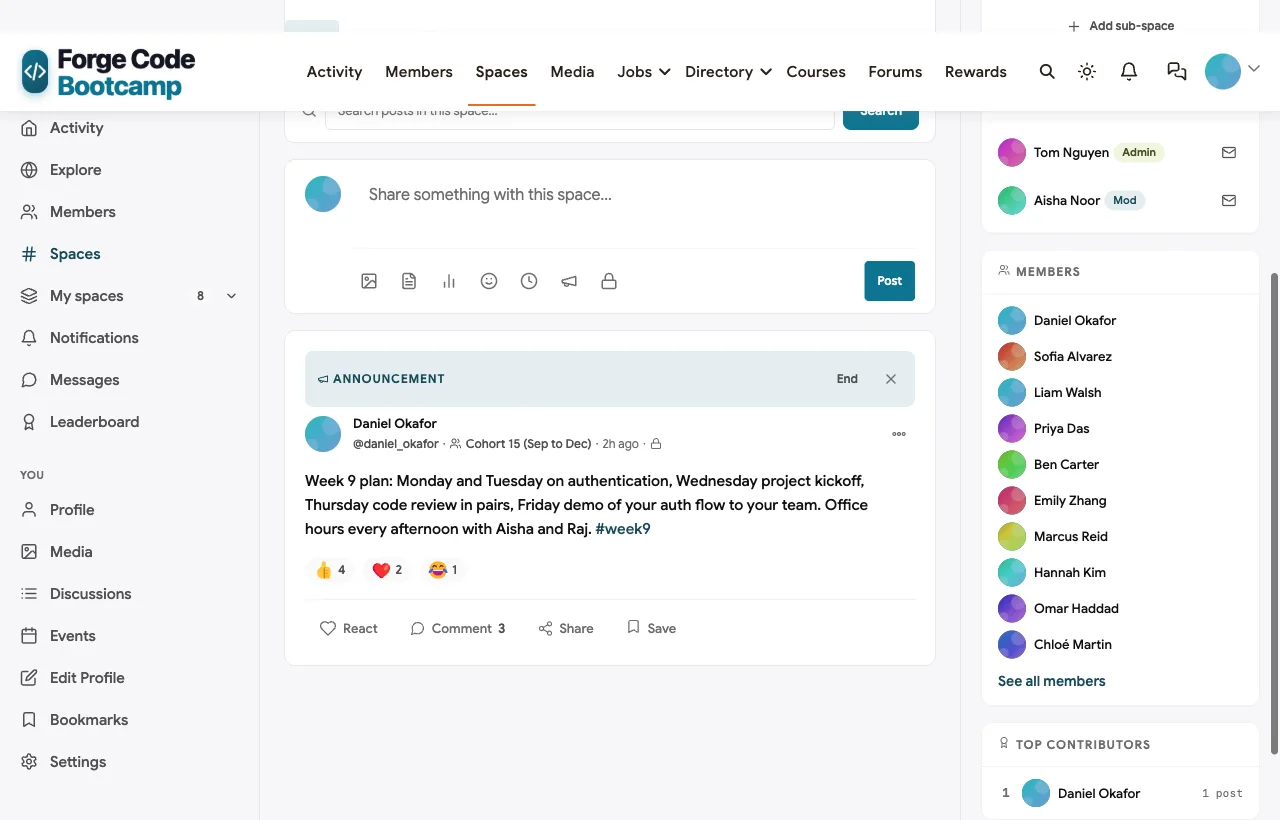
A private space for every cohort. Each cohort gets a private space for daily plans, schedule changes and project teams. In the demo, the head of curriculum pins the week 9 plan, students ask for the starter repo and the instructor replies:
A hidden staff room. Instructors and TAs share a secret space for curriculum planning, student check-ins and grading calibration. It does not appear in the space directory or search for students.
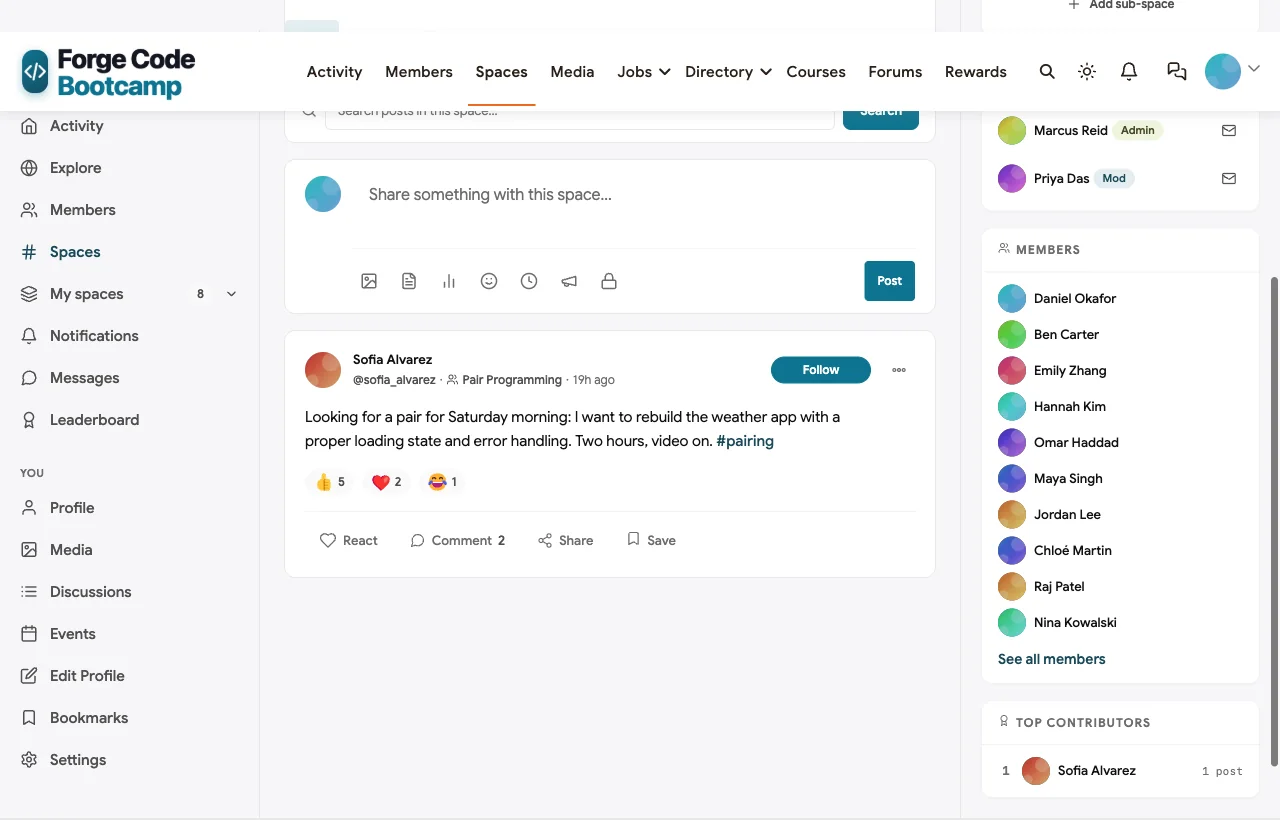
Pair programming and peer help. An open Pair Programming space lets students find partners for katas and weekend projects, and an open Code Review space keeps help visible to everyone:
Courses, assignments and grading. Courses support lessons, quizzes, assignments with text submissions and inline instructor grading, a weighted gradebook, scheduled cohorts with start and end dates, and certificates on completion. A course can be linked to a cohort’s space so learners land in the right community automatically.
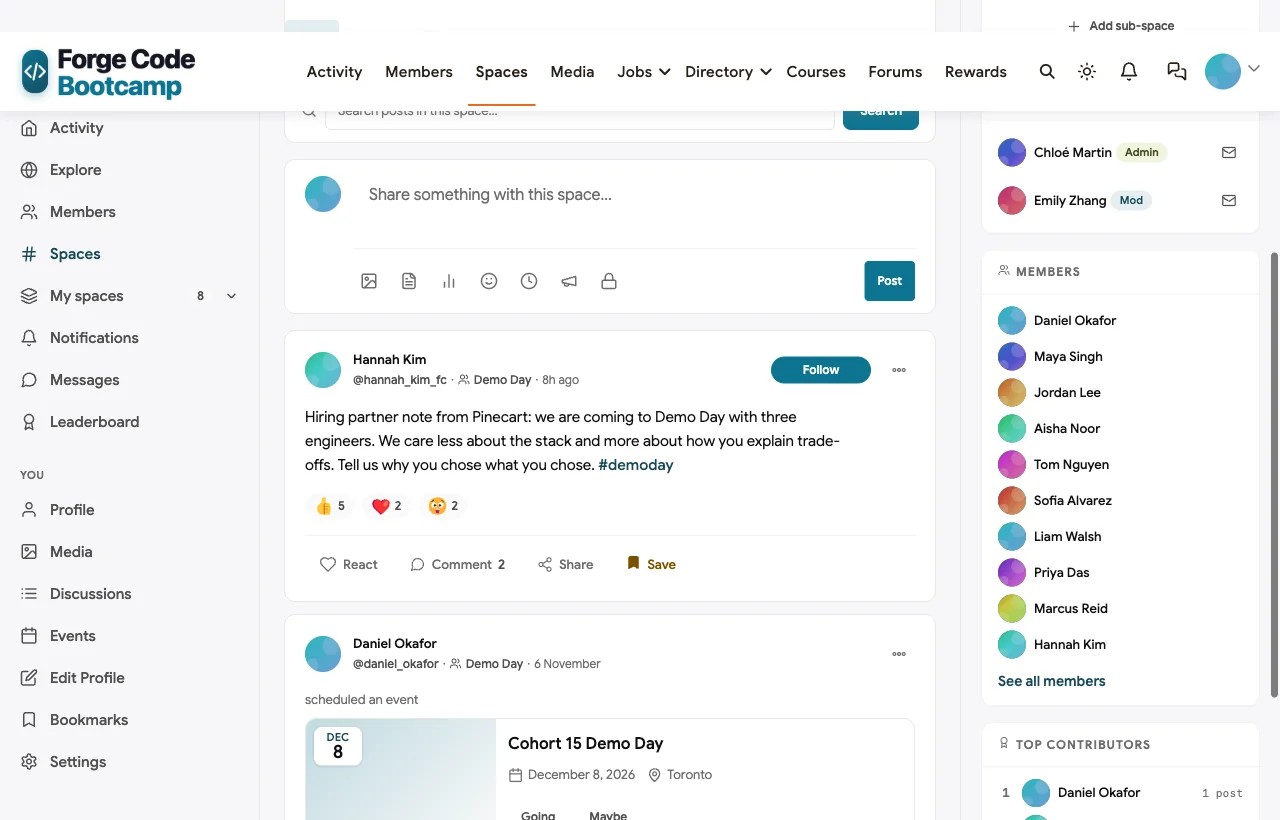
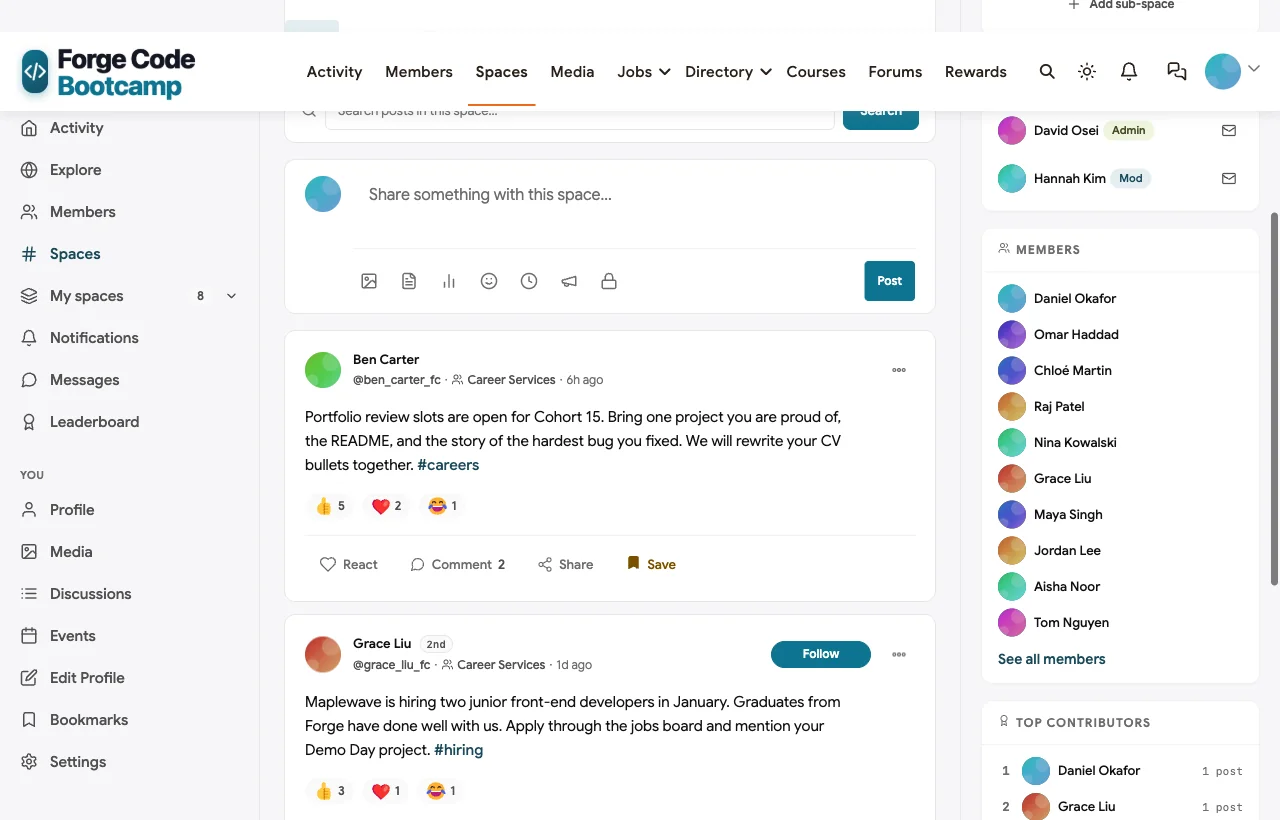
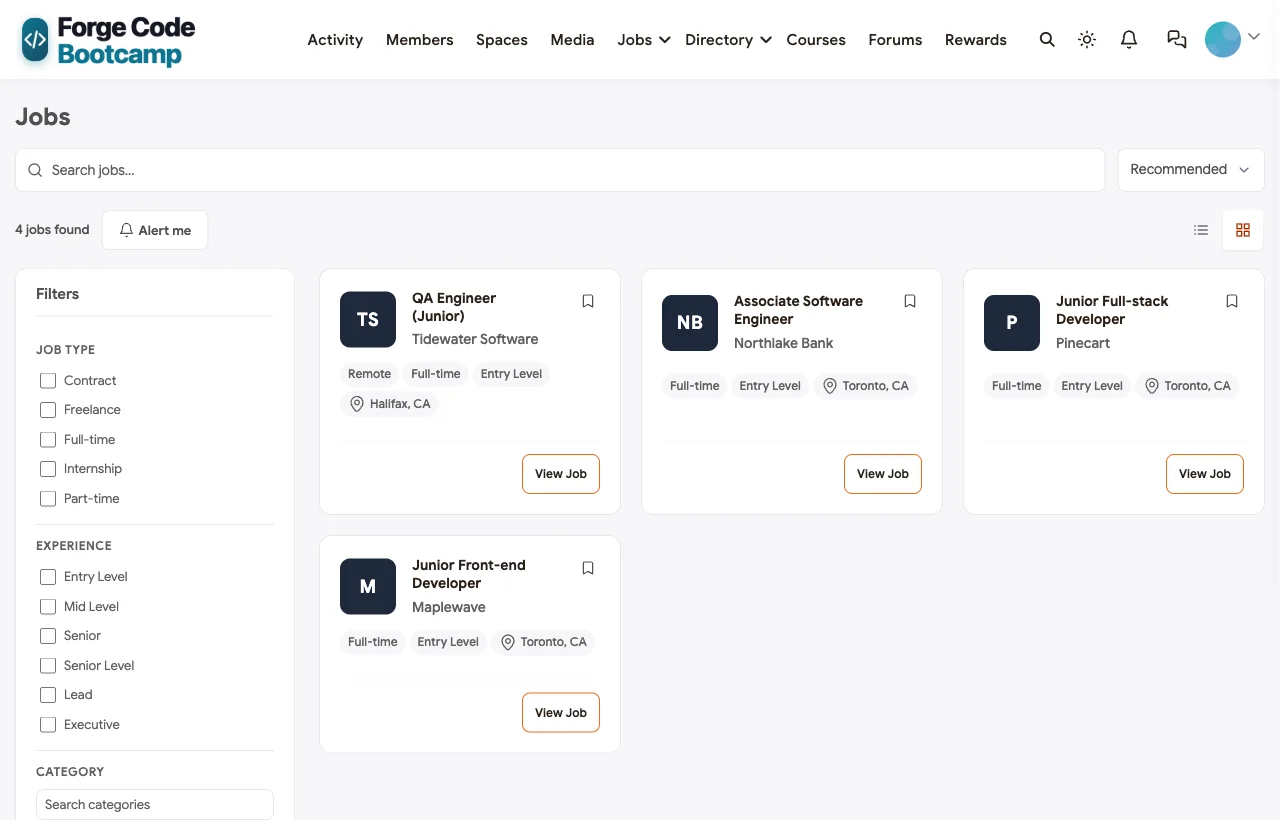
Demo Day, career services and jobs. Demo Day is an event with a venue, and an open Demo Day space lets hiring partners see final projects and post advice. Career Services runs portfolio reviews and mock interview nights, and the jobs board lists roles from hiring partners with filters and alerts:
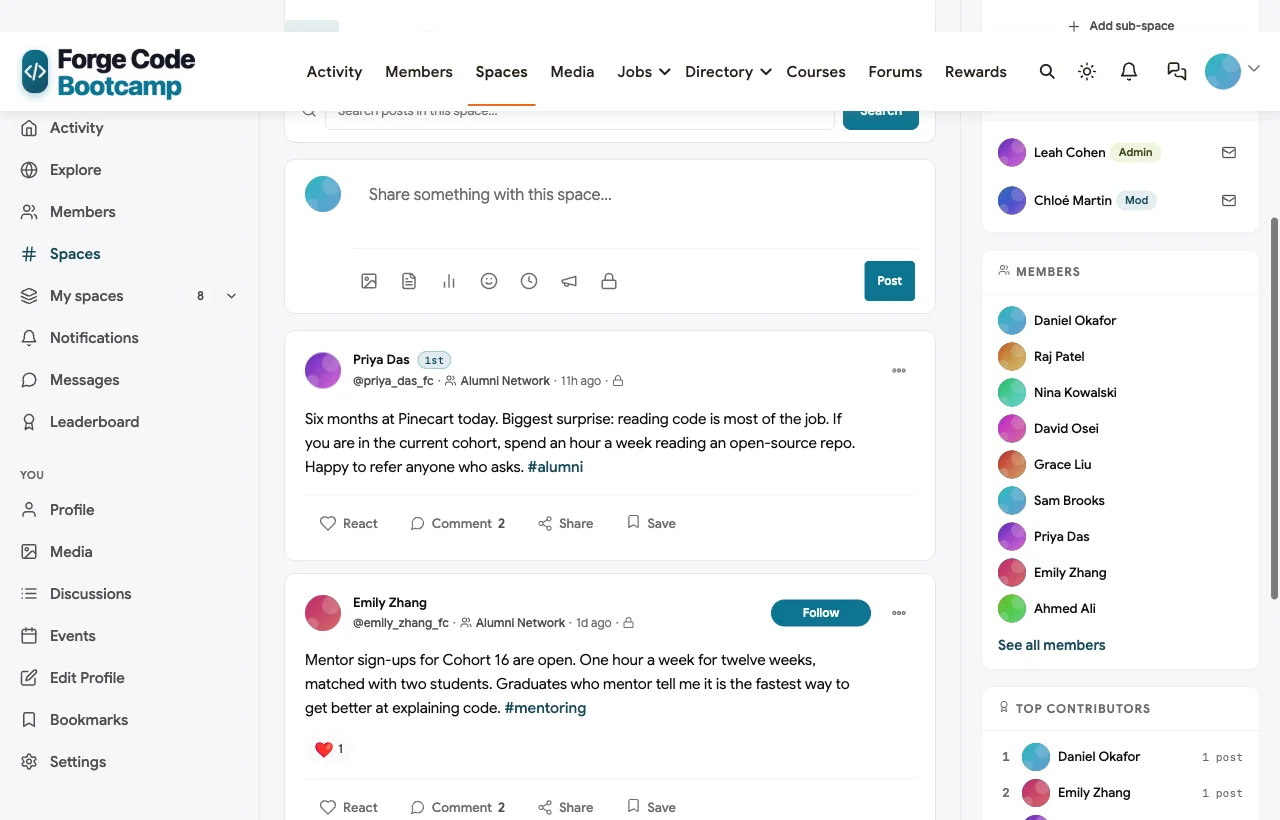
An alumni network that lasts. Graduates join a private Alumni Network space where they share referrals, run meetups and sign up to mentor the next cohort. In the demo, a Cohort 14 graduate shares what surprised her six months into her first job:
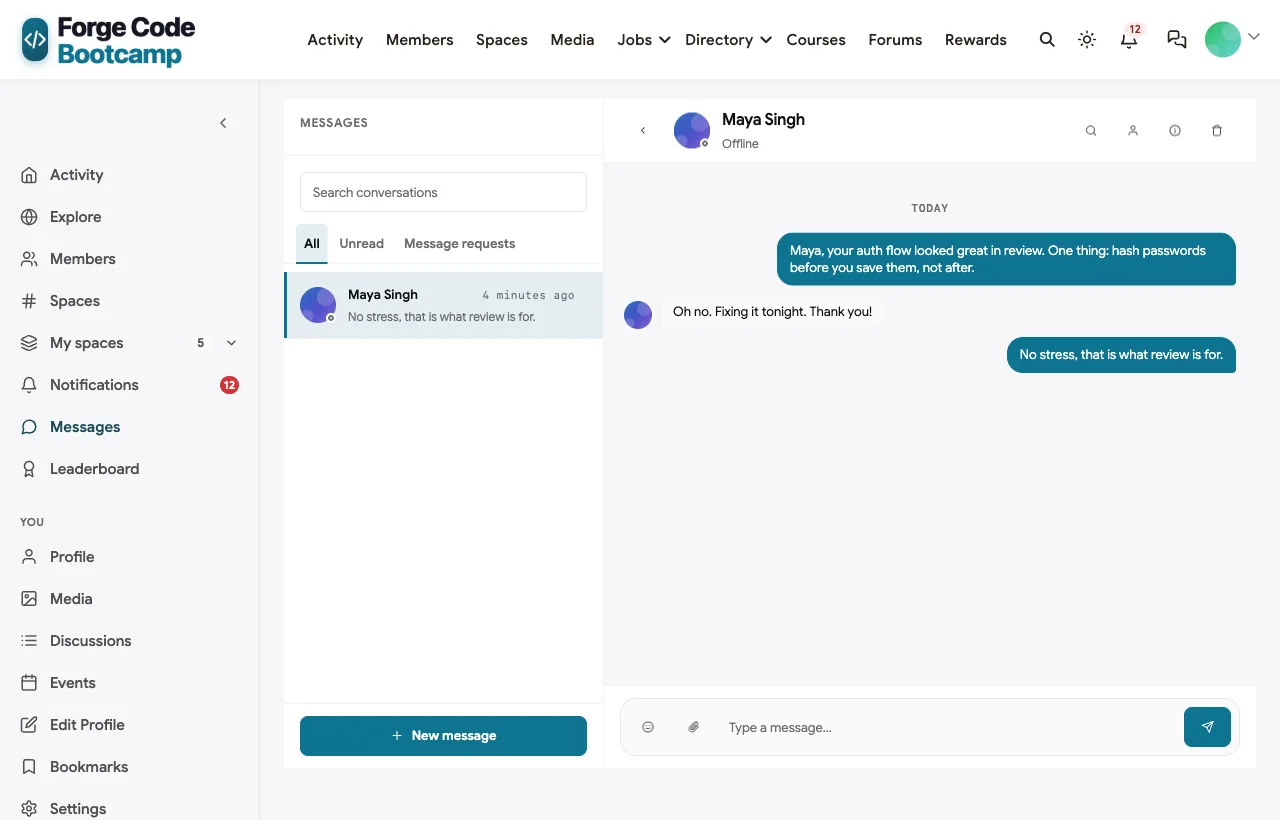
Mentoring through messages. Mentors are matched with two students each and use direct messages for weekly check-ins. A TA can also message a student privately about a security issue in their code review:
Also built in. GitHub sign-in so students join with the account they already use, member profiles with skills, polls (the demo asks which part of the bootcamp has been hardest), a leaderboard that rewards helpful answers, notifications and a mobile layout that works without an app download.
Not built for: automatic grading of code against test suites or repository-based assignments; use a code-grading tool or your Git host for those, and keep discussion, cohorts and careers in the community. Live classes run on Zoom, Google Meet or similar, linked from each event. It is self-hosted, so you run WordPress or use a managed host.
What’s included, and how it is delivered
BuddyNext is one platform made of a core and add-on platform modules. Everything shown in the demo above runs on the BuddyNext platform. This table shows which parts come with the core, which are platform modules you install and activate alongside it, and which need a third-party plugin, another system or custom work.
| Capability | How it is delivered |
|---|---|
| Open, private and secret spaces | Core platform |
| Member profiles and searchable member directory | Core platform |
| Direct messages | Platform module, installed alongside |
| Activity feed, pinned announcements and hashtags | Core platform |
| GitHub, Google and Discord sign-in | Core platform |
| Polls | Core platform |
| Q&A with accepted answers and code highlighting | Platform module, installed alongside |
| Courses, quizzes, assignments, gradebook and certificates | Platform module, installed alongside |
| Scheduled cohorts with start and end dates | Platform module, installed alongside |
| Jobs board with filters and alerts | Platform module, installed alongside |
| Events with RSVPs, online or in person | Platform module, installed alongside |
| Points, badges and leaderboards | Platform module, installed alongside |
| Automated code grading against test suites | Third-party grading tool |
| Live video classes | Third-party video tool (Zoom, Google Meet) |
Want to click around yourself? The Forge Code Bootcamp community in this guide was built on a private test site, so it is not public. The BuddyNext live demo is a general community you can open in your browser and explore without installing anything.
2. Moodle: best open-source learning system for structured cohorts
Moodle calls itself “the world’s most customisable and trusted learning management system” and is available self-hosted as open source or as MoodleCloud (Moodle). Native Cohorts let “all members of the cohort… be easily enrolled in a course” (Moodle docs), and Groups in separate mode mean “each group can only see their own group” (Moodle docs), which gives each cohort a private area. The Workshop activity is “a powerful peer assessment activity” where submissions “are then distributed amongst their peers for assessment” (Moodle docs), a reasonable fit for peer code review. The “non-editing teacher” role “can grade in courses but not edit them,” which maps to a TA (Moodle docs). Live classes run through a built-in BigBlueButton integration with recording, though the free tier caps sessions at “60 minutes maximum, 25 concurrent users” (Moodle docs).
Strengths for bootcamps: real cohorts and private groups, peer review, a TA-style role, full backup and export, open source.
Gaps: the editor’s code highlighting is cosmetic (“doesn’t have any impact on the way the code is displayed,” per Moodle’s own docs); forums have no accepted answers; no careers or alumni features; self-hosting takes real effort.
3. Open edX: best for large programs with automated code grading
Open edX is “the leading global open-source teaching and learning platform,” and says “institutions control their content, learner data, hosting environment, and governance policies,” either self-hosted or through a specialist provider (Open edX). Cohorted discussions let you “create divided discussion topics, within which learners interact only with other members of their cohort” (Open edX docs). Moderators can mark responses to question posts as answers, on the web (Open edX docs), and named roles include Community TA and Group Community TA (Open edX docs). CodeJail runs untrusted code in secure sandboxes, “designed primarily for Python execution” (Open edX CodeJail).
Strengths for bootcamps: cohort-divided discussions, a TA role per cohort, accepted answers, sandboxed code grading, strong data ownership.
Gaps: a heavy platform to run; code grading is Python-first; no confirmed native live video; no careers or alumni features.
4. Canvas LMS: best for bootcamps run inside a university or institution
Canvas describes itself as “the world’s most-loved LMS” (Instructure). Sections can “have [their] own start and end dates and enrollment restrictions” (Canvas API docs), and base roles include teacher, TA, designer, observer and student, with custom roles on top (Canvas API docs). Discussions can be threaded and turned into graded assignments (Canvas API docs). Canvas is offered as SaaS, and its source is published under the AGPLv3 licence for self-hosting (Canvas on GitHub).
Strengths for bootcamps: mature grading, sections per cohort, a proper TA role, familiar to university partners.
Gaps: no confirmed code-highlighting tool or accepted answers; no careers or alumni features in core Canvas; built for institutions, so it can feel heavy for a small bootcamp.
5. Disco: best for bootcamps that want a modern hosted academy
Disco markets “AI-powered academies” and is the only platform in this list whose own homepage names bootcamps as a target, alongside “training businesses… accelerators, and consultants” (Disco). It offers groups and subgroups to “segment members for relevant learning,” live events and chat, a Zoom integration, a member directory, and CSV export on several plans (Disco pricing). Its pricing page also confirms applications into products, so prospective students can apply to join a program.
Strengths for bootcamps: applications, subgroups per cohort, a modern hosted experience, data export.
Gaps: no code blocks, code review or accepted answers found; custom roles are gated to a higher plan; no careers or alumni features.
6. Thinkific: best for selling a part-time or self-paced coding program
Thinkific is “an all-in-one learning commerce platform” for courses, memberships and communities (Thinkific). It explicitly supports “live cohorts, self-paced, and blended formats,” communities with “public and private spaces with course-gated access,” and a community moderator role (Thinkific features). Certificates can be shared to LinkedIn (Thinkific).
Strengths for bootcamps: strong course selling, live and blended cohorts, course-gated private spaces.
Gaps: no code-specific support, accepted answers, jobs or alumni features found; TA permission scope could not be confirmed.
7. Circle: best for a polished community around a bootcamp brand
Circle helps you “build a home for your community, events, and courses, all under your own brand” (Circle). It has native live streams and smaller live rooms with RSVPs (Circle events), courses with an AI curriculum builder (Circle courses), and admin and moderator seats that scale by plan (Circle pricing).
Strengths for bootcamps: polished experience, native live rooms, courses and community together.
Gaps: no code blocks or syntax highlighting found, which matters for code-heavy help; no accepted answers, assignments with grading, jobs or alumni features; moderator seats are limited on lower plans.
8. Discord: best as a real-time chat layer for students
Discord is “group chat that’s all fun & games,” where you can “text, call, video chat, and play games, all in one group chat” (Discord). Many bootcamps use a server with channels per cohort for quick questions and voice rooms for study sessions.
Strengths for bootcamps: students already use it, instant voice and video, fast for quick questions.
Gaps: positioned for gaming and social chat, not education; answers scroll away; no courses, grading, jobs or alumni structure. We could not confirm its forum channels and code formatting on Discord’s own help pages at the time of writing, so test them in your own server before relying on them.
9. Slack: best for bootcamps that partner closely with employers
Slack is built for work: “Instead of email, Slack is a faster, better-organised and more secure platform” (Slack). Channels can be public or private, and private channels require someone already in the channel to add new people (Slack help). Roles include channel managers and single- or multi-channel guests (Slack help), and Slack Connect lets you “work securely with people from other organisations in the same channel” (Slack help), which can bring hiring partners into a channel.
Strengths for bootcamps: students practise the tool many employers use, guest roles for mentors, Slack Connect for employers.
Gaps: no accepted answers, courses, grading, jobs board or alumni structure; free plans limit message history, which erases older help threads.
A note on GitHub Classroom
GitHub Classroom was a popular way to hand out repository-based assignments with autograding and pull-request feedback. GitHub’s own documentation now states that “the GitHub Classroom application is closing down and will be retired on August 28, 2026” (GitHub docs), and GitHub’s community announcement points educators to partner alternatives (GitHub community). We have not ranked it for that reason. If your curriculum depends on repository assignments and autograding, choose a dedicated code-grading tool and connect it to whichever community platform you pick.
Setting up roles that keep cohorts private
Bootcamps have more roles than most communities, and getting access right keeps cohorts private and staff focused:

In the demo, students belong to their cohort space plus the open learning and career spaces; instructors and TAs moderate every cohort and share a secret staff room; mentors answer in Code Review and message their mentees; and hiring partners only see Demo Day, Career Services and the jobs board.
Running code help in a community
A few rules make code Q&A work, whichever platform you choose:
- Post code, not screenshots. Code blocks can be copied, searched and highlighted.
- Expected, actual, error. Every question says what you expected, what happened and the exact error message. Students often find the bug while writing it up.
- TAs answer within office hours, peers any time. Encourage students to answer each other first; it is how they learn to explain code.
- Mark what fixed it. An accepted answer turns one student’s struggle into the next student’s search result.
- Security issues go private. If a TA spots a vulnerability, such as storing plain-text passwords, they raise it in a direct message, then post the general lesson publicly.
Demo Day and career services
Demo Day is the bridge between the program and the job market. What works:
- Give hiring partners their own access. They should see Demo Day, Career Services and the jobs board, not cohort spaces.
- Ask partners what they look for, then share it. In the demo, a hiring partner says engineers care more about how graduates explain trade-offs than about the stack, so every team adds a decisions slide.
- Post every project. A project page with a demo video and repository link outlives the event and becomes a portfolio piece.
- Keep career services running after graduation. Job searches take months. Portfolio reviews and mock interviews should be open to recent graduates, not just the current cohort.
Keeping the alumni network alive
The alumni network is a bootcamp’s long-term advantage: graduates refer graduates. Keep it alive by giving alumni a role. In the demo, alumni mentor the next cohort for one hour a week, run “reading code together” meetups and post referrals. A mentor sign-up post each cohort, a quarterly alumni meetup and a jobs board that alumni employers post to are enough to keep the network active for years.
Which software fits your bootcamp?
| If you… | Choose |
|---|---|
| Want cohorts, code Q&A, careers and alumni in one place you own | BuddyNext |
| Need rigorous assessment and are comfortable self-hosting | Moodle |
| Run large programs with automated code grading | Open edX |
| Run a bootcamp inside a university | Canvas LMS |
| Want a hosted academy with applications | Disco |
| Sell part-time or self-paced programs | Thinkific |
| Want a polished hosted community around your brand | Circle |
| Need a real-time chat layer | Discord or Slack |
More community platform comparisons
Building a different kind of learning community, or one that overlaps with this one? These guides use the same method: a working demo community and vendor claims checked at the source.
- Best platforms for a data science learning community: code Q&A, project reviews, study groups and dataset challenges.
- Best platforms for a cybersecurity professionals community: vetted sign-up, two-factor, private rooms, study groups and CTFs.
- Best platforms for cohort-based learning: live, dated courses for professionals with peer pods, feedback and repeat cohorts.
- Best software for an online course community: course creators who want learners to finish, with Kajabi, Teachable, LearnWorlds and more.
- Best platforms for an AI agent developer community: code-heavy Q&A and public roadmaps for developer tools.
- How to create an AI agent developer community with Q&A and code sharing: setting up code blocks, accepted answers and trust levels step by step.
- Best software to build a university alumni network: alumni spaces, mentoring and jobs at a larger scale.
- How to set up a community space on WordPress: the step-by-step setup guide behind every demo in this series.
How we built and checked this list
We built the Forge Code Bootcamp demo on a local WordPress site running BuddyNext, with fictional students, staff, employers, cohorts, code questions, jobs and events created for this guide. Every BuddyNext screenshot is from that demo. Competitor features were checked against each vendor’s own website, documentation or pricing page in November 2026, and survey figures come from Stack Overflow’s 2025 Developer Survey. Where we could not confirm a feature on a vendor’s own pages, the scorecard says “Not found” or “Not verified” rather than assuming it is missing. We did not run a hands-on trial of every competitor, so features can change; confirm anything critical with the vendor. buddyxtheme.com is published by the team behind BuddyNext, which is why BuddyNext is listed first; we have tried to be fair about its gaps as well as its strengths.
Frequently asked questions
What is the best software for a coding bootcamp community?
BuddyNext is the best choice for a bootcamp community you own, with private cohort spaces, code Q&A with syntax highlighting and accepted answers, courses with assignments and grading, Demo Day events, a jobs board and an alumni network on your own WordPress site. Moodle and Open edX are the strongest open-source learning systems for cohorts and coding exercises.
Should a bootcamp use Discord or a forum?
Use a forum-style Q&A for code help that should be findable later, and keep Discord or Slack for quick real-time chat if students want it. Chat answers scroll away; accepted answers in a Q&A space become a searchable library.
Can students share code with syntax highlighting?
In BuddyNext, yes: Q&A posts support code blocks with syntax highlighting. Moodle’s editor can insert code snippets, though its own docs say the selected language does not change how code is displayed. We could not confirm code highlighting on Circle, Disco or Thinkific’s pages.
How do I keep each cohort private?
Give each cohort a private space or group. In BuddyNext, cohort spaces are private and staff share a secret space; Moodle uses separate groups; Open edX uses cohorted discussions; Canvas uses sections.
Can a bootcamp community grade assignments?
Learning systems such as Moodle, Open edX and Canvas have full grading. BuddyNext includes assignments with instructor grading and a weighted gradebook. Automated grading of code against test suites needs a dedicated tool; Open edX grades Python code in sandboxes.
What replaced GitHub Classroom?
GitHub’s documentation says GitHub Classroom was retired on August 28, 2026, and GitHub has pointed educators to partner alternatives. Existing repositories are unaffected. Pair a code-grading tool with your community platform.
How do I run career services in the community?
Give career services an open space with portfolio reviews and mock interviews, a jobs board where hiring partners post roles, and a Demo Day space partners can see. Keep it open to recent graduates during their job search.
How do I keep alumni engaged after graduation?
Give them a private alumni space and a role: mentoring the next cohort, running meetups and posting referrals. Alumni who mentor stay connected and become your best source of hiring partners.
Do bootcamp students learn more from each other or from instructors?
Both. The Stack Overflow 2025 survey shows 58.7% of developers learned through online resources such as forums and communities. Building peer help into the bootcamp’s own community keeps that learning inside the program.
The bottom line
The best bootcamp software keeps code help findable, cohorts private, staff coordinated, hiring partners close and graduates connected long after Demo Day. If you want that on your own domain, with your own student data and no per-member limits, BuddyNext is the strongest foundation. If your priority is rigorous assessment inside a learning system, Moodle, Open edX and Canvas each lead in their own setting.
And build a bootcamp community your graduates never leave.