
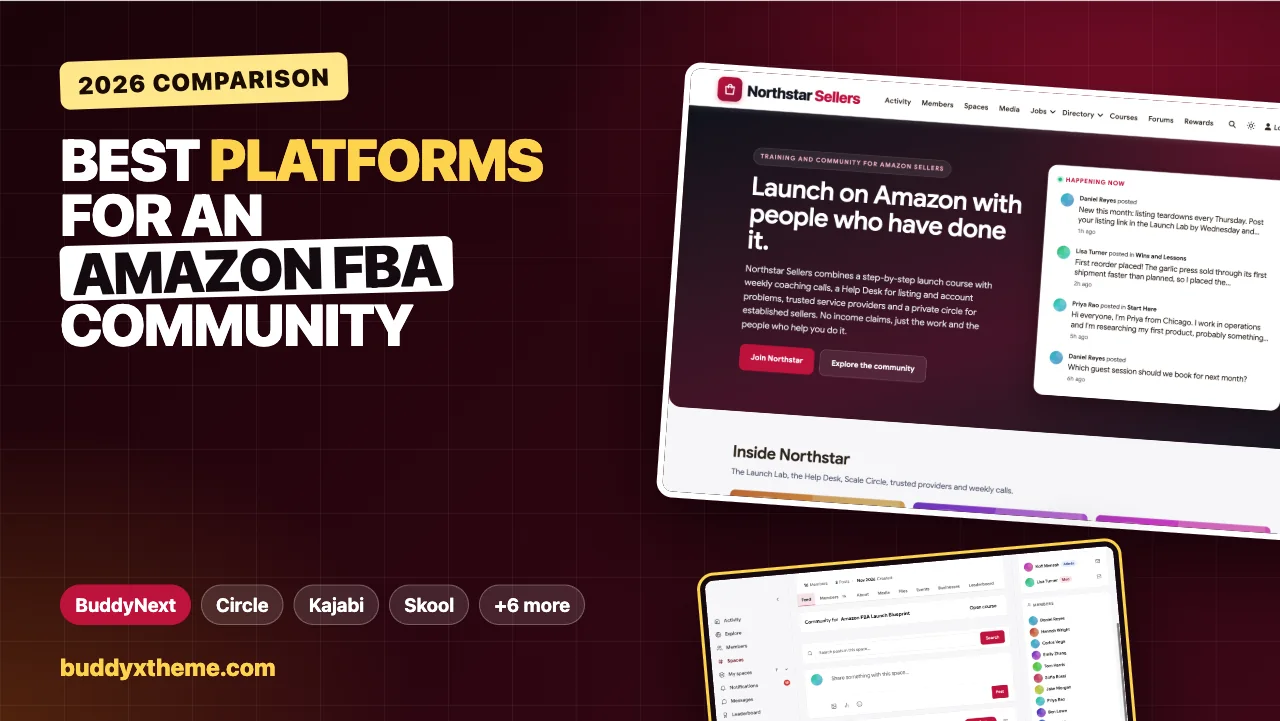
Selling on Amazon looks simple from the outside and feels lonely from the inside. A new seller has to pick a product, vet a supplier, book freight, prepare inventory, write a listing, launch it, and then fix whatever goes wrong at two in the morning when a listing is suppressed. Every step has expensive mistakes waiting, and most of them have already been made by someone else. That is why paid seller communities exist: a course for the path, coaches for the judgment calls, and other sellers for everything in between.
This guide compares the platforms coaches, agencies and experienced sellers use to run a paid Amazon FBA seller community. It covers launch courses, a help desk where listing and account problems get answered and stay findable, live coaching calls and listing teardowns, a directory of trusted service providers, private tiers for established sellers, and paid memberships. We built a working seller community for the first entry, checked every competitor claim on the vendor’s own pages in November 2026, and flag where each one falls short for this particular kind of community.
Quick answer
If you want a seller community you own on your own domain, BuddyNext is the strongest choice: a launch course linked to a private Launch Lab, a Help Desk where the answer that fixed a problem is marked accepted, weekly coaching calls and listing teardowns as events, a trusted provider directory, a private circle for established sellers and paid memberships. Circle is the strongest hosted alternative, Kajabi suits coaches selling courses and coaching together, Skool is the simplest with built-in leaderboards, and Thinkific, Teachable, Heartbeat, Kartra, Whop and Discord each fit narrower setups.
In this guide
- Why Amazon sellers pay for community
- The seller community scorecard
- 1. BuddyNext: best for a seller community you own
- 2. Circle: best hosted community for courses, calls and gamification
- 3. Kajabi: best for coaches selling courses and coaching together
- 4. Skool: best for a simple community with leaderboards
- 5. Thinkific: best for course-first sellers with private spaces
- 6. Teachable: best for selling a launch course with coaching
- 7. Heartbeat: best for channels, live events and tiered access
- 8. Kartra: best for marketers who want funnels and membership in one
- 9. Whop: best for monetising a community through an app store
- 10. Discord: best for real-time chat and voice
- Organise the community by seller stage
- Running a credible seller community
- The weekly rhythm in the demo
- A 90-day plan to launch your seller community
- Questions to ask before you choose
- Which platform fits your seller community?
- More community platform comparisons
- How we built and checked this list
- Frequently asked questions
- The bottom line
Why Amazon sellers pay for community
Amazon’s marketplace is built on independent businesses. In its own words, “more than 60% of sales in our store come from independent sellers” (About Amazon). Most of those sellers are small teams or one person, learning a long list of skills at once.
What they want from a paid community is specific:
| What sellers want | What the platform needs |
|---|---|
| A clear path from idea to first launch | A course with modules, drip release and tasks |
| Feedback on their real product, listing and plan | A private group where tasks are posted and reviewed |
| Answers to urgent problems | Q&A with accepted answers that stay searchable |
| Judgment from people who have done it | Live coaching calls, teardowns and recordings |
| Trusted help they can hire | A directory of providers, reviewed by members |
| Peers at the same stage | Separate spaces for new and established sellers |
| Honest information | Moderation, house rules and no hype |
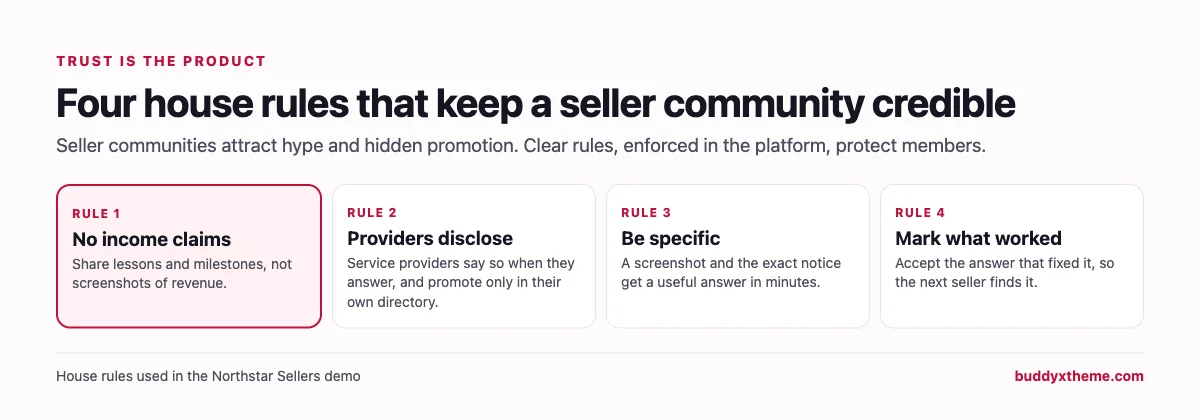
The last row matters more in this niche than most. Seller communities attract income screenshots, undisclosed affiliate links and providers posing as members. A community that wants to last makes trust part of the product.
The seller community scorecard
How each platform handles what matters most. “Not found” means we could not confirm it on the vendor’s own pages, not that it is impossible.
| Platform | Launch course | Q&A with best answers | Coaching calls | Provider directory | Tiers for advanced sellers | Hosting |
|---|---|---|---|---|---|---|
| BuddyNext | Drip, tasks, certificates | Accepted answers | Events with recordings | Yes, with covers and categories | Private and secret spaces | Self-hosted |
| Circle | Courses | Not found | Live rooms with Q&A | Member directory only | Paid tiers | Hosted |
| Kajabi | Drip, assessments | Not found | 1-on-1 and group sessions | Not found | Plans and tiers | Hosted |
| Skool | Classroom, drip | Not found | Skool calls, events | Not found | Level-locked courses | Hosted |
| Thinkific | Quizzes, certificates | Not found | Live events | Not found | Course-gated spaces | Hosted |
| Teachable | Drip, quizzes, certificates | Not found | Coaching sessions | Not found | Subscriptions | Hosted |
| Heartbeat | Lessons and progress | Not found | Live video events | Not found | Tiered pricing | Hosted |
| Kartra | Drip, quiz gating | Comment forums | Webinars | Not found | Tiered memberships | Hosted |
| Whop | Courses app | Support apps | Not found | Not found | Memberships | Hosted |
| Discord | None | Not found | Stage channels | Not found | Not confirmed | Hosted |
1. BuddyNext: best for a seller community you own
BuddyNext is a complete community platform that runs on your own WordPress site. Private and secret spaces, Q&A with accepted answers, courses with drip release and certificates, events with RSVPs, a business directory, direct messages, polls, points and leaderboards all work together, so the course, the help desk, the calls and the provider directory live in one community under your brand.
To show it in context, we built Northstar Sellers, a demo training community run by a coach who has sold on Amazon for a decade. It has 20 fictional members: first-time sellers researching or launching products, established brands, two coaches, a community manager, and service providers including a product photographer, a PPC specialist, a prep center owner, an accountant and a listing copywriter.
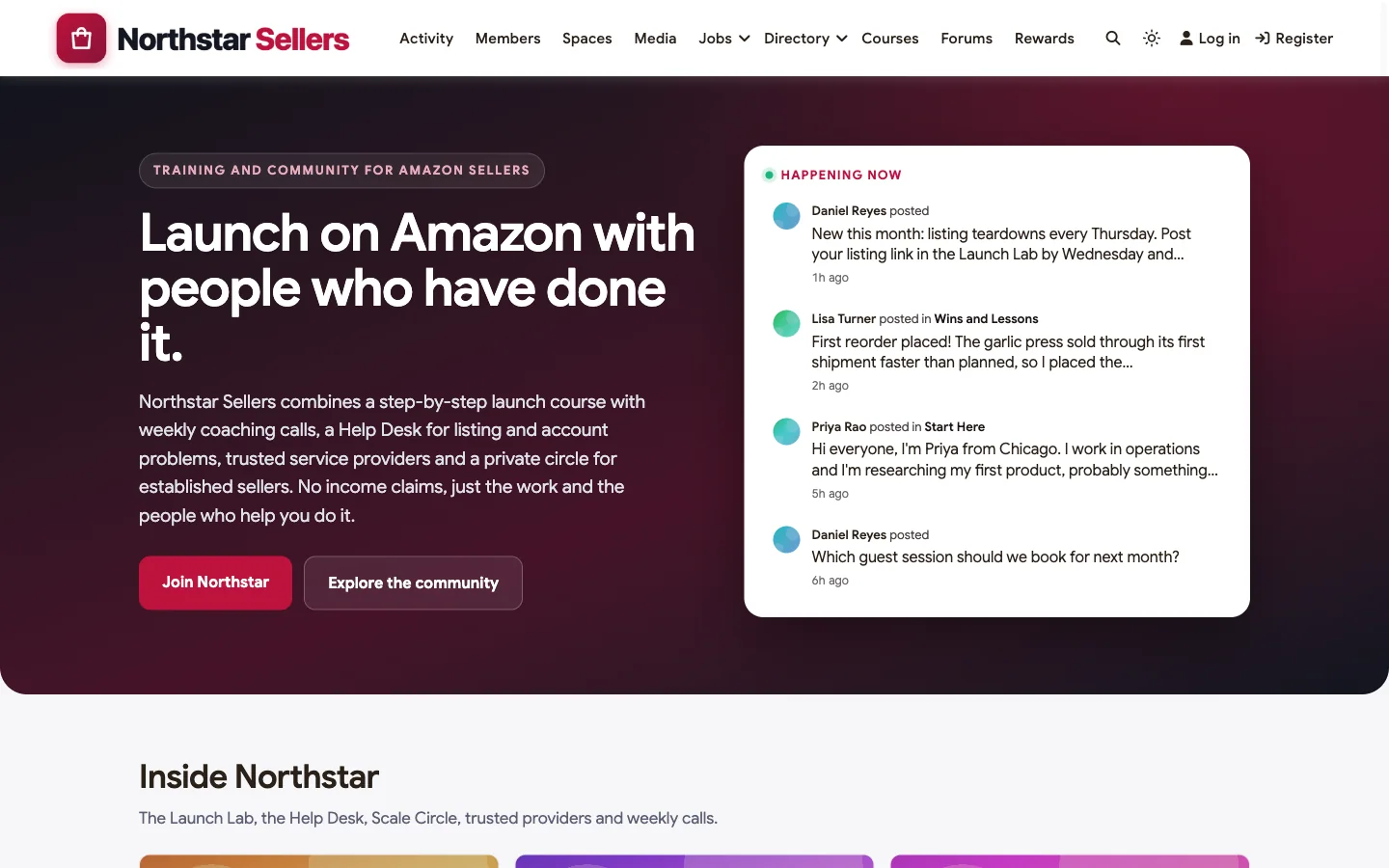
Good at: connecting a course to real feedback, answers that stay findable, separate rooms for each stage, and trust you can enforce.
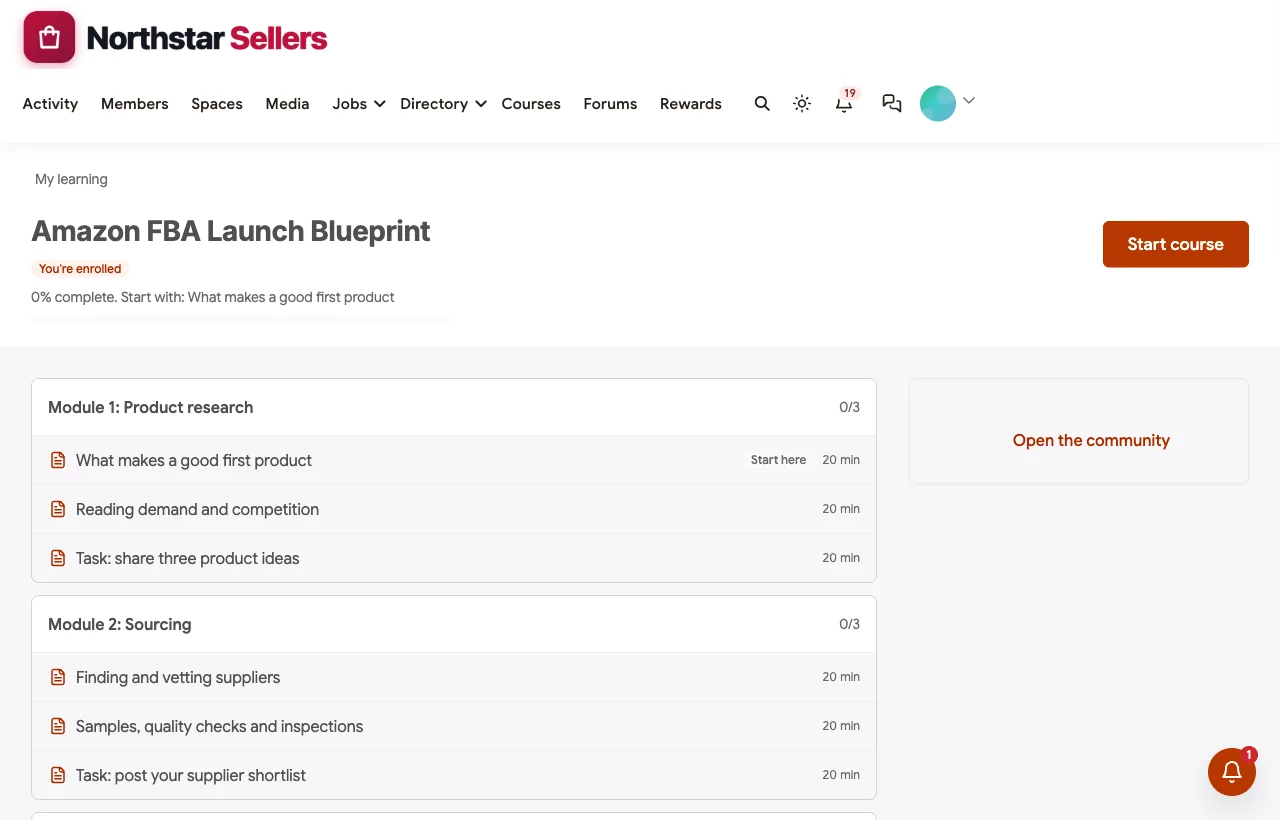
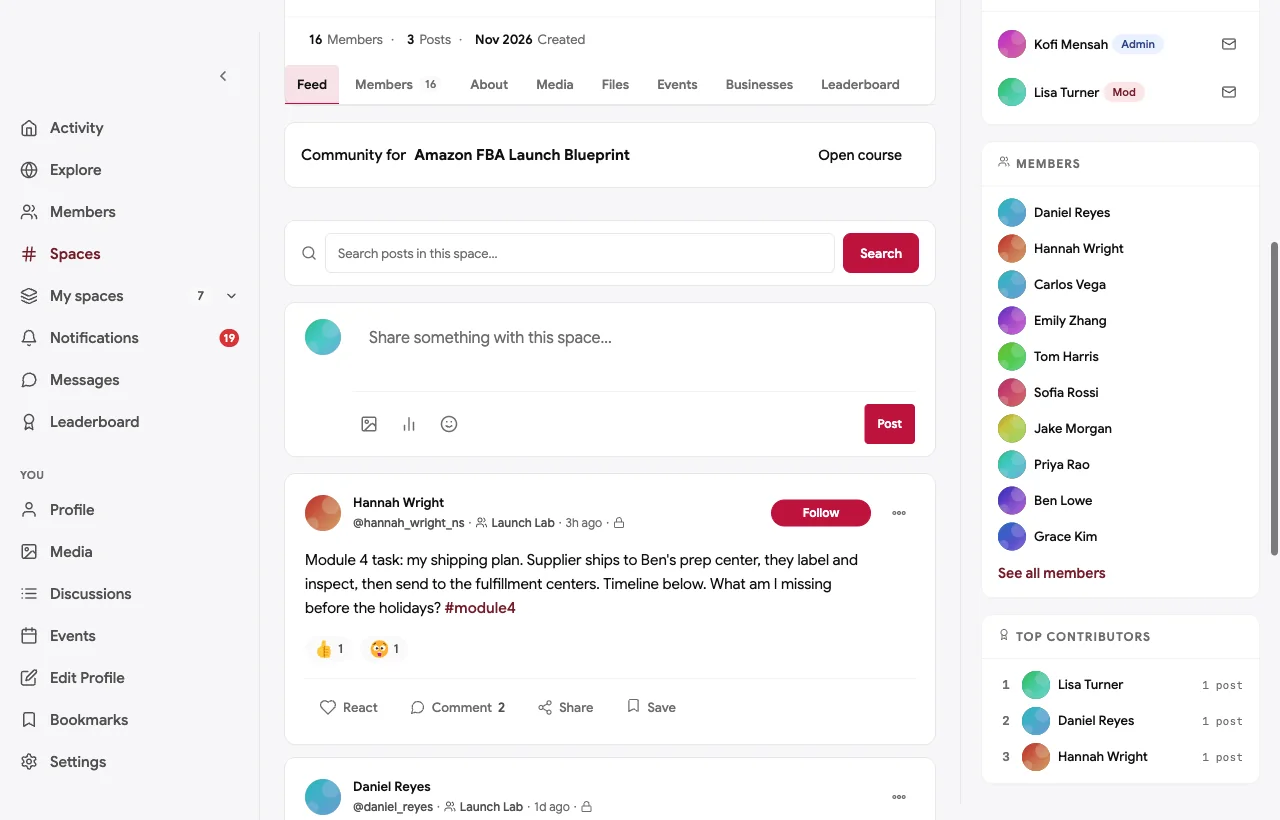
A launch course connected to a private Launch Lab. The Launch Blueprint course takes a seller from product research to the first 90 days in six modules. Every module ends with a task the seller posts in the Launch Lab, a private space only for members working through the course:
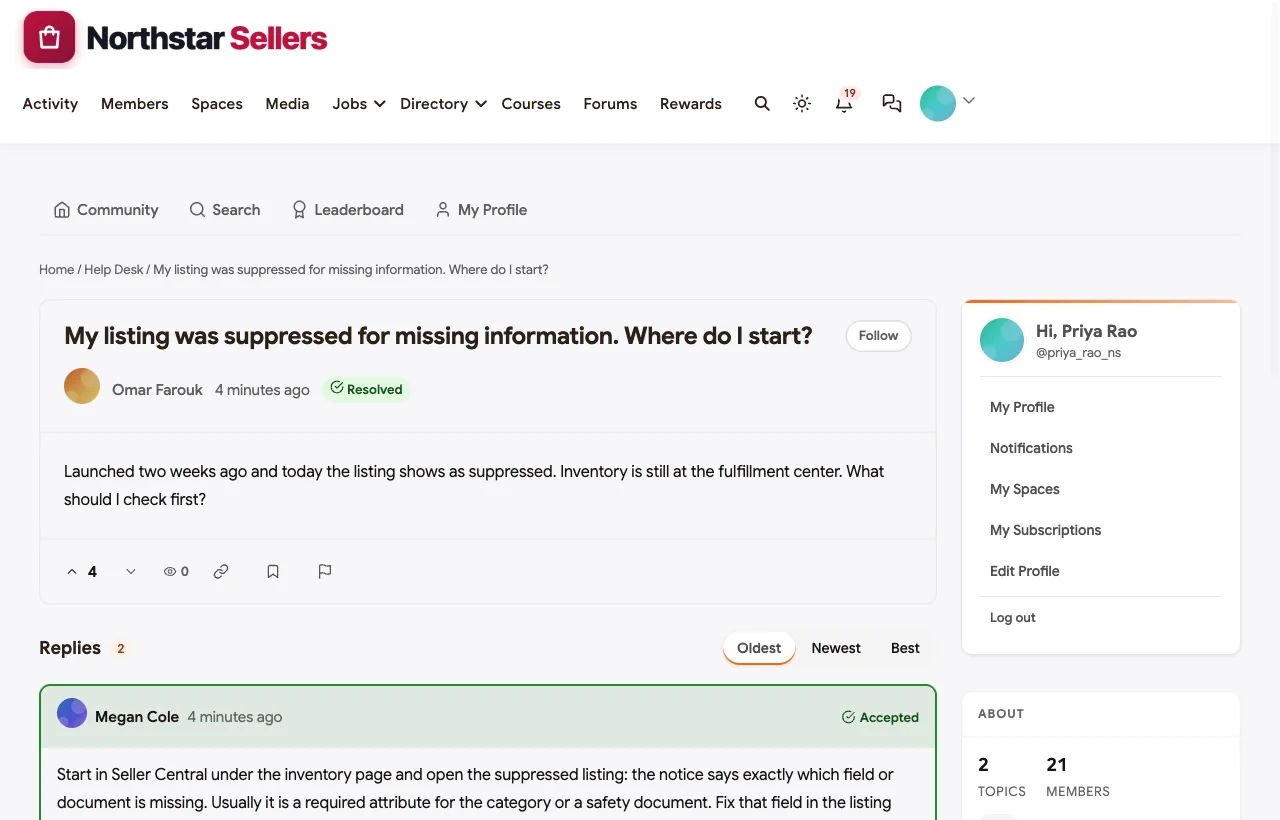
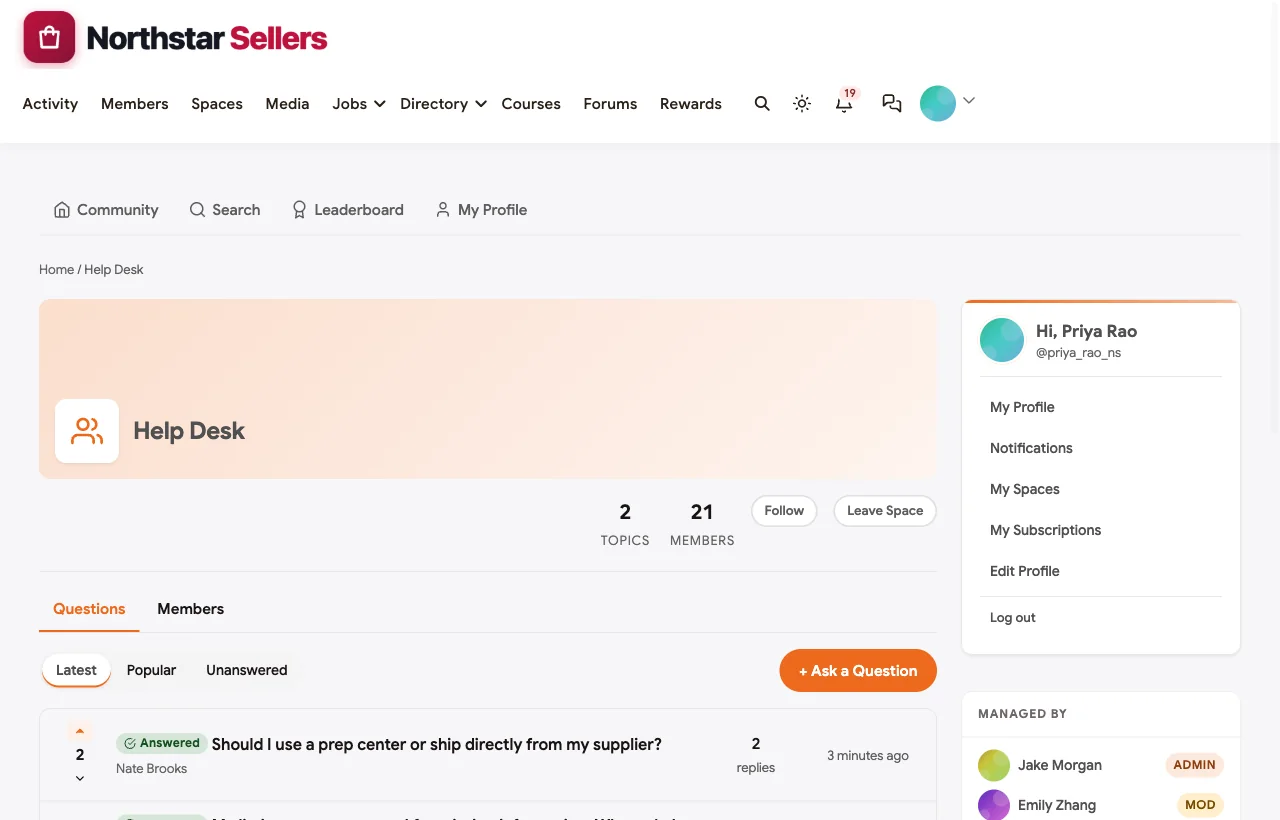
A Help Desk where the fix stays findable. When a listing is suppressed or a shipment is stuck, members post in the Help Desk. Coaches and experienced sellers answer, and the answer that fixed it is marked accepted. In the demo, a new seller’s suppressed listing gets a step-by-step answer from a coach, and the next seller with the same notice finds it in seconds:
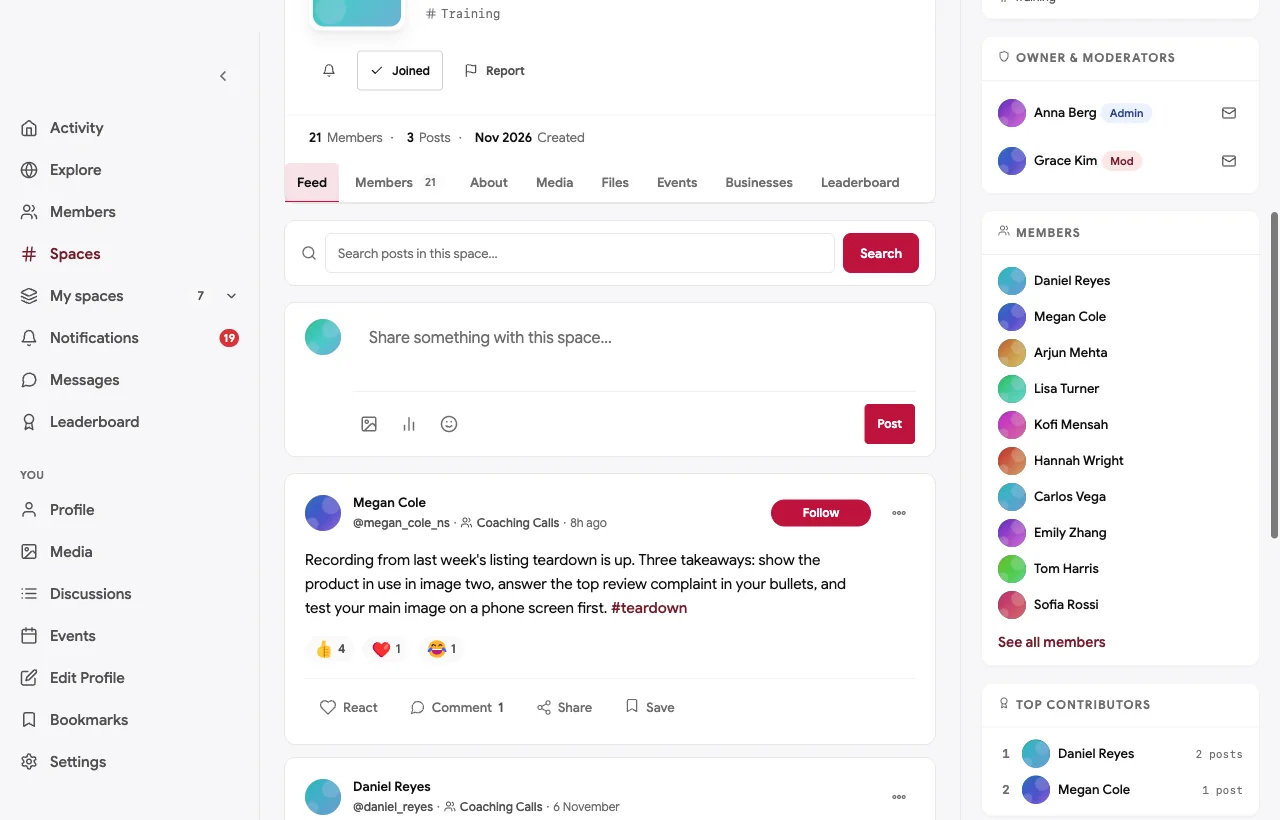
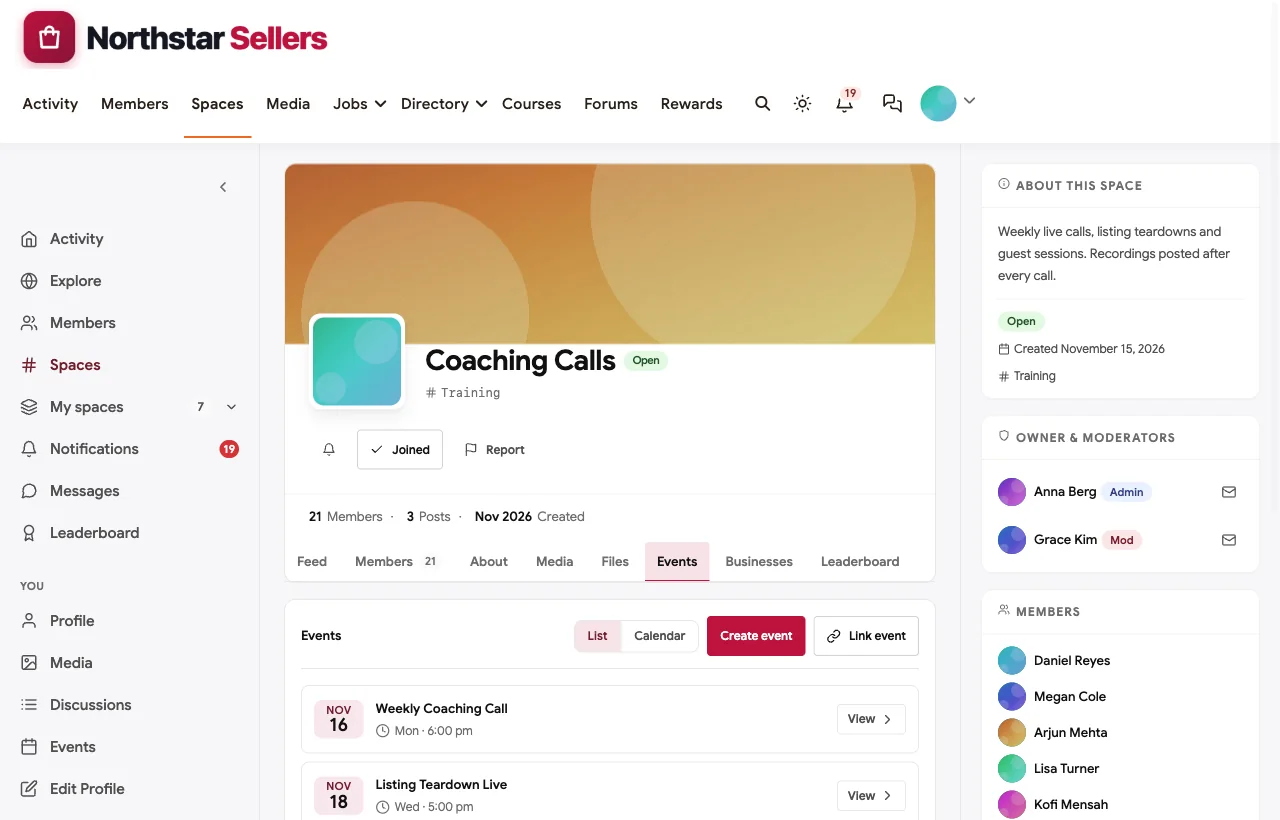
Coaching calls and listing teardowns. Weekly calls, Thursday listing teardowns, office hours in the Launch Lab and roundtables for established sellers are events with RSVPs and reminders. Recordings and takeaways are posted after each call:
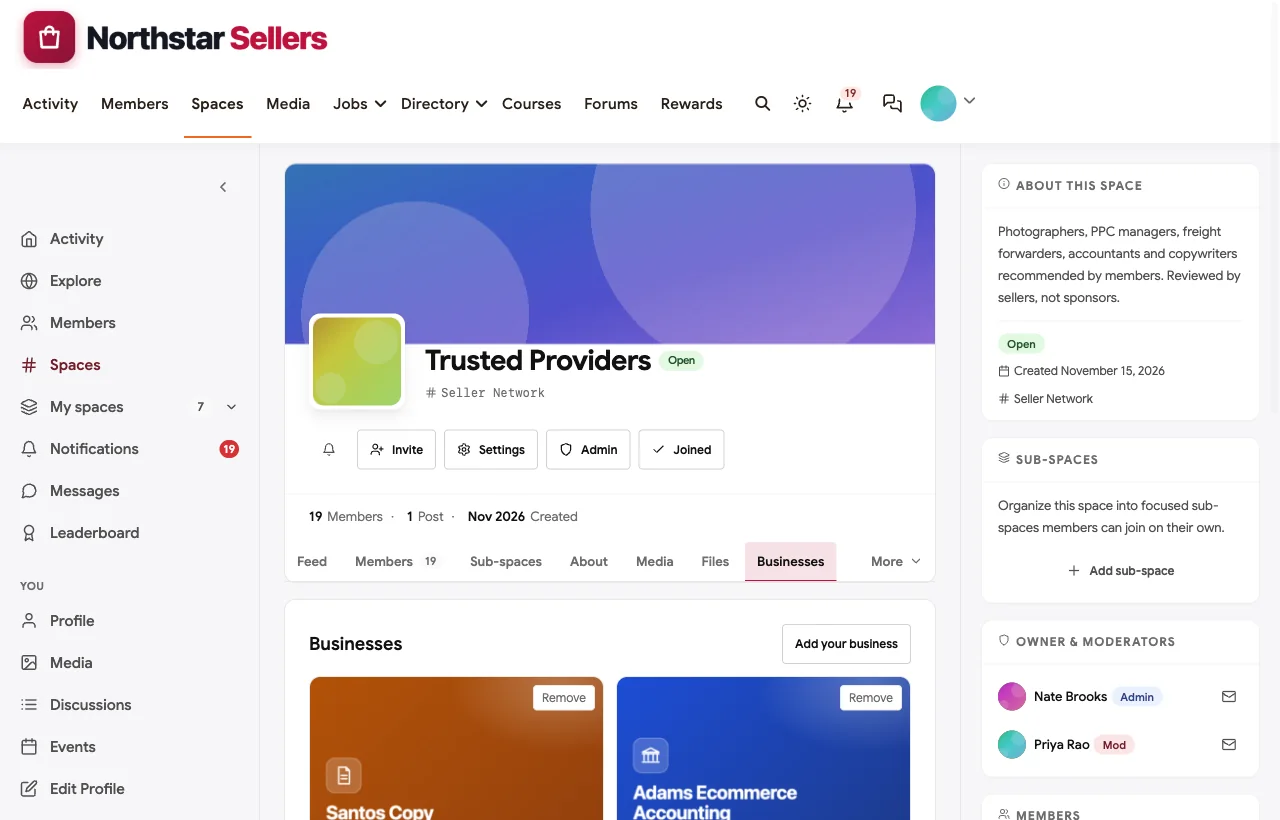
A trusted provider directory. Photographers, PPC managers, freight forwarders, accountants and copywriters list their businesses in Trusted Providers, the only place they may promote their services. Members message them directly, and providers disclose who they are when they answer questions:
A private circle for established sellers. Sellers past their first year join the Scale Circle, a private space for inventory planning, hiring, new marketplaces and brand protection, with roundtables of their own:

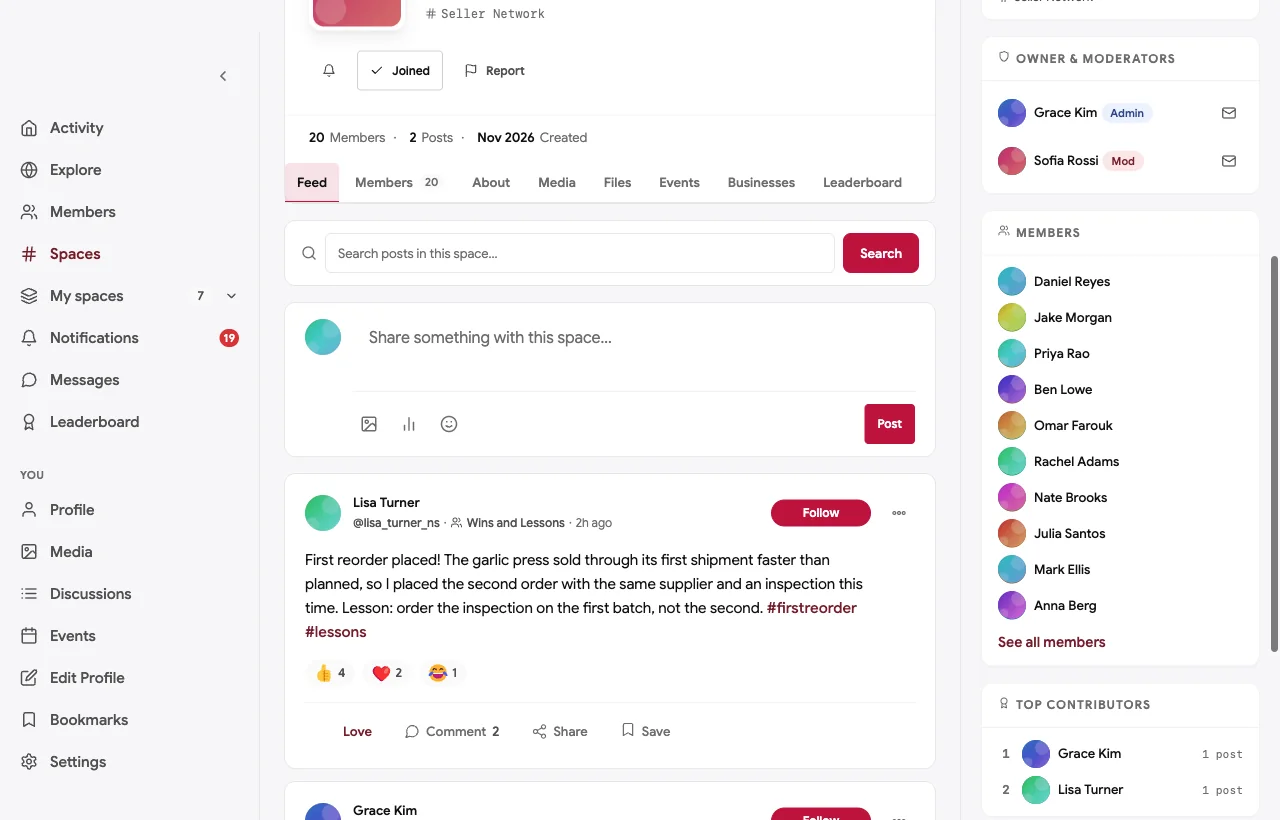
Wins and lessons, without hype. In Wins and Lessons, members celebrate first sales, first reorders and first hires, and share the lesson behind each one. The house rules ban income claims, so the space stays useful:
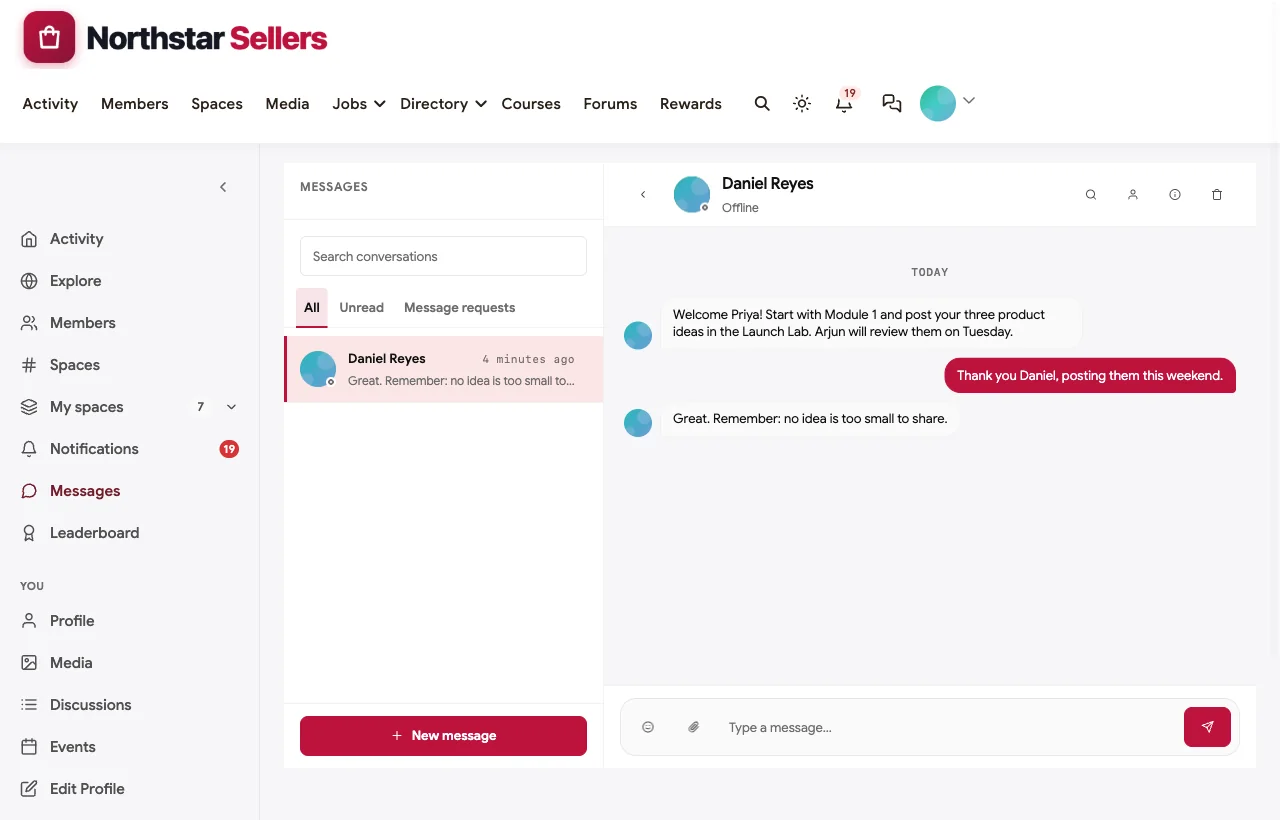
Personal onboarding. The coach messages every new member with their first step, and coaches follow up when a problem is fixed:
Also built in. Polls to choose guest sessions, a member directory, points and a leaderboard that rewards helpful answers, notifications, moderation tools, paid memberships with trials and coupons, and a mobile layout that works without an app download.
Not built for: Amazon data such as sales, keyword or inventory reports; members keep using their seller tools for that. It is self-hosted, so you run WordPress or use a managed host.
What’s included, and how it is delivered
BuddyNext is one platform made of a core and add-on platform modules. Everything shown in the demo above runs on the BuddyNext platform. This table shows which parts come with the core, which are platform modules you install and activate alongside it, and which need a third-party plugin, another system or custom work.
| Capability | How it is delivered |
|---|---|
| Open, private and secret spaces | Core platform |
| Member profiles and searchable member directory | Core platform |
| Activity feed, pinned announcements and hashtags | Core platform |
| Polls | Core platform |
| Direct messages | Platform module, installed alongside |
| Moderation and reporting | Core platform |
| Q&A with accepted answers | Platform module, installed alongside |
| Courses with drip release, quizzes and certificates | Platform module, installed alongside |
| Events with RSVPs | Platform module, installed alongside |
| Trusted provider directory | Platform module, installed alongside |
| Points, badges and leaderboards | Platform module, installed alongside |
| Paid plans with trials and coupons | Platform module, installed alongside |
| Live video calls | Third-party video tool (Zoom, Google Meet) |
| Amazon sales and keyword data | Another system (your seller tools) |
Want to click around yourself? The Northstar Sellers community in this guide was built on a private test site, so it is not public. The BuddyNext live demo is a general community you can open in your browser and explore without installing anything.
2. Circle: best hosted community for courses, calls and gamification
Circle helps you build a home for your community, events and courses under your own brand (Circle). For seller communities it offers posts with rich media, a personalized feed, courses, and live rooms for anything “from coaching calls to summits,” including “a 5-person coaching call, 50-member workshop or 500-attendee summit with live Q&A” (Circle events). Its gamification includes leaderboards that “spotlight top contributors” and badges for achievements (Circle gamification), members have rich profiles, and paid memberships support one-time purchases and subscriptions. A branded iOS and Android app is available.
Strengths: the most complete hosted mix of courses, live coaching rooms, gamification and paid tiers.
Gaps: no Q&A with accepted answers and no provider directory found; quizzes were not confirmed as a core course feature.
3. Kajabi: best for coaches selling courses and coaching together
Kajabi calls itself “the operating system for human expertise” (Kajabi). Its courses include “modules, lessons, assessments, and drip schedules,” coaching covers “1-on-1 and group session management,” and communities offer “member engagement and discussion boards” (Kajabi features). Memberships provide “ongoing access to your content, connection, or coaching,” with subscriptions, one-time payments and plans, on web, iOS and Android.
Strengths: courses, coaching sessions and memberships sold together, with strong marketing tools around them.
Gaps: no leaderboards, Q&A with accepted answers or directory found.
4. Skool: best for a simple community with leaderboards
Skool is “a community platform” with a Classroom for courses (Skool). Its drip feature unlocks pages “after a certain number of days after they join your community” (Skool help), and members earn points when others like their posts and “level up,” with leaderboards showing “how your level stacks up against other members” (Skool help). Courses can be locked by level, live calls and events are built in, and you can “charge subscription memberships or 1-time course purchases.”
Strengths: fast setup, gamification that encourages participation, and level-locked courses that reward active members.
Gaps: one flat community per group, no Q&A with accepted answers, no directory and no branded app.
5. Thinkific: best for course-first sellers with private spaces
Thinkific promises “Courses. Community. Commerce.” (Thinkific) with “quizzes, assignments, and certificates,” “posts, comments, reactions, and direct messaging,” live events, and “public and private spaces with course-gated access.” Spaces work “like virtual rooms within your bigger community” (Thinkific community), and there is a branded mobile app with push notifications.
Strengths: strong course tools and course-gated spaces, similar to a Launch Lab.
Gaps: no gamification, directory or Q&A with accepted answers found.
6. Teachable: best for selling a launch course with coaching
Teachable offers “videos, quizzes, drip content, and mobile access,” course completion certificates, “groups and discussion boards,” and “one-on-one or group online coaching sessions” (Teachable, Teachable community). It supports subscription models and connects with Zoom, Zapier and other tools.
Strengths: a well-known course platform with coaching sessions and a mobile app.
Gaps: no Q&A with accepted answers, gamification or directory found.
7. Heartbeat: best for channels, live events and tiered access
Heartbeat brings “memberships, courses, events, and payments” together (Heartbeat), with “organized channels and threaded discussions,” “live video events and workshops,” courses with progress tracking, and “subscriptions, one-time, and tiered pricing.” A white-label branded mobile app is on its Scale plan.
Strengths: channels for each topic, live workshops and tiers for different seller levels.
Gaps: no gamification, directory or Q&A with accepted answers found.
8. Kartra: best for marketers who want funnels and membership in one
Kartra is “the all-in-one platform that turns your expertise into scalable income” (Kartra). Its membership sites support scheduled, date-specific publishing, quizzes that “must be completed before moving on to the next section,” comment forums to respond “to your users’ questions and feedback,” and “tiered membership levels” (Kartra memberships), alongside webinars and marketing tools.
Strengths: marketing funnels, webinars and tiered memberships in one product.
Gaps: community is limited to comment forums; no mobile app, gamification or directory found.
9. Whop: best for monetising a community through an app store
Whop is a platform to “create or run businesses” (Whop) with “real-time messaging, forums, and notifications” (Whop docs), memberships, global payments, a mobile app, and an app store that includes community support apps and a Courses app.
Strengths: payments and memberships with a marketplace of add-on apps.
Gaps: we could not verify drip, quizzes or live calls in its course app, and found no gamification or directory.
10. Discord: best for real-time chat and voice
Discord is “group chat that’s all fun & games” (Discord), with voice, video and Stage channels that “host voice, video or streaming events involving a few server members to an audience of many” (Discord Stages).
Strengths: familiar real-time chat and voice for quick help.
Gaps: no courses, Q&A with accepted answers or directory, and answers scroll away quickly; we could not confirm its paid server subscription terms on its own pages, and its Server Boosting and Nitro are not membership tiers for your community.
Organise the community by seller stage
The biggest structural mistake in seller communities is one big feed where a first-time seller asking about product research sits next to an established brand discussing inventory forecasting. Neither gets what they need. Organise by stage instead:
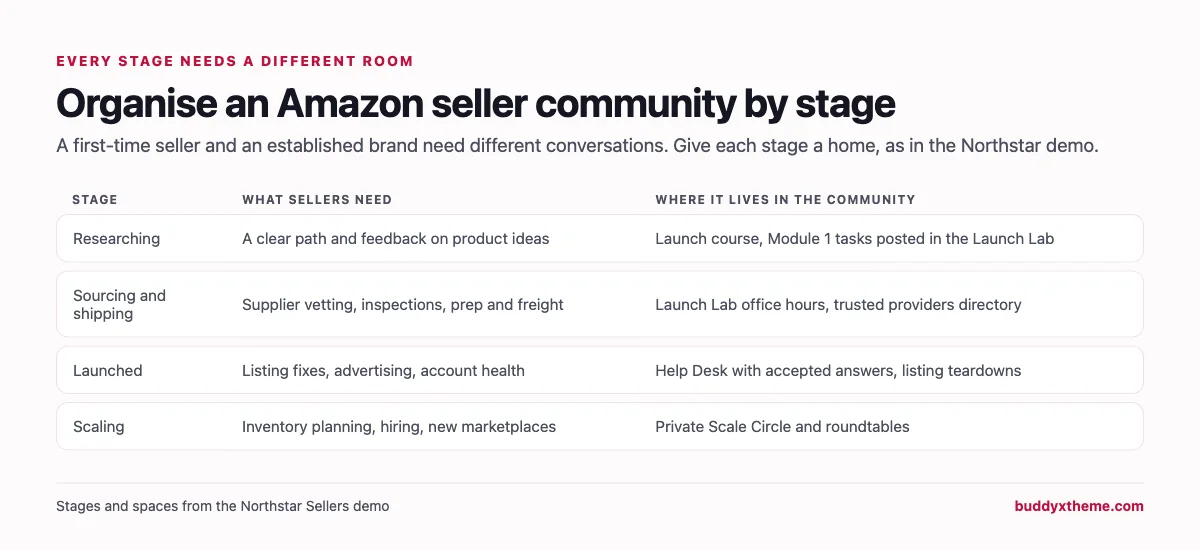
Members move forward as they progress: from the course and Launch Lab, to the Help Desk and teardowns, to the Scale Circle. Seeing where they are going is part of what keeps them subscribed.
Running a credible seller community
| Practice | Why it matters |
|---|---|
| Ban income claims | Keeps the focus on lessons and protects new sellers from false expectations |
| One home for providers | Providers promote only in their own directory listing, so the feed stays useful |
| Disclosure on every provider answer | Members know when advice comes from someone selling a service |
| Accepted answers | The same problems come up every month; accepted answers become a library |
| Screenshots over descriptions | A screenshot of the exact notice gets a correct answer faster |
| Record every call | Sellers in other time zones still benefit |
The weekly rhythm in the demo
- Monday: open coaching call with questions from the Help Desk.
- Tuesday: product idea reviews for Module 1 tasks in the Launch Lab.
- Wednesday: listing teardown submissions close.
- Thursday: listing teardown live, three listings reviewed, recording posted.
- Friday: office hours for sourcing and shipping questions.
- Monthly: a guest session chosen by member poll and a Scale Circle roundtable.
A 90-day plan to launch your seller community
- Days 1 to 30: build the path. Record the first two course modules, create the Launch Lab, Help Desk, Wins and Lessons, Trusted Providers and Coaching Calls spaces, and write the house rules in Start Here. Invite ten founding members you already coach.
- Days 31 to 60: seed the answers. Ask founding members to post the five problems they hit most often, and answer each one properly so the Help Desk has accepted answers before new members arrive. Start the weekly coaching call and the first listing teardown.
- Days 61 to 90: open the doors. Release the remaining modules on a drip schedule, invite three trusted providers to list their services under the rules, and open the private circle for established sellers once you have at least five of them.
Measure three things from the start: how many new members post their first task within two weeks, how many Help Desk questions get an accepted answer, and how many members attend a call in their first month. Those three numbers predict who renews better than any other signal.
Questions to ask before you choose
- Where do answers live after the call? If the answer to a suppressed listing lives only in a recording or a chat thread, it will be asked again next week.
- Can the course and the community talk to each other? Tasks posted where coaches and peers can review them are worth more than video alone.
- Can you separate new and established sellers? Look for private spaces or tiers, not just tags.
- How will you handle service providers? A directory with rules beats providers pitching in every thread.
- Who owns the member list and content? Seller communities often become an agency’s best lead source; decide whether that lives on your domain or a hosted platform.
Which platform fits your seller community?
| If you… | Choose |
|---|---|
| Want a course, help desk, calls, provider directory and tiers on your own domain | BuddyNext |
| Want the most complete hosted community with live rooms and gamification | Circle |
| Sell a launch course and coaching packages together | Kajabi |
| Want the simplest setup with leaderboards | Skool |
| Are course-first and want course-gated spaces | Thinkific |
| Want a known course platform with coaching sessions | Teachable |
| Want channels, live workshops and tiers | Heartbeat |
| Run marketing funnels and want membership in the same tool | Kartra |
| Want payments and an app store of add-ons | Whop |
| Only need real-time chat | Discord |
More community platform comparisons
Running a different kind of seller or coaching community? These guides use the same method: a working demo community and vendor claims checked at the source.
- Best platforms for a Shopify sellers community: store owners, apps and agencies helping each other grow.
- Best software for a paid entrepreneur mastermind: small, curated groups with hot seats and accountability.
- Best platforms for a paid coaching membership community: coach-led memberships with group calls.
- Best software for an online course community: course creators who want students to finish.
- How to set up a community space on WordPress: the step-by-step setup guide behind every demo in this series.
How we built and checked this list
We built the Northstar Sellers demo on a local WordPress site running BuddyNext, with fictional sellers, coaches, providers, a launch course, help desk questions and coaching calls created for this guide. Every BuddyNext screenshot is from that demo. Competitor features were checked against each vendor’s own website and help center in November 2026, and the Amazon figure comes from Amazon’s own news site. Where we could not confirm a feature on a vendor’s own pages, the scorecard says “Not found” or “Not confirmed”. We did not run a hands-on trial of every competitor, so features can change; confirm anything critical with the vendor. buddyxtheme.com is published by the team behind BuddyNext, which is why BuddyNext is listed first; we have tried to be fair about its gaps as well as its strengths. Nothing in this guide is advice about selling on Amazon; always check Amazon’s current policies in Seller Central.
Frequently asked questions
What is the best platform for an Amazon FBA seller community?
BuddyNext is the best choice for a seller community you own, with a launch course connected to a private Launch Lab, a Help Desk with accepted answers, coaching calls, a trusted provider directory and a private circle for established sellers. Circle is the strongest hosted alternative.
How should I structure a paid Amazon seller community?
Organise it by stage: a course and private group for new sellers, a help desk for problems, coaching calls and teardowns for launched sellers, and a private circle for established brands.
How do I stop income claims and spam in a seller community?
Write clear house rules, give service providers their own directory as the only place to promote, require disclosure when providers answer, and use moderation and reporting to enforce it.
Can I sell a course and a community membership together?
Yes. BuddyNext, Circle, Kajabi, Skool, Thinkific, Teachable, Heartbeat and Kartra all support courses alongside a paid community.
Should I run my seller community on Discord?
Discord is good for real-time chat and voice but has no courses, Q&A with accepted answers or directory, and answers scroll away. Many communities use it alongside a platform that keeps knowledge organised.
How do I keep answers to common problems findable?
Use Q&A where the answer that worked is marked accepted, and point repeat questions to it. Over time this becomes your community’s knowledge base.
Do sellers need a mobile app for the community?
Sellers check problems on their phones, so the community must work well on mobile. BuddyNext works in the mobile browser without an app download; Circle, Kajabi, Thinkific, Teachable, Heartbeat and Whop offer apps.
The bottom line
An Amazon seller community works when a clear path meets honest feedback: a course that leads somewhere, answers that stay findable, coaches who look at real listings, and peers at the same stage. If you want all of that on your own domain, with trust you can enforce, BuddyNext is the strongest foundation. If you prefer a hosted platform, Circle leads, with Kajabi for course-and-coaching businesses and Skool for the simplest setup.
And give sellers a place to launch with people who have done it.