
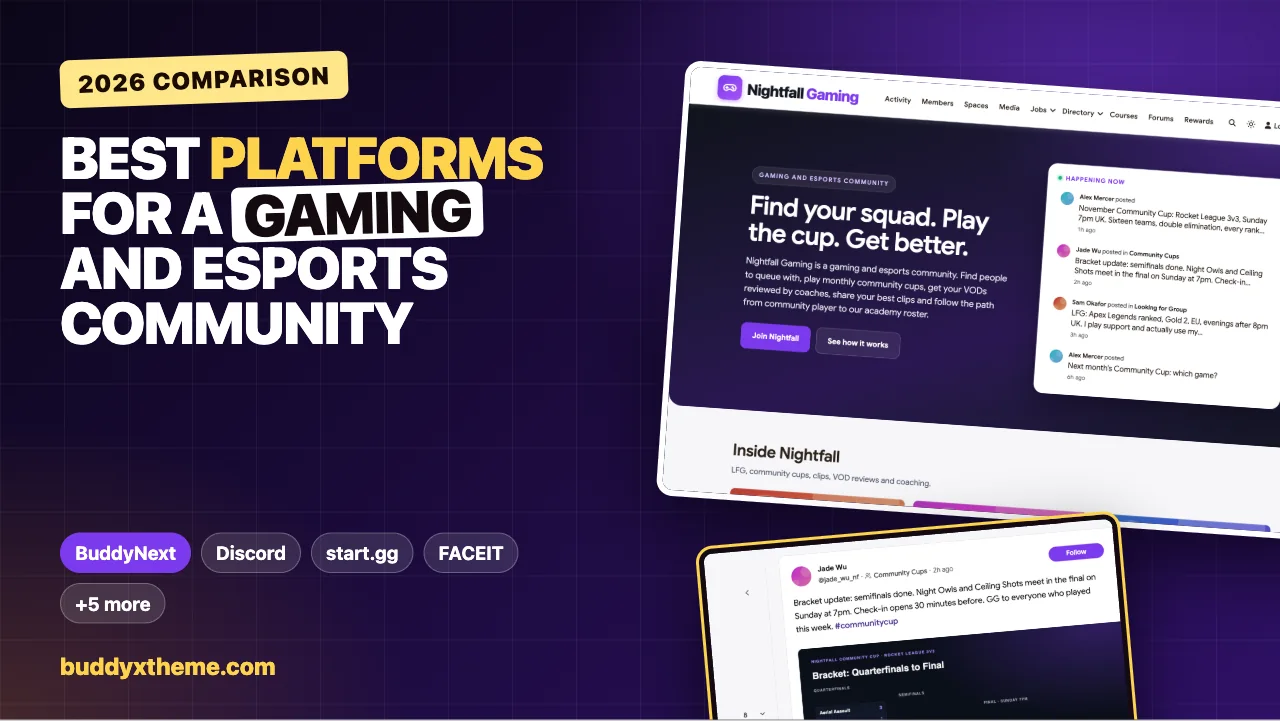
Most gaming communities start in a chat server, and most of them hit the same wall a year later. The LFG channel is a wall of messages nobody can search. The tournament rules live in a pinned message from last spring. The coach’s best advice scrolled away in March. The team’s strats sit next to the general chat, and the moderators are tired. Chat is perfect for playing together tonight. It is poor at being the home of a community that wants to last.
A gaming and esports community needs both: real-time voice and chat for playing, and a home for everything that should stay: LFG posts, tournament pages, VOD reviews, coaching answers, clips, team rooms and rules that are enforced. This guide compares the platforms gaming clans, esports organisations, game creators and gaming creators use to run that home, from chat apps to tournament platforms to community platforms you own. We built a working gaming and esports community for the first entry and checked every competitor claim on the vendor’s own pages in November 2026.
Quick answer
If you run a gaming clan, esports org or creator community and want a home you own, BuddyNext is the strongest choice: a searchable LFG space, community cups with events and bracket posts, private VOD reviews, Ask the Coaches with accepted answers, clips, leaderboards, a course, a secret room for each roster, a reporting and moderation queue and a board for esports jobs, all on your own website. Discord and TeamSpeak handle voice, start.gg, FACEIT, Toornament, Challengermode and Battlefy run brackets and matchmaking, Discourse is a strong forum and Patreon handles memberships.
In this guide
- Why a gaming community needs more than a chat server
- Chat, tournament platform or community home?
- The gaming community scorecard
- 1. BuddyNext: best for a gaming community home you own
- 2. Discord: best for voice and chat while playing
- 3. TeamSpeak: best for low-latency voice with full control
- 4. start.gg: best for running bracket tournaments
- 5. FACEIT: best for competitive matchmaking and anti-cheat
- 6. Toornament: best for flexible tournament formats
- 7. Challengermode: best for publishers and large-scale competitions
- 8. Battlefy: best for quick community tournaments
- 9. Discourse: best open forum software
- 10. Patreon: best for supporter memberships
- Making LFG actually work
- Running community cups
- Moderation that scales
- Working with sponsors and partners
- Questions to ask before you choose
- A 30-day launch plan
- Which platform fits your gaming community?
- More community platform comparisons
- How we built and checked this list
- Frequently asked questions
- The bottom line
Why a gaming community needs more than a chat server
Gaming is mainstream across ages. Pew Research Center found that “85% of U.S. teens say they play video games, and about four-in-ten do so daily” (Pew Research Center). The Entertainment Software Association’s 2026 Essential Facts report that “75% of parents play video games” (ESA). Players of every age want people to play with, and many want to improve and compete.
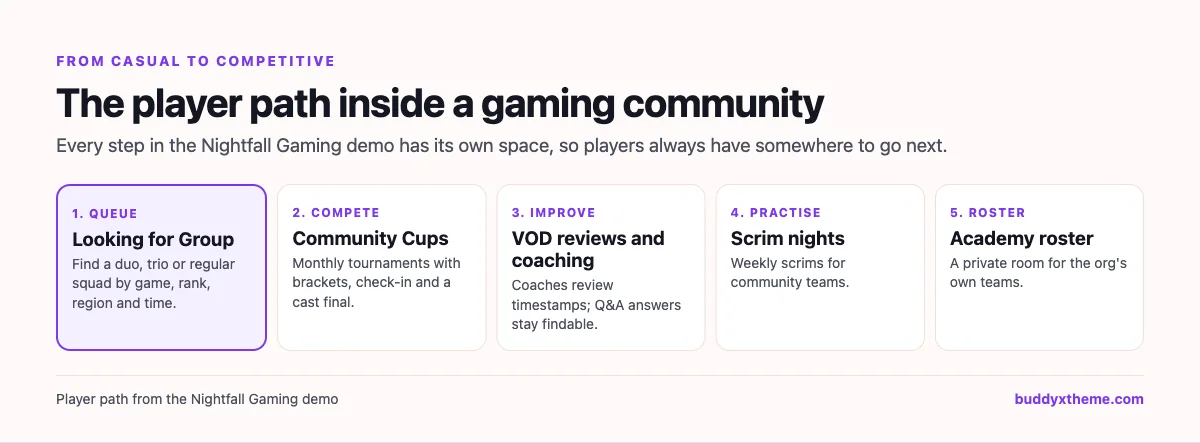
That turns a gaming community into a set of jobs, and each job needs something different from a platform:
| Job | What goes wrong in chat alone | What the platform needs |
|---|---|---|
| Finding teammates | LFG messages scroll away in minutes | A searchable LFG space with structured posts |
| Running tournaments | Rules, check-in and results scatter across channels | Tournament pages as events, with brackets posted |
| Getting better | Coaching advice disappears | Q&A with accepted answers and private VOD reviews |
| Showing off | Great clips get buried | A clips space with voting and features |
| Running teams | Strats sit next to public chat | Secret roster rooms |
| Staying safe | Moderators chase problems across channels | Reporting, a moderation queue and clear rules |
| Growing | Sponsors and staff have nowhere to look | Partner posts and a jobs board |
Chat, tournament platform or community home?
Gaming organisers usually combine three kinds of tool.
| Kind | What it does | Examples |
|---|---|---|
| Voice and chat | Real-time voice, text and screen sharing while playing | Discord, TeamSpeak |
| Tournament and matchmaking platforms | Brackets, registration, ladders, matchmaking and anti-cheat | start.gg, FACEIT, Toornament, Challengermode, Battlefy |
| Community homes | Persistent spaces, Q&A, events, teams, moderation and memberships under your brand | BuddyNext, Discourse, Patreon |
Few communities replace their voice tool, and serious tournaments often run on a bracket platform. The community home is where everything else lives, and the one place the organisation fully owns.
The gaming community scorecard
How each option handles what matters most. “Not found” means we could not confirm it on the vendor’s own pages, not that it is impossible.
| Platform | LFG | Tournaments | Coaching and VOD review | Clips | Team rooms | Moderation | Your own brand |
|---|---|---|---|---|---|---|---|
| BuddyNext | Searchable LFG space | Events, bracket posts | Private reviews, accepted answers | Clips space, video posts | Secret spaces | Reports, queue, space roles | Yes, on your site |
| Discord | Channels | Not found | Not found | Media in chat | Private channels | Server roles | Server only |
| TeamSpeak | Not found | Not found | Not found | Not found | Channels with permissions | Server permissions | Server only |
| start.gg | Not found | Brackets, registration | Not found | Not found | Not found | Not found | Tournament pages |
| FACEIT | Find teammates | Matchmaking, team competitions | Not found | Not found | Not found | Anti-cheat | No |
| Toornament | Not found | Brackets, check-in, streams | Not found | Not found | Not found | Not found | Tournament pages |
| Challengermode | Not found | Tournaments, ELO ladders | Not found | Not found | Community Spaces | Not found | Spaces |
| Battlefy | Not found | Tournaments | Not found | Not found | Not found | Not found | Tournament pages |
| Discourse | Not found | Not found | Accepted answers | Not found | Private categories | Moderation tools | Yes |
| Patreon | Not found | Not found | Not found | Posts | Not found | Not found | Creator page |
1. BuddyNext: best for a gaming community home you own
BuddyNext is a complete community platform that runs on your own WordPress site. Open, private and secret spaces, image and video posts, events, Q&A with accepted answers, courses with certificates, direct messages, polls, points and leaderboards, a reporting and moderation queue, a job board and paid memberships work together. A gaming organisation can run LFG, cups, coaching, clips, team rooms and moderation in one community under its own brand.
To show it in practice, we built Nightfall Gaming, a demo community for a small esports organisation run by a former Rocket League pro in Manchester. It has 20 members: casual players looking for a squad, ranked grinders stuck in Diamond, a player returning after two years away, the captain of a community team, a Valorant academy roster, Valorant and Rocket League coaches, a tournament admin, a head moderator, a clip editor, a streamer who casts the cups, a team manager and a partnerships manager. Members are 16 and over.
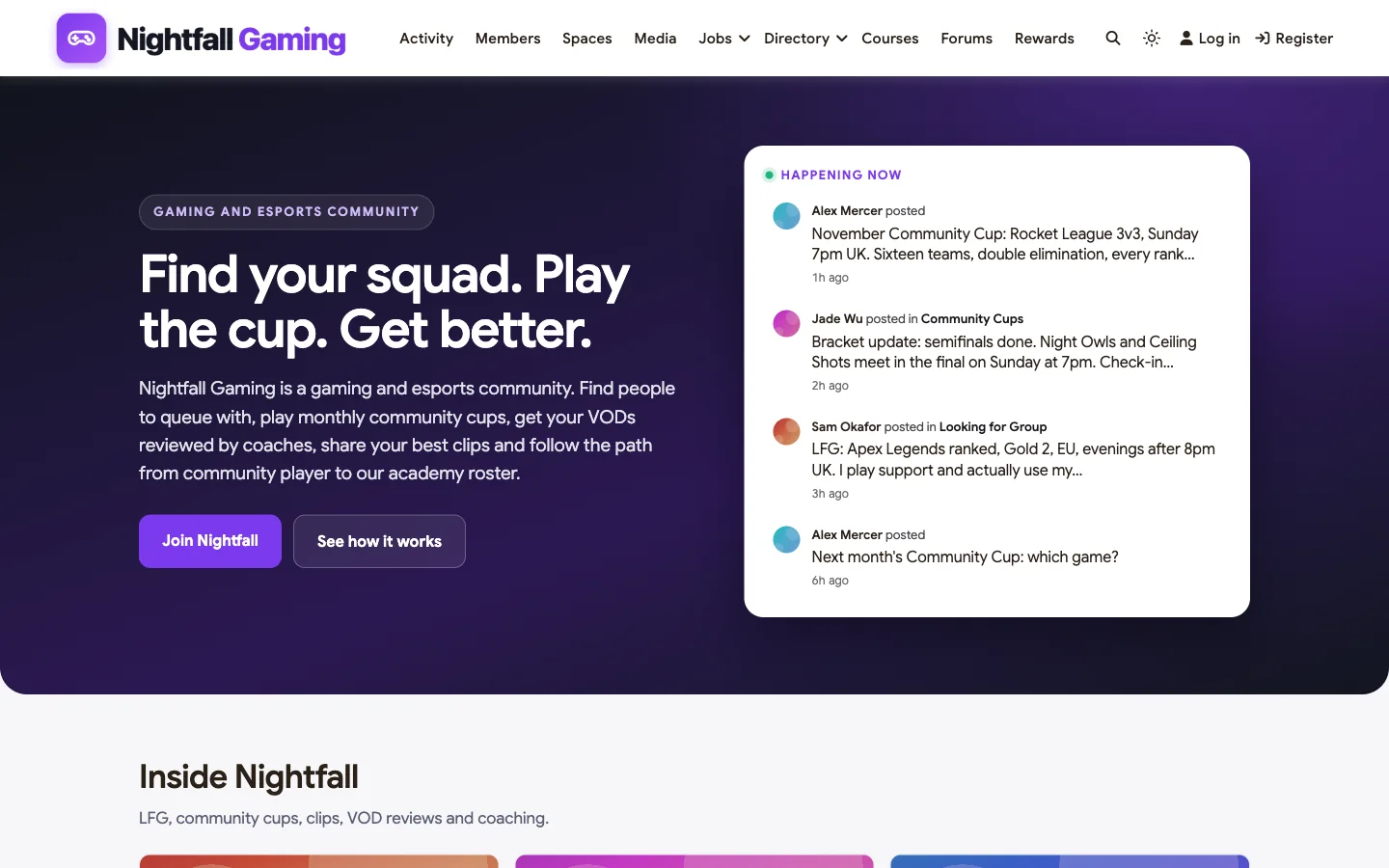
The homepage shows the community working: the November Community Cup announcement, the bracket update before the final, a clean LFG post and the poll for next month’s game.
Looking for Group
The LFG space turns “anyone want to play?” into posts people can search and answer: game, rank, region, role and when you play.
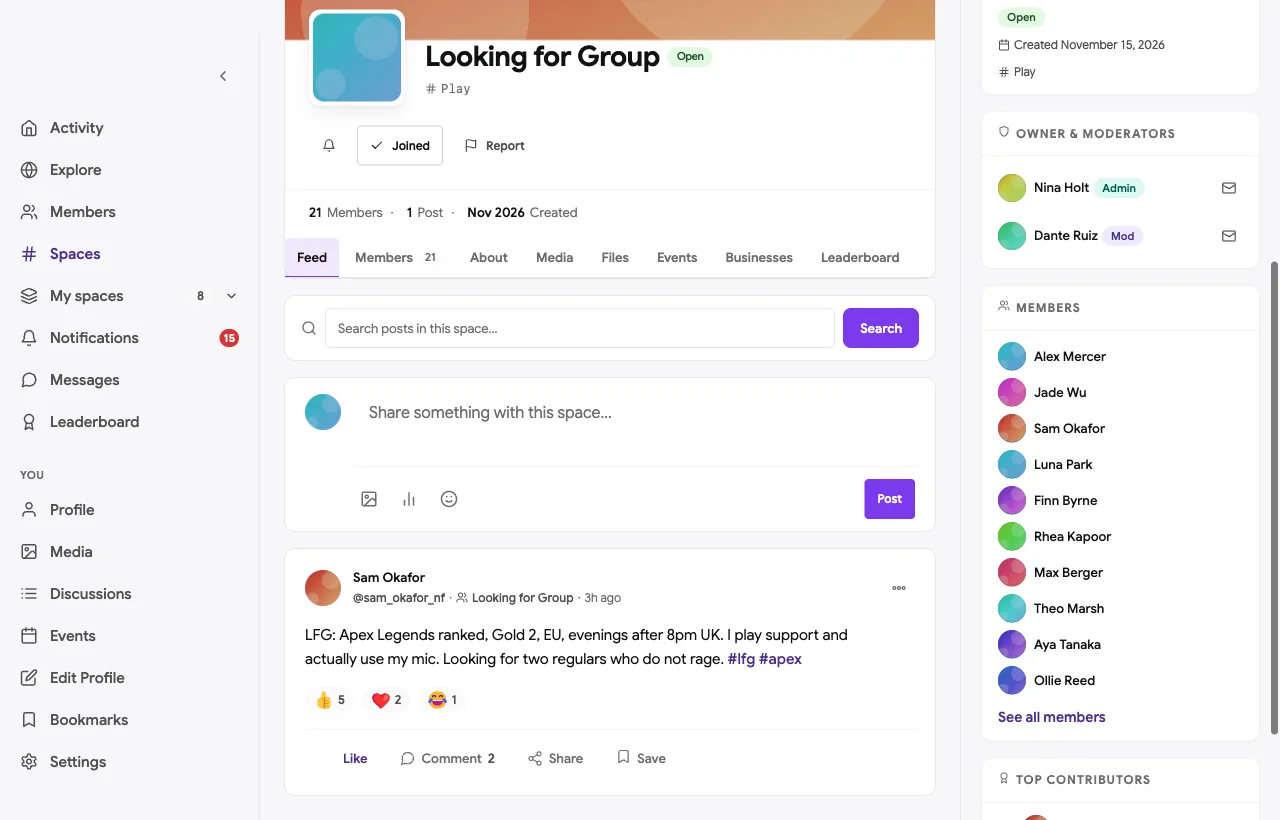
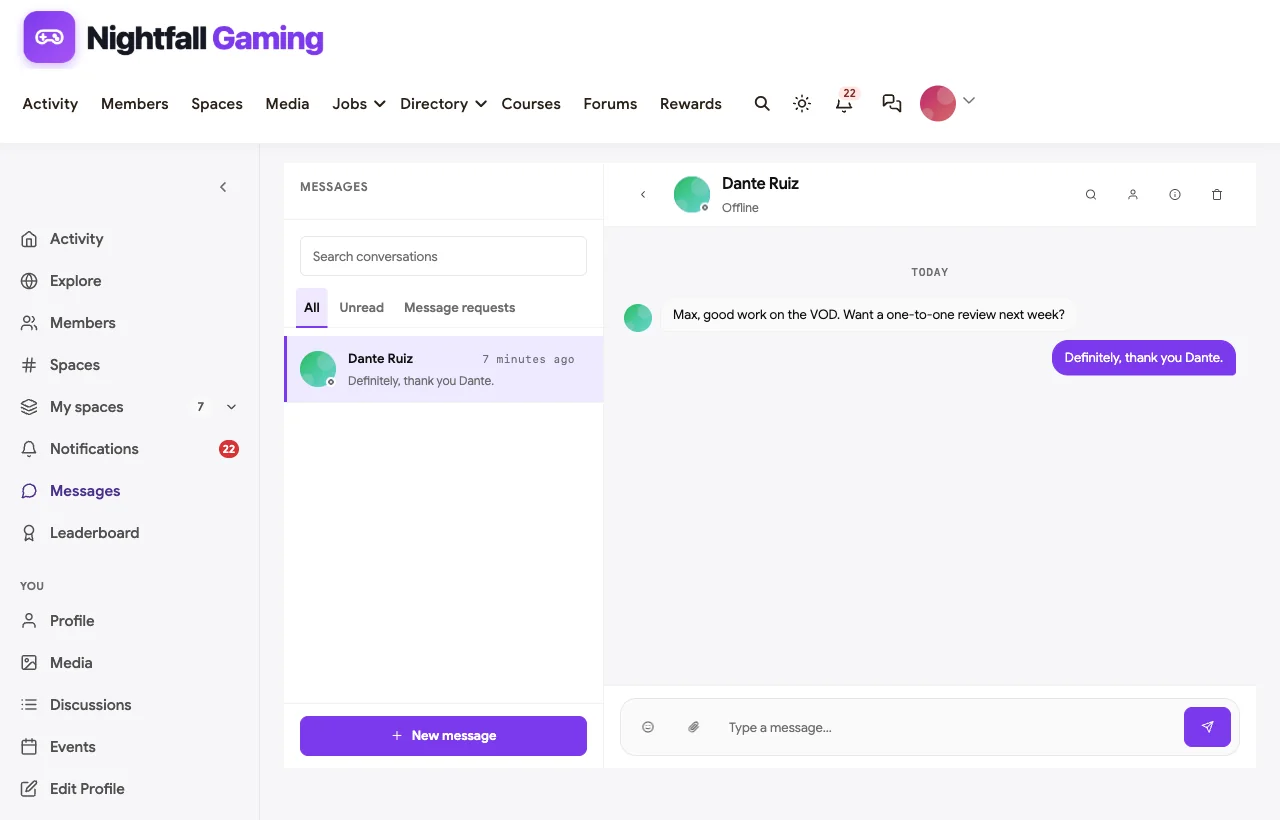
A casual player posts a clean LFG request: Apex Legends ranked, Gold 2, EU, evenings, support role, uses a mic. Another player replies within minutes and moves to direct messages, and the head moderator points to the post as the template for everyone else.
Community Cups
Each cup has its own event and posts in the Community Cups space: rules, registration, check-in times, bracket updates and results. Brackets can be built in a tournament tool and posted as an image, as the tournament admin does here before the final.
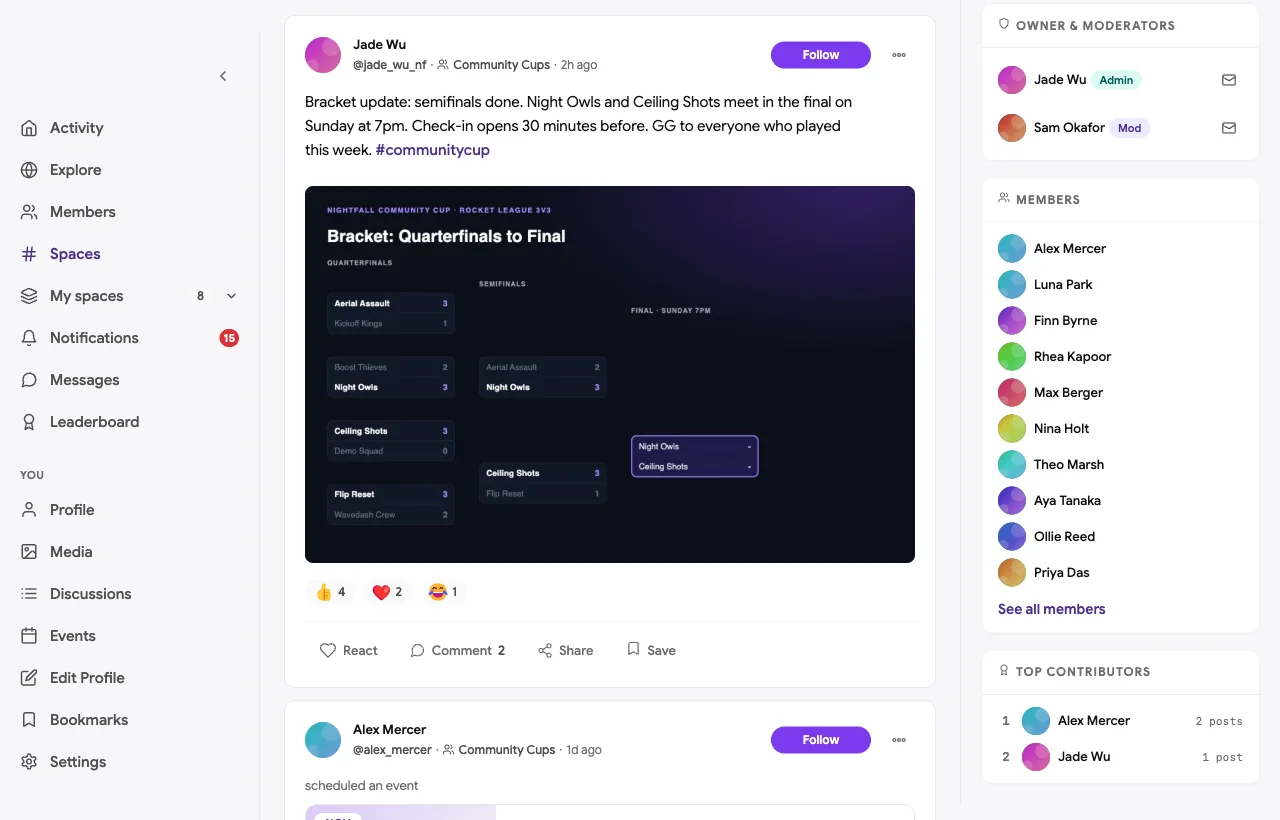

Weekly scrim nights for community teams and a watch party for a major final are events too, so the calendar always shows what is coming up.
VOD Reviews
VOD Reviews is a private space. Players post a match with timestamps and a specific question, and coaches or higher-ranked members review it.
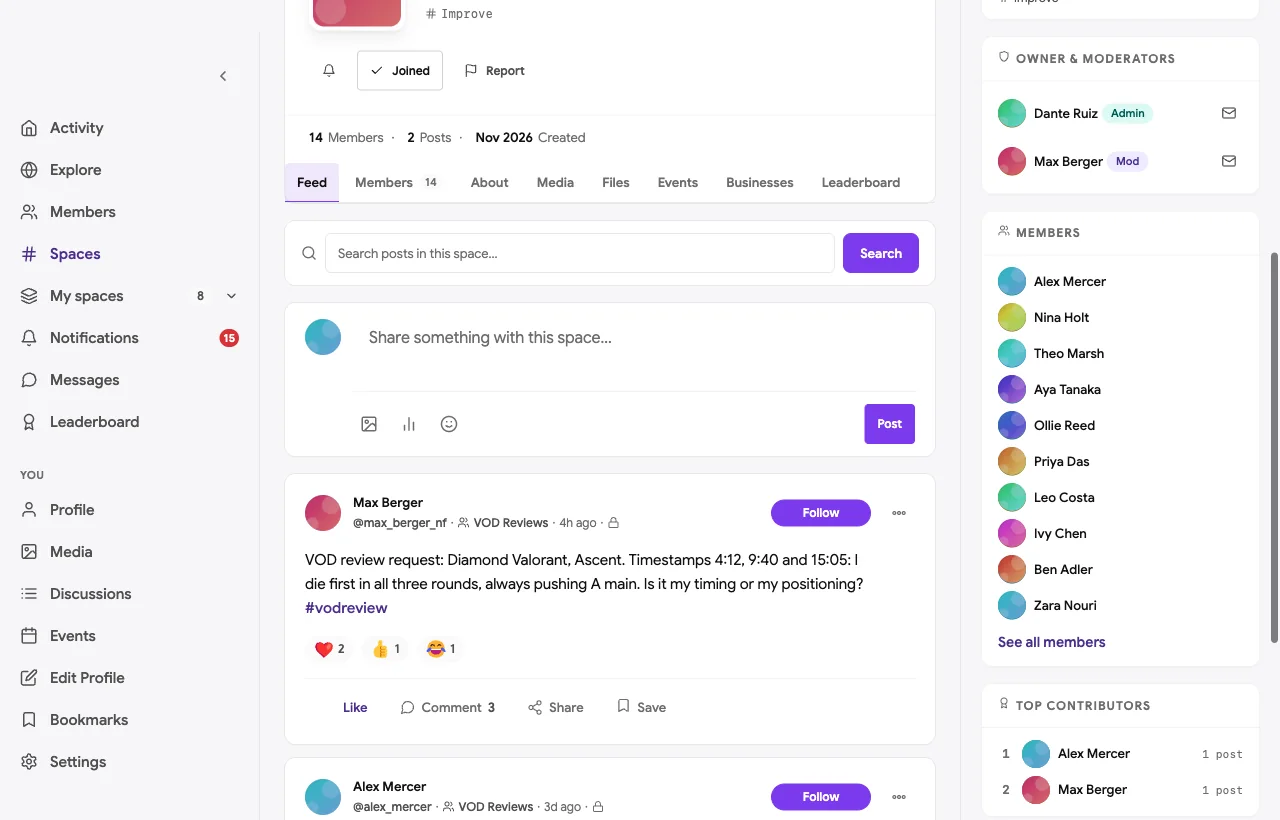
A Diamond Valorant player posts three timestamps where he dies first pushing the same angle and asks whether it is timing or positioning. The coach names the habit: peeking wide with no utility and no trade. Another player shares how he fixed the same habit, and the original poster replies that it is obvious once you see it. That is coaching that would have scrolled away in a chat channel.
Ask the Coaches
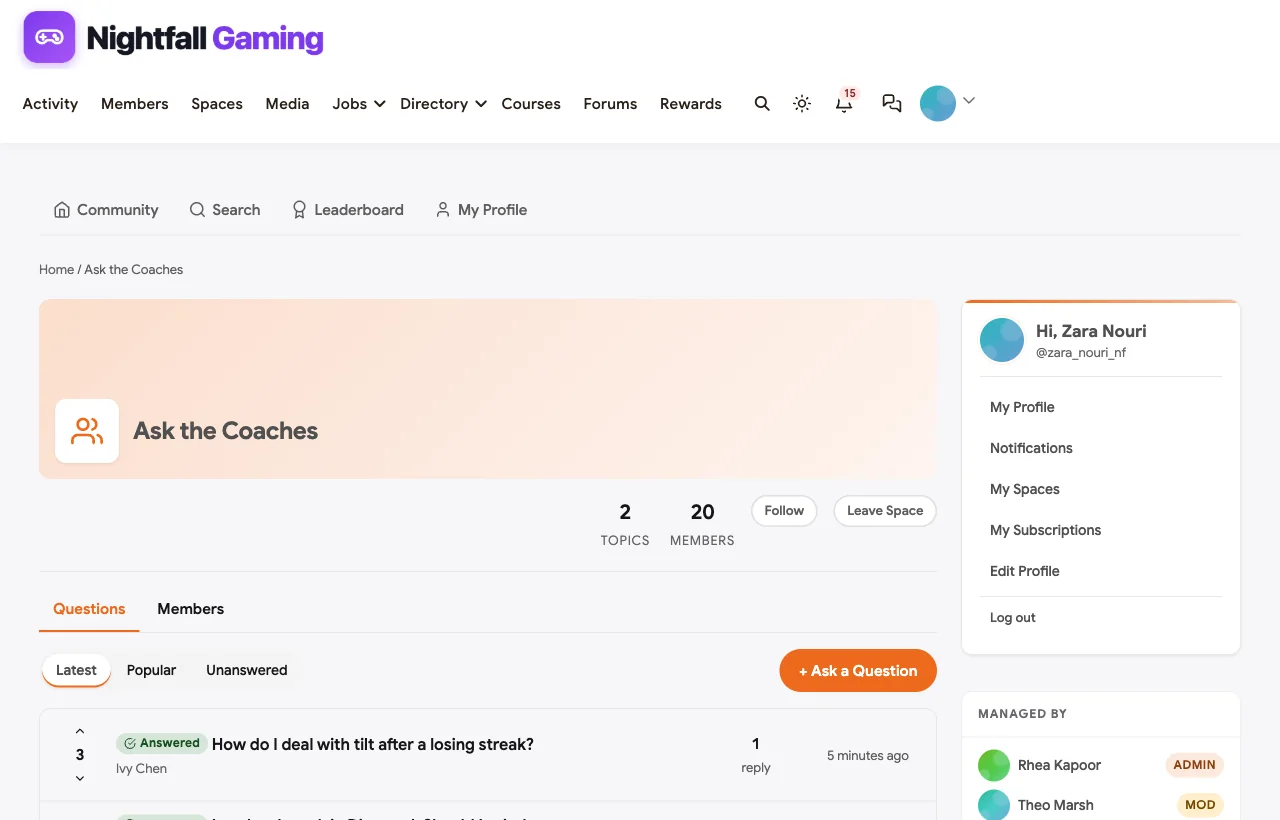
Ask the Coaches is a Q&A forum where the best answer is marked accepted, so the most common questions get answered once, well.
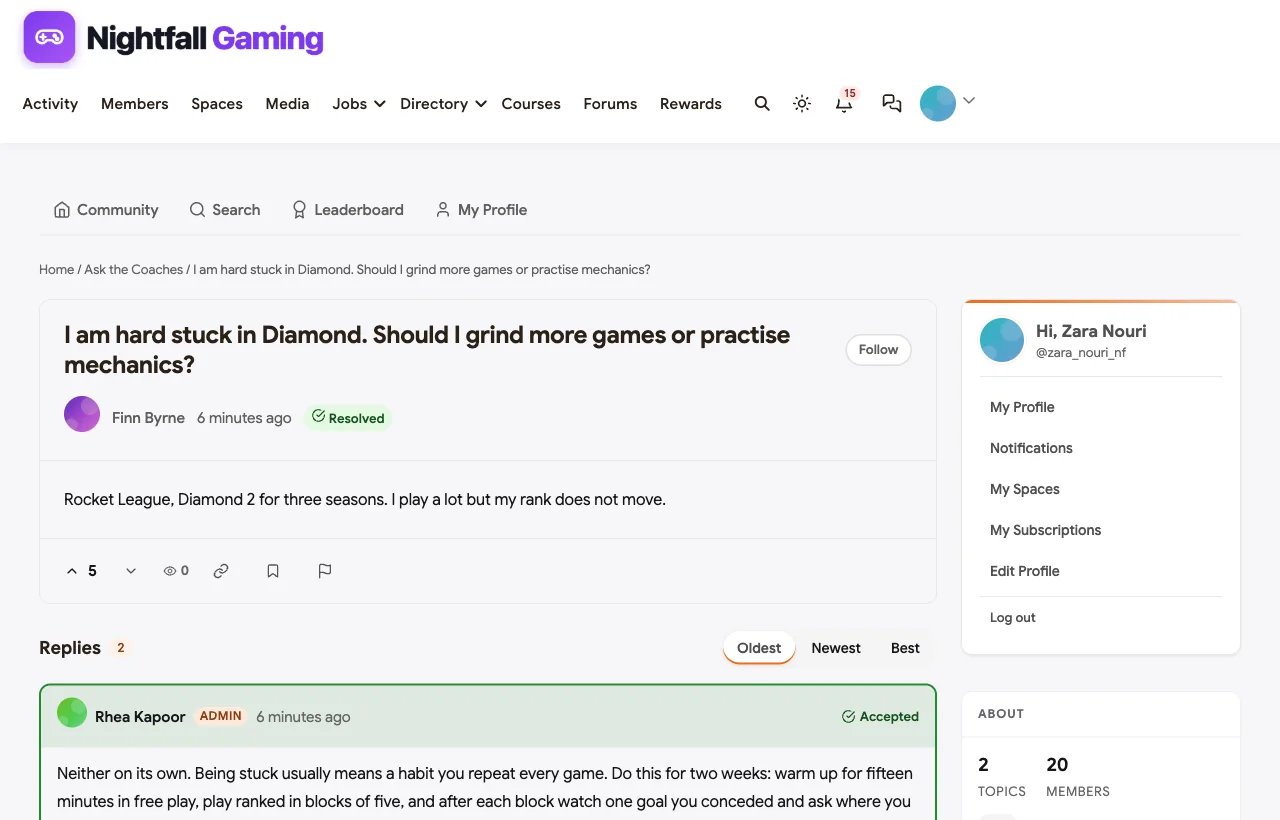
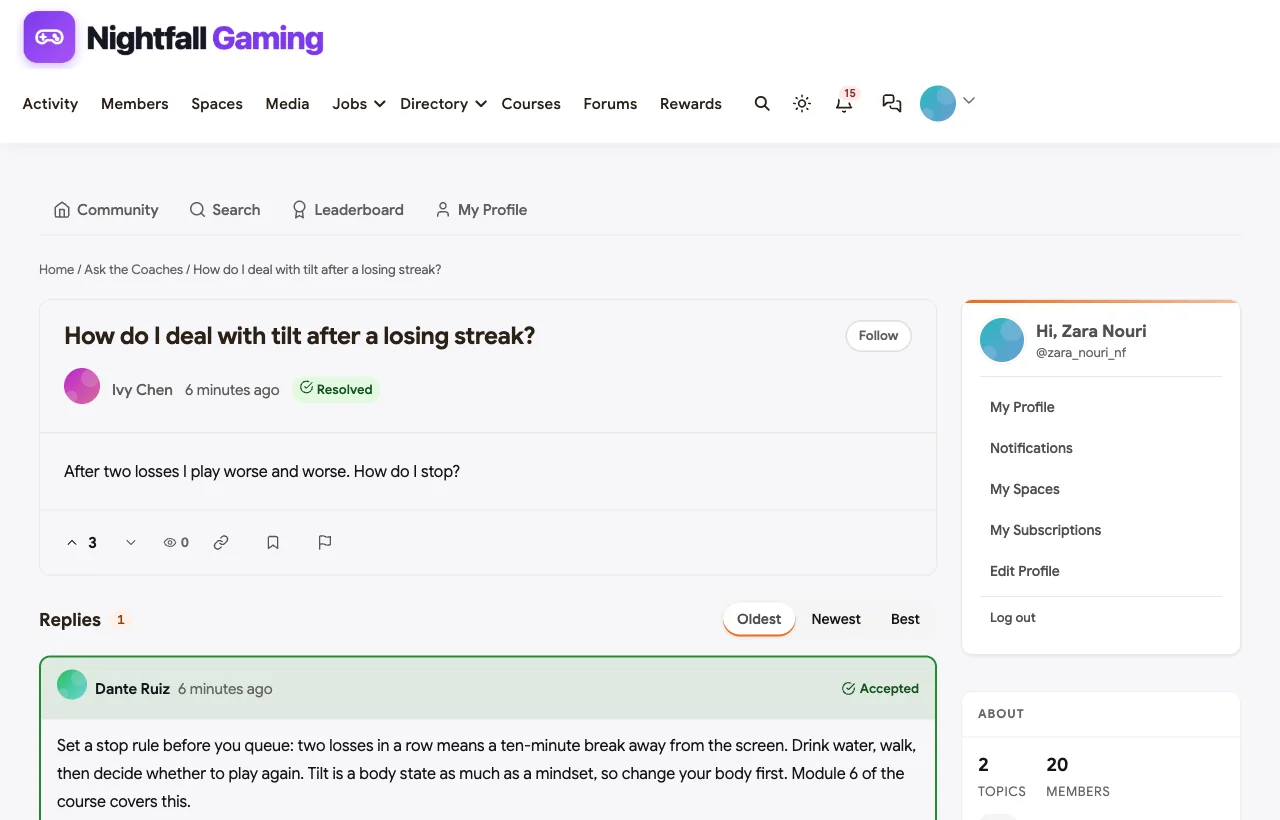
A Rocket League player stuck in Diamond for three seasons gets a two-week routine from the coach, and comes back to say rotating back post was the whole problem. A player who tilts after losses gets a simple stop rule.
Clips and Highlights
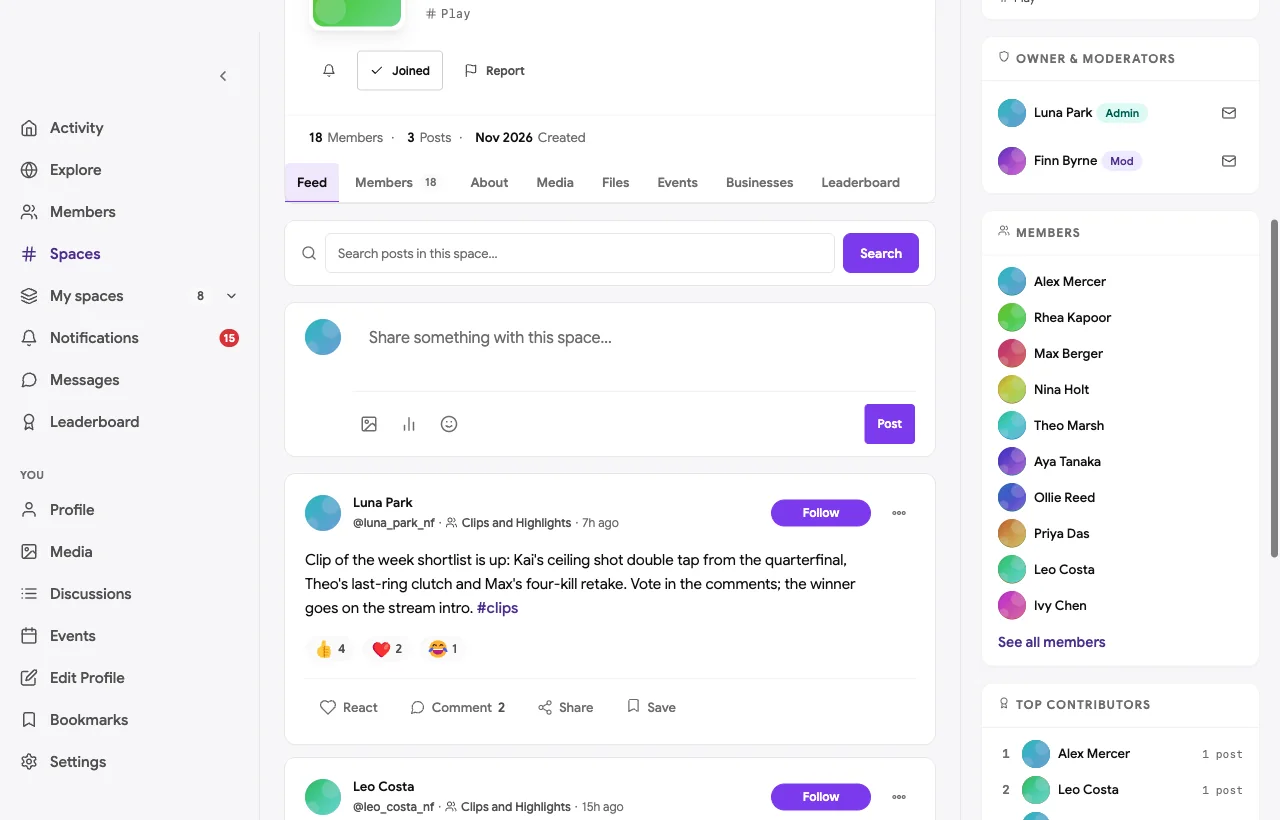
The Clips space is for best plays, funny fails and match highlights, posted as videos. A clip editor runs a weekly shortlist, members vote in the comments, and the winner opens the stream.
The Academy Roster room
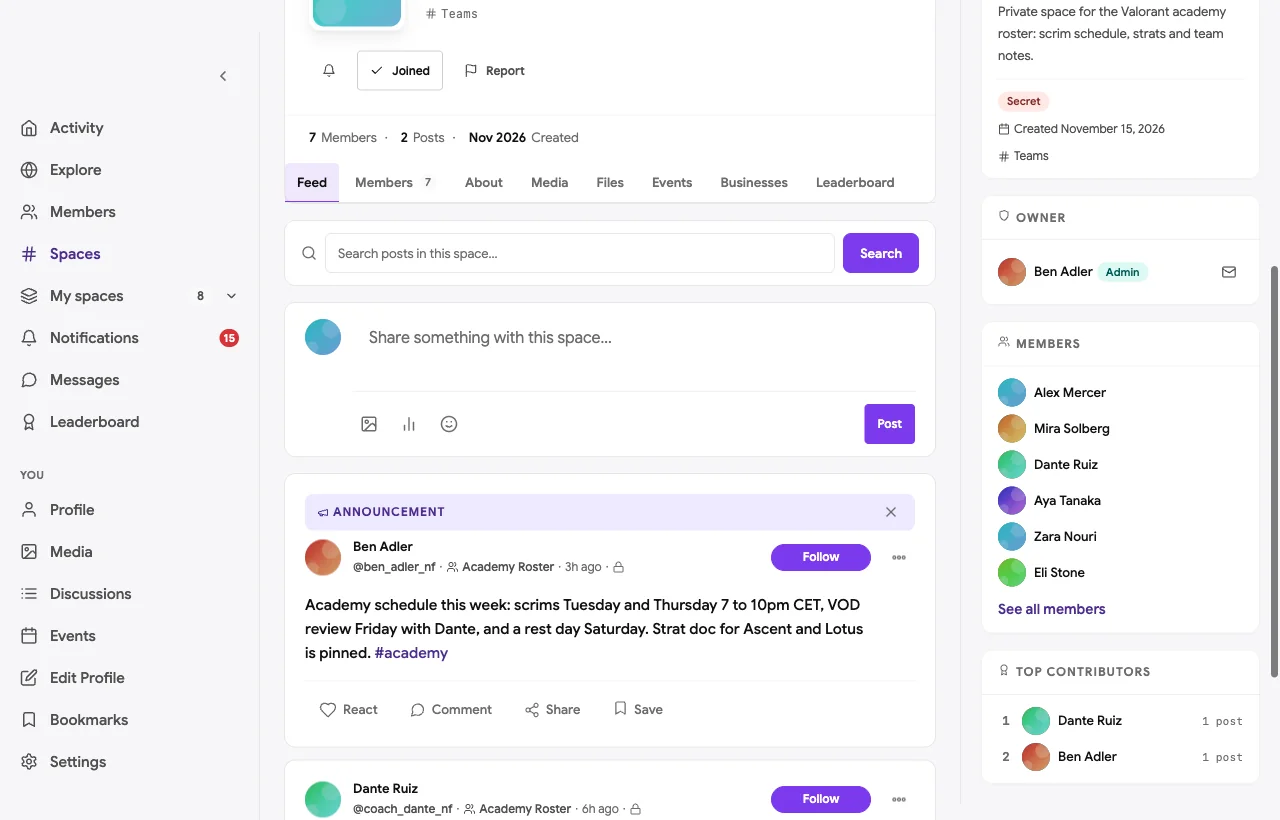
Each roster gets a secret space that nobody else can see or find. The academy team manager posts the week’s scrim schedule and the coach posts scrim notes, without opponents in the community reading their strats.
Moderation and safety
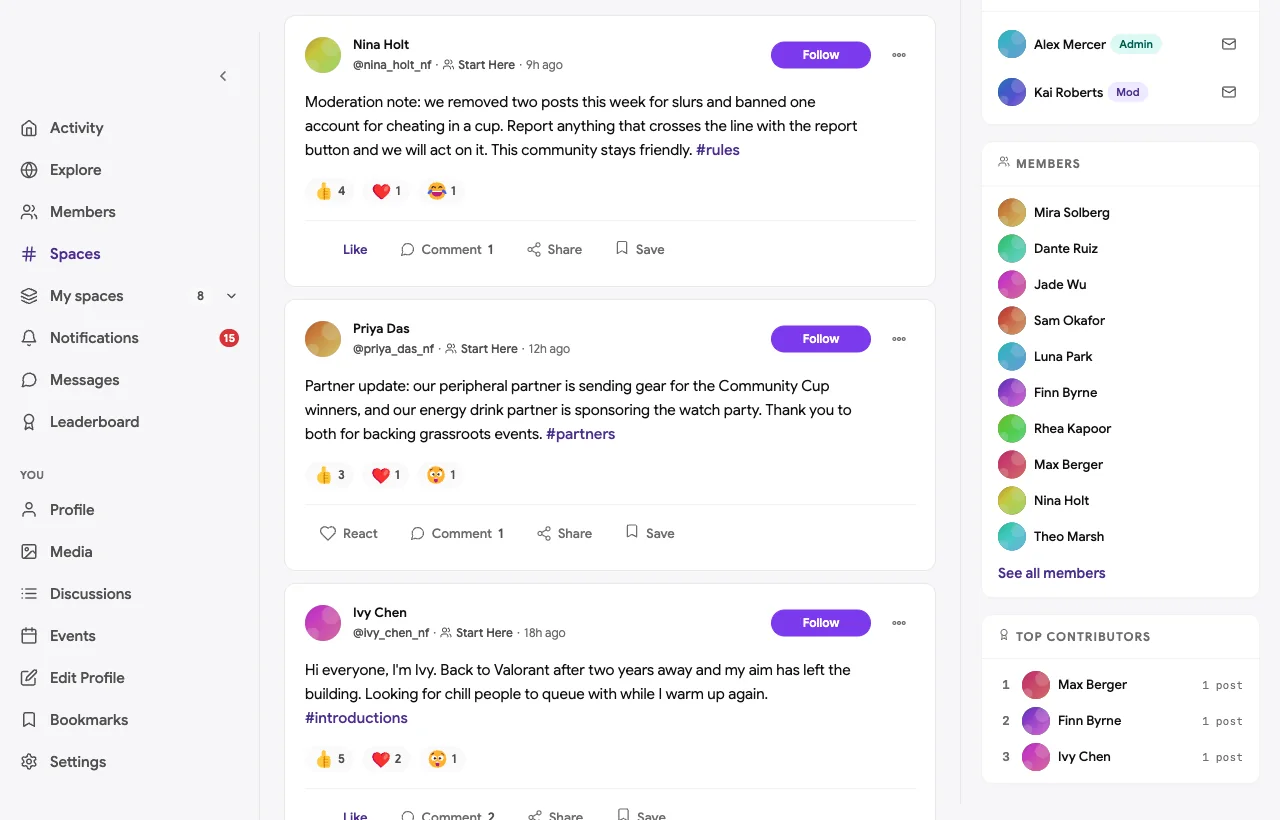
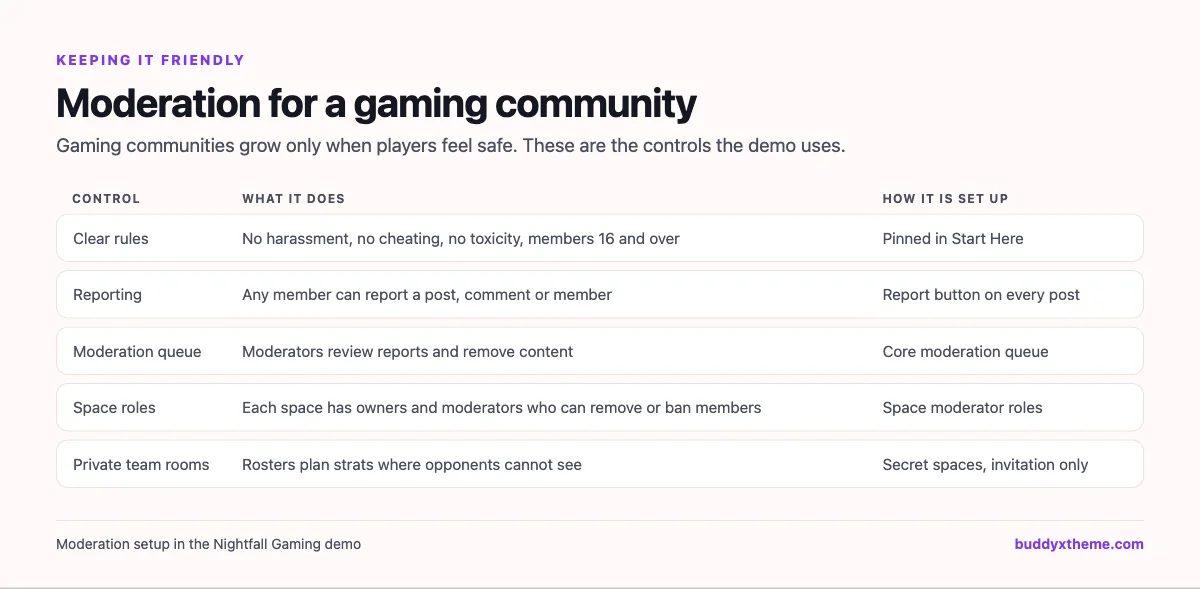
Gaming communities live or die by moderation. In the demo, the rules are pinned in Start Here, every post has a report button, reports land in a moderation queue, and each space has owners and moderators who can remove posts and members. The head moderator is open about what was removed and why.
The course
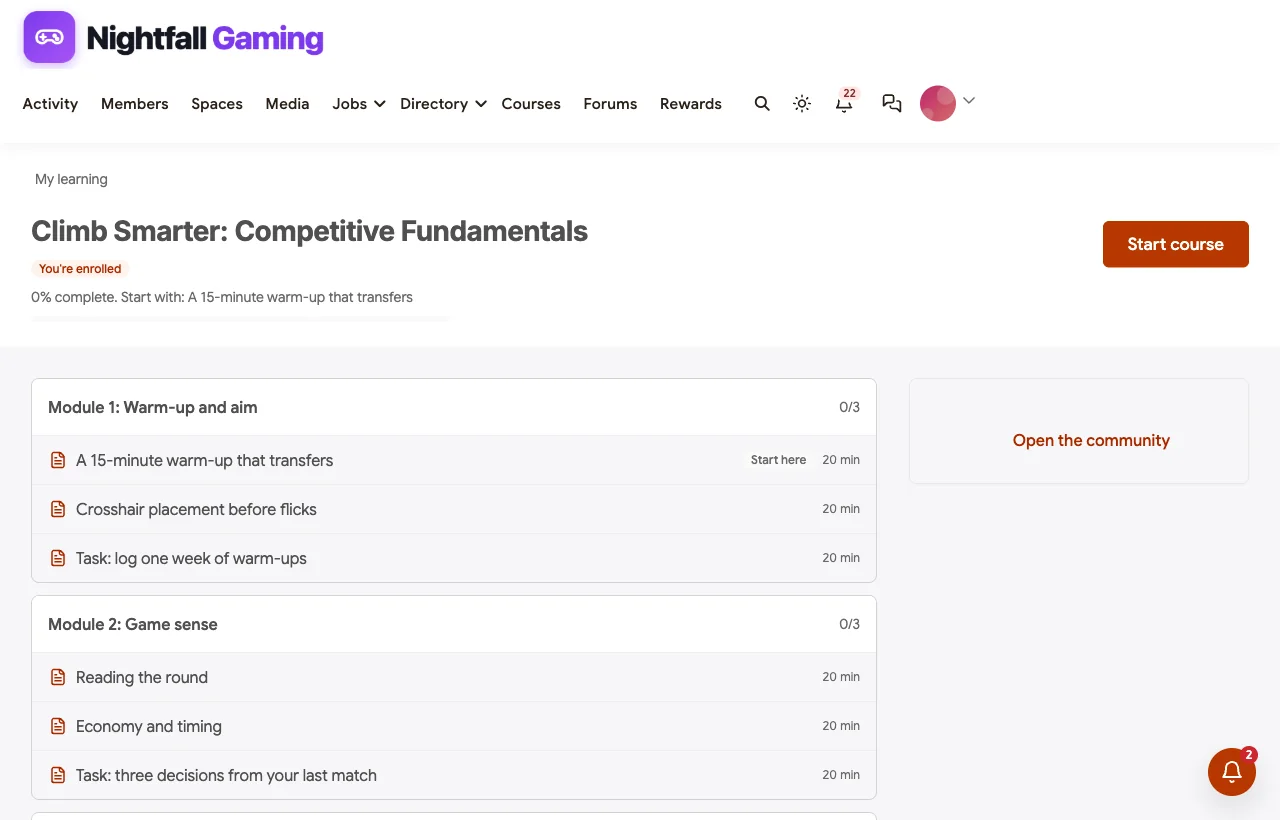
Climb Smarter: Competitive Fundamentals is a six-module course: warm-up and aim, game sense, comms, VOD review, playing as a team and the mental game. Each module ends with a task posted to the community: a clip, a VOD timestamp or a routine.
Event ideas, leaderboards and partners
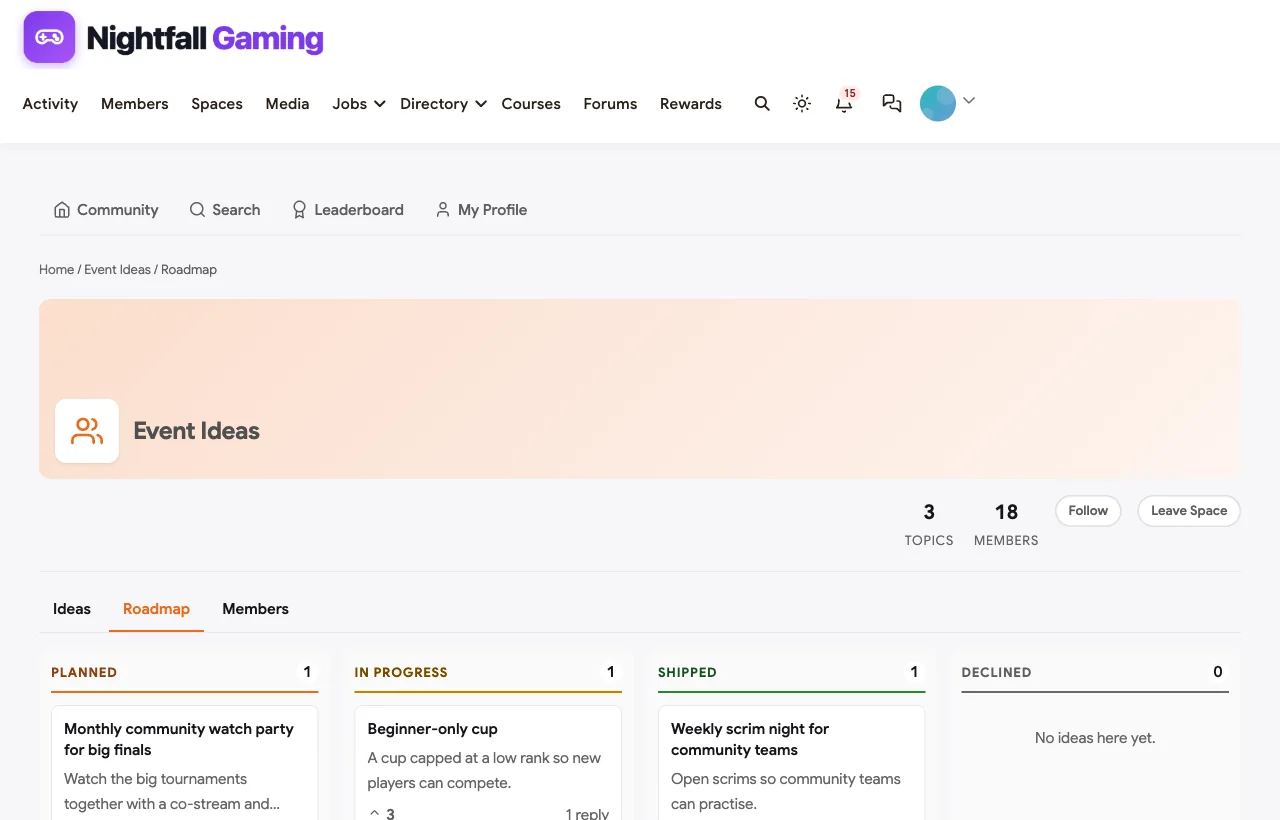
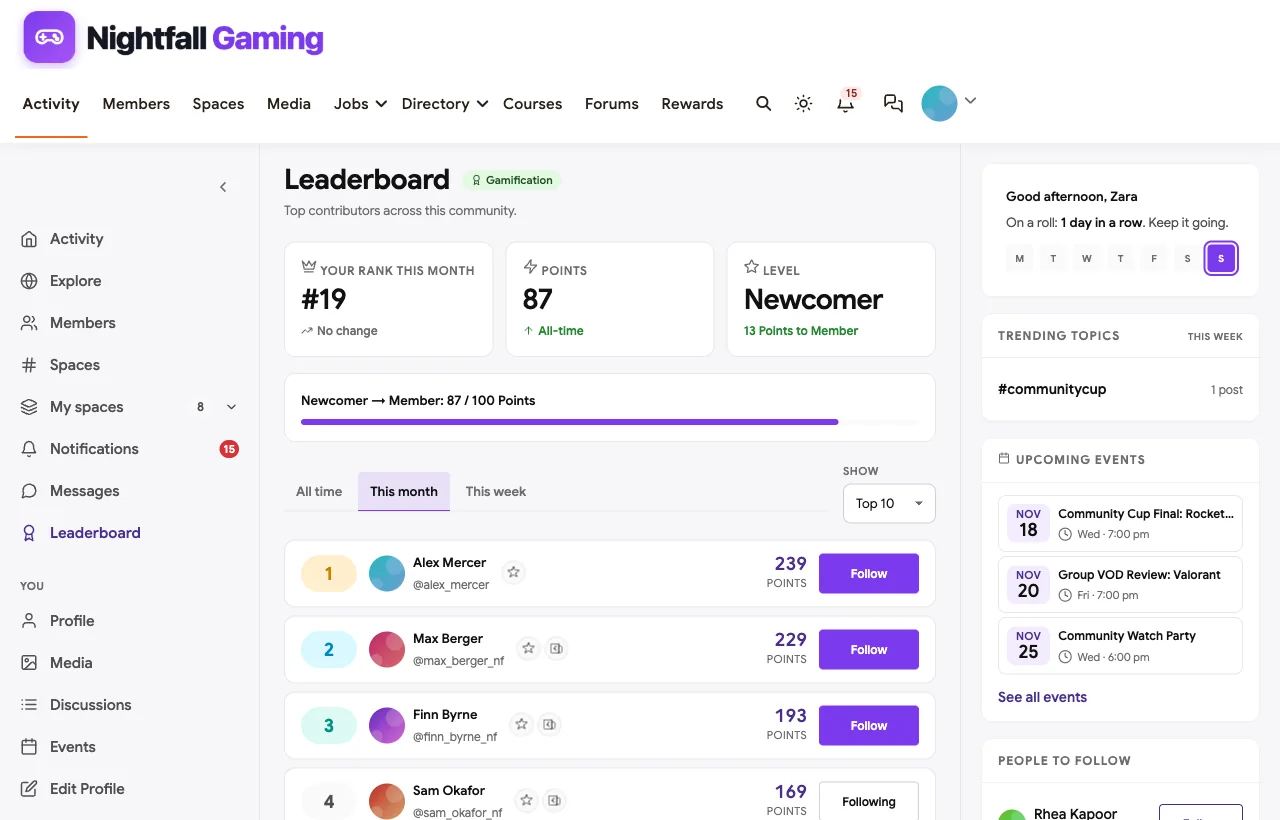
Members suggest cups, watch parties and community nights and vote; the organisers mark ideas as planned, in progress or shipped. Points for helping others, entering cups and posting reviews feed a leaderboard. Partner updates thank the sponsors who back grassroots events.
Jobs and members
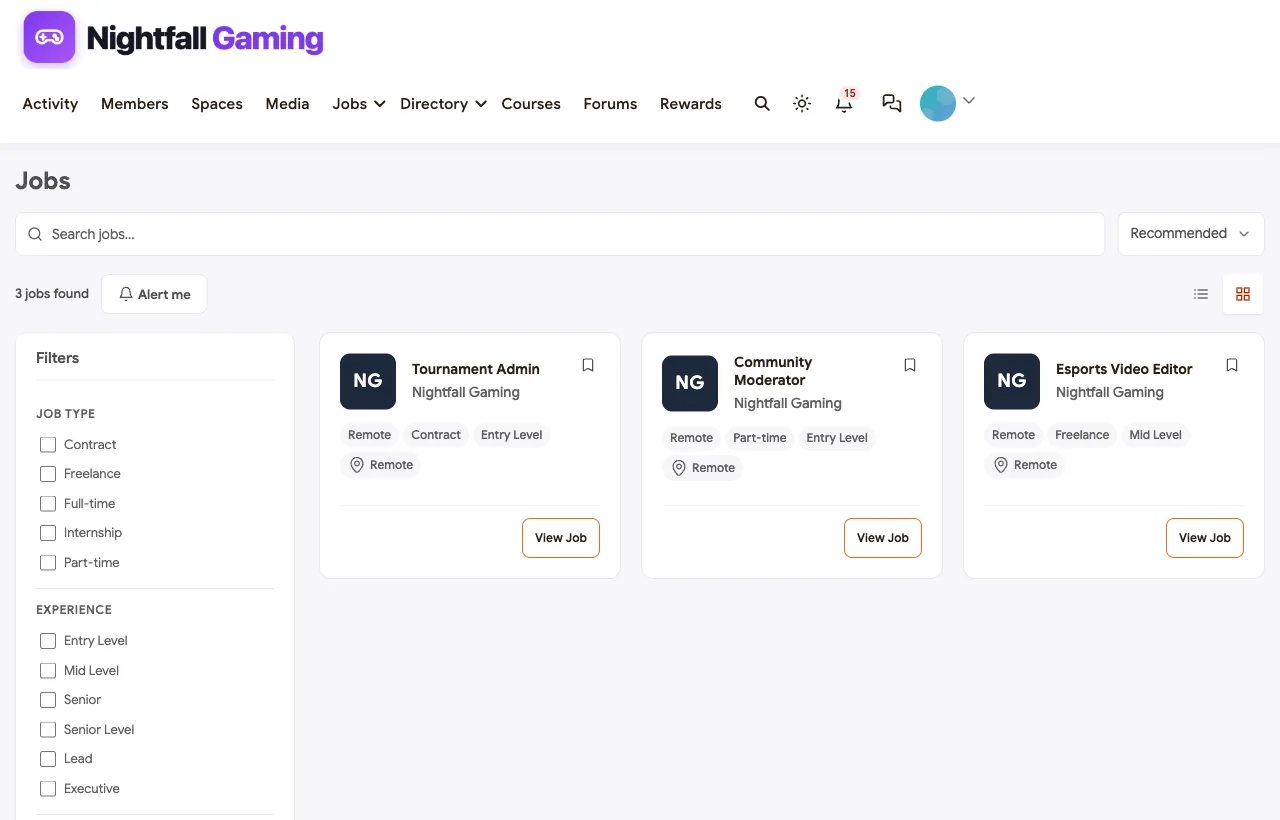
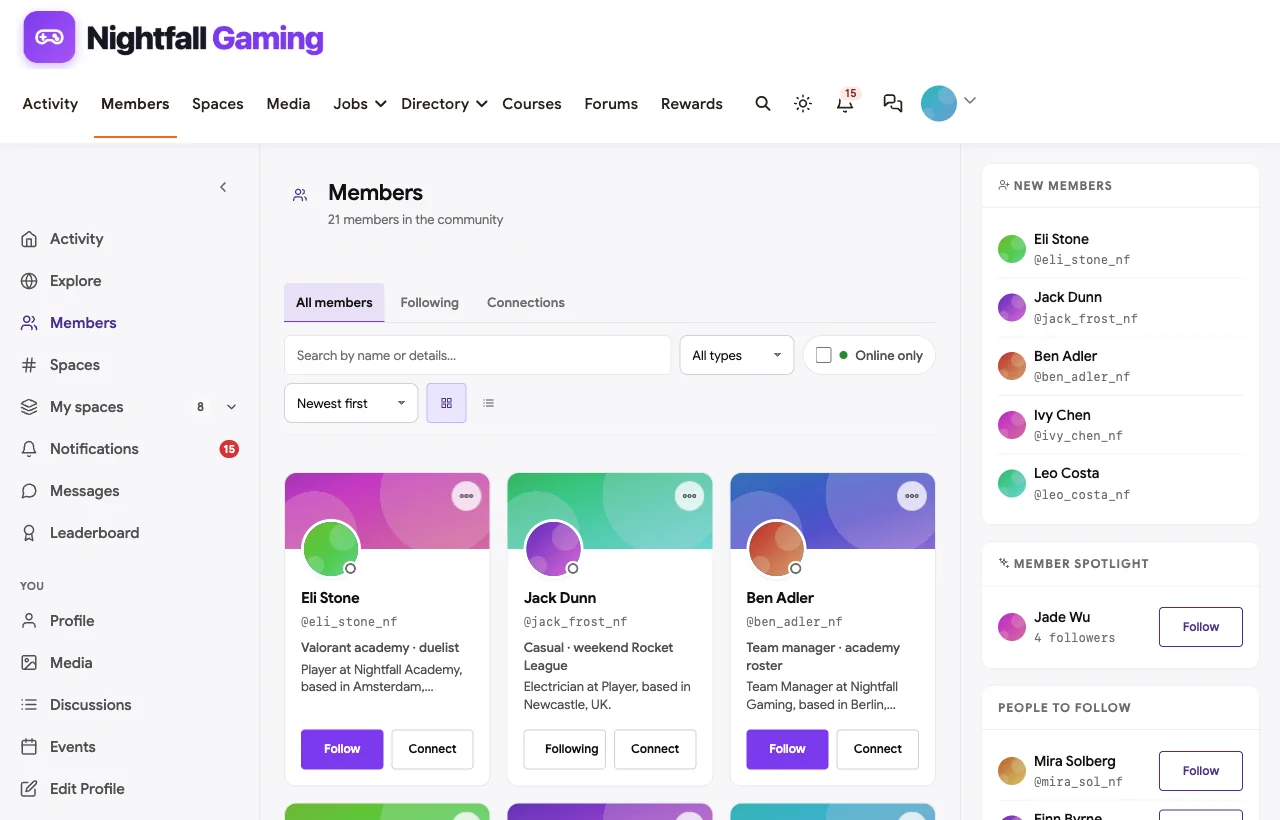
Esports organisations hire from their communities. The job board carries roles for a video editor, a community moderator and a tournament admin.
On a phone
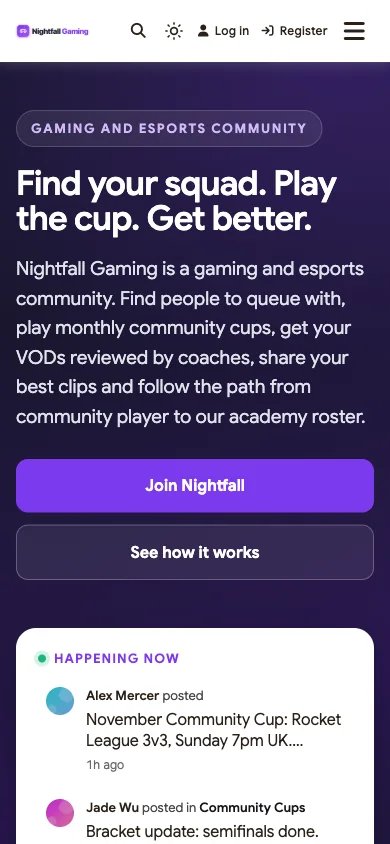
Players check LFG and brackets on their phones between games, and the whole community works in the mobile browser without an app download.
Also built in. Polls for cup games and play times, hashtags, a member directory, notifications, badges, and paid memberships with trials and coupons for supporter tiers.
Not built for: voice chat while playing, automated brackets with score reporting, matchmaking or anti-cheat. Keep Discord or TeamSpeak for voice and a tournament platform for brackets, and link them from the community. It is self-hosted, so you run WordPress or use a managed host.
What’s included, and how it is delivered
BuddyNext is one platform made of a core and add-on platform modules. Everything shown in the demo above runs on the BuddyNext platform. This table shows which parts come with the core, which are platform modules you install and activate alongside it, and which need a third-party plugin, another system or custom work.
| Capability | How it is delivered |
|---|---|
| Open, private and secret spaces for LFG, VOD reviews and roster rooms | Core platform |
| Activity feed, pinned announcements, polls and hashtags | Core platform |
| Reporting, moderation queue and space roles | Core platform |
| Member profiles and directory | Core platform |
| Clip videos and bracket images | Platform module, installed alongside |
| Direct messages | Platform module, installed alongside |
| Cups, scrim nights and watch parties as events | Platform module, installed alongside |
| Ask the Coaches with accepted answers and an event roadmap | Platform module, installed alongside |
| Competitive fundamentals course with certificates | Platform module, installed alongside |
| Points, badges and leaderboards | Platform module, installed alongside |
| Esports job board | Platform module, installed alongside |
| Paid supporter memberships with trials and coupons | Platform module, installed alongside |
| Voice chat while playing | Another system (Discord, TeamSpeak) |
| Automated brackets and matchmaking | Another system (tournament platform) |
Want to click around yourself? The Nightfall Gaming community in this guide was built on a private test site, so it is not public. The BuddyNext live demo is a general community you can open in your browser and explore without installing anything.
2. Discord: best for voice and chat while playing
Discord calls itself “Group chat that’s all fun & games” (Discord). Players can “Easily hop in and out of voice or text chats without having to call or invite anyone,” “See who’s around, playing games, or just hanging out,” and “Customize your own space to talk, play, and hang out.”
Strengths: the default voice and chat app for gamers, fast and familiar.
Gaps: no tournament tools, structured LFG, Q&A with accepted answers or VOD review workflow found; the server lives on Discord, not your own site.
3. TeamSpeak: best for low-latency voice with full control
TeamSpeak promises “YOUR TEAM. YOUR RULES.” with “Low latency for real-time communication” and “powerful server management tools. Create channels, assign permissions” (TeamSpeak). It also offers screen sharing and, in TeamSpeak 6, “one-to-one voice and video calls.”
Strengths: reliable, low-latency voice with strong permissions, popular with competitive teams.
Gaps: voice first; no tournaments, LFG, coaching Q&A or clips found.
4. start.gg: best for running bracket tournaments
start.gg is “the leading destination to create, run, play and watch esports tournaments!” (start.gg), built around “Community through competition.” Its help center covers “Setting up your brackets, reporting, and bracket formats,” “Creating a tournament, managing attendees, and registration” and “Leagues, hubs, rankings, and more” (start.gg Help).
Strengths: the most complete bracket and registration tool for grassroots and major events.
Gaps: no chat, LFG, coaching or team rooms found; it links out to a community elsewhere.
5. FACEIT: best for competitive matchmaking and anti-cheat
FACEIT is “where competitive players grind matchmaking or team competitions, find teammates, and prove their level” (FACEIT). “The FACEIT Anti-Cheat protects matches with two layers of defence” (FACEIT), and its desktop client lets players “Jump into matches, chat, and stats.”
Strengths: high-quality matchmaking and anti-cheat for competitive play.
Gaps: a platform for playing matches, not a branded community home; no coaching Q&A or team rooms found.
6. Toornament: best for flexible tournament formats
Toornament offers “Everything you need for esports competitions” (Toornament), with custom brackets, the Swiss system, registration management, check-in and streams added to tournaments (Toornament Help).
Strengths: flexible formats and organiser tools for leagues and cups.
Gaps: no chat, LFG, coaching or community spaces found.
7. Challengermode: best for publishers and large-scale competitions
Challengermode is a “Competition management platform for gaming and beyond” that can “Run tournaments, matchmaking, and gamification across 200+ games and 80+ countries” (Challengermode), with “Automated tournaments, ELO ladders, matchmaking, and community Spaces” (Challengermode).
Strengths: automated competitions and ladders at scale, trusted by major publishers.
Gaps: no coaching Q&A, clips or VOD reviews found.
8. Battlefy: best for quick community tournaments
Battlefy says it “is the simplest way to start, manage, and find esports tournaments” (Battlefy).
Strengths: fast tournament setup for organisers who want something simple.
Gaps: its site is app-rendered, so we could not confirm more features from its own pages; no community spaces, coaching or moderation tools found.
9. Discourse: best open forum software
Discourse is “the customizable, scalable community platform powering more than 22,000 communities” (Discourse), with the ability to “Keep technical discussions organized with categories, tags, and accepted answers” and “Collect ideas and let users vote on what matters.”
Strengths: excellent long-form discussion, accepted answers and moderation.
Gaps: no events, tournament pages, courses or job board found; gaming communities often pair it with chat and a tournament tool.
10. Patreon: best for supporter memberships
Patreon is “Where Creator Communities Thrive” and gives creators “a direct line of access to your fan community, with no ads or gatekeepers in the way” (Patreon).
Strengths: a known way for gaming creators to run supporter memberships.
Gaps: no LFG, tournaments, team rooms or moderation tools for a gaming community found.
Making LFG actually work
LFG is the most-used part of any gaming community, and the easiest to let rot. Pin a template: game, rank, region, role, when you play, and what you are looking for (casual, ranked, regular squad). Ask players to edit their post when they find a group. Remove posts older than a week. A searchable LFG space with structured posts beats a chat channel because players can find a match hours later, not only in the minute they post.
Running community cups
Community tournaments turn a group of players into a community. Keep them regular (the same week each month), keep the rules in one pinned post, open check-in thirty minutes before, and cast the final on a member’s stream. Rotate games with a poll, and run beginner-only cups so new players get a fair chance. Post the bracket and results in the cup space so the history stays.
Moderation that scales
Moderation is the job that burns out volunteers. Write short, specific rules, give every member a report button, route reports to a queue so nothing gets lost, and give each space its own moderators. Be transparent about what you removed and why; it builds trust and deters repeat behaviour. Set a minimum age for your community, write it into the rules, and follow the guidance for the games you cover.
Working with sponsors and partners
Grassroots esports runs on partners: peripheral brands, energy drinks, local businesses and game studios. A community home makes those relationships easier to keep, because partners can see an active, well-moderated audience rather than a chat log.
- Thank partners in public. A short post in Start Here when a partner backs a cup or a watch party, as in the demo, keeps them visible without turning the feed into adverts.
- Give partners something real. A named cup, a clip of the week segment or a coaching night is worth more to a partner than a logo in a channel description.
- Report back. After each event, share how many teams played, how many members watched and what members said. Use counts, not promises.
- Protect the community. Keep sponsor posts occasional and relevant, and never share member data with partners.
- Keep a partnerships contact. A named partnerships manager, with a profile in the directory, gives brands one person to talk to.
Partners stay when the community stays healthy. Moderation, regular events and real engagement are the best pitch an esports organisation has.
Questions to ask before you choose
- Where will voice happen? Most communities keep Discord or TeamSpeak for playing.
- Where do things need to stay findable? LFG, rules, coaching answers and cup history belong in a searchable home.
- Do you need automated brackets? Use a tournament platform and post results to the community.
- Can each roster have a private room? Look for secret or private spaces.
- How will you moderate? Reporting, a queue and roles per space.
- Who owns the community? On your own site, members, history and memberships stay yours.
A 30-day launch plan
- Week one: foundations. Create Start Here with the rules, LFG with a pinned template, and Ask the Coaches.
- Week two: competition. Announce the first Community Cup as an event and open registration.
- Week three: improvement. Open VOD Reviews and run the first group VOD review.
- Week four: teams and clips. Set up roster rooms, launch the clips space and pick the first clip of the week.
Which platform fits your gaming community?
| If you… | Choose |
|---|---|
| Want LFG, cups, coaching, clips, team rooms and moderation in a community you own | BuddyNext |
| Need voice and chat while playing | Discord or TeamSpeak |
| Need brackets and registration | start.gg, Toornament or Battlefy |
| Need matchmaking, ladders and anti-cheat | FACEIT or Challengermode |
| Want a long-form forum | Discourse |
| Want supporter memberships for a gaming creator | Patreon |
More community platform comparisons
Running a different kind of hobby or creator community? These guides use the same method: a working demo community and vendor claims checked at the source.
- Best platforms for a content creator community: creators, challenges and supporter memberships.
- Best platforms for an online fitness community: challenges, streaks and leaderboards.
- Best platforms for a photography learning community: critique, weekly challenges and photo walks.
- Best platforms for a music teaching community: practice logs, feedback and recitals.
- How to set up a community space on WordPress: the step-by-step setup guide behind every demo in this series.
How we built and checked this list
We built the Nightfall Gaming demo on a local WordPress site running BuddyNext, with fictional players, coaches, teams, a course, cups and roles created for this guide. The bracket in the demo is an illustrative image. Every BuddyNext screenshot is from that demo. Competitor features were checked against each vendor’s own website in November 2026, and the audience figures come from Pew Research Center and the Entertainment Software Association. We left out Guilded because it shut down in 2025, ESL Play because its own site says it has shut down, Enjin because its former domain now points to a different product, and Challonge and GuildLaunch because their websites blocked our checks. Where we could not confirm a feature on a vendor’s own pages, the scorecard says “Not found”. We did not run a hands-on trial of every product, so features can change; confirm anything critical with the vendor. buddyxtheme.com is published by the team behind BuddyNext, which is why BuddyNext is listed first; we have tried to be fair about its gaps as well as its strengths.
Frequently asked questions
What is the best platform for a gaming and esports community?
BuddyNext is the best choice for a gaming community home you own, with LFG, community cups, VOD reviews, coaching Q&A, clips, roster rooms and moderation. Pair it with Discord or TeamSpeak for voice and a tournament platform for brackets.
Do I still need Discord?
Most gaming communities keep a voice tool for playing together. The community home holds what should not scroll away: LFG, rules, coaching answers, cup history and team rooms.
Can I run tournaments in BuddyNext?
You can run each cup as an event with rules, registration and posts for brackets and results. For automated brackets, matchmaking and score reporting, use a tournament platform and link it.
How do I keep a gaming community safe?
Write clear rules, set a minimum age, give every member a report button, review reports in a moderation queue and give each space its own moderators.
Can each team have a private space?
Yes. Each roster gets a secret space that other members cannot see or find, for schedules, strats and scrim notes.
How do I make LFG work?
Pin a template with game, rank, region, role and play times, and ask players to edit their post once they find a group.
Can players use the community on their phones?
BuddyNext works in the mobile browser without an app download.
The bottom line
Chat is where you play tonight; a community home is what is still there next season. If you want LFG, cups, coaching, clips, roster rooms and moderation in a community you own, BuddyNext is the strongest foundation, with Discord or TeamSpeak for voice and start.gg or FACEIT for competition.
And give your players a home that outlasts the chat scroll.