
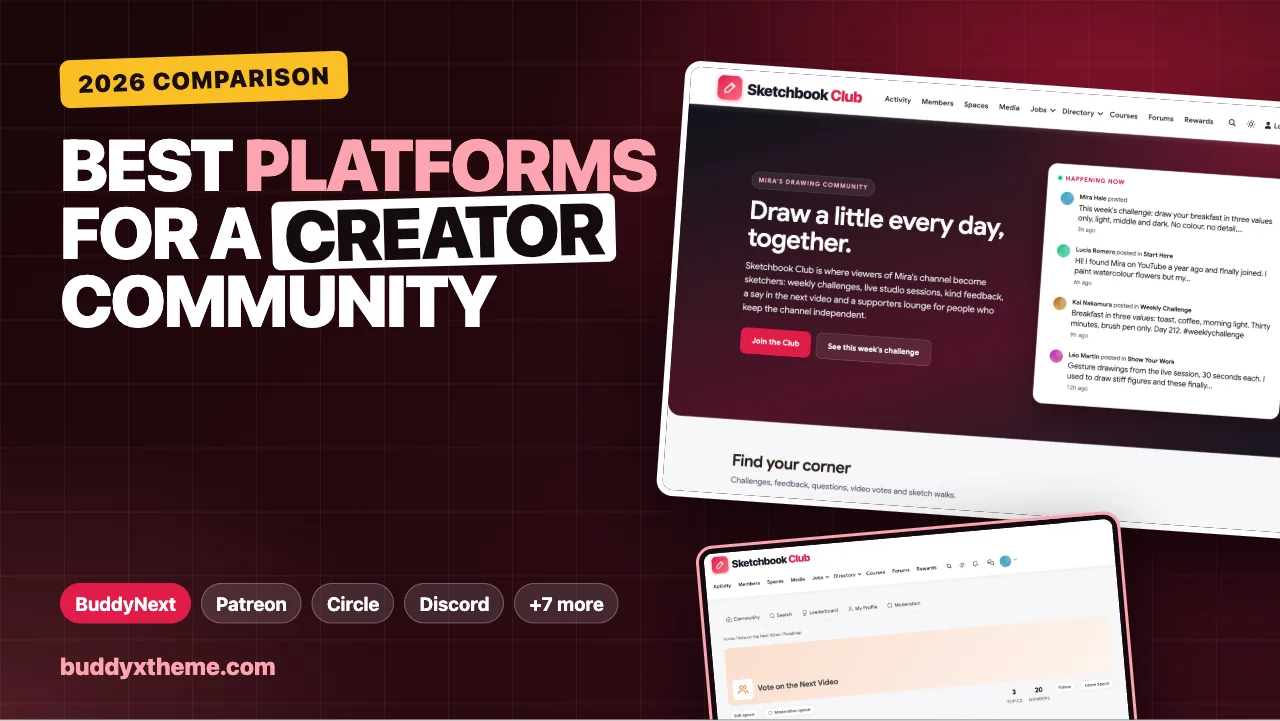
Every creator eventually hits the same wall. You have an audience, people watch, read or listen, but they mostly know you, not each other, and the platform decides how many of them see your next post. A community changes that. Viewers become members, members start helping each other, and the relationship stops depending on an algorithm. The question is where to build it, and the answer depends on how much of that relationship you want to own.
This guide compares the platforms creators use to build a community for their audience, from membership platforms such as Patreon and Fourthwall to community platforms, newsletter chat, and the free social spaces where most fan communities begin. We built a working creator community for the first entry, checked every competitor claim against the vendor’s own pages in November 2026, and judged each platform on what makes a creator community last: weekly rituals, a real voice for fans, supporter perks that do not split the community, and ownership of the people in it.
Quick answer
If you want a creator community you own and control, BuddyNext is the strongest choice: weekly challenge spaces, a feed where fans share their work, fan voting on your next video or episode, a private supporters lounge, live sessions, Q&A, a creator-picked shop and partner directory and a member leaderboard, all on your own WordPress site with your members’ data in your own database. Patreon is the best-known membership platform, Circle and Mighty Networks are polished hosted communities, and Discord suits real-time fan chat.
In this guide
- Audience is rented. Community can be owned.
- What a creator community needs
- 1. BuddyNext: best for a creator community you own
- 2. Patreon: best-known membership platform for creators
- 3. Circle: best polished community with a branded app
- 4. Mighty Networks: best for app-first creator communities
- 5. Skool: best for a simple course-plus-community
- 6. Discord: best for real-time fan chat
- 7. Fourthwall: best for merch-first creators
- 8. Buy Me a Coffee: best simple support with full list ownership
- 9. Substack: best for newsletter creators
- 10. Kajabi: best for creators selling courses and coaching
- 11. Memberful: best paywall for your own website
- Creator community platforms compared
- Designing a weekly ritual
- Supporter perks without splitting the community
- Owning your audience: a checklist
- Moderation that keeps a fan community kind
- Launching your creator community in 30 days
- More community platform comparisons
- How we built and checked this list
- Frequently asked questions
- The bottom line
Audience is rented. Community can be owned.
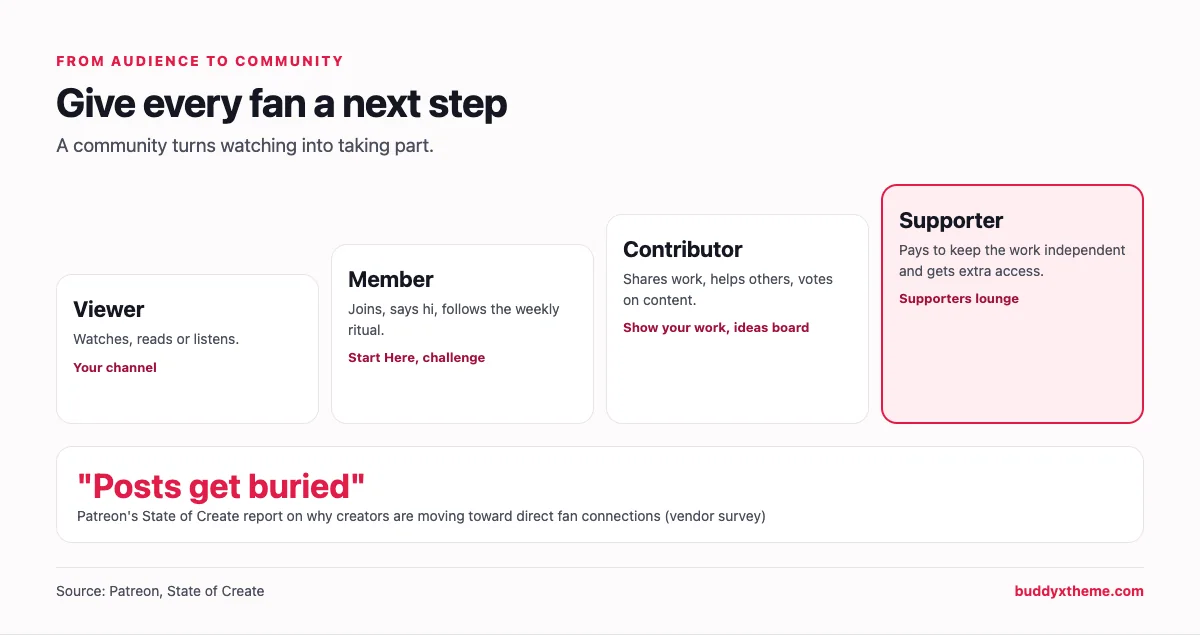
Creators feel the shift. Patreon’s State of Create report, based on a survey of creators and fans, describes how “posts get buried, and even the people you follow often don’t see your work anymore,” yet “almost 90%” of creators surveyed said they would still recommend being a creator (Patreon). That is a membership platform describing the problem it sells a solution to, so treat it as one company’s survey, but it matches what most creators experience.
Three things change when an audience becomes a community:
- Fans meet each other. The relationship stops running only through you, which is what makes it durable when you take a week off.
- You hear from fans directly. Not through comment sections ranked by an algorithm, but in spaces you design.
- You can reach them reliably. A member list you control does not shrink when a platform changes its feed.
| Social audience | Membership platform | Owned community | |
|---|---|---|---|
| Who controls reach | The platform’s algorithm | You, inside the platform | You |
| Fans talk to each other | In comments | In chats or comments | In spaces, threads and events |
| Your member list | Not yours | Varies by platform | Yours |
| Your brand | Theirs | Mostly theirs | Yours |
| Examples | YouTube, Instagram, TikTok | Patreon, Fourthwall, Buy Me a Coffee | BuddyNext, Circle, Mighty Networks |
What a creator community needs
| Need | What it looks like | Why it matters |
|---|---|---|
| A weekly ritual | A challenge, prompt, episode thread or live session on a fixed day | Rituals turn occasional visitors into regulars |
| A place to share | Fans post their own work, takes or progress | Fans come back for each other, not just for you |
| A voice | Fans vote on what you make next | People commit to things they helped shape |
| Supporter perks | Early access, behind-the-scenes, a supporters space | Pays for the work without walling off the whole community |
| Live moments | Streams, studio sessions, AMAs | The moments fans remember |
| Moderation | Clear rules, moderators from the community | Keeps it kind as it grows |
| Ownership | Member export, your domain, your brand | Your business survives platform changes |
1. BuddyNext: best for a creator community you own
BuddyNext is a complete community platform that runs on your own WordPress site. Spaces, a social feed, member profiles, messaging, events, Q&A, ideas boards with voting, a directory, a jobs board, courses, paid plans and gamification work together in one product, on your own domain.
To show it in context, we built Sketchbook Club, a demo community for a fictional illustrator and YouTuber, with 20 fictional fans, a moderator and partners, a weekly drawing challenge, a feedback space, an Ask Mira Q&A, a “vote on the next video” board, a private supporters lounge and London sketch walks.
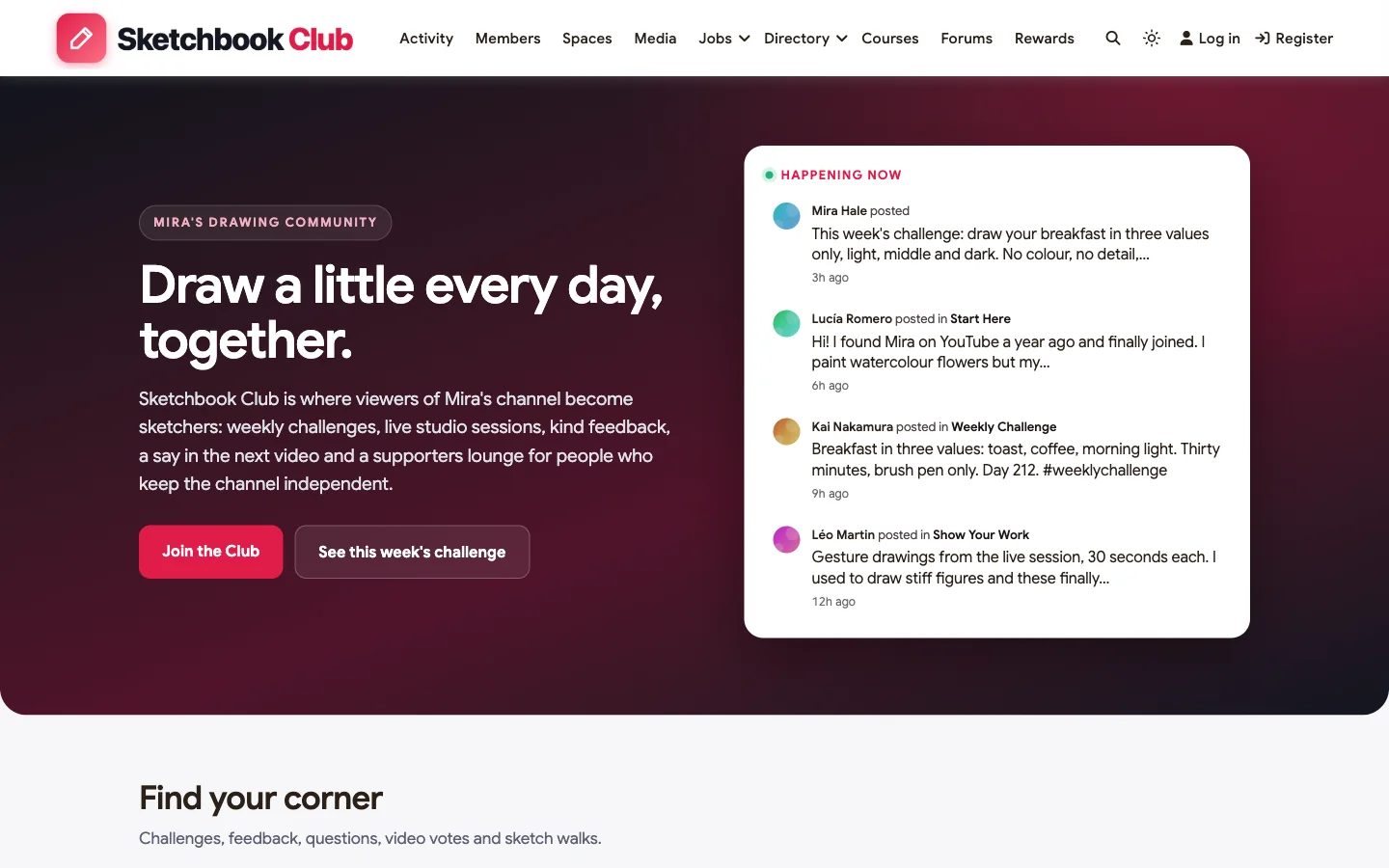
What fans get: a weekly ritual, a place to share their work, a say in the next video, live sessions and each other.
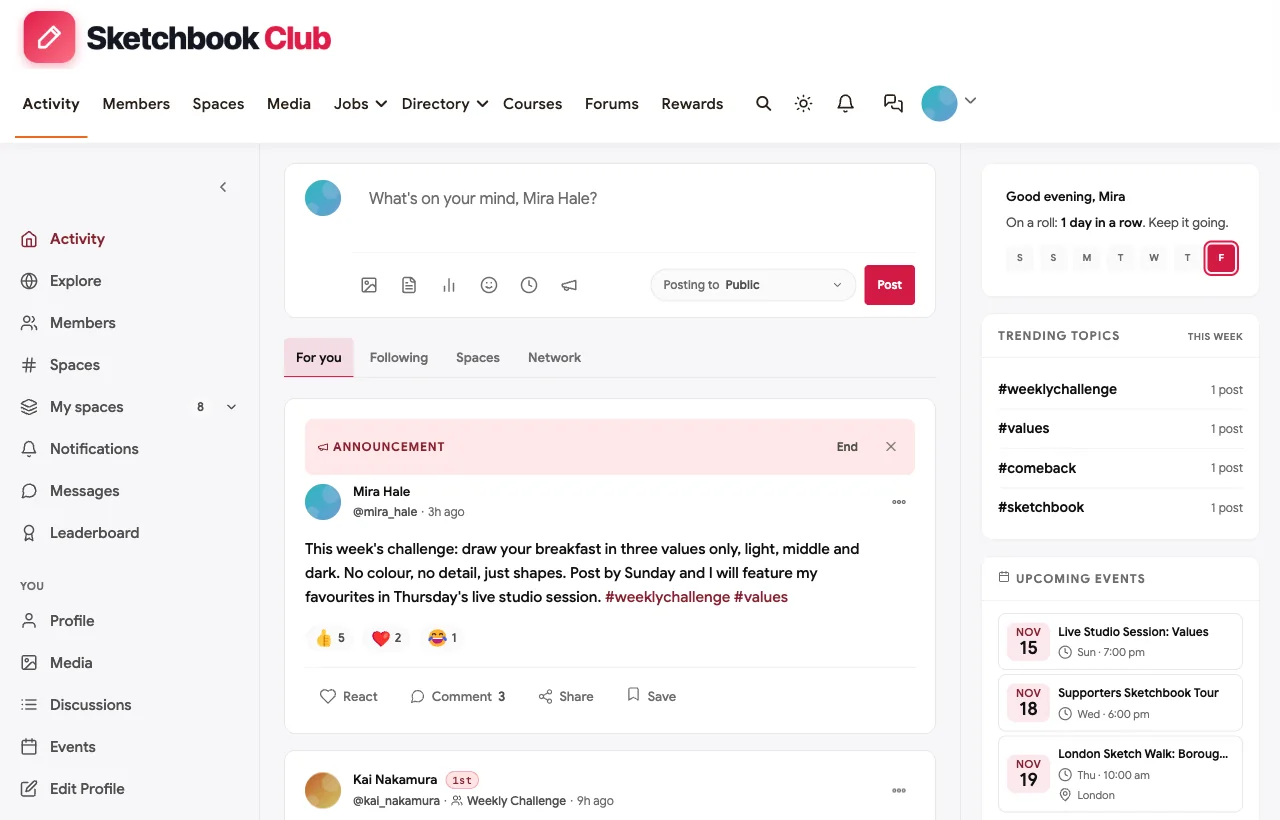
A weekly challenge. Every Monday the creator pins a new prompt to the feed, fans post their drawings in the Weekly Challenge space, and every post earns points. In the demo, a fan on day 212 of a daily streak shares a three-value breakfast sketch, and the creator replies personally.
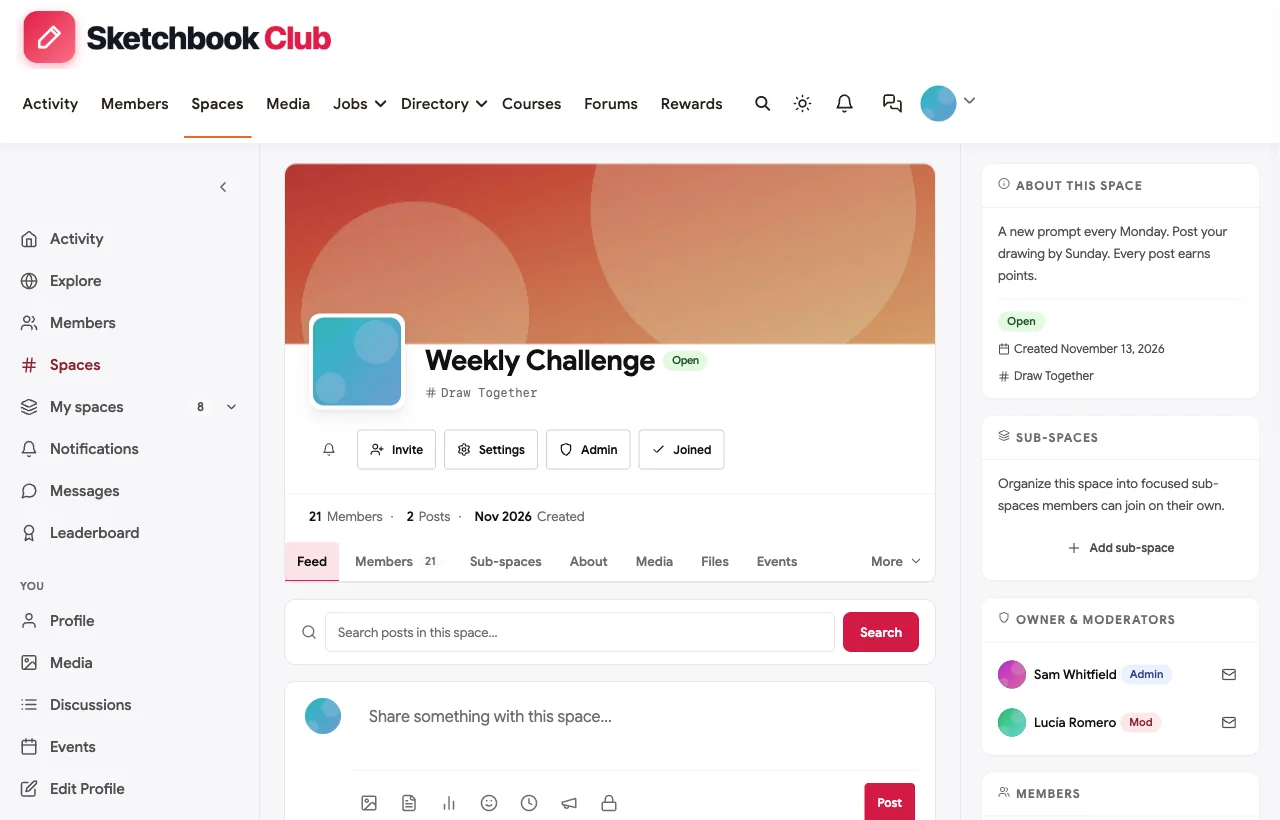
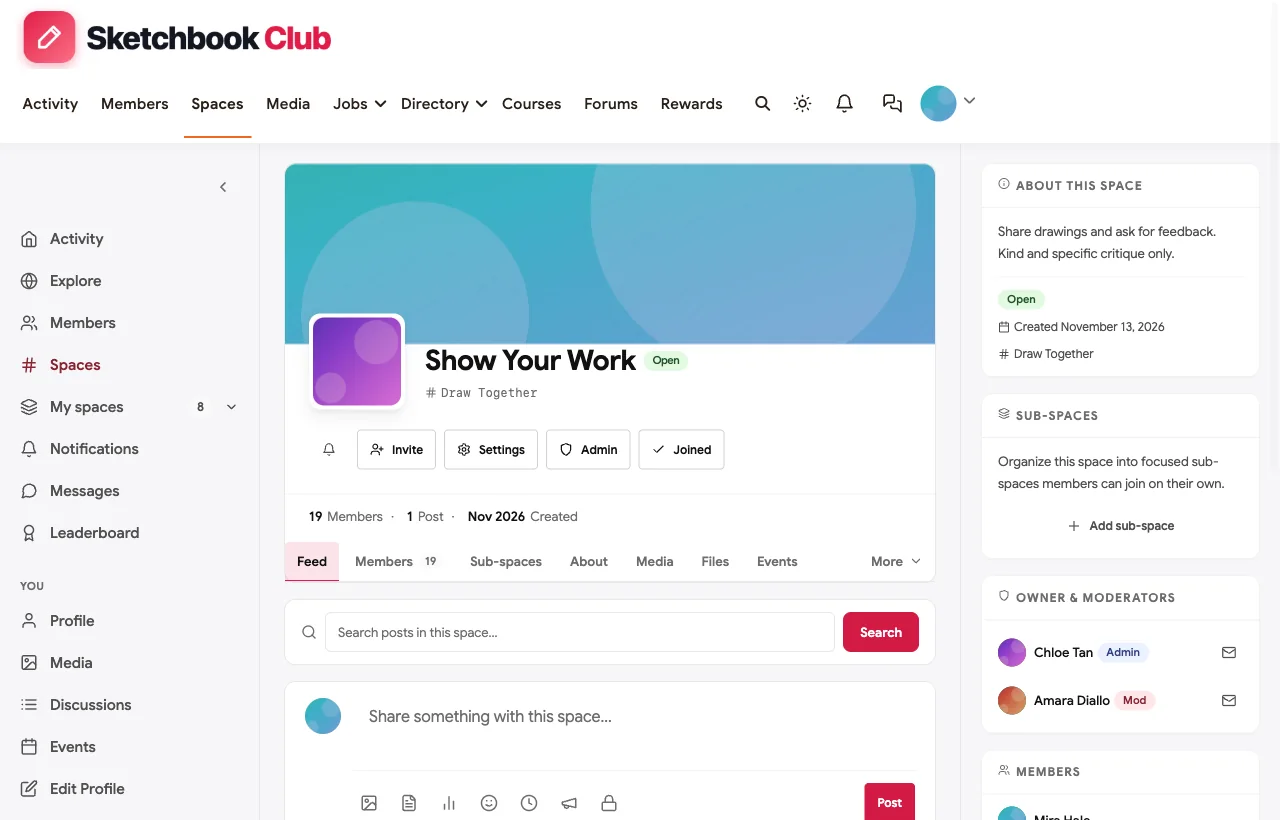
A place to share and get feedback. The Show Your Work space is for posting drawings and asking for kind, specific critique. Fans give each other feedback the creator could never give everyone personally.
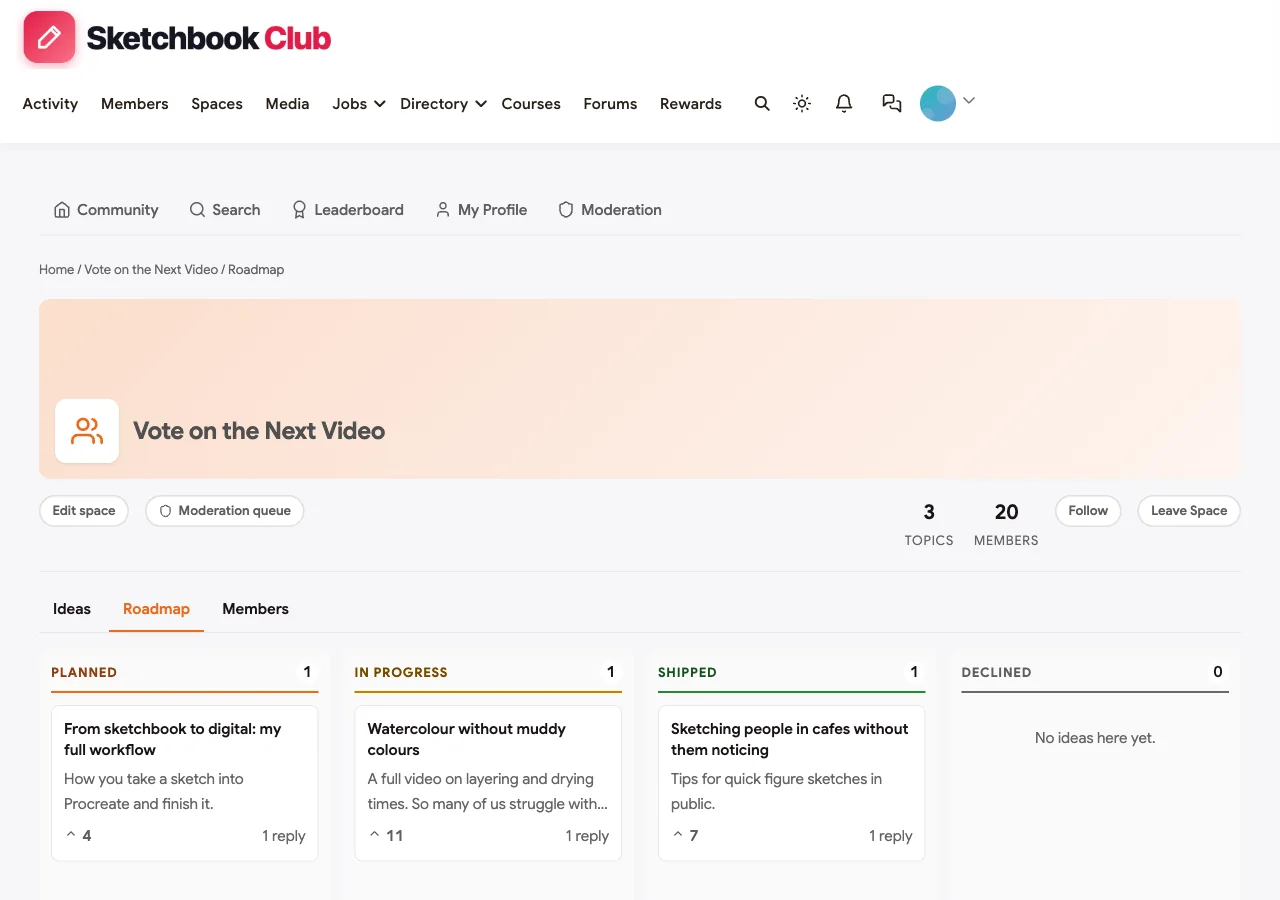
Fans vote on the next video. The “Vote on the Next Video” board is an ideas space. Fans suggest topics and vote; the creator marks each one as planned, in progress or published (shown as shipped). In the demo, the most-voted idea, watercolour without muddy colours, is being filmed this week.
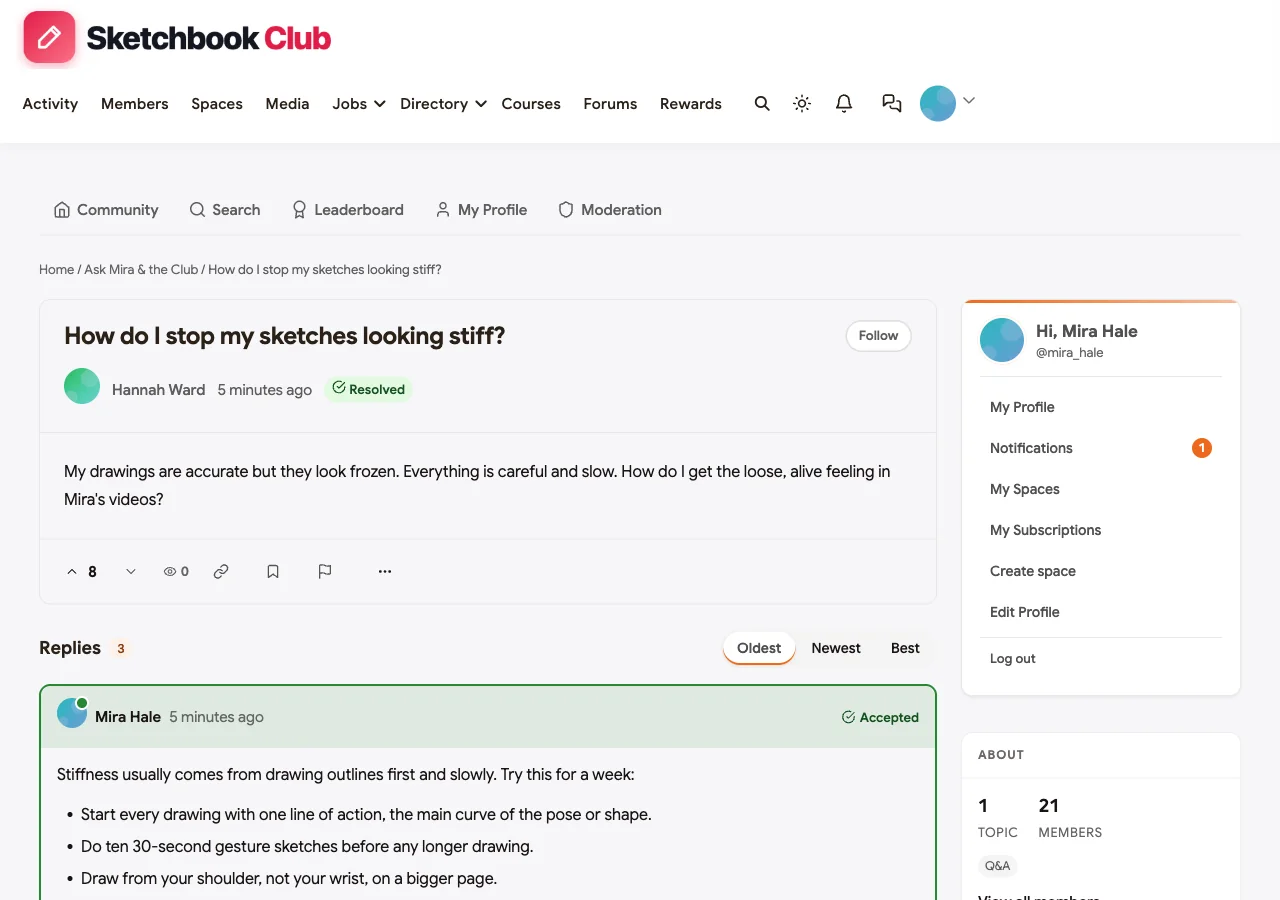
Ask the creator and the community. The Ask Mira & the Club space supports accepted answers. In the demo, a returning artist asks how to stop sketches looking stiff; the creator answers with four practical habits, another fan adds what worked for him, and the asker reports back. The answer stays findable for every new member with the same question.
A supporters lounge that does not split the community. The Supporters Lounge is private, for fans on a paid supporter plan: early access to videos, monthly sketchbook tours and Q&A. Everything else, the challenges, feedback and votes, stays open to every member, so supporting is a bonus, not a wall.
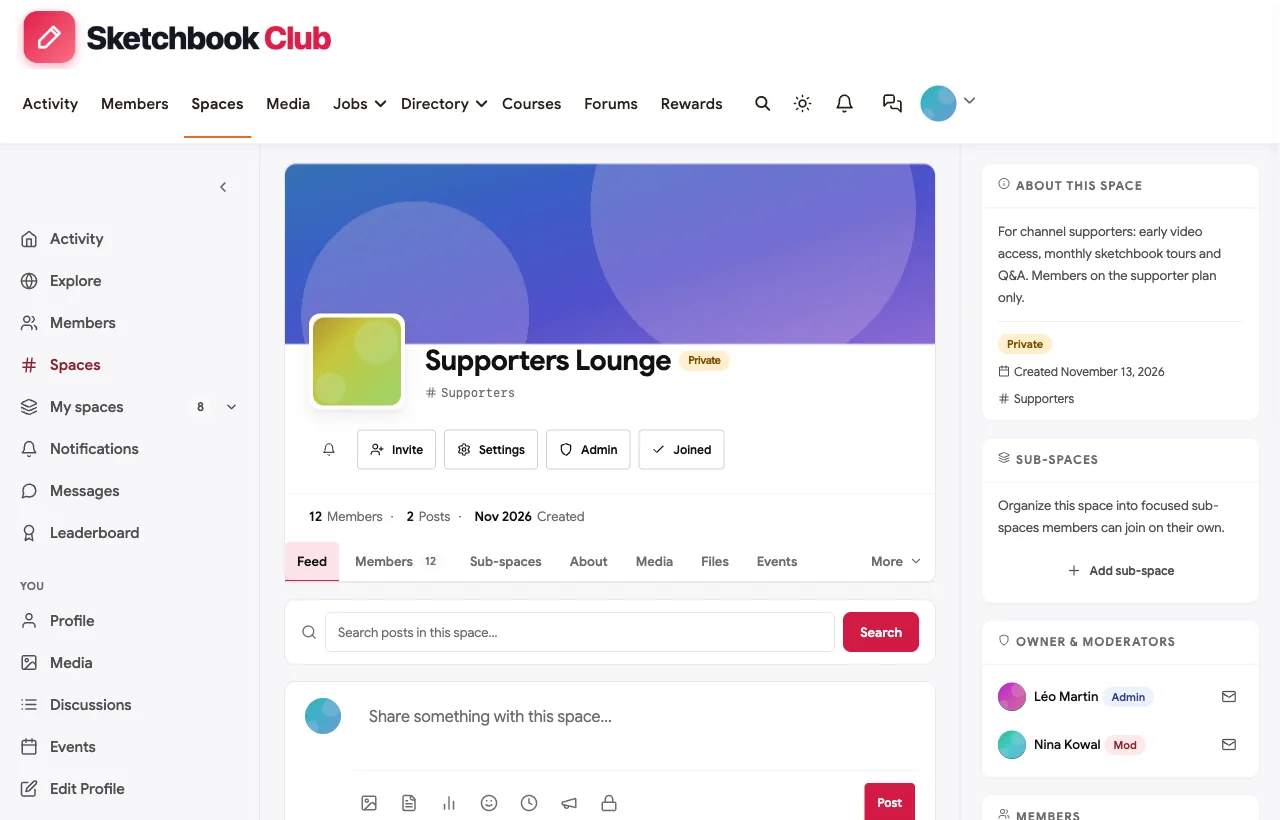
Live sessions and meetups. Live studio sessions, supporter tours, guest AMAs and in-person sketch walks are events with RSVPs, shown in their space, on the homepage and in members’ feeds.

Recognition and a creator economy of your own. The leaderboard shows the most active fans, which makes it easy to invite moderators and spotlight regulars. A Supplies & Shops directory lists the creator’s recommended art shop and fans’ own commission studios and tools, and a jobs board carries small paid gigs such as thumbnail illustration, so the community supports fans’ work too.
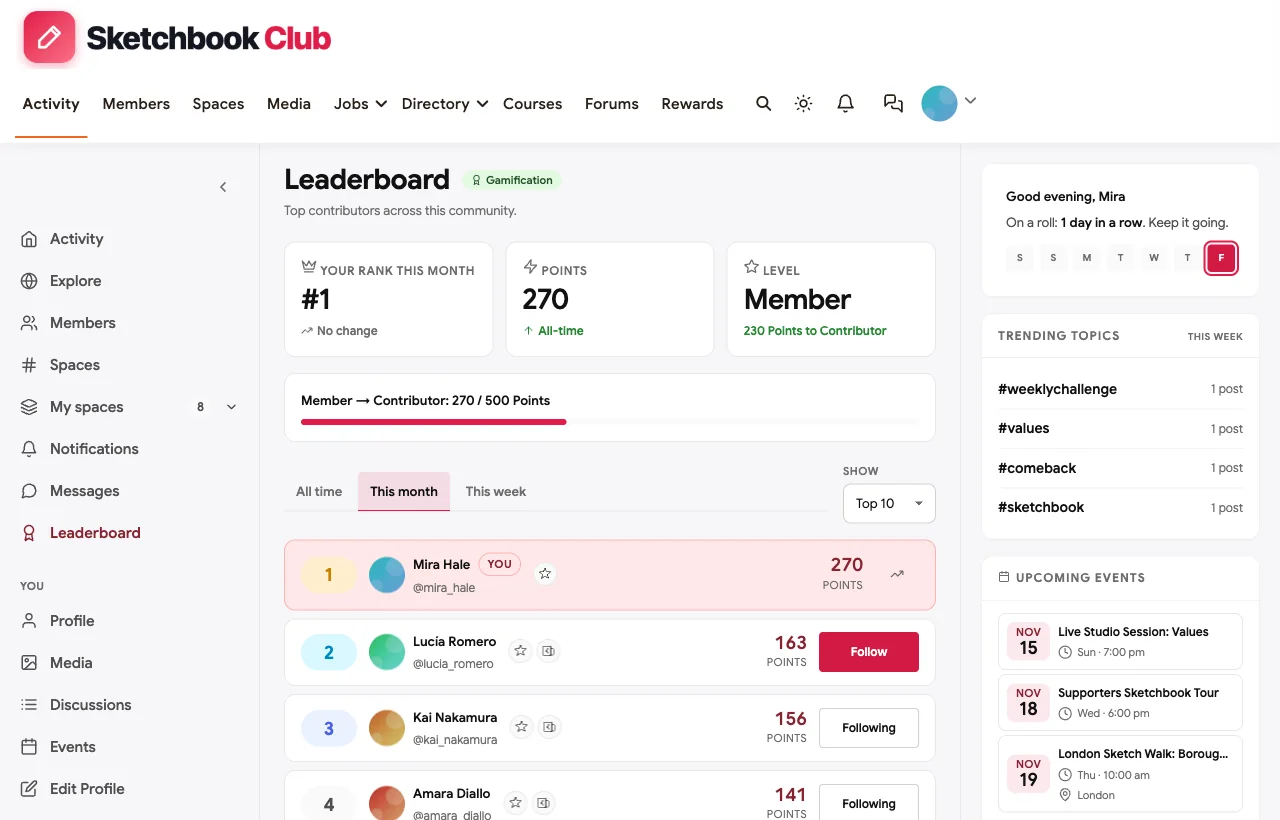
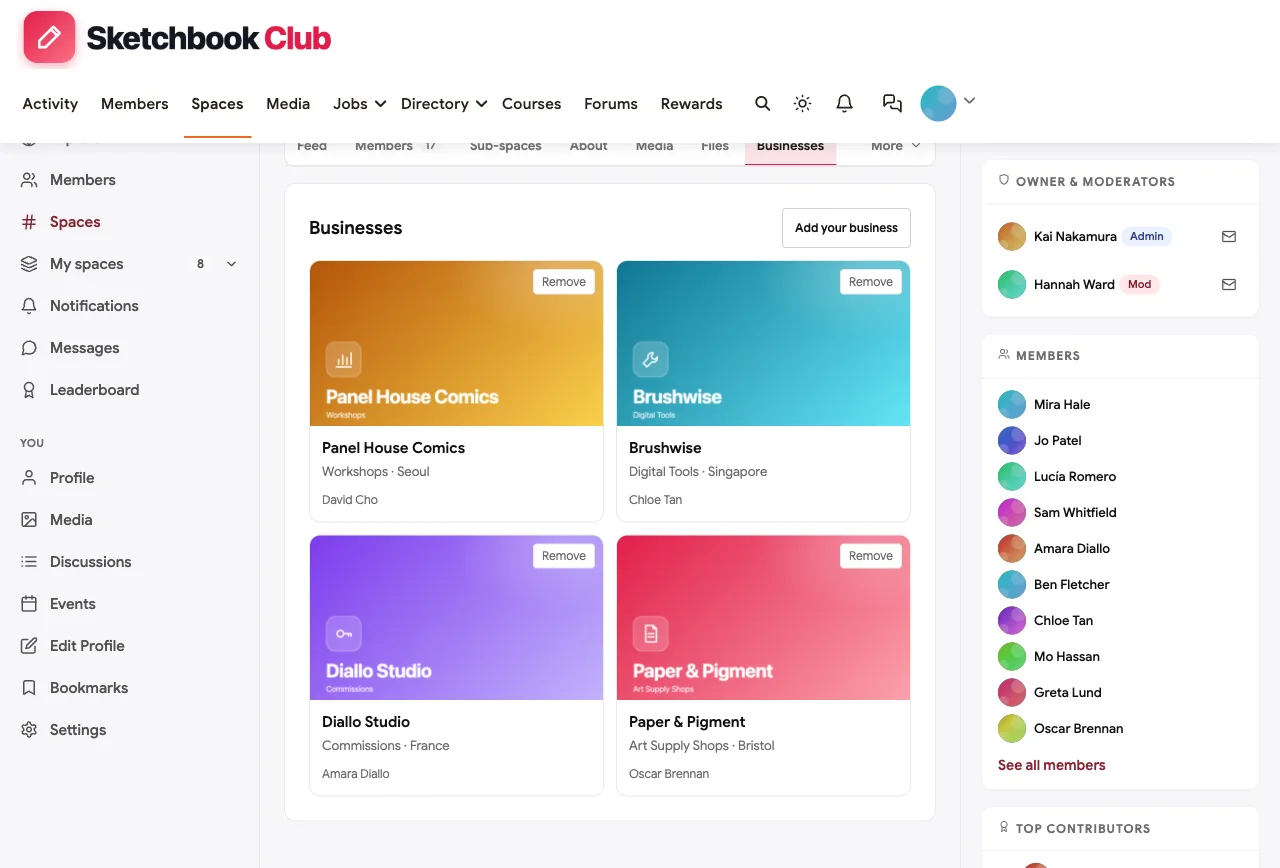
Also built in. Direct messages, polls for choosing session topics, hashtags such as #weeklychallenge, member profiles, notifications, courses for paid lessons, paid plans with trials and coupons for supporter tiers, and a mobile layout that works without an app download.
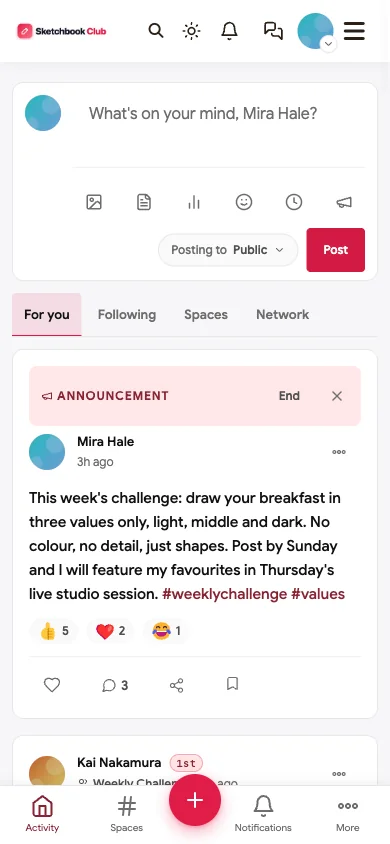
The catch. BuddyNext is self-hosted, so you run WordPress or use a managed host. It does not host video streams itself; live sessions link to your streaming tool of choice. And there is no built-in discovery marketplace, so new members come from your channel, newsletter and social profiles.
BuddyNext, Patreon and Circle at a glance. All three can run a paid creator community. The difference is where the community lives and what fans do there.
| BuddyNext | Patreon | Circle | |
|---|---|---|---|
| Where it lives | Your own website and domain | Patreon’s app and website | Circle’s hosted platform, with your branding |
| Fan-to-fan activity | Spaces, challenges, feedback threads, Q&A | Group chats and comments | Spaces, posts and events |
| Fans vote on content | Ideas board with statuses | Polls | Not a core feature |
| Member list | In your own database | Inside Patreon | Inside Circle |
| Best when | The community is a long-term asset you want to own | You want the fastest start in an app fans already have | You want a polished hosted community and app |
What’s included, and how it is delivered
BuddyNext is one platform made of a core and add-on platform modules. Everything shown in the demo above runs on the BuddyNext platform. This table shows which parts come with the core, which are platform modules you install and activate alongside it, and which need a third-party plugin, another system or custom work.
| Capability | How it is delivered |
|---|---|
| Open, private and secret spaces | Core platform |
| Activity feed, pinned announcements and hashtags | Core platform |
| Member profiles and searchable member directory | Core platform |
| Direct messages | Platform module, installed alongside |
| Polls | Core platform |
| Paid plans with trials and coupons | Platform module, installed alongside |
| Q&A with accepted answers and code highlighting | Platform module, installed alongside |
| Ideas board with voting and roadmap statuses | Platform module, installed alongside |
| Business and partner directory listings | Platform module, installed alongside |
| Jobs board with filters and alerts | Platform module, installed alongside |
| Events with RSVPs, online or in person | Platform module, installed alongside |
| Points, badges, streaks and leaderboards | Platform module, installed alongside |
| Live video streaming | Your streaming tool (events link to it) |
Want to click around yourself? The Sketchbook Club community in this guide was built on a private test site, so it is not public. The BuddyNext live demo is a general community you can open in your browser and explore without installing anything.
2. Patreon: best-known membership platform for creators
Patreon says it “gives you a direct line of access to your fan community, with no ads or gatekeepers in the way,” with “real-time group chats, comments, DMs,” memberships, digital products, newsletters and fan analytics (Patreon).
What fans get: member-only posts, group chats and direct access to the creator, in an app many fans already have.
What you control: tiers, content and chats inside Patreon.
The catch: the community lives inside Patreon’s app and brand. It is built around creator-to-fan content more than fan-to-fan spaces, challenges or voting.
3. Circle: best polished community with a branded app
Circle offers a personalised feed, posts and comments with rich media, live events and streams, courses, a member directory, paid memberships with branded checkout, email broadcasts and a branded app for iOS and Android (Circle).
What fans get: a clean community, courses and live events, optionally in a branded app.
What you control: your brand, spaces, payments and email.
The catch: it is hosted only, and the branded app is an add-on.
4. Mighty Networks: best for app-first creator communities
Mighty Networks combines community, courses and events, built around its Community Design framework of themes, events and daily questions. Its pricing page shows branded apps on the Mighty Pro and higher plans (Mighty Networks).
What fans get: a mobile-first community with courses and events.
What you control: spaces, memberships and the rhythm of engagement.
The catch: some creator essentials, such as branded apps, sit on higher plans. Hosted only.
5. Skool: best for a simple course-plus-community
Skool lets creators “build your own community, courses, and events” and “charge subscription memberships or 1-time course purchases,” and says it can be set up in under 30 minutes (Skool).
What fans get: a simple feed, a classroom and a calendar, with levels and leaderboards.
What you control: pricing and content.
The catch: a fixed, simple structure with little room for multiple fan spaces or a private supporters area alongside open spaces.
6. Discord: best for real-time fan chat
Discord’s creator hub frames the difference between an “audience” and a “community” and offers guides for creators becoming server admins (Discord).
What fans get: live chat, voice rooms and channels for every topic.
What you control: channels, roles and bots.
The catch: conversations scroll away, there is no ideas board or Q&A archive, and the community lives on Discord’s platform.
7. Fourthwall: best for merch-first creators
Fourthwall memberships offer tiers with custom perks, members-only products and discounts, video on demand, broadcast messages to members, polls, “subscription streak badges,” and a “fully branded mobile app.” It says “They’re your fans. It’s your data” (Fourthwall).
What fans get: perks tied to the creator’s shop, exclusive videos and streaks.
What you control: tiers, products and your data.
The catch: private livestreams work “by embedding unlisted YouTube streams,” and community features are lighter than a full community platform.
8. Buy Me a Coffee: best simple support with full list ownership
Buy Me a Coffee offers memberships, exclusive posts, a shop and mobile apps, with one of the clearest ownership statements in the category: “You have 100% ownership of your supporters. We never email them, and you can export the list any time you like” (Buy Me a Coffee).
What fans get: a simple way to support and receive exclusive posts.
What you control: your supporter list, fully exportable.
The catch: it is a support and membership tool, not a community where fans interact much with each other.
9. Substack: best for newsletter creators
Substack Chat is described as “your own private social network where you make the rules,” and “writers can host Chat conversations for all of their subscribers, or just those who pay” (Substack).
What fans get: conversations with the writer and other readers next to the newsletter.
What you control: your subscriber list and chat topics.
The catch: chat is a layer on a newsletter, not a full community with spaces, events or challenges.
10. Kajabi: best for creators selling courses and coaching
Kajabi supports “courses, coaching, memberships, communities, newsletters, podcasts, and digital downloads,” with communities described as “a space people return to… where connection drives retention and recurring revenue” (Kajabi).
What fans get: courses and a community in one place.
What you control: your products, pricing and email.
The catch: community is one module in a course-first suite. Hosted only.
11. Memberful: best paywall for your own website
Memberful lets creators sell subscriptions on their own site, with a WordPress plugin, and says “You connect your own Stripe account, which means you’re in total control of your audience” (Memberful).
What fans get: member access on the creator’s own website.
What you control: your site, payments and audience.
The catch: it handles payments and access, not community; pair it with a community platform if fans should talk to each other.
Creator community platforms compared
| Platform | Fan-to-fan spaces | Weekly challenges | Fans vote on content | Private supporter area | Live sessions | Q&A archive | Member list ownership | Hosting |
|---|---|---|---|---|---|---|---|---|
| BuddyNext | Many spaces | Challenge spaces with points | Ideas board with statuses | Private and secret spaces | Built-in events | Accepted answers | Your own database | Self-hosted |
| Patreon | Group chats | Posts | Polls | Tiers | Not documented | No | Inside Patreon | Hosted |
| Circle | Spaces | Spaces | Not documented | Access groups | Live streams | Search | Hosted platform | Hosted |
| Mighty Networks | Spaces | Daily questions | Not documented | Paid spaces | Live streams | No | Hosted platform | Hosted |
| Skool | One feed | Posts | No | No | Calendar | No | Hosted platform | Hosted |
| Discord | Channels | Channels | Polls | Roles | Voice and stage | No | Discord’s platform | Hosted |
| Fourthwall | Limited | No | Polls | Tiers | Unlisted YouTube embeds | No | “Your data” | Hosted |
| Buy Me a Coffee | Limited | No | No | Tiers | No | No | Full export | Hosted |
| Substack | Chat | No | No | Paid-only chat | Not documented | No | Subscriber list | Hosted |
| Kajabi | Communities | Not documented | No | Memberships | Not documented | No | Hosted platform | Hosted |
| Memberful | No | No | No | Member access | No | No | Your Stripe and site | Your site |

Designing a weekly ritual
The most reliable engagement tool for any creator community is a weekly ritual tied to what you make:
| Creator type | Weekly ritual | Monthly moment |
|---|---|---|
| Illustrator or artist | A drawing prompt every Monday | Live studio session featuring fans’ entries |
| Podcaster | An episode discussion thread on release day | A live recording or listener Q&A |
| YouTuber | A “vote on the next video” round | A members’ premiere and live chat |
| Writer | A writing prompt or reading thread | A live reading or AMA |
| Educator | A practice problem or mini-assignment | Office hours |
| Musician | A listening thread or cover challenge | A members-only live set |
Keep the ritual small enough that fans can do it in ten minutes. A ritual people actually do every week is worth more than an ambitious one they skip.
Supporter perks without splitting the community
Paid tiers can quietly divide a fan community into insiders and everyone else. A simple model avoids that:
- Keep the core open. Challenges, sharing, Q&A and voting are for everyone. That is where the community energy lives.
- Make paid perks about extra access, not basic belonging. Early videos, behind-the-scenes, a supporters’ Q&A, a monthly tour.
- Let supporters lift the whole community. Thank supporters publicly for keeping the channel independent; feature their work like everyone else’s.
- Never paywall help. Answers to questions should stay open to all members.
Owning your audience: a checklist
Before you build on any platform, ask:
- Can I export my members’ emails at any time?
- Is the community on my own domain and brand?
- Who processes payments, and can I move them?
- What happens to the community if the platform changes its rules, prices or owner?
- Can I reach every member without an algorithm deciding?
A self-hosted community on your own domain answers all five in your favour. Hosted platforms vary; some, such as Buy Me a Coffee and Memberful, are explicit about list ownership, which is worth rewarding.
Moderation that keeps a fan community kind
Fan communities can turn harsh quickly when they grow. A few practices keep them welcoming:
- Recruit moderators from your most helpful fans. The leaderboard shows who they are.
- Write three or four short rules and pin them: be kind and specific in feedback, no self-promotion outside the directory, no sharing others’ work without credit, protect younger members.
- Model the tone yourself. The way the creator replies to a beginner’s first post sets the culture.
- Protect young members. Many fan communities include teenagers. Keep private messaging rules clear and act quickly on reports.
Launching your creator community in 30 days
Week 1: invite your most engaged fans first. Look at who comments, replies and shows up to every stream. Invite 30 to 100 of them personally as founding members, before you announce anything publicly. Ask each to introduce themselves and share one thing they made.
Week 2: start the ritual. Post your first weekly prompt or episode thread and reply to every entry. Founding members set the tone for everyone who arrives later, so be generous with attention now.
Week 3: announce it everywhere. Mention the community in a video, an episode or a newsletter, with one clear reason to join: the weekly challenge, the vote on your next piece or a members’ live session. Pin the link where your audience already is.
Week 4: run the first live moment. Host a live session featuring members’ work, and open the first “vote on the next video” round. Launch supporter perks only after the free community feels alive, so supporters are joining something real.
After the first month, look at three things: how many members posted, how many came back the following week and how many fans replied to other fans. The last number tells you whether you have built an audience with a comment box or a real community.
More community platform comparisons
Building a different kind of community, or one that overlaps with this one? These guides use the same method: a working demo community and vendor claims checked at the source.
- Best platforms for a brand ambassador community: missions, a content showcase, private previews and tiers.
- Best platforms for a gaming and esports community: LFG, community cups, VOD reviews and private roster rooms.
- Best platforms for a writers and authors membership community: writing sprints, private critique circles, beta readers and query help.
- Best platforms for a photography learning community: critique, weekly challenges, photo walks and a foundations course with assignments.
- Best platforms for an affiliate marketing training community: courses, site teardowns, accountability pods and moderation against hype.
- Best software for a paid coaching membership: coaches selling group programs and memberships.
- Best software for an online fitness community: challenges, streaks and private check-ins.
- Best software for an online course community: course creators who want learners to finish.
- Best software for a freelancer networking community: referrals, jobs and member directories.
- Best software for a Shopify sellers community: store teardowns, masterminds and app spam control.
- How to set up a community space on WordPress: the step-by-step setup guide behind every demo in this series.
How we built and checked this list
We built the Sketchbook Club demo on a local WordPress site running BuddyNext, with a fictional creator, fans, shops and events created for this guide; every BuddyNext screenshot comes from it. Competitor features come from each vendor’s own website or help pages, checked in November 2026 and linked where we quote them. The survey finding comes from Patreon’s own State of Create report and is labelled as a vendor survey. We did not run paid accounts on every competitor, and features change, so confirm anything critical with the vendor. buddyxtheme.com is published by the team behind BuddyNext, which is why it is listed first; we have tried to be fair about its trade-offs as well as its strengths.
For paid group programs rather than fan communities, see our comparison of platforms for a paid coaching membership community, and for writer-focused communities, how to build a Wattpad-style writing community on WordPress.
Frequently asked questions
What is the best platform to build a content creator community?
BuddyNext is the best choice for a creator community you own, with weekly challenge spaces, a place for fans to share, fan voting on your next piece of content, a private supporters lounge, live sessions, Q&A and a leaderboard on your own WordPress site. Patreon is the best-known membership platform, and Circle and Mighty Networks are polished hosted options.
Should I use Patreon or build my own community?
Patreon is a fast way to start charging for membership inside an app fans already know. Building your own community gives you more control over fan-to-fan interaction, your brand and your member list. Many creators start on Patreon and move the community itself to their own site as it grows.
Is Discord good for a creator community?
Discord is great for live chat and voice, especially for gaming and streaming audiences. Conversations scroll away quickly, though, and there is no archive, ideas board or owned member list, so many creators pair it with a community or newsletter they control.
How do I get fans to talk to each other, not just to me?
Give them something to do together: a weekly challenge, a sharing space, a vote on your next video. Then step back a little and celebrate fans who help other fans. Communities grow when members recognise each other.
Should my whole community be paid?
Usually not. Keep the core community open and offer paid supporter perks such as early access, behind-the-scenes content and supporter Q&As. Paywalling everything shrinks the community that makes supporting worthwhile.
How do I let fans vote on my content?
Use an ideas board where fans suggest topics and vote, and update each idea’s status as planned, in progress or published. Thank voters when an idea goes live. It turns viewers into collaborators.
Can I run live streams inside my community?
Most community platforms schedule and promote live sessions and link to a streaming tool. Some hosted platforms include their own streaming with plan-based limits. Fourthwall embeds unlisted YouTube streams for members.
How do I own my audience?
Choose platforms that let you export members’ emails at any time, run the community on your own domain, and process payments through an account you control. Collect emails from your community and newsletter, not only follows on social platforms.
How big does my audience need to be to start a community?
Smaller than you think. A few hundred engaged fans can make a lively community if there is a weekly ritual and the creator shows up. Start with your most engaged viewers or subscribers and grow from there.
How do I keep my community safe for younger fans?
Publish clear rules, recruit trusted moderators, limit private messages where appropriate, act quickly on reports and avoid collecting more personal information than you need.
The bottom line
A creator community works when fans have a weekly reason to show up, a place to share their own work, a voice in what you make and a creator who is genuinely present, with paid perks that add to the community instead of dividing it. If you want that community on your own domain, with your fans’ data in your own database, BuddyNext is the strongest foundation. If you want the fastest start inside a familiar app, Patreon is the best-known option.
And turn your audience into a community you own.