
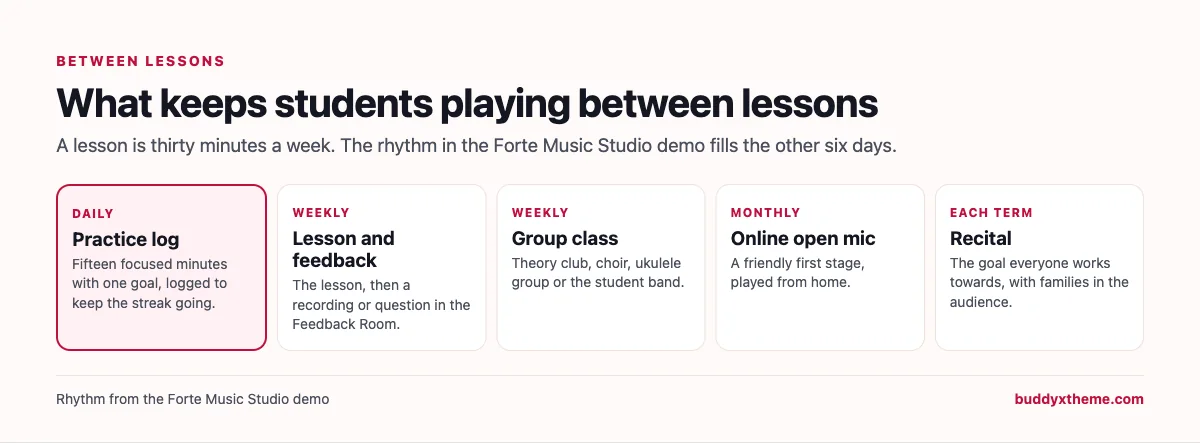
Every music teacher knows the Monday lesson. The student sits down, plays the piece from last week, and it is exactly where it was last week. Nothing went wrong in the lesson. What went wrong was the six days in between, when nobody was there to say “slow it down”, “record yourself” or “you are nearly there”. A lesson is half an hour; progress happens in the practice that follows, and most students practise alone.
A music teaching community fills those six days. Students log their practice and keep a streak going, post a recording when they are stuck, ask a teacher a question at nine at night, join a group class, and work towards a stage to play on. Parents of younger students get their own place too. This guide compares the platforms music teachers and music schools use to run that kind of community, alongside the studio software many already use for scheduling. We built a working music studio community for the first entry and checked every competitor claim on the vendor’s own pages in November 2026.
Quick answer
If you run a music studio or school and want a community you own, BuddyNext is the strongest choice: a practice log with streaks, a private feedback room for recordings, Ask a Teacher with accepted answers, group classes, recitals and open mics as events, a private space for parents, a practice course and a board for paid gigs, all on your own website. My Music Staff, MakeMusic Studio and Duet Partner run scheduling and lesson admin, Soundslice handles notation-synced lessons, Musora, Yousician and tonestro are learning apps with their own instructors, and Circle and Mighty Networks are general community options.
In this guide
- The six days between lessons
- Studio software, learning apps or a community?
- The music teaching community scorecard
- 1. BuddyNext: best for a music teaching community you own
- 2. My Music Staff: best for running the studio’s admin
- 3. MakeMusic Studio: best for booking and repertoire playback
- 4. Duet Partner: best for a simple studio manager
- 5. Musora: best for learning from Musora’s own coaches
- 6. Yousician: best for automatic feedback while practising
- 7. Soundslice: best for notation synced with video lessons
- 8. tonestro: best for beginners who want instant note checking
- 9. Circle: best hosted community with courses and events
- 10. Mighty Networks: best hosted community with native apps
- Running a practice challenge that works
- Giving feedback that students act on
- Keeping children safe
- Questions to ask before you choose
- A 30-day launch plan
- Which platform fits your music studio?
- More community platform comparisons
- How we built and checked this list
- Frequently asked questions
- The bottom line
The six days between lessons
There is a large population of people making music, and most of them are not professionals. O*NET OnLine counts “170,400 employees” working as musicians and singers in 2025, with “Little or no change” in projected employment from 2025 to 2035 (O*NET OnLine). Paid performing work is a small and steady field; the much larger group is the learners, children and adults, who take lessons because they love playing.
Those learners have four needs between lessons, and each needs something different from a platform:
| Need | What goes wrong without it | What the platform needs |
|---|---|---|
| Practice accountability | Practice drifts to “when I have time”, which means never | A practice log and a visible streak |
| Feedback | Mistakes get practised until they stick | A private place to post recordings and get specific notes |
| Answers | Small questions block a whole week | A teacher Q&A with accepted answers |
| A reason to play | Without a goal, motivation fades by spring | Group classes, open mics and recitals |
A music studio also serves more than one kind of member. Adult learners, teenage students, parents of younger children and teachers all need different things, and children under 16 should not be in an open community at all.

Studio software, learning apps or a community?
Music teachers tend to have three kinds of tools on their radar. They solve different problems, so it is worth separating them before comparing.
| Kind | What it does | Examples |
|---|---|---|
| Studio management software | Scheduling, attendance, lesson notes, reminders and invoices | My Music Staff, MakeMusic Studio, Duet Partner |
| Learning apps and lesson tools | Lessons from their own instructors, pitch and rhythm detection, notation synced with video | Musora, Yousician, tonestro, Soundslice |
| Community platforms | Practice logs, feedback, Q&A, classes, recitals and parents under your brand | BuddyNext, Circle, Mighty Networks |
Studio software keeps the business running and usually stays in place. Learning apps are another company’s curriculum, taught by another company’s teachers. A community is where your students meet you and each other between lessons.
The music teaching community scorecard
How each option handles what matters most. “Not found” means we could not confirm it on the vendor’s own pages, not that it is impossible.
| Platform | Practice tracking | Feedback on playing | Q&A | Group classes and recitals | Courses | Parents | Studio admin |
|---|---|---|---|---|---|---|---|
| BuddyNext | Practice log, streaks | Private feedback space, recordings | Accepted answers | Events, in person and online | Yes, with certificates | Private parents space | Not built in |
| My Music Staff | Not found | Not found | Not found | Group lessons scheduling | Online resources | Family access to notes | Yes |
| MakeMusic Studio | Not found | Not found | Not found | Not found | Repertoire playback | Families request times | Yes |
| Duet Partner | Not found | Not found | Not found | Not found | Not found | Not found | Yes |
| Musora | Progress tracker | Video feedback from coaches | Community | Not found | Yes, own instructors | Not found | Not found |
| Yousician | Goals and progress | Automatic accuracy and timing | Not found | Not found | Lesson plans | Not found | Not found |
| Soundslice | Not found | Teacher comments on uploads | Not found | Not found | Lessons you build | Not found | Not found |
| tonestro | Not found | Automatic notes and rhythm | Not found | Not found | Yes | Family plan | Not found |
| Circle | Not found | Posts with media | Not found | Live events | Yes | Not found | Not found |
| Mighty Networks | Not found | Not found | Not found | Events | Yes | Not found | Not found |
1. BuddyNext: best for a music teaching community you own
BuddyNext is a complete community platform that runs on your own WordPress site. Open, private and secret spaces, media posts with photo, video and audio, events, Q&A with accepted answers, courses with certificates, a job board, direct messages, polls, points and streaks, and paid memberships work together. A music teacher can run practice logs, feedback, classes, recitals and a parents space in one community under the studio’s name.
To show it in practice, we built Forte Music Studio, a demo community for a piano and guitar teacher in Manchester and her small team. It has 20 members: adult beginners on piano, violin and guitar, a pianist returning after twenty years, a 68-year-old learning the cello, teenage students preparing for grade exams and auditions, a jazz pianist, a student band, parents of younger students, guitar, voice, drums and theory teachers, an accompanist, a studio manager and an events booker who hires members for paid gigs.

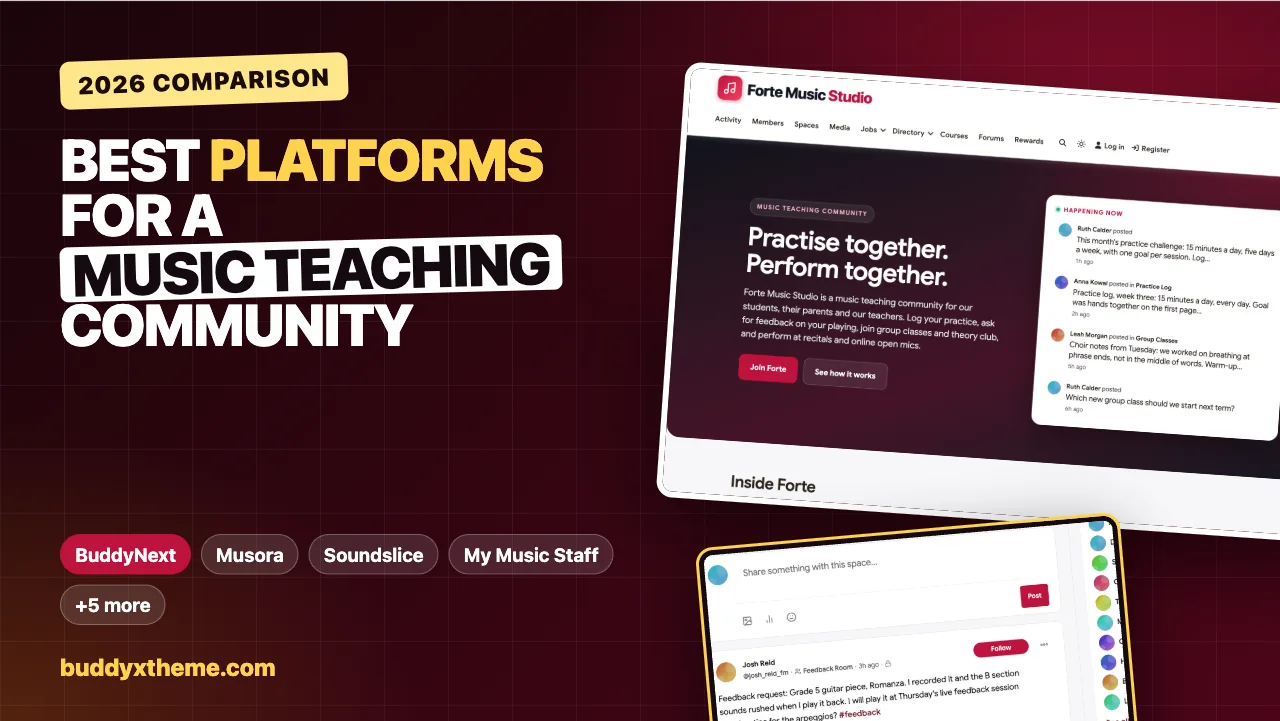
The homepage shows a visitor what the studio community is for: this month’s practice challenge, an adult beginner’s practice log, choir notes and a poll on the next group class.
The practice log and streaks
The Practice Log is an open space where members post what they practised, what went well and what is next. The host runs a monthly challenge (fifteen minutes a day, five days a week, one goal per session), and the sidebar streak counter shows each member how many days in a row they have kept going.
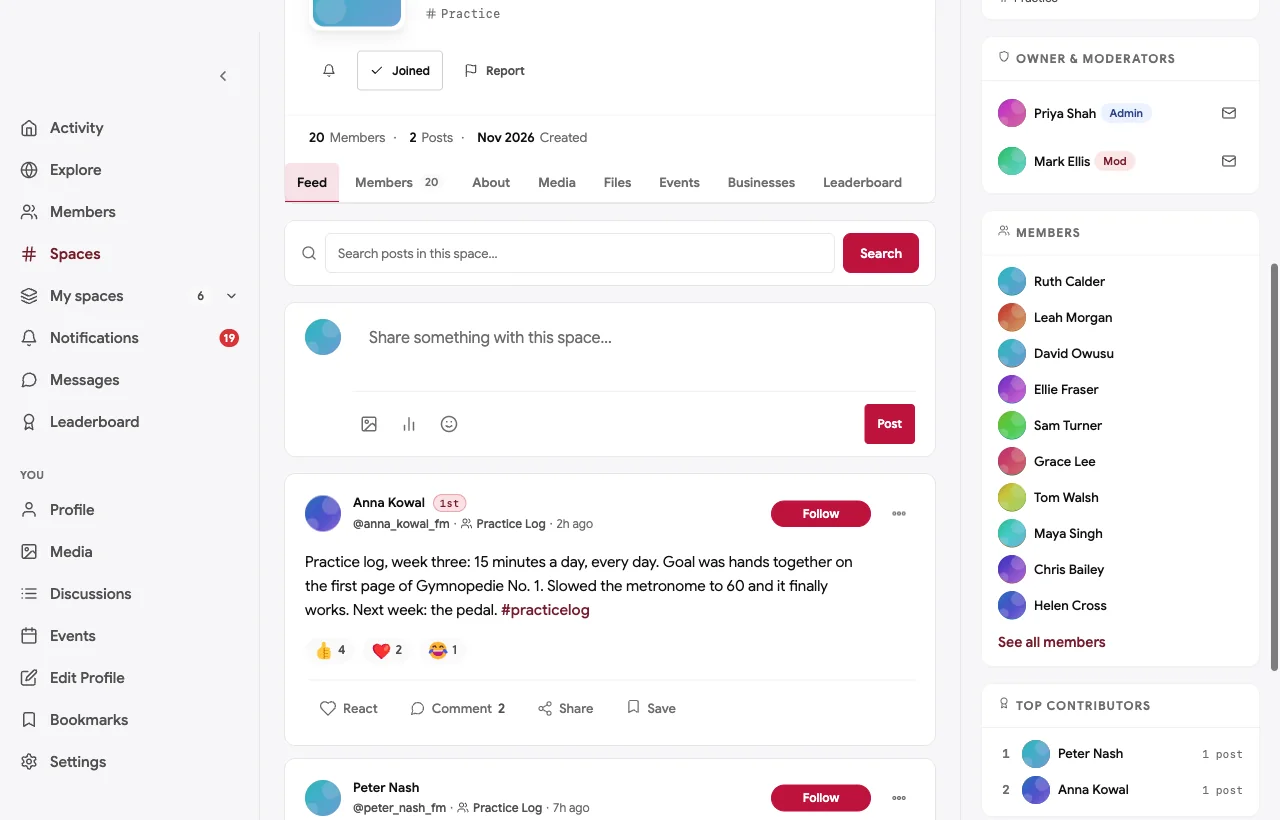
The posts are small and specific: “Goal was hands together on the first page. Slowed the metronome to 60 and it finally works.” That is exactly the habit the course teaches. When a 68-year-old cellist posts that he played a scale in tune for the first time, the whole community celebrates it, which is a better motivator than any sticker chart.
The Feedback Room
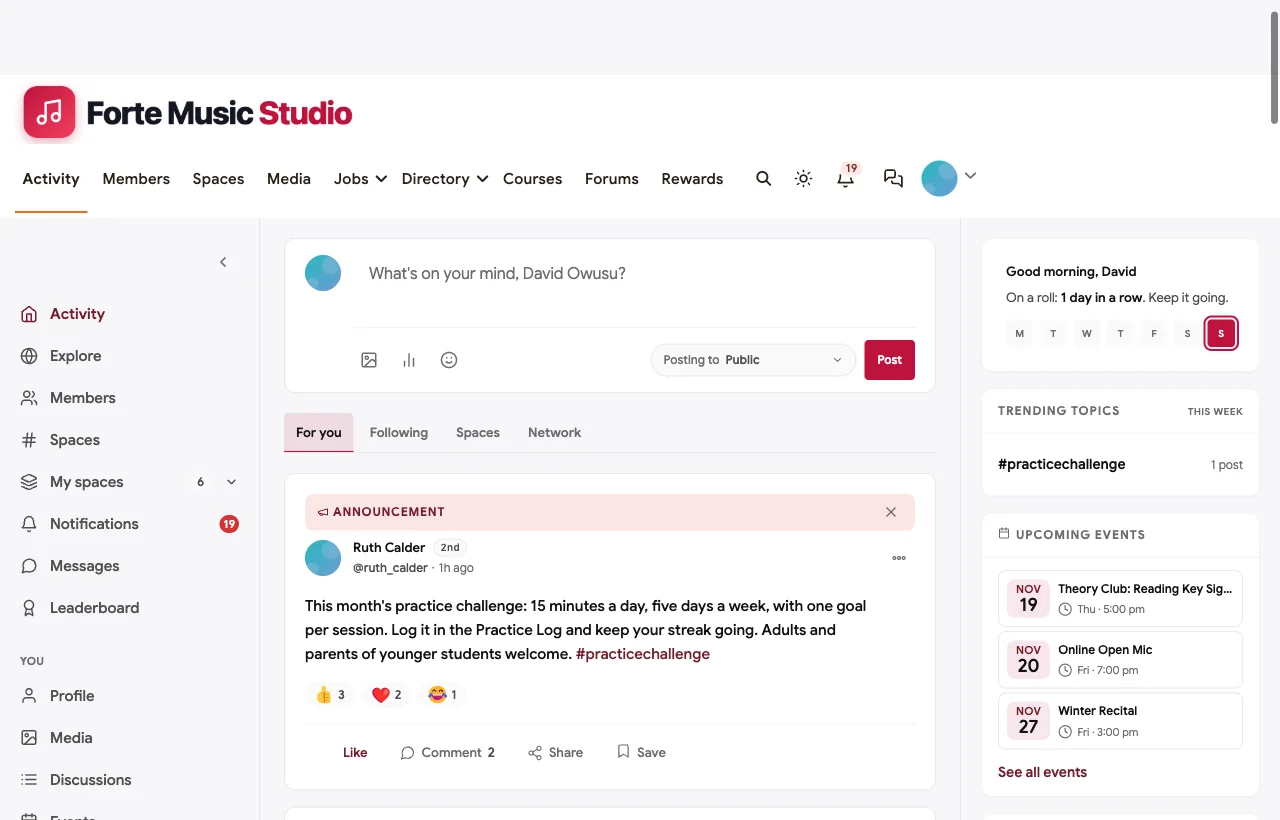
The Feedback Room is private. Members post a recording, as video or audio, and say what they want help with; teachers and other members reply with one thing that works and one thing to try. Keeping it private makes students willing to share unfinished playing.
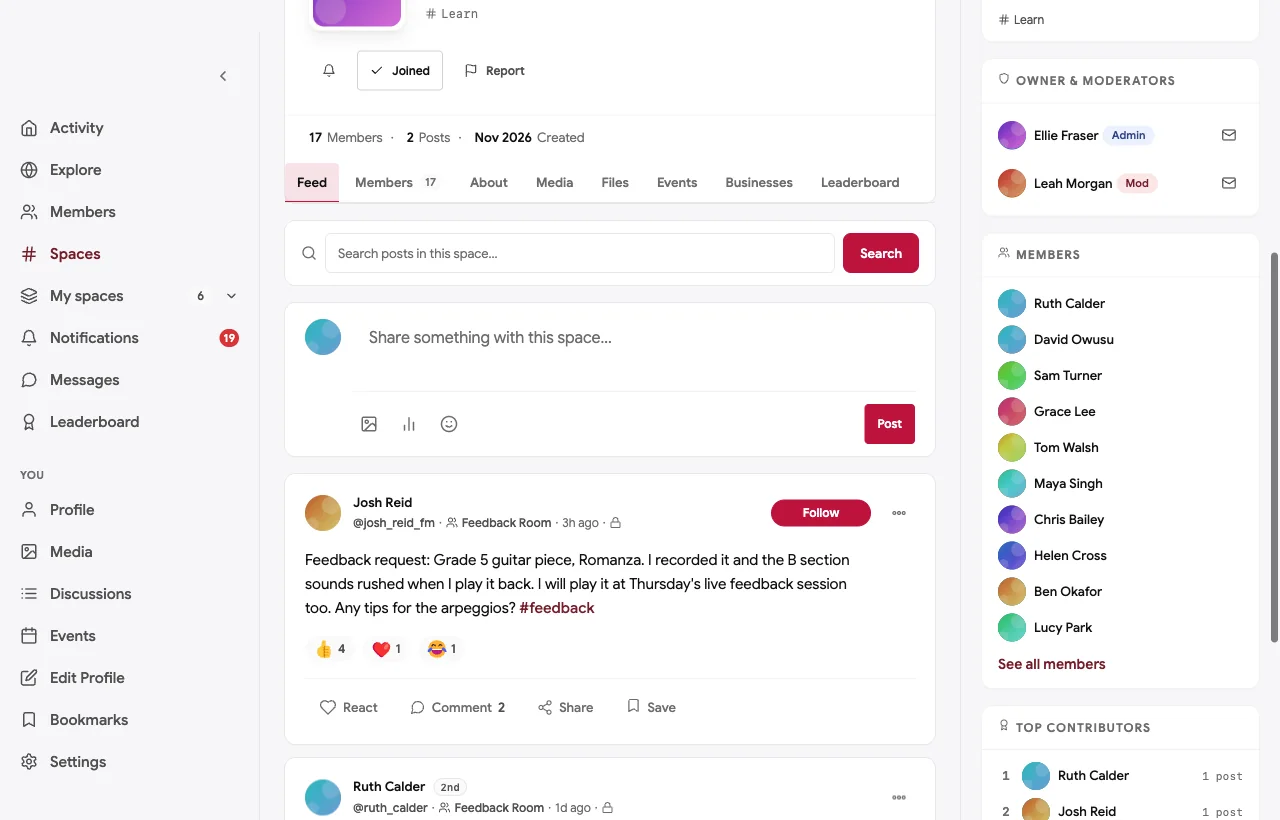
A guitar student preparing for a grade exam hears that the B section sounds rushed on their recording. The guitar teacher’s reply is specific: practise it at 70 percent of the tempo, accenting the bass note of each arpeggio, because the rush usually comes from the thumb. The student brings the piece to the live feedback session on Thursday. A direct message from the teacher confirms the plan.

Ask a Teacher
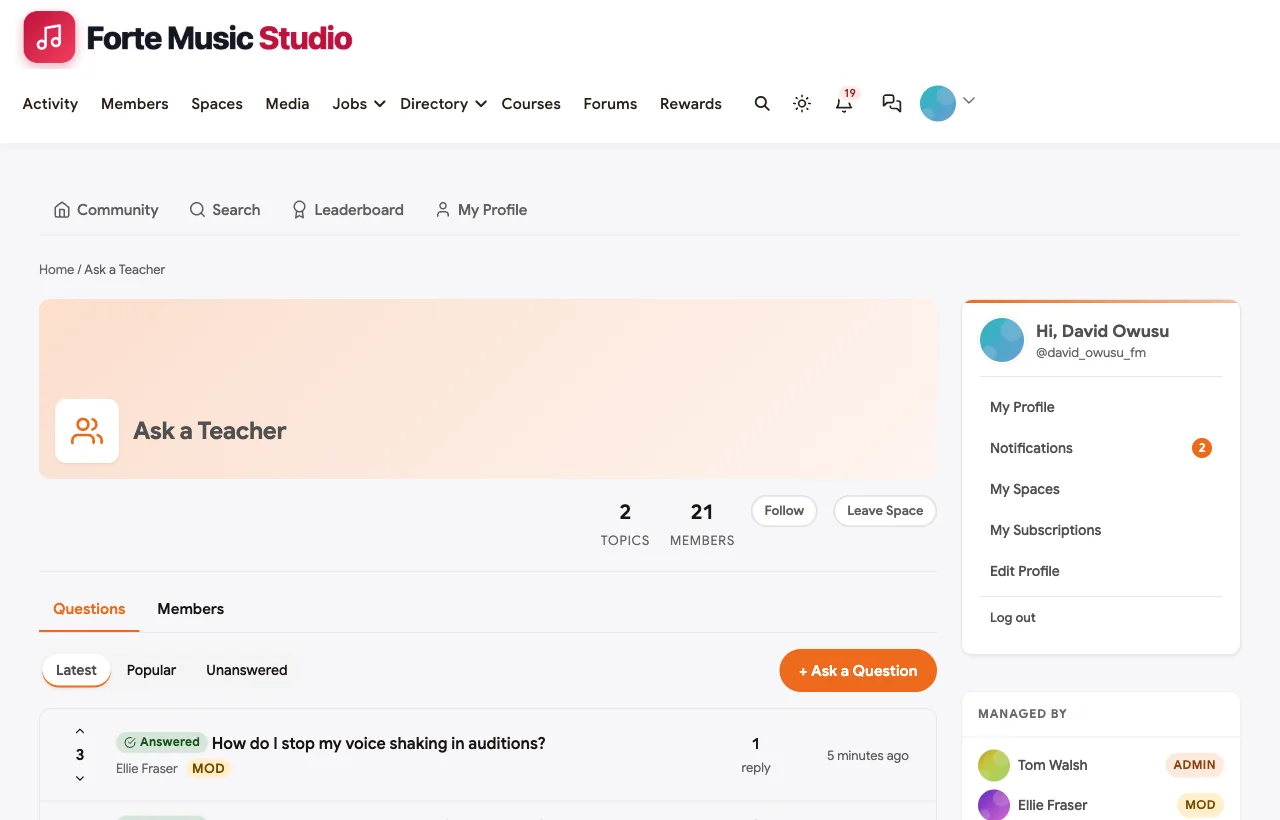
Ask a Teacher is a Q&A forum. The best answer is marked accepted, so the next student with the same question finds it at the top.
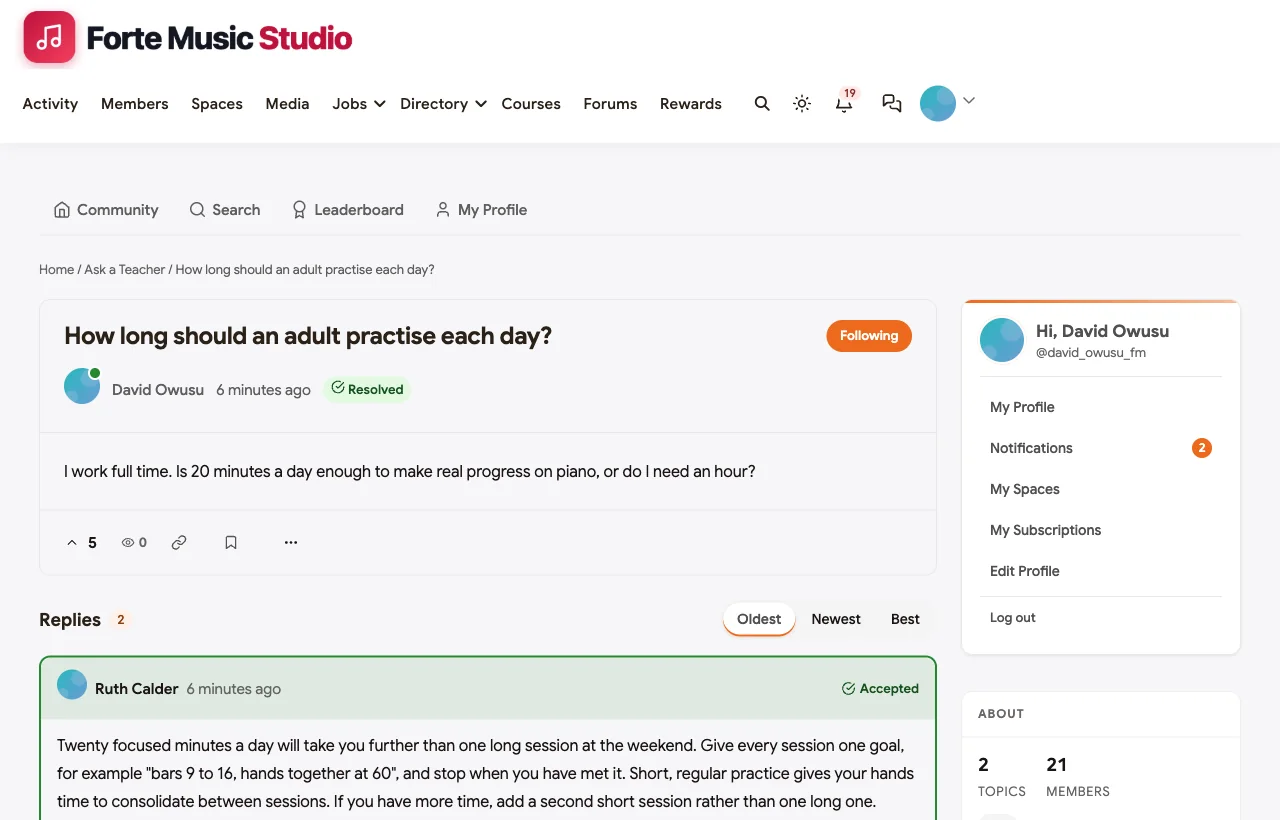
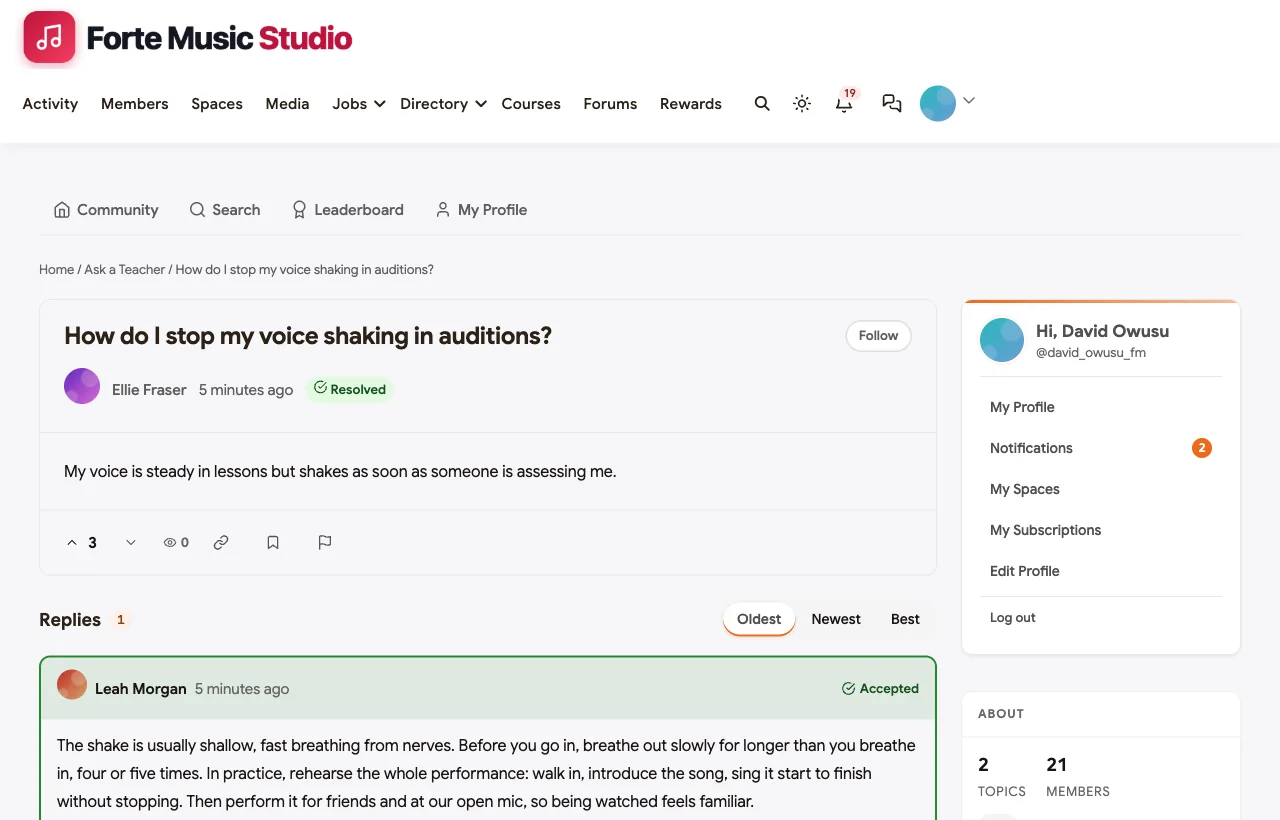
An adult with a full-time job asks whether 20 minutes a day is enough. The accepted answer explains why twenty focused minutes beat a long weekend session, and another member confirms it changed their progress. A singer preparing a college audition asks why her voice shakes when someone is assessing her, and the voice teacher explains the breathing and the rehearsal habit that fixes it.
Group classes
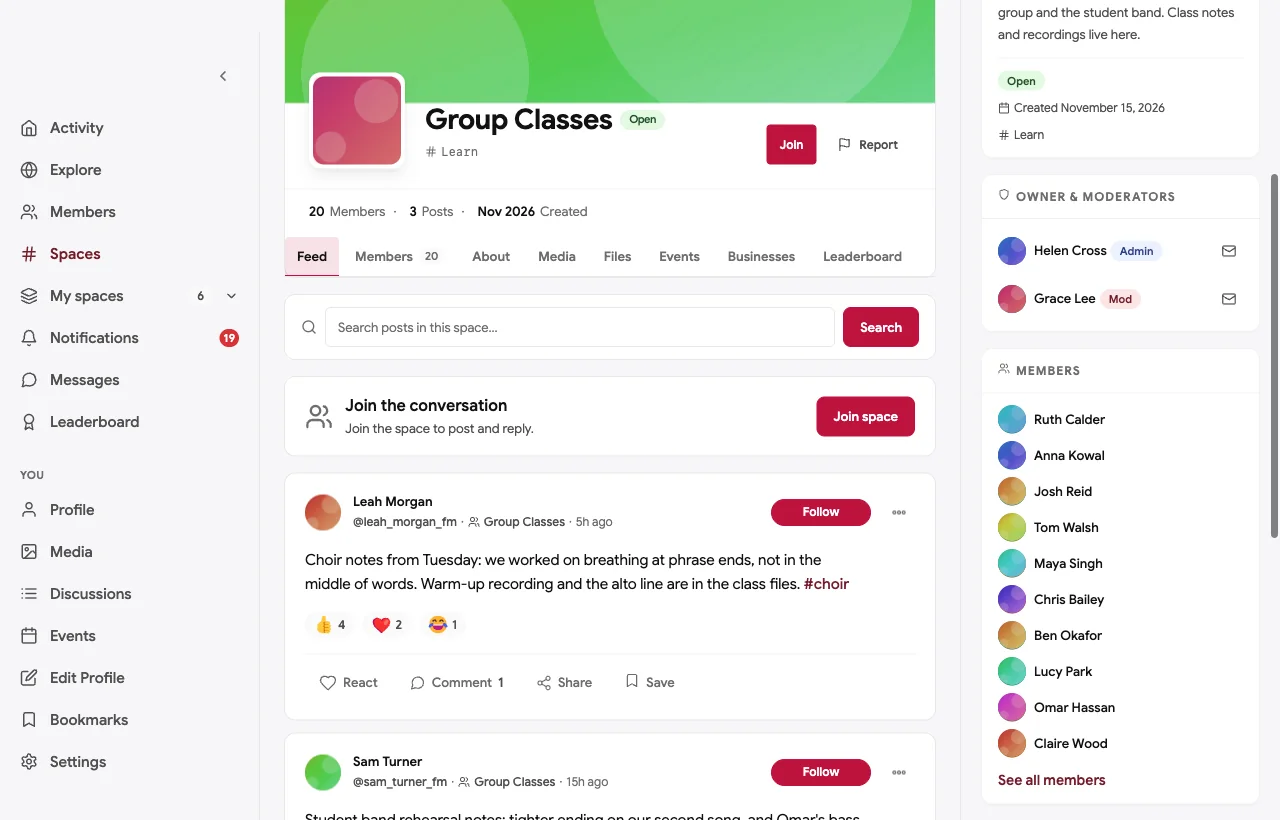
Group classes give students something one-to-one lessons cannot: playing with other people. The Group Classes space holds class notes and recordings for theory club, choir, adult beginner piano, the ukulele group and the student band.
Recitals and open mics
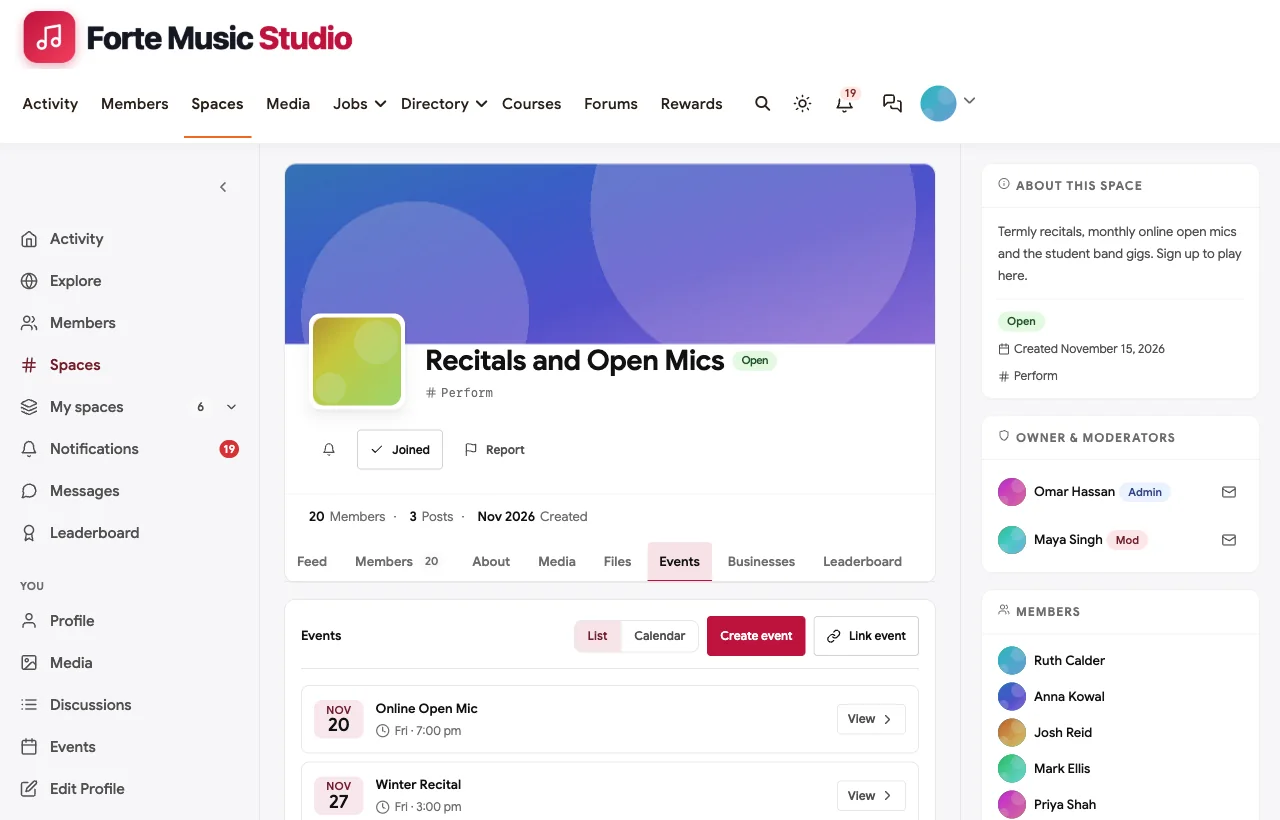
A recital is the goal that keeps a student practising through a dark winter. The Recitals and Open Mics space is where students sign up to play, and each performance is an event: a termly recital with families in the audience and a monthly online open mic where members play one piece from home as a friendly first stage.

Parents Corner
Parents of younger students are an essential part of a music studio, and they have their own questions: how to get an eight-year-old to practise without an argument, when exams are, what to bring to the recital. Parents Corner is a private space for them, with the host and studio manager.

In the demo, members are adult learners, students aged 16 and over, parents and teachers. Younger students take part through a parent, who logs practice on their behalf. That keeps children out of an open online community while still giving families the benefits.
The practice course
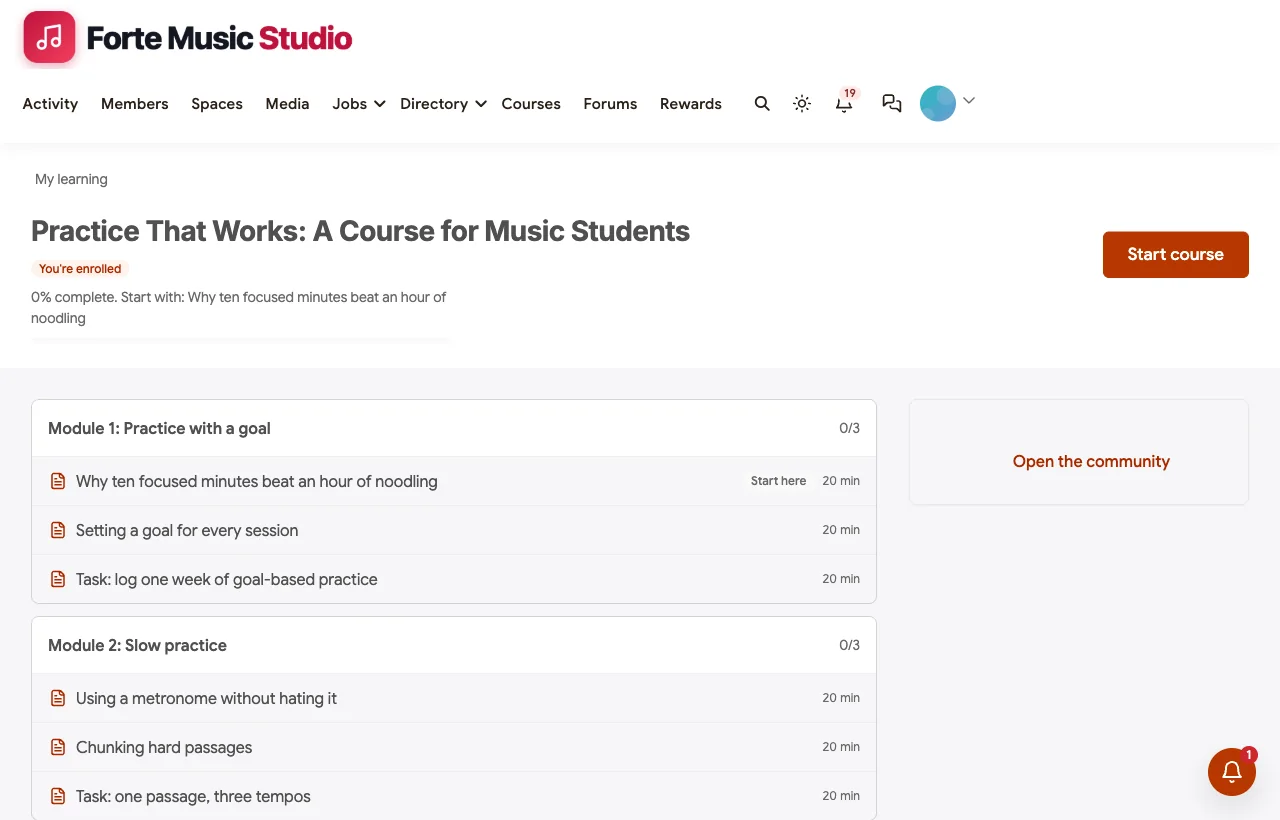
Practice That Works is a six-module course for students of any instrument: practising with a goal, slow practice, recording yourself, technique and musicality, performing, and keeping it up. Each module ends with a practice task logged in the Practice Log or a recording posted to the Feedback Room.
Class requests and the roadmap
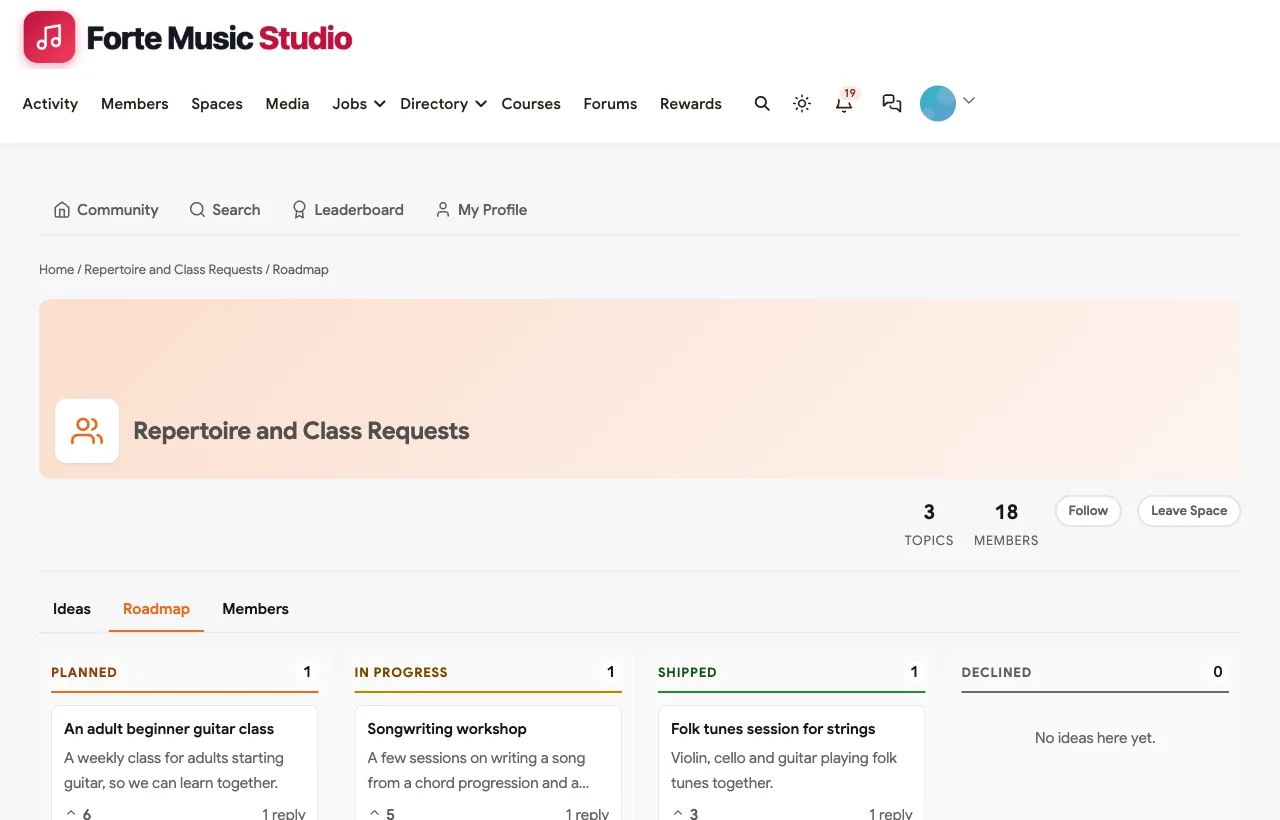
Members suggest new group classes and pieces, and vote. The host marks ideas as planned, in progress or shipped.
Gigs, members and recognition
Some students want to play for money. The job board carries paid gigs from partners, here a ceremony pianist for weddings and an acoustic duo for summer events, alongside a studio role for an exam accompanist.

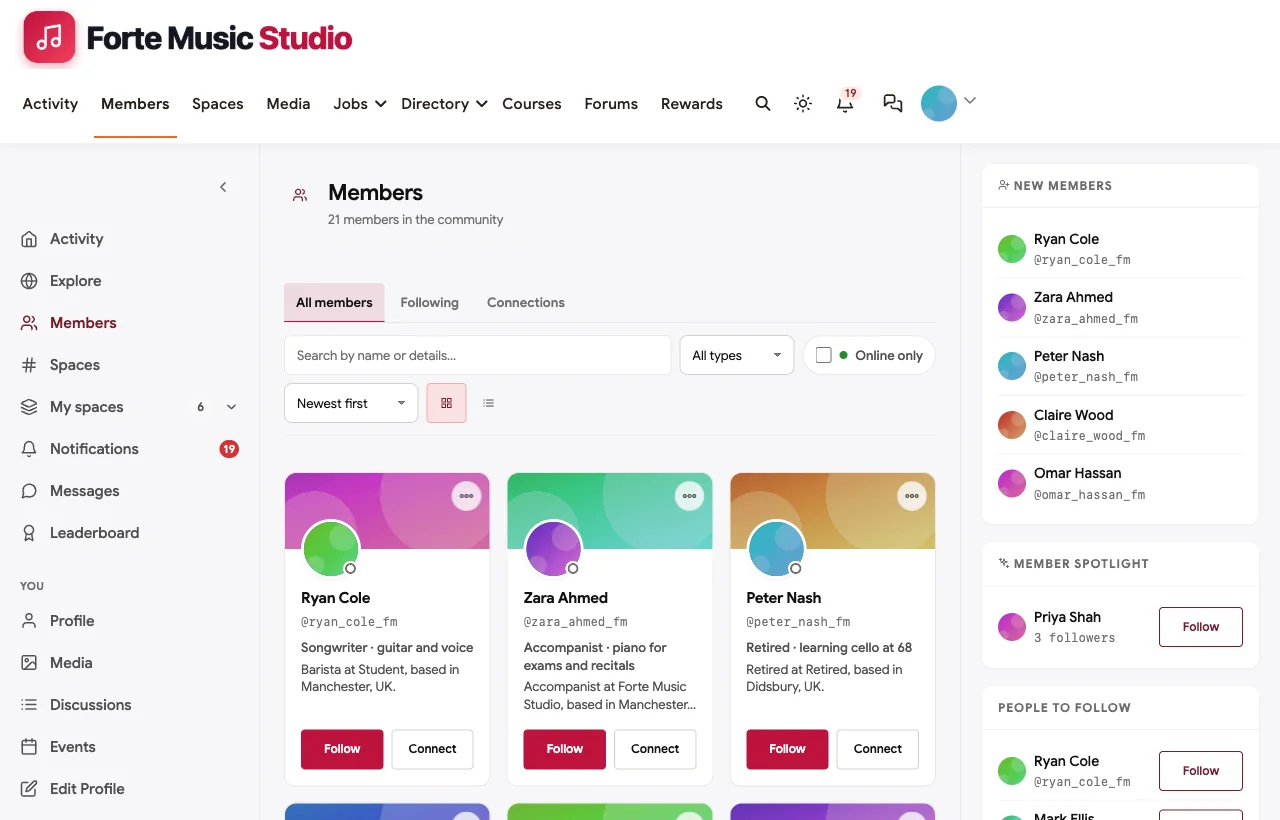
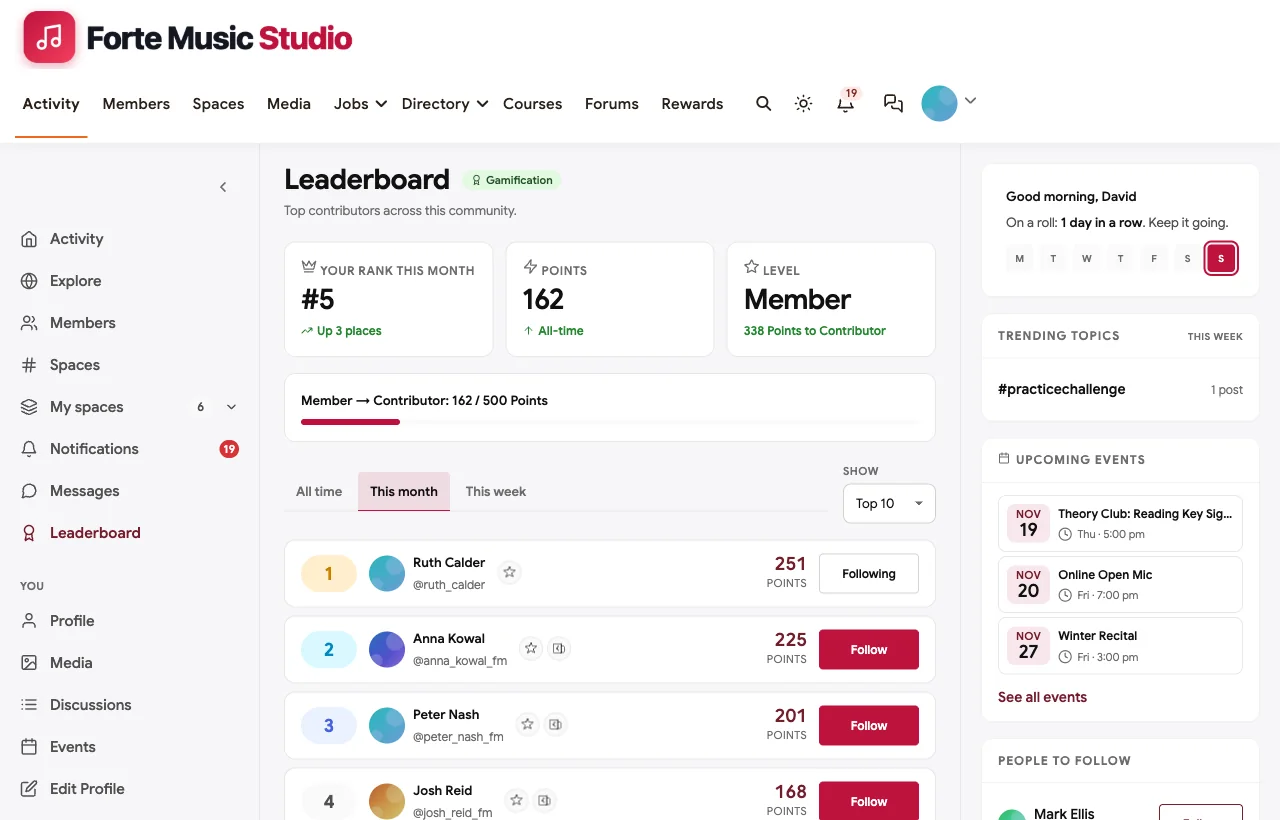
Points and a leaderboard reward logging practice and helping others, not only asking for help.
On a phone
Students practise with their phones on the music stand. The whole community works in the mobile browser without an app download.
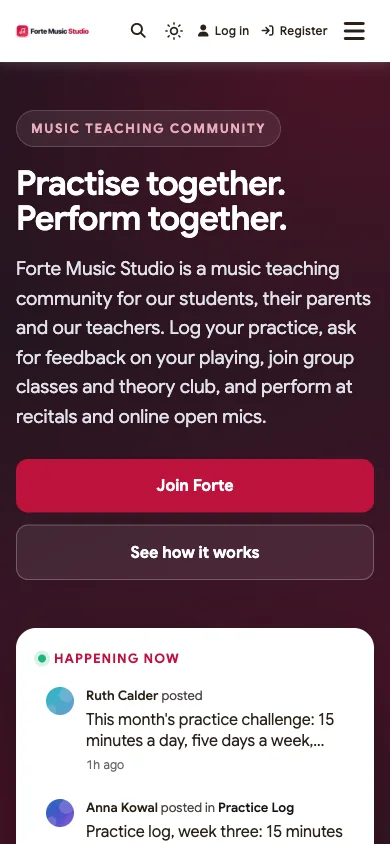
Also built in. Polls for class topics and practice surveys, hashtags, a member directory, notifications, moderation and reporting, points and badges, and paid memberships with trials and coupons.
Not built for: lesson scheduling, attendance and invoicing, or automatic pitch and rhythm detection. Keep studio software such as My Music Staff for admin, and a learning app if you want automated note checking. It is self-hosted, so you run WordPress or use a managed host.
What’s included, and how it is delivered
BuddyNext is one platform made of a core and add-on platform modules. Everything shown in the demo above runs on the BuddyNext platform. This table shows which parts come with the core, which are platform modules you install and activate alongside it, and which need a third-party plugin, another system or custom work.
| Capability | How it is delivered |
|---|---|
| Open, private and secret spaces for practice, feedback and parents | Core platform |
| Activity feed, pinned announcements, polls and hashtags | Core platform |
| Member profiles and directory | Core platform |
| Reporting and moderation queue | Core platform |
| Video, audio and photo posts for recordings | Platform module, installed alongside |
| Direct messages | Platform module, installed alongside |
| Group classes, open mics and recitals as events | Platform module, installed alongside |
| Ask a Teacher Q&A with accepted answers and a class roadmap | Platform module, installed alongside |
| Practice course with certificates | Platform module, installed alongside |
| Gig board | Platform module, installed alongside |
| Points, streaks, badges and leaderboards | Platform module, installed alongside |
| Paid memberships with trials and coupons | Platform module, installed alongside |
| Lesson scheduling, attendance and invoices | Another system (studio software) |
| Live video for classes and open mics | Third-party video tool (Zoom, Google Meet) |
Want to click around yourself? The Forte Music Studio community in this guide was built on a private test site, so it is not public. The BuddyNext live demo is a general community you can open in your browser and explore without installing anything.
2. My Music Staff: best for running the studio’s admin
My Music Staff says that “Since 2013, My Music Staff has been the #1 studio management software for private music teachers & music studios” (My Music Staff). It lets teachers “Schedule private & group lessons,” “Take attendance & record detailed notes,” “Send automatic email & SMS reminders” and “Give access to lesson notes, online resources, & studio news.”
Strengths: mature scheduling, attendance and family communication for private teachers.
Gaps: no peer community, feedback on recordings, Q&A or recital tools found. It pairs well with a community rather than replacing one.
3. MakeMusic Studio: best for booking and repertoire playback
MakeMusic Studio, where the former fons.com address now redirects, promises “More Time for the Moments that Matter” (MakeMusic Studio). Families “can request lesson times within those settings, helping reduce scheduling back-and-forth,” and teachers can “Play and teach your favorites from Disney, Suzuki, and more, with tempo-adjustable, professionally-recorded playback.”
Strengths: self-booking for families and repertoire playback for lessons.
Gaps: no community, feedback space, Q&A or recital management found.
4. Duet Partner: best for a simple studio manager
Duet Partner invites teachers to “Manage your studio confidently” (Duet Partner), with a smart scheduler, self-scheduling and text-first communication. One teacher quoted on the site says it lets them “manage a large roster of students without needing to hire somebody.”
Strengths: scheduling and communication for busy solo teachers.
Gaps: no practice tracking, feedback, community or events found.
5. Musora: best for learning from Musora’s own coaches
Musora, the company behind Pianote and Drumeo, promises “Learn to play any instrument” (Musora). “The Progress Tracker captures every lesson, practice session, and performance,” and members can “Track daily and weekly consistency to stay accountable.” Its community page offers “Submitting a video of yourself playing or singing for private, personal feedback from a real coach” (Musora).
Strengths: polished lessons, progress tracking and coach feedback across five instruments.
Gaps: students learn from Musora’s instructors in Musora’s community, not yours; no studio tools for your own roster found.
6. Yousician: best for automatic feedback while practising
Yousician says “Our award-winning technology listens to you play and gives instant feedback on your accuracy and timing” (Yousician). Students can “Follow lesson plans created by real music teachers” and “Stay motivated with goals and progress tracking.”
Strengths: instant, automatic feedback on notes and timing, with game-style motivation.
Gaps: no peer community, teacher classroom tools or live sessions found.
7. Soundslice: best for notation synced with video lessons
Soundslice helps teachers “Create effective, easy-to-use online music lessons for your students. With real performance video synced with notation” (Soundslice). On its teachers page: “Students privately upload audio or video of themselves performing,” and “Then you can provide feedback via our comments system” (Soundslice).
Strengths: the best tool here for interactive sheet music and one-to-one feedback on recordings.
Gaps: feedback is teacher to student; no peer community, events or recitals found. Many teachers could use Soundslice for lesson material and a community for everything around it.
8. tonestro: best for beginners who want instant note checking
tonestro calls itself “The music school for every instrument” (tonestro). “While you play, tonestro checks your notes and your rhythm: green means right, red shows a note that was off,” and its courses are “made by music teachers.” A family plan lets “up to six people learn with one subscription.”
Strengths: friendly automatic note and rhythm checking for beginners and families.
Gaps: no community, human feedback, classes or recitals found.
9. Circle: best hosted community with courses and events
Circle helps you “Build a home for your community, events, and courses - all under your own brand” and “Customize your spaces, prompt discussions, host live events, and launch your course” (Circle), with “Posts and comments with rich media.”
Strengths: discussions, courses and live events in one hosted product.
Gaps: no music-specific features found: no practice logs or streaks, Q&A with accepted answers, parents space setup or gig board.
10. Mighty Networks: best hosted community with native apps
Mighty Networks offers “Community. Courses. Events.” and “Native mobile apps you won’t find anywhere else” (Mighty Networks). It says “59% of active members return weekly” and “84% of activity on Mighty is created by members with other members.”
Strengths: member-to-member engagement, courses and apps in a hosted product.
Gaps: no music-specific features found: no feedback on recordings, practice tracking or recital tools.
Running a practice challenge that works
A practice challenge is the simplest way to get a quiet community moving. These habits make it last:
- Make it small. Fifteen minutes a day, five days a week. A target students can hit on a bad week keeps them in.
- One goal per session. “Bars 9 to 16, hands together at 60” is a goal. “Practise the piece” is not.
- Log it where others see it. A short post in the Practice Log turns practice from a private chore into a shared habit.
- Celebrate the small wins. A scale in tune, a passage at full tempo, the first time through without stopping.
- Include the parents. Let parents log practice for younger children, so families take part together.
Giving feedback that students act on
Feedback on a recording is powerful and easy to overdo. A useful pattern for teachers and members alike:
- One thing that works. Specific and true, so the student knows what to keep.
- One thing to try. The single change that would make the biggest difference, with a concrete method (“70 percent of the tempo, accent the bass note”).
- Then ask for the next recording. Feedback lands when the student hears the difference a week later.
Keep the Feedback Room private, and remind students that recordings sound worse than they remember. Everyone’s do.
Keeping children safe
A music studio teaches children, so the community needs a clear rule about them. In the demo, members are adults, students aged 16 and over, parents and teachers; younger students take part through a parent’s account. Parents get a private Parents Corner. Teachers communicate with younger students’ families through parents, not through direct messages to children. Whatever age you choose, write the rule into your Start Here space and your registration settings, and follow your local safeguarding guidance.
Questions to ask before you choose
- Is this your community or someone else’s? Musora, Yousician and tonestro teach with their own instructors; BuddyNext, Circle and Mighty Networks are communities you run.
- Can students share recordings privately? Look for video and audio posts in a private space.
- Is there a place for parents? Families need their own space, separate from students.
- Can you run classes and recitals? Events for group classes, open mics and recitals.
- What does your studio software already do? Keep scheduling and invoicing there, and add the community around it.
- Who owns the members and the archive? On your own site, the practice logs, answers and recital history are yours.
A 30-day launch plan
- Week one: foundations. Create Start Here, Practice Log, Feedback Room, Ask a Teacher and Parents Corner, and write the age rule into Start Here.
- Week two: the first challenge. Launch a fifteen-minutes-a-day practice challenge and log your own practice too.
- Week three: classes. Move one group class into the community with notes and recordings, and open class requests.
- Week four: a stage. Run the first online open mic and announce the next recital as an event.
Which platform fits your music studio?
| If you… | Choose |
|---|---|
| Want practice logs, feedback, Q&A, classes, recitals and a parents space in a community you own | BuddyNext |
| Need scheduling, attendance, reminders and invoices | My Music Staff, MakeMusic Studio or Duet Partner |
| Want notation-synced lessons and private feedback on uploads | Soundslice |
| Want students to learn from an established instructor brand | Musora |
| Want automatic note and timing feedback | Yousician or tonestro |
| Want a general hosted community with courses | Circle or Mighty Networks |
More community platform comparisons
Running a different kind of learning or creative community? These guides use the same method: a working demo community and vendor claims checked at the source.
- Best platforms for a photography learning community: critique, weekly challenges and photo walks.
- Best platforms for an online tutoring community: students, parents and tutors in one community.
- Best platforms for a paid language learning community: practice, corrections and live sessions.
- Best platforms for an online course community: courses with discussion and support.
- How to set up a community space on WordPress: the step-by-step setup guide behind every demo in this series.
How we built and checked this list
We built the Forte Music Studio demo on a local WordPress site running BuddyNext, with fictional teachers, students, parents, a course, classes, recitals and gigs created for this guide. Every BuddyNext screenshot is from that demo. Competitor features were checked against each vendor’s own website in November 2026, and the employment figures come from O*NET OnLine. MakeMusic Studio is listed under that name because fons.com now redirects to it. We left out TakeLessons because its website no longer resolves, and Fender Play because we found no community or teacher feedback features on its pages. Where we could not confirm a feature on a vendor’s own pages, the scorecard says “Not found”. We did not run a hands-on trial of every product, so features can change; confirm anything critical with the vendor. buddyxtheme.com is published by the team behind BuddyNext, which is why BuddyNext is listed first; we have tried to be fair about its gaps as well as its strengths.
Frequently asked questions
What is the best platform for a music teaching community?
BuddyNext is the best choice for a music teaching community you own, with a practice log and streaks, a private feedback room for recordings, Ask a Teacher, group classes, recitals, a parents space and a practice course. Pair it with studio software such as My Music Staff for scheduling and invoices.
How do I keep music students practising between lessons?
Run a small, regular practice challenge, ask students to log each session with one goal, show their streak, and give them a performance to work towards.
Can students share recordings for feedback?
Yes. In BuddyNext, students post video or audio recordings in a private feedback space, and teachers and members reply with specific notes.
Should children be members of a music studio community?
Many studios keep accounts for adults and older students only, and let younger students take part through a parent’s account, with a private space for parents. Follow your local safeguarding guidance.
Do I still need music studio software?
If you schedule lessons, take attendance and send invoices, yes. Studio software handles admin; a community handles practice, feedback and performance.
Can I run online recitals and open mics?
Yes. Create each one as an event with a time and a video link, and let students sign up in a recitals space.
Can students use the community on their phones?
BuddyNext works in the mobile browser without an app download, so students can log practice from the music stand.
The bottom line
Lessons teach the music; the six days in between decide whether a student improves. If you want practice logs, feedback, Q&A, classes, recitals and a parents space in a community you own, BuddyNext is the strongest foundation, alongside studio software for admin. For notation-synced lessons, Soundslice leads, and for an instructor-led learning app, Musora.
And give your students a reason to practise tomorrow.