
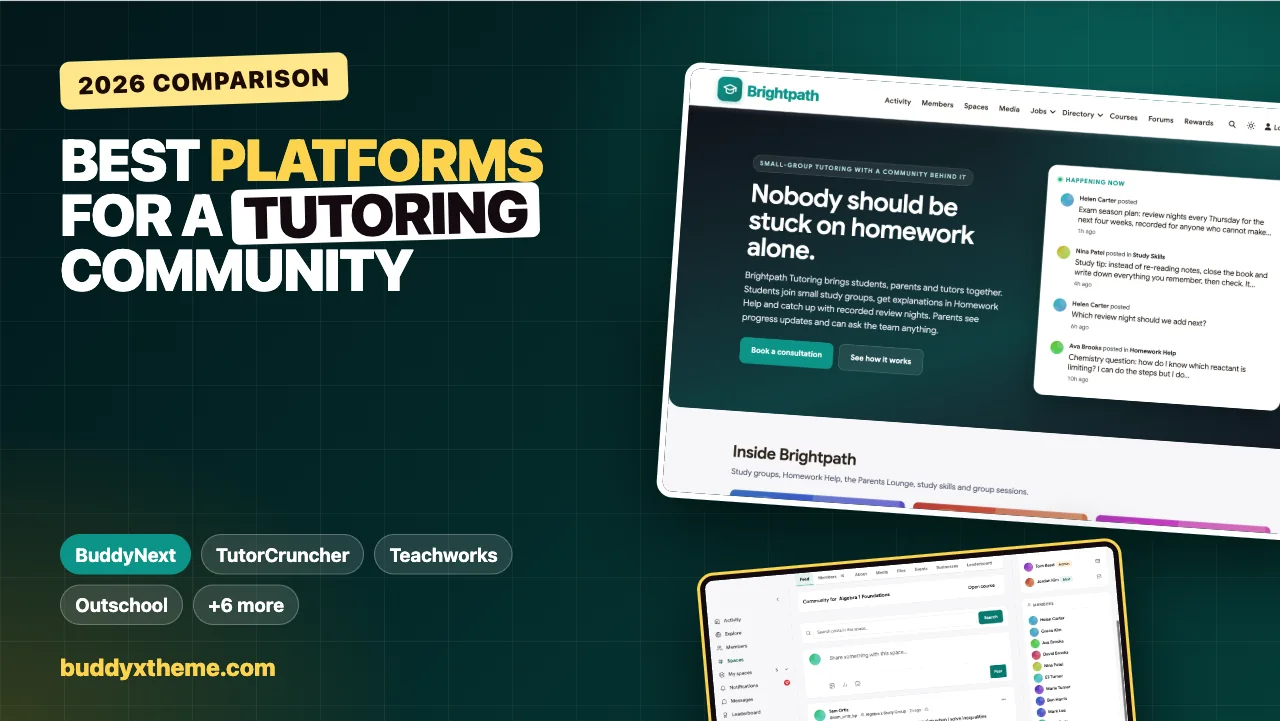
A tutoring session lasts an hour. Homework, doubt and exam nerves last all week. The tutoring businesses that get the best results do not just teach well in the session; they make sure students are not stuck alone between sessions, and that parents know what is happening without chasing the tutor for updates. That is what a tutoring community is for.
This guide compares the platforms a tutoring business or tutor collective can use, from tutoring business software and marketplaces to class platforms and community platforms. It covers study groups by subject, homework help with accepted answers, parent updates, group sessions with recordings, courses, and the safeguarding that matters when you work with young people. We built a working tutoring community for high school students, parents and tutors for the first entry and checked every competitor claim on the vendor’s own pages in November 2026.
Quick answer
If you want a community around your tutoring business, BuddyNext is the strongest choice: private study groups with tutors and parents, a Homework Help space where the explanation that helped is marked accepted, a parents-only lounge for progress updates, group sessions and review nights as events, self-paced courses with quizzes, and moderation tools, all on your own website. For scheduling, billing and lesson notes, TutorCruncher, Teachworks and Oases Online lead; Wyzant and Varsity Tutors are marketplaces, Outschool runs group classes, and Google Classroom, Circle and Skool cover narrower needs.
In this guide
- Tutoring software, marketplaces and communities
- Why the time between sessions matters
- What a tutoring community needs
- The tutoring community scorecard
- 1. BuddyNext: best for a community around your tutoring business
- 2. TutorCruncher: best tutoring business software with a parent portal
- 3. Teachworks: best for scheduling individual and group lessons
- 4. Oases Online: best for parent communication and group scheduling
- 5. Wyzant: best marketplace for finding 1:1 tutors
- 6. Varsity Tutors: best for 1:1 tutoring plus live group classes
- 7. Outschool: best for live group classes for young learners
- 8. Google Classroom: best for assignments and feedback
- 9. Circle: best hosted community with courses and live events
- 10. Skool: best for a simple course-and-community group
- Who sees what
- Safeguarding
- Running a tutoring community well
- Questions to ask before you choose
- A 30-day launch plan
- Which platform fits your tutoring business?
- More community platform comparisons
- How we built and checked this list
- Frequently asked questions
- The bottom line
Tutoring software, marketplaces and communities
Tutoring businesses use three kinds of tools, and they do different jobs:
| Kind | What it does | Examples |
|---|---|---|
| Tutoring business software | Scheduling, billing, lesson notes, parent portals and online lessons | TutorCruncher, Teachworks, Oases Online |
| Marketplaces and class platforms | Finding tutors or students, 1:1 lessons, group classes | Wyzant, Varsity Tutors, Outschool |
| Community and learning platforms | Study groups, homework help, parent communication, courses | BuddyNext, Google Classroom, Circle, Skool |
Business software runs the operations; a community keeps students and parents engaged between sessions. Many tutoring businesses run both: business software for bookings and invoices, and a community for everything that happens around the sessions.
Why the time between sessions matters
The National Student Support Accelerator at Stanford features this description on its site: “High-impact tutoring is an immersive form of tutoring based on relationship building and individualized instruction known to improve education outcomes and even school attendance” (National Student Support Accelerator). Relationships are built in sessions and kept between them. When students can ask a question on Wednesday instead of waiting until next Tuesday, and parents can see what was covered, the relationship holds all week.
What a tutoring community needs
| Need | Why it matters | What the platform needs |
|---|---|---|
| Study groups | Small groups need a home between sessions | Private groups with feed, events and members |
| Homework help | Questions come up at home, not in sessions | Q&A with accepted answers |
| Parent updates | Parents want to know what is happening | A parents-only space and messages from tutors |
| Group sessions | Review nights and workshops serve many students at once | Events with recordings |
| Practice | Students need structured practice | Courses with quizzes |
| Safeguarding | Many students are minors | Clear policies, group-only communication, moderation |
The tutoring community scorecard
How each option handles what matters most. “Not found” means we could not confirm it on the vendor’s own pages, not that it is impossible.
| Platform | Type | Study groups | Homework Q&A | Parent access | Group sessions | Scheduling and billing |
|---|---|---|---|---|---|---|
| BuddyNext | Community | Private spaces | Accepted answers | Parents-only space, parents in groups | Events with recordings | Not built in |
| TutorCruncher | Business software | Not found | Not found | Parent portal | Not found | Yes |
| Teachworks | Business software | Group lessons | Not found | Not found | Group lessons | Yes |
| Oases Online | Business software | Group classes | Not found | Parent portal | Group scheduling | Yes |
| Wyzant | Marketplace | Not found | Not found | Not found | Not found | Marketplace bookings |
| Varsity Tutors | Marketplace | Live classes | Not found | Not found | Weekly live classes | Marketplace bookings |
| Outschool | Class platform | Live group classes | Not found | Not confirmed | Live classes | Platform bookings |
| Google Classroom | Classroom tool | Classes | Assignments | Not confirmed | Meeting tools | Not found |
| Circle | Community | Spaces | Not found | Not found | Live events | Not found |
| Skool | Community | Not found | Not found | Not found | Not confirmed | Not found |
1. BuddyNext: best for a community around your tutoring business
BuddyNext is a complete community platform that runs on your own WordPress site. Open, private and secret spaces, Q&A with accepted answers, events, courses with quizzes, direct messages, polls, leaderboards and moderation tools work together. A tutoring business can give each study group a home, give parents their own space, and keep homework help and review nights in one place under its own brand.
To show it in practice, we built Brightpath Tutoring, a demo community for a small-group tutoring business run by a former math teacher. It has 20 members: math, science, English and physics tutors, a study skills coach, an operations lead, students in grades 11 and 12, and their parents. The community is for students aged 16 and over; younger students are supported through their parents.

Good at: keeping students unstuck between sessions, keeping parents informed, and serving many students at once with group sessions.
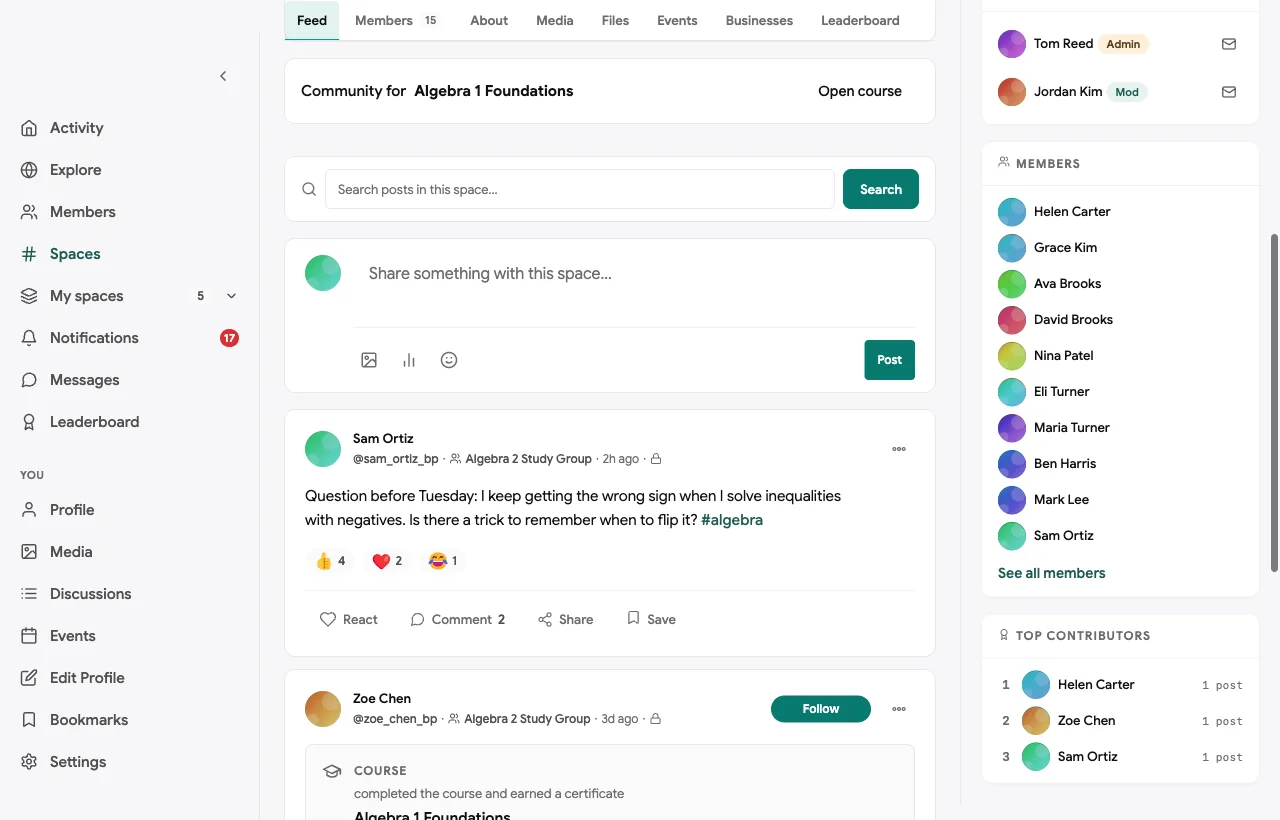
Private study groups with tutors and parents. Each study group has a private space for session notes, practice and questions between sessions. Students, their tutor and their parents are members, so nothing happens out of sight:
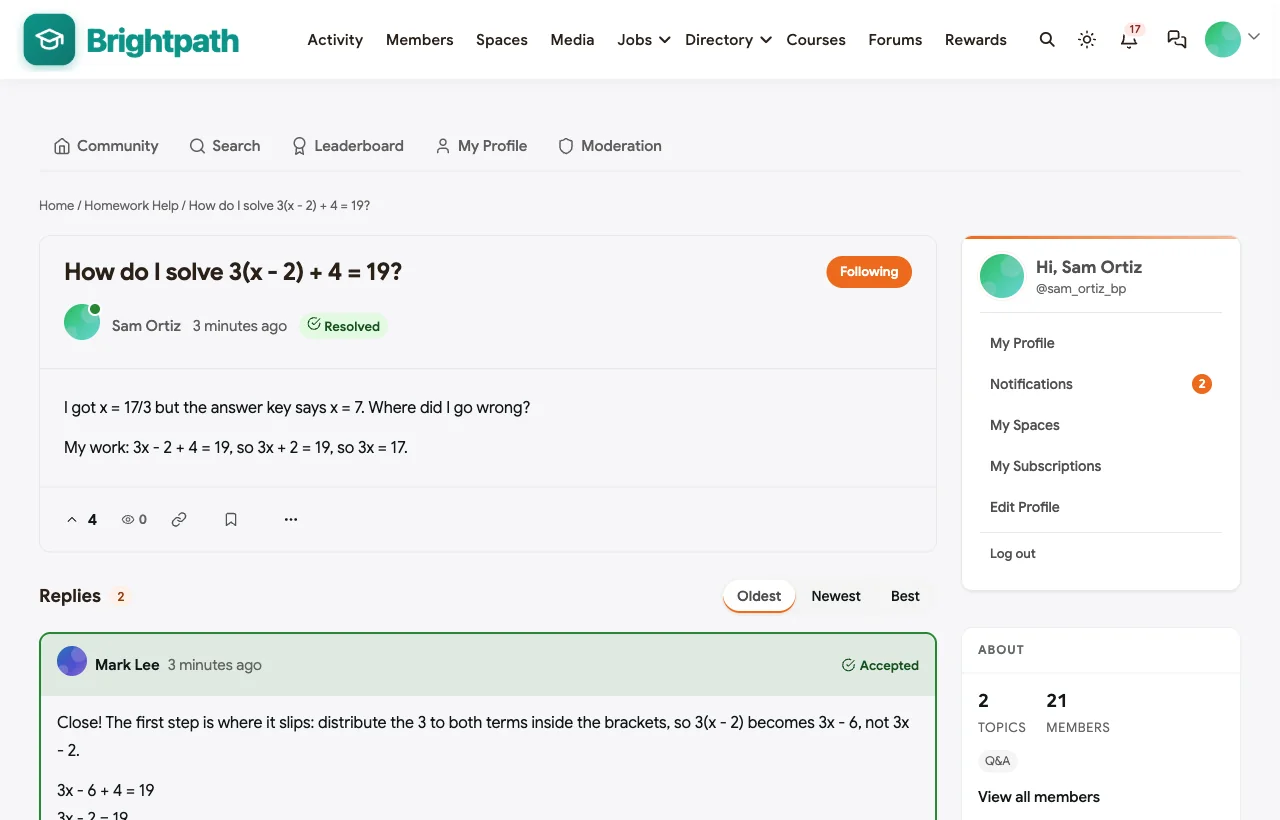
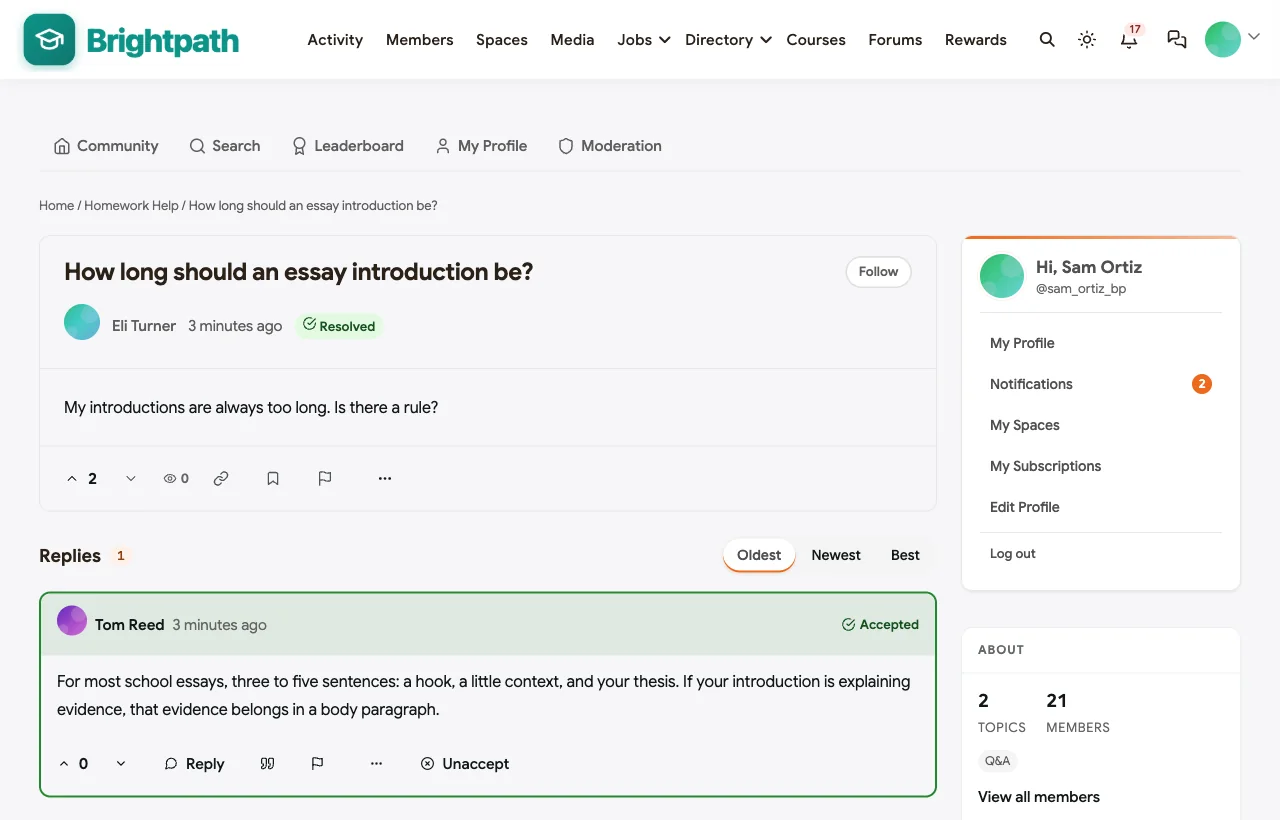
Homework Help with accepted answers. Students post a question with their working, and tutors explain where it went wrong. The explanation that helped is marked accepted. In the demo, a student gets the wrong answer on a linear equation and a tutor shows the distribution step he missed:
A parents-only lounge. Parents get progress updates from tutors, scheduling news and tips for supporting study at home, in a space students cannot see:
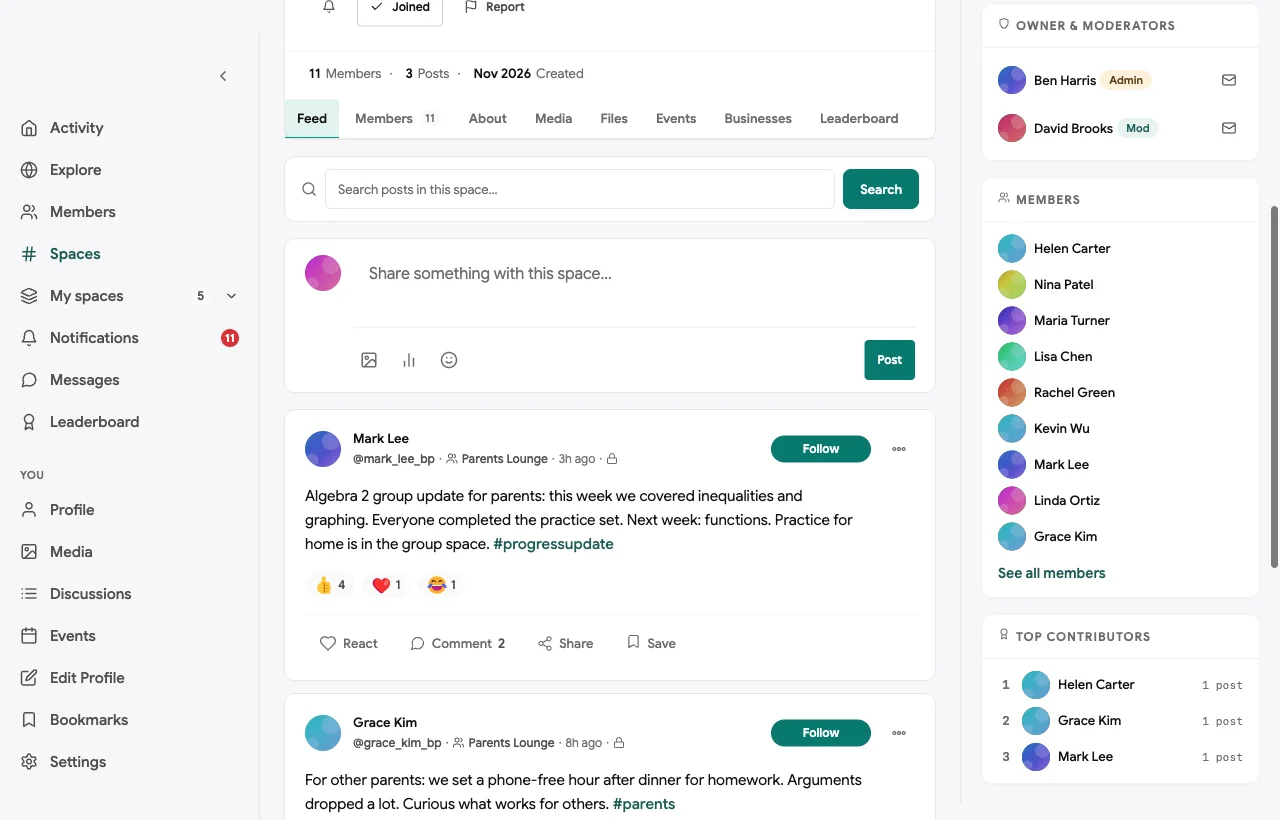
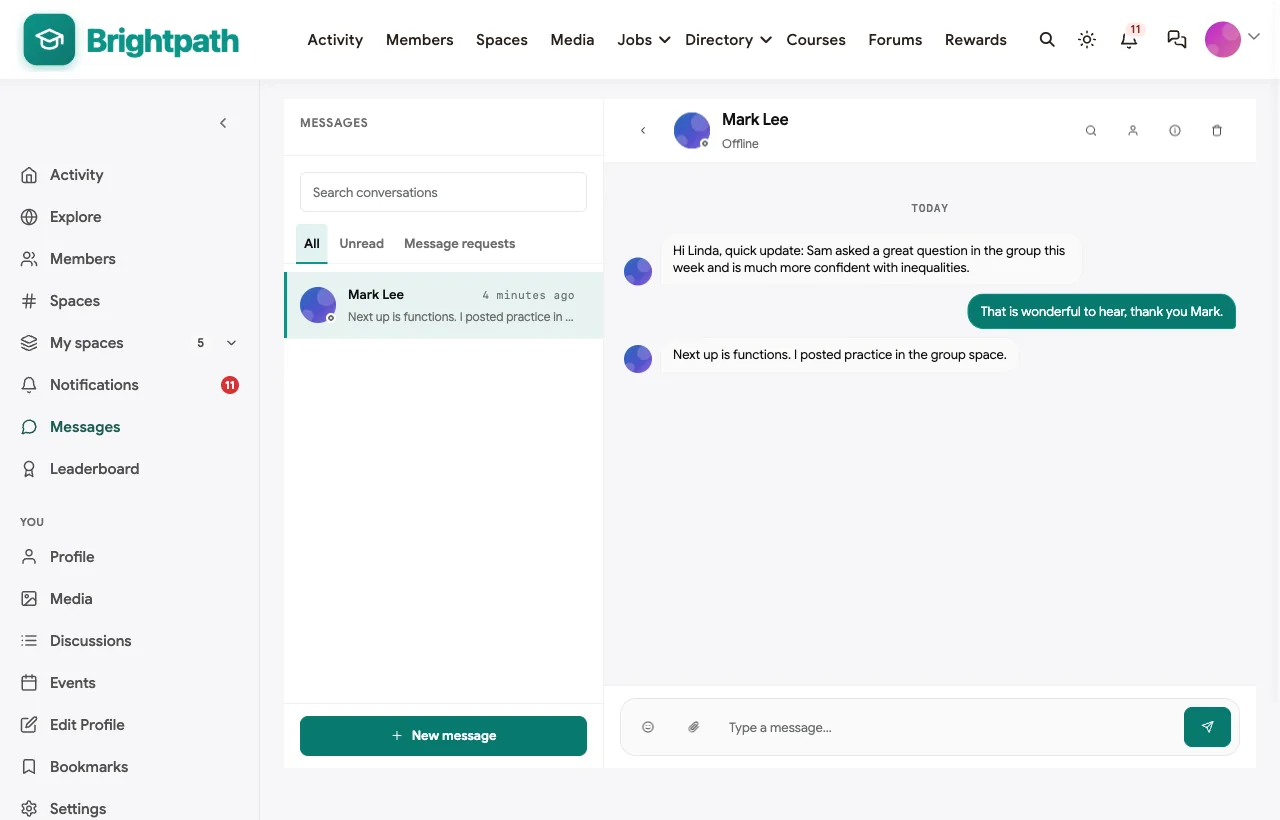
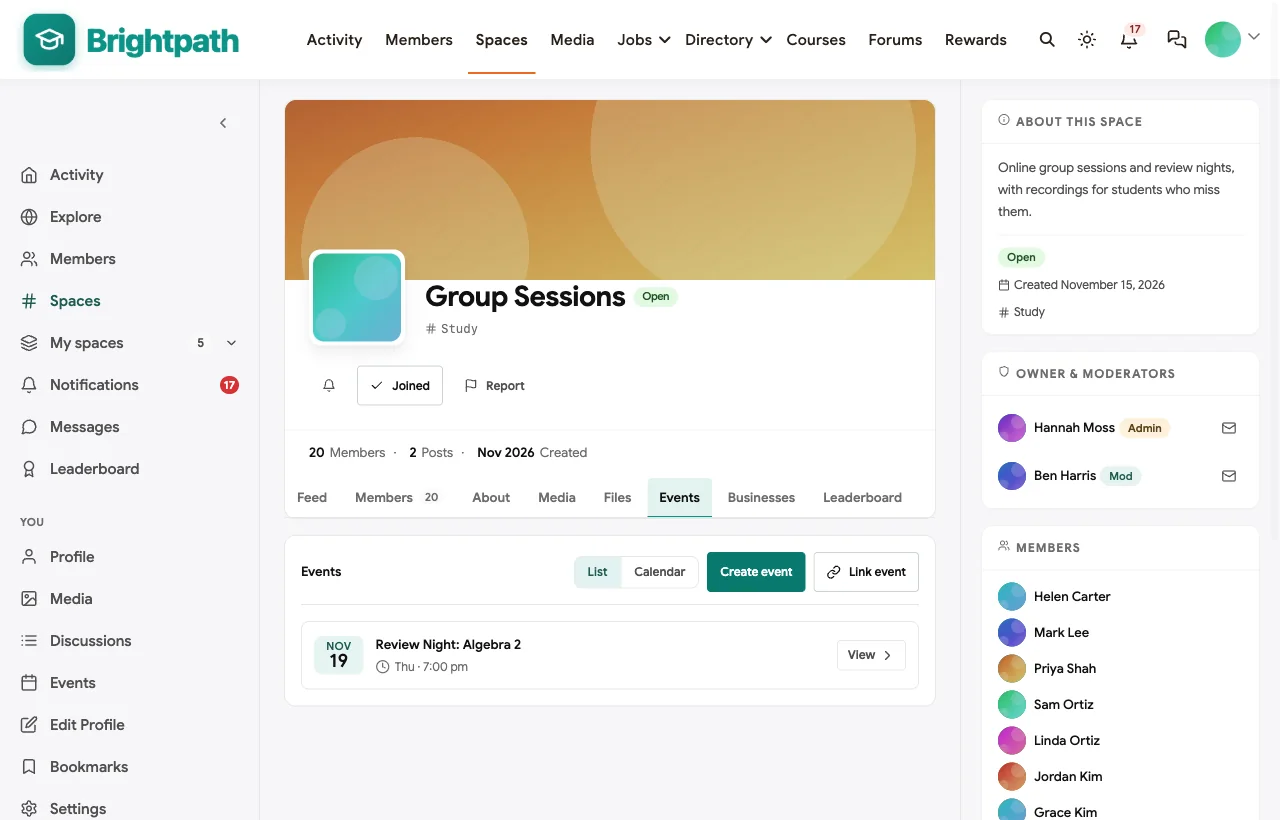
Group sessions and review nights. Weekly group sessions, exam season review nights and parent information evenings are events with RSVPs, and recordings are posted for students who miss them:
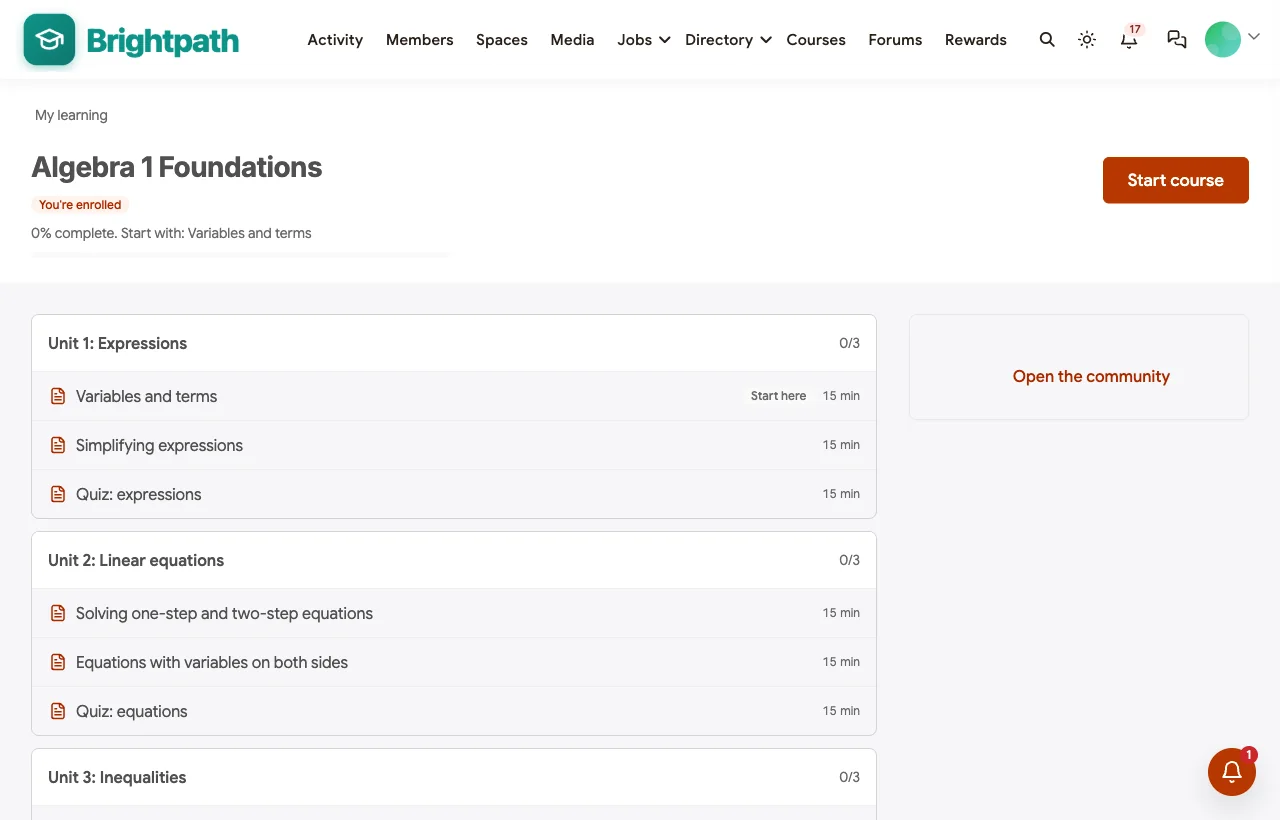
A self-paced course. Algebra 1 Foundations gives students worked examples, practice sets and quizzes between sessions, with a certificate on completion:
Study skills. A study skills coach shares planning and memory techniques with everyone:
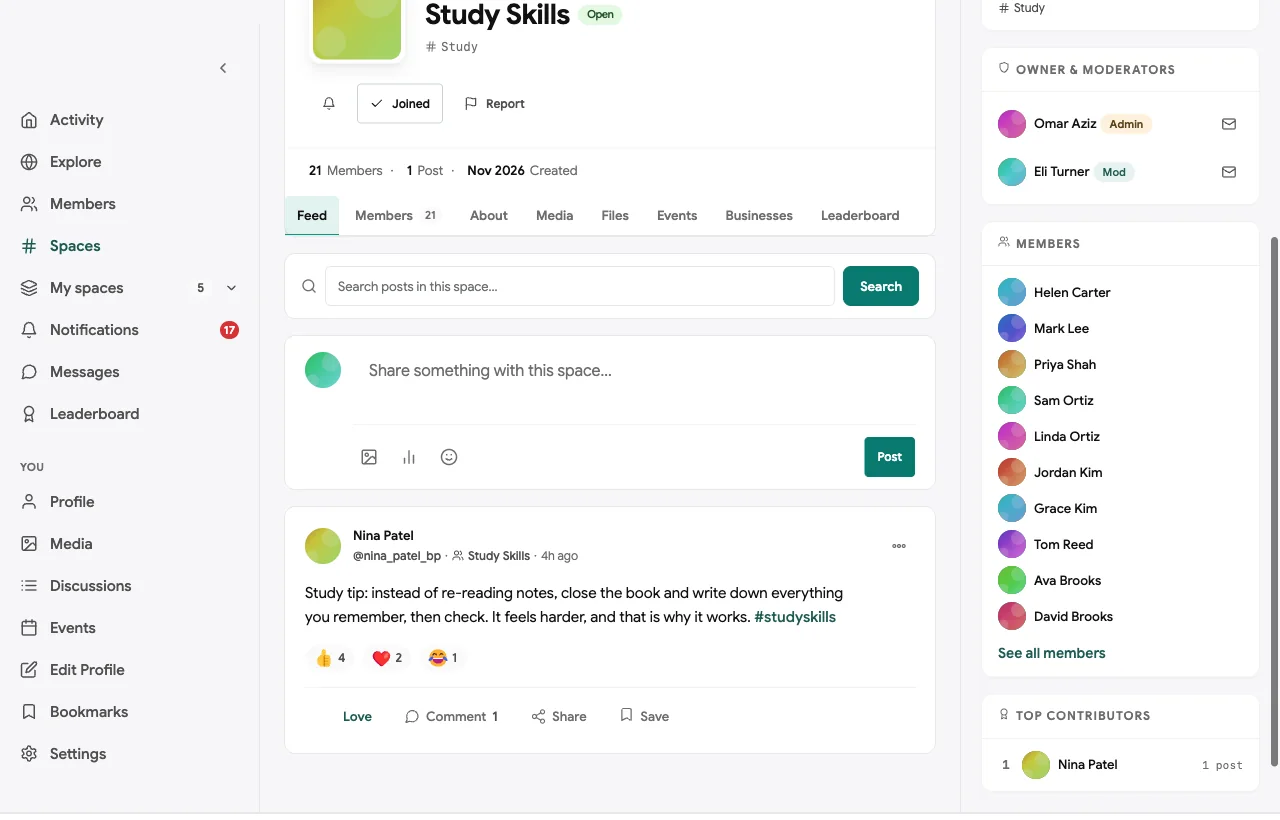
Also built in. Polls to choose review nights, points and a leaderboard for helpful answers, a member directory with privacy controls, notifications, reporting and a moderation queue, a secret tutors room, and a mobile layout students use on their phones.
Not built for: scheduling paid lessons, invoicing or running a live whiteboard. Keep tutoring business software for bookings and billing, and a video or whiteboard tool for live sessions. It is self-hosted, so you run WordPress or use a managed host.
What’s included, and how it is delivered
BuddyNext is one platform made of a core and add-on platform modules. Everything shown in the demo above runs on the BuddyNext platform. This table shows which parts come with the core, which are platform modules you install and activate alongside it, and which need a third-party plugin, another system or custom work.
| Capability | How it is delivered |
|---|---|
| Open, private and secret spaces for groups, parents and tutors | Core platform |
| Member profiles with privacy controls and member directory | Core platform |
| Activity feed, pinned announcements, polls and hashtags | Core platform |
| Reporting and moderation queue | Core platform |
| Direct messages | Platform module, installed alongside |
| Homework Help Q&A with accepted answers | Platform module, installed alongside |
| Group sessions and review nights as events | Platform module, installed alongside |
| Courses with quizzes and certificates | Platform module, installed alongside |
| Points, badges and leaderboards | Platform module, installed alongside |
| Lesson scheduling and invoicing | Another system (tutoring business software) |
| Live video and whiteboard | Third-party tool (Zoom, Google Meet, a whiteboard app) |
Want to click around yourself? The Brightpath community in this guide was built on a private test site, so it is not public. The BuddyNext live demo is a general community you can open in your browser and explore without installing anything.
2. TutorCruncher: best tutoring business software with a parent portal
TutorCruncher is “the most comprehensive software for tutoring businesses” (TutorCruncher). It offers a calendar with “automatic lesson planning,” a portal where “clients and parents get a separate portal to book sessions, make payments, and follow their student’s progress,” lesson reports and recordings, online lessons through its Bobbin platform, and automated emails and SMS (TutorCruncher features).
Strengths: complete operations for a tutoring business, with parent visibility.
Gaps: no study groups, homework Q&A or community features found.
3. Teachworks: best for scheduling individual and group lessons
Teachworks promises to help you “teach more, manage less” (Teachworks). It schedules “individual and group lessons,” manages “tutor/teacher availability and room bookings,” centralises “student profiles, progress reports, and lesson history,” and automates “lesson reminders, status updates, and announcements.”
Strengths: reliable scheduling and records for a growing business.
Gaps: no parent portal, online classroom or community features confirmed.
4. Oases Online: best for parent communication and group scheduling
Oases Online helps you “scale your tutoring business without the spreadsheet chaos” (Oases Online). Its “parent portal keeps families informed, engaged and always in sync with updates, session notes,” with progress tracking, “conflict-free group scheduling” and “whiteboard technology for tutoring” (Oases features).
Strengths: strong parent communication and group scheduling.
Gaps: no community or homework Q&A features found.
5. Wyzant: best marketplace for finding 1:1 tutors
Wyzant calls itself “the nation’s largest network” for tutors in many subjects (Wyzant), with tutor search, the “Wyzant Learning Studio,” described as its “fully-featured live online tutoring platform,” and a mobile app.
Strengths: reach for independent tutors looking for students.
Gaps: a marketplace built around 1:1 matches; no group classes or community found.
6. Varsity Tutors: best for 1:1 tutoring plus live group classes
Varsity Tutors, “a Nerdy company,” offers to “get matched with a tutor in minutes,” “private 1-on-1 tutoring,” and “weekly live classes for academic support, test prep & enrichment” (Varsity Tutors).
Strengths: matching and live classes at scale.
Gaps: a marketplace; you do not run your own community there.
7. Outschool: best for live group classes for young learners
Outschool offers “live online classes for kids” across “140,000+ subjects, ages 3-18” (Outschool).
Strengths: a large marketplace of live group classes.
Gaps: we could not confirm messaging, progress reporting or safeguarding details on the pages we could read.
8. Google Classroom: best for assignments and feedback
Google Classroom is “where teaching and learning come together” (Google for Education), letting you “assign, grade, and provide feedback across multiple classes,” with “embedded chat and meeting tools,” engagement insights and mobile apps.
Strengths: assignments and feedback many students already know.
Gaps: built for school accounts; no parent space, community or homework Q&A with accepted answers.
9. Circle: best hosted community with courses and live events
Circle offers “posts and comments with rich media,” a personalized feed, courses, live events and streams, messaging, a directory and a branded app (Circle).
Strengths: a polished community with courses and events.
Gaps: no homework Q&A with accepted answers, parent features or safeguarding tools for young members found.
10. Skool: best for a simple course-and-community group
Skool lets you “build your own community, courses, and events” (Skool).
Strengths: fast setup for a simple paid group.
Gaps: one flat community makes separate study groups and a parents-only space difficult; we could not confirm Q&A or parent features on its own pages.
Who sees what
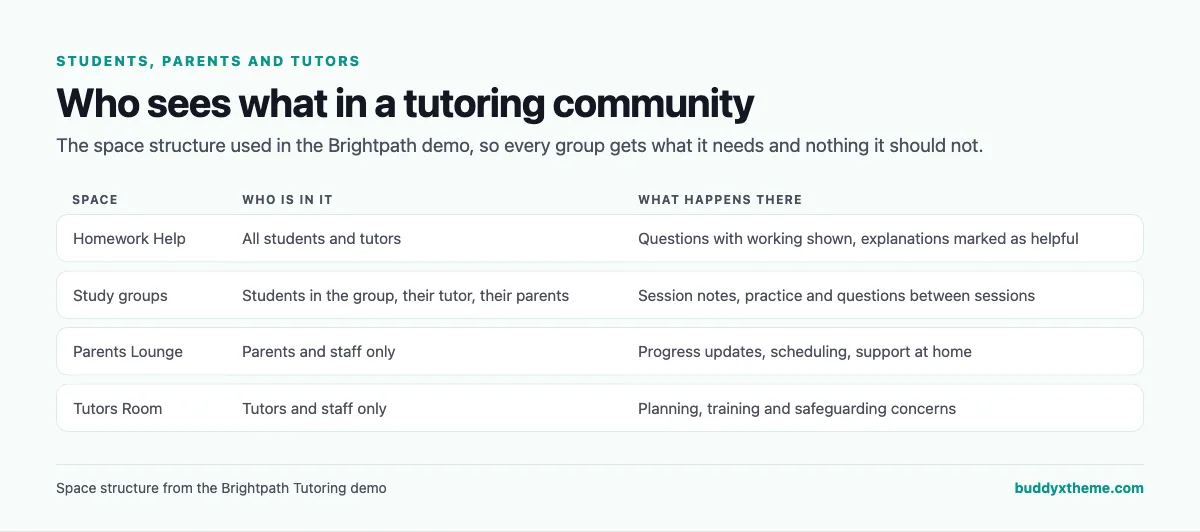
The most important design decision in a tutoring community is space structure. Study groups include the students, their tutor and their parents. The Parents Lounge is for parents and staff only. The Tutors Room is for staff. Homework Help is open to students and tutors. With that structure, communication stays visible to the right adults.
Safeguarding
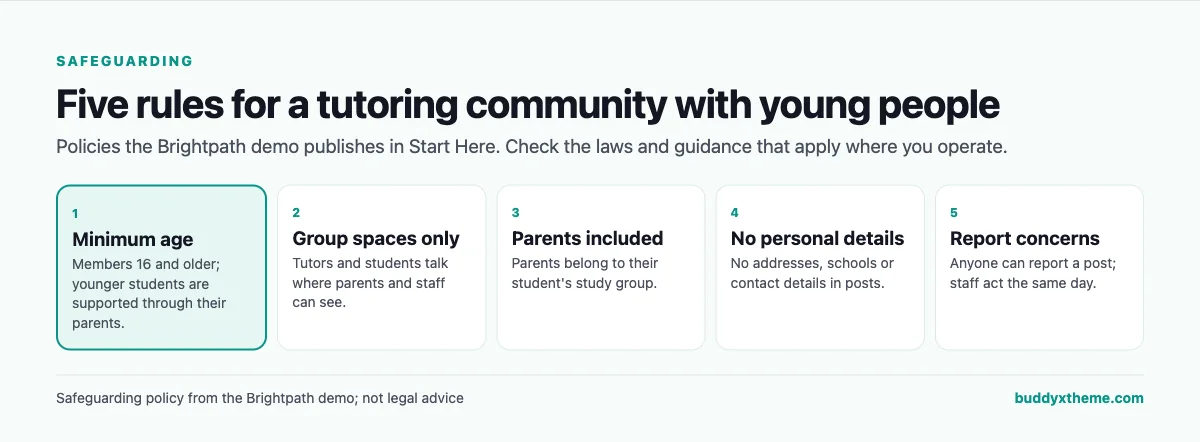
Platforms provide private spaces, roles, reporting and moderation; safeguarding itself is policy and practice. Decide your minimum age, keep tutor-student communication in group spaces where parents can see it, keep personal details out of posts, train tutors on what to report, and check the laws and guidance that apply where you operate.
Running a tutoring community well
| Practice | Why it works |
|---|---|
| Ask students to show their working | Tutors can find the exact step that went wrong |
| Explain, do not solve | Students learn and academic integrity is protected |
| Post a short update after each group session | Parents stay informed without chasing |
| Record review nights | Students who miss them still benefit |
| Celebrate effort, not just grades | Students keep asking questions |
Questions to ask before you choose
- What runs your operations today? Keep scheduling and billing where they work; add a community for between-session support.
- Can parents see the right things? Look for parents-only spaces and parents in study groups.
- Where will homework questions go? Q&A with accepted answers builds a library students reuse.
- How will you handle safeguarding? Policies first, then a platform with private spaces, roles and reporting.
- Will you run group sessions? Events with recordings let you serve more students.
- Who owns the community? A self-hosted community keeps families’ data on your own website.
A 30-day launch plan
- Week one: policies and structure. Write the safeguarding policy, set the minimum age, and create Start Here, Homework Help, the Parents Lounge, the Tutors Room and one study group space per group.
- Week two: tutors first. Train tutors on the policy, the update routine and how to explain without solving.
- Week three: invite families. Invite parents first, then students, to their study group and the right spaces.
- Week four: the rhythm. Post the first session updates, run a recorded review night and launch a short practice course.
Which platform fits your tutoring business?
| If you… | Choose |
|---|---|
| Want study groups, homework help, a parents space and group sessions on your own website | BuddyNext |
| Need complete tutoring business software with a parent portal | TutorCruncher |
| Need scheduling and progress records | Teachworks |
| Want parent communication and group scheduling | Oases Online |
| Are an independent tutor looking for students | Wyzant or Varsity Tutors |
| Teach live group classes to young learners | Outschool |
| Mainly set and mark assignments | Google Classroom |
| Want a hosted community or simple group | Circle or Skool |
More community platform comparisons
Running a different kind of learning community? These guides use the same method: a working demo community and vendor claims checked at the source.
- Best platforms for a music teaching community: practice logs, feedback on recordings, group classes, recitals and a parents space.
- Best platforms for a teacher professional development community: PLCs, courses and new teacher mentoring.
- Best platforms for a paid language learning community: clubs by level and live sessions.
- Best platforms for cohort-based learning: live, dated courses with peer pods.
- Best software for an online course community: course creators who want learners to finish.
- How to set up a community space on WordPress: the step-by-step setup guide behind every demo in this series.
How we built and checked this list
We built the Brightpath demo on a local WordPress site running BuddyNext, with fictional tutors, students aged 16 and over, parents, study groups, a course and review nights created for this guide. Every BuddyNext screenshot is from that demo. Competitor features were checked against each vendor’s own website in November 2026, and the tutoring description comes from the National Student Support Accelerator at Stanford. We left out TutorBird and Superprof because we could not read their feature pages. Where we could not confirm a feature on a vendor’s own pages, the scorecard says “Not found” or “Not confirmed”. We did not run a hands-on trial of every product, so features can change; confirm anything critical with the vendor. Nothing in this guide is legal advice. buddyxtheme.com is published by the team behind BuddyNext, which is why BuddyNext is listed first; we have tried to be fair about its gaps as well as its strengths.
Frequently asked questions
What is the best platform for an online tutoring community?
BuddyNext is the best choice for a community around your tutoring business, with private study groups, Homework Help with accepted answers, a parents-only lounge, group sessions with recordings and courses. For scheduling and billing, TutorCruncher, Teachworks and Oases Online lead.
Do I need tutoring business software as well?
If you schedule and bill many lessons, yes. Business software handles operations; a community keeps students and parents engaged between sessions.
How do I keep parents informed?
Include parents in their student’s study group, give them a parents-only space for updates, and post a short summary after each group session.
How do I keep a tutoring community safe for young people?
Set a minimum age, keep tutor-student communication in group spaces where parents can see it, keep personal details out of posts, train tutors and act on reports the same day.
Should tutors give students the answers in homework help?
Tutors should explain where the working went wrong and how to approach it, so students learn and academic integrity is protected.
Can I run group sessions in the community?
Yes. Schedule group sessions and review nights as events with a video link, and post recordings afterwards.
Can students use the community on their phones?
BuddyNext works in the mobile browser without an app download.
The bottom line
Tutoring works best when students are not stuck alone between sessions and parents know what is happening. If you want study groups, homework help, a parents space, group sessions and courses in a community you own, BuddyNext is the strongest foundation, alongside your tutoring business software. For operations, TutorCruncher, Teachworks and Oases Online lead.
And give every student a community behind them.