

To create and sell online courses on WordPress in 2026, you need four things: a domain and hosting plan, WordPress.org installed as your CMS, a Learning Management System (LMS) plugin like LearnDash, and a compatible theme like BuddyX Pro. The full setup takes less than a day and gives you complete ownership over your content, pricing, and student data, unlike third-party course platforms that take a cut of every sale and restrict your customization options.
That technical setup is the easy part. The harder, more consequential decisions, how to scope your first course, how to price it, how to structure it so students actually finish, come after the plugins are installed. Most course creators who struggle aren’t stuck on the WordPress side of things; they’re stuck on decisions that have nothing to do with software at all, and this guide spends as much time on those decisions as it does on the setup steps themselves.
This guide walks through each step in detail, from choosing your domain to launching your first course with a learner community.
Why Create and Sell Online Courses with WordPress?
E-learning has grown into one of the most accessible income streams for educators, coaches, and subject matter experts. WordPress is a particularly strong foundation for course creators because it gives you full flexibility over your site’s design, integrations, and business model. You’re not locked into another platform’s fee structure or content policies.
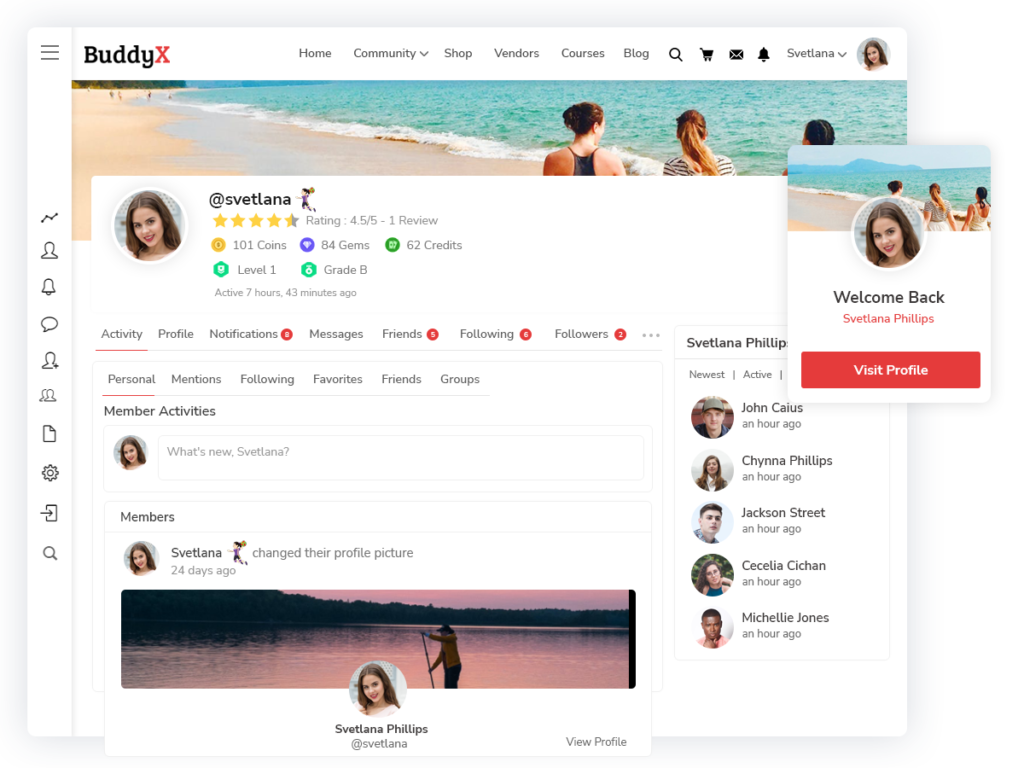
With a compatible theme like BuddyX, you can build a complete online learning website that handles courses, community features, and member management in one place. Here’s why WordPress is the right choice:
- Ownership and Control - You get complete control over your website, course content, pricing, and student data. No revenue sharing with third-party platforms.
- Multiple Themes and Add-ons - WordPress offers an extensive library of themes and add-ons. BuddyX Pro is purpose-built for community-driven learning sites and sets up a fully-functional website quickly.
- Economical - WordPress itself is free. With affordable themes and LMS plugins, you can launch a professional e-learning platform without a large upfront investment.
- Design and Layout Flexibility - Customize every visual and layout element of your site to match your brand and learning style.
Also Read: WordPress reCaptcha Plugin: Why You Should Add On Your Website?
Things You’ll Need to Build Your E-Learning Website
Before building your course site, here’s what you’ll need in place:

Domain Name and Hosting Plan
Choose a domain name that aligns with your e-learning niche and is easy to remember. Ideally it becomes your brand name long-term. Pair it with a reliable hosting provider that can handle your course content, video files, and concurrent learners. Your hosting plan can start modest and scale as your student base grows.
CMS like WordPress
After securing your domain and hosting, install WordPress.org as your content management system. WordPress lets you build a complete website without coding knowledge. The setup is straightforward and takes only a few minutes through most hosting control panels.
Learning Management System
To create and sell online courses, you need an LMS plugin. LearnDash is one of the most powerful and feature-rich options available for WordPress. It handles course creation, quizzes, certifications, drip content, and payment processing, everything you need to deliver a professional learning experience.
Compatible Theme
Your theme determines how your course site looks and how well it integrates with your LMS. BuddyX Pro is built specifically for community-driven learning sites with native LearnDash and BuddyPress integration. It includes a quick demo import that sets up your site’s layout and features in minutes without manual customization.
Also Read: How to Add WooCommerce Quick View Feature? A Comprehensive Guide
How to Build Your E-Learning Website Using BuddyX Theme
Here’s a step-by-step walkthrough for building your course site with BuddyX and LearnDash:
- Step 1 - Purchase a domain name and hosting plan. Choose a domain that can serve as your brand name long-term, and a hosting plan that fits your current budget with room to scale.
- Step 2 - Install WordPress.org on your hosting account. Most major hosts offer one-click WordPress installation through their control panel.
- Step 3 - Install and activate the LearnDash LMS plugin. Configure your course structure, set up payment options, and create your first course modules.
- Step 4 - Purchase and install BuddyX Pro. Go to Dashboard > Appearance > Themes, upload the theme zip file, and activate it. Use the quick demo import to launch a complete e-learning layout instantly.
- Step 5 - Build your learner community and launch your first courses. Use BuddyX Pro’s community features to create discussion groups, member profiles, and activity feeds that complement the learning experience.

Structuring Your First Course So Students Actually Finish It
A common mistake new course creators make is building out a huge curriculum before ever testing whether people will pay for a smaller version of it. Start with a single, focused course that solves one specific problem well rather than an ambitious multi-module program covering everything you know. A tightly scoped first course is faster to build, easier to price, and gives you real completion-rate data to learn from before investing months into a larger catalog.
Completion rates matter more than enrollment numbers for a course business’s long-term health. A course with high signups but low completion generates refund requests and poor reviews; a course people actually finish generates referrals and repeat customers for your next course. Break lessons into short, specific units rather than long lecture-style videos, and build in a quiz or practical exercise at the end of each module so students have a concrete sense of progress rather than just watching passively.
A visible progress indicator, LearnDash tracks this automatically through its course progression settings, does more for completion rates than most creators expect. Students who can see they’re sixty percent through a course are far more likely to finish than students with no sense of how much remains, since an unclear finish line makes it easy to set a course aside “for later” and never come back to it.
Pricing Your Course
Pricing an online course is part art, part research. Underpricing is the more common mistake among new creators, driven by a fear that nobody will pay a fair rate for knowledge that feels ordinary once you’ve spent years accumulating it. Look at what comparable courses in your niche charge, factor in the depth and specificity of what you’re offering, and price closer to the middle or upper end of that range rather than undercutting everyone to attract initial signups.
A tiered pricing structure, a lower-cost self-paced option alongside a higher-cost version with direct instructor access or live cohort sessions, lets you capture both price-sensitive buyers and students willing to pay more for additional support, without needing to build two entirely separate products.
Resist the temptation to run frequent discount promotions once a baseline price is set. Constant sales train an audience to wait for the next discount rather than buying at full price, which quietly erodes the perceived value of the course over time. A rare, genuine launch discount for a new product is different from a recurring “everything 30% off” pattern that teaches buyers your listed price was never the real price to begin with.
Marketing Your Course Before and After Launch
A course built in isolation and launched with a single announcement post rarely sells well. Building an audience before launch, through a blog, an email list, or a presence on a platform where your target students already spend time, gives you a group of warm prospects ready to buy the moment the course opens rather than starting from zero on launch day.
A waitlist collected in the weeks before launch, even a simple one built with a basic email signup form, does double duty: it validates there’s real demand before you finish building the full course, and it gives you a list of engaged, interested people to notify the moment enrollment opens.
Post-launch marketing matters just as much as pre-launch, and it’s the part new course creators most often neglect once the initial launch push is over. Testimonials and results from your earliest students, collected once they’ve made real progress rather than immediately after purchase, become some of your strongest ongoing marketing material. A short case study post, an email sharing a student’s before-and-after outcome, or a screenshot of a genuine positive review does more for sustained sales than repeating the original launch pitch on a loop.
Build Your Learner’s Community by Launching Courses
The most successful online course creators build more than a course library, they build a community. When learners can connect with each other, ask questions, and share progress, completion rates and satisfaction scores go up significantly. Combining BuddyX Pro with LearnDash gives you both a powerful LMS and a social community layer in one platform. Start sharing your knowledge through interactive courses, and let the community grow around it.
That community layer also becomes a retention tool for future products. Students who feel genuinely connected to a course’s community are far more likely to buy your next course, join a higher-tier membership, or recommend the platform to a colleague than students who moved through an isolated, purely transactional course experience with no interaction beyond the video lessons themselves.
Choosing Between Self-Paced, Cohort, and Hybrid Formats
Not every course should be self-paced. Self-paced courses scale effortlessly, once built, they generate revenue with minimal ongoing time investment, but they also tend to have lower completion rates, since there’s no external deadline pushing students forward. Cohort-based courses, where a group moves through material together on a fixed schedule with live sessions, produce much higher completion and satisfaction rates but require your active time for every cohort you run, which caps how much revenue a single course can generate without hiring additional instructors.
A hybrid model, self-paced core content supplemented by scheduled live Q&A sessions or a time-limited cohort for an additional fee, often captures the advantages of both. It’s worth deciding on a format before building the course rather than after, since the two approaches lead to genuinely different content structures, not just a different delivery schedule bolted onto the same material.
If you’re unsure which format fits your topic and audience, a small pilot cohort, run with a handful of early students at a discounted rate in exchange for feedback, is a low-risk way to test the live format before committing to build an entire self-paced course around a structure you haven’t validated yet.
Video Production Without Overinvesting Early
New course creators often delay launching for months chasing professional-grade video production before validating that the course content itself sells. A clear, well-lit recording with decent audio, screen recording software and a basic external microphone cover most needs, is good enough for a first course. Audio quality matters more than video quality for viewer retention; a course with mediocre visuals but crisp, easy-to-understand audio outperforms one with beautiful visuals and muffled sound.
Save the studio-quality upgrade for once a course has proven it sells and you’re reinvesting revenue into a second or third product, rather than sinking that budget into an unproven first course.
Captions and transcripts are worth budgeting time for even in a lean first version. They matter for accessibility, for students who prefer reading to watching, and increasingly for how course platforms and search engines index video content. Auto-generated captions from most modern recording and editing tools get close enough on a first pass that a quick manual review, rather than a full transcription from scratch, is usually all that’s needed.
Certificates and Credentials
Course completion certificates matter more in some niches than others. For professional development, compliance training, or continuing education contexts, a certificate students can add to a resume or LinkedIn profile is often a real purchase driver, not just a nice-to-have. LearnDash supports certificate generation natively, tied to course or quiz completion, which is worth setting up even for a first course if your audience is likely to value that credential.
For purely personal-interest or hobby-focused courses, certificates matter far less to buyers, and the setup time might be better spent elsewhere, on course content quality or marketing, rather than a credential nobody in that niche particularly cares about showing off.
If certificates are relevant to your audience, keep the design simple and genuinely professional rather than an ornate template that reads as a novelty. A clean certificate with the student’s name, the course title, the completion date, and your name or organization covers what most employers or clients actually check for when a credential gets referenced.
Handling Support and Refunds Without It Consuming Your Time
Every course business generates support questions and occasional refund requests, and planning for this before launch saves considerable stress later. A clear, visible refund policy set before your first sale prevents awkward negotiations after the fact, and a simple FAQ page addressing common technical and content questions deflects a meaningful share of support emails before they’re ever sent.
Decide your refund window before you need to enforce it under pressure from an unhappy customer. A fourteen or thirty-day window is standard across most course platforms, long enough for a genuinely dissatisfied student to request a refund, short enough to discourage someone from working through the entire course before asking for their money back. Enforce the policy consistently once it’s set; making case-by-case exceptions for every request that pushes back undermines the whole point of having a clear policy in the first place.
As your student base grows, a community space where students can help each other, the kind BuddyX Pro’s activity feeds and groups enable, reduces how much support falls entirely on you personally. Students who see an active peer community tend to ask each other for help with common issues before emailing the instructor directly, which scales far better than a one-person support inbox as enrollment grows.
Keeping Content Current After Launch
A course isn’t a one-time build. Software tutorials go stale when the underlying tool updates its interface. Industry-specific advice ages as regulations, tools, or best practices shift. Set a recurring reminder, quarterly at minimum for fast-moving topics, to review your course content for anything outdated, and treat updates as part of the ongoing cost of running a course business rather than a one-off project that’s finished once it launches.
This matters commercially too. A student who buys a course expecting current information and finds screenshots of a years-old interface loses trust fast, and that erosion shows up in reviews and refund requests well before it shows up in your own awareness that something needs updating.
Build update work into the course’s pricing from the start rather than treating it as unpaid overhead you resent later. A course priced with the expectation of periodic content refreshes, factored into the value proposition rather than an afterthought, keeps the ongoing maintenance sustainable instead of feeling like a chore competing with building your next product.
Interesting Reads:
GIF Plugin: Why You Should Add to Your Community Website?
Why Add Coming Soon Courses Plugin to Your e-Learning Platform?