

Leverage browser caching is a technique that allows web browsers to store static files such as images, CSS, and JavaScript files on a user’s local computer so that the next time they visit your site, these files will load faster. To fix leverage browser caching in WordPress, you can follow these steps: 1. Install and … Continue reading “How To Fix Leverage Browser Caching In WordPress”

Verifying your Pinterest account on WordPress is a straightforward process. Here are the steps to follow: (Pinterest Account On WordPress) 1. Log in to your Pinterest Account On WordPress and go to your profile. 2. Click on the three dots in the top right corner of your profile page and select “Settings.” 3. Scroll down … Continue reading “How To Verify Your Pinterest Account On WordPress”

To include a GIF in a WordPress post You can follow these steps: (To include a GIF in a WordPress post) 1. Find a GIF you want to use and save it to your computer. 2. Log in to your WordPress dashboard. 3. Click on “Posts” in the left-hand menu and select “Add New” to … Continue reading “How to include a GIF in a WordPress post?”

Hide The Featured Image In WordPress Post: There are several methods to hide the featured image in WordPress posts, including using a plugin or modifying your theme’s code. One popular method is to add CSS code to your theme’s style.css file or to the Additional CSS section in the WordPress Customizer. The CSS code typically … Continue reading “How To Hide The Featured Image In WordPress Post”
Hide The Name On A WordPress Website: To hide the name on a WordPress website, you can follow these steps: Log in to your WordPress dashboard. Go to the Appearance section and select Theme Editor. From the list of files on the right-hand side, select the file called “style.css”. Scroll to the bottom of the … Continue reading “How Can You Hide The Name On A WordPress?”
Adding FAQ schema to your WordPress website is one of the most effective ways to supercharge your search engine visibility and provide clear, structured answers to your visitors’ most pressing questions. By implementing FAQ schema, your content becomes eligible for rich snippets in Google Search, helping it stand out from competitors, increase click-through rates, and … Continue reading “How To Insert FAQ Schema Into WordPress Website?”
Configure WordPress Jetpack To Exclude Your Pageviews: Here are the steps to configure WordPress Jetpack to exclude your pageviews from its stats tracking: Install and activate the Jetpack plugin on your WordPress site, if you haven’t already. Go to the Jetpack settings page by clicking on the “Jetpack” menu item in your WordPress dashboard. Click … Continue reading “How To Configure WordPress Jetpack To Exclude Your Pageviews ?”
Way to utilize heading tags in WordPress: To utilize heading tags in WordPress effectively, follow these best practices: Use a hierarchical order: Use heading tags in a hierarchical order, starting with H1 for the main title or headline, and proceeding with H2, H3, and so on. This helps search engines and users understand the structure … Continue reading “What is the correct way to utilize heading tags in WordPress?”

WooCommerce is one of the most popular and widely used eCommerce platforms on the web. It’s a powerful and flexible solution for building online stores and selling products online. However, just having an online store is not enough to guarantee success. To increase sales and grow your business, you need to implement effective sales funnel … Continue reading “10 Best WooCommerce Sales Funnel Plugins to Boost Conversions”

A knowledge base plugin for WordPress is a software application that can be installed on a WordPress website to create and manage a knowledge base. A knowledge base is a collection of articles or information that provides answers to commonly asked questions or issues related to a particular topic or product. The plugin provides an … Continue reading “10 Best Knowledge Base Plugins For WordPress (Compared)”
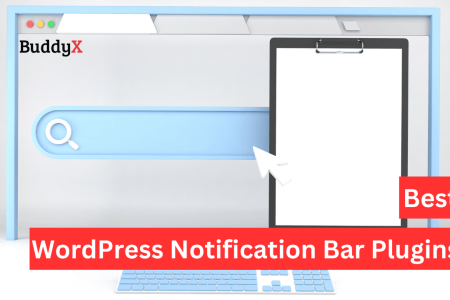
WordPress Notification Bar plugins are tools that allow you to create a customizable bar at the top or bottom of your website’s pages to display important messages, alerts, notifications or calls to action. Notification bars are a great way to grab the attention of your website visitors and provide them with information or incentives that … Continue reading “10 Best WordPress Notification Bar Plugins (Compared)”
Table of Contents (TOC) is a tool that is widely used to organize content in a structured manner, particularly in long-form articles or blog posts. A table of contents makes it easier for readers to navigate the content and find the information they’re looking for. In the world of WordPress, there are several plugins available … Continue reading “10 Best Table of Contents Plugins for WordPress”

WordPress Login Page Plugins are tools that can be used to customize and enhance the login page of a WordPress website. The default WordPress login page is functional but can often look bland and unappealing, especially if you want to maintain a consistent branding experience for your website. WordPress Login Page Plugins offer a range … Continue reading “10 Best WordPress Login Page Plugins (Secure & Customizable)”

Calculator plugins for WordPress sites provide a convenient way to add calculators to your website. These calculators can range from simple calculators for basic mathematical operations to more complex calculators that can calculate shipping costs, loan payments, and more. With a calculator plugin, you can easily add a calculator to your WordPress site without any … Continue reading “10 Best Calculator Plugins For Your WordPress Site”

Plugins to convert a WordPress site into a mobile app are tools that allow website owners to create mobile apps for their WordPress websites without having to write code or hire developers. These plugins offer an easy and cost-effective way to build a mobile app and expand the reach of a website. They typically come … Continue reading “8 Best Plugins to Convert a WordPress Site Into a Mobile App”