
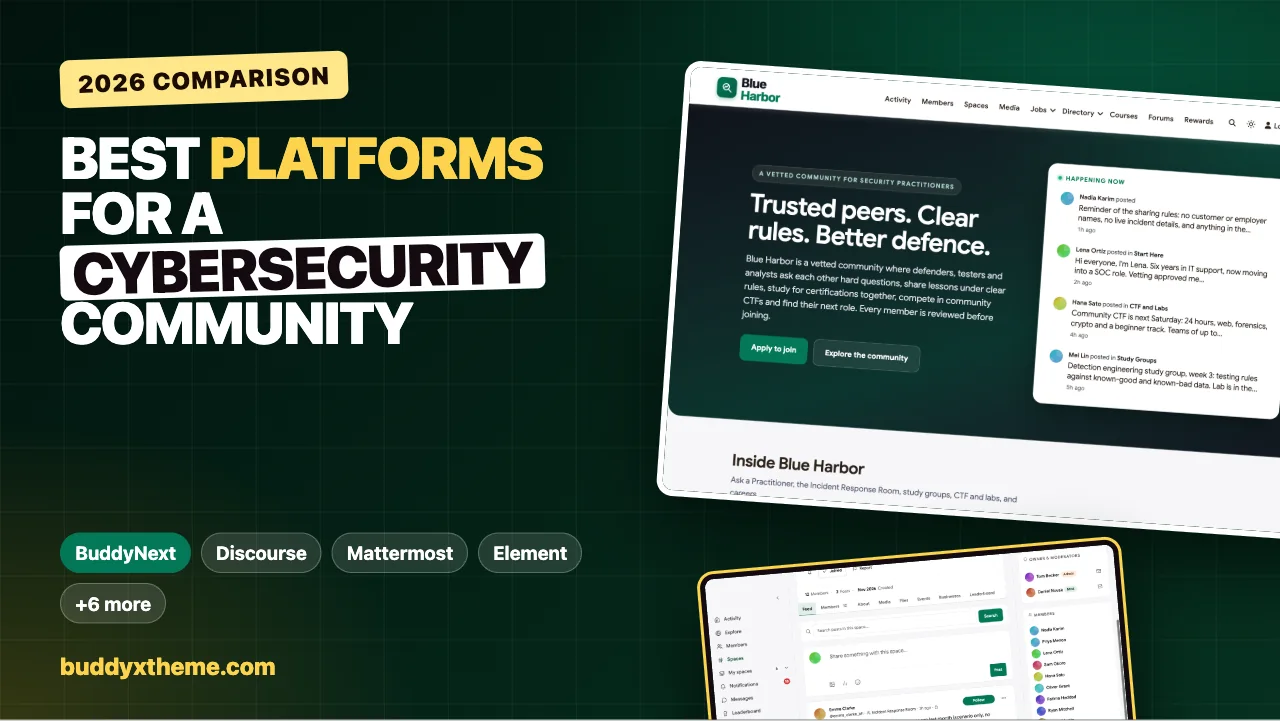
Security people are some of the most generous knowledge-sharers in technology, and some of the most careful. They will spend an evening explaining how they test a detection rule to a stranger, and they will never post a customer’s name, an employer’s incident or an indicator they were asked to keep quiet. A community for security professionals has to serve both instincts at once: open enough that people learn, closed enough that people trust it.
This guide compares the platforms you can use to run a vetted community for cybersecurity practitioners, whether you are a training company, a local meetup network or a vendor-neutral group. It covers approval and invite-only access, two-factor sign-in, private and secret rooms for sensitive topics, Q&A with accepted answers, certification study groups, CTFs and lab nights, mentoring, a job board and ownership of member data. We built a working security community for the first entry, checked every competitor claim on the vendor’s own pages in November 2026, and say plainly which tools are communities and which are training or chat platforms you would use alongside one.
Quick answer
If you want a vetted security community you host and control, BuddyNext is the strongest choice: approval or invite-only sign-up, allowed and blocked email domains, two-factor sign-in that can be required by role, open, private and secret spaces, Q&A with accepted answers, study groups with courses, CTF and lab events, mentoring and a job board on your own server. Discourse is the strongest self-hostable forum, Mattermost, Rocket.Chat and Element are secure chat for teams that need data sovereignty, and Hack The Box, TryHackMe and CTFd are training and competition platforms that pair with a community.
In this guide
- Why security professionals need their own kind of community
- The security community scorecard
- 1. BuddyNext: best for a vetted security community you host
- 2. Discourse: best self-hostable forum for technical knowledge
- 3. Mattermost: best secure chat for sovereign or air-gapped teams
- 4. Rocket.Chat: best self-hosted chat with flexible sign-in
- 5. Element: best for end-to-end encrypted conversations
- 6. Circle: best hosted community with events and courses
- 7. Discord: best for informal real-time chat
- 8. Hack The Box: best training platform to pair with a community
- 9. TryHackMe: best for beginner-friendly labs alongside a community
- 10. CTFd: best for hosting your own CTF
- Community, chat and training: which job each tool does
- Design the community around trust
- Sharing rules that make people comfortable posting
- Questions to ask before you choose
- A 60-day launch plan for a security community
- Which platform fits your security community?
- More community platform comparisons
- How we built and checked this list
- Frequently asked questions
- The bottom line
Why security professionals need their own kind of community
The demand side is clear. ISC2’s 2024 Cybersecurity Workforce Study found that “the workforce gap was 4,763,963 people. This is a 19.1% increase from 2023,” and that “59% of respondents agree that skills gaps have substantially affected their ability to secure their organizations” (ISC2). In the United States, “employment of information security analysts is projected to grow 21 percent from 2025 to 2035, much faster than the average for all occupations” (BLS).
That means a constant flow of career changers, students and junior analysts who need mentors, study partners and honest answers, alongside experienced practitioners who need a trusted place to compare notes. Those two groups need different rooms, and both need confidence that the community itself is run securely.
| What members need | Why it matters | What the platform needs |
|---|---|---|
| Vetted membership | Trust depends on knowing who is in the room | Approval or invite-only sign-up, email domain rules |
| Secure accounts | A security community is a target | Two-factor sign-in, required by role |
| Levels of access | Some topics are sensitive | Open, private and secret spaces |
| Technical answers | The same questions recur | Q&A with accepted answers and search |
| Learning together | Certifications and skills take months | Study groups, courses, lab events |
| Hands-on practice | Skills are built by doing | CTFs and lab nights, often on a dedicated platform |
| Careers | The talent gap is real | Mentoring and a job board |
| Data ownership | Members’ identities are sensitive | Self-hosting and control over where data lives |
The security community scorecard
How each option handles what matters most. “Not found” means we could not confirm it on the vendor’s own pages, not that it is impossible.
| Platform | Type | Vetted sign-up | Two-factor | Private rooms | Q&A with accepted answers | Events or CTF | Job board | Self-host |
|---|---|---|---|---|---|---|---|---|
| BuddyNext | Community platform | Approval, invite, email domains | Yes, required by role | Private and secret spaces | Yes | Events, with CTF platforms alongside | Yes | Yes |
| Discourse | Forum | Not confirmed | Not confirmed | Groups and roles | Yes | Not found | Not found | Yes |
| Mattermost | Secure chat | Not found | MFA with SSO | Per-channel permissions | Not found | Not found | Not found | Yes, including air-gapped |
| Rocket.Chat | Secure chat | Not found | Yes | Not confirmed | Not found | Not found | Not found | Yes, including air-gapped |
| Element | Encrypted chat | Not found | Not confirmed | Not confirmed | Not found | Not found | Not found | Yes |
| Circle | Community platform | Access groups | Not confirmed | Access groups | Not found | Live events | Not found | No |
| Discord | Chat | Not confirmed | Not confirmed | Not confirmed | Not found | Not found | Not found | No |
| Hack The Box | Training platform | Not applicable | Not confirmed | Dedicated labs | Not found | CTF competitions | Yes | No |
| TryHackMe | Training platform | Not applicable | Not confirmed | Team dashboards | Not found | Labs | Not found | No |
| CTFd | CTF platform | Not confirmed | Not confirmed | Teams | Not found | CTF scoreboard | Not found | Yes, open source |
1. BuddyNext: best for a vetted security community you host
BuddyNext is a complete community platform that runs on your own WordPress site, on a server you choose. It has registration controls, two-factor sign-in, open, private and secret spaces, Q&A with accepted answers, courses, events, a job board, member profiles, direct messages and moderation tools. A security community can run every room on infrastructure it controls and decide exactly who gets in.
To show it in practice, we built Blue Harbor, a demo community for security practitioners run by a former SOC manager. It has 20 fictional members across four continents: detection engineers, incident responders, a pentester, threat intelligence and malware analysts, a cloud security architect, a CISO, a GRC consultant, students, a career changer moving from IT support into a SOC, a recruiter, a mentor and a vetting team.
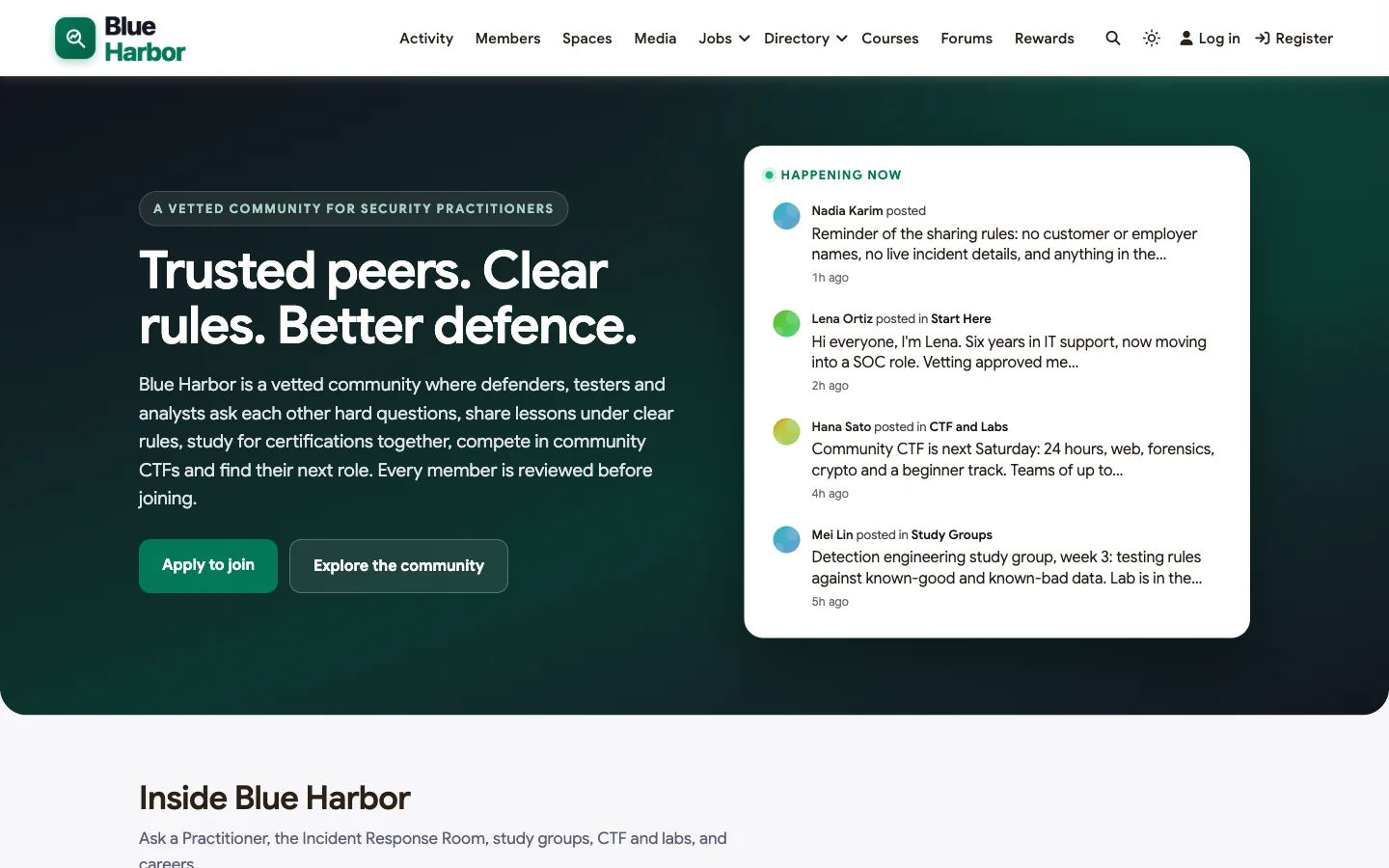
Good at: controlling who joins, separating sensitive rooms, technical answers that stay findable, and supporting careers from first study group to first job.
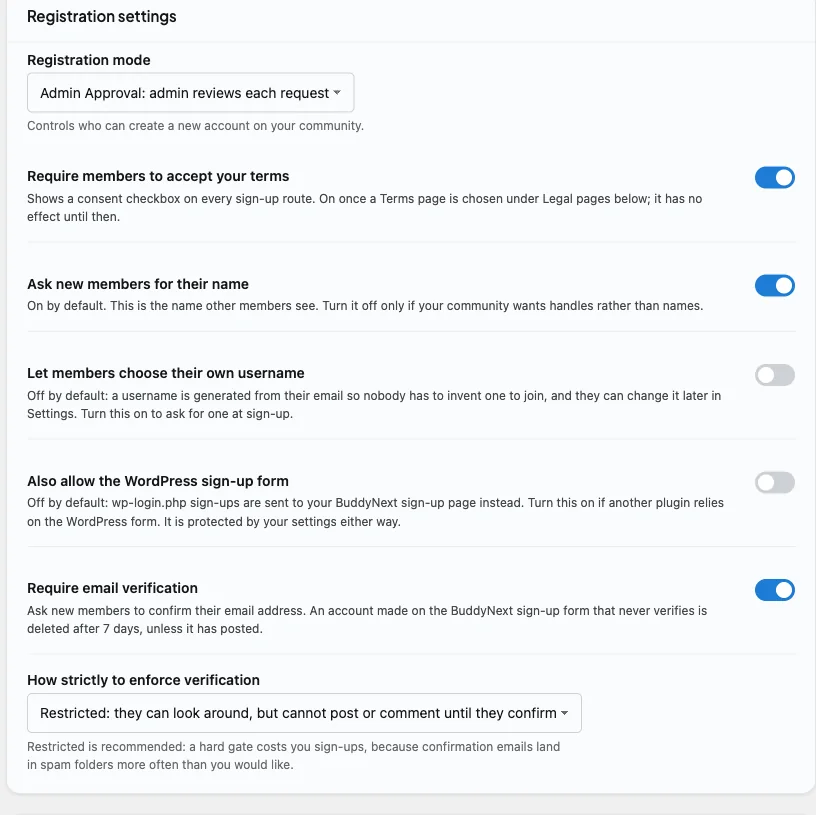
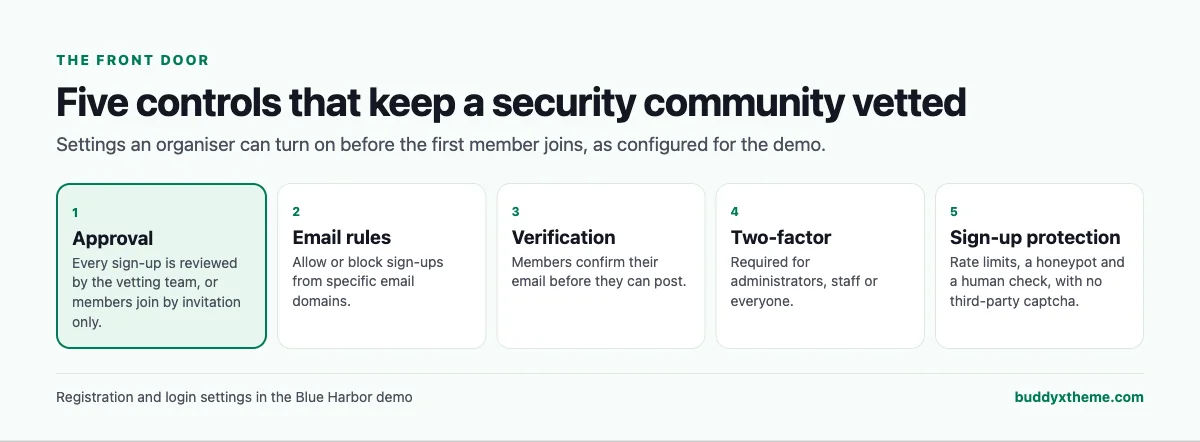
Vetted sign-up. Registration can be set to admin approval, so the vetting team reviews every request, or to invite only. Members confirm their email before they can post, and organisers can allow or block sign-ups from specific email domains:
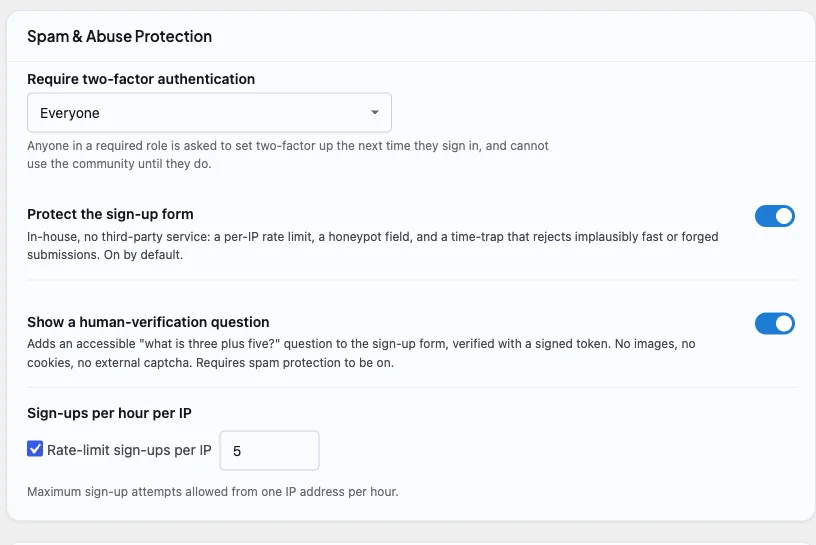
Two-factor sign-in, required by role. BuddyNext includes its own two-factor authentication with an authenticator app, a QR code to enrol and one-time backup codes. Members can switch it on themselves, and the organiser can require it for administrators, for staff or for everyone; anyone in a required role must set it up before using the community. Sign-up is protected by a per-IP rate limit, a honeypot and a human-verification question, with no third-party captcha:
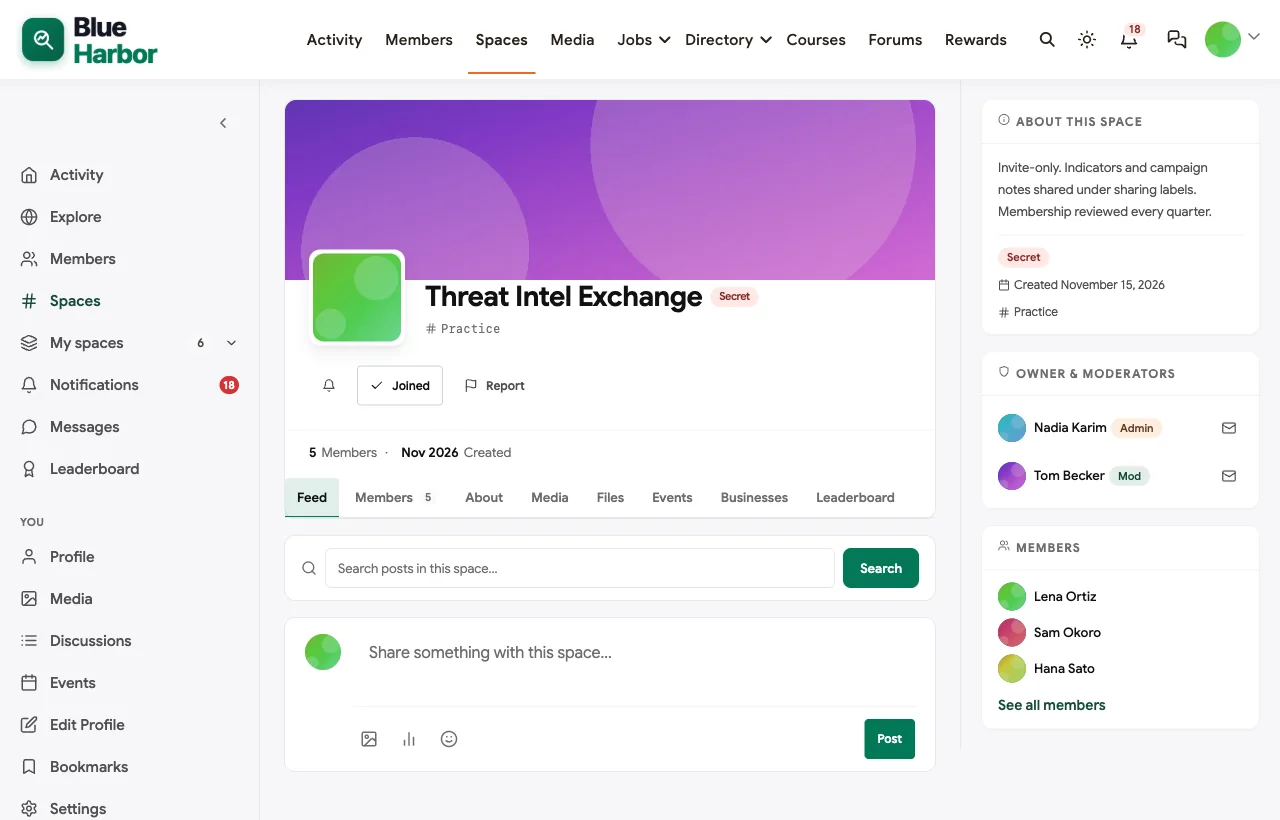
Rooms for every level of trust. Open spaces hold general questions, study groups and careers. The Incident Response Room is private, for verified responders sharing lessons learned without identifying details. The Threat Intel Exchange is secret: invisible to anyone who has not been invited.

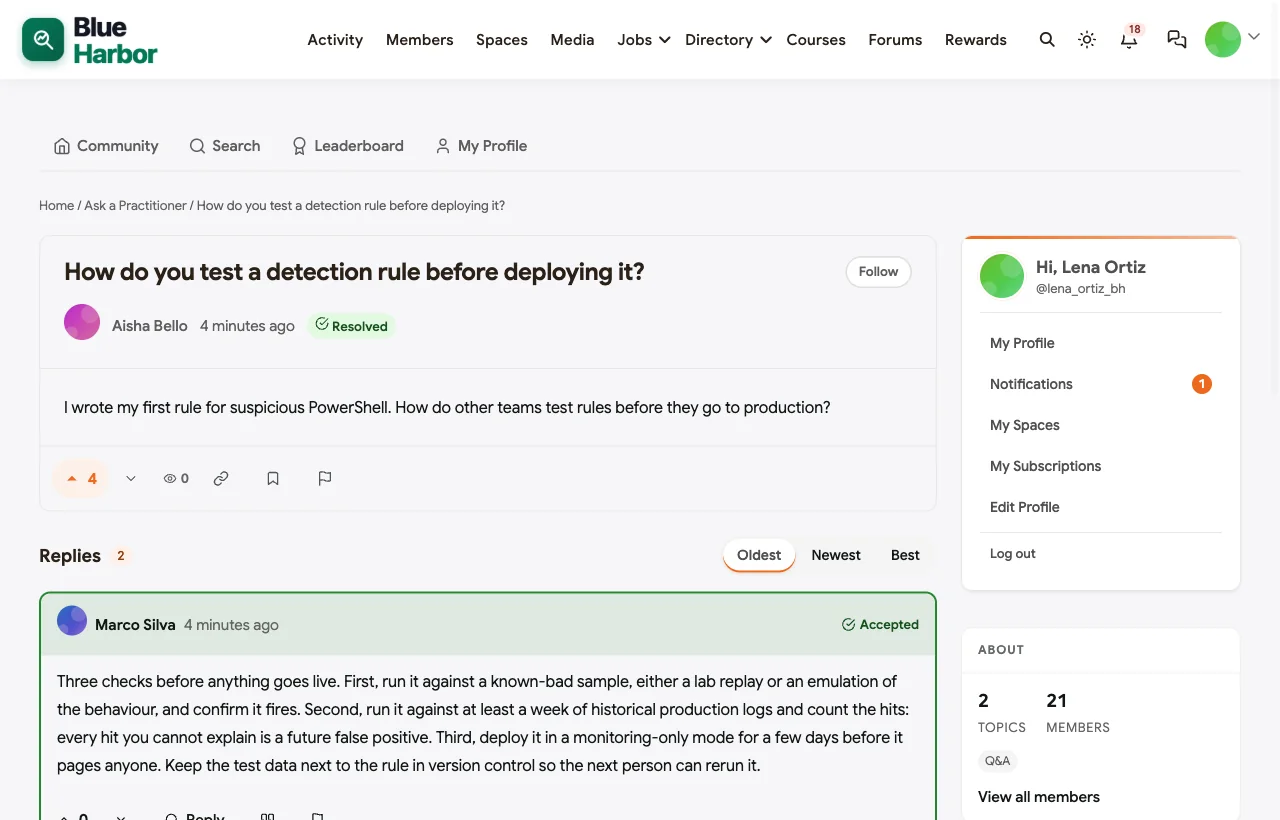
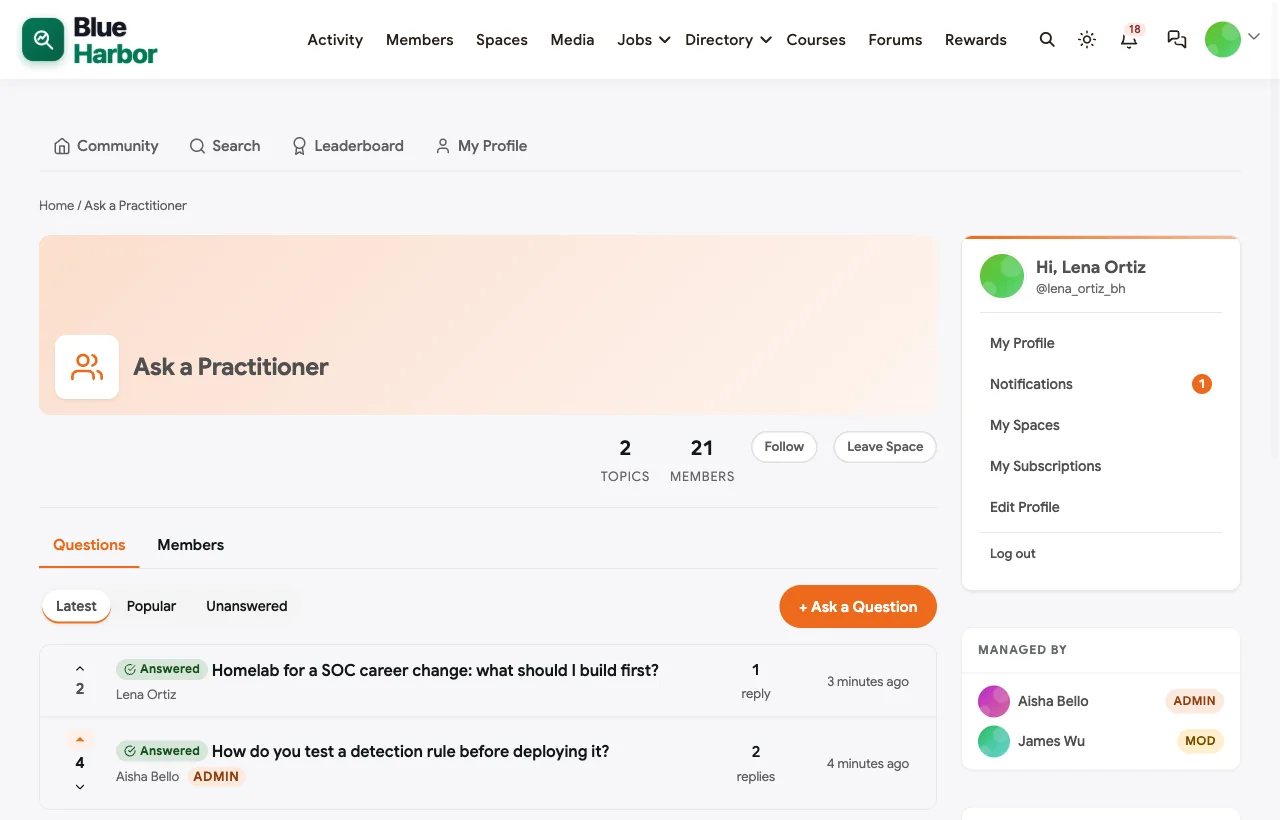
Q&A with accepted answers. In Ask a Practitioner, members ask technical questions and the answer that worked is marked accepted. In the demo, a junior analyst asks how to test a detection rule before deploying it, and a detection engineer’s three-step answer becomes the reference:
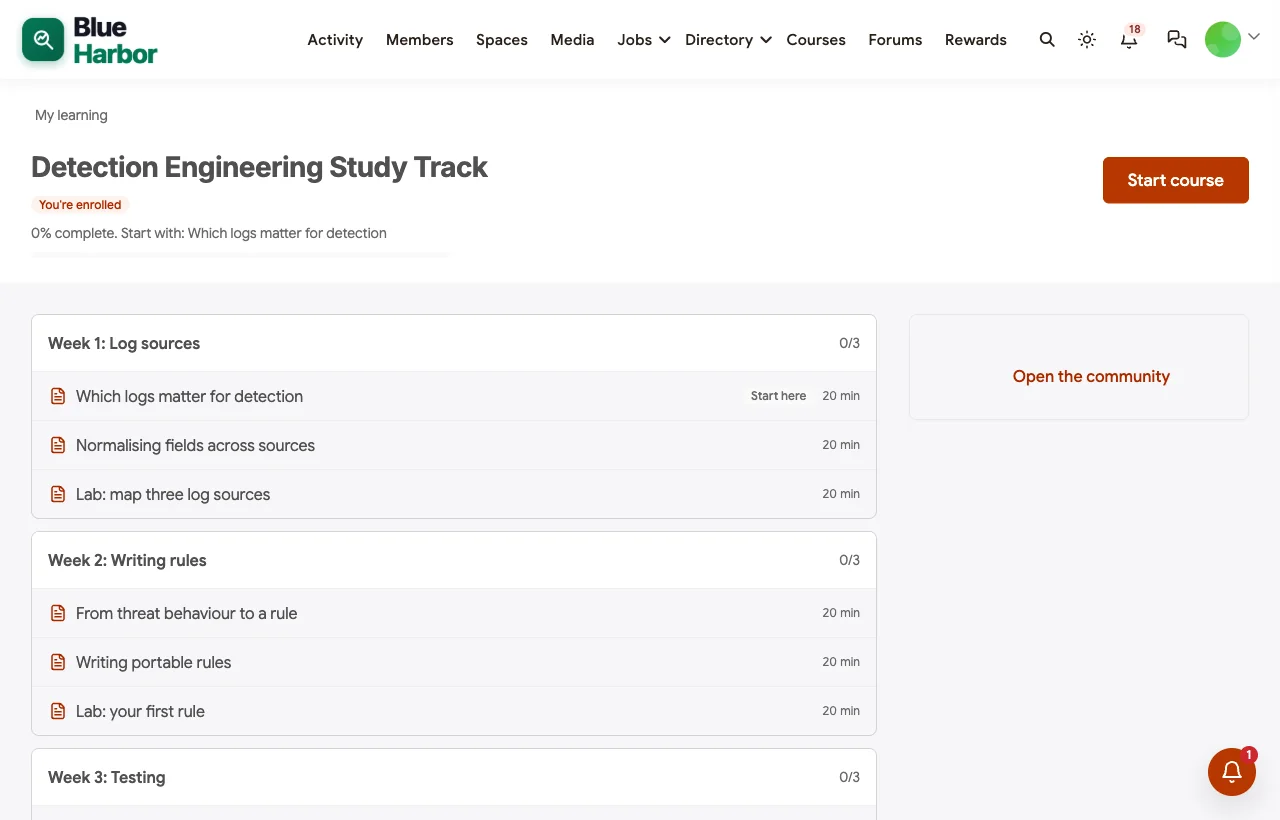
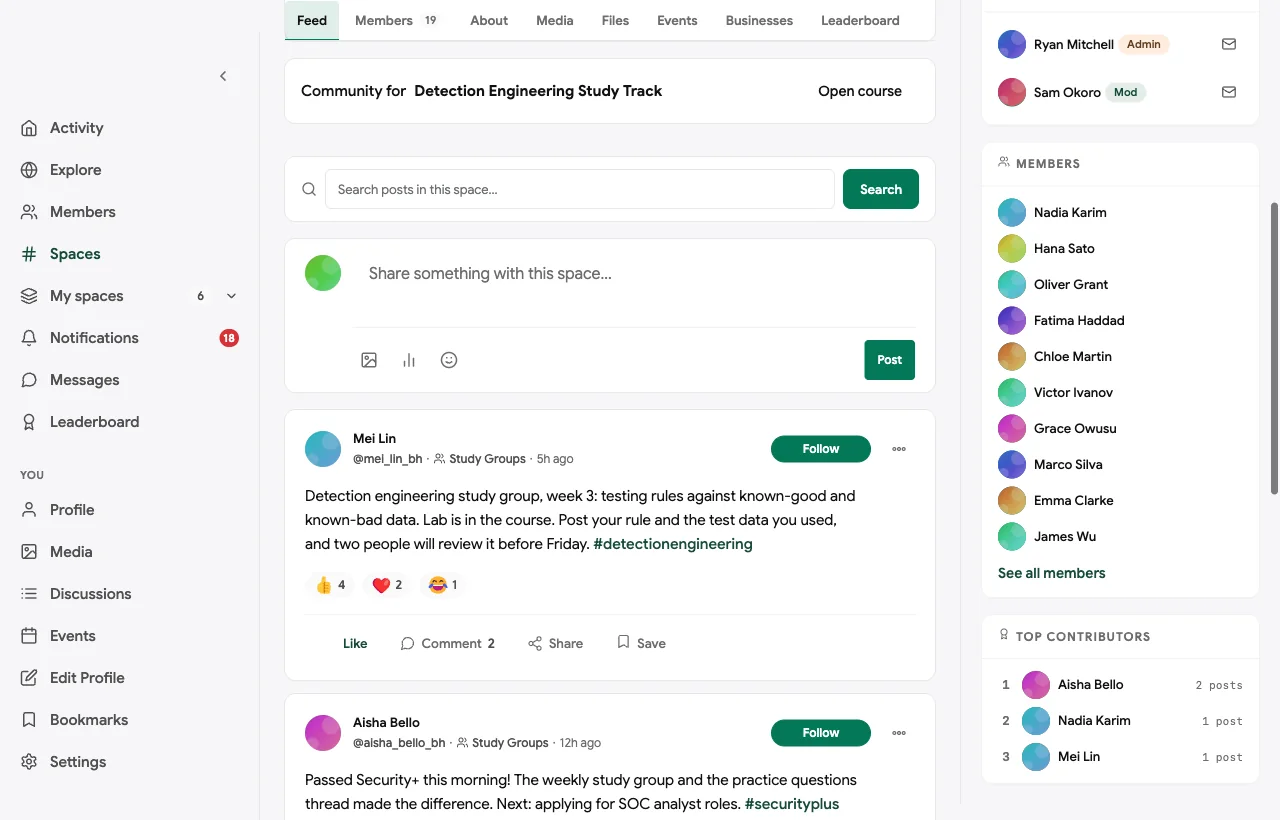
Study groups with a course. A detection engineering study track runs as a six-week course, with a lab every week and a rule each member posts for peer review. A Security+ study group meets weekly:
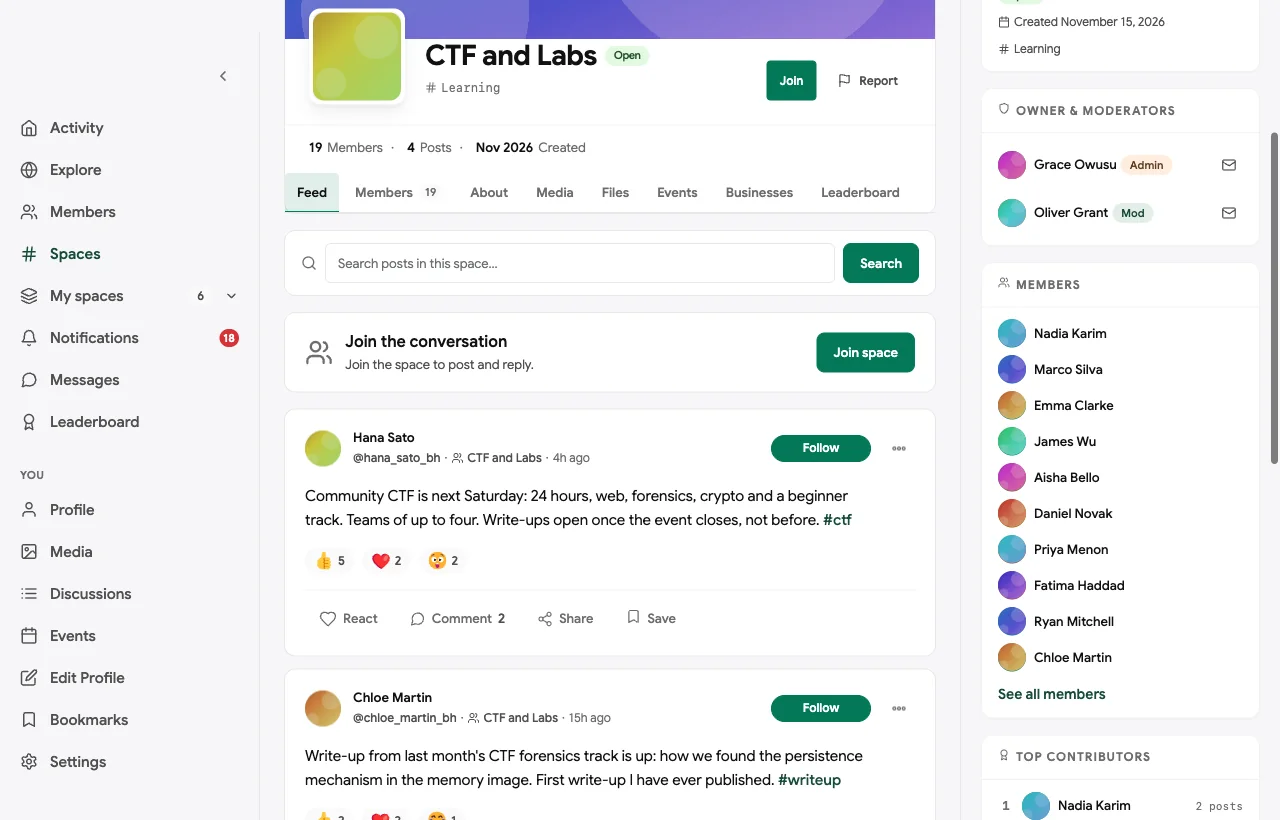
CTFs and lab nights. Community CTFs, lab nights and write-ups are organised as events in the CTF and Labs space. The challenges themselves run on a dedicated CTF platform, and the community handles teams, announcements and write-ups:

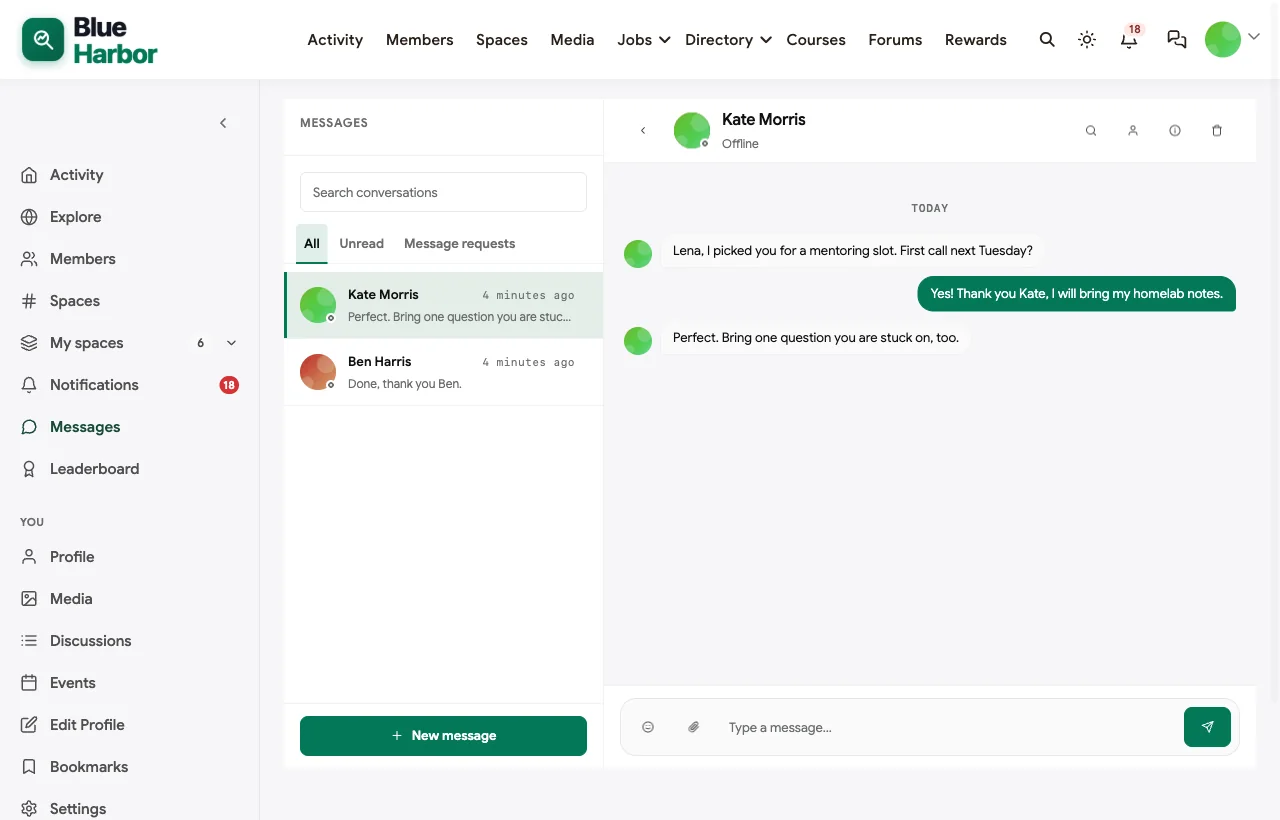
Careers, mentoring and jobs. Members find mentors in Careers and Mentoring, and vetted employers post roles on the job board, including entry-level SOC roles that welcome career changers:

Also built in. Pinned sharing rules, polls for choosing lab nights, a member directory with profile privacy controls, reporting and a review queue for moderators, points and a leaderboard for helpful answers, and a mobile layout that works without an app download.
Not built for: end-to-end encrypted messaging, hosting CTF challenges, or acting as a formal threat intelligence sharing platform. Use a dedicated tool for each and link it from the community. It is self-hosted, so your team runs and secures WordPress, which suits security teams but is real work.
What’s included, and how it is delivered
BuddyNext is one platform made of a core and add-on platform modules. Everything shown in the demo above runs on the BuddyNext platform. This table shows which parts come with the core, which are platform modules you install and activate alongside it, and which need a third-party plugin, another system or custom work.
| Capability | How it is delivered |
|---|---|
| Approval, invite-only and email domain rules for sign-up | Core platform |
| Two-factor sign-in, required by role | Core platform |
| Sign-up rate limits, honeypot and human check | Core platform |
| Open, private and secret spaces | Core platform |
| Member profiles with privacy controls and member directory | Core platform |
| Activity feed, pinned announcements, polls and hashtags | Core platform |
| Reporting and moderation queue | Core platform |
| Direct messages | Platform module, installed alongside |
| Q&A with accepted answers | Platform module, installed alongside |
| Courses with certificates | Platform module, installed alongside |
| Events with RSVPs | Platform module, installed alongside |
| Job board | Platform module, installed alongside |
| Points, badges and leaderboards | Platform module, installed alongside |
| CTF challenge hosting and scoring | Another system (a CTF platform) |
| End-to-end encrypted chat | Another system |
Want to click around yourself? The Blue Harbor community in this guide was built on a private test site, so it is not public. The BuddyNext live demo is a general community you can open in your browser and explore without installing anything.
2. Discourse: best self-hostable forum for technical knowledge
Discourse is “the customizable, scalable community platform powering more than 22,000 communities that create knowledge through conversation” (Discourse). It helps you “keep technical discussions organized with categories, tags, and accepted answers,” “organize members with groups and roles,” and offers “SSO, SAML, and enterprise authentication.” You can “self-host or use our managed hosting” and “export everything, anytime,” with no vendor lock-in.
Strengths: the strongest open-source forum for long technical threads, with self-hosting and data export.
Gaps: no events, courses or job board found; we could not confirm its two-factor documentation on the pages we tried.
3. Mattermost: best secure chat for sovereign or air-gapped teams
Mattermost positions itself around “sovereign operations” for critical infrastructure and national security (Mattermost). It “runs self-hosted, private cloud, or fully air-gapped,” says “you own the data, the model, and the keys,” offers per-channel permissions, “FIPS 140-3 validated, STIG-hardened images,” and attribute-based access control with message expiry. SSO with MFA is available on its paid plans (Mattermost plans).
Strengths: the strongest compliance and deployment options for security-sensitive chat.
Gaps: built for teams rather than a member community; no Q&A, events, courses or job board found.
4. Rocket.Chat: best self-hosted chat with flexible sign-in
Rocket.Chat offers “secure collaboration for defense and government” with “on-premises, secure cloud and air-gapped deployments” and “post-quantum encrypted conversations” (Rocket.Chat). Its documentation covers two-factor authentication, SAML, OAuth and LDAP sign-in (Rocket.Chat docs), and it has apps for every device.
Strengths: data sovereignty, two-factor and enterprise sign-in options.
Gaps: chat-first, with no Q&A, events, courses or job board found.
5. Element: best for end-to-end encrypted conversations
Element offers “end-to-end encrypted messaging and calls” built on “the decentralised Matrix open standard” (Element), and lets organisations run their own sovereign deployments.
Strengths: end-to-end encryption and decentralised, open-standard messaging.
Gaps: a messaging tool, not a community platform; no Q&A, events, directory or job board found.
6. Circle: best hosted community with events and courses
Circle helps you build a home for your community, events and courses under your own brand (Circle), with discussions, a member directory, live events, courses, access groups and a branded app.
Strengths: a polished hosted community with events, courses and access groups.
Gaps: hosted only, and we could not confirm its two-factor, SSO or data export details because its security and feature pages blocked our checks.
7. Discord: best for informal real-time chat
Discord lets you “customize your own space” and build “a worldwide community” (Discord), and many security meetups and CTF teams already use it.
Strengths: familiar, fast real-time chat and voice for CTF teams.
Gaps: we could not confirm its security settings on its own pages, and it has no Q&A, courses or job board; it is a hosted service you do not control.
8. Hack The Box: best training platform to pair with a community
Hack The Box aims to “build and scale a cyber workforce” and reports “5 million+ learners” (Hack The Box). It offers “1,500+ hands-on cybersecurity labs,” Capture The Flag competitions, dedicated and professional labs for businesses (Hack The Box business), and a job board with talent search.
Strengths: deep hands-on labs, CTFs and a security job board.
Gaps: a training platform with its own community, not a place to run yours; no Q&A or private member rooms for your group.
9. TryHackMe: best for beginner-friendly labs alongside a community
TryHackMe says “anyone can learn cyber security” and reports “9M+ learners worldwide” (TryHackMe), with “1,000+ hands-on training labs,” browser-based access with no installation, and a business dashboard to “plan, assign, and track team and individual progress” (TryHackMe business).
Strengths: accessible labs that study groups can assign each week.
Gaps: not a community platform for your members; no job board or private rooms found.
10. CTFd: best for hosting your own CTF
CTFd lets you “host, customize, and manage your cyber security competitions,” hosted or self-hosted as open source (CTFd). You can “deploy your Docker based challenges,” manage “teams, users, and roles,” and run “a dynamic public scoreboard” (CTFd features).
Strengths: the simplest way to run your own CTF, including self-hosted.
Gaps: competitions only; pair it with a community for everything between events.
Community, chat and training: which job each tool does
Security communities often end up with three kinds of tools. Knowing which job each does avoids forcing one tool into the wrong role:
| Job | Best fit | Examples |
|---|---|---|
| The community: members, vetting, rooms, answers, events, careers | A community platform | BuddyNext, Discourse, Circle |
| Real-time and sensitive chat | Secure or encrypted chat | Mattermost, Rocket.Chat, Element, Discord |
| Hands-on practice | Labs and CTF platforms | Hack The Box, TryHackMe, CTFd |
A common setup is a community platform as the home, linking out to a CTF platform for competitions and to labs for weekly study group exercises. Some groups add a secure chat tool for incident-time conversations.
Design the community around trust
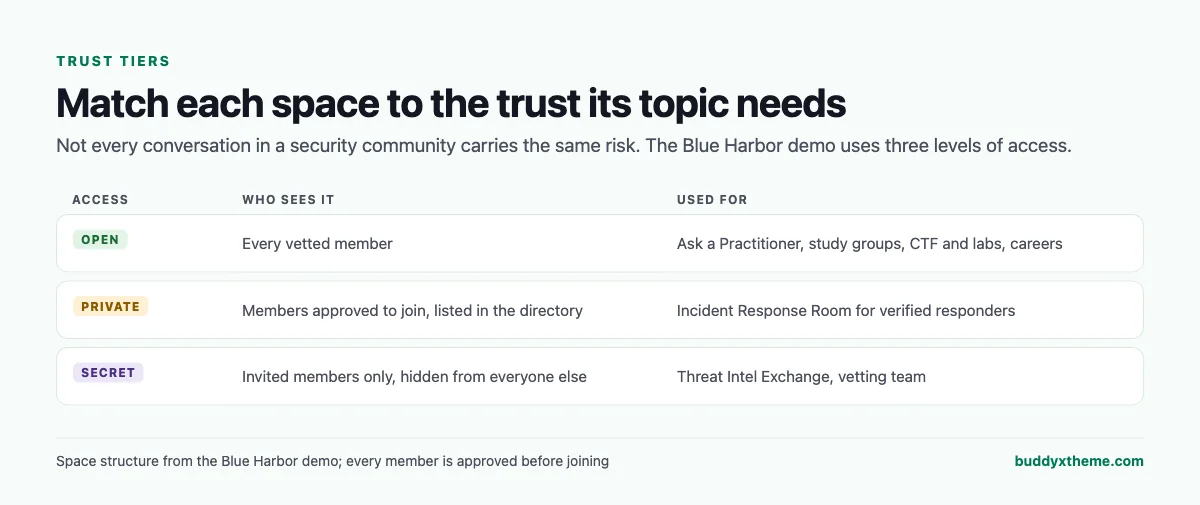
Decide before launch which topics belong in which tier, and write it into the sharing rules. In the demo, general technical questions are open to every vetted member, incident response lessons are private to verified responders, and threat intelligence is secret and invite-only, with membership reviewed every quarter.
Sharing rules that make people comfortable posting
| Rule | Why it works |
|---|---|
| No customer or employer names | Members can share lessons without exposing anyone |
| No live incident details | Active investigations stay with the people handling them |
| Respect sharing labels | Intelligence shared under a label stays within that label’s audience |
| Write-ups only after events close | CTFs stay fair for everyone |
| Recruiters post roles on the job board | The feed stays useful for practitioners |
| Questions about rules go to the vetting team | Members know who decides |
Questions to ask before you choose
- Who decides who joins? Look for approval and invite-only modes, and email domain rules if you want only professional addresses.
- Can you require two-factor sign-in? For a security community, opt-in is not enough for administrators and moderators.
- Where does the data live? Self-hosted platforms let you choose the server, jurisdiction and backups.
- Can sensitive rooms be hidden, not just locked? Secret spaces stop outsiders from even seeing that a topic exists.
- Will answers still be findable next year? Chat is excellent for incidents and poor as a knowledge base.
- What happens between CTFs? Study groups, mentoring and careers keep members engaged when there is no competition.
A 60-day launch plan for a security community
- Weeks one and two: the front door. Turn on approval or invite-only sign-up, require two-factor for administrators and moderators, write the sharing rules and create the vetting team space.
- Weeks three and four: the rooms. Create Ask a Practitioner, study groups, careers, a private room for responders and, if needed, a secret intelligence space. Invite twenty founding members you can vouch for.
- Weeks five and six: first answers and first study group. Ask founding members to post and answer real questions, mark accepted answers, and start one study group with weekly labs.
- Weeks seven and eight: first event. Run a lab night or a small CTF on a dedicated platform, publish write-ups afterwards, and open the job board to vetted employers.
Which platform fits your security community?
| If you… | Choose |
|---|---|
| Want a vetted community with private rooms, Q&A, study groups, events and jobs on your own server | BuddyNext |
| Mainly need a self-hosted technical forum | Discourse |
| Need sovereign or air-gapped team chat | Mattermost or Rocket.Chat |
| Need end-to-end encrypted messaging | Element |
| Want a hosted community with events and courses | Circle |
| Run informal CTF team chat | Discord |
| Want labs and CTFs for members to practise on | Hack The Box or TryHackMe |
| Want to host your own CTF | CTFd |
More community platform comparisons
Running a different kind of technical or professional community? These guides use the same method: a working demo community and vendor claims checked at the source.
- Best platforms for a healthcare professionals network: verified sign-up, specialty groups, education and peer support for clinicians.
- Best platforms for an AI agent developer community: Q&A with code, showcases and integrations.
- Best software for a coding bootcamp community: cohorts, code review and career support.
- Best software for professional certification training: courses, exams and verifiable certificates.
- Best software for an accounting professionals community: peer Q&A, private groups and confidentiality rules.
- How to set up a community space on WordPress: the step-by-step setup guide behind every demo in this series.
How we built and checked this list
We built the Blue Harbor demo on a local WordPress site running BuddyNext, with fictional members, rooms, questions, a study track, events and jobs created for this guide. Every BuddyNext screenshot is from that demo, and the registration and two-factor settings were checked in the plugin’s code and settings screens. Competitor features were checked against each vendor’s own website and documentation in November 2026, and the workforce figures come from ISC2 and the U.S. Bureau of Labor Statistics. Several vendor pages blocked automated checks, so where we could not confirm a feature on a vendor’s own pages, the scorecard says “Not found” or “Not confirmed”. We did not run a hands-on trial of every product, so features can change; confirm anything critical with the vendor. buddyxtheme.com is published by the team behind BuddyNext, which is why BuddyNext is listed first; we have tried to be fair about its gaps as well as its strengths.
Frequently asked questions
What is the best platform for a cybersecurity professionals community?
BuddyNext is the best choice for a vetted security community you host, with approval or invite-only sign-up, two-factor sign-in that can be required by role, private and secret spaces, Q&A with accepted answers, study groups, events and a job board. Discourse is the strongest self-hostable forum alternative.
How do I vet members of a security community?
Use admin approval or invite-only registration, restrict or block email domains if needed, ask for a short professional background at sign-up, and have a vetting team review each request.
Should a security community require two-factor authentication?
Yes, at least for administrators and moderators. BuddyNext lets you require two-factor sign-in for administrators, staff or everyone.
Where should threat intelligence be shared?
In a secret, invite-only space with clear sharing labels and regular membership reviews, or on a dedicated intelligence sharing platform. Never in open spaces.
Can I run CTFs inside a community platform?
Run the challenges on a CTF platform such as CTFd, Hack The Box or TryHackMe, and use the community for announcements, teams, write-ups and the conversation around it.
Is Discord safe enough for a security community?
Discord is convenient for informal chat and CTF teams, but it is a hosted service you do not control, and it lacks Q&A, courses and a job board. Many groups keep Discord for chat and use a community platform as their home.
Should a security community be self-hosted?
Self-hosting gives you control over where member data lives and how it is secured. BuddyNext, Discourse, Mattermost, Rocket.Chat, Element and CTFd can be self-hosted.
The bottom line
A security community works when members trust the front door, know which room each conversation belongs in, and can find last year’s answers. If you want vetting, two-factor sign-in, private and secret rooms, Q&A, study groups, events and jobs on infrastructure you control, BuddyNext is the strongest foundation, with a CTF platform alongside for competitions. If you mainly need a forum, Discourse leads, and for sovereign team chat, Mattermost, Rocket.Chat and Element.
And give defenders a trusted place to get better together.