
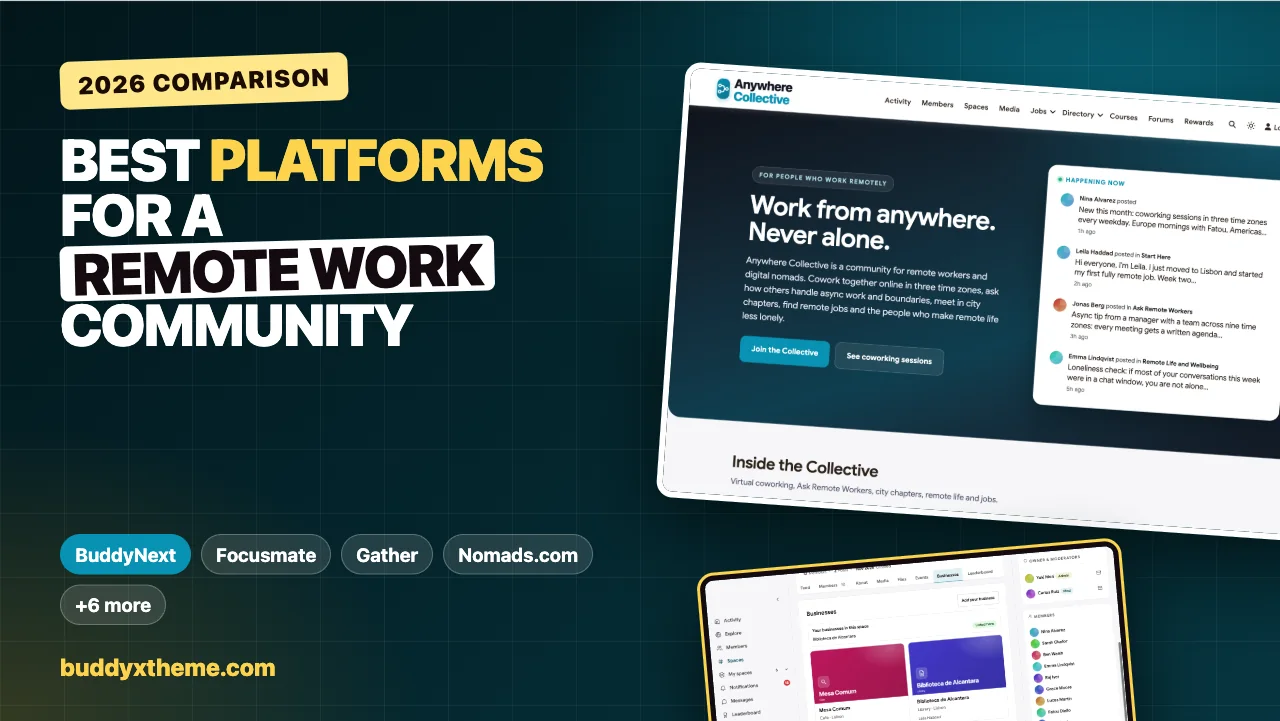
Remote work solved the commute and quietly removed something else: the colleague at the next desk. The person who notices you are stuck, the lunch that turns into an idea, the casual “how did you handle that client?” For many remote workers, the hardest part of the job is not the tools or the time zones. It is the quiet. A remote workers community gives people back the parts of an office worth keeping, without the parts nobody misses.
This guide compares the platforms you can use to build that community, whether you are an independent organiser, a remote job board, a coworking-at-home brand or a company bringing its distributed employees together. It covers virtual coworking across time zones, city chapters and meetups, async questions and answers, a member directory with location and skills, remote jobs, and wellbeing. We built a working remote workers community for the first entry and checked every competitor claim on the vendor’s own pages in November 2026.
Quick answer
If you want a remote workers community you own, BuddyNext is the strongest choice: virtual coworking sessions as events in several time zones, private city chapters with meetups and a directory of work-friendly places, async Q&A with accepted answers, a member directory with location and skills, a remote job board and a wellbeing space, all on your own website. For focused coworking on its own, Focusmate, Flow Club and Caveday lead; Gather is a virtual office for teams, Nomads.com is a digital nomad network to join, and Meetup, Remote OK and Donut each cover one narrower job.
In this guide
- Why remote workers need community
- Four kinds of remote work tools
- The remote workers community scorecard
- 1. BuddyNext: best for a remote workers community you own
- 2. Focusmate: best for one-to-one accountability
- 3. Flow Club: best for small group focus sessions
- 4. Caveday: best for guided focus with a community forum
- 5. Gather: best virtual office for distributed teams
- 6. Nomads.com: best digital nomad network to join
- 7. Bettermode: best hosted community with a job board
- 8. Meetup: best for local in-person groups
- 9. Remote OK: best remote job board
- 10. Donut: best for intros inside Slack or Teams
- A coworking schedule that follows the sun
- Online and in person
- Running a remote workers community
- Questions to ask before you choose
- A 30-day launch plan
- Which platform fits your remote community?
- More community platform comparisons
- How we built and checked this list
- Frequently asked questions
- The bottom line
Why remote workers need community
Remote and hybrid work is now a normal part of working life. The U.S. Bureau of Labor Statistics American Time Use Survey found that “on days they worked, 35 percent of employed people did some or all of their work at home” (BLS). And the downside is well known to anyone who has done it: in Buffer’s State of Remote Work, “the next most selected struggle for remote workers was loneliness, with 23 percent of remote workers selecting it” (Buffer).
Remote workers do not need another chat channel. They need a few specific things:
| Need | What it looks like | What the platform needs |
|---|---|---|
| Working beside people | Focus sessions with a check-in at the start and end | Recurring events with a video link, in several time zones |
| Answers from peers | How do you handle async meetings, contracts, burnout? | Q&A with accepted answers |
| People nearby | Coffee, coworking days and meetups in your city | Private city chapters with events and local places |
| Finding each other | Who else is in Lisbon? Who knows Kubernetes? | A member directory with location and skills |
| Work | Remote roles from people who understand remote | A job board |
| Wellbeing | Boundaries, loneliness, parenting while remote | A kind, moderated space |
Four kinds of remote work tools
| Kind | What it does | Examples |
|---|---|---|
| Virtual coworking | Focus sessions with other people on video | Focusmate, Flow Club, Caveday |
| Virtual office | A persistent space where a team can see who is around | Gather |
| Networks and single-job tools | A nomad network to join, local events, remote jobs, intros inside Slack or Teams | Nomads.com, Meetup, Remote OK, Donut |
| Community platforms | Your own community with groups, Q&A, events, directory and jobs | BuddyNext, Bettermode |
Most organisers combine one community platform with a video tool for live sessions. The community is the home; the video call is the room you step into.
The remote workers community scorecard
How each option handles what matters most. “Not found” means we could not confirm it on the vendor’s own pages, not that it is impossible.
| Platform | Virtual coworking | City chapters and meetups | Async Q&A | Member directory | Job board | Run your own |
|---|---|---|---|---|---|---|
| BuddyNext | Events with video links, any time zone | Private chapters, events, local places | Accepted answers | Location and skills | Yes | Yes |
| Focusmate | One-to-one sessions | Not found | Not found | Not found | Not found | No |
| Flow Club | Group sessions | Not found | Not found | Not found | Not found | No |
| Caveday | Guided sessions | Not found | Community forum | Not found | Not found | No |
| Gather | Virtual office | Not found | Not found | Not found | Not found | Team spaces |
| Nomads.com | Not found | Meetups in many cities | Chat | Not confirmed | Jobs in chat | No |
| Bettermode | Not found | Events | Discussion | Members | Job board | Yes |
| Meetup | Not found | Local groups and events | Not found | Not found | Not found | Groups |
| Remote OK | Not found | Not found | Not found | Not found | Yes | No |
| Donut | Not found | Not found | Not found | Not found | Not found | Inside Slack or Teams |
1. BuddyNext: best for a remote workers community you own
BuddyNext is a complete community platform that runs on your own WordPress site. Open, private and secret spaces, events with RSVPs, Q&A with accepted answers, a member directory with profile fields, a business directory, a job board, direct messages, polls and leaderboards work together. An organiser can bring coworking, city chapters, answers and jobs into one community under their own brand.
To show it in practice, we built Anywhere Collective, a demo community for remote workers and digital nomads. It has 20 members in more than fifteen countries: engineers, designers, writers, a translator, a recruiter for remote-first companies, an engineering manager with a team across nine time zones, a remote parent, a wellbeing coach, slow travellers, chapter hosts in Lisbon and Mexico City, and someone in her second week of remote work.
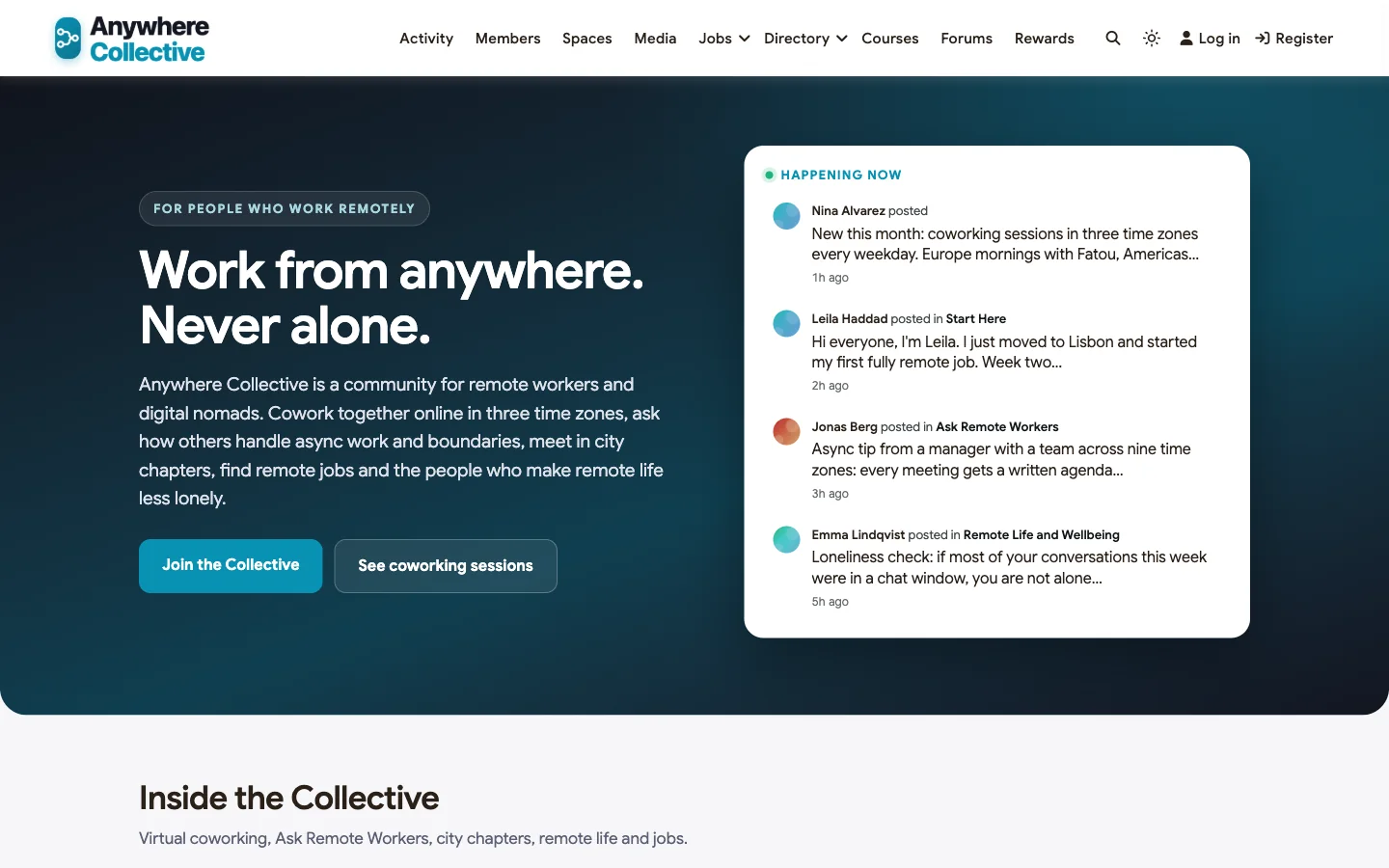
Good at: giving remote workers a daily rhythm, connecting people who live near each other, and answers that stay findable.
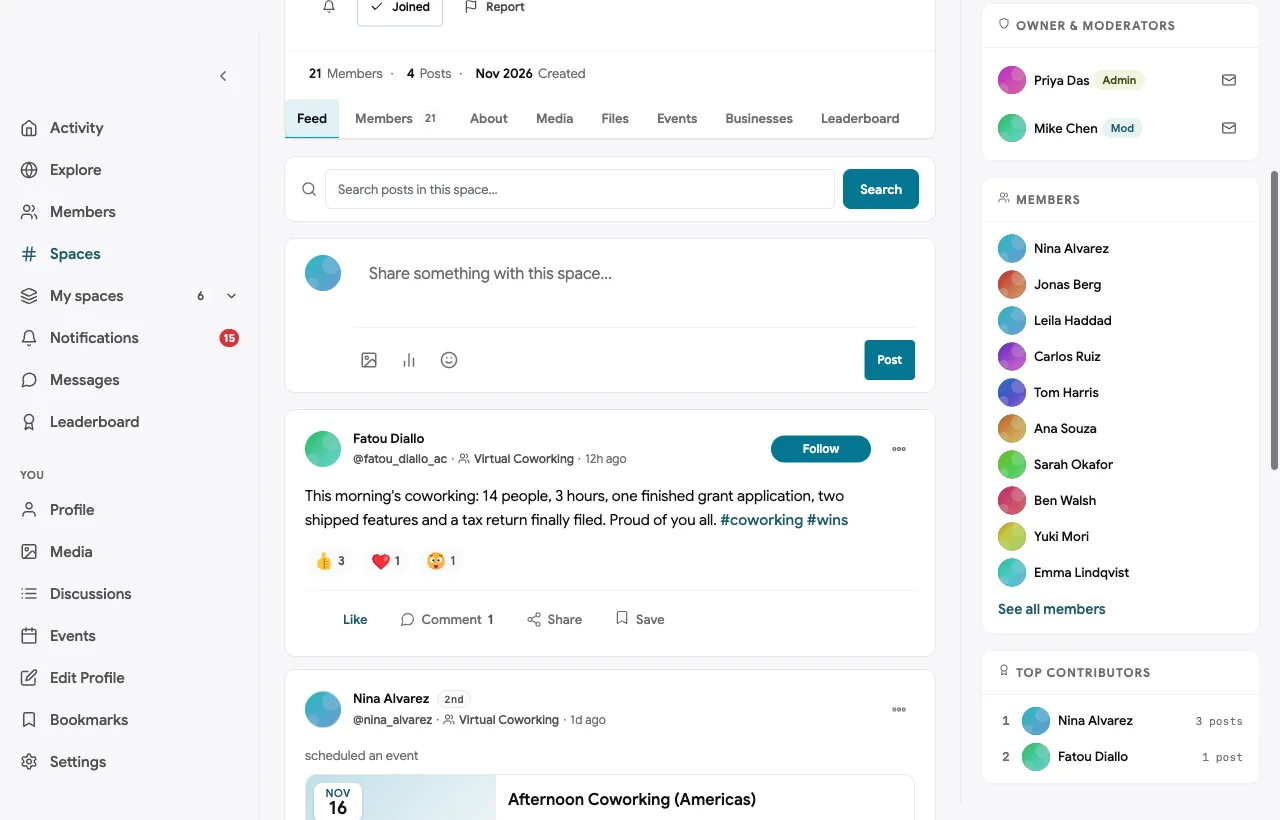
Virtual coworking in three time zones. Daily focus sessions are recurring events, each with its own local time and a video link. Members say what they will work on, work, and check in at the end:

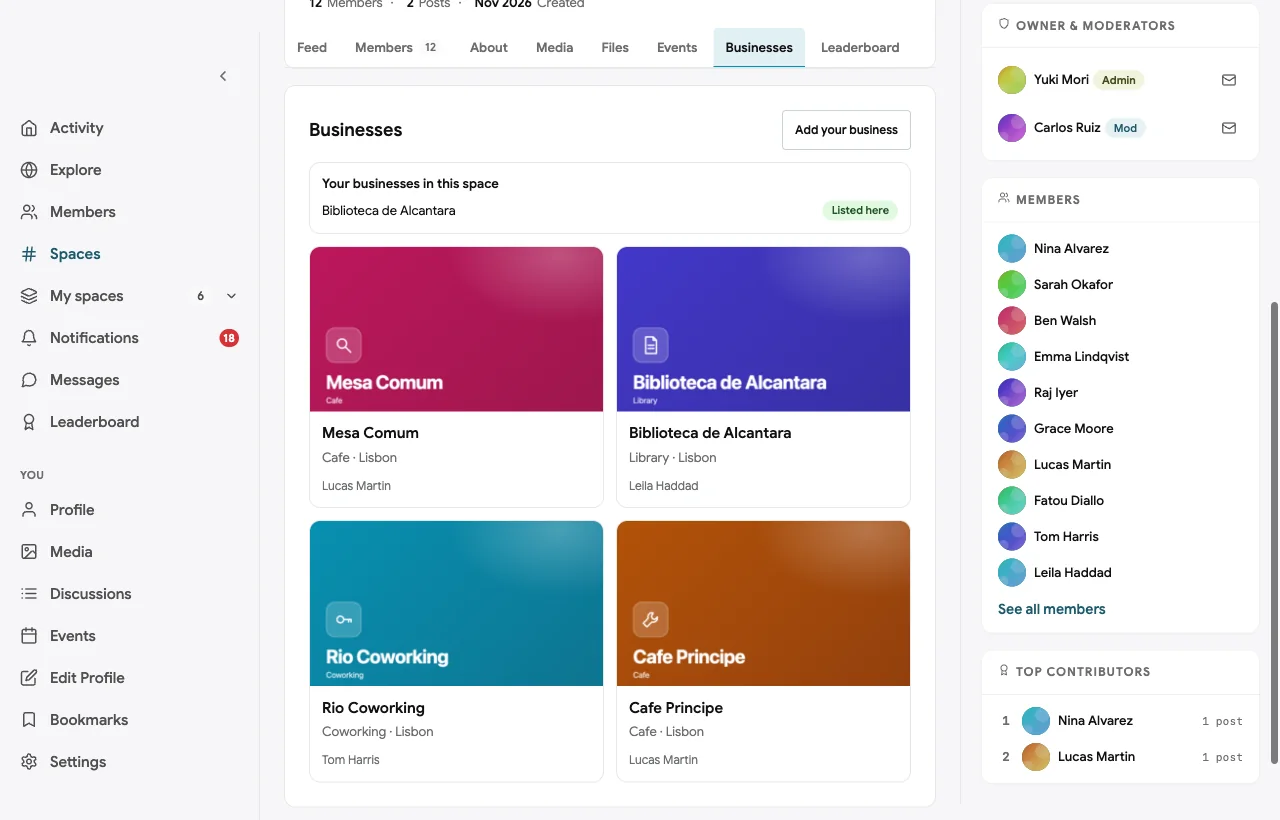
Private city chapters with local places. Members in Lisbon and Mexico City have private chapter spaces for meetups and coworking days, and the Lisbon chapter keeps a directory of work-friendly cafes, coworking spaces and a quiet library:

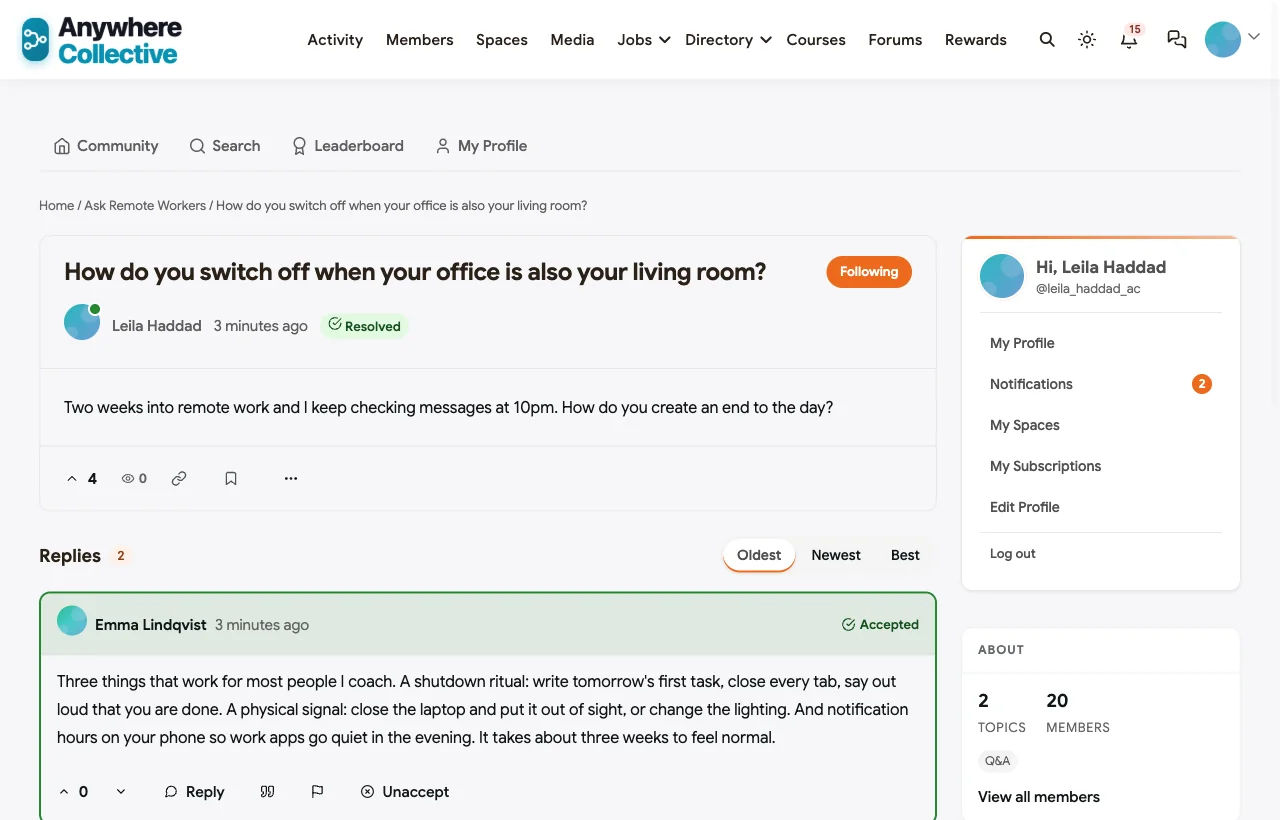
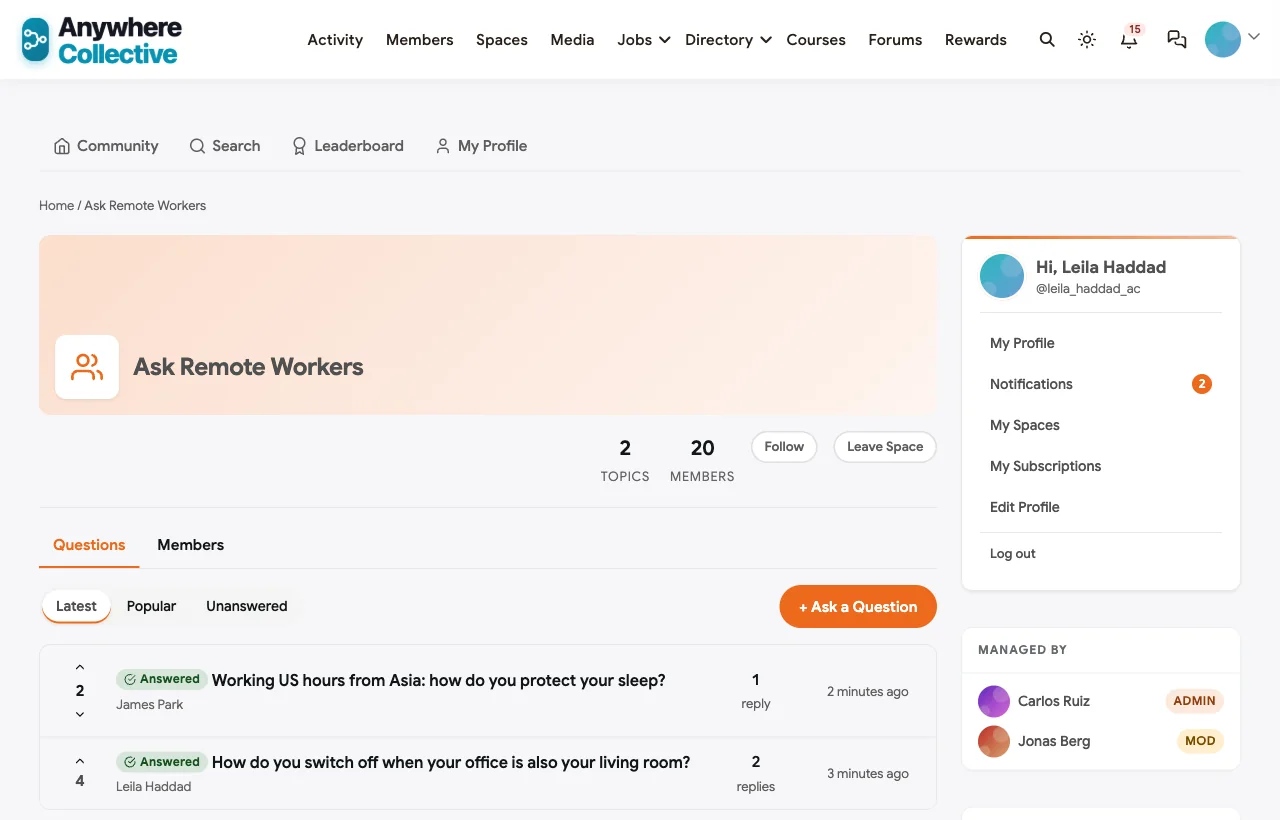
Async Q&A with accepted answers. Members ask how others handle boundaries, time zones and async work, and the answer that helped is marked accepted. In the demo, a new remote worker asks how to switch off when her office is her living room, and a wellbeing coach’s answer becomes the reference:
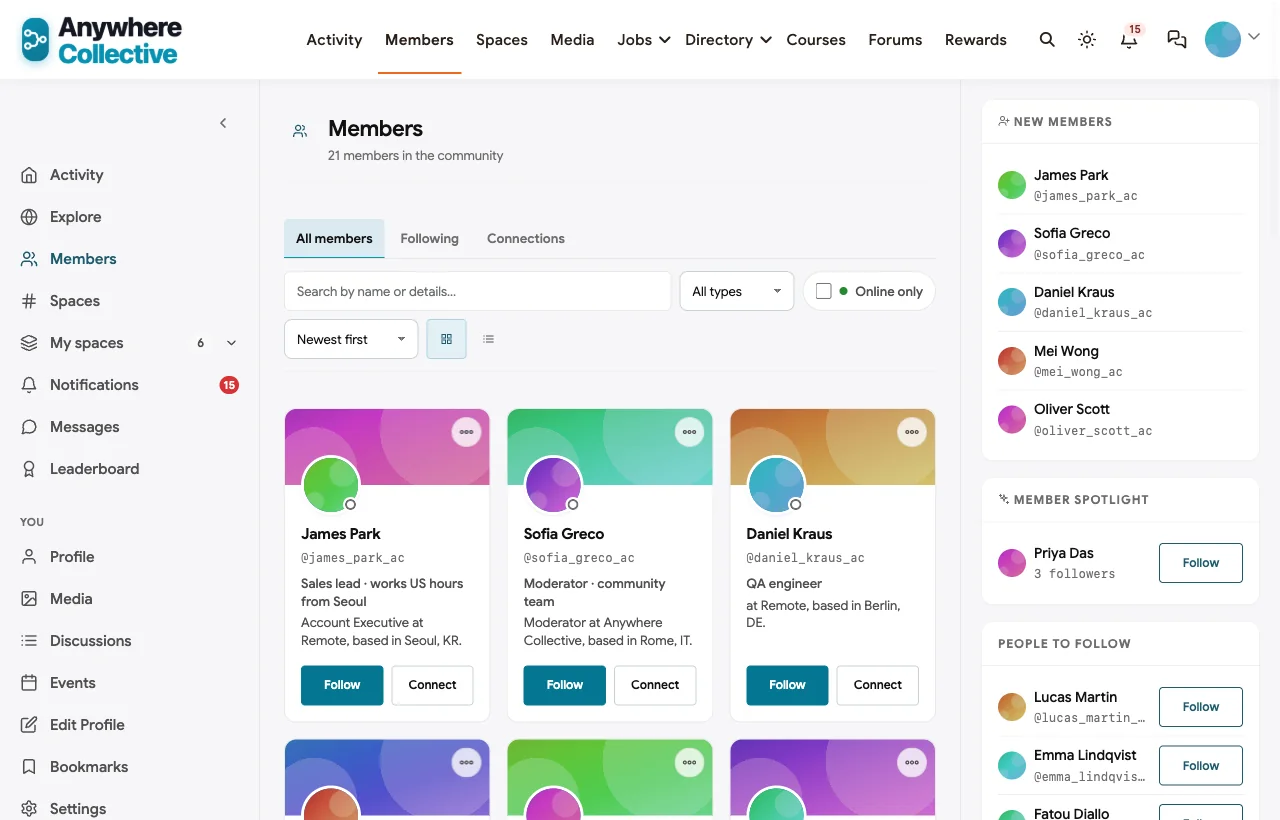
A member directory with location and skills. Every member has a headline, company, location and skills, so it is easy to find who else is in your city or who knows a tool:
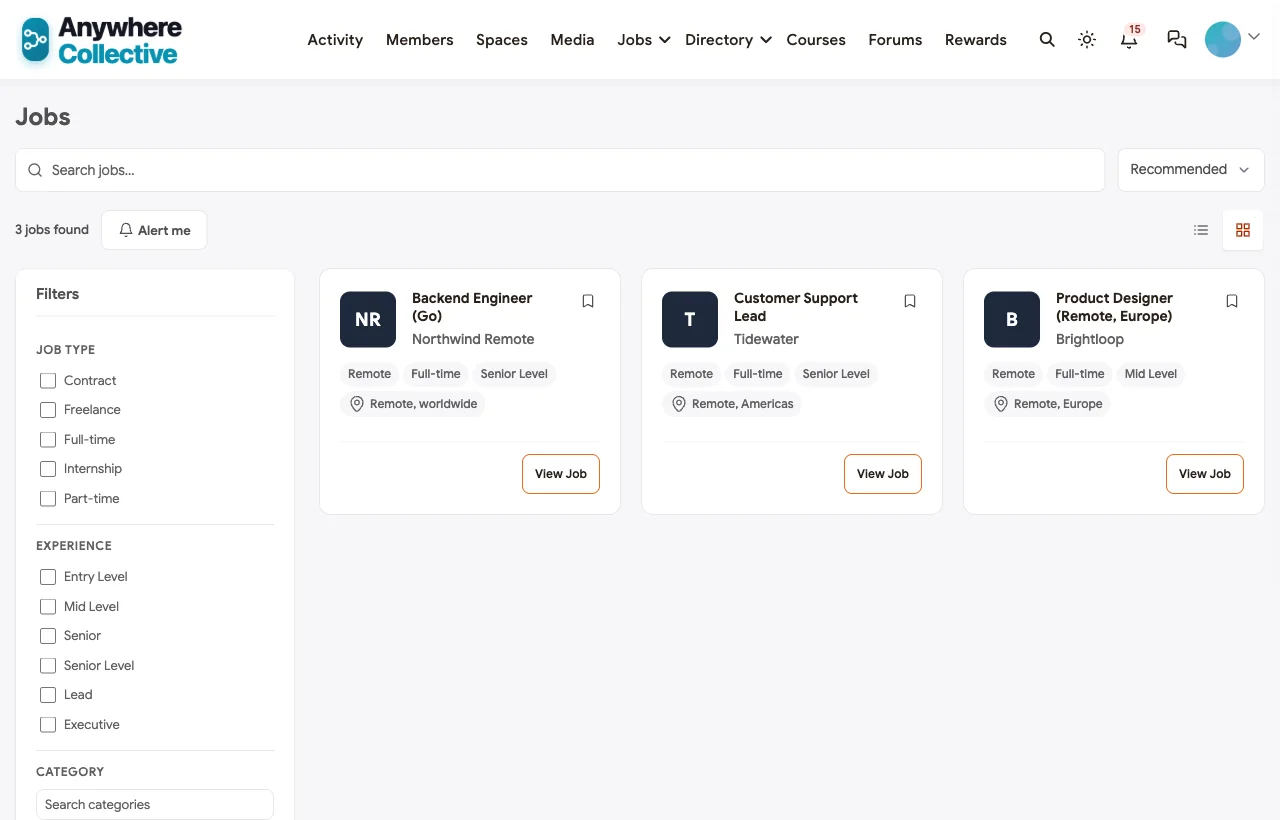
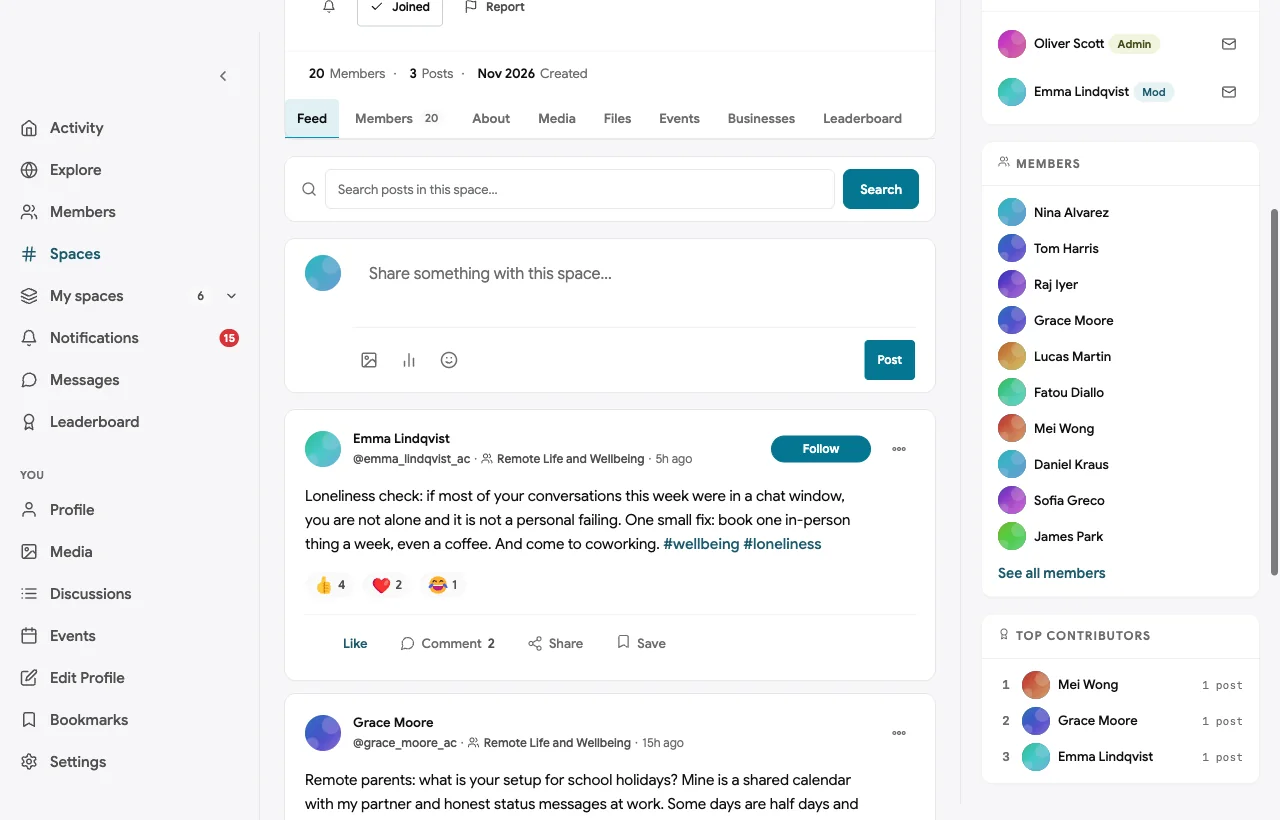
Remote jobs and wellbeing. Remote roles from members and remote-first companies sit on the job board, and a Remote Life and Wellbeing space covers boundaries, loneliness and parenting while remote:
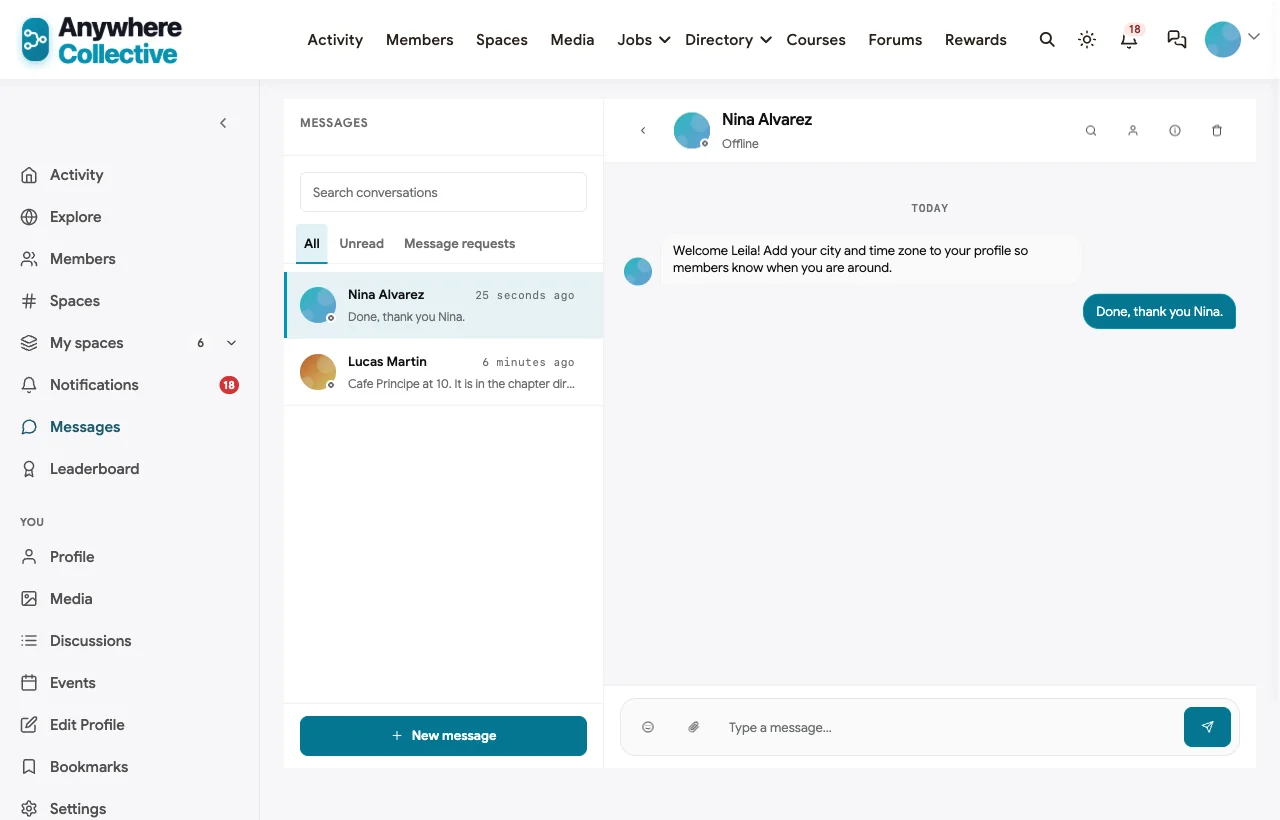
A personal welcome. The founder and chapter hosts welcome new members by direct message and invite them to their first coworking session or meetup:
Also built in. Polls, hashtags, notifications, profile privacy controls, moderation and reporting, points and a leaderboard, a secret hosts room, and a mobile layout that works on a phone without an app download.
Not built for: hosting video calls or a persistent virtual office. Live sessions use your video tool of choice, linked from each event. It is self-hosted, so you run WordPress or use a managed host.
What’s included, and how it is delivered
BuddyNext is one platform made of a core and add-on platform modules. Everything shown in the demo above runs on the BuddyNext platform. This table shows which parts come with the core, which are platform modules you install and activate alongside it, and which need a third-party plugin, another system or custom work.
| Capability | How it is delivered |
|---|---|
| Open, private and secret spaces for chapters | Core platform |
| Member profiles with location and skills, member directory | Core platform |
| Activity feed, pinned announcements, polls and hashtags | Core platform |
| Moderation and reporting | Core platform |
| Direct messages | Platform module, installed alongside |
| Coworking sessions and meetups as events | Platform module, installed alongside |
| Q&A with accepted answers | Platform module, installed alongside |
| Directory of work-friendly places | Platform module, installed alongside |
| Remote job board | Platform module, installed alongside |
| Points, badges and leaderboards | Platform module, installed alongside |
| Video for coworking sessions | Third-party video tool (Zoom, Google Meet) |
Want to click around yourself? The Anywhere Collective community in this guide was built on a private test site, so it is not public. The BuddyNext live demo is a general community you can open in your browser and explore without installing anything.
2. Focusmate: best for one-to-one accountability
Focusmate offers “virtual coworking for getting anything done” (Focusmate). You book “25, 50, and 75-minute sessions,” and it will “match you with a member of our wonderful community whenever you want to focus,” with partners from “150+ countries” and sessions “available 24/7” (Focusmate FAQ).
Strengths: the simplest way to get focused work done with another person, any time.
Gaps: no community beyond sessions; it says it does not have an app, and there is no directory, chapters or job board.
3. Flow Club: best for small group focus sessions
Flow Club invites you to “join committed folks in virtual coworking sessions designed to drop you into productive flow,” with sessions from “30 minutes to 3 hours” for “up to 9” people, led by hosts who “are volunteers from the community” (Flow Club).
Strengths: friendly group sessions that feel like a small team.
Gaps: no member directory, chapters, Q&A or job board found.
4. Caveday: best for guided focus with a community forum
Caveday runs “guided, online focus sessions” in “30 min, 1 hour, and 3 hour” formats, a “24/7 Focus Lounge,” “Accountability Groups” and a “Community Forum” to “find your people, join events, start conversations” (Caveday).
Strengths: structured, human-guided sessions plus a forum.
Gaps: no directory, chapters or job board found.
5. Gather: best virtual office for distributed teams
Gather is “a virtual workspace that feels refreshingly human” where you can “look around your virtual office to find who’s free and start talking in seconds,” with spatial audio, and it is “trusted by 5,000+ distributed teams” (Gather).
Strengths: the closest thing to a shared office for a remote team.
Gaps: built for teams rather than an open community of remote workers; no directory, chapters or job board found.
6. Nomads.com: best digital nomad network to join
Nomads.com, “formerly Nomad List,” helps you find the “best places to live for digital nomads,” “attend 195 meetups/year in 100+ cities,” and “join Nomads.com chat and find your community on the road,” where new remote jobs are also shared (Nomads.com).
Strengths: city data and meetups for people who travel.
Gaps: a network you join, not a community you run; jobs are shared through chat rather than a job board.
7. Bettermode: best hosted community with a job board
Bettermode helps you “build a community your audience loves,” with discussion, events, members and a job board (Bettermode), customisable “with drag-and-drop tools.”
Strengths: a hosted community with the main building blocks, including jobs.
Gaps: no coworking, chapters or remote-specific features found.
8. Meetup: best for local in-person groups
Meetup is “the people platform” for interests from “hiking and reading to networking and skill sharing” (Meetup), with events surfaced near you and mobile apps.
Strengths: local discovery for in-person meetups.
Gaps: not remote-specific; no coworking, Q&A or job board.
9. Remote OK: best remote job board
Remote OK lets companies “post a job to reach 20,200,000+ remote workers” and offers access to “100,000+ remote jobs from 10,000+ top companies,” with category pages, statistics and a jobs API (Remote OK).
Strengths: a large remote job board.
Gaps: a job board only: no coworking, community discussion or directory.
10. Donut: best for intros inside Slack or Teams
Donut offers “smart-match introductions, powered by AI” that “automate and scale inside your Slack or Teams workspace” (Donut), and quotes Buffer, a fully remote company, on its “biweekly intros.”
Strengths: effortless introductions for remote employees in a company workspace.
Gaps: runs inside Slack or Teams; no standalone community, coworking, chapters or job board.
A coworking schedule that follows the sun
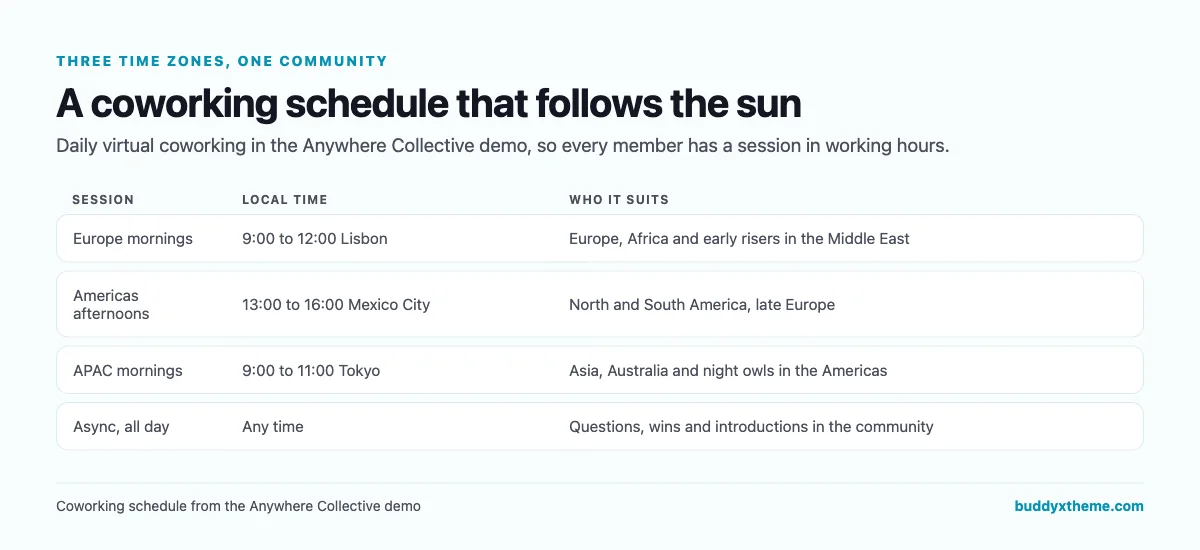
A single coworking session excludes most of the world. Three short sessions spread across the day, each hosted by a member in that region, let everyone join in normal working hours. Keep async spaces for everything in between.
Online and in person
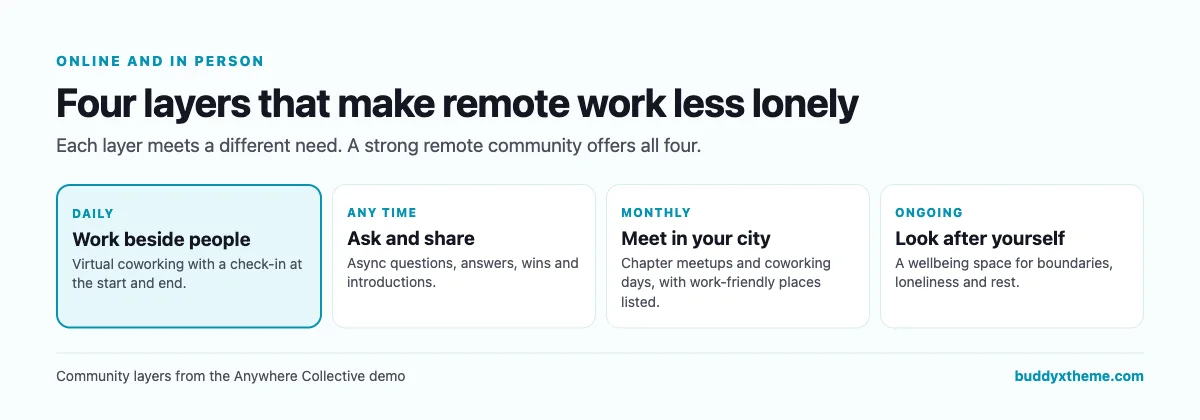
| Layer | How to run it well |
|---|---|
| Daily coworking | Short check-in, focus blocks, short check-out. Hosts rotate. |
| Async Q&A | Ask for specifics, mark accepted answers, link repeat questions. |
| City chapters | One meetup a month, a coworking day, a list of work-friendly places. |
| Wellbeing | Kind moderation, practical tips, and a nudge to see people in person. |
Running a remote workers community
| Practice | Why it works |
|---|---|
| Ask new members for city and time zone | Members find people nearby and sessions that fit |
| Welcome every new member personally | The first week decides whether they come back |
| Celebrate small wins after coworking | Accountability works best when it is visible |
| Recruit local hosts | Chapters grow when someone local owns them |
| Keep recruiters in the job board | The community stays useful for members |
| Talk openly about loneliness | Members are more likely to reach out |
Questions to ask before you choose
- Do you want sessions only, or a community? Coworking tools are great at sessions; a community holds everything around them.
- Will members want to meet in person? Look for private chapter spaces with events and local recommendations.
- Can members find each other by city and skill? A directory with location and skills makes introductions easy.
- Where will answers live? Chat is fast but forgetful; Q&A keeps answers findable.
- Do you need jobs? A job board inside the community is a strong reason for members to return.
- Who owns the community? A self-hosted community stays on your own domain.
A 30-day launch plan
- Week one: structure. Create Start Here, Virtual Coworking, Ask Remote Workers, Remote Life and Wellbeing, Remote Jobs and your first one or two city chapters.
- Week two: the rhythm. Schedule daily coworking sessions in the time zones where your members live, each with a host.
- Week three: local. Ask chapter hosts to schedule a first meetup and add three work-friendly places.
- Week four: invite. Open to everyone, welcome each new member personally and post a weekly round-up of wins.
Which platform fits your remote community?
| If you… | Choose |
|---|---|
| Want coworking, city chapters, Q&A, a directory and jobs in a community you own | BuddyNext |
| Want one-to-one focus sessions | Focusmate |
| Want small group focus sessions | Flow Club |
| Want guided focus with a forum | Caveday |
| Need a virtual office for a team | Gather |
| Are a digital nomad looking for a network | Nomads.com |
| Want a hosted community with a job board | Bettermode |
| Only organise local meetups | Meetup |
| Only need a remote job board | Remote OK |
| Want intros for remote employees in Slack or Teams | Donut |
More community platform comparisons
Running a different kind of work community? These guides use the same method: a working demo community and vendor claims checked at the source.
- Best platforms for a travel enthusiasts community: trip reports, travel Q&A, buddies and group trips.
- Best platforms for a diaspora and expat networking community: city chapters, newcomer Q&A, mentoring and a members’ business directory.
- Best software for a coworking space member community: location groups, a member directory and events for physical spaces.
- Best platforms for a freelancer networking community: referrals, feedback and local chapters for independents.
- Best software for a startup founder community: founder circles and peer help.
- Best platforms for a paid language learning community: live sessions across time zones.
- How to set up a community space on WordPress: the step-by-step setup guide behind every demo in this series.
How we built and checked this list
We built the Anywhere Collective demo on a local WordPress site running BuddyNext, with fictional members, coworking sessions, chapters, places, questions and jobs created for this guide. Every BuddyNext screenshot is from that demo. Competitor features were checked against each vendor’s own website in November 2026, and the remote work figures come from the U.S. Bureau of Labor Statistics and Buffer. We left out Workfrom because its website no longer operates, and Hivebrite because its website blocked our checks. Where we could not confirm a feature on a vendor’s own pages, the scorecard says “Not found” or “Not confirmed”. We did not run a hands-on trial of every product, so features can change; confirm anything critical with the vendor. buddyxtheme.com is published by the team behind BuddyNext, which is why BuddyNext is listed first; we have tried to be fair about its gaps as well as its strengths.
Frequently asked questions
What is the best platform for a remote workers community?
BuddyNext is the best choice for a remote workers community you own, with virtual coworking sessions in several time zones, private city chapters, async Q&A, a member directory with location and skills, a job board and a wellbeing space. For coworking sessions alone, Focusmate, Flow Club and Caveday lead.
How do you run virtual coworking in a community?
Create recurring events in two or three time zones, each with a host and a video link. Start with a short check-in, work in focus blocks and end with a short check-out where people share what they finished.
How can a remote community help with loneliness?
Give people a daily rhythm of working beside others, a place to talk honestly about remote life, and local chapters so they can meet in person.
How do I connect remote workers in the same city?
Ask members for their city at sign-up, create private chapter spaces for cities with enough members, and invite a local host to run a monthly meetup.
Should a remote community have a job board?
Yes, if your members are looking for work. A job board keeps recruiters out of discussion spaces and gives members a reason to return.
Can a company use this for its remote employees?
Yes. Companies use the same structure for distributed teams: coworking sessions, interest groups, city meetups and a place to ask questions, on a private community.
Do members need an app?
BuddyNext works in the mobile browser without an app download, which suits people moving between home, cafes and cities.
The bottom line
Remote work is better with people around you, even when they are on the other side of the world. If you want coworking across time zones, city chapters, answers that stay findable, a member directory and remote jobs in a community you own, BuddyNext is the strongest foundation, with your video tool for live sessions. For focus sessions alone, Focusmate, Flow Club and Caveday lead.
And give remote workers a place to work, ask and meet.