
The most valuable thing a founder community gives its members is not content. It is the right person, at the right moment, telling the truth: the founder who solved your exact hiring problem last year, the investor who will look at your deck before you send it, the peer pod that notices you are burning out before you do. Software cannot create that trust, but the wrong software can quietly destroy it, by leaking a confidential thread, burying an urgent ask, or making a small pod feel like a public feed.
This guide compares the software you can use to build a startup founder community, whether you run an accelerator’s alumni network, a local startup ecosystem, a vetted founder membership or a peer mastermind. We built a working founder community for the first entry, checked every competitor claim against the vendor’s own pages in November 2026, and judged each platform on what founders actually need: confidentiality, fast intros, small peer groups, real-world events and a member list you control.
Quick answer
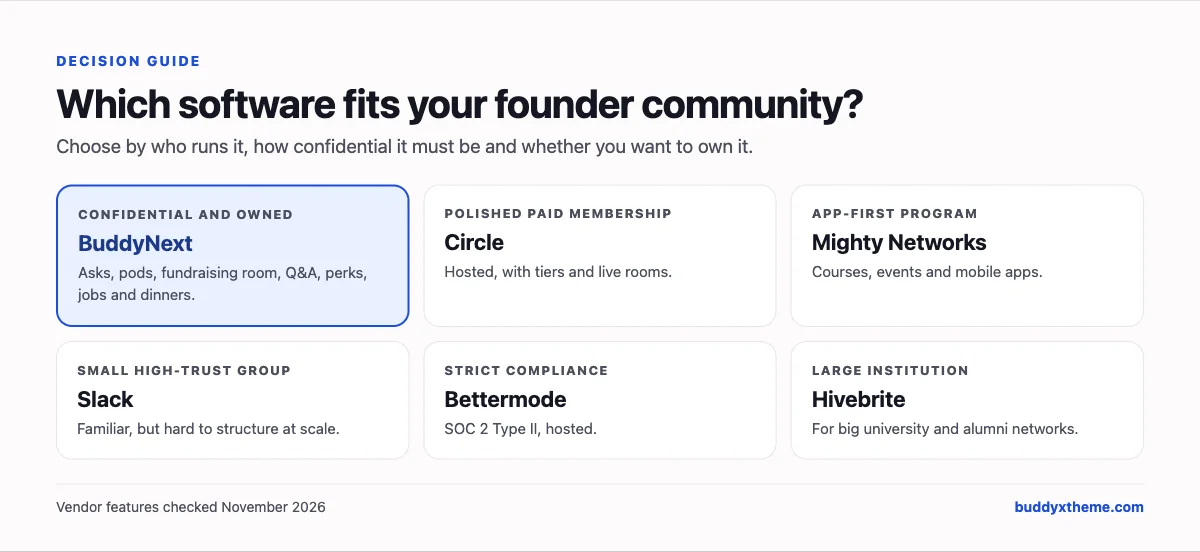
If you want a startup founder community you own and control, BuddyNext is the strongest choice: an Asks & Offers space for intros, private and secret peer pods, a confidential fundraising room, founder Q&A with accepted answers, a perks and partners directory, a startup jobs board, and dinners, office hours and workshops on your own WordPress site. Circle is the strongest hosted option, Mighty Networks suits app-first paid founder memberships, and Slack is the familiar default that struggles with structure and confidentiality at scale.
In this guide
- Why founder communities work
- Five formats inside a founder community
- The confidentiality test
- 1. BuddyNext: best for a founder community you own and control
- 2. Circle: best hosted platform for a polished founder membership
- 3. Mighty Networks: best for an app-first founder membership
- 4. Slack: best when founders already live in Slack
- 5. Bettermode: best for compliance-conscious hosted communities
- 6. Heartbeat: best for a small paid founder group
- 7. Hivebrite: best for large institutional networks
- 8. Discord: best for free, technical founder communities
- 9. Skool: best for a simple founder course with a community
- 10. LinkedIn Groups: best as a low-key invite-only side channel
- 11. Facebook Groups: best for local startup ecosystem reach
- Founder community software compared
- How to run peer pods that founders keep attending
- Asks that get answered
- Launching a founder community: the first 60 days
- More community platform comparisons
- How we built and checked this list
- Frequently asked questions
- The bottom line
Why founder communities work
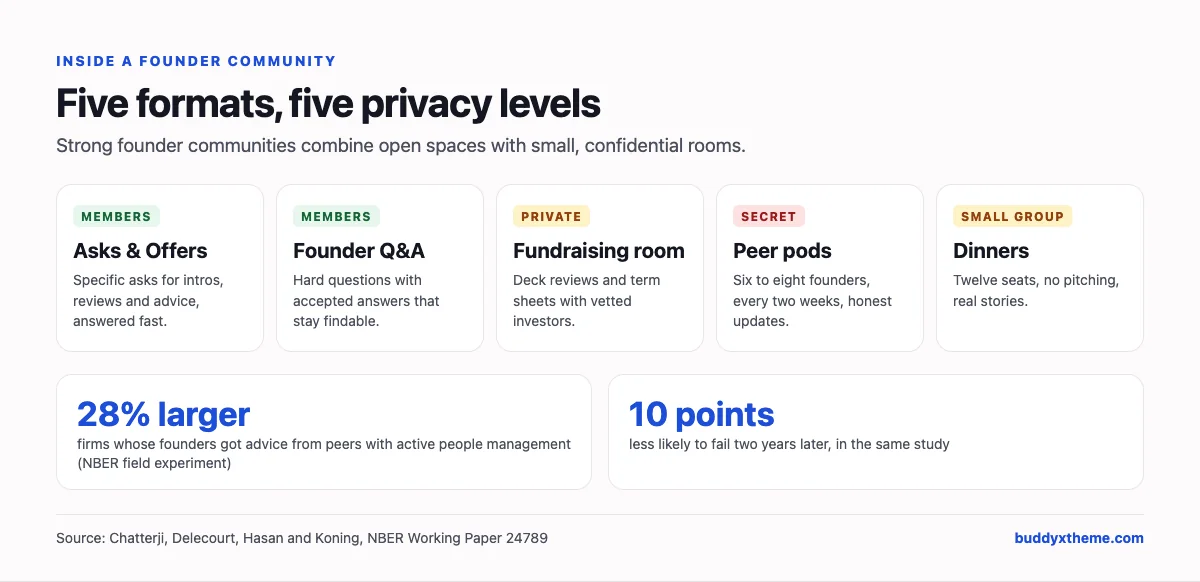
Founders have always learned from other founders, and the evidence for it is unusually strong. In a randomized field experiment with 100 high-growth technology firms in India, researchers found that “entrepreneurs who received advice from peers with an active approach to managing people… grew 28% larger and were 10 percentage points less likely to fail” than those advised by peers with a passive approach, two years later (NBER). The study, published in the Strategic Management Journal, also found that founders with MBAs or accelerator experience did not respond to the intervention, a reminder that peer advice matters most to founders who have not had other support.
The best-resourced accelerators know this. Y Combinator describes Bookface, the platform its founders use to connect, as “a combination of Facebook, Quora, and LinkedIn,” where founders post requests for help, introductions or knowledge to a forum (Y Combinator). It is internal to YC rather than a product you can buy. Most founder communities do not have an engineering team to build their own tool, which is why the choice of platform matters.
Five formats inside a founder community
Strong founder communities are rarely one big group chat. They combine a few formats, each with different privacy and software needs.
| Format | What it is for | Privacy | What the software needs |
|---|---|---|---|
| Asks & Offers | Fast intros, reviews and advice across the whole community | Members only | A dedicated space, notifications, a searchable member directory |
| Peer pods | Six to eight founders meeting every two weeks for accountability | Private or secret | Small private spaces, recurring events, direct messages |
| Fundraising room | Deck reviews, investor intros, term sheet questions | Confidential, vetted investors only | Private spaces with approval, clear moderators |
| Founder Q&A | Hiring, boards, pricing and the questions nobody prepared you for | Members only | Q&A with accepted answers so advice is findable later |
| Dinners and office hours | Trust that only forms in person or face to face | Small groups | Events with venues, RSVPs and caps |
The confidentiality test
Founders share things in a good community that they would never post publicly: runway, co-founder conflict, a term sheet, a hire that went wrong. Before you choose a platform, test it against these questions:
- Can a space be invisible to non-members? A secret space should not appear in lists or search for anyone outside it.
- Who approves new members of a private space? A fundraising room needs a moderator who approves each request, not an open door.
- Can you keep investors out of founder-only spaces? Many founder communities include investors; founders still need rooms without them.
- Is anything indexed by search engines? Founder discussions should never appear in search results.
- Who owns the data? If the platform changes, shuts down or is acquired, what happens to your members and history?
The last question is not theoretical. Geneva, a group chat app that many communities used, was acquired by Bumble, and when Bumble relaunched its BFF app in September 2025 on Geneva’s technology, TechCrunch reported that “the Geneva app will be shutting down,” with members moved into Bumble BFF (TechCrunch).
1. BuddyNext: best for a founder community you own and control
BuddyNext is a complete community platform that runs on your own WordPress site. Spaces with open, private and secret visibility, a member directory, profiles, messaging, Q&A, events, a jobs board, a business directory, paid plans and gamification all work together, so you can run every format above in one place, with your members’ data in your own database.
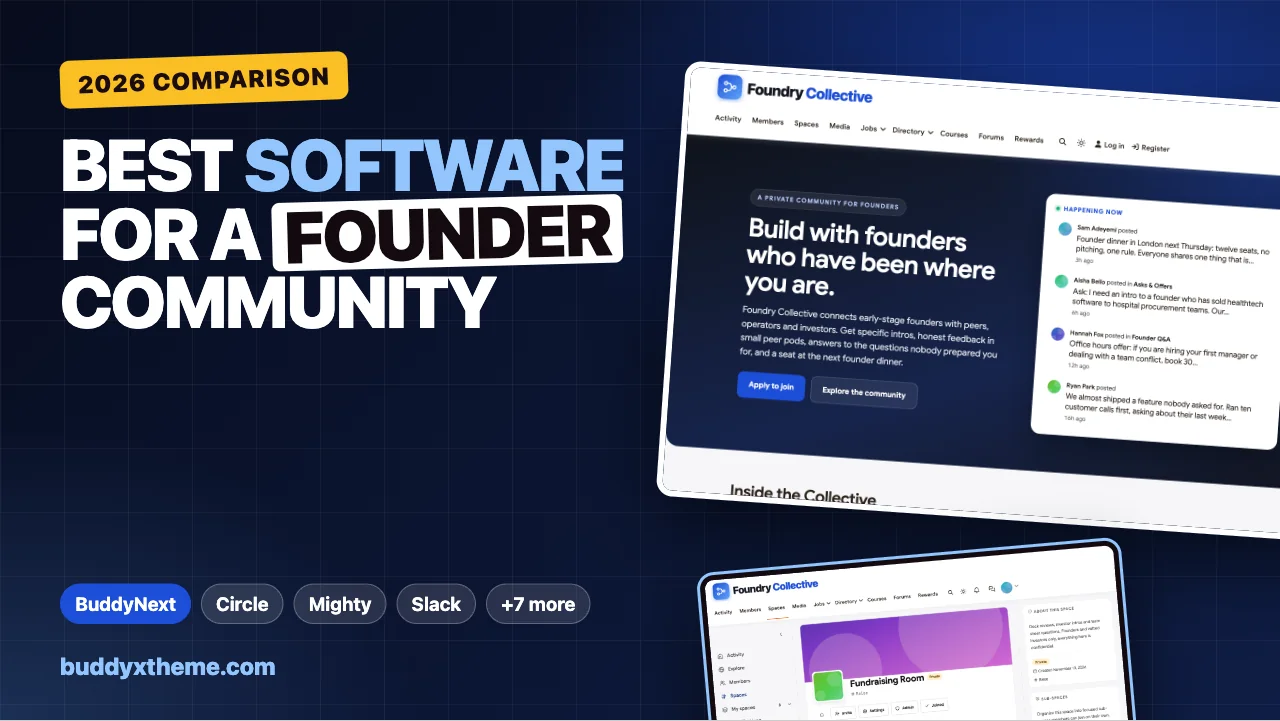
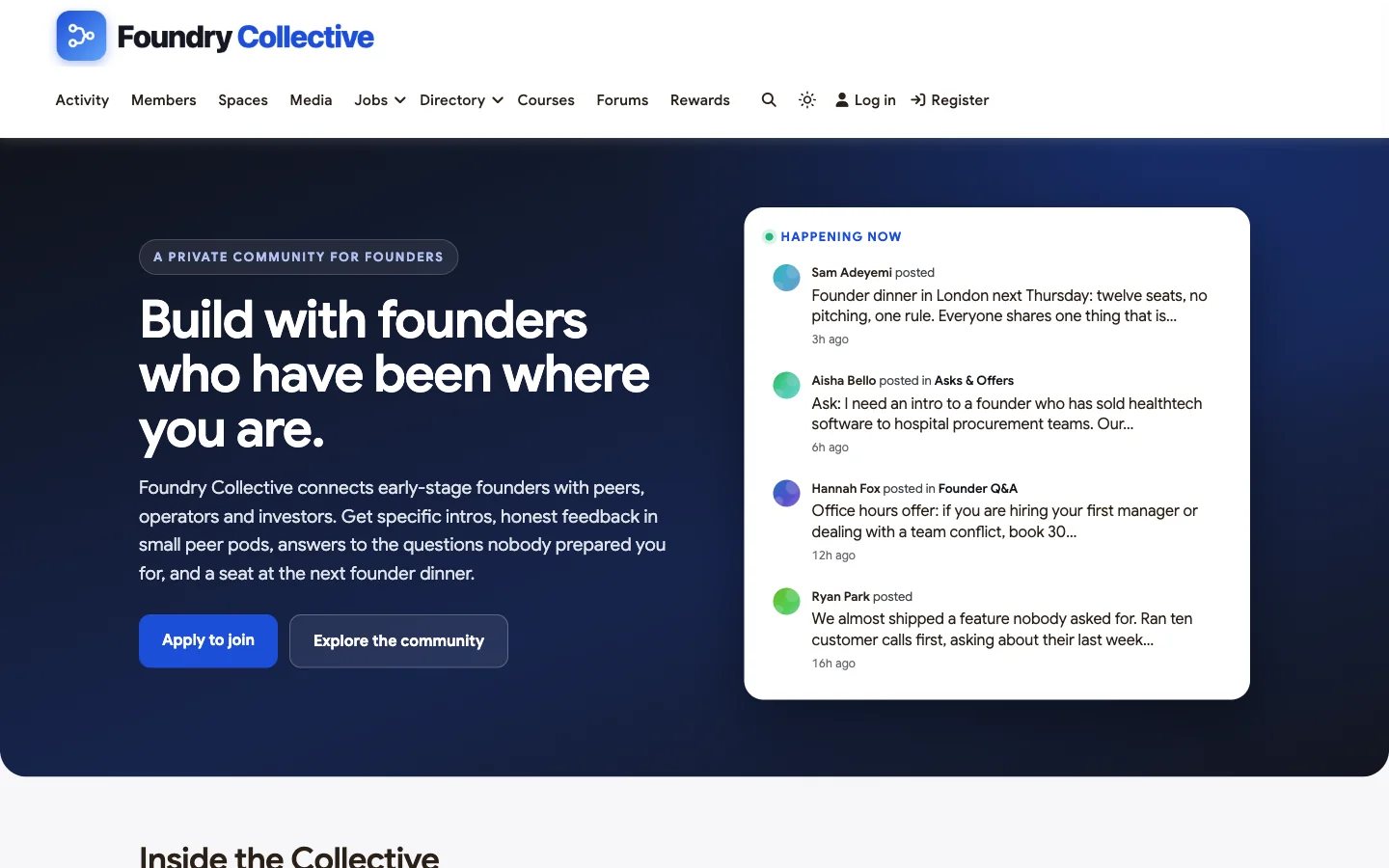
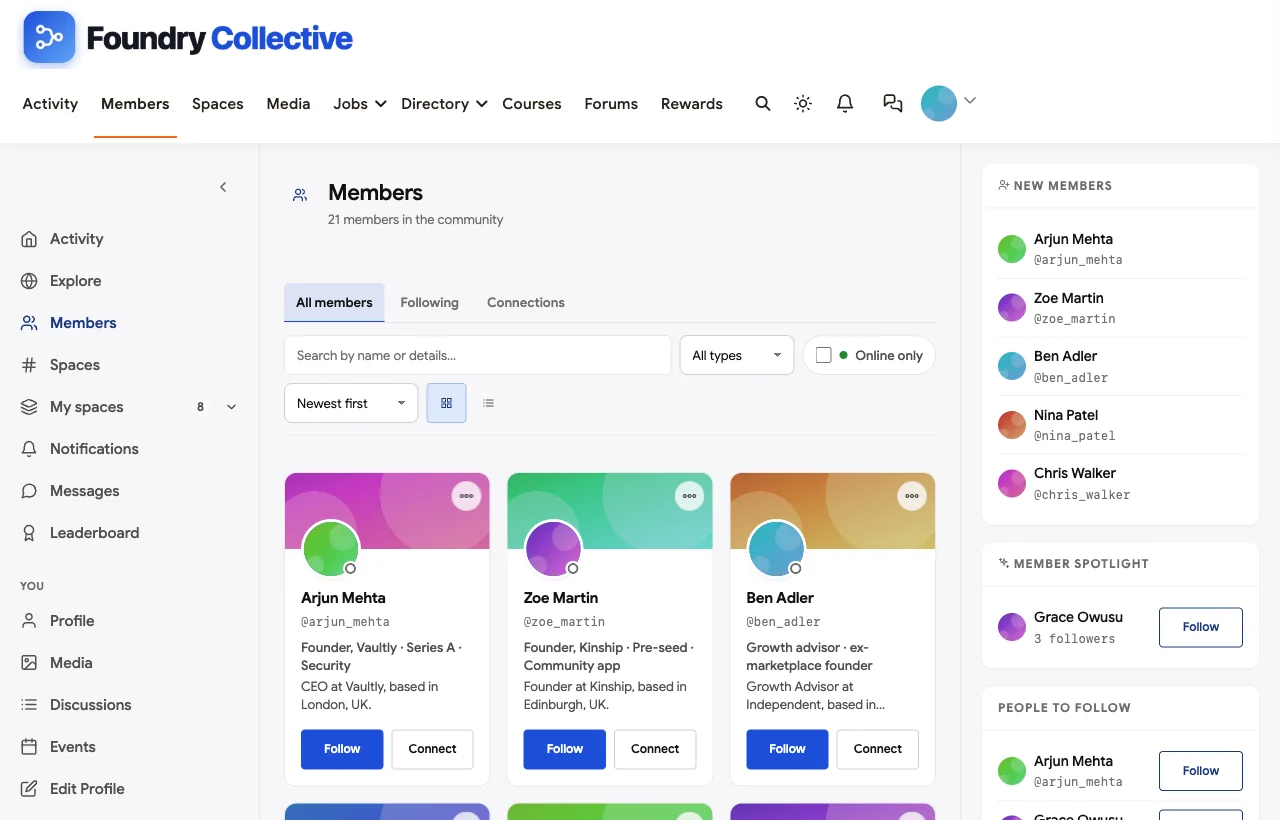
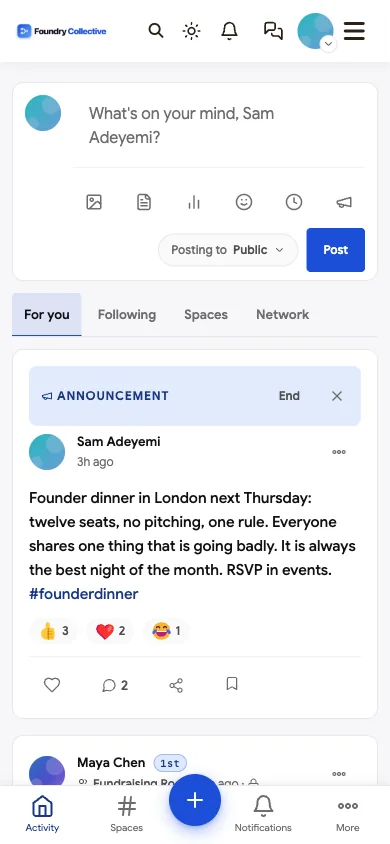
To show it in context, we built Foundry Collective, a demo community for early-stage founders with 20 fictional founders, investors, operators and advisors, an Asks & Offers space, a private fundraising room, a private seed founders pod, a secret Series A pod, a London chapter and a perks directory.
Strongest at: confidentiality controls, combining every founder format in one place, and ownership.
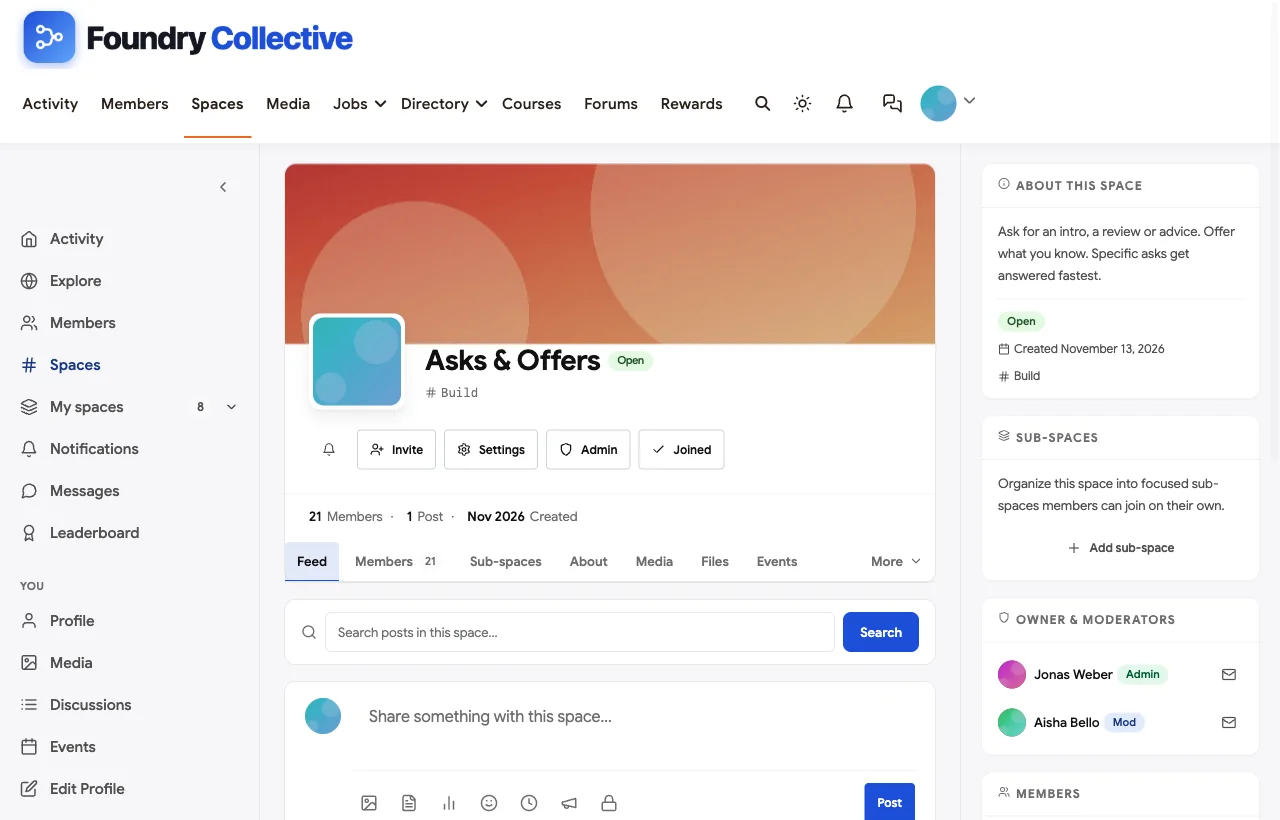
Asks & Offers. The Asks & Offers space is the community’s switchboard. In the demo, a healthtech founder asks for an intro to someone who has sold to hospital procurement teams; another founder offers their enterprise procurement playbook and the community lead makes two introductions the same day.
Peer pods. The Seed Founders Pod is a small private space for founders who meet every two weeks. Members post updates and commitments (“talk to five churned customers before building anything else”) and the pod holds them to it. A second pod for Series A founders is secret, so it does not appear to anyone outside it.
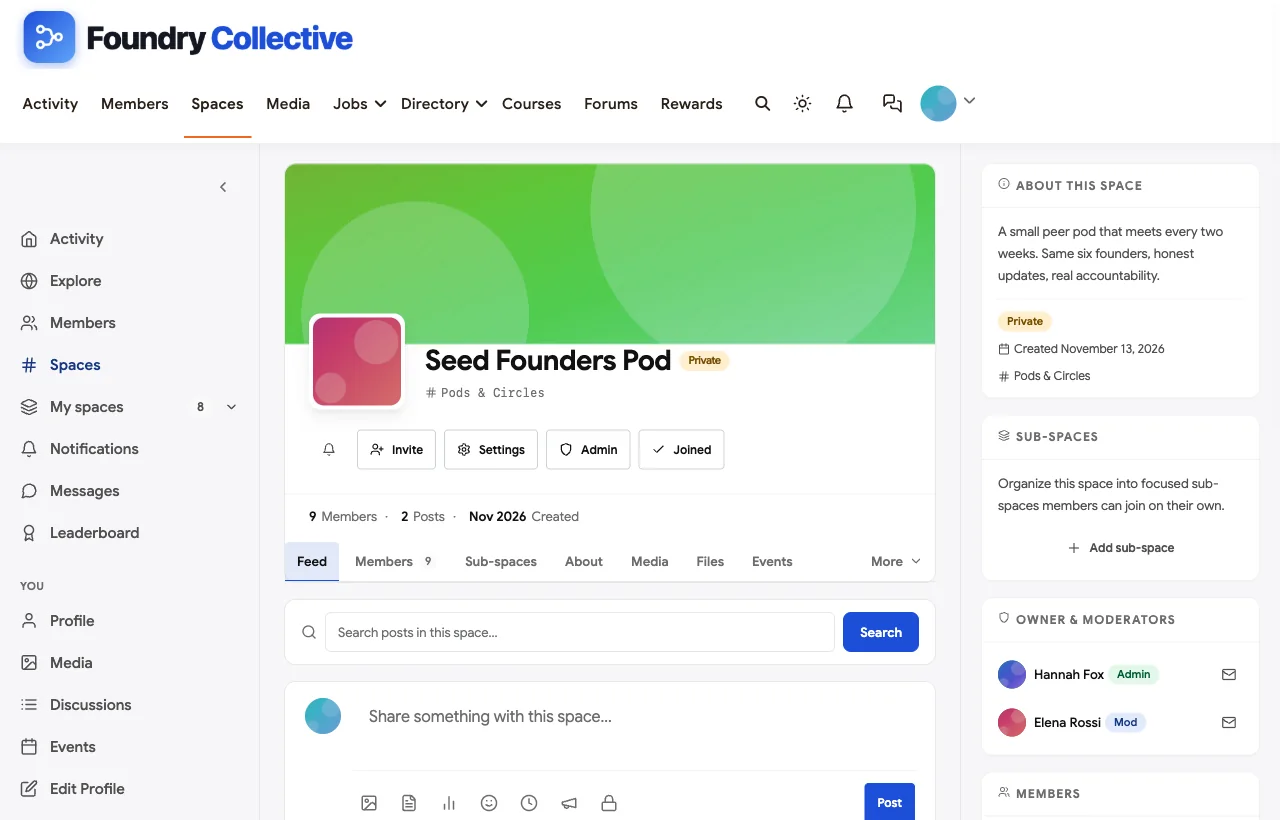
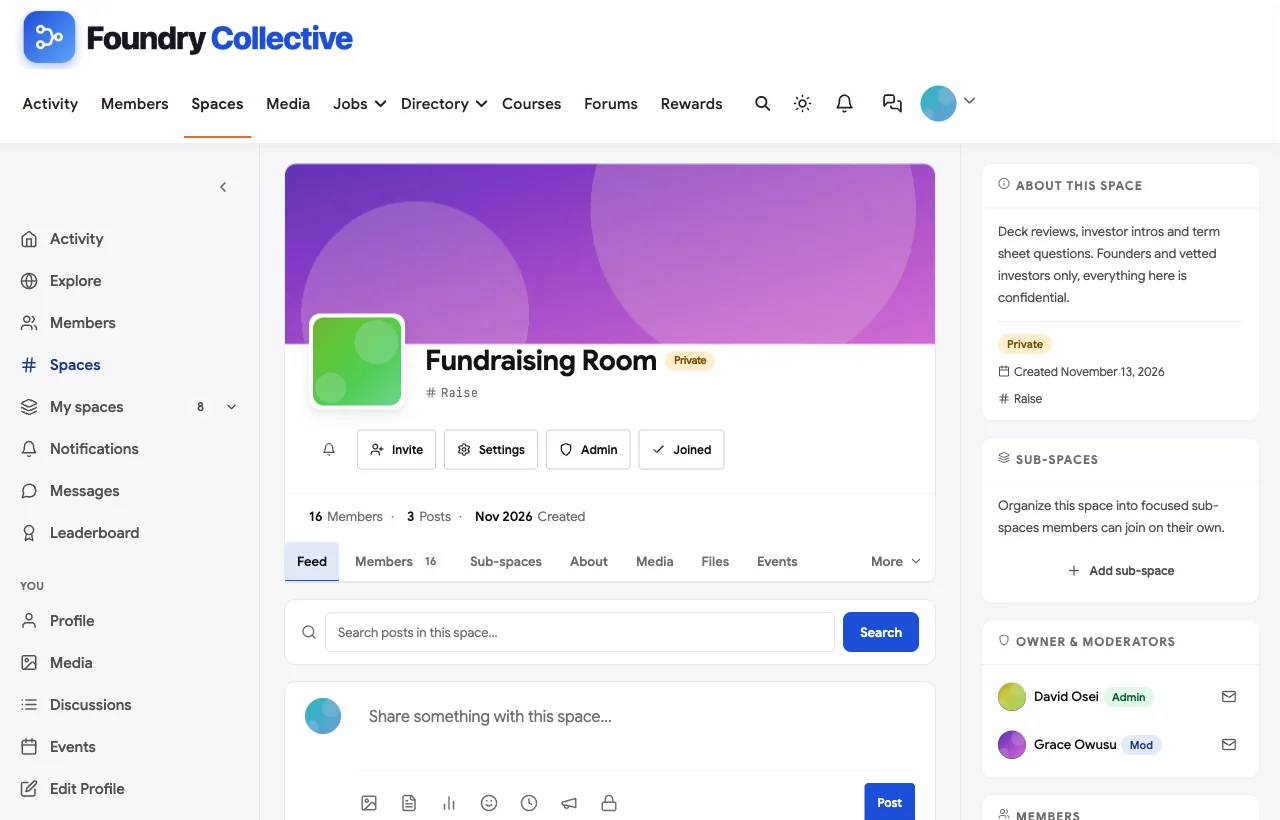
A confidential fundraising room. The Fundraising Room is private: founders and vetted investors request to join and moderators approve each one. Inside, founders share deck feedback and round lessons, and a startup lawyer explains term sheet details. Investor office hours are scheduled as events inside the room.
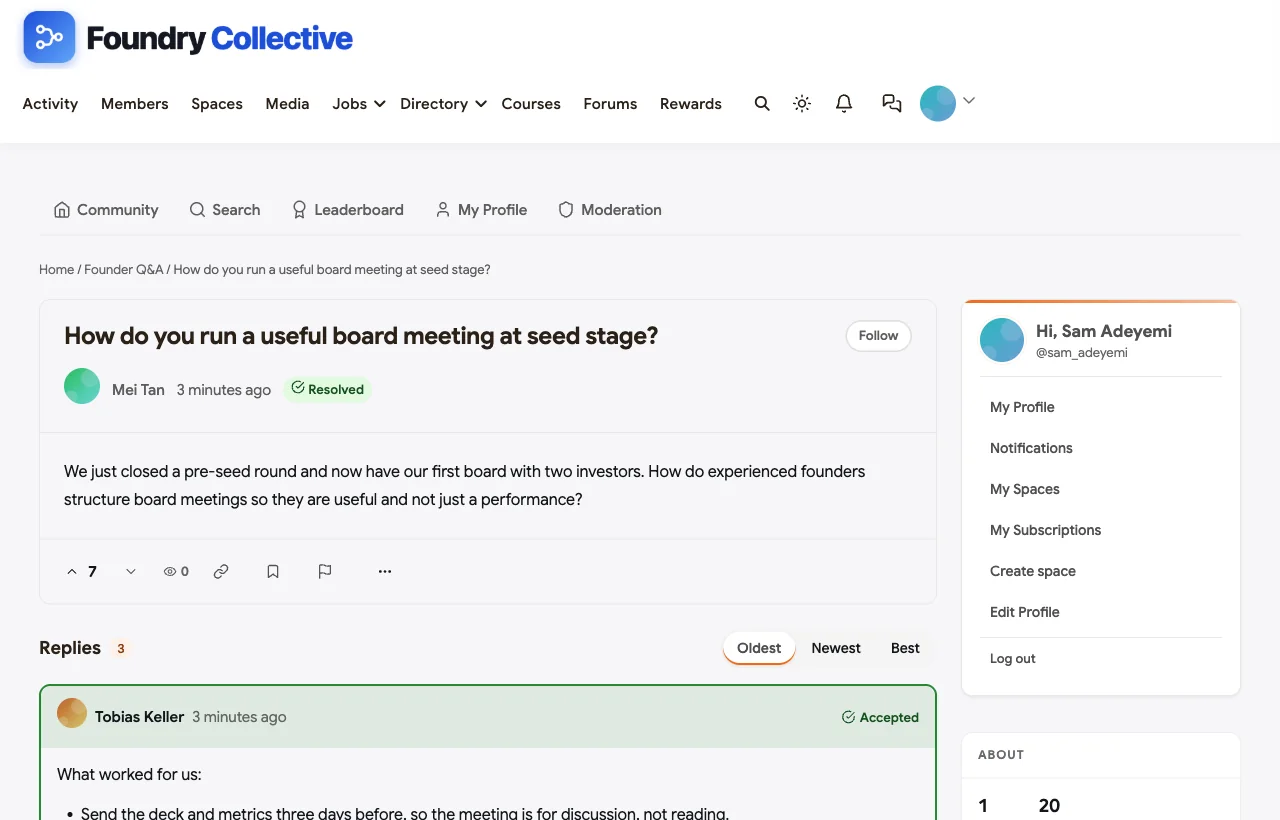
Founder Q&A that keeps the best answers. The Founder Q&A space supports accepted answers. In the demo, a pre-seed founder asks how to run a useful first board meeting; a Series A founder answers with a practical agenda, an investor adds what boards want from founders, and the answer is marked accepted so the next founder finds it.
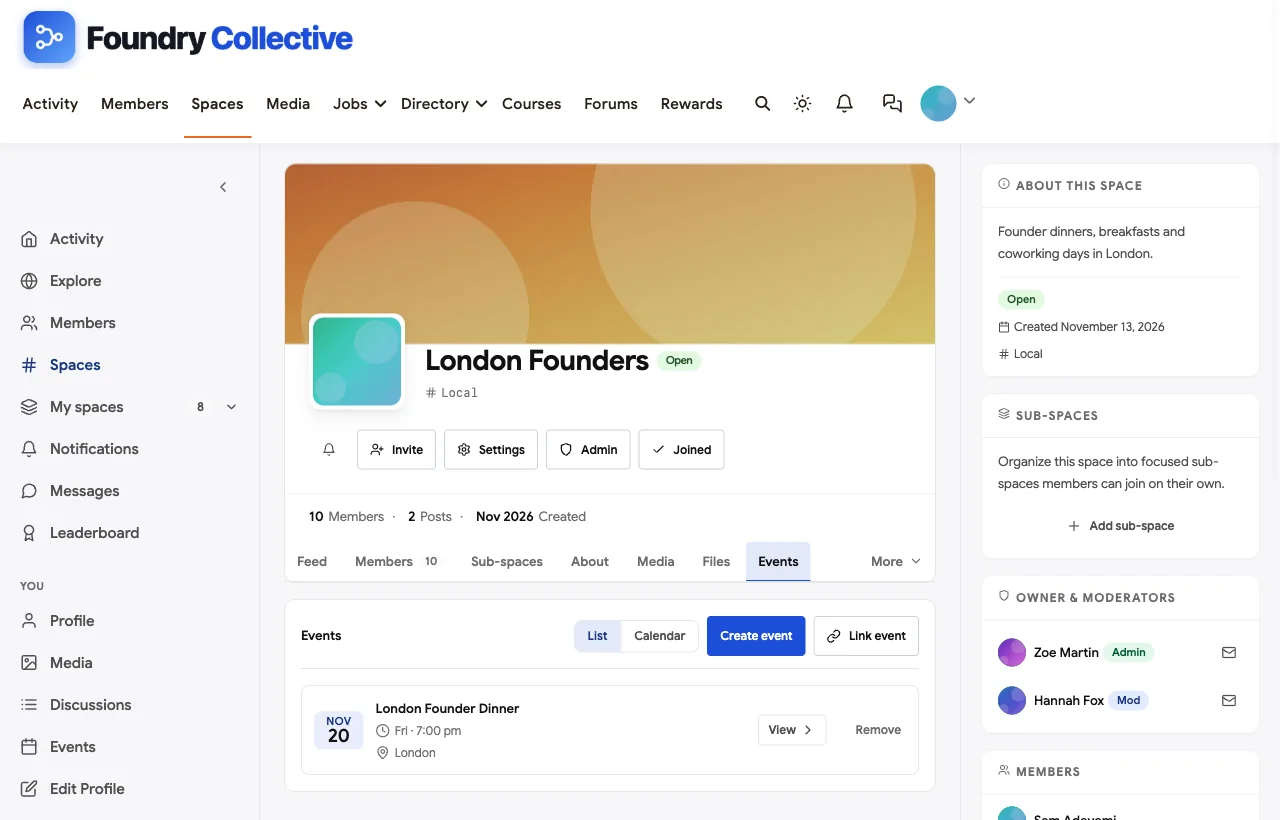
Dinners, office hours and workshops. Events can be in person with a venue, or online. The demo runs a twelve-seat London founder dinner, investor office hours, fortnightly pod meetings and a workshop on hiring a first manager.
A founder directory. The member directory shows each founder’s company, stage and sector in their headline, with search and filters, and profiles show role, location, connections and activity. That makes “who here has sold to hospitals?” a two-minute search instead of a group-wide shout.
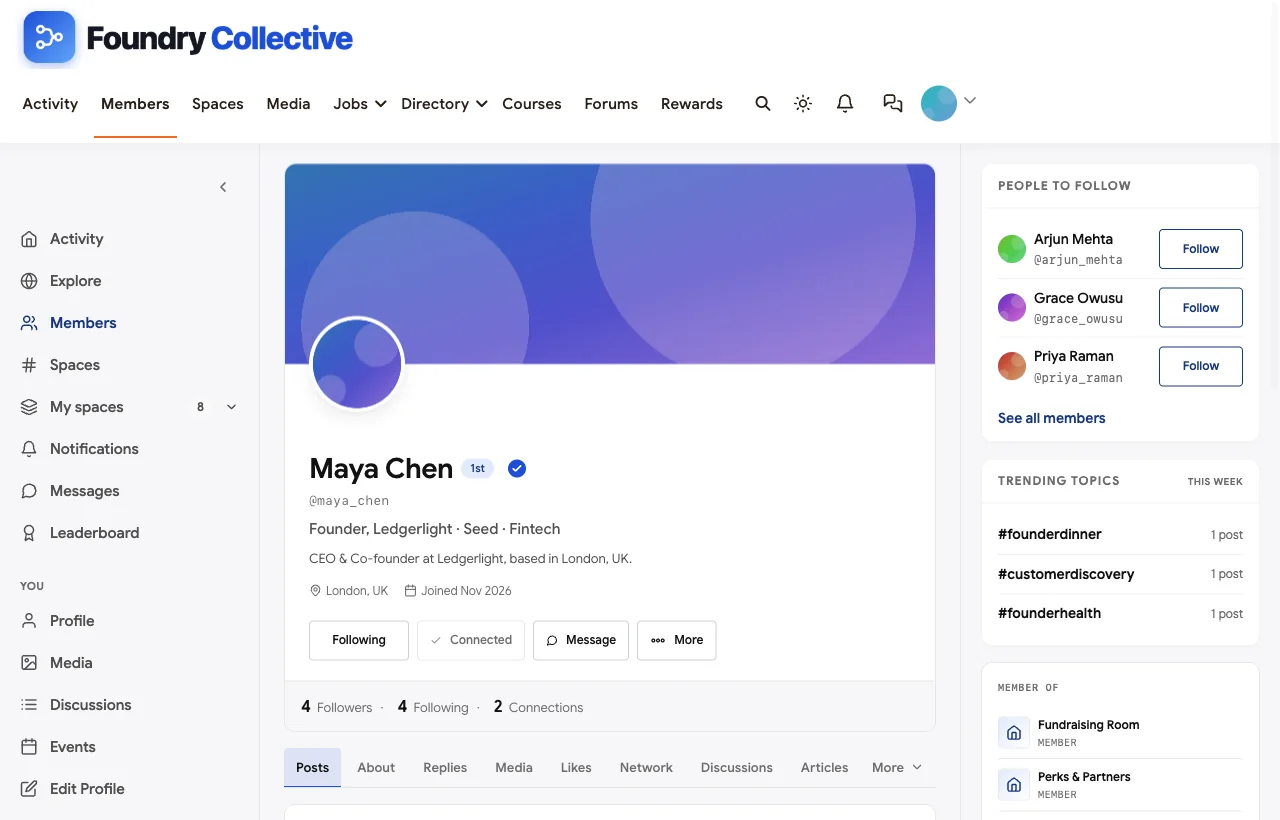
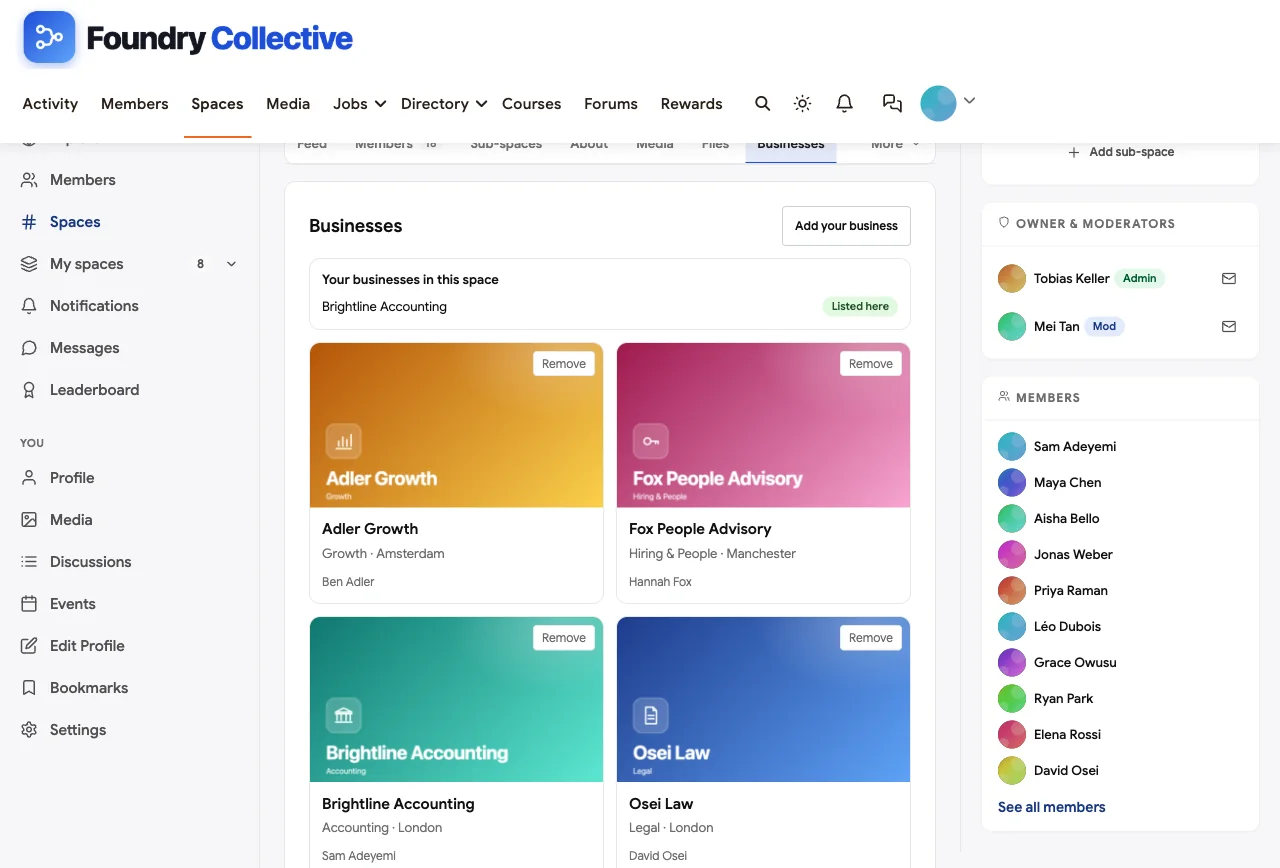
Perks and partners. The Perks & Partners space lists vetted partners such as startup lawyers, accountants, people advisors and growth advisors, each with a description of the member perk. Partners get one clear place to be visible, which keeps sales pitches out of discussion spaces.
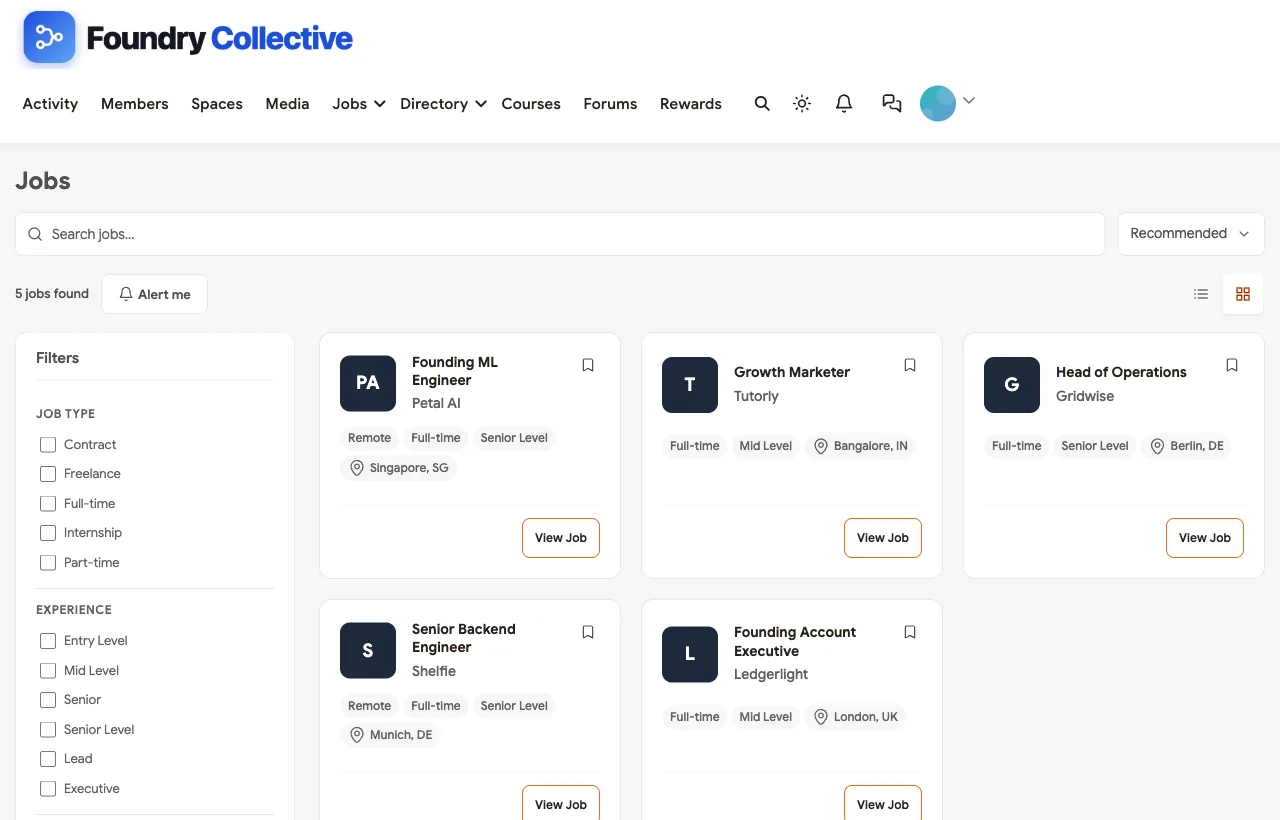
Startup jobs. Founders post roles on the jobs board, from a founding account executive to a founding ML engineer, and members filter by type, level and location. New roles also appear in the feed, so talent referrals happen naturally.
Also built in. Direct messages for warm intros, polls, a leaderboard that shows who helps most, notifications, paid plans with trials and coupons if you charge for membership, courses for founder programs, and a mobile layout that works without an app download.
Weakest at: it is self-hosted, so you run WordPress or use a managed host; it does not include a CRM for investors or a deal-flow pipeline; and introductions are made by people rather than automatic matching.
What privacy controls do and do not cover. Private and secret spaces control what other members and visitors can see. Site administrators can still access everything, and direct messages are not end-to-end encrypted. Choose administrators carefully, write a confidentiality rule into each private space, and keep the most sensitive documents, such as cap tables and signed term sheets, in a proper data room rather than in the community.
For a deeper dive into small-group formats, see our guide to building a mastermind community, and for the investor side, how to build an investor community for dealflow networking.
What’s included, and how it is delivered
BuddyNext is one platform made of a core and add-on platform modules. Everything shown in the demo above runs on the BuddyNext platform. This table shows which parts come with the core, which are platform modules you install and activate alongside it, and which need a third-party plugin, another system or custom work.
| Capability | How it is delivered |
|---|---|
| Open, private and secret spaces | Core platform |
| Activity feed, pinned announcements and hashtags | Core platform |
| Member profiles and searchable member directory | Core platform |
| Direct messages | Platform module, installed alongside |
| Members-only mode, admin approval, invites and email verification | Core platform |
| Paid plans with trials and coupons | Platform module, installed alongside |
| Q&A with accepted answers and code highlighting | Platform module, installed alongside |
| Business and partner directory listings | Platform module, installed alongside |
| Jobs board with filters and alerts | Platform module, installed alongside |
| Events with RSVPs, online or in person | Platform module, installed alongside |
| Points, badges, streaks and leaderboards | Platform module, installed alongside |
Want to click around yourself? The Foundry Collective community in this guide was built on a private test site, so it is not public. The BuddyNext live demo is a general community you can open in your browser and explore without installing anything.
2. Circle: best hosted platform for a polished founder membership
Circle is a hosted community platform that combines spaces, events, courses and paid memberships under your own brand. Its memberships page describes membership tiers and paywalls, access groups, one-time purchases and recurring subscriptions, and its events include smaller interactive Live Rooms and larger Live Streams, with RSVPs, reminders and recordings (Circle).
Strongest at: a polished member experience, paid tiers, and live sessions for office hours and AMAs.
Weakest at: custom profile fields sit on higher plans; there is no dedicated asks system, job board or perks directory; and it is hosted only, so your community lives on Circle’s platform.
Founder verdict: a strong choice for a paid founder membership run by a creator or investor who values speed to launch over ownership.
3. Mighty Networks: best for an app-first founder membership
Mighty Networks combines community, courses and events, with native mobile apps. Its homepage features an entrepreneurship case study of “a DC startup hub” that grew using tiered memberships (Mighty Networks).
Strongest at: mobile apps founders will actually open, courses for founder programs, and tiered memberships.
Weakest at: member discovery relies on connection suggestions rather than detailed search, and branded apps sit on higher plans. Hosted only.
Founder verdict: good for a founder program that mixes curriculum and community, especially if members live on their phones.
4. Slack: best when founders already live in Slack
Slack is where many founder communities start, because founders already use it for work. Slack connects with more than 2,600 apps and has a mature developer platform (Slack).
Strongest at: familiarity, speed and real-time conversation.
Weakest at: no member directory with founder fields, no events, no job board, no paid membership, and on the free plan messages are searchable for only 90 days. Communities typically bolt on separate tools for events, directories and resources, and confidentiality depends on channel discipline rather than structure.
Founder verdict: fine for a small, high-trust group. As the community grows, structure and confidentiality become harder to maintain.
5. Bettermode: best for compliance-conscious hosted communities
Bettermode is a no-code hosted community platform. It states that it is “SOC 2 Type II compliant and supports GDPR and enterprise-grade data protection standards” and that “your data stays secure, owned by you” (Bettermode). Its plans add more single sign-on options, API access and webhooks as you move up.
Strongest at: compliance language, integrations with tools such as Salesforce and HubSpot, and flexible design.
Weakest at: it is designed mainly for customer communities, not peer founder networks, so pods, asks and perks need configuration. Hosted only.
Founder verdict: worth considering for accelerators or corporate innovation programs with strict security requirements.
6. Heartbeat: best for a small paid founder group
Heartbeat is a hosted platform for creators and coaches with channels, threads, messaging, member profiles and roles, live events with recordings, courses and paid tiers (Heartbeat). Unusually, it also publishes migration guides and talks openly about what you can take with you if you leave.
Strongest at: recorded sessions, simple payments and openness about data portability.
Weakest at: no founder directory with detailed search, no job board or perks directory. Hosted only.
Founder verdict: a practical choice for a founder coach running a paid group with regular sessions.
7. Hivebrite: best for large institutional networks
Hivebrite is a hosted community platform used by large institutions such as university alumni associations, with directories, groups, events, mentoring and fundraising. Lesley University, for example, runs its alumni network on Hivebrite with university single sign-on (Lesley University).
Strongest at: scale, events and institutional features for large networks.
Weakest at: it is built for institutions rather than small, high-trust founder groups, and it is hosted only.
Founder verdict: consider it for a large university entrepreneurship network or a multi-country accelerator alumni program.
8. Discord: best for free, technical founder communities
Discord offers text, voice and forum channels with detailed roles and permissions, popular with technical and AI founders.
Strongest at: free, real-time chat, voice rooms for coworking and strong role-based access.
Weakest at: no founder directory, job board or perks directory; Discord’s own community marketing is aimed at games; and you do not own the platform or its data.
Founder verdict: good for an open, technical founder community; weak for a confidential, vetted one.
9. Skool: best for a simple founder course with a community
Skool combines a community feed, a classroom for courses and a calendar, with leaderboards and levels that reward participation.
Strongest at: simple setup and a clean course-plus-community format.
Weakest at: no private sub-spaces for pods, no founder directory search by sector or stage, and no job board or perks.
Founder verdict: suits a founder educator selling a program; less suited to a peer network.
10. LinkedIn Groups: best as a low-key invite-only side channel
LinkedIn Groups can be public or private, and private groups can be “unlisted,” meaning they do not appear in search results and are not visible to non-members on members’ profiles. LinkedIn’s help center notes that a group’s privacy setting cannot be changed after it is created, and that admins can require approval for posts (LinkedIn Help).
Strongest at: real professional identities and a free, unlisted option.
Weakest at: no events, directory fields, resources or data export inside the group.
Founder verdict: useful as a lightweight alumni channel, not as the main home of a founder community.
11. Facebook Groups: best for local startup ecosystem reach
Facebook Groups let admins ask up to three membership questions when people request to join, and Admin Assist can automatically approve or decline requests based on rules you set.
Strongest at: reach in local startup ecosystems and basic vetting.
Weakest at: no founder directory, job board, perks or pods, and the feed decides who sees each post. Many founders do not want their business struggles on their personal social account.
Founder verdict: fine for a public local startup group; not for confidential founder conversations.
Founder community software compared
| Software | Asks and intros | Private and secret pods | Confidential fundraising room | Q&A with accepted answers | Founder directory | Events (in person and online) | Jobs and perks | Ownership |
|---|---|---|---|---|---|---|---|---|
| BuddyNext | Dedicated space | Private and secret | Yes, approval required | Yes | Search and filters | Yes | Jobs board and perks directory | Self-hosted, you own the data |
| Circle | Discussion space | Private spaces | Private space | Discussions | Directory, custom fields on higher plans | Live rooms and streams | No | Hosted |
| Mighty Networks | Posts | Private spaces | Private space | Discussions | Connection suggestions | Yes | No | Hosted |
| Slack | Channel | Private channels | Private channel | Threads | Workspace list | No | Channels | Hosted |
| Bettermode | Configurable | Configurable | Configurable | Q&A | Profiles | Yes | No | Hosted |
| Heartbeat | Channel | Channels | Channel | Threads | Profiles and roles | Yes, with recordings | No | Hosted |
| Hivebrite | Groups | Groups | Groups | Not documented | Yes | Yes | Not confirmed | Hosted |
| Discord | Channel | Role-based channels | Role-based channel | Forum channels | Member list | Yes | Channels | Hosted |
| Skool | Posts | No | No | Posts | Member list | Calendar | No | Hosted |
| LinkedIn Groups | Posts | Unlisted group | No | Posts | No | No | No | LinkedIn’s platform |
| Facebook Groups | Posts | Private group | No | Posts | No | Yes | No | Facebook’s platform |
How to run peer pods that founders keep attending
Pods are the format founders value most and the one most likely to fade. The pods that last follow a few simple rules:
- Six to eight founders at a similar stage. Similar enough to relate, different enough to learn. Mixing pre-seed and Series A founders rarely works.
- A fixed rhythm. Every two weeks, same day, same time, sixty minutes.
- A fixed format. A short win, a real problem, and a commitment for the next two weeks from each founder, then one deep dive on the hardest problem.
- Written commitments. Post commitments in the pod’s private space so the next meeting starts by checking them.
- Confidentiality, stated out loud. What is said in the pod stays in the pod. Make it a written rule and a moderator’s job.
- A light facilitator. Rotate the role among members, or have an experienced operator facilitate the first three meetings.
Asks that get answered
The Asks & Offers space works when asks are specific. Teach members this format:
| Part | Example |
|---|---|
| Who you are | “Founder of a pre-seed healthtech startup” |
| The specific ask | “An intro to someone who has sold software to hospital procurement teams” |
| Why now | “Our first pilot is stuck in procurement” |
| What success looks like | “A 20-minute call about what normal timelines look like” |
| What you can offer back | “Happy to share our pilot contract template” |
Vague asks (“anyone know investors?”) get ignored. Specific asks get answered within hours, and the people who answer them become the community’s most valuable members. Recognise them publicly. The same give-and-ask rule powers referrals in a freelancer networking community.
Launching a founder community: the first 60 days
Days 1 to 15: start with a founding cohort. Invite 25 to 40 founders and a handful of operators and investors you trust. Interview each one for ten minutes about what they need most. Set up Start Here, Asks & Offers, Founder Q&A and one city chapter. Leave fundraising and pods until people know each other.
Days 16 to 30: create the first wins. Make five introductions yourself in Asks & Offers, publicly. Host the first founder dinner, capped at twelve people. Seed Founder Q&A with three real questions from founding members and make sure each gets a strong, accepted answer.
Days 31 to 45: open the private rooms. Launch the fundraising room with two or three vetted investors and clear rules, and form the first two peer pods from founders who asked for one.
Days 46 to 60: add structure that scales. Publish the asks format, the pod rules and the confidentiality rules in Start Here. Add the perks directory and the jobs board. Decide whether to keep the community free, charge for membership, or fund it through partners and an accelerator. Formal member bodies with dues, chapters and CPD have different needs, covered in our comparison of professional association community platforms.
More community platform comparisons
Building a different kind of community, or one that overlaps with this one? These guides use the same method: a working demo community and vendor claims checked at the source.
- Best software for a coworking space member community: location groups, a member directory, member businesses and events across several spaces.
- Best software to run a paid entrepreneur mastermind: application-only peer advisory groups for established business owners, with hot seats and retreats.
- Best software for a freelancer networking community: referrals, jobs and member directories.
- Best software for a real estate investor community: investor clubs, deal analysis and vetted vendors.
- Best software for a SaaS customer community: Q&A, ideas boards and public roadmaps.
- Best software for a university alumni network: class spaces, chapters, mentoring and alumni jobs.
- Best software for a paid coaching membership: coaches selling group programs and memberships.
- How to set up a community space on WordPress: the step-by-step setup guide behind every demo in this series.
How we built and checked this list
We built the Foundry Collective demo on a local WordPress site running BuddyNext, with fictional founders, investors, startups, partners and events created for this guide; every BuddyNext screenshot comes from it. Competitor features come from each vendor’s own website or help center, checked in November 2026 and linked where we quote them. The research finding comes from the NBER working paper by Chatterji, Delecourt, Hasan and Koning, and the Geneva shutdown from TechCrunch’s reporting. We did not run paid accounts on every competitor, and features change, so confirm anything critical with the vendor. buddyxtheme.com is published by the team behind BuddyNext, which is why it is listed first; we have tried to be fair about its gaps as well as its strengths.
Frequently asked questions
What is the best software to create a startup founder community?
BuddyNext is the best choice for a founder community you own, with an Asks & Offers space, private and secret peer pods, a confidential fundraising room, founder Q&A with accepted answers, a perks directory, a jobs board and events on your own WordPress site. Circle is the strongest hosted option for a polished paid founder membership.
Do founder peer groups actually help startups?
There is good evidence they can. A randomized field experiment published by NBER found that founders who received people-management advice from peers with an active management style grew 28% larger and were 10 percentage points less likely to fail two years later than those advised by peers with a passive style.
Is Slack good for a founder community?
Slack works for small, high-trust founder groups because founders already use it. As the community grows, it lacks a founder directory, events, job board and paid membership, and free-plan messages are searchable for only 90 days, so many communities outgrow it.
How do I keep founder conversations confidential?
Use private spaces with moderator approval for sensitive topics such as fundraising, and secret spaces for pods that should not appear to other members. Write down confidentiality rules, make moderators responsible for them, and make sure nothing in the community is indexed by search engines.
Should investors be members of a founder community?
Often yes, but with boundaries. Investors add value in office hours, deck reviews and intros. Keep founder-only spaces, such as pods, where founders can speak freely, and vet every investor who joins.
How big should a founder peer pod be?
Six to eight founders at a similar stage is the most common size. Smaller pods struggle when one or two members miss a meeting; larger pods leave too little time for each founder.
Should a founder community be free or paid?
Both models work. Accelerator and ecosystem communities are usually free for members and funded by the program or partners. Independent founder memberships often charge, which helps keep the community focused and pays for dinners and facilitation.
What should a founder community offer besides discussion?
Introductions, peer pods, office hours with investors and operators, founder dinners, a perks directory with vetted partners, and a jobs board for member startups. Discussion is the glue; these are the reasons founders stay.
Can I run an accelerator alumni network on BuddyNext?
Yes. Use spaces for each cohort, a private fundraising room, pods for alumni at similar stages, a perks directory and a jobs board, and invite mentors and investors with clear roles. Because it runs on your own site, the alumni list stays with the accelerator.
What happened to Geneva?
Geneva was acquired by Bumble. When Bumble relaunched its BFF app on Geneva’s technology in September 2025, TechCrunch reported that the Geneva app would shut down and members would be moved into Bumble BFF. It is a useful reminder to consider who owns your community’s platform.
The bottom line
A founder community succeeds when founders get the right intro fast, can speak honestly in small rooms, find answers to hard questions and meet each other in person. Confidentiality and ownership are not extras; they are the foundation. If you want all of that on a platform you control, BuddyNext is the strongest choice. If you prefer a hosted tool and speed to launch, Circle is the best place to start.
And build a founder community founders trust.