
Site Footer and Copyright
Free themeSet up your footer widgets, footer colors, and the copyright line at the very bottom of every page.
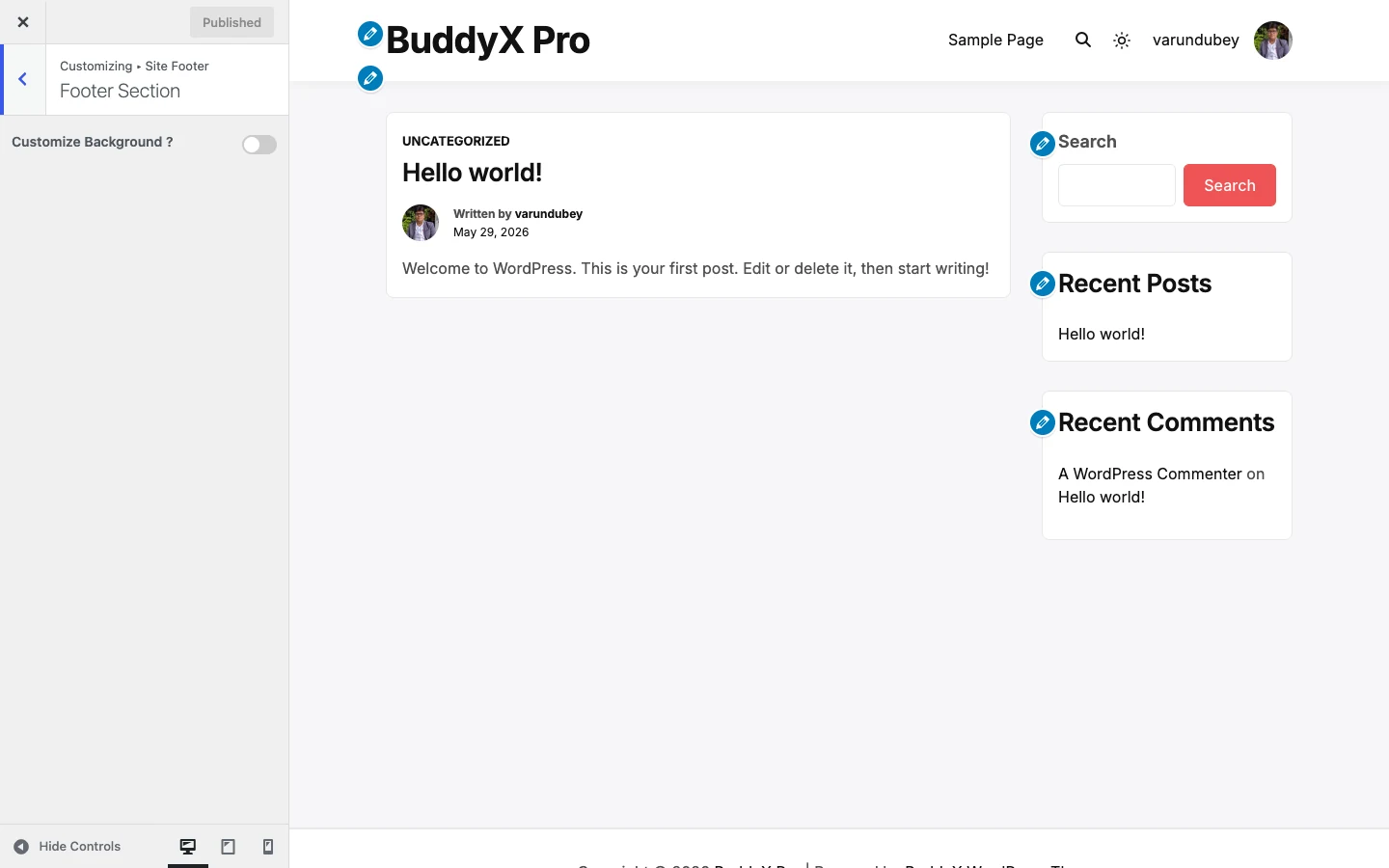
Your footer is the strip at the bottom of every page. In BuddyX it has two parts: a widget area (up to four columns you fill with menus, text, contact details, or social links) and a copyright bar underneath it. This page covers both, plus the colors that style them. All of it is in BuddyX free.
Quick answer: if you just want to change the "Powered by" text, go to Appearance -> Customize -> Site Footer -> Copyright Section and edit the Add Content box. Everything else here is optional.
Footer widgets (the columns)
The footer columns are widget areas, not Customizer settings, so you fill them the same way you fill a sidebar. BuddyX registers four: Footer 1, Footer 2, Footer 3, and Footer 4. Drop widgets into any of them and the footer lays them out in columns; leave one empty and it simply collapses.
Add widgets at Appearance -> Widgets, or live-preview them at Appearance -> Customize -> Widgets.
First-time tip: most sites only need two or three columns - a short "About" blurb, a menu, and contact or social links. You do not have to fill all four.
Footer background
Path: Appearance -> Customize -> Site Footer -> Footer Section
By default the footer uses the theme's own background. Flip on Customize Background? to reveal the Background Control and set a custom color or image just for the footer wrapper.
| Setting | Default | What it does |
|---|---|---|
| Customize Background? | Disable | Turns on a custom background for the footer widget area. Leave it Disable to keep the theme default. |
| Background Control | Empty (no color/image; repeat, center center, cover, scroll) | Sets the footer background color or image plus repeat, position, size, and attachment. Only appears when Customize Background? is enabled. |
Copyright text
Path: Appearance -> Customize -> Site Footer -> Copyright Section
| Setting | Default | What it does |
|---|---|---|
| Add Content | `Copyright © [current_year] [site_title] | Powered by [theme_author]` |
The three placeholders are replaced live on the front end:
[current_year]- the current year, so you never have to update it.[site_title]- your site title from Settings -> General.[theme_author]- a credit link to the BuddyX theme.
Clear the box and type your own line if you would rather not show the theme credit. Leaving the default is perfectly fine.
Footer and copyright colors
Path: Appearance -> Customize -> Site Skin
The footer and copyright colors live in the Site Skin section alongside the rest of your color settings, so they all sit in one place. They only apply when the master Custom Colors toggle at the top of Site Skin is on (it is on by default).
| Setting | Default | What it does |
|---|---|---|
| Footer Title Color | #111111 |
Color of widget titles in the footer columns. |
| Footer Content Color | #505050 |
Color of body text inside the footer widgets. |
| Footer Link Color | #111111 |
Color of links in the footer widgets. |
| Footer Link Hover | #ef5455 |
Color a footer link turns when hovered. |
| Copyright Background Color | #ffffff |
Background of the copyright bar. |
| Copyright Border Color | #e8e8e8 |
Thin divider line above the copyright bar. |
| Copyright Content Color | #505050 |
Color of the copyright text. |
| Copyright Link Color | #111111 |
Color of links inside the copyright text. |
| Copyright Link Hover Color | #ef5455 |
Color a copyright link turns when hovered. |
Note: every color box supports transparency (alpha), so you can dial in a semi-transparent background if you want the page behind to show through.
Free vs Pro: all footer widgets, the footer background, the copyright text, and every footer and copyright color above are in BuddyX free - nothing here is held back. BuddyX Pro adds a separate side panel (an off-canvas panel) and other layout extras, but the footer itself is fully yours on the free theme. See BuddyX Pro if you want those.
Related
- Customizing overview
- Site Skin and colors
- Header
- First-time setup
Next: Site Skin and colors