
Sticky Header
Pro featureA sticky header stays visible at the top of the screen as visitors scroll down your page. This keeps your navigation accessible at all times, making it easier for people to explore your site.
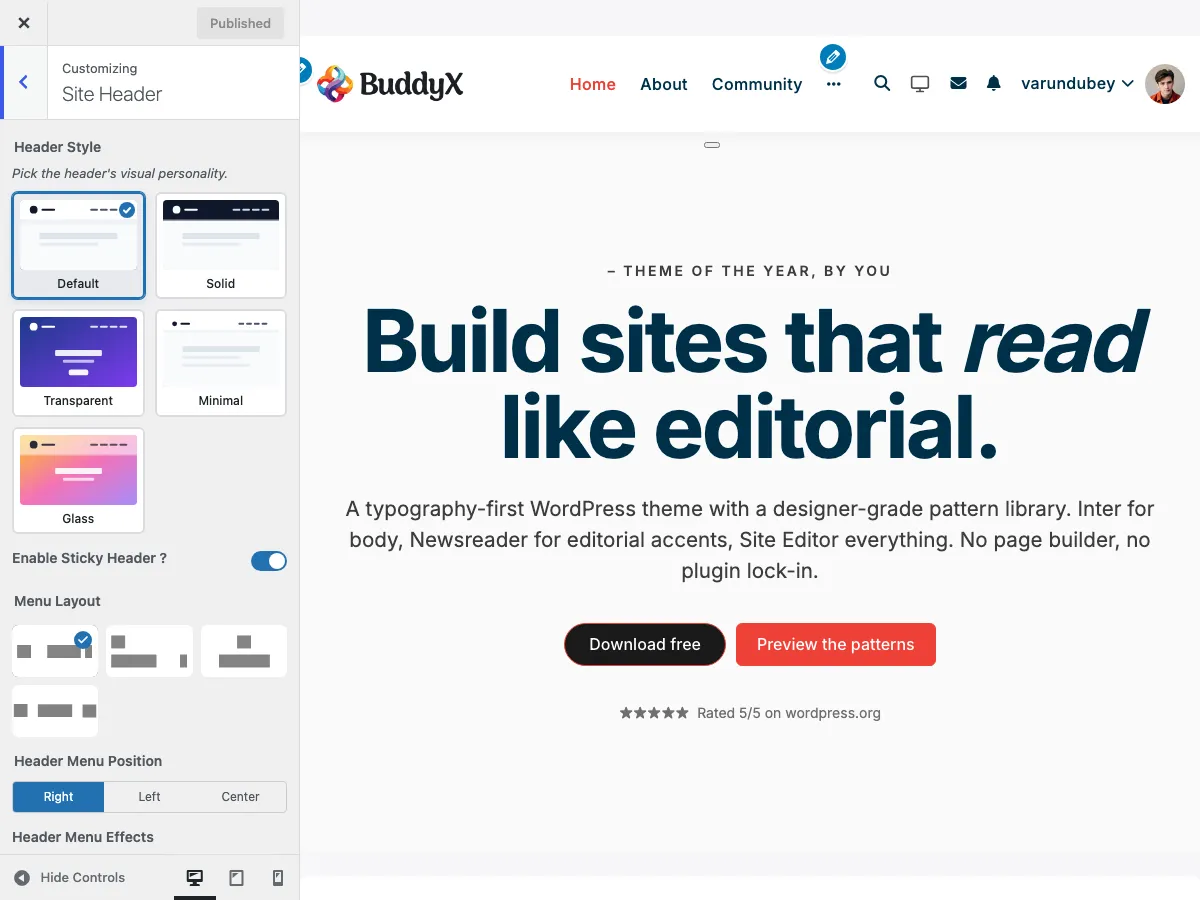 Sticky header toggle in the Site Header section of the Customizer
What You Can Do
BuddyX Pro ships a single on/off control for the sticky header. When it is on, the main header stays pinned to the top of the screen while the page scrolls beneath it.
The Control
| Setting | Setting ID | Options | Default |
|---|---|---|---|
| Enable Sticky Header ? | site_sticky_header |
Yes / No | Yes |
There are no separate mode, logo, background, opacity, shadow, or animation controls - the sticky behaviour is a single switch.
Enabling the Sticky Header
- Go to Appearance > Customize
- Open the Site Header section
- Set Enable Sticky Header ? to Yes
- Click Publish
Now scroll down any page to see the header stick to the top. When enabled, the theme adds a sticky-header class to the page <body>, and the header styling keys off that class.
How It Behaves
- The page loads and the header displays normally
- As the visitor scrolls down, the header stays fixed at the top
- Page content scrolls beneath the fixed header
- The same header (same logo, same menu, same elements) stays visible - it is the standard header pinned in place
Because the sticky header reuses your normal header, everything you configure elsewhere (Menu Layout, Header Style, Header Elements) carries over automatically.
Sticky Header on Mobile
The sticky header applies across screen sizes when enabled. The header collapses to the hamburger menu below your Hamburger Menu Breakpoint (see Mobile Header), and that collapsed header is what stays pinned on mobile.
Recommended Use by Site Type
| Site Type | Suggestion |
|---|---|
| E-commerce / Community | Enable - keeps navigation and account access one tap away while browsing |
| Blog / Magazine | Enable - readers can navigate without scrolling back to the top |
| Landing pages | Optional - disable if you want the header to scroll away and keep focus on the content |
Performance Notes
The sticky header is CSS-driven and lightweight. To keep scrolling smooth:
| Tip | Benefit |
|---|---|
| Use an optimized logo | SVG or a compressed PNG keeps the header light |
| Keep the menu reasonable | Very long menus render more markup in the pinned header |
| Test on mobile | Confirm smooth scrolling on real devices |
Common Questions
Will the sticky header affect my SEO? No. Sticky headers do not impact search rankings. They improve user experience, which can indirectly help.
Does the sticky header use a different logo or menu? No. It reuses your standard header - same logo, same menu, same elements. Showing a different logo or menu when pinned requires custom development.
Can I disable it on certain pages?
The Customizer control is site-wide. Per-page control requires custom code that removes the sticky-header body class conditionally.
Why is the toggle on by default? BuddyX Pro enables the sticky header by default so navigation stays accessible out of the box. Set it to No if you prefer the header to scroll away.
Related Settings
- Header Layout Styles - Main header configuration
- Header Elements - Elements in your header
- Mobile Header - Hamburger menu breakpoint
- Topbar Settings - The bar above the main header
Got a question? We're a friendly team - happy to help.
- Visit our Documentation Portal
- Email us at support@wbcomdesigns.com