
Site Loader
Pro featureA site loader (also called preloader) displays an animation while your website loads. It provides visual feedback to visitors, showing that your site is loading rather than broken or frozen.
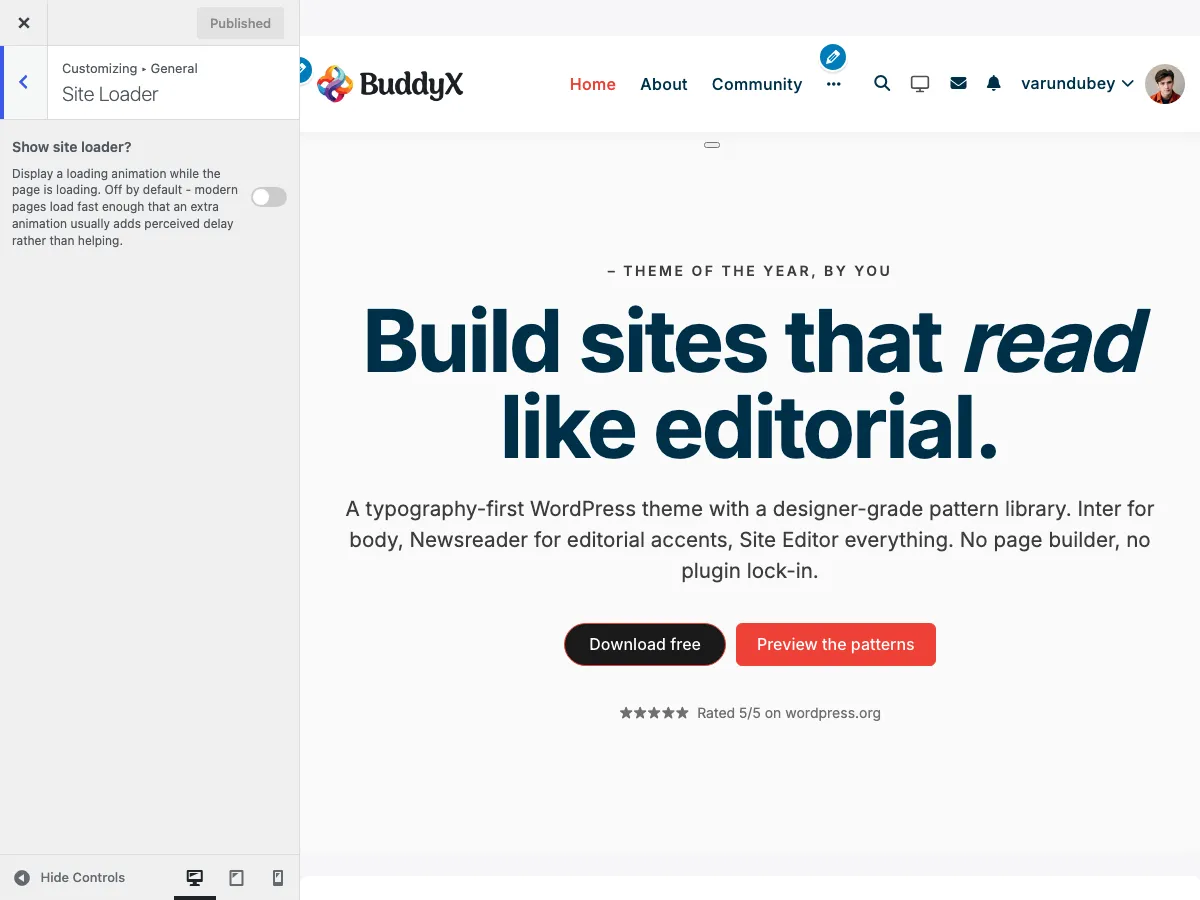 Site loader configuration options in the Customizer
What You Can Do
With BuddyX Pro's site loader feature, you can:
- Show an animated loading screen while your site loads
- Add custom loading text
- Improve perceived load times
- Create a professional first impression
- Maintain brand consistency during page loads
What Is a Site Loader?
When visitors first arrive at your site, the browser downloads HTML, CSS, JavaScript, images, and other assets. A site loader:
- Appears immediately while content loads
- Shows an animation to indicate progress
- Disappears automatically when the page is ready
- Prevents visitors from seeing a partially-loaded page
Visual Flow:
Visitor clicks link
      ↓
┌──────────────────┐
│                  │
│    [Loading]     │  ← Loader appears instantly
│     • • • •      │
│                  │
└──────────────────┘
      ↓
Page fully loads
      ↓
┌──────────────────┐
│                  │
│   Your Website   │  ← Content revealed
│   (fully loaded) │
│                  │
└──────────────────┘
Enabling Site Loader
- Go to Appearance > Customize
- Click on General > Site Loader
- Switch Site Loader to Yes
- Click Publish
Now refresh your site to see the loader in action.
Customizing Loader Text
Add a custom message that appears with your loading animation.
Steps:
- In General > Site Loader settings
- Find Site Loader Text
- Enter your custom text (default: "Loading")
- Click Publish
Text Ideas by Site Type
| Site Type | Suggested Text |
|---|---|
| E-Commerce | "Loading Shop...", "Preparing Products..." |
| Community | "Loading Community...", "Getting Ready..." |
| Blog | "Loading Stories...", "Preparing Content..." |
| Corporate | "Loading...", "Please Wait..." |
| Education | "Loading Courses...", "Preparing Lessons..." |
| Portfolio | "Loading Portfolio...", "Preparing Gallery..." |
Tips:
- Keep it short (1-3 words)
- Use action words ("Loading", "Preparing", "Getting")
- Match your brand voice (casual vs. professional)
- Avoid unnecessary punctuation
Note: The loader text doubles as the screen-reader announcement (
aria-label). It is only shown on screen when you pick the Logo animation below; for the other animations it stays visually hidden but is still read by assistive technology.
Loader Animation Style
BuddyX Pro 5.1.0+ ships five loader animations. Pick one under General > Site Loader.
Setting: Loader animation (site_loader_type)
Default: Dots
| Option | Appearance | Best For |
|---|---|---|
| Dots (default) | Pulsing dot sequence | General use, subtle feedback |
| Spinner | Rotating ring | Classic, universally understood |
| Pulse | Expanding/fading circle | Calm, minimal designs |
| Bars | Rising equalizer bars | Media, music, energetic sites |
| Logo | Your logo (or the site logo) with the loader text below it | Brand-forward first impression |
The Logo animation reveals two extra controls (custom logo image, described below) and shows the loader text on screen.
Loader Colors
Two color controls style the loader independent of the rest of the skin.
Background color (site_loader_bg)
- The full-screen overlay behind the animation.
- Default:
#ee4036 - Supports alpha (transparency).
Element color (site_loader_color)
- The color of the spinner, dots, or bars glyphs (and the loader text).
- Default:
#ffffff - Ignored when you use the Logo animation (the logo supplies its own colors).
Dark mode: The loader background has a Background color (Dark Mode) counterpart (
dark_site_loader_bg, default#E94560) that applies when a visitor views the site in dark mode. Set both so the loader matches each mode. This mirrors the theme-wide pattern where every color control has a Dark Mode twin.
Custom Logo Loader
When Loader animation is set to Logo, upload the image you want shown while the page loads.
Setting: Custom logo image (site_loader_logo)
Default: empty
Fallback: When left empty, the loader uses your site logo (from Appearance > Customize > Site Identity).
Use a small, optimized PNG or SVG so the loader image itself does not delay the reveal.
Animation Speed
Control how fast the loader animation cycles.
Setting: Animation speed (seconds) (site_loader_speed)
Default: 1.5s
Range: 0.5s - 3.0s (0.1s steps)
- Faster (0.5 - 1s): Energetic, snappy feel.
- Balanced (1.5s): Default, comfortable for most sites.
- Slower (2 - 3s): Calm, deliberate motion.
Loader Animation
BuddyX Pro uses an elegant animated dot pattern:
   Loading
    • • • •

The dots pulse and animate in sequence:
• • • •  →  • • • •  →  • • • •  →  • • • •
↑           ↑           ↑           ↑
Animation Features:
- Smooth dot pulsing effect
- Sequential animation pattern
- Synchronized with loading text
- Lightweight CSS animation (no impact on load time)
Visual Appearance
Default Loader
┌─────────────────────────────────────┐
│                                     │
│                                     │
│              Loading                │
│             • • • •                 │
│        (animated dots)              │
│                                     │
│                                     │
└─────────────────────────────────────┘
Styling:
- Center-aligned on screen
- White/light background overlay
- Smooth fade-in/fade-out transitions
- Responsive (works on all screen sizes)
When to Use Site Loader
Recommended For:
| Scenario | Reason |
|---|---|
| Heavy imagery sites | Prevents flash of unstyled content |
| E-commerce stores | Ensures product images load properly |
| Community platforms | Smooth transition to activity feeds |
| Custom fonts/icons | Prevents font loading flash |
| Complex layouts | Better than seeing layout shifts |
Consider Disabling For:
| Scenario | Reason |
|---|---|
| Fast-loading blogs | Adds unnecessary delay to quick pages |
| Minimal sites | Simple pages don't need a loader |
| SEO landing pages | Faster initial content display preferred |
| Already optimized sites | May feel redundant |
Performance Considerations
Load Time Impact
| Aspect | Impact |
|---|---|
| Added File Size | Minimal (~2KB CSS) |
| JavaScript Overhead | Negligible |
| Perceived Speed | Actually improves (hides loading jerks) |
| Actual Speed | No negative impact |
Best Practices
Do:
- Optimize images and assets (loader can't fix slow content)
- Use caching plugins
- Enable lazy loading for images
- Minimize CSS/JS files
- Use a CDN for static assets
Don't:
- Rely on loader to mask slow servers
- Add custom loader images that take time to load
- Keep loader visible longer than necessary
- Use heavy animations or GIFs
Customization Ideas
While BuddyX Pro includes a built-in loader, you can customize it further with CSS or child themes.
Change Loader Colors
Add this to Appearance > Customize > Additional CSS:
/* Change background color */
.site-loader {
    background-color: #f5f5f5; /* Light gray */
}

/* Change text color */
.site-loader .loader-text {
    color: #333; /* Dark gray text */
}

/* Change dot colors */
.site-loader .dot {
    background-color: #007bff; /* Blue dots */
}
Match Your Brand Colors
/* Use brand primary color */
.site-loader .dot {
    background-color: var(--color-theme-primary);
}

.site-loader .loader-text {
    color: var(--color-theme-primary);
}
Recommended Setups by Site Type
E-Commerce Store
Site Loader: Yes
Loader Text: "Loading Shop..."
Why: Customers expect smooth transitions. Loader prevents seeing partial product grids or unloaded images.
Community Platform
Site Loader: Yes
Loader Text: "Loading Community..."
Why: Activity feeds and member grids benefit from unified loading experience.
Blog / Magazine
Site Loader: Optional
Loader Text: "Loading Stories..."
Why: Text-heavy blogs load quickly and may not need a loader, but it adds polish.
Corporate Website
Site Loader: Yes
Loader Text: "Loading..."
Why: Professional appearance; hides any layout shifts or font loading.
Landing Page
Site Loader: No
Loader Text: N/A
Why: Landing pages prioritize instant content visibility for conversions.
Portfolio Site
Site Loader: Yes
Loader Text: "Preparing Gallery..."
Why: Image-heavy portfolios benefit from unified reveal of all images.
Troubleshooting
Loader Stays Visible Too Long
Cause: JavaScript not firing page ready event.
Solutions:
- Check browser console for JavaScript errors
- Disable conflicting plugins temporarily
- Clear all caches (browser, plugin, CDN)
- Check if jQuery is loading properly
Loader Doesn't Appear
Cause: Caching plugin serving cached page without loader.
Solutions:
- Clear all caches
- Check if setting is enabled in Customizer
- Refresh page while Customizer is open
- Test in incognito/private browsing
Loader Blocks Content
Cause: JavaScript error preventing loader from hiding.
Solutions:
- Check browser console for errors
- Disable other plugins to identify conflicts
- Update theme to latest version
- Contact support with error details
Loader Looks Different on Mobile
Expected Behavior: Loader is responsive and adapts to screen size. Text and dots scale appropriately.
Accessibility Considerations
The BuddyX Pro loader is built with accessibility in mind:
| Feature | Benefit |
|---|---|
| ARIA attributes | Screen readers understand loading state |
| Reduced motion support | Respects user's motion preferences |
| Semantic markup | Proper HTML structure |
| Keyboard accessible | Doesn't block keyboard navigation |
For Users with Motion Sensitivity:
The loader respects the prefers-reduced-motion CSS media query. Users who've set this preference see a simplified, static loader.
Common Questions
Does a site loader slow down my website? No. The loader itself is lightweight. It only displays while your page loads normally in the background. It improves perceived performance by providing visual feedback.
Can I use my own loader animation? The built-in loader is optimized for performance. Custom loaders require child theme development or custom CSS.
Should I always use a site loader? Not necessarily. Fast-loading, text-based sites may not benefit. Test with and without to see what works for your audience.
Does the loader affect SEO? No. Search engines don't see the loader. It's only visible to human visitors and doesn't affect crawling or indexing.
Can I show the loader only on specific pages? With custom code, yes. The default setting applies site-wide for consistency.
Why does my loader text not change? Make sure to click Publish in the Customizer after entering new text. Clear caches if changes don't appear.
Is the loader mobile-friendly? Yes! The loader is fully responsive and works on all devices and screen sizes.
Related Settings
- Site Layout - Layout options that load behind the loader
- Header Settings - Header elements included in loading
- Color Scheme - Customize loader colors
- Performance - Speed optimization tips
Got a question? We're a friendly team - happy to help.
- Visit our Documentation Portal
- Email us at support@wbcomdesigns.com