
BuddyNext Integration
Free & ProBuddyNext is Wbcom's modern, faster community engine - a from-scratch alternative to BuddyPress and BuddyBoss for member profiles, activity feeds, Spaces, and private messaging. It is built to pair with BuddyX Pro: its surfaces consume the same design tokens the theme exposes, so your community reads as one designed surface instead of a plugin bolted onto a theme. This page shows you what BuddyNext does and how it fits with BuddyX Pro.
Where to get it: Learn more - Get it
Looking for the theme-side integration code? BuddyX Pro ships a small, targeted BuddyNext compatibility layer - it routes auth links (login, register, lost password) to the BuddyNext auth hub and feeds your User Menu into the BuddyNext header dropdown. That is documented in detail in BuddyNext Integration (theme features). This page is the product showcase.
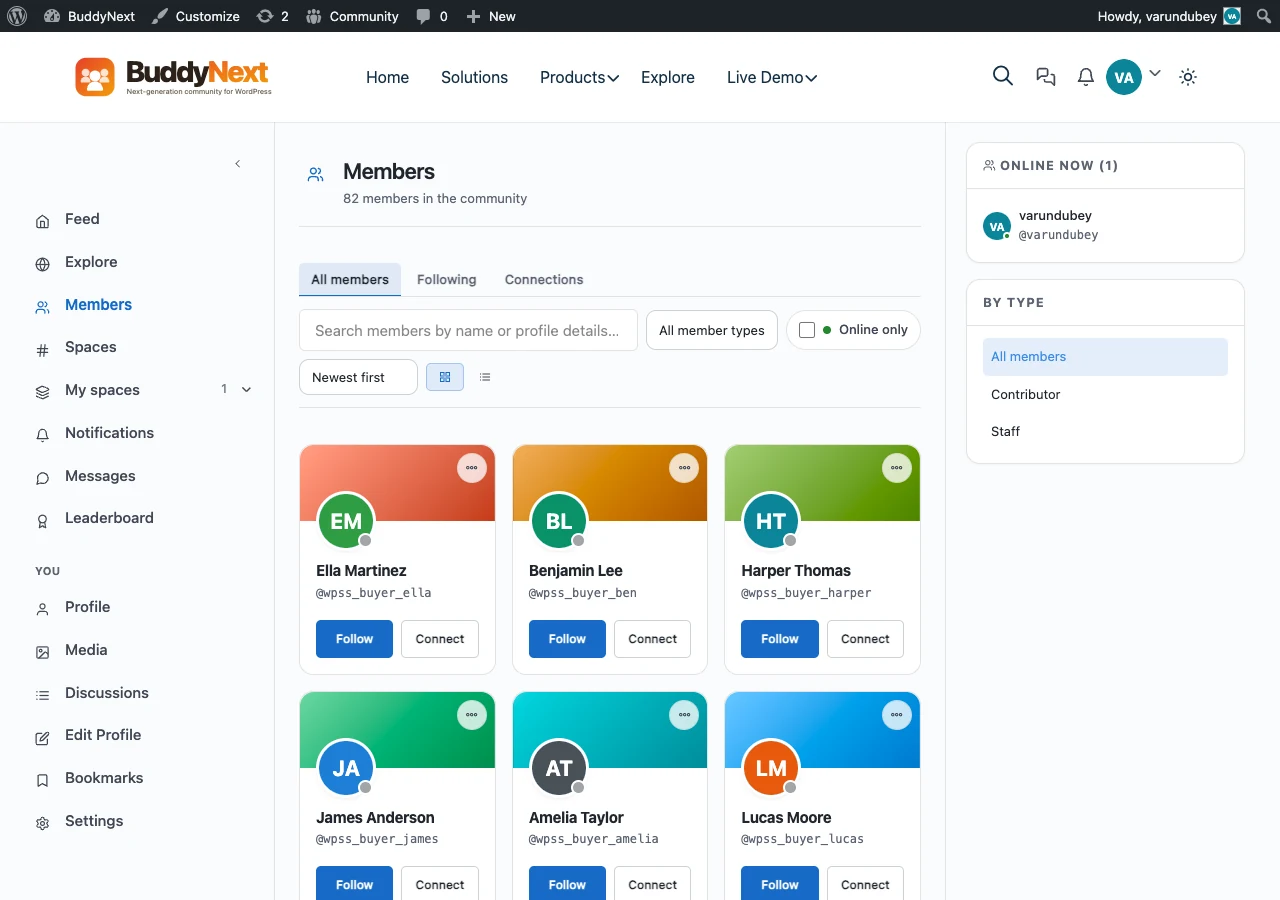 A BuddyNext-powered community.
What BuddyNext Gives You
BuddyNext runs the social layer of your site:
- Member profiles - avatars, cover images, profile fields, and per-member activity.
- Activity feeds - a real-time stream of posts, replies, reactions, and mentions.
- Spaces - the modern take on groups: focused areas where members gather around a topic, project, or team.
- Messaging - private one-to-one and group conversations.
It is built for speed on large member bases, so directories, feeds, and Spaces stay responsive as your community grows past thousands of members. Start on the free edition and upgrade to Pro when you need the deeper moderation, monetization, and admin tooling.
How BuddyNext Pairs with BuddyX Pro
You do not configure a separate skin. BuddyNext is built to read the theme's design tokens, so when it is active it inherits the same palette, typography, and dark-mode set BuddyX Pro uses everywhere else. There is no BuddyNext-specific styling layer in the theme; the fit comes from shared tokens plus the standard BuddyX Pro page frame.
Theme colors
BuddyNext surfaces - profile headers, feed cards, Space tiles, message threads - read your Customizer palette through the theme's --bx-color-* tokens. Set your primary color once and buttons, links, badges, and active states across the community inherit it.
- Go to Appearance > Customize.
- Open Skin Colors and set your primary, background, and text colors.
- Save. Because BuddyNext consumes the same tokens, its feeds, profiles, and Spaces pick up the new values.
Dark mode
Because BuddyNext colors come from tokens rather than hard-coded hex values, it follows the theme's Light and Dark modes with no extra setup. When a member toggles dark mode from the header, token-driven surfaces repaint to the dark palette.
Note: Color mode is Light and Dark only. Token-driven colors are what let BuddyNext track the theme in both modes.
Page frame: header and sidebars
BuddyNext pages render inside the standard BuddyX Pro page frame, so they carry whichever header layout, top bar, and mega menu you have set for the rest of the site, and honor your Customizer sidebar layout the same way any other page does. This is the theme frame every page uses - not BuddyNext-specific theming.
For the auth-link routing and User Menu dropdown wiring - the parts BuddyX Pro actually adds for BuddyNext - see BuddyNext Integration (theme features).
Free to Start, Pro to Grow
BuddyNext is free to start with a Pro upgrade, exactly like the rest of the in-house lineup. The free edition covers profiles, feeds, Spaces, and messaging. The Pro edition adds the advanced moderation, analytics, monetization, and admin controls that larger communities need.
- Product page: https://buddynext.com/
- The full in-house family: Plugin Family
Both editions inherit your BuddyX Pro design tokens out of the box - upgrading to BuddyNext Pro changes what the plugin can do, not how it looks in your theme.
Related
- BuddyPress Integration - The classic community stack BuddyNext replaces
- Bundled Plugins - Every first-party plugin included with your license
- Plugin Family - The complete in-house ecosystem
- Skin Colors - Set the palette BuddyNext inherits
- Header Settings - Header layouts and community icons
Got a question? We're a friendly team - happy to help. support@wbcomdesigns.com