
Events and Ticketing
Free & ProBuddyX Pro makes events feel like a native part of your community. Add Eventonomy for RSVPs, paid ticketing, venues, and QR check-in: because Eventonomy reads the theme's design tokens, every one of those surfaces inherits your presets, colors, and dark mode, and its pages sit inside the standard BuddyX Pro frame with your chosen sidebar - no extra CSS required.
Where to get it: Learn more - Get it
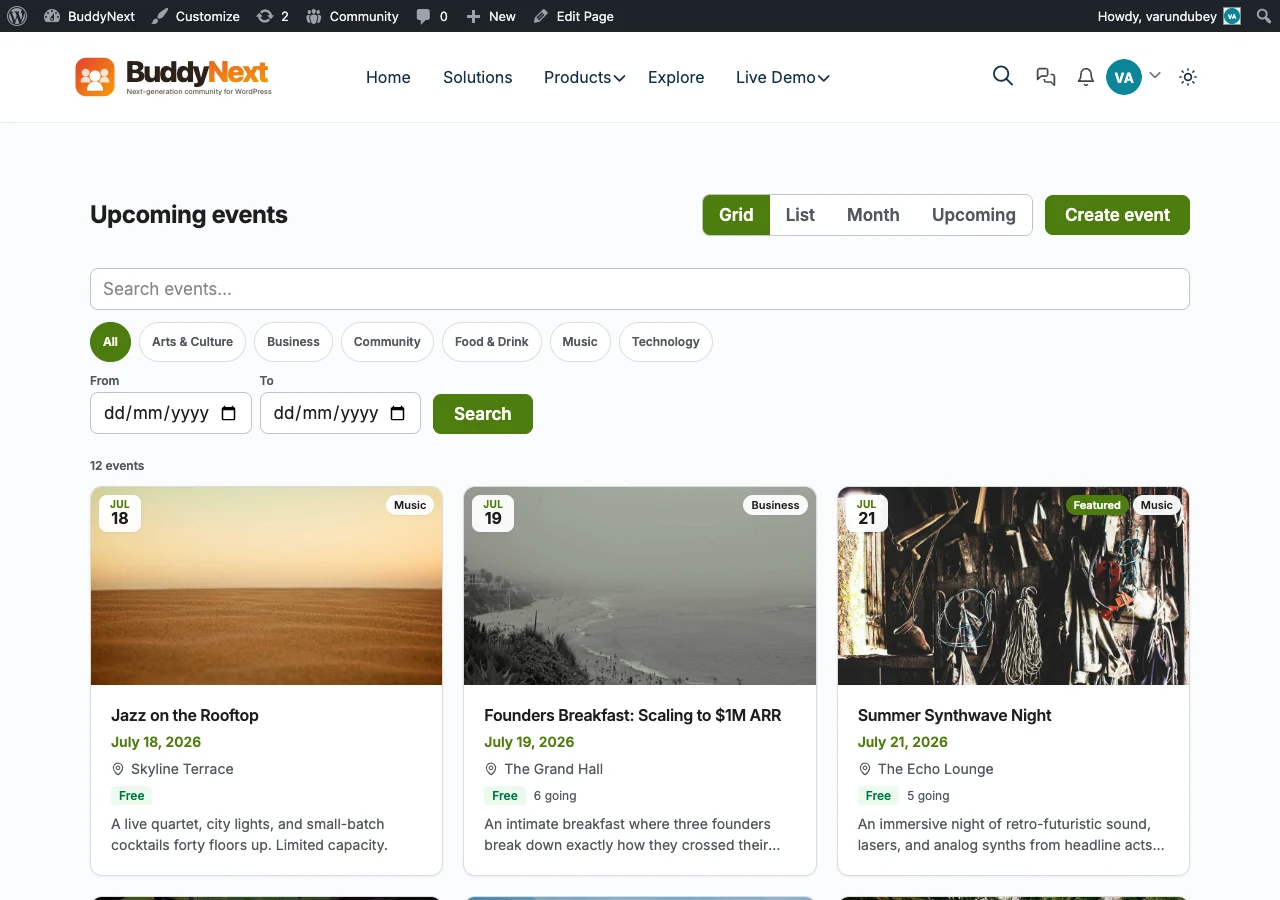 Eventonomy events in BuddyX Pro.
What Eventonomy Adds
Eventonomy is Wbcom's in-house events plugin, built to run ticketed and free events without stitching together add-ons:
- RSVPs - Free registrations with capacity limits and confirmations.
- Paid ticketing - Sell tickets with tiers, pricing, and receipts.
- Venues - Reusable venue records with address and map details.
- QR check-in - Scan attendees in at the door with QR-coded tickets.
Eventonomy is free to start, with a Pro upgrade that unlocks the deeper ticketing and event-management features. See the Eventonomy product page for the full feature list.
How Eventonomy Pairs with BuddyX Pro
Eventonomy is built to consume the same design tokens BuddyX Pro exposes, so once it is active its event surfaces inherit your theme choices. There is no separate skin to install and no BuddyX-specific Eventonomy stylesheet in the theme - the fit comes from shared tokens and the standard page frame.
| Surface | How it inherits from BuddyX Pro |
|---|---|
| Colors | Event listings and ticket buttons inherit your primary and accent colors from --bx-color-* tokens - no hardcoded plugin palette |
| Dark mode | Event archives, single events, venue pages, and checkout all repaint correctly when a visitor toggles dark mode |
| Sidebars | Event archives and single events respect your Customizer sidebar layout (Left, Right, None) |
| Header layouts | Event pages sit under whichever Pro header layout, top bar, and mega menu you have set |
| Typography | Event titles and details use the theme's typography presets and self-hosted fonts |
| Cards and rows | Event listings and venue rows adopt the theme's card style, hover effects, and border radius |
Because Eventonomy shares the same design tokens and Customizer Framework as the theme, it is tested together against every BuddyX Pro release.
Set It Up
1. Install Eventonomy
- Go to Appearance > Customize (or Dashboard > BuddyX Pro Options).
- Open the BuddyX Pro Plugins notice on the dashboard.
- Click Install + Activate next to Eventonomy. It installs from the license server and activates immediately - no manual zip download.
2. Pick the Sidebar Layout
- Go to Appearance > Customize > Sidebar.
- Set the sidebar for event archives and single events to Left, Right, or None.
- Publish.
3. Confirm Dark Mode
- Toggle dark mode from the header.
- Visit an event archive, a single event, a venue page, and the ticket checkout.
- Every surface should repaint cleanly in dark and light.
Tip: Color mode is Light and Dark only. Whichever mode a visitor chooses, event pages follow the same tokens as the rest of your site, so branding stays consistent across the whole community.
The Events Calendar Users
Already running The Events Calendar? BuddyX Pro also styles it with themed calendar grids, event lists, venue and organizer pages, sidebars, and dark mode. The two paths are opt-in and can coexist - run Eventonomy, The Events Calendar, or both. See The Events Calendar for that setup.
Related
- Plugin Family - The full in-house Wbcom lineup, including Eventonomy
- The Events Calendar - Third-party events styling
- Sidebar Layouts - Configure event sidebars
- Dark Mode - How the theme repaints every surface
Got a question? We're a friendly team - happy to help. support@wbcomdesigns.com