
Member Directory and Listings
Free & ProBuddyX Pro makes a great foundation for a directory site. Pair it with a listings plugin and, because that plugin reads the theme's design tokens, your theme colors and dark mode carry straight through to the listing archive, single-listing pages, review widgets, and claim flow, with every page inside the standard BuddyX Pro frame. Start with the in-house Listora plugin for the tightest fit - its surfaces inherit your theme the moment it is active.
Where to get it: Learn more - Get it
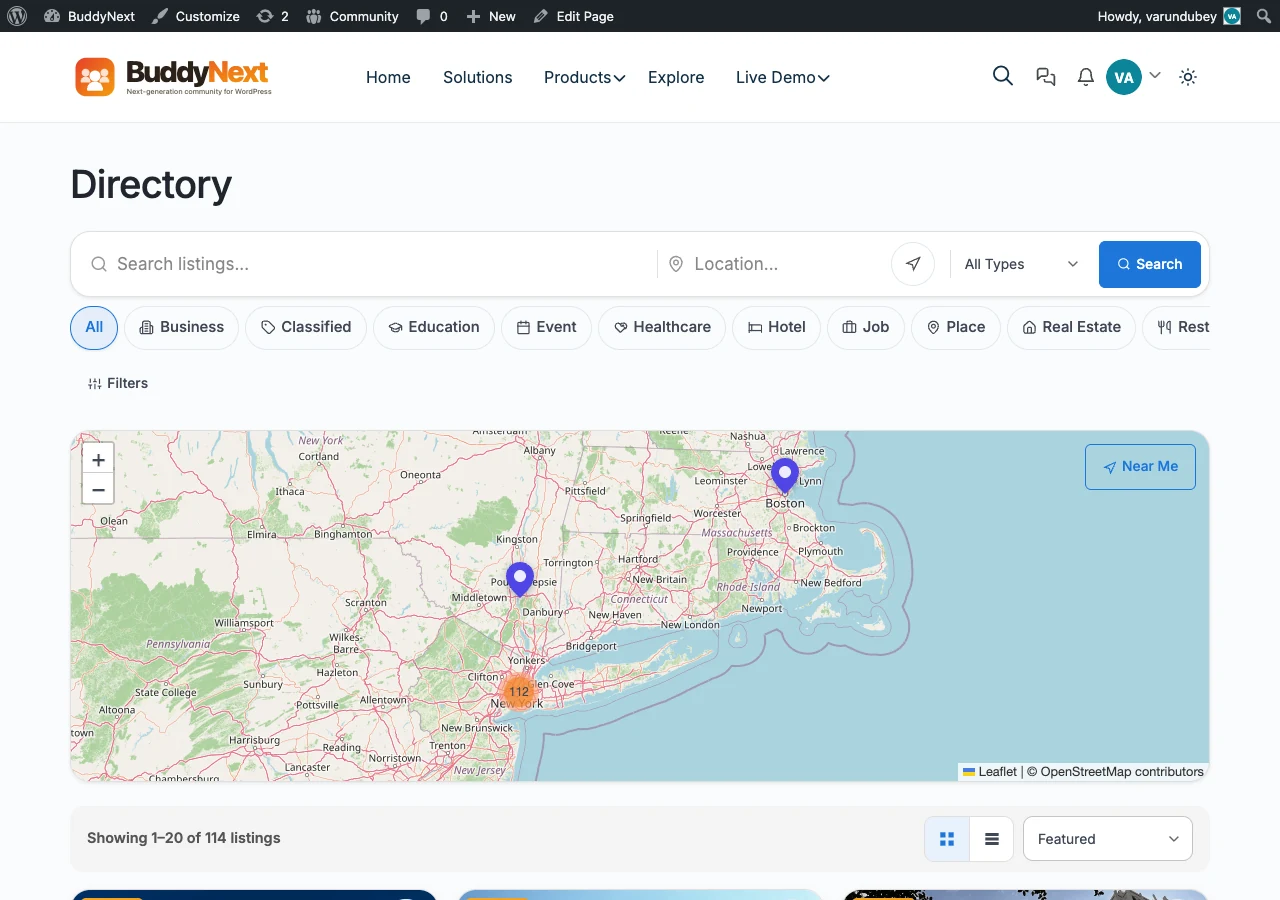 Listora directory in BuddyX Pro.
Listora - the in-house directory
Listora is Wbcom's own directory builder: member listings, claim-your-listing flow, reviews, and monetization. Because it is built by the same team as the theme, it shares the BuddyX Pro design system out of the box - no bridge plugin, no CSS overrides.
What you get:
- Member listings - members submit and manage their own listings from the front end.
- Claims - a claim-your-listing flow so the right owner takes over an existing entry.
- Reviews - star ratings and written reviews on each listing.
- Monetization - paid submissions, featured placements, and listing plans.
Listora is one of the in-house plugins in the BuddyX family. See the full lineup on the plugin family page. It is free to start, with a Pro upgrade that adds the deeper monetization, claim, and reporting features.
How Listora Pairs with BuddyX Pro
You do not configure a separate skin for Listora. It is built to read the same --bx-color-* tokens that drive the rest of your site, so every listing surface inherits the color choices you have already made - there is no BuddyX-specific directory stylesheet in the theme.
Theme colors
Listing cards, category filters, star ratings, submit buttons, and the claim button all read your primary and accent colors from Appearance > Customize > Skin Color. Change your primary color once and the directory grid, badges, and review widgets follow - there is no per-plugin color picker to keep in sync.
Sidebars
The listing archive and single-listing pages honor your sidebar settings. Set the layout at:
- Go to Appearance > Customize.
- Navigate to Sidebar and pick the layout for your directory pages (Left, Right, or None).
A None layout gives the listing grid the full content width for larger cards and map views; a Left or Right sidebar keeps category filters or community navigation beside the results.
Dark mode
Listora surfaces respond to the BuddyX Pro dark-mode toggle. Listing cards, the review widget, the submission form, and the map chrome all switch to the dark token set when a visitor flips the header toggle - and BuddyX Pro paints dark on first load, so the directory never flashes light before switching.
BuddyX Pro's color mode is Light and Dark only. Whichever mode a visitor picks, your listings and reviews stay readable and on-brand.
Header layouts
Your chosen Pro header layout, top bar, and mega menu sit above every directory page, so the search bar and category navigation stay consistent with the rest of the site. Members reach their own listings from the same header they use for the rest of the community.
Set It Up
- Install and activate Listora (see the product page below).
- Go to Appearance > Customize > Skin Color and confirm your primary color - the directory grid picks it up.
- Go to Appearance > Customize > Sidebar and set the sidebar for your directory pages.
- Visit your listing archive - the grid renders in your BuddyX Pro colors immediately. Flip the header toggle to check dark mode.
Listora inherits your BuddyX Pro design tokens as soon as it is active - no theme-side setup beyond your normal color and sidebar choices.
Tip: For a map-heavy directory, set the archive sidebar to None so the listing grid and map view run full width.
Get Listora
Listora is an in-house Wbcom plugin, built by the same team as BuddyX Pro and tested against every theme release.
- Product page: https://listora.org/
- Free to start. The free edition covers member listings, categories, and reviews.
- Pro upgrade adds the claim-your-listing flow, monetization, featured placements, and listing reports for larger directories.
Listora is one of several first-party plugins you can add to a BuddyX Pro community. See the full lineup - forums, courses, gamification, events, media, and more - on the plugin family page.
Related
- BuddyX Plugin Family - Every in-house Wbcom plugin, free and Pro
- Color Scheme - Set the theme colors your listings inherit
- Dark Mode - How the light and dark toggle works across community surfaces
- Sidebar Settings - Choose the sidebar layout for your directory pages
Got a question? We're a friendly team - happy to help. support@wbcomdesigns.com