
Gamification (WB Gamification)
Free & ProWB Gamification adds points, badges, levels, and leaderboards to your community - a reward layer that turns everyday activity into progress your members can see and compete over. It is built to pair with BuddyX Pro: because point counters, badge grids, level bars, and the leaderboard table read the theme's --bx-color-* design tokens, they inherit your theme colors and dark mode, and their pages sit inside the standard BuddyX Pro frame with your chosen sidebar the moment WB Gamification is active.
Where to get it: Get it
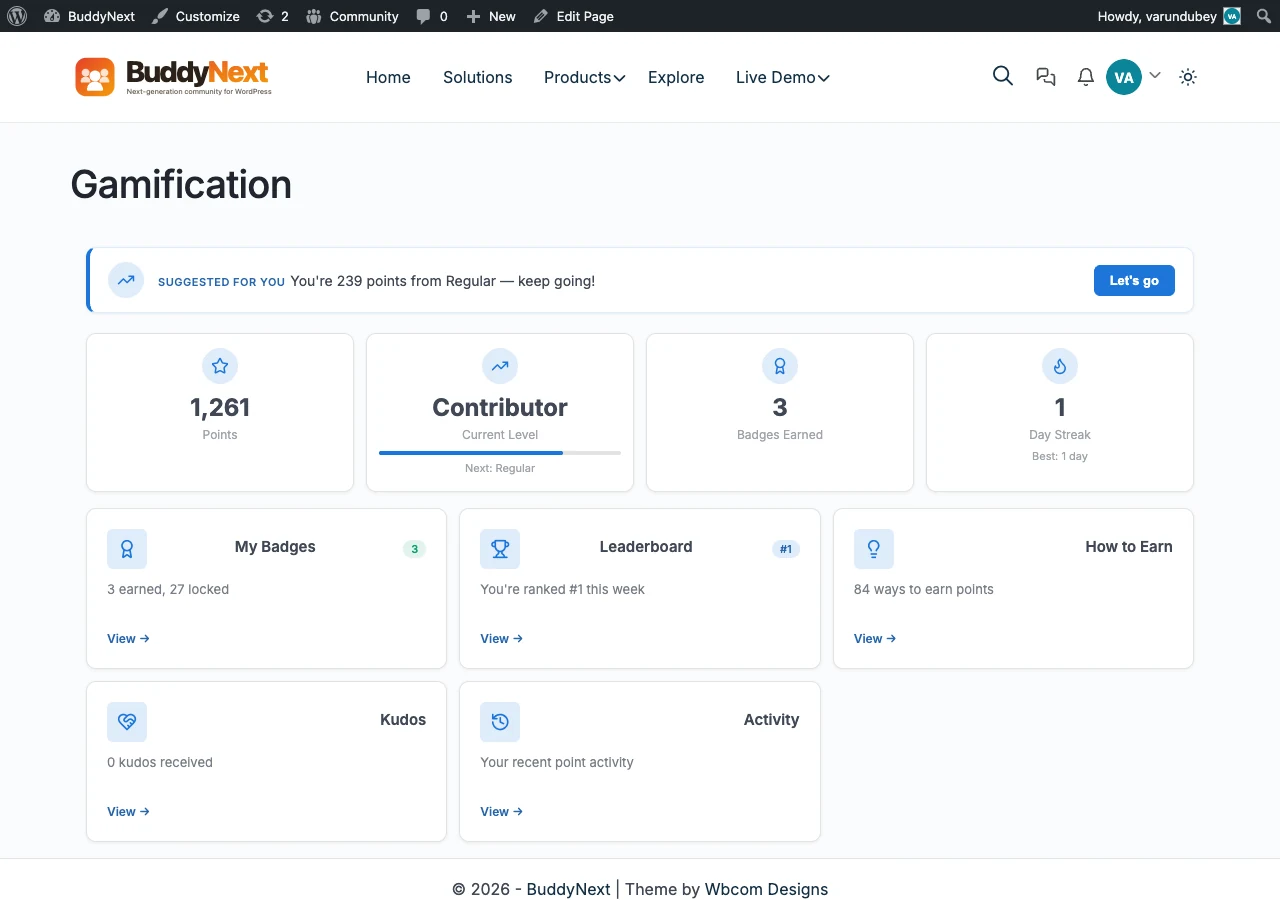 WB Gamification leaderboard in BuddyX Pro.
WB Gamification vs GamiPress
Two different plugins solve the same goal here, and it is worth being clear which one this page covers.
- WB Gamification is the in-house Wbcom plugin, built by the same team as BuddyX Pro and tested against every theme release. It is the one described on this page.
- GamiPress is a popular third-party gamification plugin. It inherits your BuddyX design tokens too, but it is documented separately.
If you are already running GamiPress, or you specifically want its ecosystem of add-ons, see GamiPress & Gamification. If you want a first-party option that stays in step with the theme and the rest of the Wbcom lineup, WB Gamification is the one to reach for.
What WB Gamification Does
WB Gamification adds a reward system to your community:
- Points - Members earn points for activity - posting, commenting, joining groups, and more.
- Badges - Visual awards members unlock when they hit a milestone.
- Levels - Progressive ranks that members climb as their points grow.
- Leaderboards - Ranked tables that surface your most active members and drive friendly competition.
It is free to start, with a Pro upgrade that adds deeper controls (more on that below).
How WB Gamification Pairs with BuddyX Pro
You do not configure a separate skin for WB Gamification. It is built to read the same --bx-color-* tokens that drive the rest of your site, so it inherits every color choice you have already made - there is no BuddyX-specific gamification stylesheet in the theme.
Theme colors
Point counters, badge cards, level progress bars, and the leaderboard's highlighted rows all read your primary and accent colors from Appearance > Customize > Skin Color (Global Palette). Change your primary color once and every gamification surface follows - no per-plugin color picker to keep in sync.
Sidebars
Leaderboard pages and badge archives honor your community sidebar settings. Set the layout at:
- Go to Appearance > Customize.
- Navigate to Sidebar and pick the layout for community pages (Left, Right, or None).
A None layout gives a large leaderboard the full content width; a Left or Right sidebar keeps your community navigation beside the table.
Dark mode
WB Gamification surfaces respond to the BuddyX Pro dark-mode toggle. Badge cards, level bars, leaderboard rows, and point counters all switch to the dark token set when a visitor flips the header toggle - and BuddyX Pro paints dark on first load, so the leaderboard never flashes light before switching.
BuddyX Pro's color mode is Light and Dark only. Whichever mode a visitor picks, your points, badges, and rankings stay readable and on-brand.
Page frame
Gamification pages render inside the standard BuddyX Pro page frame, so they carry whichever header layout, top bar, and mega menu you have set for the rest of the site. Where WB Gamification surfaces points and badges on a member profile, those surfaces inherit the profile header you have configured - one consistent frame across every community page.
Getting Started
- Install and activate WB Gamification (see the product page below).
- Create a point type and a couple of badges from the WB Gamification menu.
- Publish a leaderboard page and visit it on the front end.
- Confirm the leaderboard and badge cards pick up your theme colors, then switch the header toggle to check dark mode.
WB Gamification inherits your BuddyX Pro design tokens as soon as it is active - no theme-side setup beyond your normal color and sidebar choices.
Get WB Gamification
WB Gamification is an in-house Wbcom plugin, built by the same team as BuddyX Pro and tested against every theme release.
- Product page: https://wbcomdesigns.com/downloads/wordpress-gamification-plugin/
- Free to start. The free edition covers points, badges, levels, and leaderboards.
- Pro upgrade adds advanced rules, more award triggers, and the deeper controls larger communities need.
WB Gamification is one of several first-party plugins you can add to a BuddyX Pro community. See the full lineup - forums, courses, media, events, directories, and more - on the plugin family page.
Related
- BuddyX Plugin Family - Every in-house Wbcom plugin, free and Pro
- GamiPress & Gamification - The third-party alternative and how it inherits your theme
- Color Scheme - Set the theme colors your gamification surfaces inherit
- Dark Mode - How the light and dark toggle works across community surfaces
- Sidebar Settings - Choose the sidebar layout for community and leaderboard pages
Got a question? We're a friendly team - happy to help. support@wbcomdesigns.com