
Community (BuddyPress and BuddyNext)
Free & ProBuddyX Pro is a community theme first, so it gives you full control over your social layer. For classic BuddyPress, the theme ships dedicated directory, header, navigation, and activity styling - the controls described below. For the modern in-house BuddyNext, the theme adds a targeted compatibility layer (auth-link routing and the header User Menu dropdown) while BuddyNext's own surfaces inherit your BuddyX Pro design tokens for colors and dark mode. This page explains how the theme dresses your community and helps you pick the right engine underneath it.
What BuddyX Pro adds to your community
Where the free BuddyX theme ships only limited community styling, BuddyX Pro 5.1.0 unlocks the full set of community controls:
- Multiple member and group directory layouts - switch each directory between grid and list, set items per page, and choose the card style.
- Header and navigation layouts - six member header styles and six single-group header styles, plus configurable navigation tabs.
- Activity share and reactions - theme-level social sharing and reactions on activity items, handled inside the BuddyX Pro activity template with no separate plugin.
- Avatar styles - circle or square avatars applied consistently across directories, cards, and the site header.
All of it inherits your theme settings automatically. Set your primary color, pick a header layout, and toggle dark mode once - the community surfaces follow.
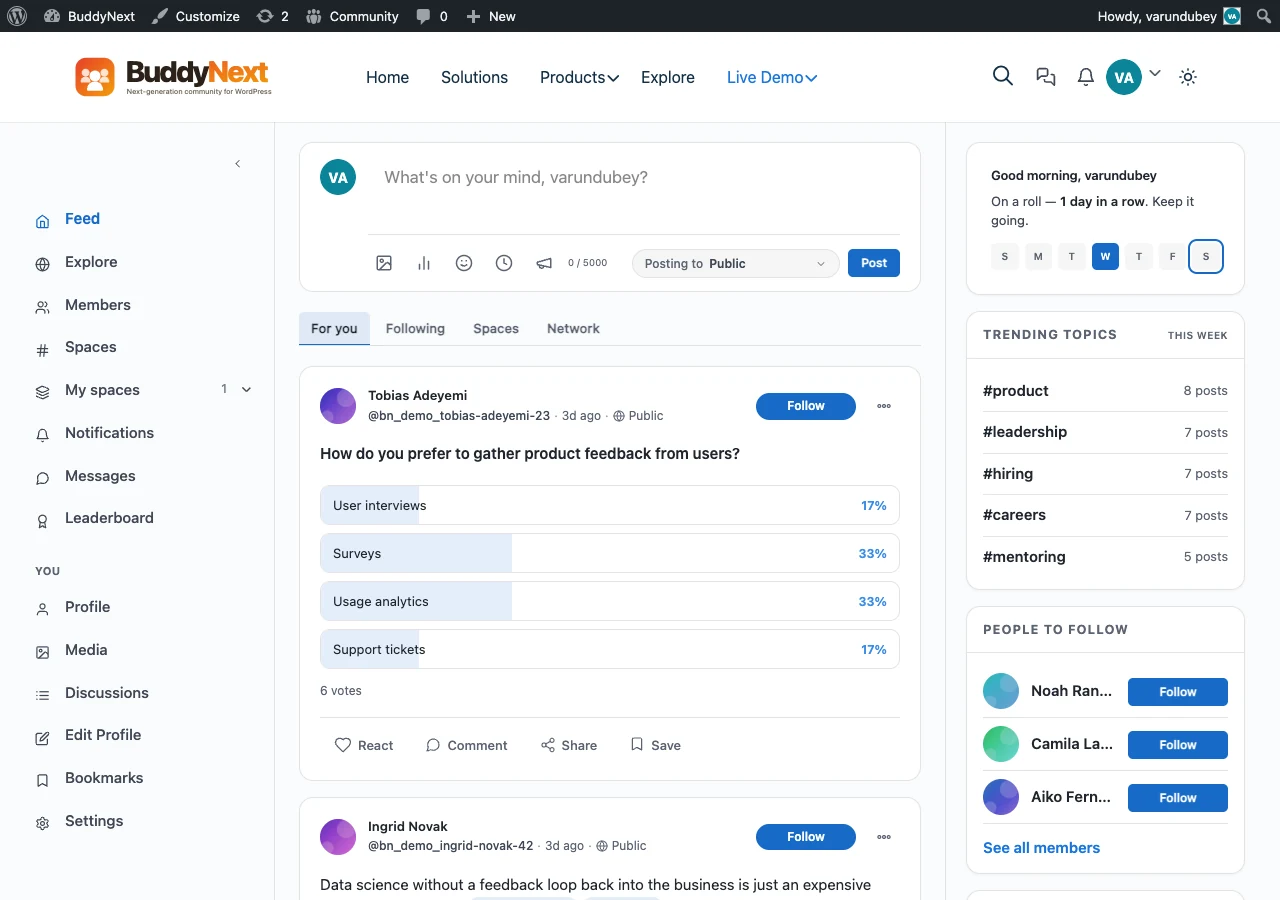 The activity feed in BuddyX Pro.
Member directory
The member directory renders as themed cards with avatar, name, and meta, plus online status, search, filters, and pagination. Choose your layout at Appearance > Customize > Community Settings > Members Directory.
Youzify note: The Community Settings panel (including every Members Directory control) is removed when the Youzify plugin is active - Youzify manages its own member directory. Run BuddyPress without Youzify to use these options.
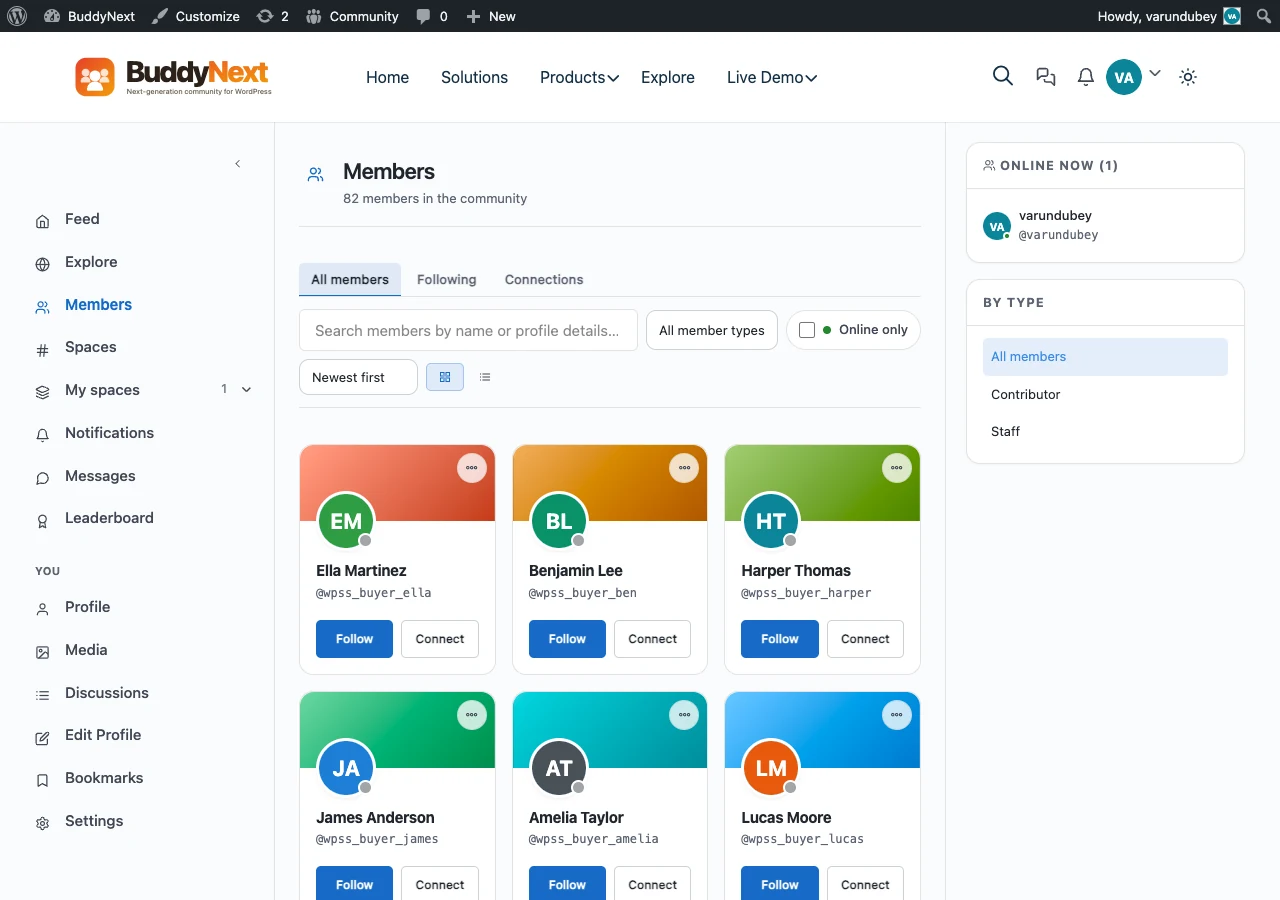 Member directory with a Pro layout.
Groups and Spaces
Group directories share the same grid-or-list treatment, themed group cards, six single-group header styles, and join/leave buttons that match your button styling.
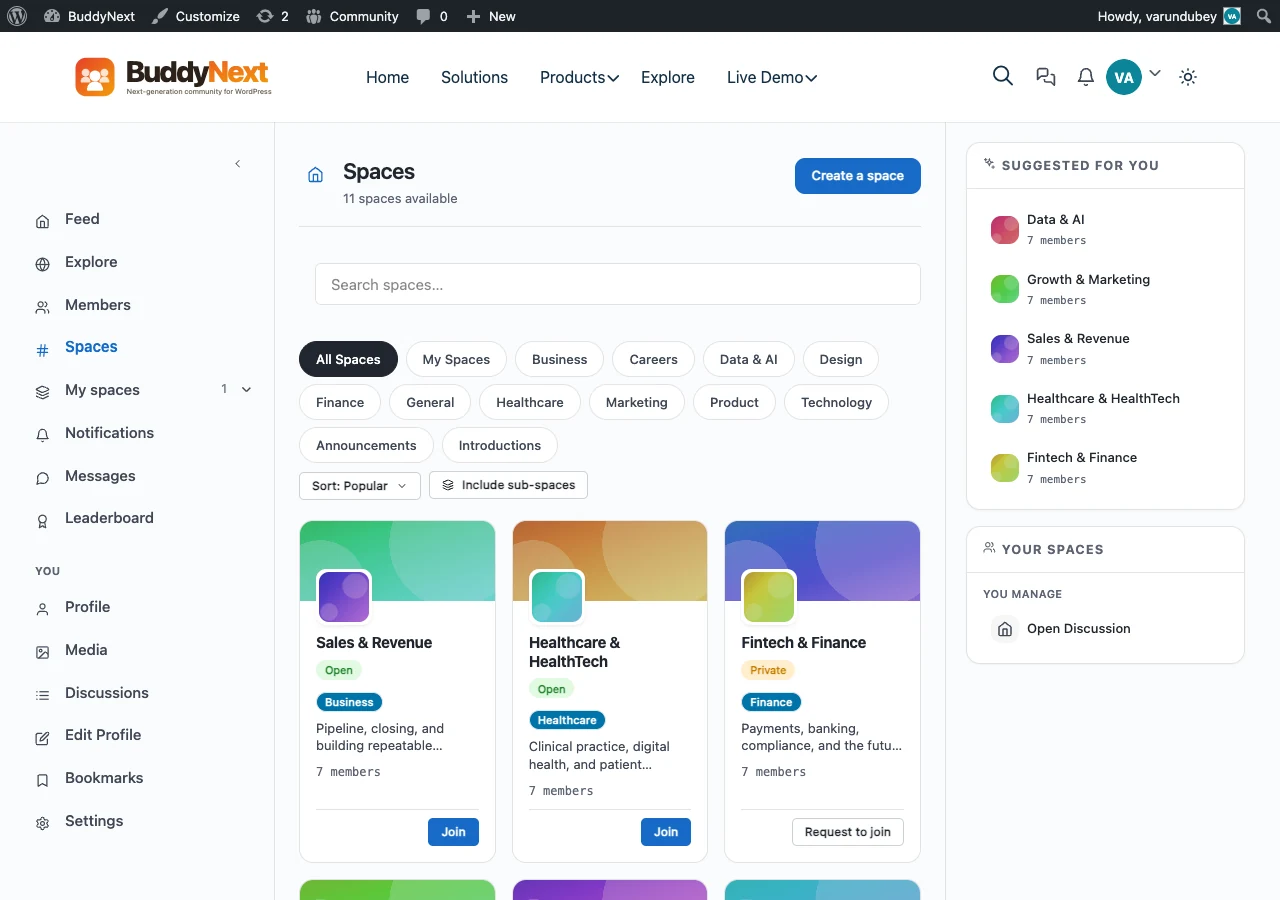 Group / Spaces directory.
Tip: Dedicated sidebars exist for the members directory, groups directory, and activity stream. Assign widgets to each at Appearance > Widgets so your community pages carry the layout you want.
BuddyPress or BuddyNext - pick your engine
BuddyX Pro styles two community engines. The theme layer is the same; the difference is which plugin powers profiles, feeds, and groups underneath.
| BuddyPress (classic) | BuddyNext (modern) | |
|---|---|---|
| What it is | The long-established WordPress community plugin | A modern, faster in-house alternative to BuddyPress and BuddyBoss |
| Terminology | Members, Groups, Activity | Profiles, Spaces, Feeds, Messaging |
| Best for | Existing communities, maximum add-on compatibility | New builds that want a lighter, faster foundation |
| BuddyX Pro theming | Dedicated directory, header, and nav layouts (theme-side CSS) | Inherits theme design tokens + a targeted compat layer (auth links, User Menu dropdown) |
Choose BuddyPress if you already run it, rely on its ecosystem of add-ons, or want the most battle-tested option. Set the template pack to BP Nouveau (BP Legacy is not supported) and BuddyX Pro handles the rest.
Choose BuddyNext if you are starting fresh and want a modern, faster social network with profiles, feeds, Spaces, and built-in messaging. BuddyNext is free to start, with a Pro upgrade that unlocks the deeper features.
Both are made in-house by Wbcom Designs, so both are tested against every BuddyX Pro release. See the full in-house catalog in Plugin Family - BuddyNext's product page is https://buddynext.com/.
Detailed BuddyPress settings
This page covers the theme-integration overview. For the step-by-step Customizer settings on classic BuddyPress, use the dedicated section:
- BuddyPress Overview - quick setup and what the theme adds
- BuddyPress Settings - every Customizer option
- Member Directory - directory layout and filters
- Member Profiles - header styles and cover image
- Groups - group directory and single-group headers
- Activity Stream - activity feed, share, and reactions
Related
- BuddyPress Overview - classic BuddyPress integration
- Plugin Family - the full in-house Wbcom lineup
- Bundled Plugins - what ships with your BuddyX Pro license
- BuddyBoss - if you run BuddyBoss Platform instead
Got a question? We're a friendly team, happy to help. support@wbcomdesigns.com