
Site Header and Site Sub Header
Free themeControl what shows in your top bar - search, cart, login/register - and the little sub-header strip that carries your page title and breadcrumbs.
Site Header
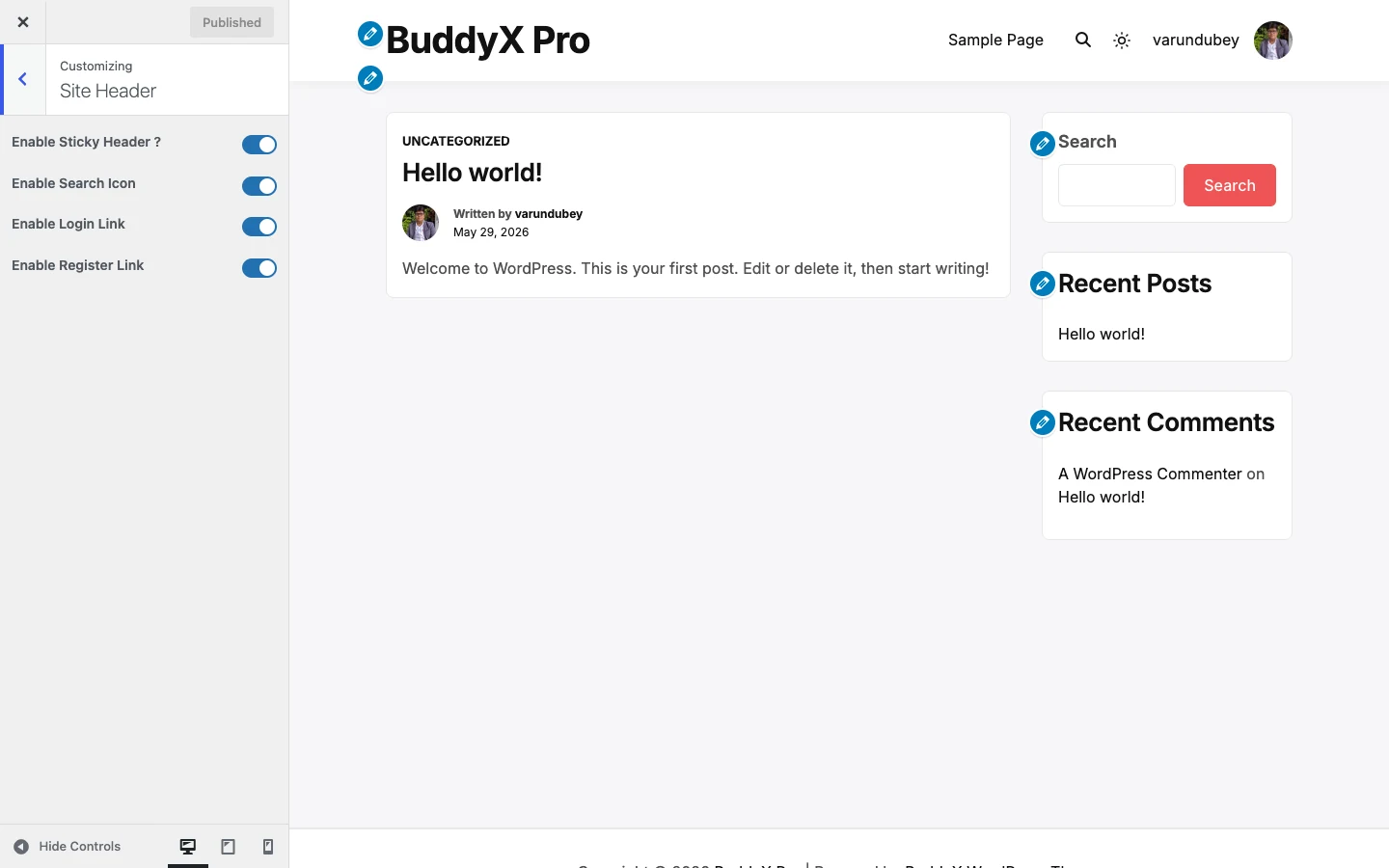
The Site Header section controls the icons and links that sit in your top bar. Go to Appearance -> Customize -> Site Header.
Every one of these is a simple on/off switch, and the defaults are already sensible - a brand-new site works out of the box with search, cart, login, and register all showing. You only need to touch these if you want to hide something.
Settings
| Setting | Default | What it does |
|---|---|---|
| Enable Sticky Header? | Yes | Keeps the header fixed at the top of the screen as visitors scroll down the page. |
| Enable Search Icon | Enable | Shows the search icon in the header so visitors can search your site. |
| Enable Cart Icon | Enable | Shows the cart icon in the header. Shows only if WooCommerce, FluentCart, or SureCart is active - each registers this switch, so with none of them installed there is no cart to toggle. |
| Enable Login Link | Enable | Shows a Log In link in the header for logged-out visitors. |
| Enable Register Link | Enable | Shows a Register link in the header for logged-out visitors. |
First-time tip: leave all five on. The sticky header keeps your navigation reachable on long pages, and the login/register links give community members an obvious way in. Come back and turn one off only if it clutters your design.
Two things people often look for here live in nearby sections, not in Site Header:
- Your logo comes from Appearance -> Customize -> Site Identity (it is a WordPress core control). See First-time setup.
- Your header background color lives in Appearance -> Customize -> Site Skin. See Colors and color scheme.
Site Sub Header
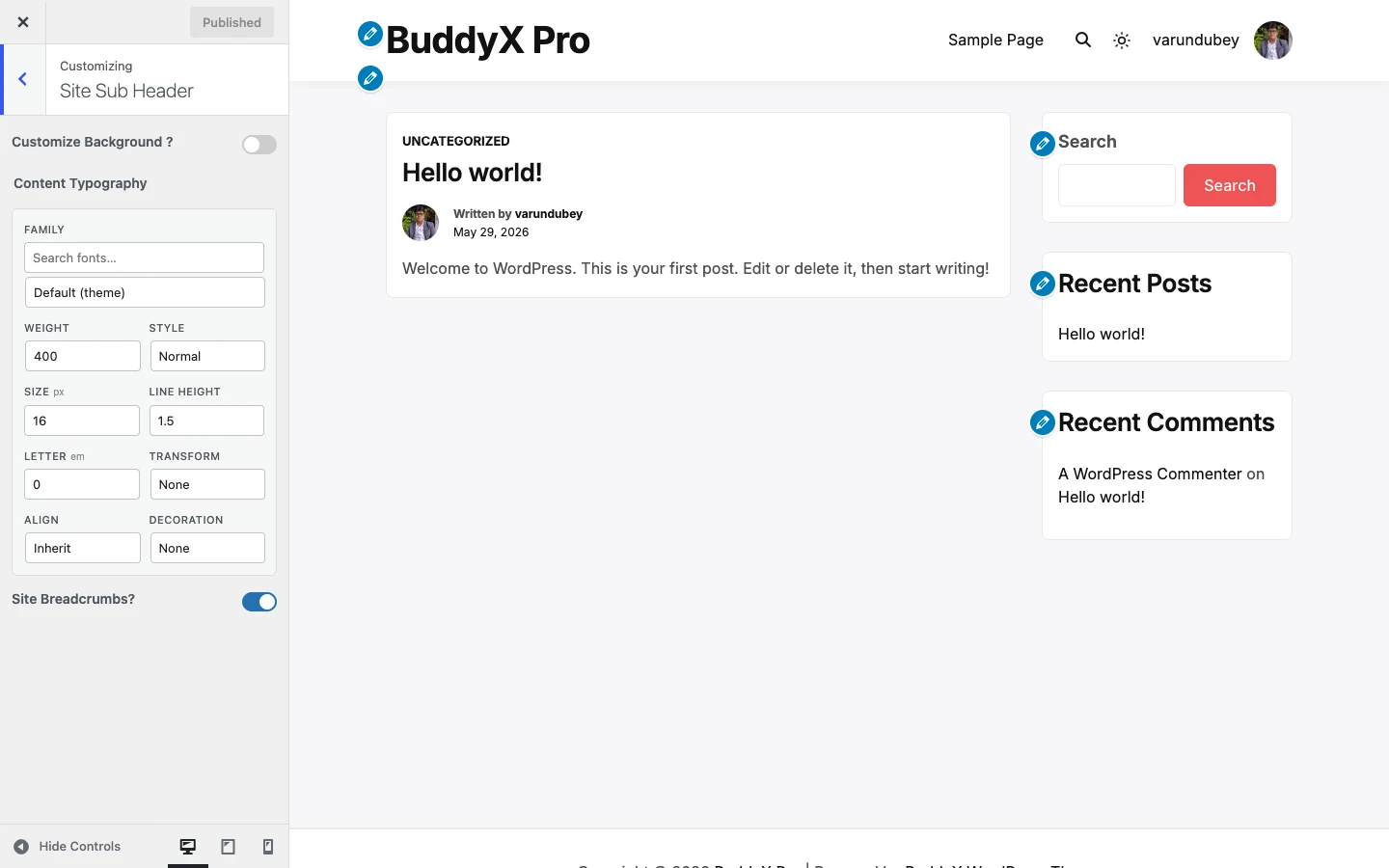
The sub-header is the strip directly under your main header - it usually carries the page title and the breadcrumb trail. Go to Appearance -> Customize -> Site Sub Header.
Settings
| Setting | Default | What it does |
|---|---|---|
| Customize Background? | Disable | Turns on a custom background for the sub-header. Left off, the sub-header inherits its color from your theme skin and adapts to dark mode automatically. |
| Background Control | Inherits theme color | Pick a background color or image for the sub-header. Only shows once Customize Background is enabled. |
| Content Typography | Theme default | Sets the font family, size, weight, letter-spacing, and transform for the sub-header title and breadcrumbs. |
| Site Breadcrumbs? | Enable | Shows the breadcrumb trail (Home -> Section -> Page) inside the sub-header. |
Quick answer: most sites can leave every sub-header setting at its default. Breadcrumbs help visitors and search engines understand where they are, so keep them on unless your design has no room for them.
BuddyX free vs BuddyX Pro
BuddyX free gives you the full set of header switches above - sticky header, search icon, cart icon, and login/register links - plus the sub-header background, typography, and breadcrumbs. That covers what most community and blog sites need.
BuddyX Pro adds an advanced header builder on top: multiple header layouts, a top bar above the header, a mega/More menu, menu position and hover effects, and dedicated styling for the search icon and the login/register buttons. If you want to design the header rather than just switch parts on and off, that is the BuddyX Pro upgrade. It is optional - nothing here is broken without it.
Related
- BuddyX docs home
- Colors and color scheme - header and sub-header background colors
- Dark mode
- BuddyX Pro - the advanced header builder
- First-time setup - where your logo and site identity live
Next: Colors and color scheme