
Job Board (WP Career Board)
Free & ProWP Career Board turns your community into a working job board - employers post listings, companies build profiles, and members upload resumes and apply, all without leaving your site. It is built to pair with BuddyX Pro: because job listings, company pages, resume forms, and application screens read the theme's design tokens, they inherit your theme colors and dark mode, and their pages sit inside the standard BuddyX Pro frame with your chosen sidebar the moment WP Career Board is active.
Where to get it: Learn more - Get it
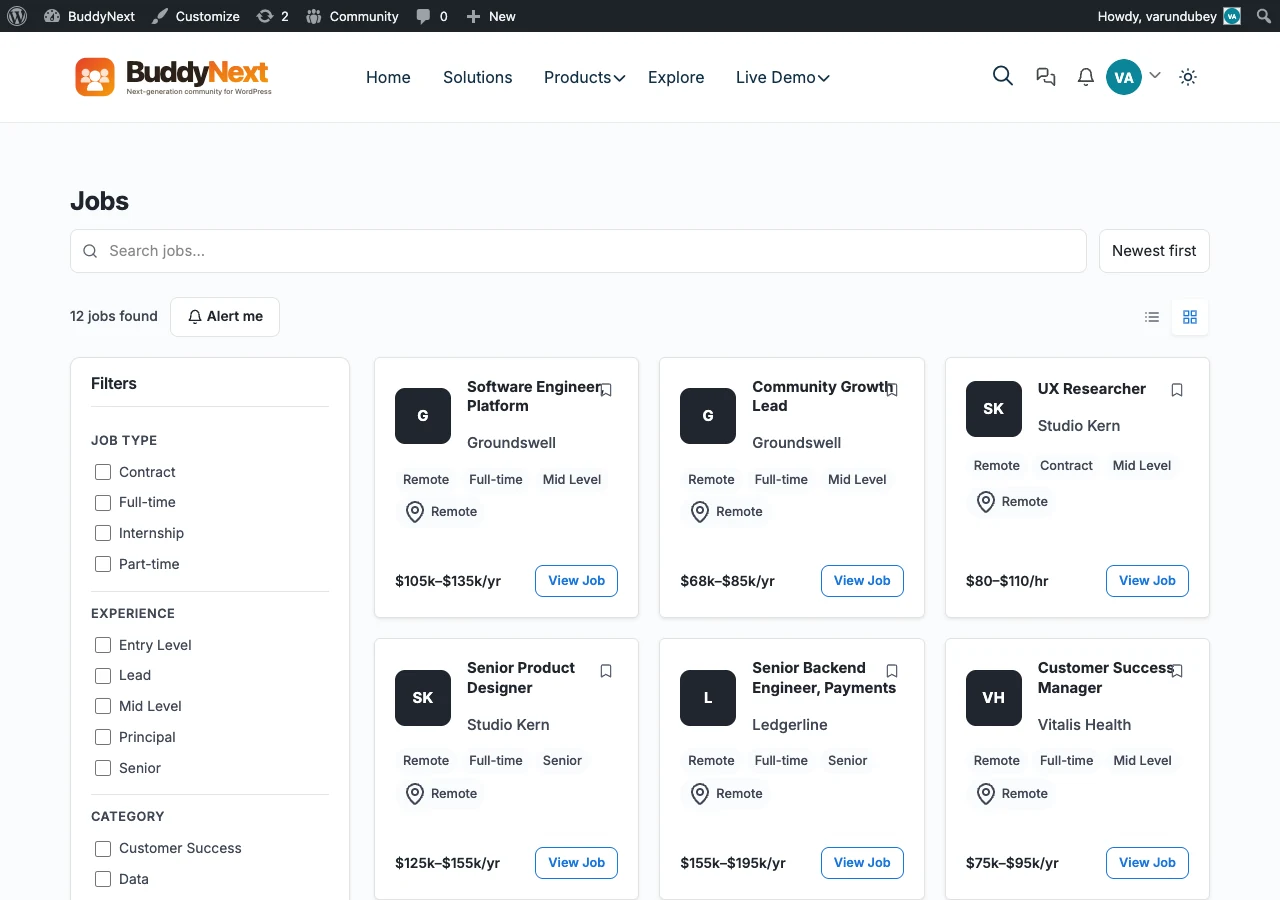 WP Career Board jobs in BuddyX Pro.
What WP Career Board Does
WP Career Board adds a full hiring workflow to your community:
- Job listings - Employers post openings with categories, locations, and job types; members browse and filter the archive.
- Company profiles - Each employer gets a branded company page listing their open roles.
- Resumes - Members build and upload resumes that employers can browse and search.
- Applications - Members apply to listings in place, and employers review and respond from their dashboard.
It is free to start, with a Pro upgrade that adds deeper controls (more on that below).
How WP Career Board Pairs with BuddyX Pro
You do not configure a separate skin for WP Career Board. It is built to read the same --bx-color-* tokens that drive the rest of your site, so it inherits every color choice you have already made - there is no BuddyX-specific job-board stylesheet in the theme.
Theme colors
Job cards, apply buttons, category filters, and the company profile header all read your primary and accent colors from Appearance > Customize > Skin Color (Global Palette). Change your primary color once and the whole board follows - no per-plugin color picker to keep in sync.
Sidebars
The job archive and single-listing pages honor your sidebar settings. Set the layout at:
- Go to Appearance > Customize.
- Navigate to Sidebar and pick the layout for the job pages (Left, Right, or None).
A None layout gives the listing grid the full content width; a Left or Right sidebar keeps a filter or navigation column beside the jobs.
Dark mode
WP Career Board surfaces respond to the BuddyX Pro dark-mode toggle. Job cards, resume forms, the application panel, and the company header all switch to the dark token set when a visitor flips the header toggle - and BuddyX Pro paints dark on first load, so listings never flash light before switching.
BuddyX Pro's color mode is Light and Dark only. Whichever mode a visitor picks, your job board stays readable and on-brand.
Header layouts
The job board sits inside your BuddyX Pro page frame, so it inherits whichever header layout you have chosen - top bar, mega menu, and menu effects included. Members reach listings, their resume, and their applications from the same header they use everywhere else on the site.
Getting Started
- Install and activate WP Career Board (see the product page below).
- Visit the job board archive and confirm the listing cards pick up your theme colors.
- Post a test listing and open a company profile to check the single-page layout.
- Switch the header toggle to confirm dark mode across listings, resumes, and the apply form.
WP Career Board inherits your BuddyX Pro design tokens as soon as it is active - no theme-side setup beyond your normal color and sidebar choices.
Get WP Career Board
WP Career Board is an in-house Wbcom plugin, built by the same team as BuddyX Pro and tested against every theme release.
- Product page: https://wpcareerboard.com/
- Free to start. The free edition covers job listings, company profiles, resumes, and applications.
- Pro upgrade adds paid and featured listings, applicant tracking, and resume search filters for larger boards.
WP Career Board is one of several first-party plugins you can add to a BuddyX Pro community. See the full lineup - forums, courses, gamification, events, directories, and more - on the plugin family page.
Related
- BuddyX Plugin Family - Every in-house Wbcom plugin, free and Pro
- Color Scheme - Set the theme colors your job board inherits
- Dark Mode - How the light and dark toggle works across community surfaces
- Sidebar Settings - Choose the sidebar layout for the job pages
Got a question? We're a friendly team - happy to help. support@wbcomdesigns.com