
Discussions and Forums
Free & ProBuddyX Pro makes discussion and Q&A feel like a native part of your community. Add Jetonomy for modern forums, threaded Q&A, an ideas roadmap, and polls: because Jetonomy reads the theme's design tokens, every one of those surfaces inherits your presets, colors, and dark mode, and its pages sit inside the standard BuddyX Pro frame with your chosen sidebar - no extra CSS required.
Where to get it: Learn more - Get it
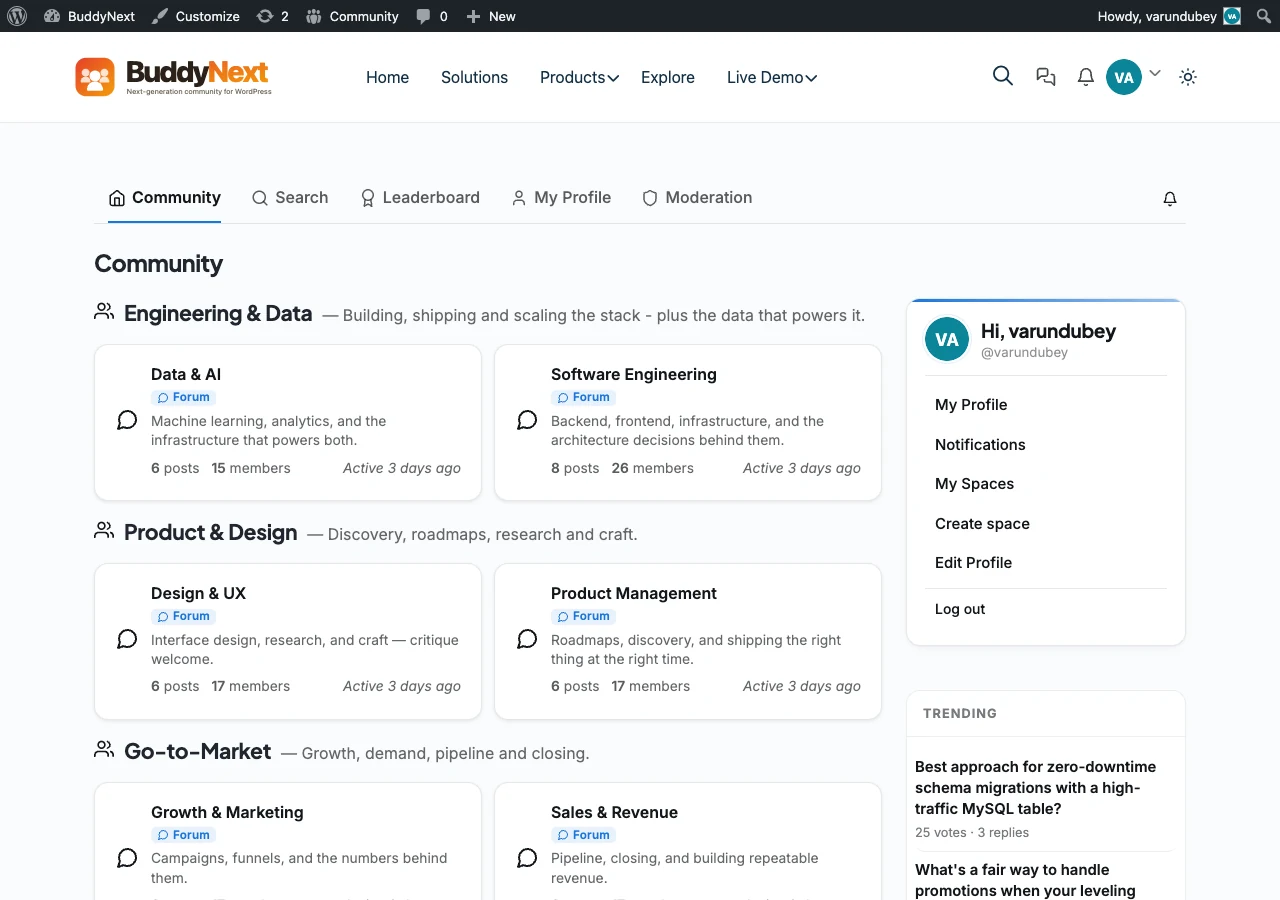 Jetonomy discussions in BuddyX Pro.
What Jetonomy Adds
Jetonomy is Wbcom's from-scratch discussion plugin, built for 2026 community standards instead of legacy forum software:
- Forums - Organize discussions into spaces and categories.
- Threaded Q&A - Questions with accepted answers and reply nesting.
- Ideas roadmap - Idea boards with upvotes so members shape what you build next.
- Polls - Quick community votes inside a discussion or on their own.
- Trust levels - A six-level trust system that auto-moderates as members earn standing.
Jetonomy is free to start, with a Pro upgrade that adds analytics, AI-assisted moderation, anti-spam, and admin tooling. See the Jetonomy product page for the full feature list.
How Jetonomy Pairs with BuddyX Pro
Jetonomy is built to consume the same design tokens BuddyX Pro exposes, so once it is active its discussion surfaces inherit your theme choices. There is no separate skin to install and no BuddyX-specific Jetonomy stylesheet in the theme - the fit comes from shared tokens and the standard page frame.
| Surface | How it inherits from BuddyX Pro |
|---|---|
| Colors | Discussions inherit your primary and accent colors from --bx-color-* tokens - no hardcoded plugin palette |
| Dark mode | Forums, Q&A threads, idea boards, and polls all repaint correctly when a visitor toggles dark mode |
| Sidebars | Discussion archives and single threads respect your Customizer sidebar layout (Left, Right, None) |
| Header layouts | Discussion pages sit under whichever Pro header layout, top bar, and mega menu you have set |
| Typography | Thread titles and reply text use the theme's typography presets and self-hosted fonts |
| Cards and rows | Space listings and topic rows adopt the theme's card style, hover effects, and border radius |
Because Jetonomy shares the same design tokens and Customizer Framework as the theme, it is tested together against every BuddyX Pro release.
Set It Up
1. Install Jetonomy
- Go to Appearance > Customize (or Dashboard > BuddyX Pro Options).
- Open the BuddyX Pro Plugins notice on the dashboard.
- Click Install + Activate next to Jetonomy. It installs from the license server and activates immediately - no manual zip download.
2. Pick the Sidebar Layout
- Go to Appearance > Customize > Sidebar.
- Set the sidebar for discussion archives and single threads to Left, Right, or None.
- Publish.
3. Confirm Dark Mode
- Toggle dark mode from the header.
- Visit a forum, a Q&A thread, an idea board, and a poll.
- Every surface should repaint cleanly in dark and light.
Tip: Color mode is Light and Dark only. Whichever mode a visitor chooses, discussion pages follow the same tokens as the rest of your site, so branding stays consistent across the whole community.
bbPress Users
Prefer the classic forum stack? BuddyX Pro also styles bbPress with modern forum layouts, sidebars, and dark mode. The two are opt-in and can coexist - run Jetonomy, bbPress, or both. See bbPress Forums Setup for that path.
Related
- Plugin Family - The full in-house Wbcom lineup, including Jetonomy
- bbPress Forums Setup - Classic forum styling
- Sidebar Layouts - Configure discussion sidebars
- Dark Mode - How the theme repaints every surface
Got a question? We're a friendly team - happy to help. support@wbcomdesigns.com